

Flowlu
by Flowlu • Founded 2016
What is Flowlu?
Get Best Quote for Flowlu
Connect with SaaSrat experts to get the best quote for your business.
You're all set!
A specialist for Flowlu will reach out within 1 business day.
Flowlu Features
Task creation
Task assignment
Task prioritization
Due dates
Recurring tasks
Task dependencies
View All 419 Features
Flowlu Pricing Plans
Free
- 2 Users
- Tasks & Projects
- Agile Projects (Scrum)
- Project Expense & Revenue
- Cloud CRM
- Lead & Contact Management
- Quotation (Estimates)
- Invoicing & Payment
- Processing
- Knowledge bases
- Finance Management
- Records Management
- Online Messenger
Team
- Free +
- Up to 8 Users
- Recurring Task & Task
- Templates
- Task Checklist & Observers
- Tasks In a Project Template
- Financial Planning In a Project
- Invoice Templates
- API & Web Hooks
- Multiple Sales Funnels
- Extended Calendar
- User Access Control
Business
- Team +
- Up to 16 Users
- Time Tracking
- Unlimited Agile Projects
- CRM Duplicates Control
- Unlimited Sales Funnels
- Project Cash Flow Forecast
- External Knowledge Base
- Custom Fields
- Recurring Invoice
Professional
- 25 Users
- 100GB Storage
- Unlimited Knowledge Bases
- 20 Project Templates
Enterprise
- Unlimited Users
- 1000GB Storage
- Formula Fields
- Custom Domain
Solo
- Single-User Access
- Invoicing & Payments
- 10GB File Storage
- CRM & Automations
- Knowledge Base
- Projects, Tasks & Time Tracking
- Client Portal
- iOS and Android Apps
Flowlu Resources
Flowlu Screenshots
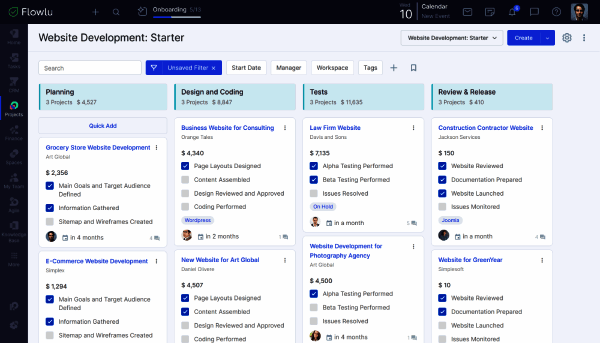
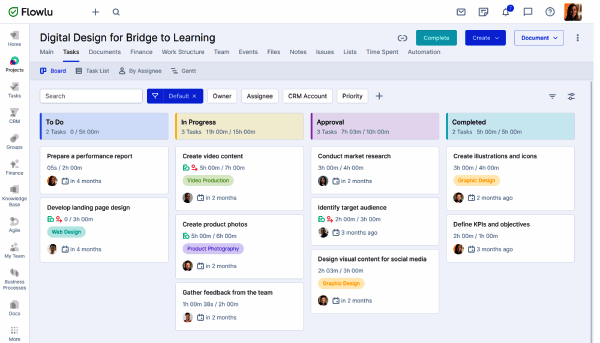
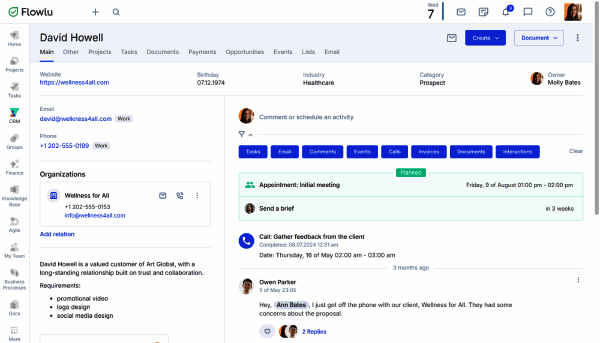
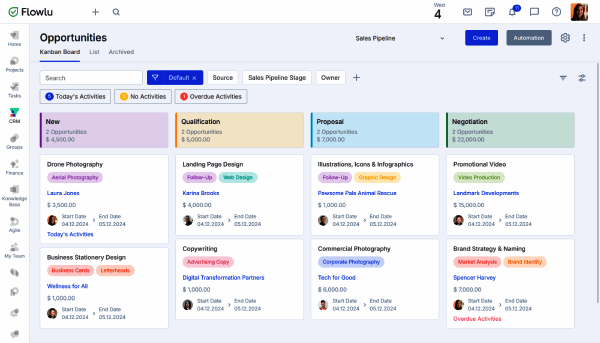
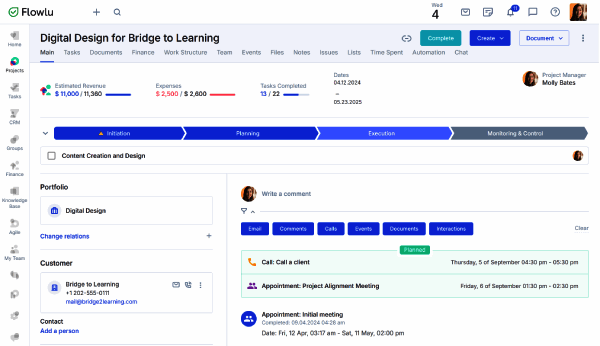
Description
Flowlu Field Guide
| Best fit for | Small and growing businesses (1-100 employees) that want one workspace combining CRM, project management, task management, invoicing, finance tracking, knowledge base, and team collaboration instead of stitching together three or four separate SaaS subscriptions |
|---|---|
| Industries | Marketing and design agencies, consulting firms, IT services, creative production studios, small ecommerce operations, professional services, real estate teams, small SaaS startups, freelancer collectives, education and tutoring |
| Core capability | Project management with Gantt and kanban views, task management with custom workflows, native CRM with deal pipelines and lead capture, invoicing and quotes with payment gateway integration, finance tracking (income, expenses, profit margins), knowledge base for internal documentation, team chat and mentions, time tracking and timesheets, custom fields, automation rules, mind maps, integrations with Google Workspace, Microsoft 365, Slack, Zapier, payment gateways (Stripe, PayPal) |
| Pricing | Free plan for 2 users with limited features. Team plan at $39 per month flat (8 users included, billed annually). Business plan at $74 per month flat (16 users, billed annually). Professional plan at $149 per month flat (25 users). Enterprise plan at $249 per month flat (unlimited users). Flat-rate organization-level pricing (not per user). Verified at flowlu.com/pricing on 2026-06-04. |
| Differentiator | Flat-rate all-in-one business suite that consolidates project management, CRM, invoicing, finance tracking, and knowledge base into one platform with predictable organization-level pricing. Growing teams stop paying per-seat fees on separate Asana plus HubSpot plus QuickBooks plus Notion subscriptions and consolidate spend onto one Flowlu account. |
| Headquarters | Cleveland, Ohio, USA with engineering and operations distributed across multiple time zones. Privately held SaaS company focused on the small-business all-in-one suite category. Long-tenured customer base across agencies, consultancies, and professional services teams. |
| Customers | Used by thousands of small and growing businesses worldwide across agencies, consulting firms, IT services, creative studios, ecommerce operations, professional services, real estate teams, small SaaS startups, and education organizations. Strong adoption in agencies that have outgrown spreadsheet workflows but cannot justify enterprise-scale stacks. |
| Mobile | iOS and Android native apps with task management, project view, CRM updates, time tracking, and team chat from mobile. |
Where Flowlu Wins
Flat-rate organization-level pricing scales with the team without per-seat surprises. Team at $39/month covers 8 users. Business at $74/month covers 16 users. Professional at $149/month covers 25 users. Enterprise at $249/month is unlimited. A 30-person agency on Professional pays the same as a 15-person agency on Business. Growing businesses stop seeing platform software as a per-seat cost center, which is the entire purchase rationale for teams transitioning from spreadsheets.
Genuine all-in-one consolidation. Flowlu replaces what most growing businesses buy as three or four separate subscriptions. Project management replaces Asana or Monday. Native CRM replaces HubSpot CRM Starter. Invoicing and finance tracking replace standalone QuickBooks integration for SMB billing needs. Knowledge base replaces Notion for internal documentation. Team chat handles internal communication.
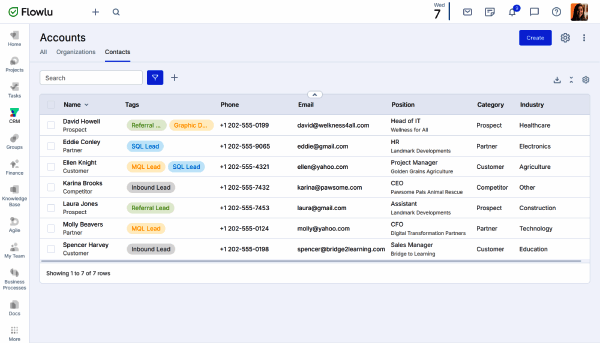
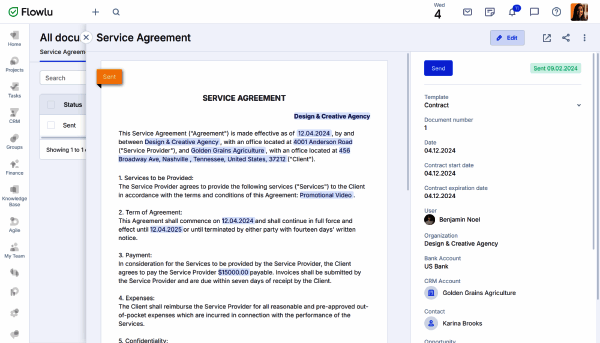
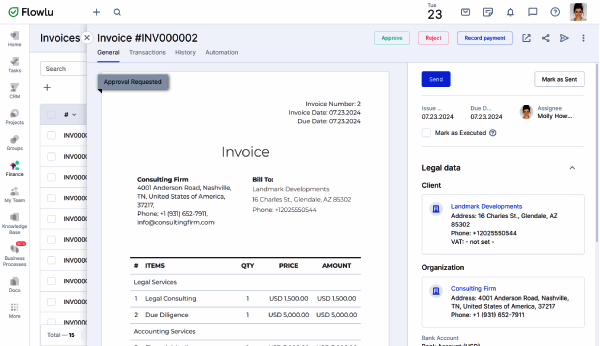
Invoicing with payment gateway integration. Quotes, invoices, recurring billing, and payment collection through Stripe and PayPal happen inside Flowlu rather than in a separate billing tool. Service businesses generate quotes from CRM deals, convert won deals to projects, track project hours, then invoice from the project record without switching tools or copying data.
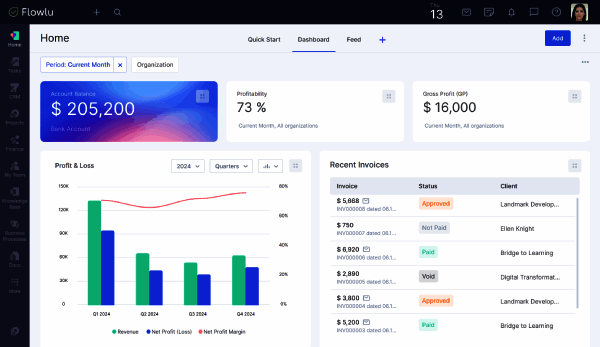
Finance tracking with profit margin reporting. Income, expenses, and project profitability surface in dashboards. Small agencies running fixed-fee engagements get the most important operational signal (am I making money on this project?) without exporting to a separate accounting tool. The depth is SMB-grade rather than enterprise-grade but it covers the use case for the target customer.
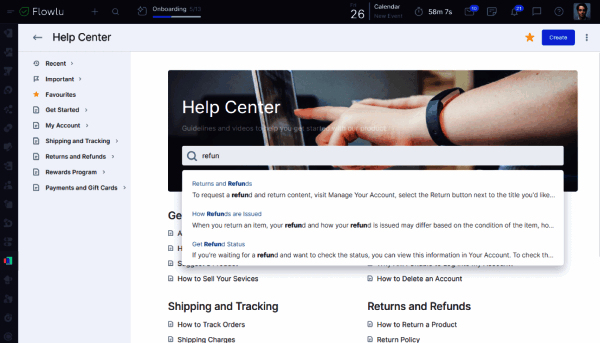
Knowledge base and team chat built in. Internal wiki for SOPs, onboarding documents, client briefs, and team playbooks lives next to the CRM and projects. Team chat with mentions handles quick internal communication without a separate Slack or Microsoft Teams subscription. The consolidation simplifies the SMB stack.
Mind maps for ideation and project planning. Native mind-mapping inside the workspace supports project planning, brainstorming, and process documentation. Few all-in-one suites at this price point ship mind maps as a first-class feature.
Where Flowlu Falls Short
Lighter feature depth than the specialist tools. Each Flowlu module is functional for SMB-scale use but lighter than the specialist tool in that category. CRM is lighter than HubSpot or Pipedrive. Project management is lighter than Asana or Monday. Invoicing is lighter than dedicated billing tools. Teams that need depth in any single category will outgrow Flowlu.
Not built for enterprise scale. Flowlu's design center is small-to-growing business. Mid-market and enterprise teams that need portfolio reporting across hundreds of projects, formal resource management, advanced role-based permissions, or SAML SSO will hit ceiling. Enterprise tier covers unlimited users but feature depth remains SMB-focused.
Smaller integration ecosystem than the major platforms. Native integrations cover Google Workspace, Microsoft 365, Slack, Zapier, Stripe, PayPal, and major SMB tools. The ecosystem is materially smaller than Asana's 270+ native integrations or Monday's 200+ marketplace apps. Niche integrations route through Zapier with the trade-offs that brings.
AI features lighter than competitors in 2026. Major work-management platforms invested aggressively in AI through 2024-2026 (Monday AI, Asana AI Studio, Notion AI). Flowlu has been more conservative on AI roadmap. Teams prioritizing AI-driven workflow automation or content drafting should compare AI depth carefully.
Mobile experience is functional but not the primary work surface. Mobile apps handle task updates, CRM record edits, time tracking, and team chat well. Heavy invoicing setup, finance reporting, knowledge base authoring, and Gantt chart editing remain desktop work.
Who Should Use Flowlu?
Flowlu is the right pick when a small or growing business (1-100 employees) wants one workspace combining project management, CRM, invoicing, finance tracking, knowledge base, and team chat with flat-rate organization-level pricing instead of paying per-seat fees on three or four separate SaaS subscriptions. Within the Project Management category at SaaSRat, the strongest fits are marketing and design agencies, consulting firms, IT services, creative production studios, small ecommerce operations, professional services, real estate teams, small SaaS startups, freelancer collectives, and education and tutoring teams.
Flowlu is the wrong call for mid-market and enterprise teams needing deep specialist features (evaluate Asana, Monday, or ClickUp for PM with HubSpot CRM separately), for software engineering teams running scrum or kanban with code-aware integrations (evaluate Jira or Linear), for organizations standardized on Microsoft 365 wanting bundled work tools (evaluate the Microsoft suite), for documentation-heavy teams needing rich wikis (evaluate Notion), and for teams prioritizing AI-driven workflows (evaluate Monday or Asana AI features).
Flowlu Alternatives
ClickUp - all-in-one work platform at lower per-user pricing without native CRM/invoicing depth.
Asana - mature cross-functional work management for mid-market and enterprise.
Monday - visual board-first work OS with monday Sales CRM extension.
Zoho One - Zoho ecosystem all-in-one bundle (CRM + Projects + Books + Invoice + Desk).
Bitrix24 - Russian-origin all-in-one business platform with deeper CRM.
ProofHub - flat-fee project management alternative with proofing.
ActiveCollab - service-business PM with built-in invoicing.
What Reddit and LinkedIn Reviewers Say
Discussions on r/smallbusiness and r/Entrepreneur surface a consistent pattern. Buyers picking Flowlu cite the flat-rate organization-level pricing that does not scale with team growth, the all-in-one consolidation of CRM plus PM plus invoicing, and the built-in finance tracking. Buyers picking Monday or Asana over Flowlu cite specialist depth and AI features.
LinkedIn discussions among small-business operators and agency founders highlight Flowlu's strength for growing teams that have outgrown spreadsheets but cannot justify enterprise stacks. The flat-rate pricing is consistently cited as the primary buying signal vs per-seat alternatives that get expensive at 20-30 users.
Final Take on Flowlu
Flowlu is the right pick when a small or growing business wants one workspace combining project management, CRM, invoicing, finance tracking, knowledge base, and team chat with flat-rate organization-level pricing. Marketing and design agencies, consulting firms, IT services, creative production studios, small ecommerce operations, professional services, real estate teams, small SaaS startups, freelancer collectives, and education and tutoring teams get the best match. The flat-rate pricing model, all-in-one consolidation across multiple SaaS categories, native invoicing with payment gateway integration, finance tracking with profit margin reporting, knowledge base and team chat built in, and mind maps as a first-class feature combination delivers SMB-friendly platform value the specialist tools cannot match on consolidated price.
For all-in-one at lower per-user without CRM/invoicing, ClickUp. For cross-functional mid-market work management, Asana. For visual board-first with CRM extension, Monday. For Zoho ecosystem bundle, Zoho One. For Russian-origin all-in-one, Bitrix24. For flat-fee project management with proofing, ProofHub. For service-business PM with invoicing, ActiveCollab. Flowlu owns the flat-rate SMB-all-in-one-business-suite lane.
Adjacent reading: SMB buyers comparing Flowlu also evaluate task management tools for individual contributor focus, Everhour for time tracking embedded in existing PM tools, and Basecamp for flat-fee small-team alternatives.
Implementation considerations: Small teams under 25 users adopt Flowlu in 1-2 weeks. Mid-market deployments (25-100 users) run 3-6 weeks including CRM pipeline setup, project templates, invoicing configuration, payment gateway connection (Stripe, PayPal), knowledge base seeding, and team training. The most important configuration step is the CRM-to-projects flow (won deals automatically convert to projects with budget and hours) so service businesses do not duplicate data entry.
Buyer evaluation tips: Start with the Free plan for two users to validate workflow fit. Team plan ($39/month flat for 8 users) is the typical starting paid tier for growing small businesses. Business plan ($74 for 16 users) covers the 10-15 person agency sweet spot. Plan the CRM-to-projects-to-invoicing flow carefully upfront to avoid having to re-architect data later. For organizations already on Zoho or Bitrix24, the migration effort outweighs the benefit unless the flat-rate pricing materially helps.
Verified on 2026-06-04 by the SaaSRat Editorial Team. Vendor facts cross-checked against flowlu.com, flowlu.com/pricing, and current 2025-2026 vendor disclosures. About our methodology.
Frequently Asked Questions
How much does Flowlu cost in 2026?
Flowlu vs ClickUp vs Monday?
Does Flowlu have native CRM and invoicing?
Does Flowlu have a free plan?
Where is Flowlu based?
Does Flowlu integrate with QuickBooks or Xero?
Is Flowlu good for software engineering teams?
Does Flowlu have AI features?
How long does a Flowlu implementation typically take?
Does Flowlu have a mobile app?
Find Your Perfect Software
See how it can transform your workflow
- Personalized for your needs Tailored recommendations based on your unique requirements.
- Save time & resources Streamline your workflow and boost team productivity.
- Trusted by thousands Join 10,000+ businesses already growing with SaaSrat.
You're all set! 🎉
A specialist for will reach out within 1 business day with tailored recommendations for your needs.