

Float
by Float
What is Float?
Get Best Quote for Float
Connect with SaaSrat experts to get the best quote for your business.
You're all set!
A specialist for Float will reach out within 1 business day.
Float Features
Resource scheduling
Project planning
Team collaboration
Time tracking
Task management
Reporting and analytics
View All 31 Features
Float Pricing Plans
Starter
- Essentials for basic resourcing, scheduling, capacity and time-off management
- Unlimited resources and projects
- Project budgets
- Project margin tracking
- Mobile apps
- Schedule team members
- Time-off tracking
Pro
- Starter +
- Advanced resourcing with actuals tracking
- Project estimates with hourly capacity
- Project finance dashboards
- Project margins reporting
- Estimates vs actuals reporting
- Time tracking
- Schedule resources by skill
- Custom fields
- Custom rates
Enterprise
- Pro +
- Dedicated Customer Success Manager
- SSO with SAML
- Priority support
- SLAs and audit logs
- Manual payment options
- Custom contracts
- Volume discounts
- Enterprise procurement support
Float Resources
Float Screenshots
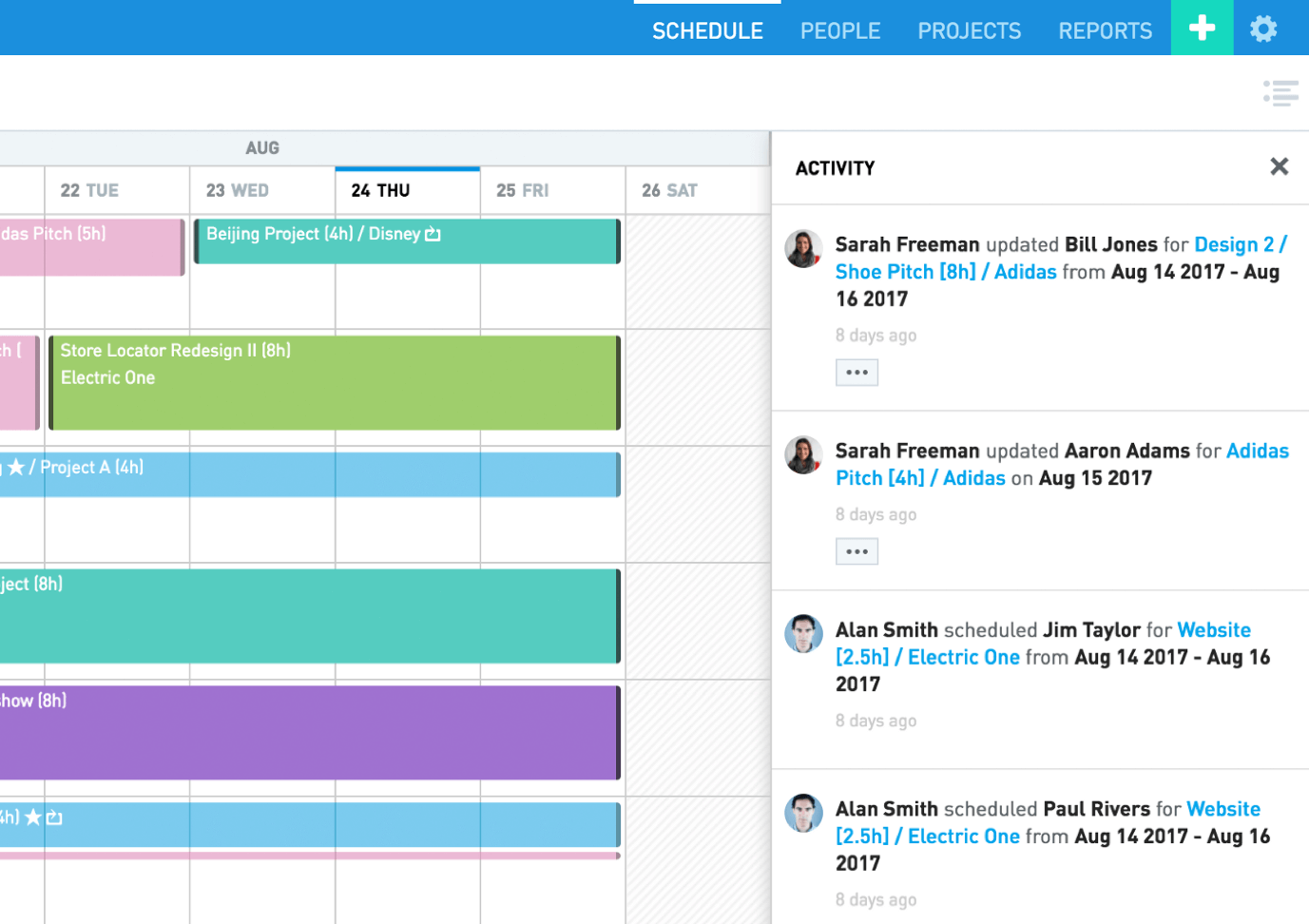
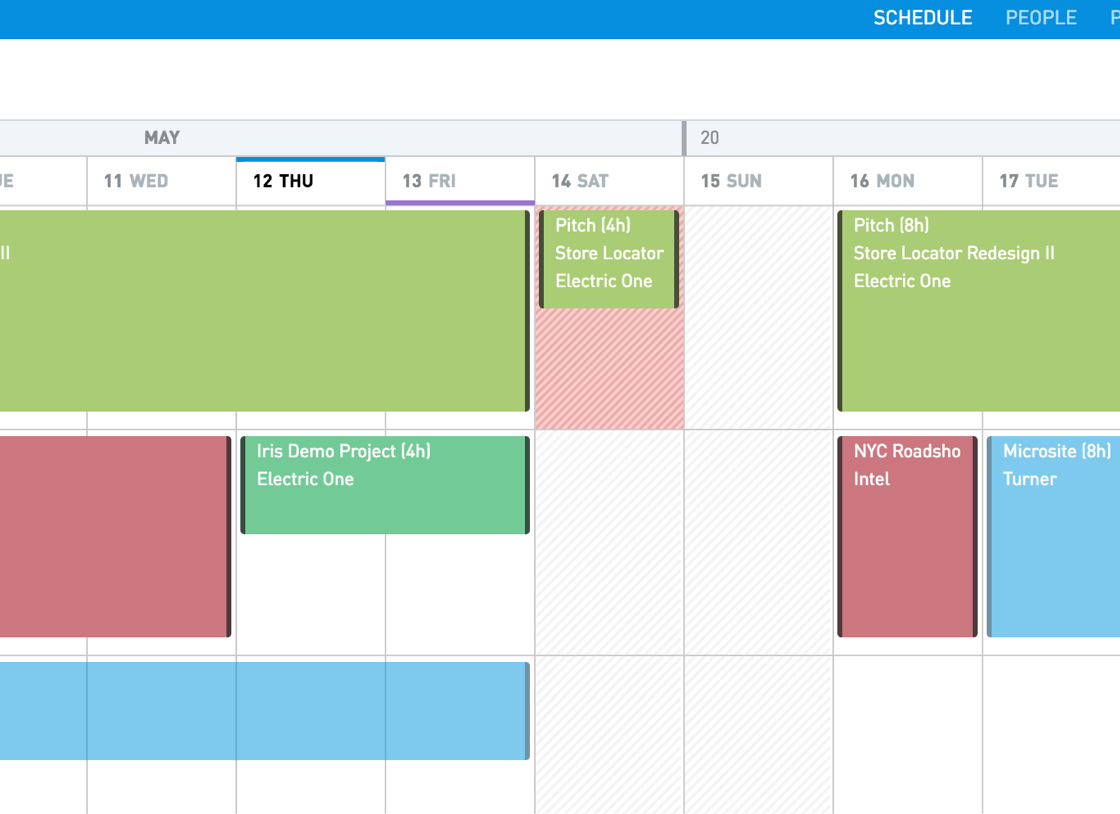
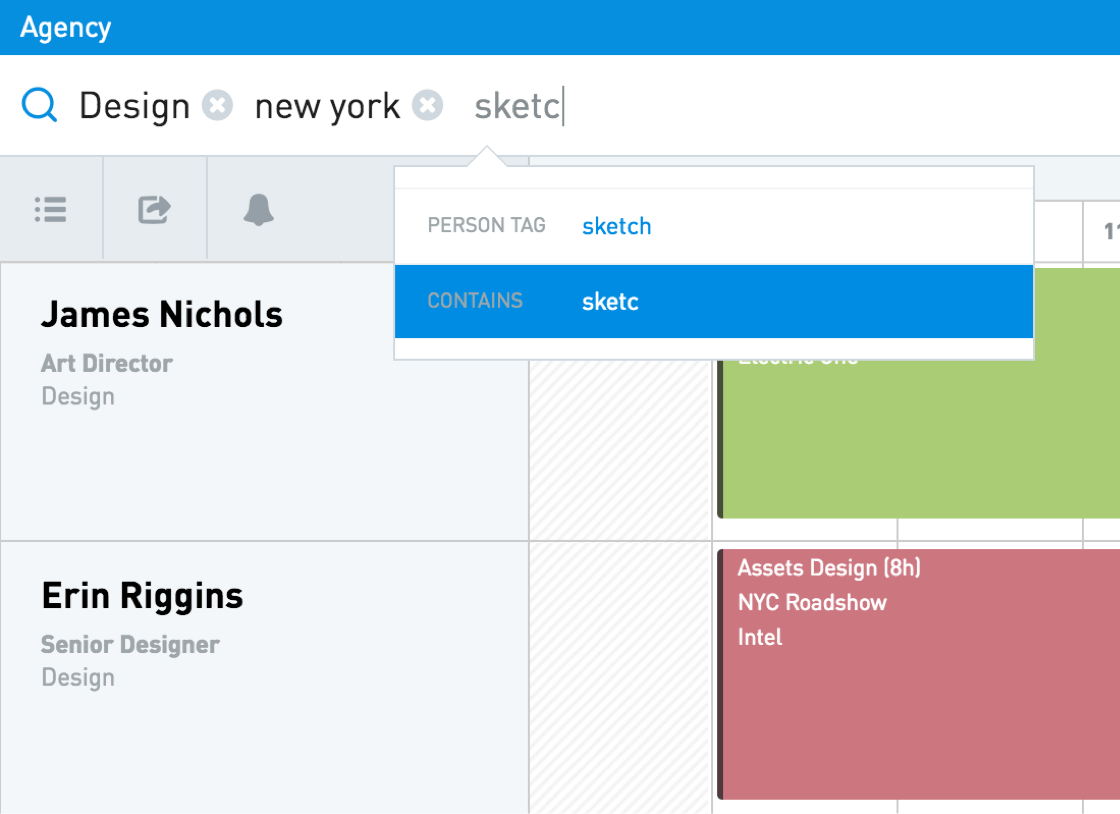
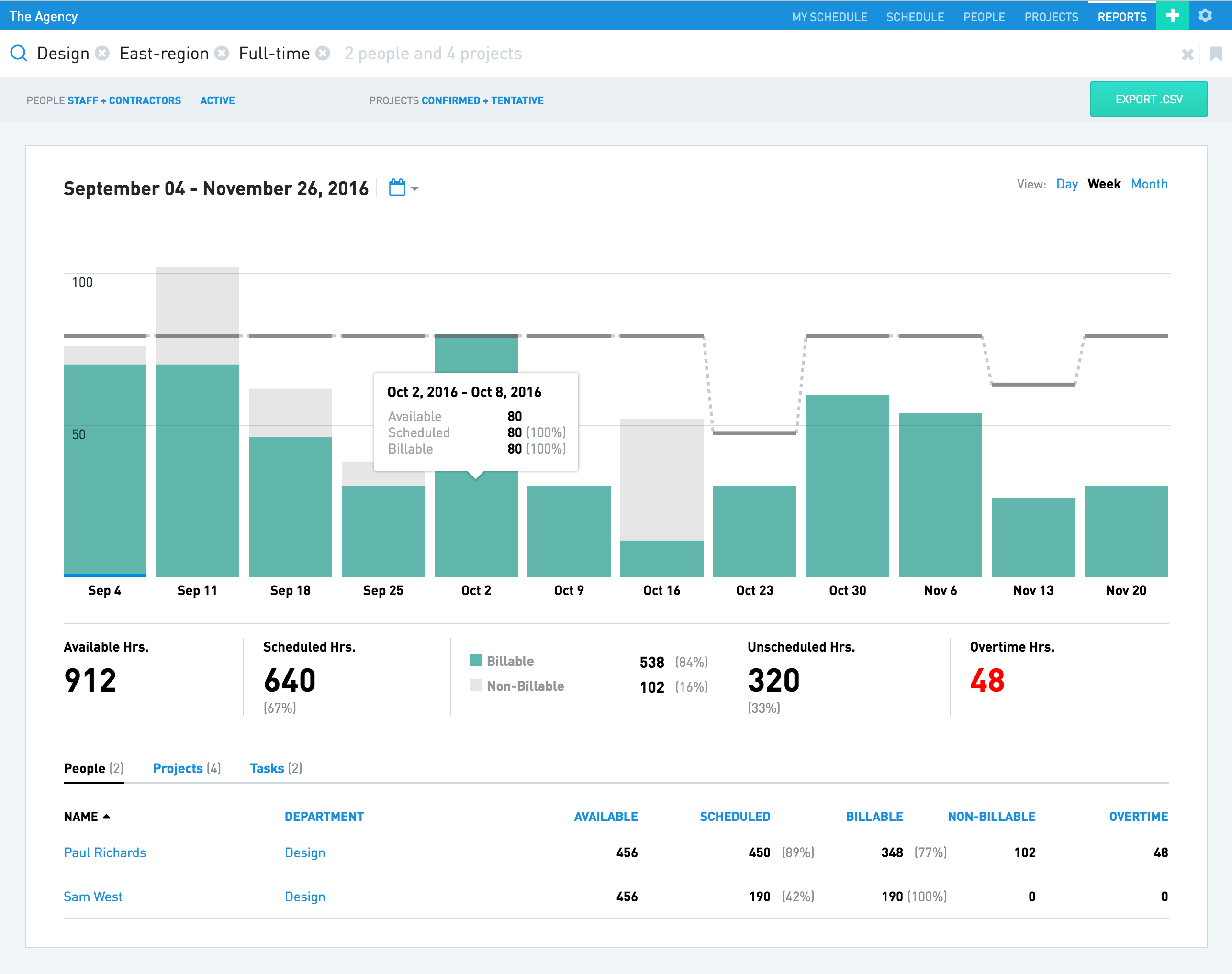
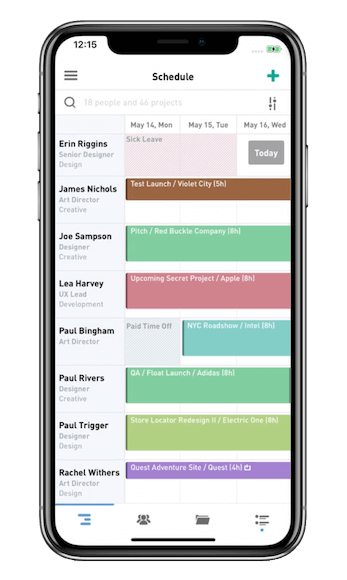
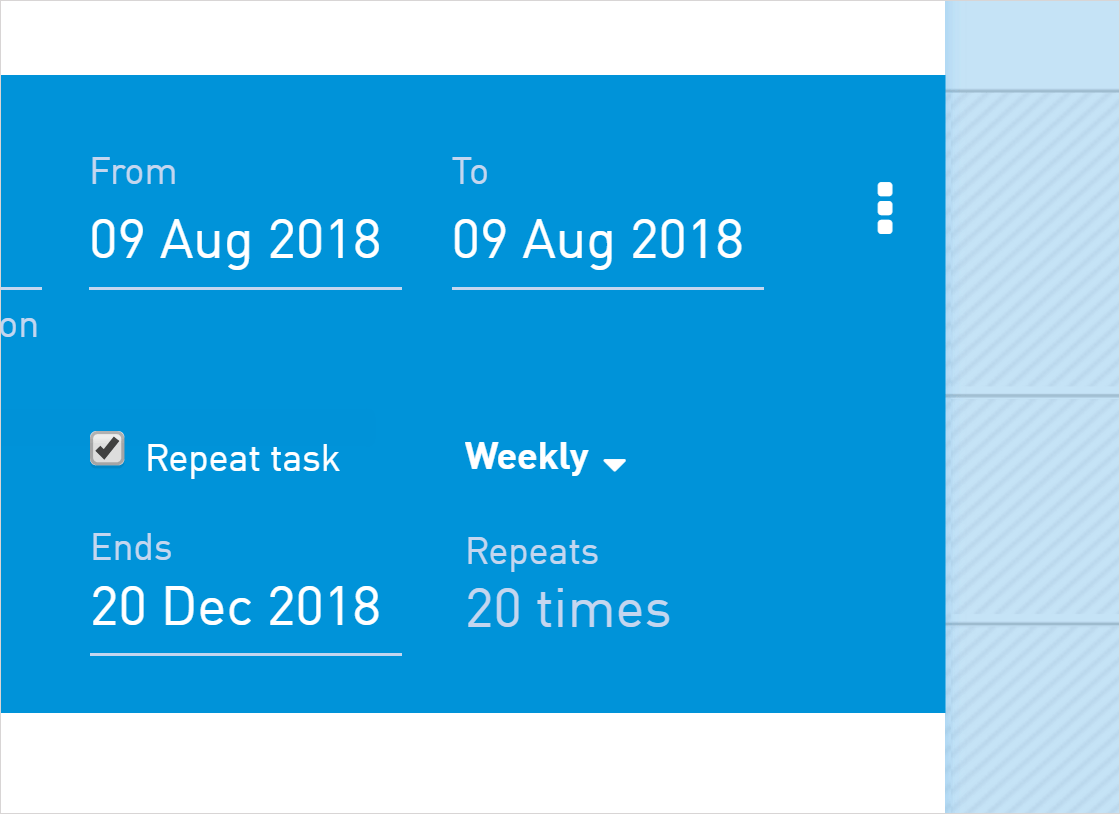
Description
Float Field Guide
| Best fit for | Agencies, professional services firms, and design studios (10-500 people) that schedule client work across teams and need fast resource management with capacity planning, project margin tracking, and time tracking on one platform, particularly when project budgets and billable margins matter as much as scheduling capacity |
|---|---|
| Industries | Marketing and creative agencies, design and web design studios, professional services and consulting firms, video and film production houses, software development consultancies, architecture and engineering firms, advertising agencies, e-learning content producers, technology services firms, multidisciplinary creative teams |
| Core capability | Resource scheduling with capacity planning, time off and project management, project estimates with hourly capacity, project finance dashboards, project margin tracking, estimates and actuals reporting, time tracking, schedule resources by skills and roles, custom fields, custom rates, custom hourly capacity, SSO and access controls, dedicated Customer Success Manager (Enterprise tier), priority support, custom contracts, single sign-on (SSO), SLAs and audit logs, dedicated customer success, manual payment options, mobile apps for iOS and Android |
| Pricing | Starter at $7 per user per month annual (or monthly higher) - essentials for basic resourcing, scheduling, capacity and time-off management, unlimited resources and projects, project budgets, project margin tracking, mobile apps. Pro at $12 per user per month annual most popular - everything in Starter plus project estimates with hourly capacity, project finance dashboards, project margins reporting, estimates vs actuals reporting, time tracking, schedule resources by skill, custom fields, custom rates. Enterprise (Talk to sales) - everything in Pro plus dedicated Customer Success Manager, SSO with SAML, priority support, SLAs and audit logs, manual payment options. 30-day free trial. Verified at float.com/pricing on 2026-06-06. |
| Differentiator | The cleanest combination of resource scheduling plus project finance plus time tracking for agencies and professional services in the design-led category. Pro tier ships estimates vs actuals reporting, project margin tracking, and custom rates by role, which means agencies billing hourly track financial performance against capacity allocation on one platform. Generic resource planners stop at scheduling; Float extends to billable margins. |
| Headquarters | Float is operated as a privately held SaaS company that has served agencies, professional services firms, and design studios for over a decade. Distributed engineering and customer-success organization with operations across multiple continents and a global customer base of 4,500+ professional services teams worldwide. |
| Customers | Used by Google, Atlassian, Metalab, BuzzFeed, Ogilvy, Mother, and CarGurus alongside 4,500+ professional services teams across marketing agencies, design studios, professional services firms, video production houses, software consultancies, architecture firms, advertising agencies, and adjacent service businesses. Strong adoption among design-led organizations needing visual scheduling plus financial tracking. |
| Mobile | Native iOS and Android mobile apps with full schedule, time tracking, and approval functionality. Mobile-responsive web for additional flexibility. Distributed teams operating across multiple time zones get a workspace that flexes to mobile-first usage patterns. |
Where Float Wins
Project margin tracking ships in Starter tier. Most resource scheduling tools require Enterprise tier for financial visibility. Float ships project margin tracking at Starter ($7 per user per month annual). Agencies billing hourly stop running separate financial spreadsheets alongside resource planning.
Estimates vs actuals reporting at Pro tier. Pro tier ($12 per user per month annual) ships estimates vs actuals reporting alongside project estimates with hourly capacity and project margin reporting. Professional services firms running formal capacity planning get the variance data that informs the next round of estimates.
Design-led product with strong UX. Float's interface reflects modern design patterns. Agencies that grew up on Figma and Notion find Float visually familiar rather than enterprise-traditional. The scheduling calendar is consistently named as the cleanest in the resource planning category.
Strong enterprise customer references. Google, Atlassian, Metalab, BuzzFeed, Ogilvy, Mother, and CarGurus cited as users. Enterprise procurement teams running formal vendor-risk reviews get reference availability that validates the platform for Fortune 500 deployments.
Custom rates by role and skills. Pro tier ships custom rates and resource scheduling by skill. Agencies running mixed-rate engagements (senior designer vs junior designer vs strategy vs delivery) get the right hourly rate on every entry without manual lookup work.
Time tracking integrated with scheduling. Pro tier ships time tracking alongside resource scheduling on the same platform. Teams stop running separate Toggl plus scheduling tool stacks. Time entries log against scheduled capacity for actual-vs-planned analysis.
Capacity planning with time-off management. Native time-off and absence tracking flows into the resource scheduling calendar so capacity planning reflects actual availability rather than nominal headcount. Agencies running formal capacity planning get accurate data without external HR system integration.
Where Float Falls Short
Resource scheduler plus financials, not a general PM platform. Float focuses on resource scheduling, time tracking, and project finance. Teams that need general task management, document collaboration, or full project management should evaluate Asana, Monday, or ClickUp alongside Float or in place of it.
Cost can be material at scale. $7-$12 per user per month at full team size adds up. Organizations under 25 employees may find Resource Guru Grasshopper at $4.16 per person cheaper for smaller teams. Calculate total cost vs alternatives at your actual user count.
AI features lighter than aggressive AI-first competitors. Monday AI, Asana AI Studio, and ClickUp Brain shipped aggressive AI features. Float has been more conservative on AI roadmap. Teams prioritizing AI-driven scheduling or capacity automation should compare AI depth carefully.
Smaller integration marketplace than category leaders. Native integrations cover major SaaS via REST API and Zapier. The marketplace is smaller than Asana 270+ or Jira 3,000+ Marketplace apps. Niche integrations route through API or Zapier.
Brand recognition concentrated in design-led agencies. Strong adoption in design and creative agencies. Less recognized in regulated-industry or non-design professional services procurement where Smartsheet or Planview dominate enterprise shortlists.
Who Should Use Float?
Float is the right call when an agency, professional services firm, or design studio (10-500 people) schedules client work across teams and needs fast resource management with capacity planning, project margin tracking, and time tracking on one platform, particularly when project budgets and billable margins matter as much as scheduling capacity. Within the Project Management category at SaaSRat, the strongest fits are marketing and creative agencies, design and web design studios, professional services and consulting firms, video and film production houses, software development consultancies, architecture and engineering firms, advertising agencies, e-learning content producers, technology services firms, and multidisciplinary creative teams.
Float is the wrong call for general cross-functional PM (evaluate Asana, Monday, or ClickUp), for software engineering scrum (evaluate Jira or Linear), for documentation-led knowledge work (evaluate Notion), for personal task management (evaluate Todoist), and for enterprise PPM at Fortune 500 scale (evaluate Smartsheet or Planview).
Float Alternatives
Resource Guru - dedicated multi-resource scheduling for people, rooms, equipment, vehicles.
Runn - agency capacity planning with financial forecasting.
Hub Planner - resource management for mid-market agencies with vacation tracking.
10,000ft (Smartsheet) - resource management acquired by Smartsheet for enterprise scale.
Saviom - enterprise resource management for global services organizations.
Teamwork - client services PM with built-in resource scheduling and time tracking.
Paymo - agency PM with time-tracking-first design and resource scheduling at Pro tier.
What Reddit and LinkedIn Reviewers Say
Discussions on r/agency and r/projectmanagement rate Float highly for the design-led UX and the project margin tracking shipped at Starter tier. Buyers cite estimates vs actuals reporting at Pro tier and the custom rates by role as the differentiators vs Resource Guru and Hub Planner.
LinkedIn discussions among agency operations leaders and resource managers at design-led firms highlight Float's role as the operational improvement that justifies the switch from spreadsheet-based scheduling. The Google, Atlassian, and Metalab customer references are consistently named as the enterprise procurement signal.
Final Take on Float
Float is the right call when an agency, professional services firm, or design studio schedules client work across teams and needs fast resource management with capacity planning, project margin tracking, and time tracking on one platform. Marketing and creative agencies, design and web design studios, professional services and consulting firms, video and film production houses, software development consultancies, architecture and engineering firms, advertising agencies, e-learning content producers, technology services firms, and multidisciplinary creative teams get the natural fit. The project margin tracking at Starter tier, estimates vs actuals reporting at Pro tier, design-led product with strong UX, strong enterprise customer references (Google, Atlassian, Metalab, BuzzFeed, Ogilvy, Mother), custom rates by role and skills, time tracking integrated with scheduling, and capacity planning with time-off management combination delivers value generic resource planners cannot match for agencies with billable margins.
For multi-resource-type scheduling, Resource Guru. For agency capacity with financial forecasting, Runn. For mid-market agencies with vacation tracking, Hub Planner. For Smartsheet-anchored enterprise resource management, 10,000ft. For enterprise services resource management, Saviom. For client services PM with scheduling, Teamwork. For agency PM with scheduling at Pro tier, Paymo. Float is the design-led resource scheduling with project margin tracking pick for agencies and professional services firms.
Adjacent reading: Float buyers comparing for fuller PM workflows also evaluate task management tools for individual contributor focus and Everhour for time tracking inside existing PM tools alongside Float scheduling.
Implementation considerations: Small agencies under 25 users adopt Float in 1-3 weeks. Mid-market deployments (50-200 users) run 3-8 weeks including resource setup, project structure design, custom rate configuration, time tracking rules, capacity planning rollout, integration setup, SSO setup (Enterprise tier), and team training. The most important configuration step is the rate-card design - get the per-client, per-role, and per-skill rate hierarchy right upfront to avoid invoice rework later.
Buyer evaluation tips: Start with the 30-day free trial running a real production project with team scheduling and time tracking. Starter at $7 per user per month annual is the right tier for small agencies needing basic resourcing, scheduling, capacity, time-off management, project budgets, and project margin tracking. Pro at $12 per user per month annual is the most popular tier with project estimates, finance dashboards, estimates vs actuals reporting, time tracking, and custom rates. Enterprise pricing aligns with SSO, SLAs, audit logs, dedicated CSM, and priority support needs - request a quote with your actual user count and security requirements.
Verified on 2026-06-06 by the SaaSRat Editorial Team. Vendor facts cross-checked against float.com, float.com/pricing, and current 2025-2026 vendor disclosures. About our methodology.
Frequently Asked Questions
How much does Float cost in 2026?
Float vs Resource Guru vs Runn?
Does Float track project margins?
Does Float include time tracking?
Where is Float based?
Who uses Float?
Does Float support custom rates?
Does Float have SSO?
Does Float have a mobile app?
How long does a Float implementation typically take?
Find Your Perfect Software
See how it can transform your workflow
- Personalized for your needs Tailored recommendations based on your unique requirements.
- Save time & resources Streamline your workflow and boost team productivity.
- Trusted by thousands Join 10,000+ businesses already growing with SaaSrat.
You're all set! 🎉
A specialist for will reach out within 1 business day with tailored recommendations for your needs.