

Paymo
by Paymo
What is Paymo?
Get Best Quote for Paymo
Connect with SaaSrat experts to get the best quote for your business.
You're all set!
A specialist for Paymo will reach out within 1 business day.
Paymo Features
Projects with custom statuses and rate cards
Tasks with list kanban calendar and Gantt views
Built-in desktop time tracker (Mac Windows Linux)
Mobile and web time entry
Invoicing generated from billable hours
Online payment via Stripe PayPal Square
View All 12 Features
Paymo Pricing Plans
Free
- Unlimited time tracking and invoices
- 1 client and 2 projects
- Unlimited tasks
- 1GB storage
- Desktop and mobile apps
- Verified at paymoapp.com/pricing on 2026-06-30
Solo
- Flat-rate and retainer projects
- 3 clients and 5 projects
- Task calendar and Kanban views
- Guest access
- 5GB storage
- Verified at paymoapp.com/pricing on 2026-06-30
Plus
- Unlimited users and projects
- Spreadsheet view and meta Kanban
- Recurring tasks and project templates
- Timesheet reports and profitability tracking
- Proofing, recurring invoices, integrations and API
- Verified at paymoapp.com/pricing on 2026-06-30
Pro
- Gantt charts and task dependencies
- Portfolio Gantt and employee scheduling
- Workload management and leave management
- Priority support and online assistance
- 500GB storage
- Verified at paymoapp.com/pricing on 2026-06-30
Paymo Resources
Paymo Screenshots
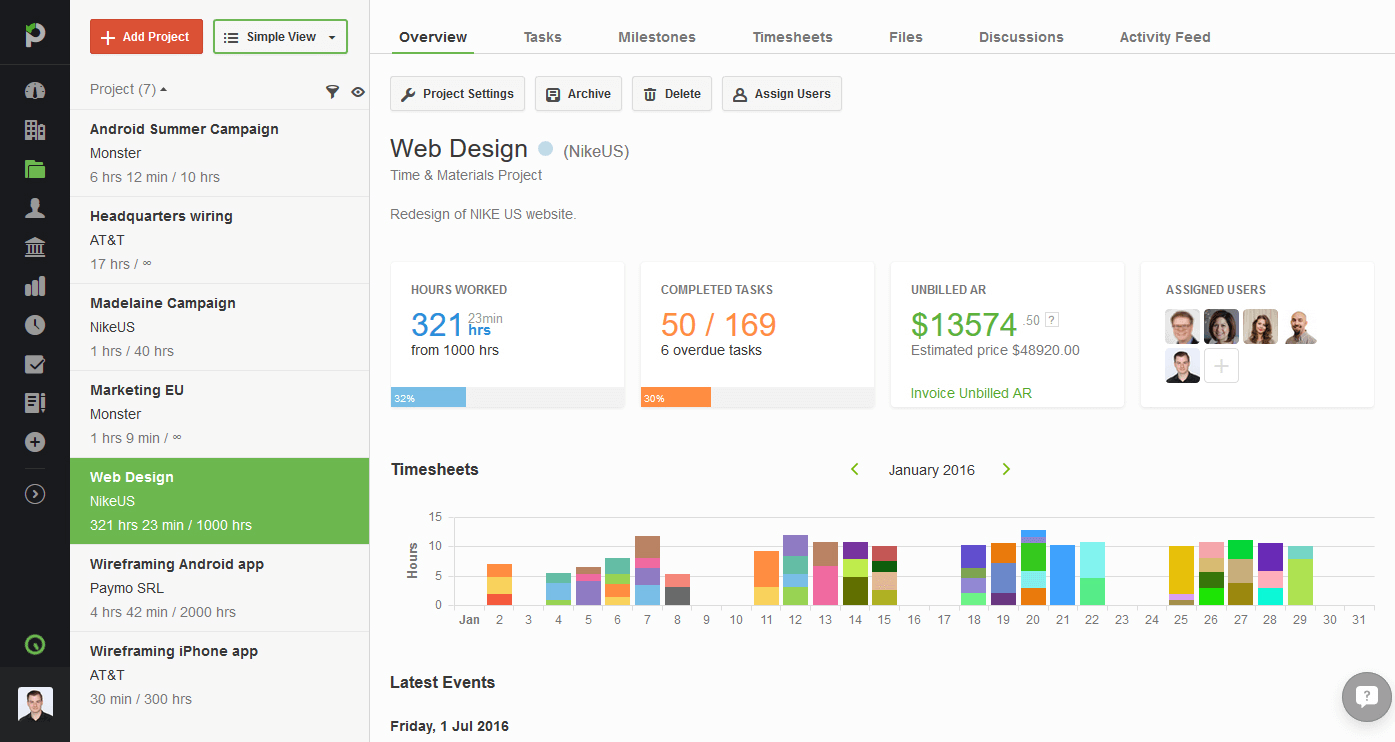
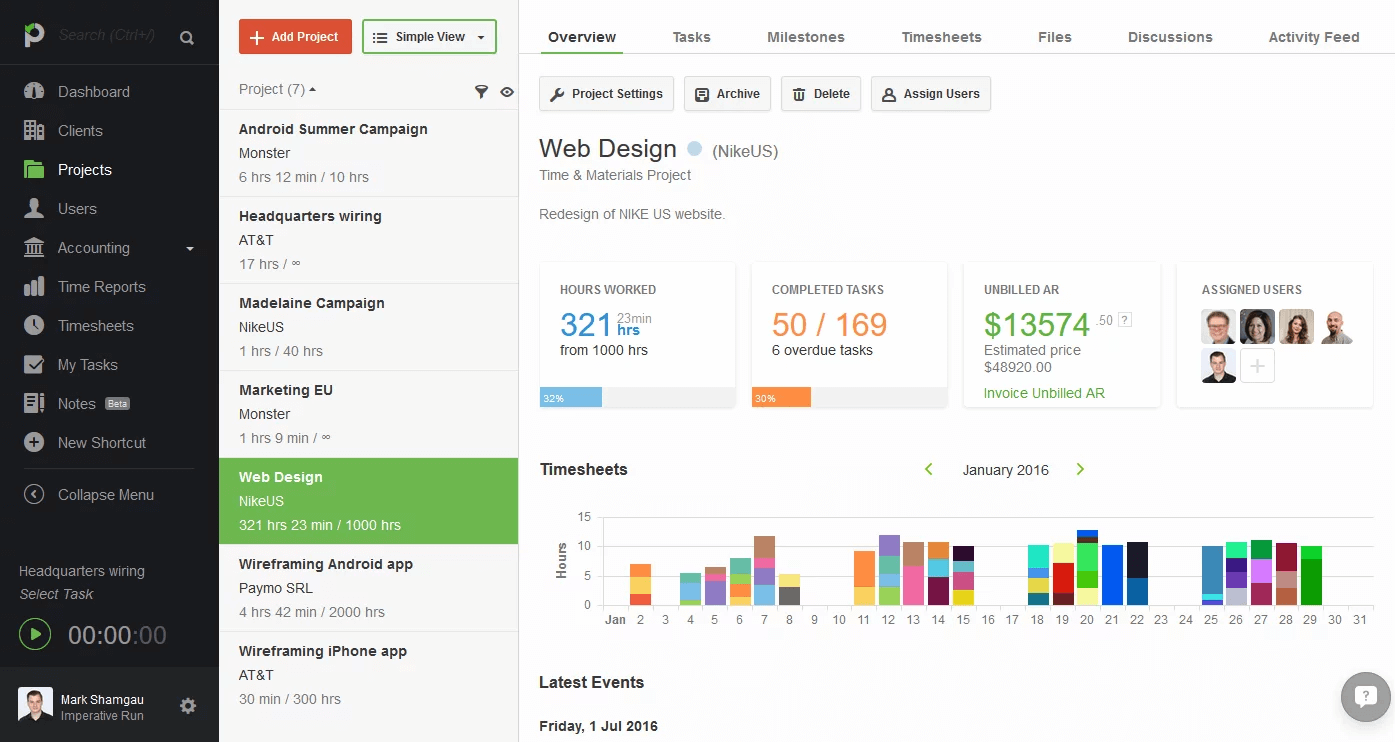
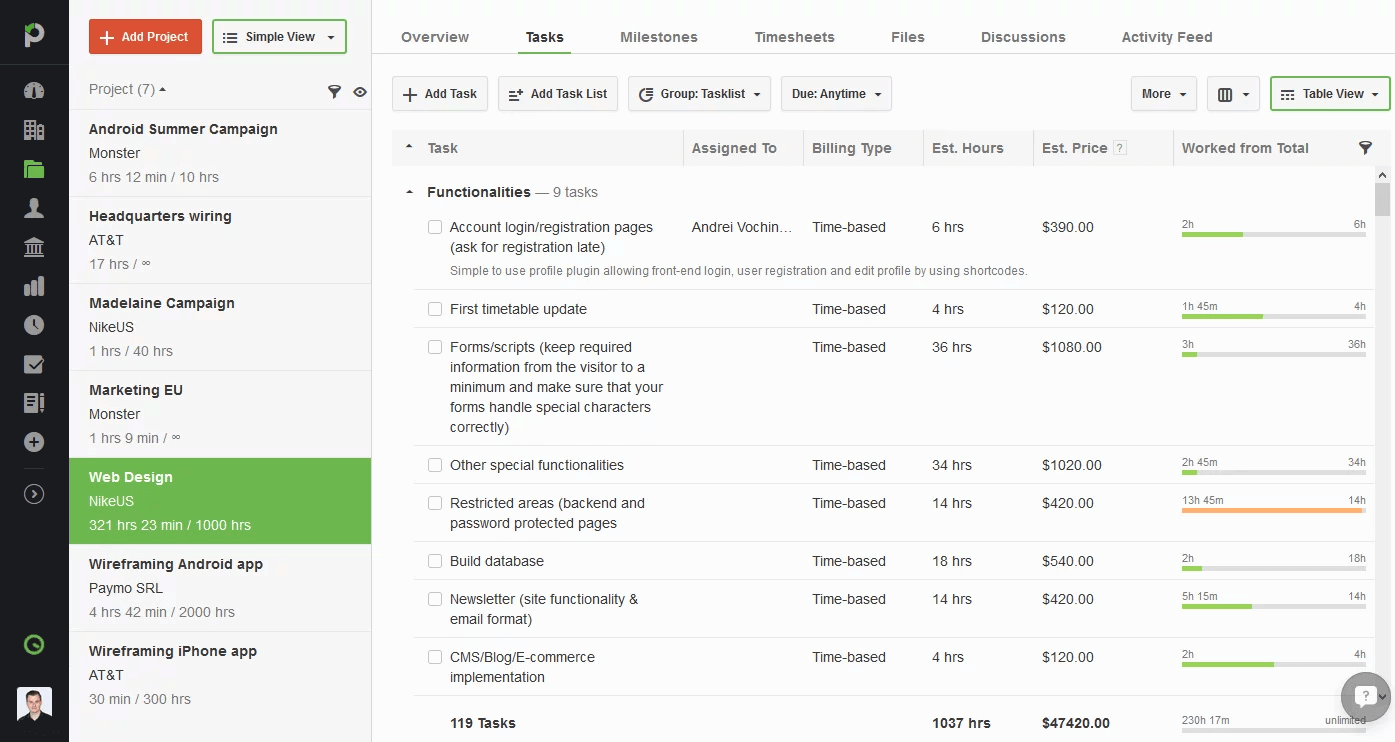
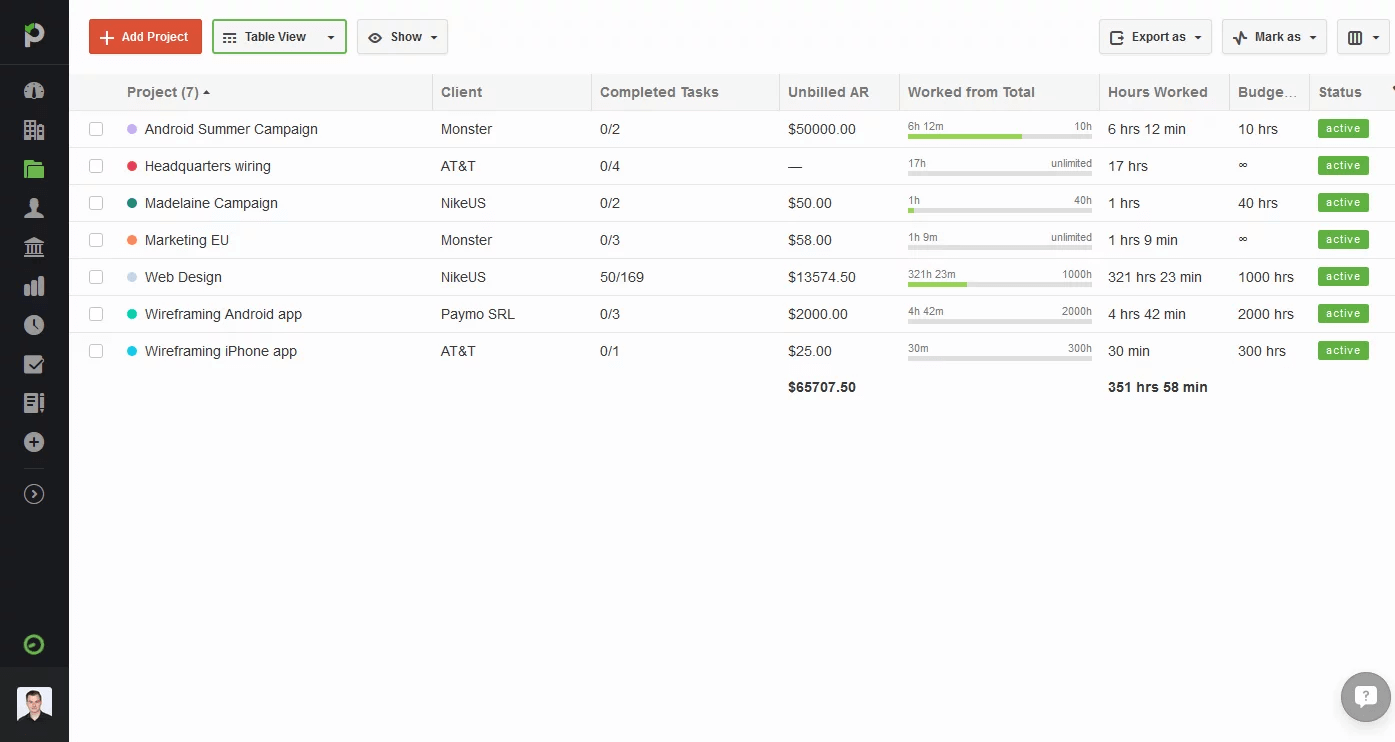
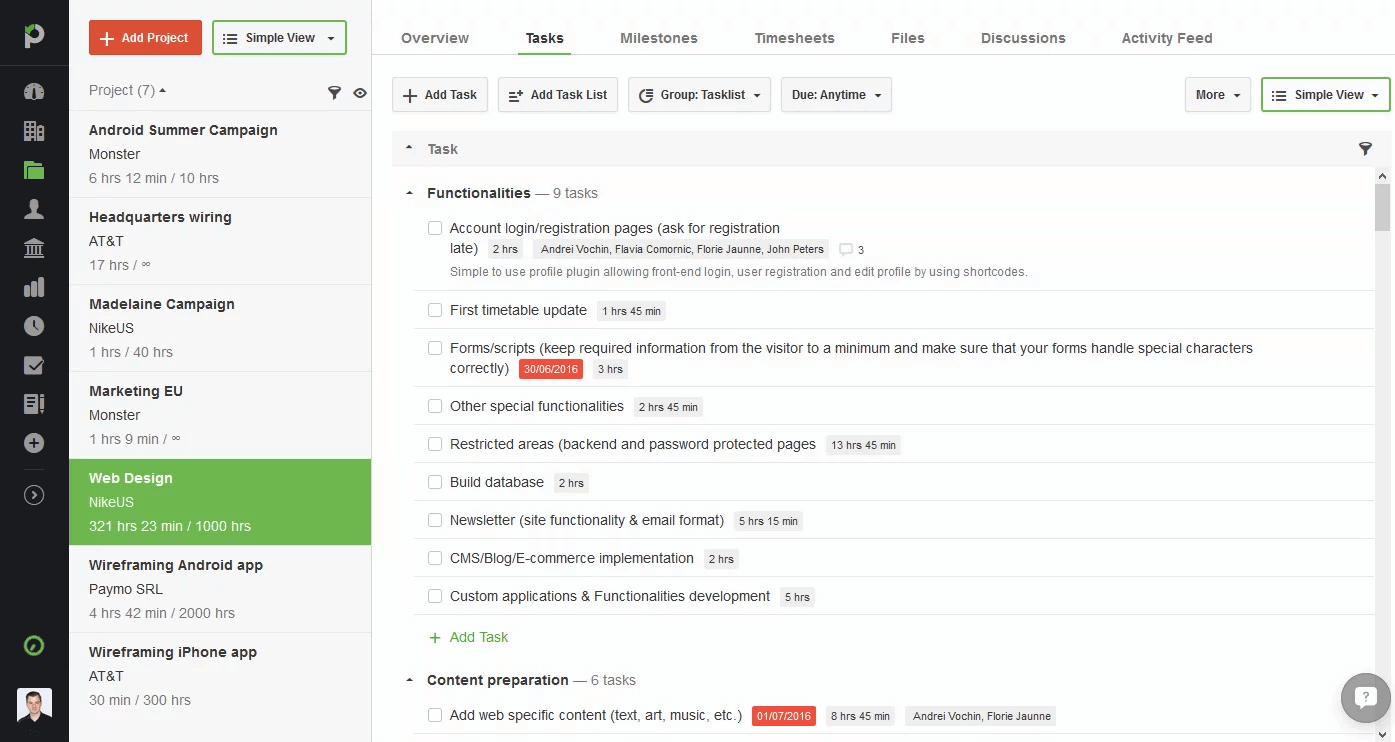
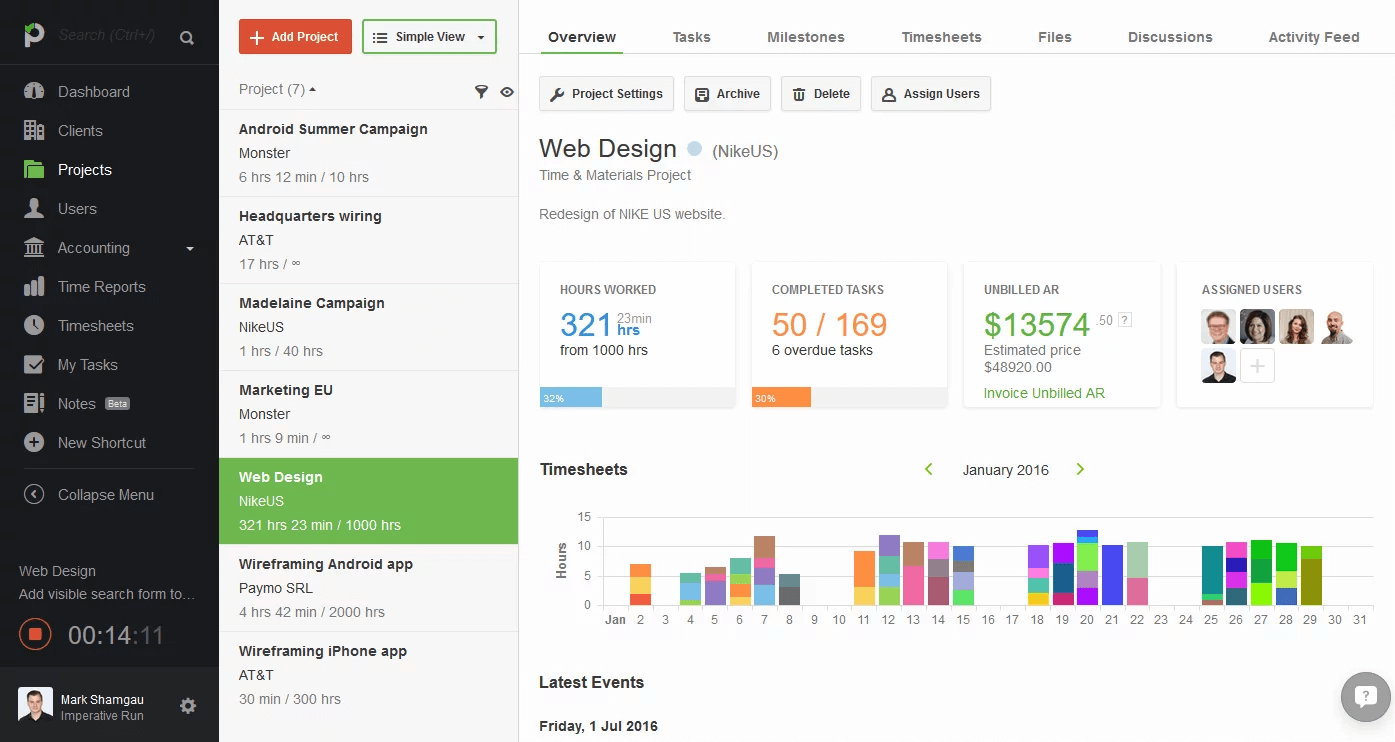
Description
Paymo at a Glance
| Best fit for | Freelancers, design and creative agencies, small consultancies, marketing agencies, software development shops |
|---|---|
| Industries | Design, marketing, software development, consulting, architecture, professional services, agencies |
| Core platform | Projects, Tasks (list/kanban/calendar/Gantt), Time tracking, Scheduling, Invoicing, Expenses, Resource planning, Proofing |
| Pricing model | Per-user monthly (Free 1 user, Solo $5.95, Plus $10.95, Pro $16.95 with annual discount) |
| Mobile apps | iOS and Android (Paymo Plus) |
| Compliance | SOC 2 Type II, GDPR, CCPA |
| Named customers | Design and creative agencies, software development shops, professional services firms (shown on paymoapp.com) |
| Parent company | Paymo SRL (independently held) |
| Headquarters | Bistrita, Romania |
Paymo Pros and Cons in 2026
Where Paymo Stands Out
Three tools in one removes the integration tax. Project management, time tracking, and invoicing share the same record per project, which eliminates the data-sync issues that Asana + Toggl + FreshBooks stacks create.
Time tracking is first-class, not bolted on. Built-in desktop tracker captures billable time automatically; mobile, web, and CLI clients all sync to the same timesheet.
Invoicing pulls billable hours directly from the timesheet. No CSV export or manual entry; invoices generate from time entries with rate cards by client, project, or task.
Pricing is among the most affordable in the category. Solo at $5.95 per user and Plus at $10.95 per user undercut Asana, Trello, and ClickUp at SMB scale.
Where Paymo Falls Short
Enterprise features lighter than mid-market PM platforms. Forecast hierarchies, complex permissions, and large-org governance run thinner than monday.com or Smartsheet.
Brand recognition trails category leaders. Smaller community and integration ecosystem than Asana or ClickUp.
Mobile UX functional but lighter than native-first competitors. Works for time entry and quick task review; complex board navigation suffers on small screens.
Reporting depth solid but not BI-grade. Standard project and time reports work; deep cohort analysis needs export.
Who Should Use Paymo?
Paymo is the right pick for freelancers tracking billable hours and client invoicing in one tool, small design and creative agencies needing project management plus time tracking, consultancies and professional services firms that bill hourly, and software development shops tracking client work. In the project management and time tracking categories, Paymo lands as the best fit for billable-hour-first SMB workflows.
It is the wrong fit for engineering teams needing deep sprint planning, enterprise PMOs needing portfolio governance, and orgs over 50 people. Those buyers should compare monday.com, Smartsheet, or Jira.
Paymo Product Suite in 2026
Projects and Tasks
Projects with custom statuses and rate cards. Tasks support list, kanban, calendar, Gantt, and spreadsheet views with conditional formatting and meta Kanban for advanced grouping.
Time Tracking
Built-in desktop tracker (Mac, Windows, Linux), web timer, mobile timer, and CLI client. Time entries link to tasks and projects automatically. Timesheet review and approval workflows.
Scheduling and Resource Planning
Employee scheduling with workload visualization, leave management, and capacity planning. Available on Pro tier for agency operations.
Invoicing and Expenses
Invoices generated from billable time entries with rate cards by client, project, or task. Online payment via Stripe, PayPal, Square. Recurring invoices and expense tracking included.
Proofing
Design review workflows for creative agencies. Markups, annotations, and approval cycles on attached assets without a separate proofing tool.
Reports and Dashboards
Project profitability, timesheet reports, expense reports, and resource utilization. Pre-built dashboards for agency and consultancy operations.
How Much Does Paymo Cost in 2026?
Four tiers. Free at $0 covers 1 user with unlimited time tracking, unlimited invoices, 1 client, 2 projects. Solo at $5.90 per user per month (annual) adds flat-rate projects, 3 clients, 5 projects, task views. Plus at $10.90 per user per month (annual) adds unlimited users, spreadsheet view, recurring tasks, project templates, profitability tracking, and proofing. Pro at $16.90 per user per month (annual) adds Gantt charts, task dependencies, employee scheduling, workload management, leave management, and priority support.
What Drives the Cost
- Tier selection: Plus to Pro is biggest jump (Gantt, scheduling, workload).
- User count: Plus and Pro scale with user count; Solo and Free are 1-user.
- Annual vs monthly billing: Annual carries up to 40% discount over monthly.
- Storage: Tier-based storage limits (1GB Free to 500GB Pro).
How to Get a Useful Quote
Self-serve on the website covers most teams. For 50+ user deployments, contact sales for volume pricing. Benchmark Paymo against Toggl Track, ProWorkflow, and Asana with Toggl bolted on before signing annual.
Hidden Costs and Contract Gotchas to Watch For
- Annual billing required for headline rates. Monthly billing surcharges up to 40% over annual.
- Free tier limited to 1 user and 2 projects. Small teams hit limits quickly and need Solo or Plus.
- Gantt and dependencies require Pro tier. Project-management-heavy teams need the Pro jump.
- Resource planning Pro-only. Agency workload visualization not on lower tiers.
- Online payment gateways take their own fees. Stripe, PayPal, Square fees apply on top of Paymo subscription.
Paymo Alternatives Worth Comparing
Toggl Track wins on time-tracking-only depth with strong reports. Lighter project management and no invoicing.
Harvest wins on invoicing-first focus with strong client management. Lighter project management than Paymo.
FreshBooks wins on invoicing and accounting for freelancers and small businesses. Lighter project management.
Asana wins on broad SMB and mid-market project management. Time tracking and invoicing need separate vendors.
ClickUp wins on price-per-seat and feature breadth. Heavier UX than Paymo for small agencies.
ProWorkflow wins for consultancies needing project management with invoicing. Smaller community than Paymo.
What Real Buyers Report About Paymo
Reviewers on independent platforms (SoftwareAdvice, SelectHub) and freelance communities (Reddit r/freelance, Indie Hackers) consistently call out three patterns. Three-tools-in-one consolidation (project management, time tracking, invoicing) is the lock-in factor for freelancers and small agencies. Built-in desktop time tracker is repeatedly named as best-in-category for billable-hour capture. Pricing affordability versus alternatives stacks (Asana + Toggl + FreshBooks) is a measurable cost saving.
The common critiques cluster around three points. Enterprise features lighter than mid-market PM platforms. Brand recognition trails Asana or ClickUp. Mobile UX lighter than native-first competitors. For freelancers, agencies, and small consultancies, Paymo consistently rates as the cleanest billable-hour-first PM choice.
Bottom Line: Is Paymo Right for You?
Paymo is the right call for freelancers, design/creative agencies, and small consultancies that want project management, time tracking, and invoicing in one tool. The three-in-one consolidation and affordable pricing are durable moats versus stitching separate vendors together.
For time-tracking-only depth, evaluate Toggl Track. For invoicing-first focus, FreshBooks fits better. For broader SMB and mid-market PM beyond billable hours, Asana or ClickUp are heavier alternatives.
Verified on 2026-06-30 by the SaaSRat Editorial Team. Vendor facts cross-checked against paymoapp.com (pricing, features, integrations pages), independent review aggregators, freelance community threads, and current 2025-2026 press cycles. About our methodology.
Frequently Asked Questions
What is Paymo used for?
How much does Paymo cost?
Is Paymo free?
Does Paymo have time tracking?
Can Paymo create invoices?
Is Paymo better than Toggl?
Does Paymo have Gantt charts?
Is Paymo GDPR compliant?
Does Paymo integrate with accounting software?
What support does Paymo offer?
Find Your Perfect Software
See how it can transform your workflow
- Personalized for your needs Tailored recommendations based on your unique requirements.
- Save time & resources Streamline your workflow and boost team productivity.
- Trusted by thousands Join 10,000+ businesses already growing with SaaSrat.
You're all set! 🎉
A specialist for will reach out within 1 business day with tailored recommendations for your needs.