

Smartsheet
by Smartsheet Inc. • Founded 2006
What is Smartsheet?
Get Best Quote for Smartsheet
Connect with SaaSrat experts to get the best quote for your business.
You're all set!
A specialist for Smartsheet will reach out within 1 business day.
Smartsheet Features
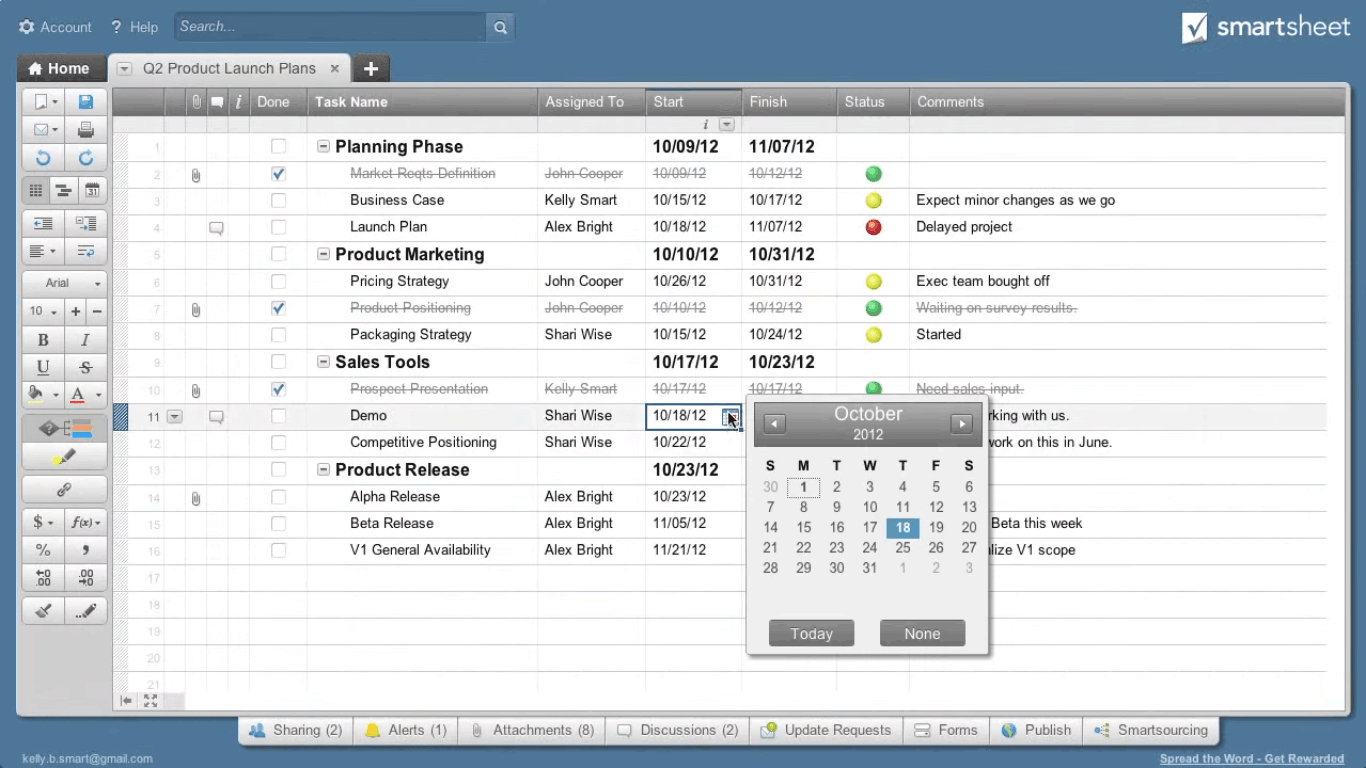
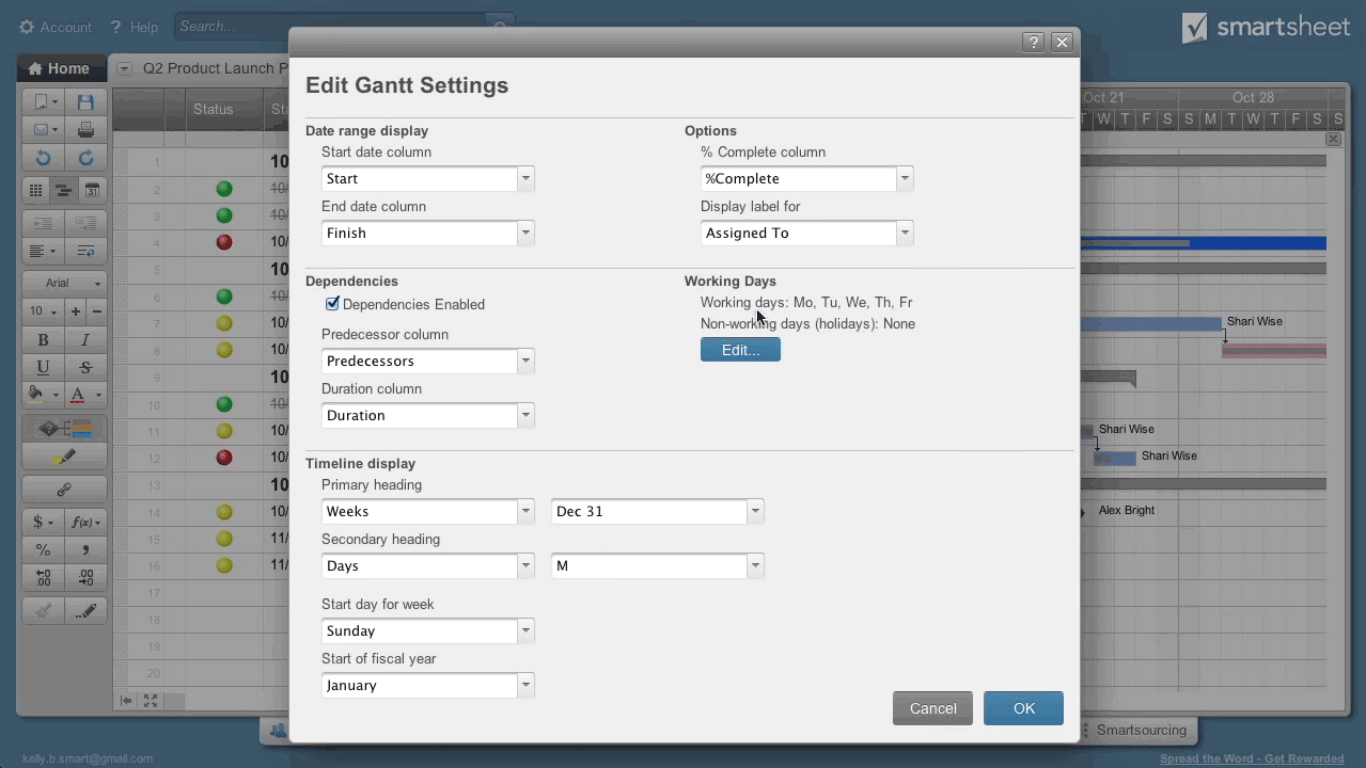
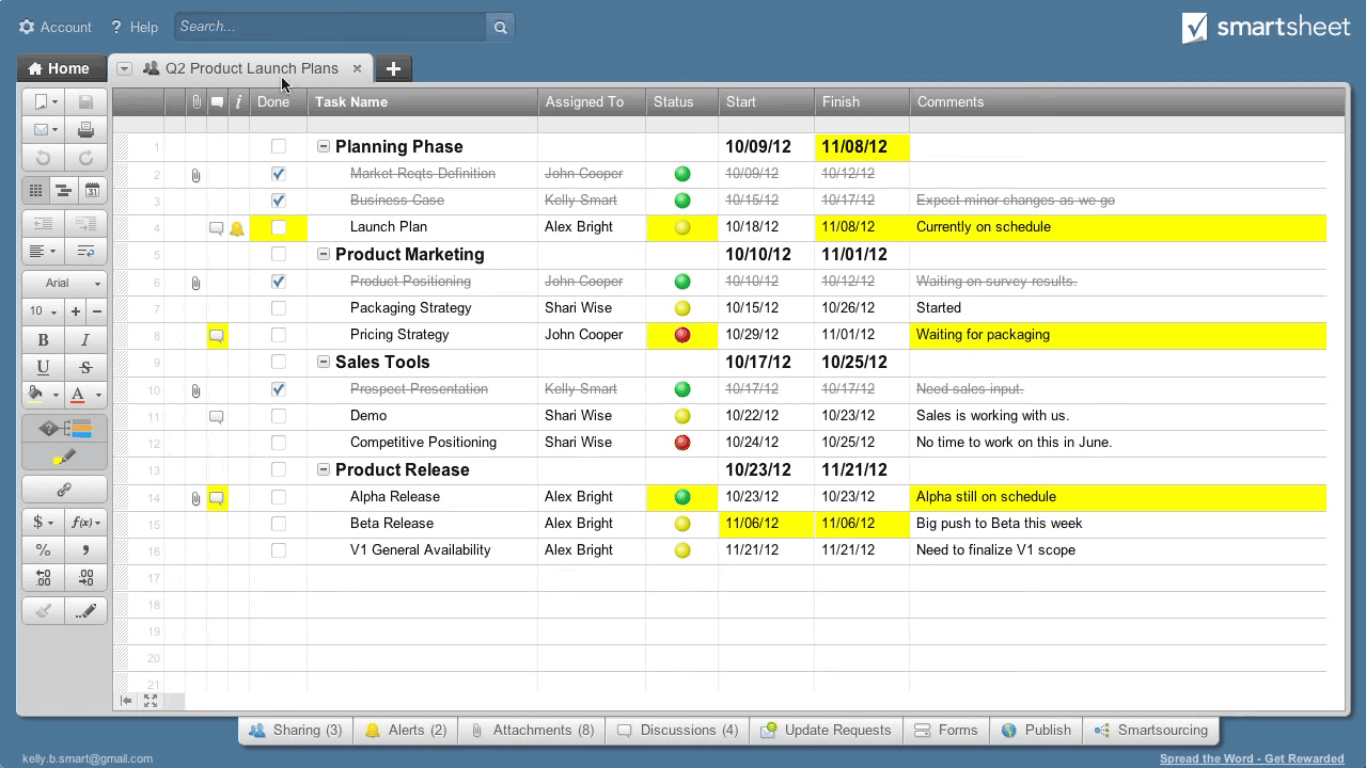
Spreadsheet-native interface with grid Gantt card and calendar views
Project portfolio management with Control Center
Workflow automation with no-code builder
Dashboards and reports across multiple sheets
Resource management and capacity planning
Forms and Data Shuttle for structured intake
View All 12 Features
Smartsheet Pricing Plans
Pro
- Up to 10 members with unlimited contributors
- Unlimited sheets, Gantt, table, board, calendar views
- 250 monthly automations
- AI-assisted formula and content
- Mobile apps for iOS and Android
- Verified at smartsheet.com/pricing on 2026-06-30
Business
- Minimum 3 members
- Timeline view and workload tracking
- Unlimited automations and unlimited guests
- 1 TB attachment storage
- Activity log and proofing
- Verified at smartsheet.com/pricing on 2026-06-30
Enterprise
- Minimum 10 members
- SAML-based SSO and SCIM provisioning
- Scenario planning and portfolios
- Unlimited attachment storage
- Directory integrations and event reporting
- Verified at smartsheet.com/enterprise on 2026-06-30
Advanced Work Management
- Control Center for portfolio governance
- Dynamic View for row-level data access
- Data Shuttle DataMesh and Calendar App
- Premium 24/7 support and named CSM
- Bring-your-own-key encryption options
- Verified at smartsheet.com/products/control-center on 2026-06-30
Smartsheet Resources
Smartsheet Screenshots
Description
Smartsheet at a Glance
| Best fit for | PMO leaders, operations teams, marketing/creative ops, construction, professional services firms |
|---|---|
| Industries | Construction, professional services, marketing, government, healthcare admin, manufacturing, education |
| Core platform | Sheets (grid/Gantt/card/calendar), Reports, Dashboards, Forms, Automation, Resource Management, Control Center, Data Shuttle |
| Pricing model | Per-member subscription (Pro $129, Business $241, Enterprise quote, AWM quote) |
| Mobile apps | iOS and Android (Smartsheet mobile, limited Gantt/dashboard editing) |
| Compliance | SOC 2 Type II, ISO 27001, ISO 27018, GDPR, CCPA, HIPAA on Enterprise |
| Named customers | Cisco, Pfizer, McGraw Hill, P&G, Roche (shown on smartsheet.com) |
| Parent company | Smartsheet Inc. (privately held since 2024 take-private) |
| Headquarters | Bellevue, Washington |
Smartsheet Pros and Cons in 2026
Where Smartsheet Stands Out
Spreadsheet familiarity flattens onboarding. Anyone fluent in Excel or Google Sheets is productive in Smartsheet on day one without learning a new mental model.
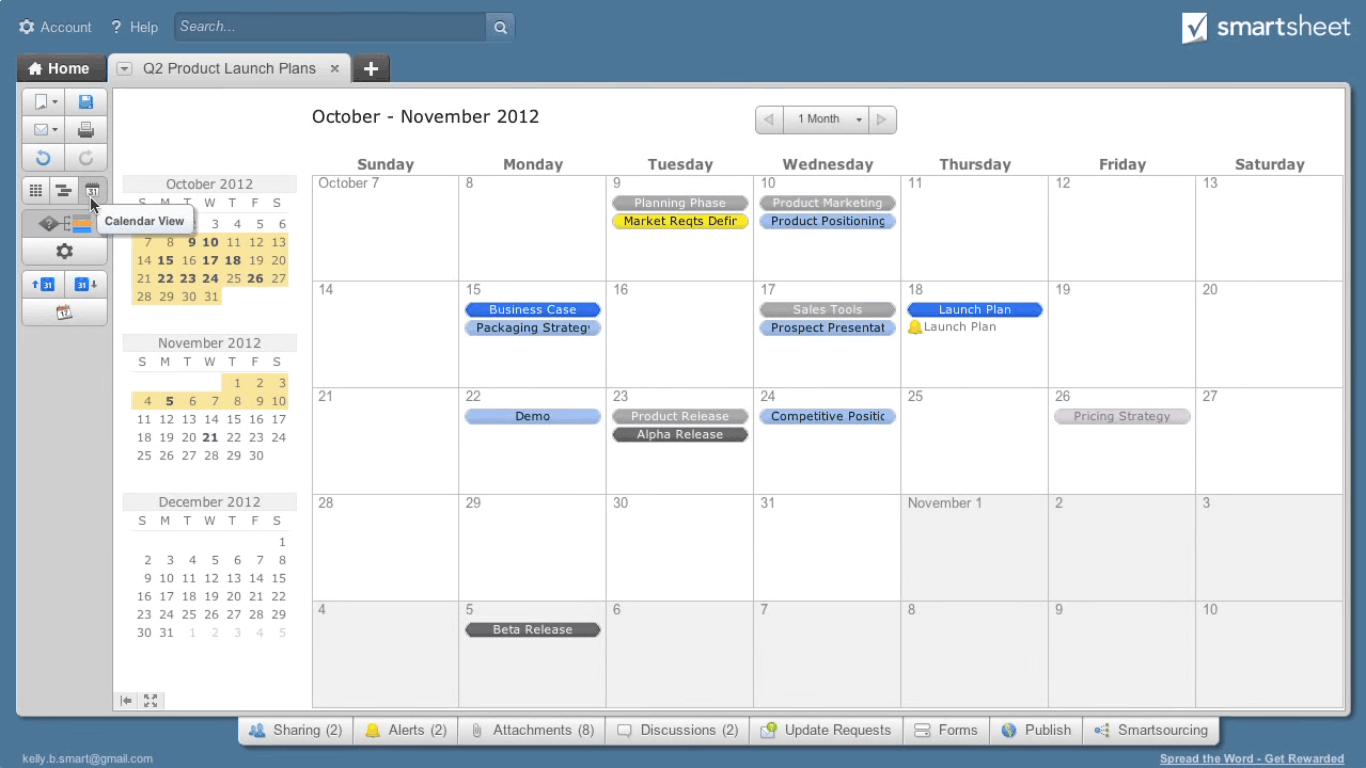
Breadth of views per sheet is unique. Same underlying data shows as grid, Gantt, card, calendar, or chart without re-entering anything, which keeps the source of truth singular across stakeholders.
Control Center scales portfolio governance across hundreds of project sheets. Templated provisioning, blueprint-based project creation, and rollup reporting are rare at this depth in the work-management category.
Cross-sheet formulas and cell linking propagate values across the portfolio. Excel-like syntax with cross-sheet references lets portfolio-level math stay in sync with underlying project plans.
Where Smartsheet Falls Short
Per-member pricing is the highest in the category. Pro at $129 and Business at $241 per member per month deter teams with many occasional editors.
Spreadsheet metaphor breaks down for complex multi-team agile workflows. Teams needing dependency-rich sprint boards often layer Jira on top.
Mobile usability lags the web app. Gantt and dashboard views compress poorly on small screens; mobile is read-only-friendly.
Advanced Work Management add-ons stack up. Control Center, Dynamic View, Data Shuttle, and Calendar App are quote-based on top of the seat license.
Who Should Use Smartsheet?
Smartsheet is the right pick for PMO leaders standardizing templates across hundreds of projects, operations teams running structured workflows (audit, compliance, onboarding), marketing/creative ops coordinating campaigns with dashboard rollups, and construction and professional services firms tracking work orders, change requests, and resource allocation. In the project management and work management categories, Smartsheet lands as the best fit for enterprise PMO portfolio governance.
It is the wrong fit for small teams under 10 people that fit an opinionated task system (Asana/ClickUp), engineering-heavy work with sprints (Jira/Linear), and budget-bound teams with many occasional editors. Those buyers should compare monday.com, Jira, or Trello.
Smartsheet Product Suite in 2026
Sheets and Views
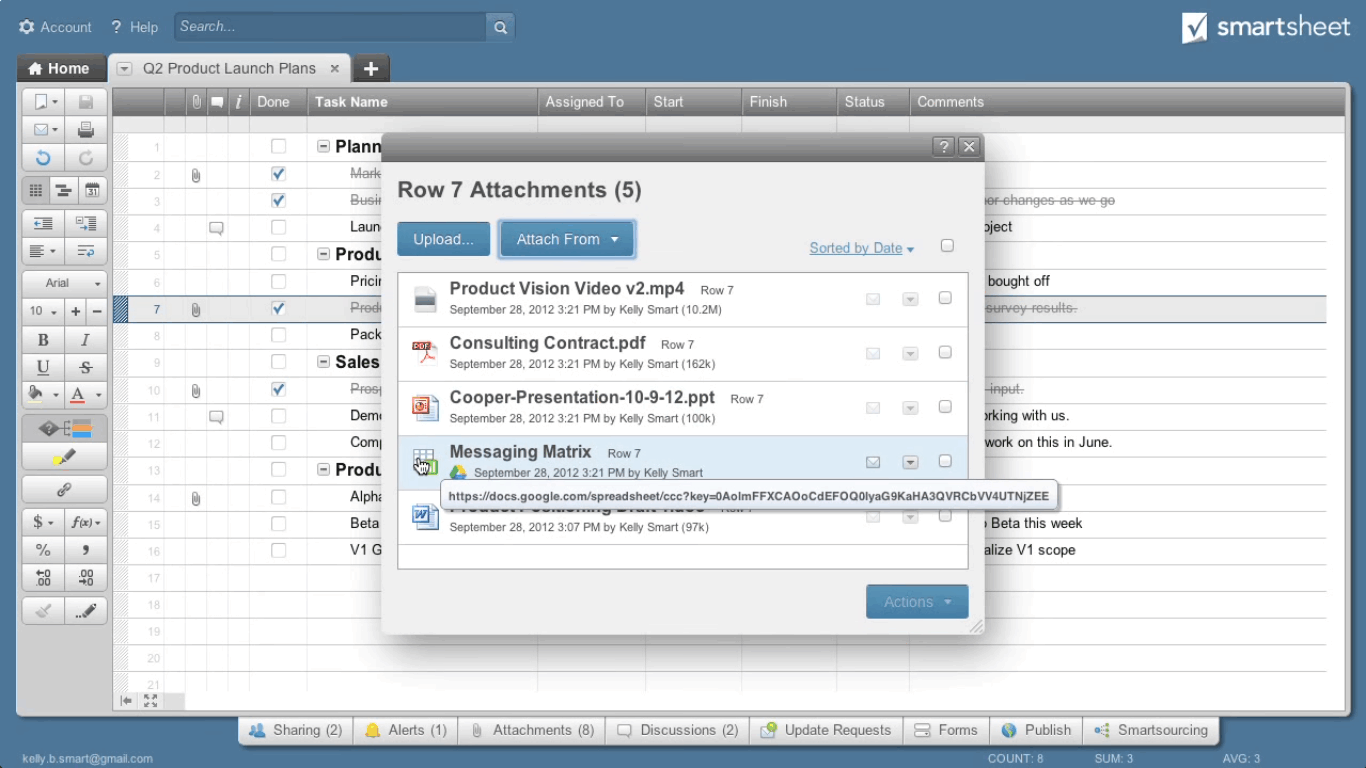
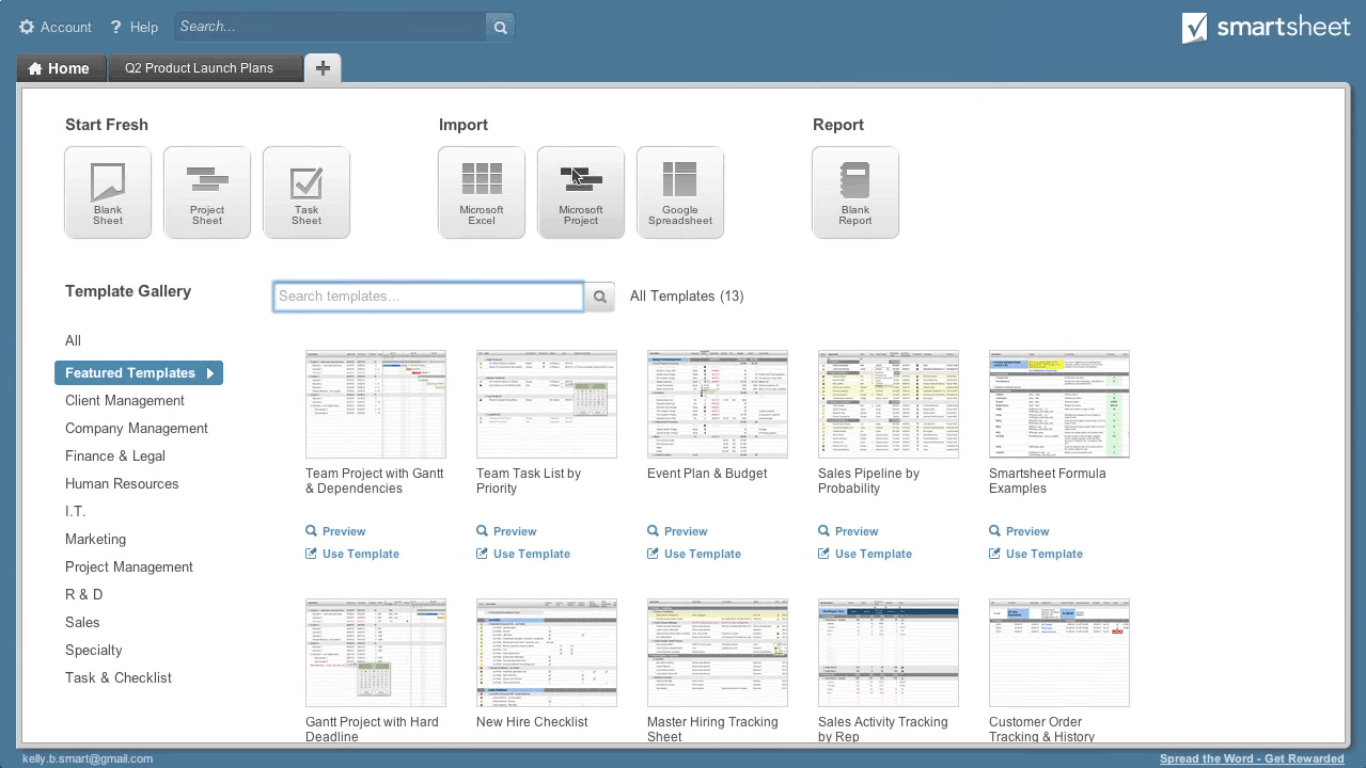
Structured data with column types for status, person, date, dropdown, checkbox, contact, attachment. Views render as grid, Gantt, card, or calendar with view-scoped filters and conditional formatting.
Reports and Dashboards
Reports query data across any number of sheets with filters, sorts, and grouping. Dashboards combine chart widgets, metric tiles, web content, and report widgets into shareable executive views.
Automation
Workflow automation triggers on row events with no-code builder. Approvals route requests through reviewers with conditional logic. Update requests keep portfolio data fresh without manual chasing.
Resource Management
Capacity planning, allocation, and time tracking (formerly 10,000ft). Project managers see who is over- or under-allocated across upcoming weeks with visual heat maps.
Control Center
Portfolio governance add-on on Advanced Work Management. Provisions new projects from blueprints with linked plan, schedule, status, and budget sheets in one click. Portfolio rollups surface health, schedule variance, and budget across all projects.
Data Shuttle and Bridge
Data Shuttle moves data between Smartsheet and external systems on schedule. Bridge orchestrates cross-system workflows without code. Both ship on Advanced Work Management.
How Much Does Smartsheet Cost in 2026?
Four tiers, all per-member billing. Pro at $129 per member per month covers small teams up to 10 members. Business at $241 per member per month adds timeline view, workload tracking, unlimited automations, and 1TB storage with a 3-member minimum. Enterprise is quote-based with 10-member minimum, adding SAML SSO, scenario planning, and portfolios. Advanced Work Management adds Control Center, Dynamic View, Data Shuttle, and premium support at quote-based pricing.
What Drives the Cost
- Member count vs viewer count: Per-member pricing applies to active editors. Viewers are unlimited at Business and above.
- Advanced Work Management add-on: Control Center alone often doubles the total contract.
- Storage tier: Pro caps at 20GB; Business jumps to 1TB.
- Automation execution limits: Pro 250/month; Business unlimited.
How to Get a Useful Quote
Inventory active members across PMO, operations, and creative teams to right-size the seat license. Benchmark Smartsheet's quote against monday.com, Jira Premium, and Microsoft Project for the Web before signing. Enterprise commitments typically unlock 15-20% discount on per-member rates.
Hidden Costs and Contract Gotchas to Watch For
- Advanced Work Management is quote-based on top. Control Center, Dynamic View, Data Shuttle all add to base seat license.
- Business plan has 3-member minimum. Solo Business buyers cannot purchase the tier.
- Enterprise has 10-member minimum. Small enterprise pilots must hit the floor.
- Per-member pricing applies to editors only. Viewers are free at Business+; audit access roles annually.
- HIPAA and BYOK live on Enterprise. Regulated workloads cannot ship on Business.
Smartsheet Alternatives Worth Comparing
monday.com wins on visual customization and modern UX. Lighter portfolio governance than Smartsheet Control Center.
Asana wins on lightweight task management and cross-team adoption. Lighter PMO portfolio capabilities.
ClickUp wins on price-per-seat and feature breadth. Slower performance at enterprise scale.
Microsoft Project for the Web wins for orgs deep in Microsoft 365 with simple project plans. Lighter portfolio reporting.
Jira wins for engineering-heavy work tracking with sprints and dependencies. Lighter for non-engineering PMO work.
Wrike wins for marketing and creative ops teams needing proofing and creative review workflows. Lighter enterprise governance.
What Real Buyers Report About Smartsheet
Reviewers on independent platforms (SoftwareAdvice, SelectHub) and PMO communities (Reddit r/projectmanagement, PMI forums) consistently call out three patterns. Spreadsheet familiarity is the lock-in factor for PMO and operations teams. Control Center governance scales across hundreds of project sheets, which few competitors match. Cross-sheet formulas and cell linking propagate values across portfolios, keeping the source of truth singular.
The common critiques cluster around three points. Per-member pricing for teams with many occasional editors is the loudest. Mobile usability on Gantt and dashboard views lags. Advanced Work Management add-on pricing surprises mid-implementation. For enterprise PMOs that need standardized portfolio governance with spreadsheet-native flexibility, Smartsheet consistently rates as the platform that scales longest without re-platforming.
Bottom Line: Is Smartsheet Right for You?
Smartsheet is the right call for enterprise PMOs and operations teams that want spreadsheet familiarity plus portfolio governance. Control Center is the durable moat; few competitors match Smartsheet for portfolios of hundreds of project sheets governed by shared templates.
For small teams under 10 people, Asana or ClickUp will be cheaper and faster to adopt. For engineering-heavy work with sprints, Jira or Linear fit better. For mid-market organizations that resist per-member pricing, monday.com or ClickUp deliver more out of the box.
Verified on 2026-06-30 by the SaaSRat Editorial Team. Vendor facts cross-checked against smartsheet.com (pricing, Control Center, enterprise pages), independent review aggregators, PMO community threads, and current 2025-2026 press cycles. About our methodology.
Frequently Asked Questions
What is Smartsheet used for?
How much does Smartsheet cost?
Is Smartsheet better than Excel?
What is Smartsheet Control Center?
Does Smartsheet integrate with Salesforce?
Is Smartsheet HIPAA compliant?
Can Smartsheet replace Microsoft Project?
How long does Smartsheet take to roll out?
Does Smartsheet have an API?
What is the difference between Smartsheet Pro and Business?
Find Your Perfect Software
See how it can transform your workflow
- Personalized for your needs Tailored recommendations based on your unique requirements.
- Save time & resources Streamline your workflow and boost team productivity.
- Trusted by thousands Join 10,000+ businesses already growing with SaaSrat.
You're all set! 🎉
A specialist for will reach out within 1 business day with tailored recommendations for your needs.