

Coda
by Coda
What is Coda?
Get Best Quote for Coda
Connect with SaaSrat experts to get the best quote for your business.
You're all set!
A specialist for Coda will reach out within 1 business day.
Coda Features
Customizable templates
Real time collaboration
Task management
Document sharing
Integrations
Automations
View All 41 Features
Coda Pricing Plans
Free
- Unlimited users
- Limited Doc size
- Tables and formulas
- Real-time collaboration
- 600+ Packs marketplace
- Mobile apps
- Comments and discussions
Pro
- Free +
- Unlimited Doc size
- Version history
- More Packs
- Custom domains
- For solo professionals and small teams
- Only Doc Makers pay; viewers/editors unlimited free
Team
- Pro +
- Coda AI access
- Deeper Doc capabilities
- Team-level admin controls
- For growing teams
- Only Doc Makers pay; viewers/editors unlimited free
Enterprise
- Team +
- SSO
- Audit logs
- Admin controls
- Custom contracts
- Coda Brain (advanced AI)
- Dedicated CSM
- Volume discounts
Coda Resources
Coda Screenshots
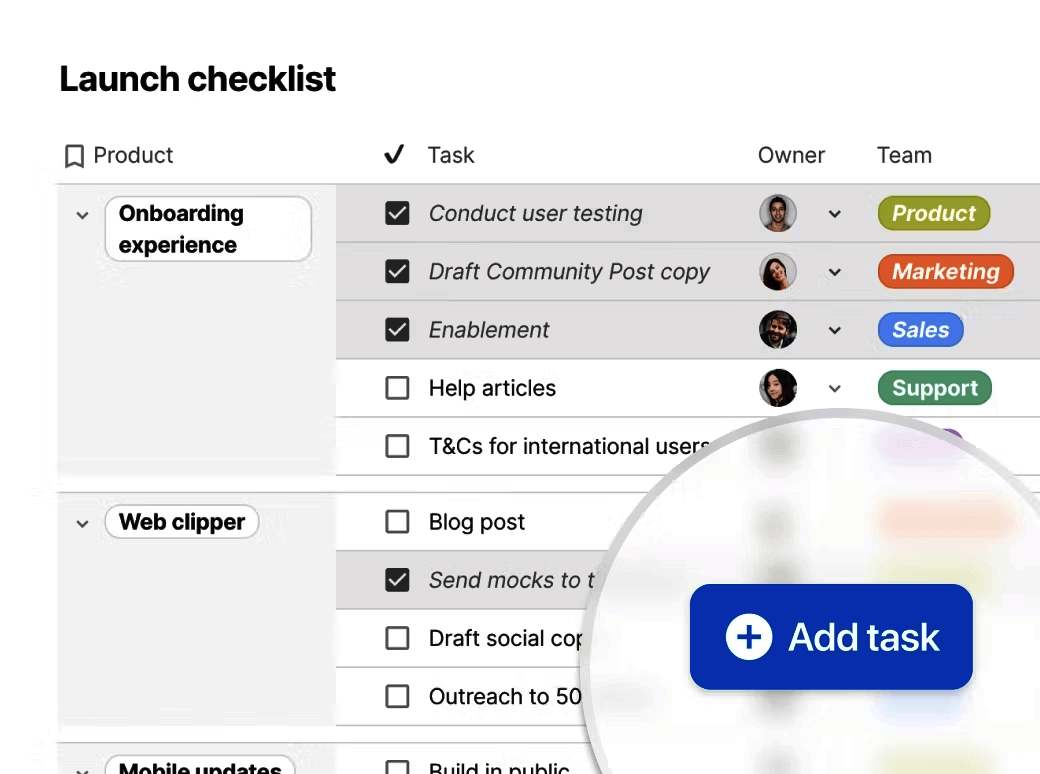
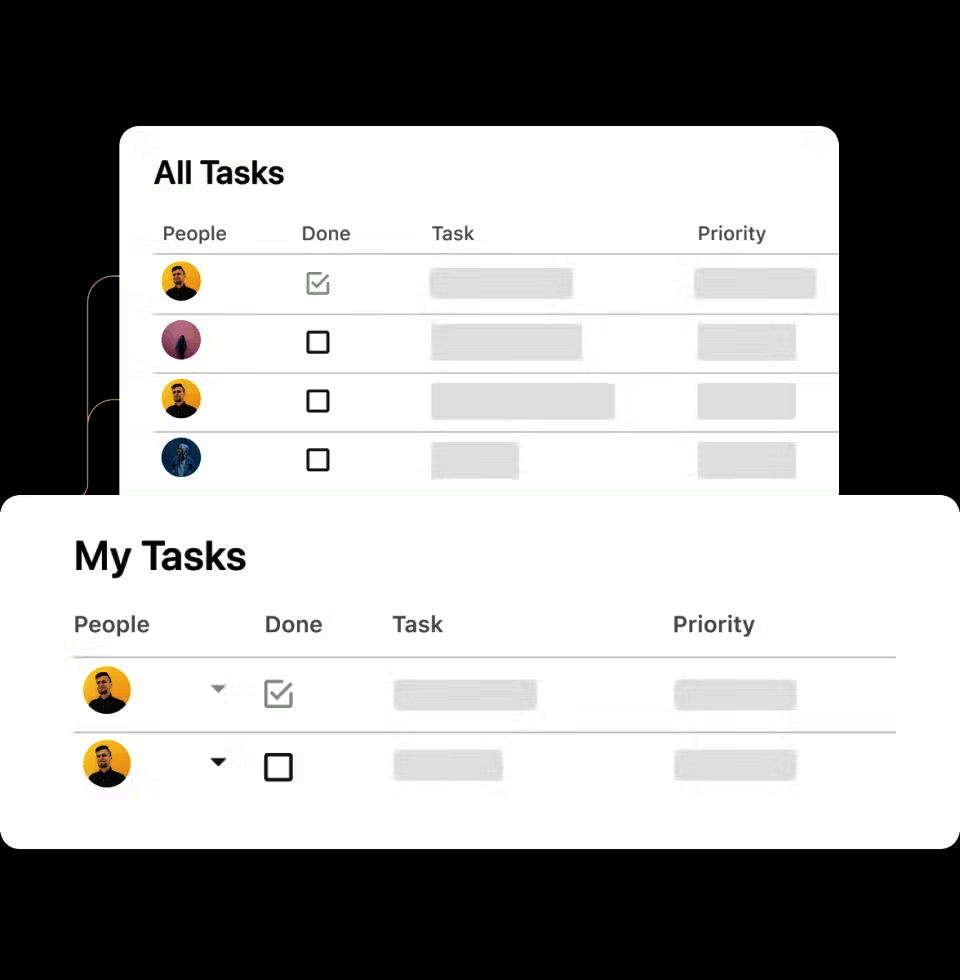
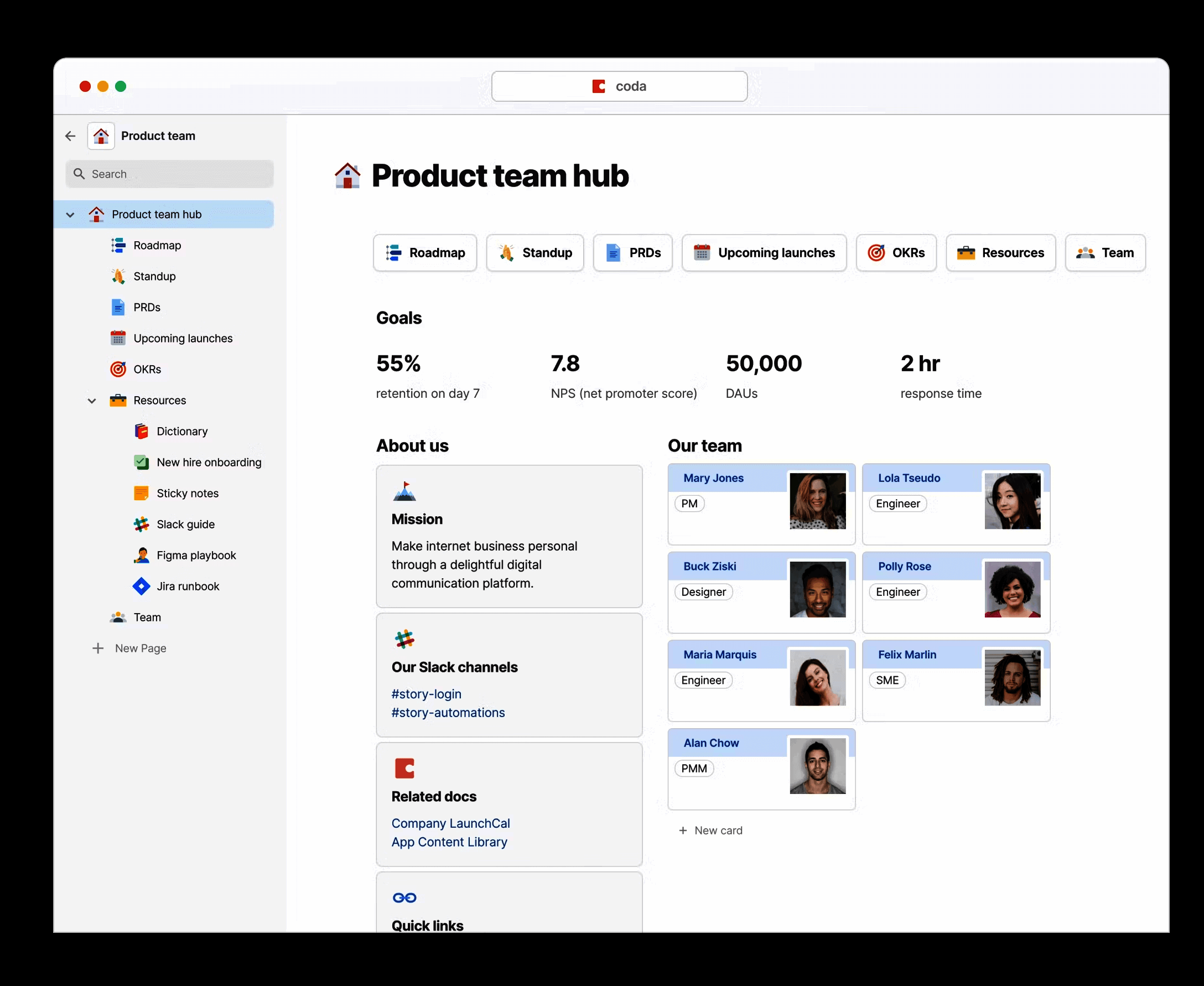
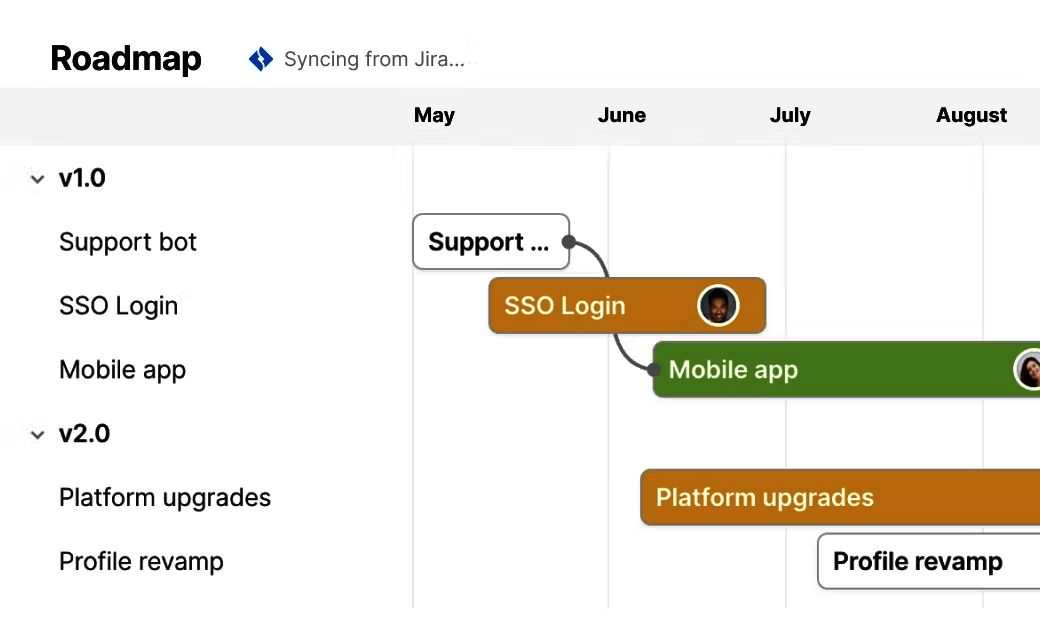
Description
Coda Field Guide
| Best fit for | Cross-functional teams, product orgs, and growing startups (10-2,000+ users) that want one all-in-one platform blending the flexibility of docs, structure of spreadsheets, power of applications, and AI capabilities for connected workflows rather than fragmenting across Notion plus Google Sheets plus Airtable plus separate apps |
|---|---|
| Industries | Software product engineering and SaaS companies, marketing and creative agencies, professional services consulting, growing startups, education and academia, financial services operations, healthcare technology, e-commerce operations, design studios, technology consultancies |
| Core capability | All-in-one platform blending docs (rich-text), structured spreadsheets, applications (Packs and buttons), and AI (Coda Brain, Coda AI), tables with formulas, automations, custom Packs marketplace, real-time collaboration, comments and discussions, version history, role-based permissions, REST API, native integrations with Slack, Salesforce, Jira, GitHub, Google Workspace, Microsoft 365, plus 600+ Packs in the marketplace, mobile apps for iOS and Android |
| Pricing | Free at $0 for unlimited users with limited Doc size. Pro at $12 per Doc Maker per month annual for solo professionals and small teams with unlimited Doc size, version history, and more Packs. Team at $36 per Doc Maker per month annual for growing teams with deeper Doc capabilities and Coda AI access. Enterprise at custom quote with SSO, audit logs, and admin controls. Doc Maker pricing model means only document creators pay; viewers and editors are unlimited free. Verified at coda.io/pricing on 2026-06-06. |
| Differentiator | Doc Maker pricing where only document creators pay and unlimited viewers/editors are free. This makes Coda materially cheaper than per-seat alternatives at scale. Combined with the docs-plus-spreadsheet-plus-app blend and 600+ Packs marketplace, Coda earns the case for teams consolidating fragmented stack into one connected workspace. Coda AI integrated across all tiers for AI-assisted workflows. |
| Headquarters | Bellevue, Washington, USA. Coda is a privately held SaaS company that has served cross-functional teams since the mid-2010s. Distributed engineering and customer-success organization with operations across North America and a global customer base spanning software product engineering, marketing, professional services, and growing startups. |
| Customers | Used by Spotify, Pinterest, Square, Robinhood, Figma, Uber, Intuit, and thousands of cross-functional teams worldwide. Strong adoption among software product orgs and growing startups consolidating fragmented Notion-plus-Google-Sheets-plus-Airtable stacks. |
| Mobile | Native iOS and Android mobile apps with full Doc, table, and collaboration functionality. Mobile-responsive web for additional flexibility. Distributed teams across multiple time zones get a workspace that flexes to mobile-first usage patterns. |
Where Coda Wins
Doc Maker pricing for unlimited viewers. Only document creators (Doc Makers) pay per-seat. Viewers and editors are unlimited free. Teams with many stakeholders viewing documents (sales, ops, executives) avoid per-seat math compounding at scale. Materially cheaper than per-seat Notion or Airtable at viewer-heavy team sizes.
Docs plus spreadsheet plus app blend. Coda combines rich-text docs, structured spreadsheets (tables with formulas), and lightweight applications (Packs and buttons) on one platform. Teams that have fragmented across Notion plus Google Sheets plus Airtable consolidate to one Coda workspace.
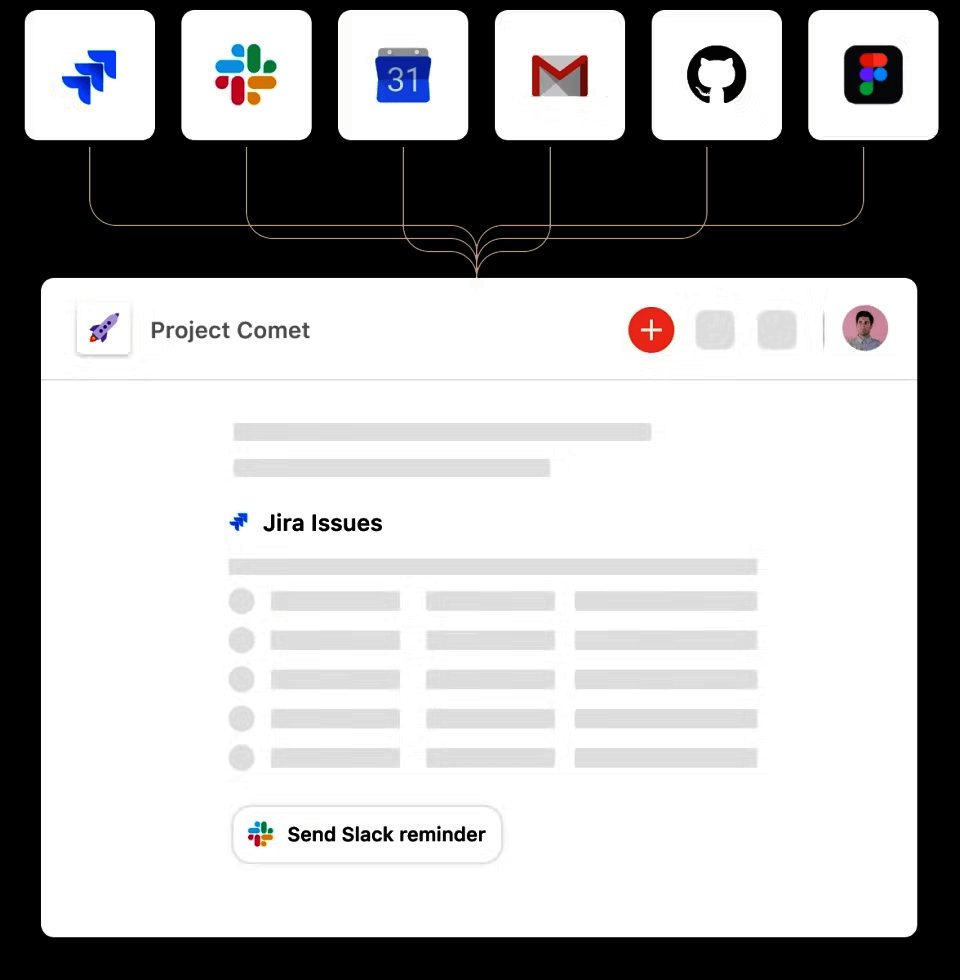
600+ Packs marketplace. Packs ecosystem extends Coda with Slack, Salesforce, Jira, GitHub, Figma, Google Workspace, Microsoft 365, and 600+ more integrations. Teams running diverse tooling get connected workflows without external middleware.
Coda AI integrated across tiers. Coda AI (and Coda Brain at higher tiers) for AI-assisted writing, table summarization, automation generation, and knowledge retrieval. AI capabilities ship across Pro and Team tiers rather than gated to Enterprise.
Real-time collaboration with deep permissions. Real-time multi-user editing with section-level permissions, comments, and version history. Cross-functional teams running shared workflows get the collaboration depth that spreadsheet-anchored alternatives lack.
Strong enterprise customer references. Spotify, Pinterest, Square, Robinhood, Figma, Uber, and Intuit cited as customers. Enterprise procurement teams running formal vendor-risk reviews get reference availability validating platform maturity.
Mobile apps with full functionality. Native iOS and Android mobile apps with full Doc, table, and collaboration support. Distributed teams get full mobile productivity rather than mobile-as-afterthought.
Where Coda Falls Short
Learning curve for full power. The blend of docs plus spreadsheet plus applications means deeper learning curve than single-purpose tools (Notion docs only, Airtable tables only). Plan for training time for teams new to the all-in-one paradigm.
Doc Maker pricing requires careful seat planning. Identifying who needs Doc Maker access vs viewer access requires upfront planning. Organizations with unclear role boundaries may find unexpected seat needs after rollout.
Brand recognition lower than Notion in docs-led procurement. Notion dominates docs-led knowledge work procurement. Coda appears more often in cross-functional team procurement where the doc-plus-spreadsheet blend matters.
Mobile editing experience lighter than desktop. Mobile apps work for viewing and basic editing but power-user workflows (complex formulas, automations) require desktop. Mobile-first heavy teams should evaluate based on actual mobile editing needs.
Setup complexity for advanced apps. Building Coda Packs or advanced automations requires technical comfort with formulas and Pack APIs. Teams that want a plug-and-play workspace may find the customization depth overwhelming initially.
Who Should Use Coda?
Coda is the right call when a cross-functional team, product org, or growing startup (10-2,000+ users) wants one all-in-one platform blending the flexibility of docs, structure of spreadsheets, power of applications, and AI capabilities for connected workflows. Within the Project Management category at SaaSRat and the broader task management workspace, the strongest fits are software product engineering and SaaS companies, marketing and creative agencies, professional services consulting, growing startups, education and academia, financial services operations, healthcare technology, e-commerce operations, design studios, and technology consultancies.
Coda is the wrong call for software engineering scrum (evaluate Jira, Linear, or Shortcut), for client services agencies needing retainer management (evaluate Teamwork.com), for enterprise PPM with formal portfolio reporting (evaluate Smartsheet or Planview), and for personal task management (evaluate Todoist).
Coda Alternatives
Notion - documentation-led workspace with databases for combined docs and structured data.
Airtable - database-first work management with rich attribute types and US enterprise brand.
ClickUp - all-in-one work management with stronger AI investment.
Monday - visual board-first work OS with stronger no-code automation builder.
Asana - cross-functional work management with portfolio depth.
Google Workspace + Docs - Google-anchored docs and spreadsheets for teams on Google.
Microsoft 365 + Loop - Microsoft-anchored docs and collaborative components.
What Reddit and LinkedIn Reviewers Say
Discussions on r/Notion and r/productivity rate Coda among cross-functional product teams for the doc-plus-spreadsheet-plus-app blend and Doc Maker pricing. Buyers cite the 600+ Packs marketplace and Coda AI as the differentiators vs Notion and Airtable.
LinkedIn discussions among product operations leaders and ops teams highlight Coda's role as the consolidation play for fragmented Notion-plus-Sheets-plus-Airtable stacks. The Spotify, Pinterest, Square, and Figma customer references support enterprise procurement.
Final Take on Coda
Coda is the right call when a cross-functional team, product org, or growing startup wants one all-in-one platform blending the flexibility of docs, structure of spreadsheets, power of applications, and AI capabilities. Software product engineering and SaaS companies, marketing and creative agencies, professional services consulting, growing startups, education and academia, financial services operations, healthcare technology, e-commerce operations, design studios, and technology consultancies get the natural fit. The Doc Maker pricing for unlimited viewers, docs plus spreadsheet plus app blend, 600+ Packs marketplace, Coda AI integrated across tiers, real-time collaboration with deep permissions, strong enterprise customer references, and mobile apps with full functionality combination delivers value fragmented stack alternatives cannot match for consolidation buyers.
For docs-led workspace with databases, Notion. For database-first with US enterprise brand, Airtable. For all-in-one with aggressive AI, ClickUp. For visual board work OS, Monday. For cross-functional portfolio depth, Asana. For Google-anchored docs, Google Workspace. For Microsoft-anchored, Microsoft 365 Loop. Coda is the doc-plus-spreadsheet-plus-app blend pick with Doc Maker pricing for cross-functional teams consolidating to one connected workspace.
Adjacent reading: Coda buyers also evaluate task management tools for individual contributor focus and Notion for docs-led alternative with databases.
Implementation considerations: Small teams under 10 users adopt Coda on the Free tier in 1-2 weeks. Mid-market deployments (50-500 users) run 2-8 weeks including workspace structure design, Doc template setup, table schema design, Pack integration setup (Slack, Salesforce, Jira, GitHub), Coda AI configuration, role-based permission design, and team training. Enterprise deployments (1,000+ users) routinely run 6-16 weeks including SSO integration, audit log compliance setup, custom Pack development, and partner-led implementation.
Buyer evaluation tips: Start on the Free tier with unlimited users to evaluate the doc-plus-spreadsheet-plus-app blend on real cross-functional workflows. Pro at $12 per Doc Maker per month annual is the entry tier for solo professionals and small teams. Team at $36 per Doc Maker per month annual is justified by Coda AI access and deeper Doc capabilities for growing teams. Enterprise pricing aligns with SSO, audit logs, and admin controls. Calculate Doc Maker vs viewer/editor mix carefully - the unlimited-viewer pricing makes Coda materially cheaper than per-seat alternatives at viewer-heavy team sizes.
Verified on 2026-06-06 by the SaaSRat Editorial Team. Vendor facts cross-checked against coda.io, coda.io/pricing, and current 2025-2026 vendor disclosures. About our methodology.
Frequently Asked Questions
How much does Coda cost in 2026?
Coda vs Notion vs Airtable vs ClickUp?
What is Doc Maker pricing?
What are Coda Packs?
Where is Coda based?
Does Coda have AI features?
Who uses Coda?
Does Coda have mobile apps?
Does Coda integrate with Salesforce?
How long does a Coda implementation typically take?
Find Your Perfect Software
See how it can transform your workflow
- Personalized for your needs Tailored recommendations based on your unique requirements.
- Save time & resources Streamline your workflow and boost team productivity.
- Trusted by thousands Join 10,000+ businesses already growing with SaaSrat.
You're all set! 🎉
A specialist for will reach out within 1 business day with tailored recommendations for your needs.