

GanttPRO
by GanttPRO • Founded 2015
What is GanttPRO?
Get Best Quote for GanttPRO
Connect with SaaSrat experts to get the best quote for your business.
You're all set!
A specialist for GanttPRO will reach out within 1 business day.
GanttPRO Features
Gantt chart
Task management
Resource management
Time tracking
Collaboration tools
Project templates
View All 45 Features
GanttPRO Pricing Plans
Basic
- Project views
- Task management
- Project planning
- Team collaboration
- Project calendar
- Unlimited virtual resources
- API
- Support
- Export
- Sharing with Public URL
PRO
- Project views
- Advanced task management
- Advanced project planning
- Team collaboration
- Project calendar
- Unlimited virtual resources
- API
- Support
- Export
- Sharing with Public URL
Business
- Project views
- Portfolio management
- Advanced task management
- Advanced project planning
- Team collaboration
- Advanced resource management
- API
- Support
- Export
- Sharing with Public URL
Enterprise
- Project views
- Portfolio management
- Advanced project planning
- Team collaboration
- Advanced resource management
- Export
- Sharing with Public URL
- Extended API limits
- Customer success manager
GanttPRO Resources
GanttPRO Screenshots
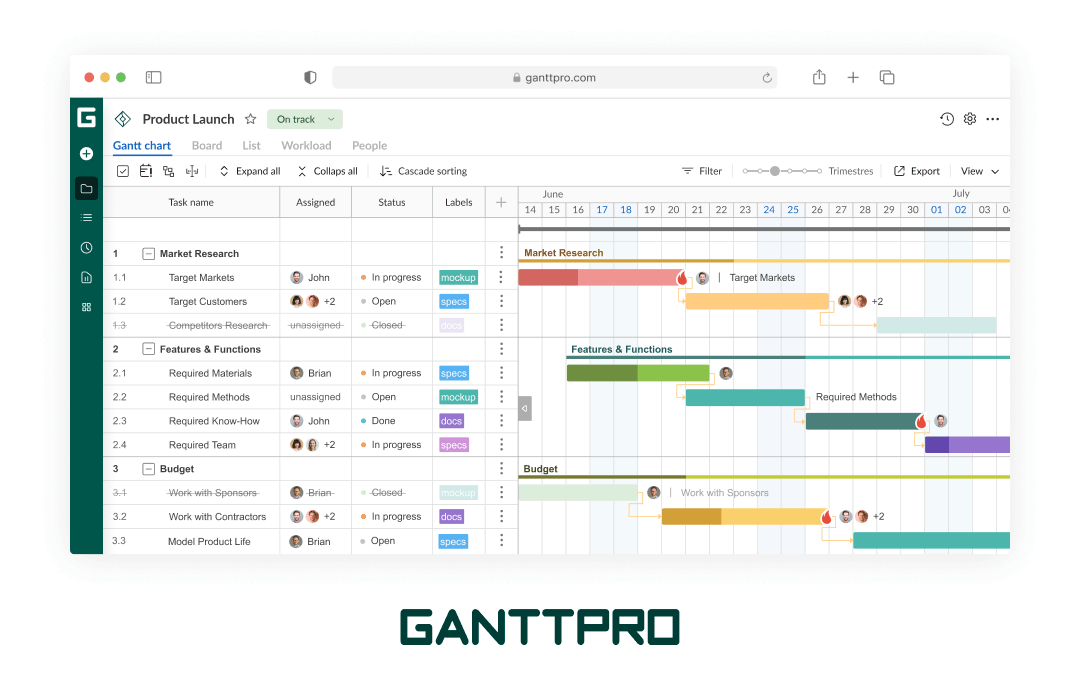
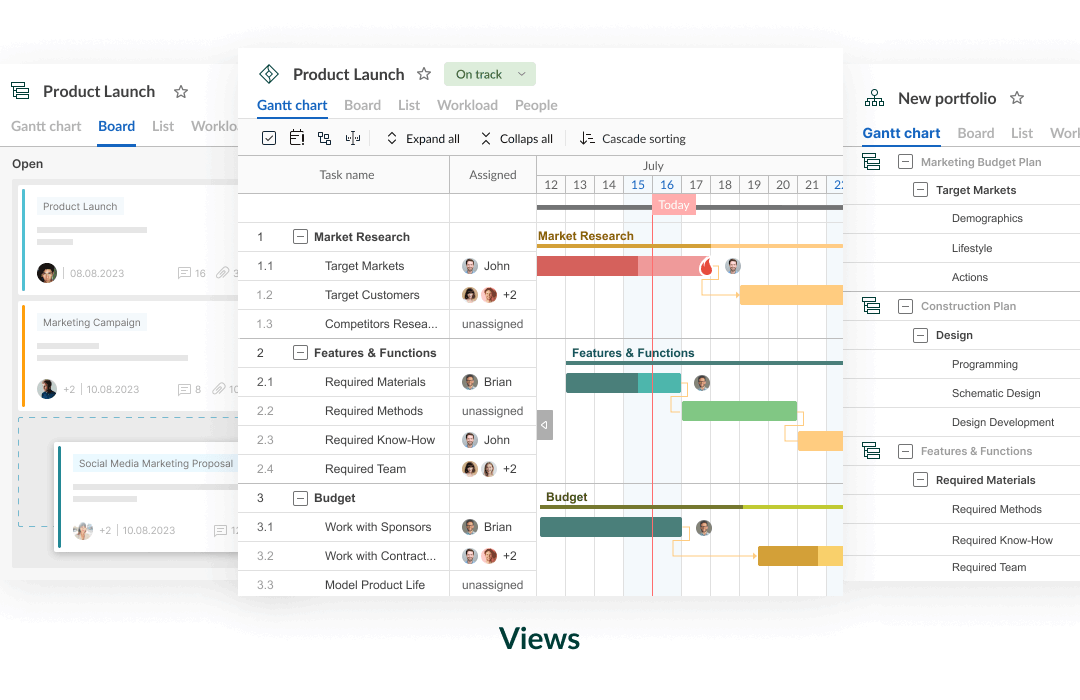
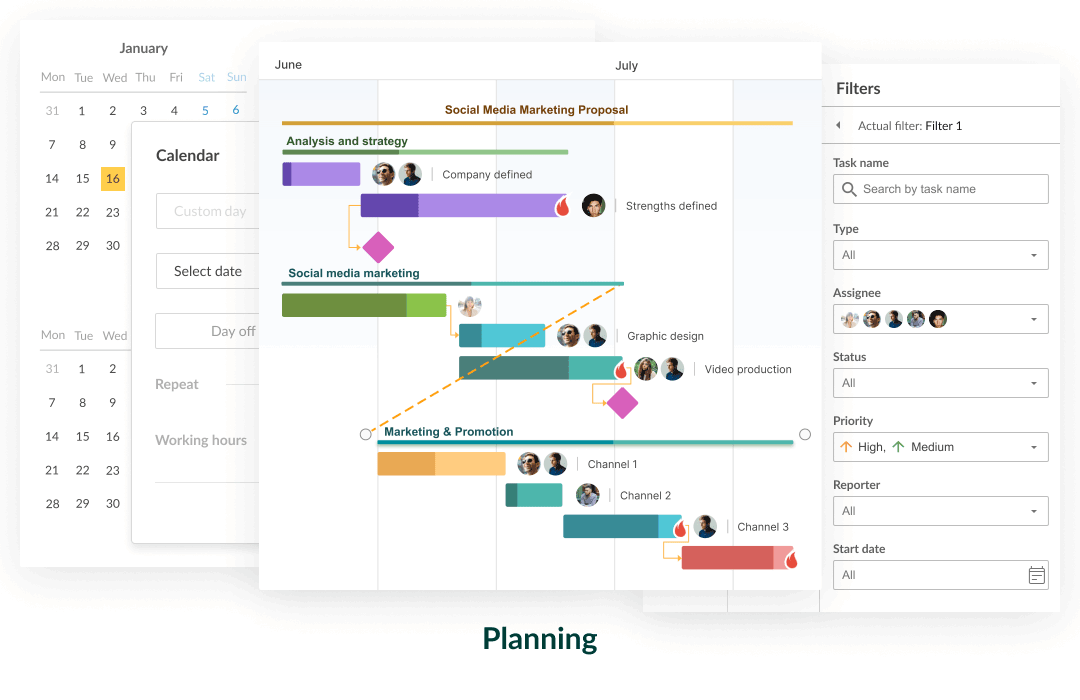
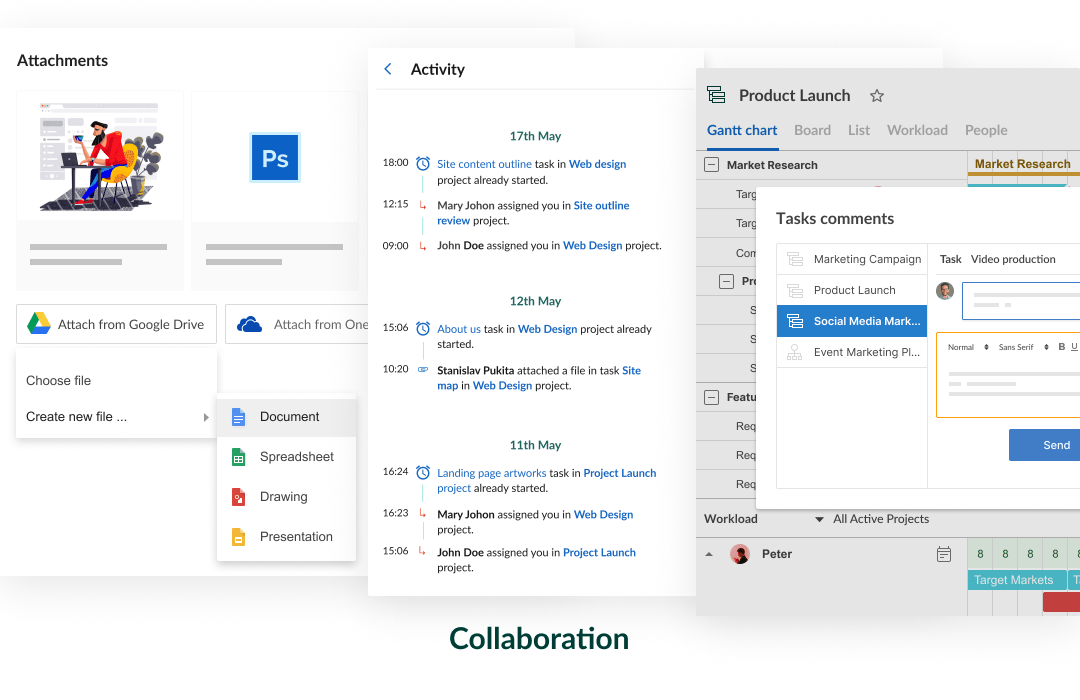
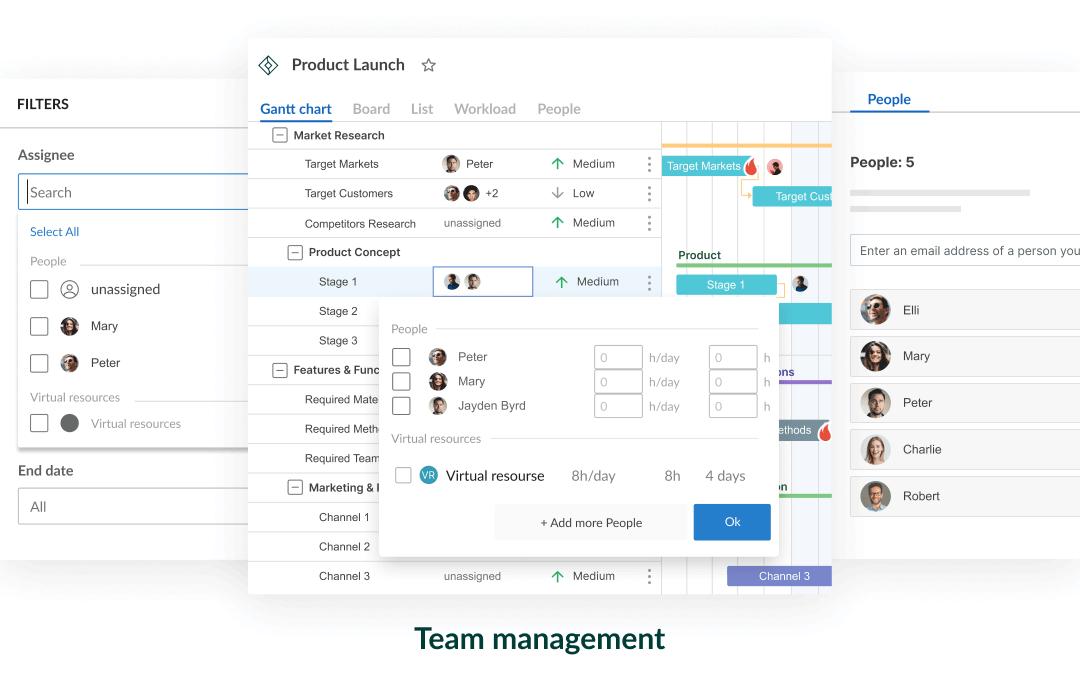
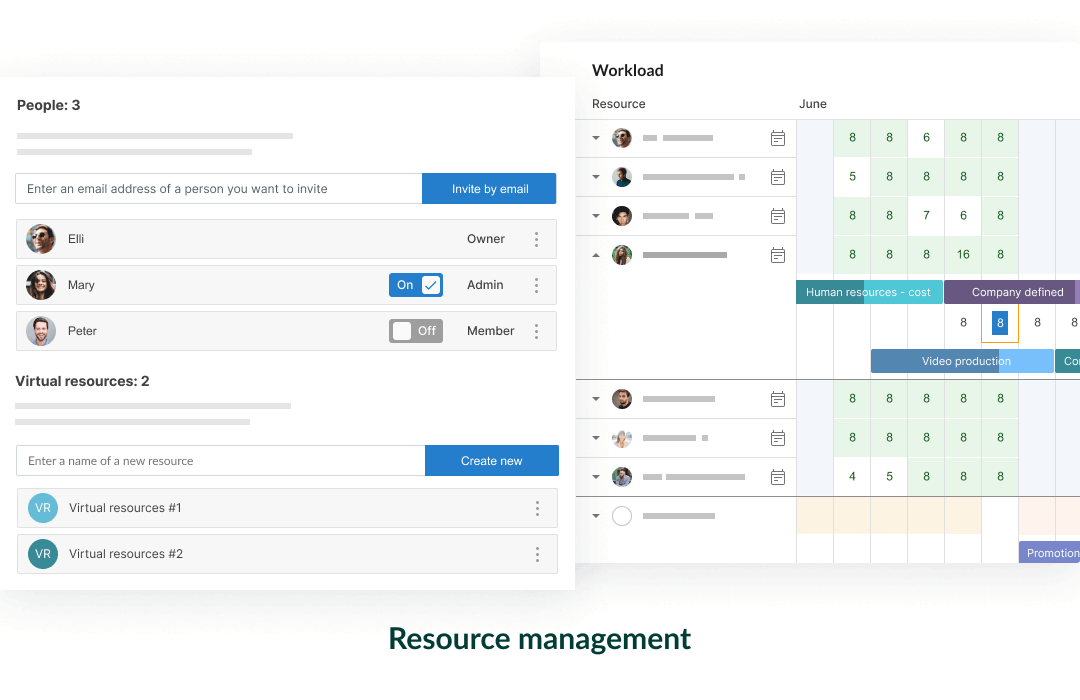
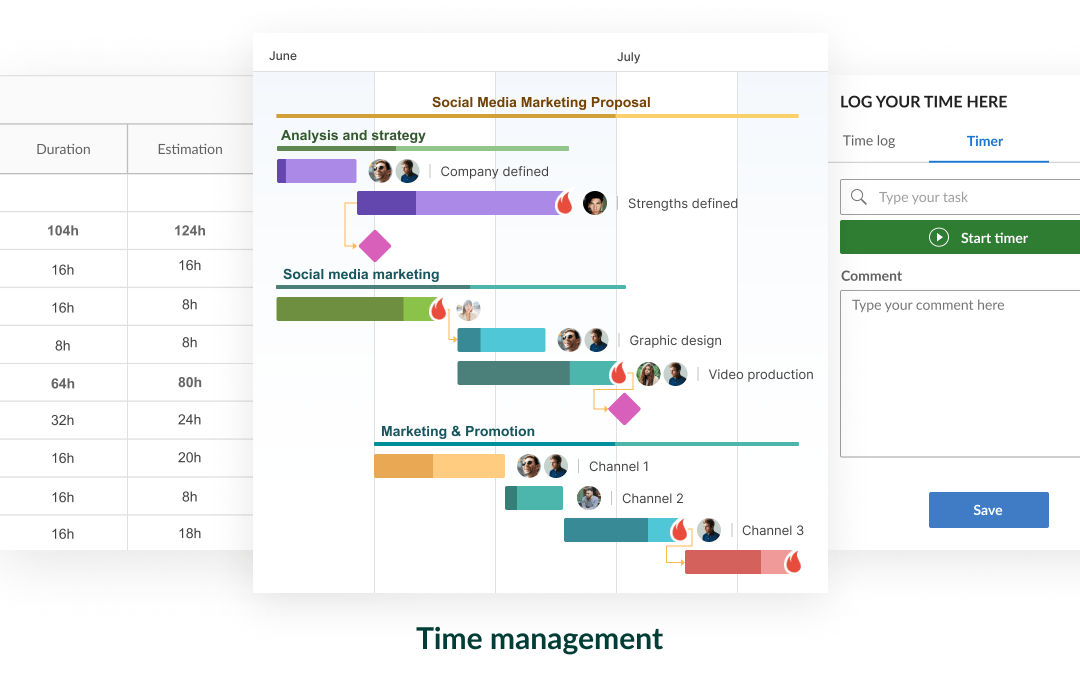
Description
GanttPRO Field Guide
| Best fit for | Project managers, construction managers, marketing operations leads, and program managers who think in Gantt charts first and want a dedicated, interactive online Gantt chart maker that does not require learning a heavy enterprise PPM platform like Microsoft Project or Primavera P6 |
|---|---|
| Industries | Construction and AEC, engineering services, marketing agencies running campaign launches, event planning teams, education and curriculum design, healthcare and clinical research, manufacturing operations, IT services and consulting, government and nonprofit programs, real estate development |
| Core capability | Interactive online Gantt charts with drag-and-drop scheduling, critical path calculation, dependency types (finish-to-start, start-to-start, finish-to-finish, start-to-finish), baseline tracking, milestones, resource workload management, cost tracking by hourly rate, board view (kanban), portfolio view, real-time collaboration with team comments, time tracking, custom fields, Gantt chart export to PNG, PDF, and Microsoft Project XML, public chart sharing via URL, templates library |
| Pricing | Free 14-day trial with full feature access (no credit card). Basic plan starts at a low per-user monthly rate billed annually with Gantt charts, board view, basic resources, and templates. Pro plan adds critical path, baseline, portfolio view, time tracking, and integrations. Business plan adds custom fields, advanced reporting, and history tracking. Enterprise plan adds SSO, advanced security, and dedicated support. Verified at ganttpro.com/pricing on 2026-06-04. |
| Differentiator | The dedicated online Gantt chart maker for project managers who want interactive Gantt depth without the heavy Microsoft Project or Primavera P6 learning curve. The interface is built around the Gantt view as the primary work surface, with board, portfolio, and resource views layered on top. Faster to learn than enterprise PPM and more capable than the basic Gantt views in Asana, Monday, or ClickUp. |
| Headquarters | Vilnius, Lithuania (European Union). Additional remote engineering and customer success presence across the EU. Privately held SaaS company focused exclusively on the Gantt chart use case rather than expanding into broader work management. The narrow product focus is the design philosophy. |
| Customers | Used by NASA, Sony, Vodafone, HubSpot, DHL, Salesforce, Hilton, T-Mobile, and a broad customer base of construction firms, marketing agencies, engineering services, and project management consultancies. Strong concentration in EU-based services teams and global construction operations. |
| Mobile | Mobile-responsive web with read-and-write Gantt chart editing. Native mobile apps are limited; field-heavy construction teams that need offline mobile editing should evaluate vs alternatives. |
Where GanttPRO Wins
Dedicated Gantt depth without enterprise PPM complexity. GanttPRO ships interactive Gantt charts with critical path, four dependency types, baselines, milestones, resource leveling, and cost tracking - the feature set project managers expect from Microsoft Project, packaged for users who do not want the desktop-application complexity and Windows-only deployment of MS Project. The platform is browser-based, collaborative, and onboardable in hours rather than weeks.
Real-time collaborative Gantt editing. Multiple project managers and team members can edit the same Gantt chart simultaneously, see each other's cursors, and discuss tasks via inline comments. The collaborative editing pattern is closer to Figma or Google Docs than to MS Project. Distributed project teams running multiple stakeholders into the same schedule get a tool that supports the working pattern.
Faster onboarding than Microsoft Project or Primavera P6. Project managers familiar with Gantt concepts onboard to GanttPRO in 1-3 hours. MS Project and Primavera require multi-week training programs and certified courses. Mid-market construction firms, marketing operations leads, and education program managers that need Gantt capability without the training overhead pick GanttPRO directly.
Critical path and baseline tracking. Critical path calculation highlights the schedule-driving tasks. Baselines lock the original plan and let project managers compare actual progress to planned dates across the project lifecycle. These are PMI-grade features missing from the basic Gantt views in Asana, Monday, or ClickUp.
Microsoft Project XML export. GanttPRO exports schedules to Microsoft Project XML format, so teams transitioning from MS Project or sharing schedules with MS Project-anchored stakeholders maintain interoperability. PDF and PNG exports support presentation use cases. Public chart sharing via URL supports stakeholder reviews without licensing additional users.
Templates library and quick-start patterns. Construction project templates, marketing campaign templates, event planning templates, software development templates, education curriculum templates, and home renovation templates ship out of the box. New projects start from proven patterns rather than blank canvases.
Where GanttPRO Falls Short
Not a full PM platform. GanttPRO is the Gantt chart layer, not a complete work management workspace. Teams running task management beyond Gantt scheduling (documentation, channel-based discussion, sprint management, complex automation) pair GanttPRO with Asana, Monday, or Notion for the broader workflow.
Mobile experience is limited. The mobile-responsive web works for chart viewing and light edits but is not optimized for heavy field-based Gantt work. Construction project managers running mobile-first field operations should evaluate alongside Procore or PlanGrid for field use cases.
Smaller integration ecosystem. GanttPRO integrates with Jira, Slack, Microsoft Teams, Google Drive, OneDrive, and a few dozen other tools. The ecosystem is materially smaller than Jira's 3,000+ Marketplace apps or Asana's 270+ native integrations. Power users with niche integration needs route through Zapier.
Documentation and chat are absent. Inline comments on tasks support discussion but the platform does not ship Slack-style channels or a wiki. Documentation-led teams pair GanttPRO with Notion or Confluence and team chat with Slack or Microsoft Teams.
Brand recognition lower in North American enterprise. Strong in EU markets and global construction. Less recognized in US enterprise procurement evaluations where Microsoft Project and Smartsheet dominate. Buyers in regulated industries should verify procurement comfort with the EU-based vendor.
Who Should Use GanttPRO?
GanttPRO makes the case when a project manager, construction manager, marketing operations lead, or program manager thinks in Gantt charts first and wants a dedicated interactive online Gantt chart maker without the Microsoft Project or Primavera P6 learning curve. Within the Project Management category at SaaSRat, the right picks are construction and AEC firms, engineering services, marketing agencies running campaign launches, event planning teams, education and curriculum design, healthcare and clinical research, manufacturing operations, IT services and consulting, government and nonprofit programs, and real estate development.
GanttPRO is the wrong call for teams that want a complete work-management workspace beyond Gantt (evaluate Asana, Monday, Notion), for software engineering teams running scrum or kanban (evaluate Jira or Linear), for enterprise PPM at Fortune 500 scale (evaluate Planview or Celoxis), for Microsoft-anchored organizations standardized on MS Project (use MS Project), and for field-heavy construction teams needing offline mobile (evaluate Procore alongside GanttPRO).
GanttPRO Alternatives
Microsoft Project and Project for the Web - the dominant Gantt tool in Microsoft-anchored organizations; deeper features, steeper learning curve.
TeamGantt - similar dedicated online Gantt focus with simpler UI.
Smartsheet - spreadsheet-DNA enterprise PMO with Gantt as one view.
Asana - cross-functional work management with Timeline (Gantt) view at Advanced tier.
Monday - visual board-first work OS with Gantt as one of 10+ views.
Wrike - enterprise work management with built-in Gantt and proofing.
Primavera P6 (Oracle) - heavy enterprise PPM standard for construction megaprojects.
What Reddit and LinkedIn Reviewers Say
Discussions on r/projectmanagement and r/construction surface a consistent pattern. Buyers picking GanttPRO cite the dedicated Gantt depth without MS Project complexity, the real-time collaborative editing, and the template library. Buyers picking Microsoft Project over GanttPRO cite Microsoft ecosystem integration depth and enterprise procurement comfort. Buyers picking Smartsheet cite the spreadsheet-DNA appeal for finance and operations teams.
LinkedIn discussions among construction project managers, marketing operations leads, and program management consultants highlight GanttPRO as the dedicated-Gantt pick for teams that want Gantt depth without the full enterprise PPM commitment. EU-based construction and engineering firms are the strongest customer concentration.
Final Take on GanttPRO
GanttPRO fits when a project manager, construction manager, marketing operations lead, or program manager thinks in Gantt charts first and wants a dedicated interactive online Gantt chart maker without the Microsoft Project or Primavera P6 learning curve. Construction and AEC firms, engineering services, marketing agencies running campaign launches, event planning teams, education and curriculum design, healthcare and clinical research, manufacturing operations, IT services and consulting, government and nonprofit programs, and real estate development teams get the right starting point. The dedicated Gantt depth, real-time collaborative editing, critical path calculation, baseline tracking, Microsoft Project XML export, and template library together exceed what general-purpose PM tools deliver for Gantt-first work.
For Microsoft ecosystem, Microsoft Project. For simpler online Gantt, TeamGantt. For spreadsheet-DNA enterprise PMO, Smartsheet. For cross-functional work management, Asana. For visual board-first, Monday. For enterprise creative work, Wrike. For megaproject construction, Primavera P6. GanttPRO is the dedicated online Gantt chart maker for project managers who think in Gantts.
Adjacent reading: Gantt-first buyers comparing GanttPRO also evaluate task management tools for the workspace layer around Gantt, Everhour for time tracking layered on Gantt schedules, and Notion for documentation alongside Gantt scheduling.
Implementation considerations: Small teams under 25 users adopt GanttPRO in 1-3 days. Mid-market deployments (50-200 users) run 2-6 weeks including template library design, custom field setup, integration configuration (Jira, Slack, Microsoft Teams, Google Drive), resource pool design, and PM training. The most important step is template design - build a template per project type (construction, marketing campaign, event, software release) to give new projects a structured starting point.
Buyer evaluation tips: Use the 14-day free trial with a real project before committing. Pro tier unlocks critical path and baseline tracking - these are the features that separate GanttPRO from the Gantt views in Asana or Monday. Business tier adds custom fields and history tracking, justified at 25+ users running formal change control. For Microsoft-anchored organizations standardized on MS Project, the GanttPRO XML export keeps interoperability for shared schedules. For organizations also running Jira, the Jira integration syncs issue-level work into the Gantt schedule.
Verified on 2026-06-04 by the SaaSRat Editorial Team. Vendor facts cross-checked against ganttpro.com, ganttpro.com/pricing, and current 2025-2026 vendor disclosures. About our methodology.
Frequently Asked Questions
How much does GanttPRO cost in 2026?
GanttPRO vs Microsoft Project?
Does GanttPRO have critical path and baseline tracking?
Can GanttPRO export to Microsoft Project format?
What kind of teams use GanttPRO?
Does GanttPRO integrate with Jira?
Does GanttPRO have a mobile app?
Where is GanttPRO based?
Is GanttPRO suitable for enterprise PPM?
How long does a GanttPRO implementation typically take?
Find Your Perfect Software
See how it can transform your workflow
- Personalized for your needs Tailored recommendations based on your unique requirements.
- Save time & resources Streamline your workflow and boost team productivity.
- Trusted by thousands Join 10,000+ businesses already growing with SaaSrat.
You're all set! 🎉
A specialist for will reach out within 1 business day with tailored recommendations for your needs.