

ProWorkflow
by ProActive Software Ltd
What is ProWorkflow?
Get Best Quote for ProWorkflow
Connect with SaaSrat experts to get the best quote for your business.
You're all set!
A specialist for ProWorkflow will reach out within 1 business day.
ProWorkflow Features
Project task and time management
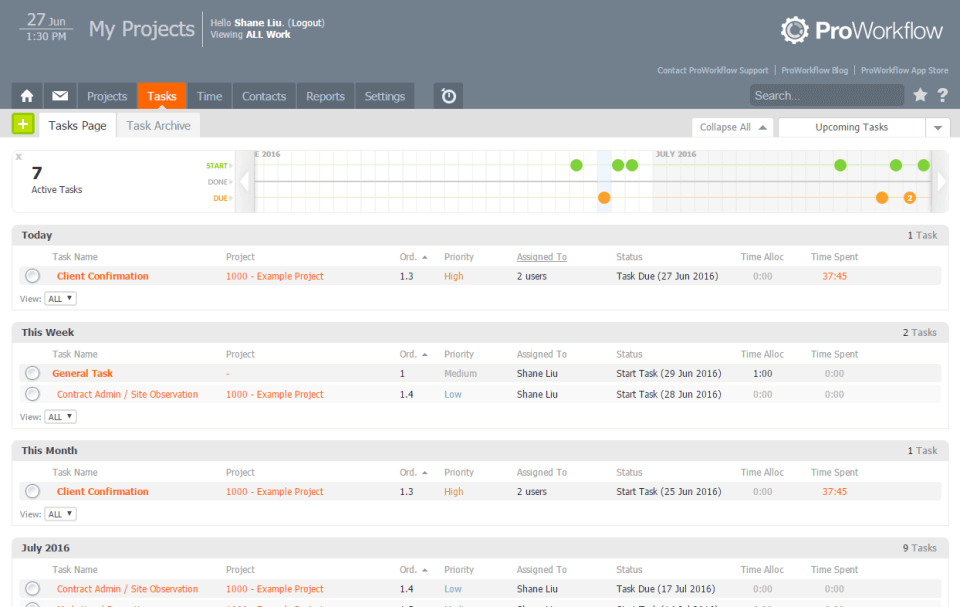
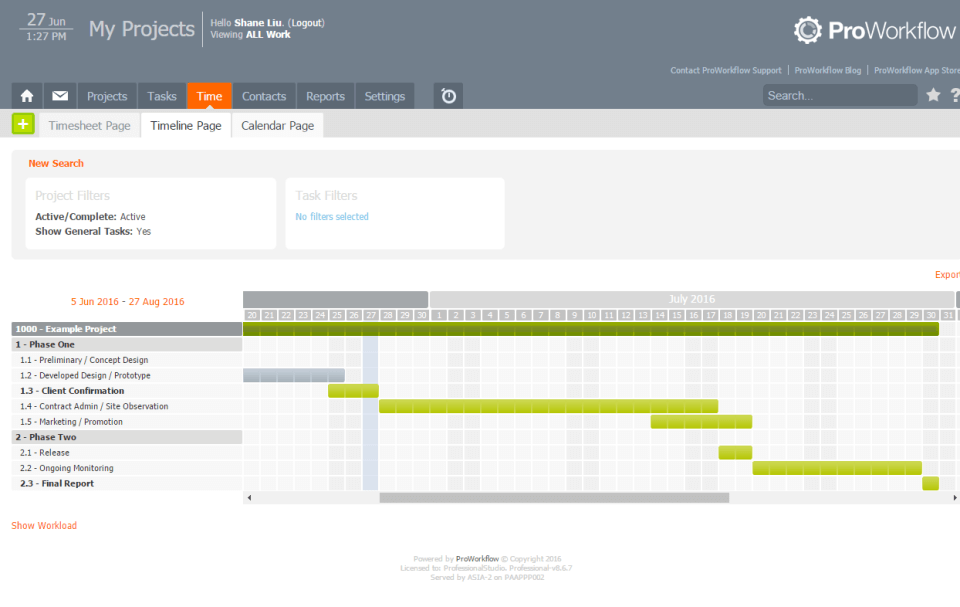
Gantt timeline and Kanban board views
Client portal with file sharing
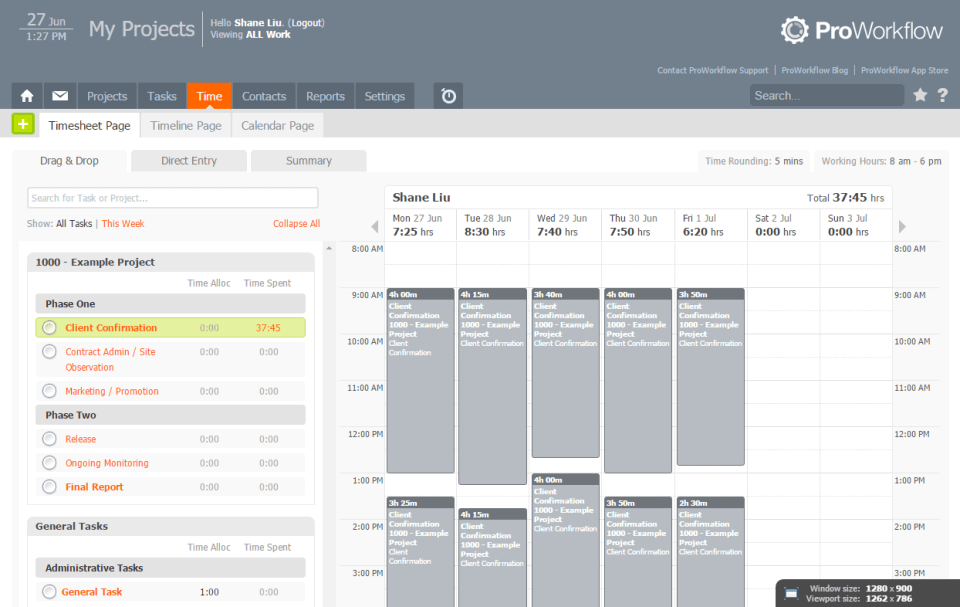
Time tracking with timer and timesheet
Quoting and invoicing add-ons on Professional
Free quoting and invoicing on Advanced
View All 15 Features
ProWorkflow Pricing Plans
Professional
- 1-user minimum, 25 GB storage. Full project, task and time management with unlimited external projects, tasks, and client access. Quoting +$10 add-on, invoicing +$10 add-on. Intro offer $18/user/mo.
Advanced
- 5-user minimum, 50 GB storage. Everything in Professional plus hierarchical control with org chart, recurring projects, priority support, custom fields, internal projects. Quoting and invoicing bundled free. Intro offer $29/user/mo.
Enterprise
- Custom pricing. Everything in Advanced plus dedicated account manager, on-premise hosting, Active Directory and LDAP sync, custom payment options, custom SLA.
ProWorkflow Screenshots
Description
What is ProWorkflow?
ProWorkflow is a project management platform built in Auckland, New Zealand since 2002. The product targets agencies, marketing teams, and consultancies that bill client work and need project management, time tracking, quoting, and invoicing in a single tool rather than gluing together separate products.
It is one of the older agency PM tools still actively developed and serves a long-running customer base across creative agencies, web development shops, marketing consultancies, and design studios in North America, Australia, New Zealand, and the UK.
Who ProWorkflow is built for
ProWorkflow fits small-to-mid agencies (5 to 100 staff), marketing teams, design studios, and consultancies that need project planning plus billable time tracking plus client billing in one place. The integrated quote-to-invoice workflow is what separates ProWorkflow from generic PM tools.
The Professional plan suits small teams of 1 to 5 staff. Advanced is the typical mid-size agency pick (5-user minimum) where hierarchical control and organizational chart features matter. Enterprise adds dedicated account management and the on-premise option for buyers with data residency requirements.
It is less of a fit for engineering teams running Jira sprints, for very large enterprises needing portfolio governance at scale (Smartsheet, Planview, or Wrike fit better), or for cross-functional product teams that want broader work management (Asana, Monday).
ProWorkflow pricing plans
| Plan | Price (monthly) | Minimum users | Storage |
|---|---|---|---|
| Professional | $20/user/mo | 1 user | 25 GB |
| Advanced | $30/user/mo | 5 users | 50 GB |
| Enterprise | Quote-based | Custom | Custom |
Introductory offers are typically $18/user/mo for Professional and $29/user/mo for Advanced. Annual billing saves $2-3 per user per month versus monthly billing. Free onboarding is included on every plan.
Add-on costs apply on Professional: quoting is +$10 and invoicing is +$10 if you want those modules. Advanced bundles both for free. Enterprise includes dedicated account manager, on-premise hosting option, Active Directory and LDAP sync, custom payment options, and a custom SLA.
ProWorkflow core capabilities
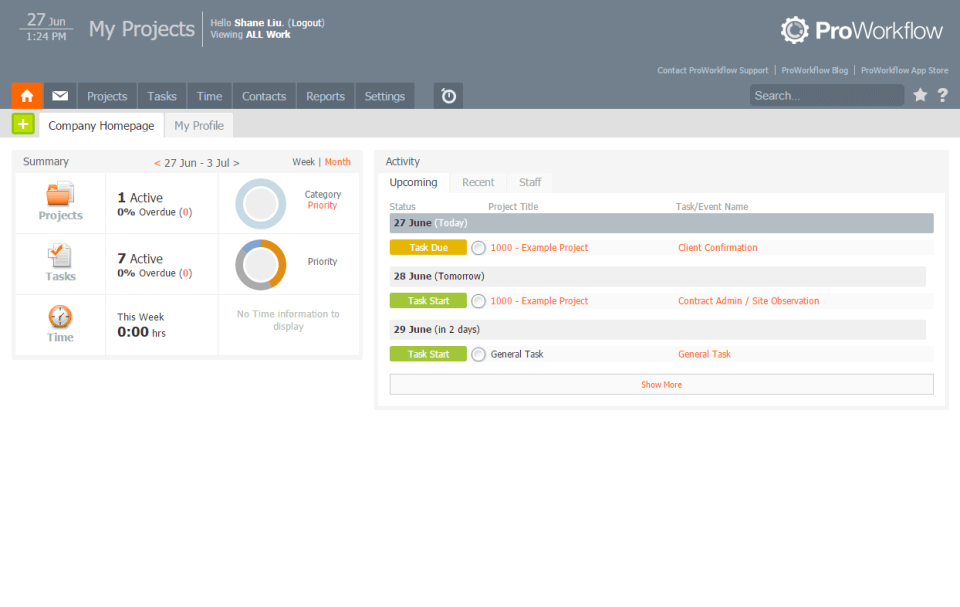
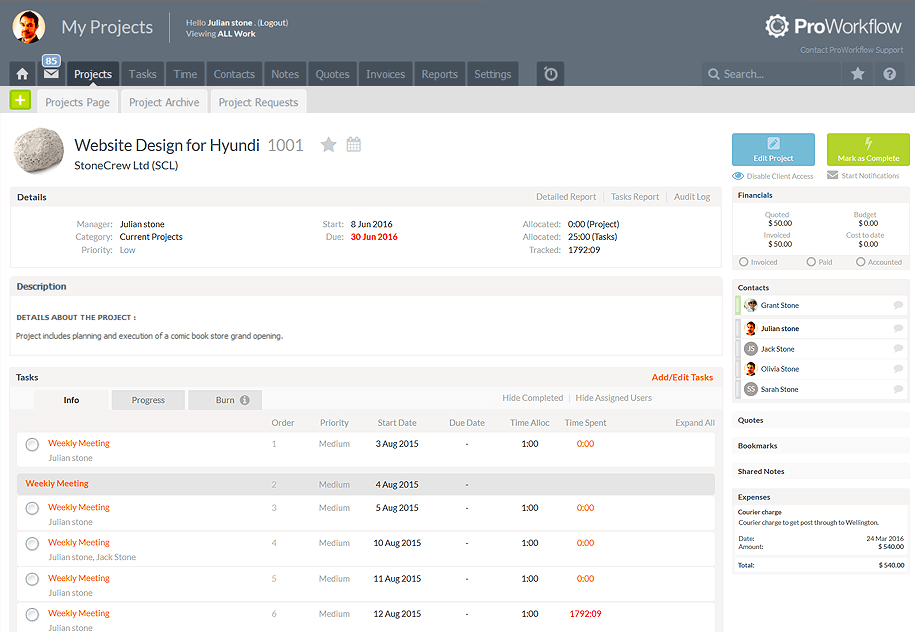
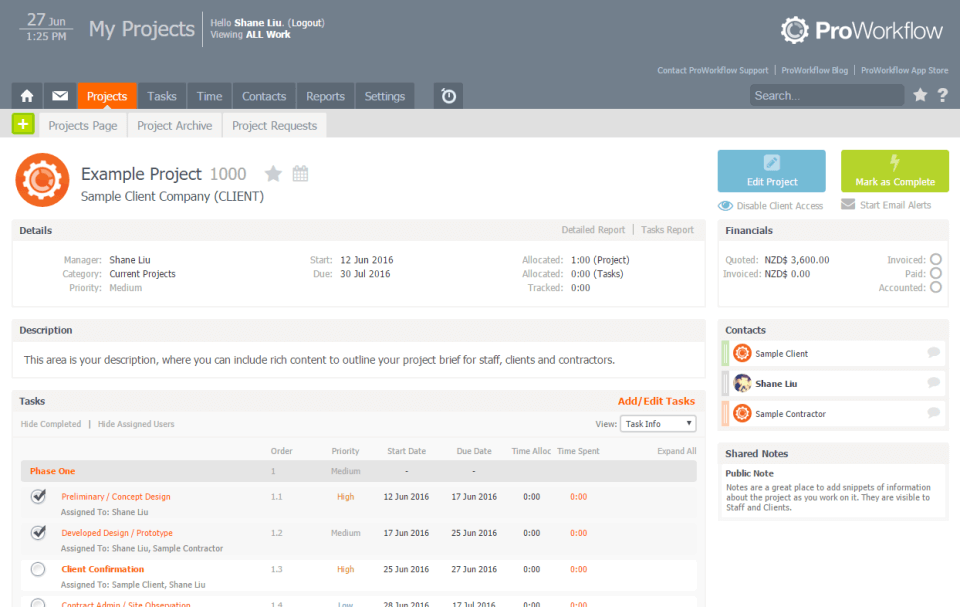
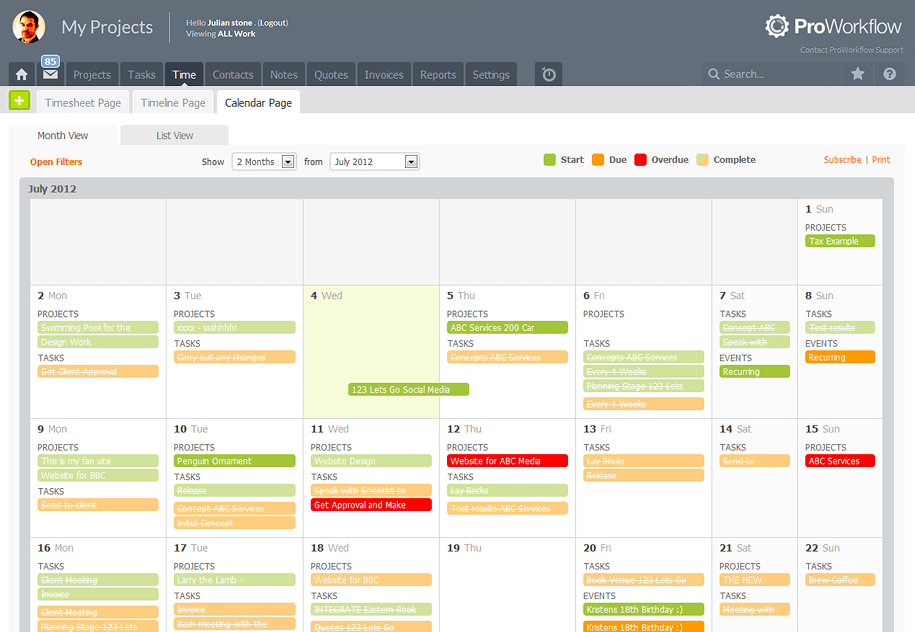
Projects are the spine. Each project has tasks, sub-tasks, assigned team members, a timeline, a budget, time entries, files, and client-visible discussion. The Gantt timeline view shows the schedule with dependencies. The Kanban board view sits alongside for teams that prefer card-based work tracking.
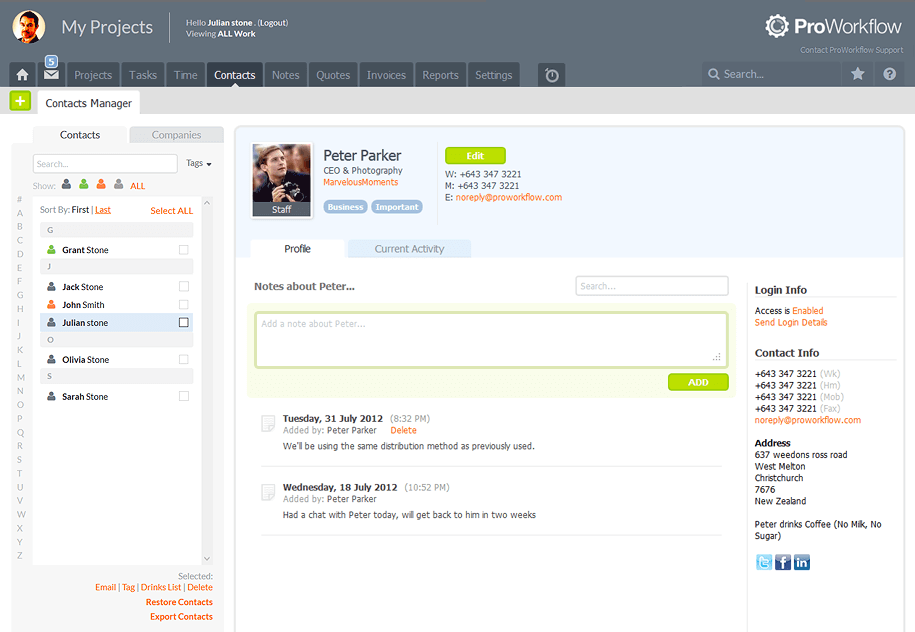
External projects (Professional and Advanced) let clients and contractors join project workspaces with limited permissions. Client portal access gives external users read or contribute access to designated project areas without exposing internal team discussion or financial data.
Time tracking and timesheets
Time tracking is built in. Team members log hours against tasks via timer, timesheet entry, or task-level quick-log. Timesheets aggregate weekly for manager approval. Approved time feeds project budget burn and downstream invoicing (billable hours grouped by project, client, and rate).
This is the core economic argument for ProWorkflow versus generic PM tools: agencies that bill by the hour need time tracking tied to project work and then routed to invoices. ProWorkflow handles all three in one workflow.
Quoting and invoicing
Quoting generates proposals for new project work with line items, rates, and discounts. Once accepted, the quote can convert directly into a project with task structure and budget. Invoicing rolls up approved billable time into client invoices with custom rate tables.
On Professional these are add-ons at $10/month each. On Advanced both are bundled. For agencies that plan to use both, Advanced is the more economical pick once the math is done.
Hierarchical control and organizational chart
Advanced adds an organizational chart that defines hierarchical permissions across the team. Senior staff see direct reports' work and timesheets; junior staff see only their assigned work. This matters for larger agencies with multiple practice areas or geographic offices where flat permissions create privacy and security concerns.
Custom fields and recurring projects
Advanced unlocks custom fields per project type (campaign type, client industry, billing model) and recurring projects (monthly retainers, ongoing maintenance contracts). For agencies with retainer-based revenue, recurring projects spin up the same project structure on a schedule without manual re-creation.
Integrations
ProWorkflow integrates with QuickBooks (invoice sync), Xero (invoice sync), Microsoft 365 (Outlook, OneDrive), Google Workspace (Drive, Calendar), Slack, Zapier (1,000+ apps), and a REST API. The integration directory is smaller than Asana, Monday, or Wrike but covers the agency stack basics.
Mobile and offline
The mobile-responsive web interface works on phones and tablets without a dedicated mobile app. Time entries, task updates, and document viewing work on small screens. Offline mode is limited.
Security and compliance
Cloud deployments are hosted on AWS with encryption at rest and in transit. Enterprise tier adds Active Directory and LDAP sync for identity management and the on-premise hosting option for organizations with data residency requirements. Public compliance attestations (SOC 2, ISO) are not prominently published, which is a consideration for regulated buyers.
ProWorkflow vs Teamwork
Teamwork is the larger agency PM tool with a richer feature footprint, deeper reporting, and a broader integration ecosystem. ProWorkflow is the smaller competitor with cleaner UI focus on the core agency workflow. Pick Teamwork for feature depth at the cost of complexity. Pick ProWorkflow for a focused agency tool with a longer-running track record.
ProWorkflow vs Asana
Asana is the general-purpose work management leader with broader use case coverage, stronger reporting, and a clean UI. ProWorkflow is the agency-specific tool with time tracking, quoting, and invoicing built in. Asana's per-seat pricing escalates with contractors and clients; ProWorkflow's external user model handles client and contractor access cleanly.
ProWorkflow vs Copper Project
Copper Project is the flat-rate unlimited-users agency PM tool ($49-$99/month total for any team size). ProWorkflow is per-user priced with deeper feature depth and longer history. Pick Copper Project for very small budgets with lots of contractors. Pick ProWorkflow for established mid-size agencies wanting deeper feature set.
ProWorkflow vs Productive.io
Productive.io is the modern agency operating system with project management, time tracking, billing, sales CRM, and resource planning. ProWorkflow covers similar ground at a lower price point with a simpler UI. Pick Productive.io for full agency ops including CRM and sales pipeline. Pick ProWorkflow for project-and-billing-focused agencies.
Buyer pitfalls to avoid
Three patterns hurt ProWorkflow rollouts. First, picking Professional when planning to use quoting and invoicing: the +$10 each add-on doubles the per-user cost; Advanced bundles both for free. Second, ignoring Advanced's 5-user minimum: small agencies that grow past 5 staff hit a tier change. Third, expecting deep modern reporting: the reporting layer is functional but does not match Teamwork or Productive.io. Build a baseline report list during evaluation.
Implementation and time to value
A small agency is productive in 1-2 weeks. Mid-size rollouts (20-50 users) take 3-4 weeks including template setup, custom field configuration, integration to QuickBooks or Xero, and team training. Enterprise rollouts add Active Directory sync and on-premise setup, typically 6-10 weeks. Free onboarding is included on every plan.
Customer support
All plans include email support. Advanced and Enterprise add priority support with faster response. Enterprise includes a dedicated account manager. The ProWorkflow knowledge base covers most setup tasks. The user community is smaller than larger PM tools but has a long-running base of agency customers.
The Bottom Line on ProWorkflow
ProWorkflow is the right call for small-to-mid creative agencies, marketing teams, and consultancies that want project management, time tracking, quoting, and invoicing in a single tool from a long-running agency-focused vendor.
Standout strengths: integrated quote-to-invoice workflow on Advanced, hierarchical organizational chart for agencies with multiple practice areas, free onboarding included on every plan, external user model that handles client and contractor access without per-seat cost escalation, 20-year track record in the agency market.
Pricing fits agency budgets: Professional at $20/user/mo (intro $18) covers small teams with optional quoting and invoicing add-ons. Advanced at $30/user/mo (intro $29) bundles quoting and invoicing, requires 5-user minimum. Enterprise is quote-based with dedicated account manager, AD/LDAP sync, and on-premise option.
Trade-offs to weigh: per-user pricing escalates faster than flat-rate tools like Copper Project. Integration count is smaller than Asana, Monday, or Wrike. No dedicated mobile app (mobile-responsive web only). Public compliance attestations (SOC 2, ISO) are not prominently published. Reporting is functional but does not match Teamwork or Productive.io depth.
Alternatives worth comparing: Teamwork for richer agency PM with deeper reporting, Asana for general-purpose work management, Monday for visually configurable Work OS, Copper Project for flat-rate unlimited-users economics, Productive.io for full agency operating system, FunctionFox for similar creative-agency positioning. Pricing and capabilities verified on proworkflow.com/pricing on 2026-06-27.
Frequently Asked Questions
Is there a free plan or free trial for ProWorkflow?
How much does ProWorkflow cost?
What does ProWorkflow integrate with?
Who is ProWorkflow best for?
What are the best alternatives to ProWorkflow?
Is ProWorkflow GDPR / SOC 2 compliant?
Does ProWorkflow have a mobile app?
What do real users say about ProWorkflow?
How does ProWorkflow compare to its top competitor?
Does ProWorkflow offer customer support?
Find Your Perfect Software
See how it can transform your workflow
- Personalized for your needs Tailored recommendations based on your unique requirements.
- Save time & resources Streamline your workflow and boost team productivity.
- Trusted by thousands Join 10,000+ businesses already growing with SaaSrat.
You're all set! 🎉
A specialist for will reach out within 1 business day with tailored recommendations for your needs.