
Microsoft Power BI
by Microsoft Corporation
What is Microsoft Power BI?
Get Best Quote for Microsoft Power BI
Connect with SaaSrat experts to get the best quote for your business.
You're all set!
A specialist for Microsoft Power BI will reach out within 1 business day.
Microsoft Power BI Features
Power BI Desktop
Power BI Service
Power BI Pro
Premium Per User (PPU)
Premium Capacity
Microsoft Fabric F2 to F2048 SKUs
View All 35 Features
Microsoft Power BI Pricing Plans
Power BI Pro
- USD 14 per user per month (raised from USD 10 in 2025)
- Cloud collaboration plus sharing
- Workspaces plus apps
- 100 plus connectors
- Included with Microsoft 365 E5
Premium Per User (PPU)
- USD 24 per user per month (raised from USD 20)
- All Pro features plus AI plus paginated reports plus dataflows
- Larger model sizes (100 GB)
- XMLA endpoint
- Deployment pipelines
Microsoft Fabric F2 Capacity
- USD 262.80 per month starting capacity
- Shared compute across Fabric workloads
- Pay-as-you-go or reserved
- Suitable for small teams plus pilots
Microsoft Fabric F64 Capacity
- Approximately USD 8,400 per month
- Eliminates per-user Pro licenses for read-only viewers
- Direct Lake on OneLake
- Copilot for Power BI included
- Best for 600 plus viewer deployments
Power BI Premium Capacity (Custom)
- Enterprise Agreement pricing
- F128, F256, F512, F1024, F2048 SKUs
- Reserved capacity discounts
- Volume licensing through Microsoft EA
Microsoft Power BI Resources
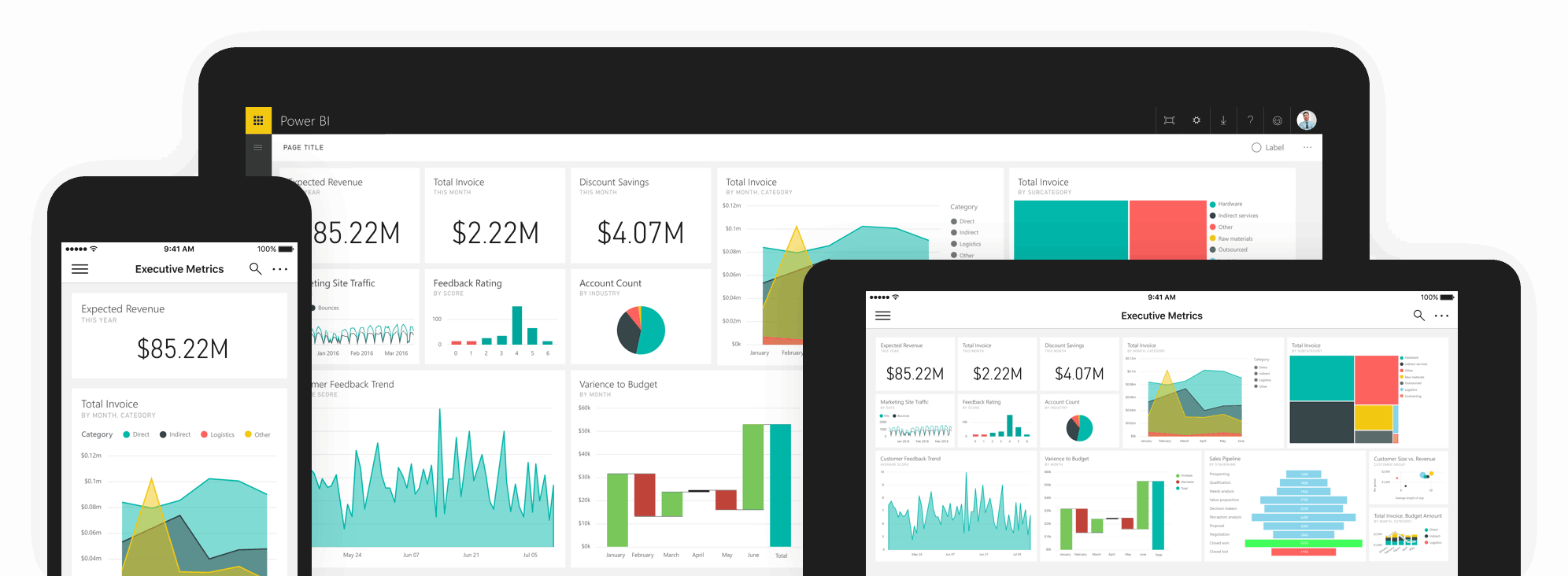
Microsoft Power BI Screenshots
Description
Microsoft Power BI at a Glance
| Best fit for | Organisations of 50 to 200,000 plus employees standardised on Microsoft 365 and Azure that want enterprise BI bundled with familiar Excel-style authoring, plus Microsoft Fabric for the data engineering and AI-driven roadmap |
|---|---|
| Pricing model | Free Power BI Desktop plus three published paid tiers: Power BI Pro at USD 14 per user per month, Premium Per User at USD 24 per user per month, Premium Per Capacity (contact sales), plus Microsoft Fabric capacity from USD 262.80 per month (F2 SKU) scaling to F64 at roughly USD 8,400 per month for unlimited free read-only consumers |
| Core platform | Drag-and-drop report builder, DAX modelling, Power Query, Copilot AI, semantic models, paginated reports, dataflows, and the Microsoft Fabric integration for OneLake plus data engineering plus warehousing plus real-time analytics |
| Free trial | Power BI Desktop is free forever; cloud trial available; Microsoft Fabric 60-day trial |
| Launched | Generally available July 24, 2015 by Microsoft; product evolved out of Project Crescent (2010) and Power BI for Office 365 (2013) |
| Native integrations | Microsoft Fabric, Azure (SQL DB, Synapse, Data Lake Storage, Analysis Services), Microsoft 365 plus SharePoint, Excel plus Power Query, Dataverse plus Power Platform, Dynamics 365, Microsoft Teams embedded, plus 100 plus prebuilt connectors including Salesforce, Google Analytics, Snowflake, Oracle, SAP, MySQL, Postgres, MongoDB, AWS Redshift |
| Compliance | SOC 1 plus 2 plus 3, ISO/IEC 27001 plus 27018, HIPAA plus HITECH BAA, GDPR, FedRAMP High, FINRA, EU Model Clauses, UK G-Cloud, DoD IL6 |
| Mobile experience | Microsoft Power BI mobile apps for iOS, iPad, Android phones plus tablets, Windows tablets, plus Apple Watch |
| Languages | 44 languages in the Power BI service browser experience |
| Trust signals | Customers include Walmart, Apple, ExxonMobil, Labcorp, McKesson, Kimberly-Clark, Brookfield Renewable, Bio-Rad Laboratories, Nucor Corporation, LAM Research, ON Semiconductor, TPI Composites, Remy Cointreau, and Vallourec; Microsoft Power BI is the BI market leader per Gartner |
Pros and Cons of Microsoft Power BI
Where Power BI wins:
- Lowest paid entry point among major BI platforms. Pro at USD 14 per user per month is roughly one-fifth of Tableau Creator at USD 75 per user per month, and meaningfully cheaper than Domo, Sisense, MicroStrategy, and IBM Cognos at scale.
- Tight Microsoft 365 plus Azure plus Fabric ecosystem. Organisations already paying for Microsoft licences get Excel-style authoring, Power Query data prep, DAX modelling, OneDrive plus SharePoint sharing, Teams embedding, and Copilot AI inside one ecosystem.
- Microsoft Fabric is the strategic shift. F64 capacity (roughly USD 8,400 per month) eliminates the Power BI Pro licence requirement for read-only viewers, dramatically lowering TCO at scale. Existing Premium Per Capacity customers can enable Fabric features on existing capacity for free.
- Copilot AI is shipping inside Fabric. Natural-language report generation, data summarisation, and conversational analytics queries are gated to Premium Per User and Fabric tiers, but the AI roadmap is the most aggressive among BI vendors.
- Enterprise compliance breadth is genuinely best-in-class. FedRAMP High plus DoD IL6 plus HIPAA plus FINRA plus EU Model Clauses plus ISO 27001 plus 27018 covers regulated industries that Tableau, Domo, and Sisense cannot match.
- Mobile workforce coverage is real. Native iOS, iPad, Android phone, Android tablet, Windows tablet, plus Apple Watch apps with offline support beat every non-Microsoft BI peer.
Where Power BI falls short:
- Mac-first organisations face friction. Power BI Desktop is Windows-only; authors on Mac need Parallels, Boot Camp, or virtual machines. Tableau and Looker Studio are more flexible.
- Premium Per User to Premium Per Capacity jump is steep. Buyers exceeding PPU at USD 24 per user per month face a capacity-pricing model starting at F2 USD 262.80 per month with complex SKU mathematics.
- 2025 price hike took Pro from USD 10 to USD 14 and PPU from USD 20 to USD 24. Long-time customers feel a 40 percent escalation; budget for similar adjustments going forward.
- Advanced visualisations and very large datasets are still Tableau territory. Power BI is faster on small and medium datasets but trails Tableau Hyper on 100 million plus row workloads outside Fabric F64 plus Direct Lake.
- Fabric pricing complexity is real. F2, F4, F8, F16, F32, F64, F128, F256, F512 plus reservation discounts plus pay-as-you-go plus capacity unit conversion require finance partnership; treat it as a multi-quarter procurement conversation.
Who Should Use Microsoft Power BI
Microsoft Power BI is the right pick for organisations of 50 to 200,000 plus employees standardised on Microsoft 365 plus Azure that want enterprise BI at the lowest published per-user price among majors. Best fit for finance, operations, marketing, HR, and IT teams comfortable with Excel-style authoring, DAX, and Power Query, in regulated industries (financial services, healthcare, government, defence) that need FedRAMP plus HIPAA plus DoD IL6 compliance.
Skip Power BI if you run primarily on Mac or Google Workspace (try Looker Studio or Tableau), if you need very advanced visualisations on 100 million plus row workloads without Fabric (try Tableau or Sisense), if you want SMB-friendly bundled HR plus CRM plus analytics (try Zoho Analytics), or if you operate AWS-native and prefer pay-per-session economics (try Amazon QuickSight).
Microsoft Power BI Product Suite
Power BI ships as a multi-component platform inside Microsoft 365, Azure, and Fabric. Core capabilities buyers care about:
- Power BI Desktop (free) for report authoring on Windows with full DAX, Power Query, and visualisation library.
- Power BI Service (cloud) for publishing, sharing, scheduled refresh, and consumption with Pro, Premium Per User, or Premium Per Capacity licences.
- Microsoft Fabric integration with OneLake, data engineering, data science, data warehouse, real-time analytics, and Power BI all on shared capacity. F64 plus eliminates Pro licence requirement for read-only viewers.
- Copilot AI for natural-language report generation, data summarisation, and conversational queries (Premium Per User plus Fabric).
- Semantic models with shared, certified datasets, row-level security, and tabular DAX modelling.
- Paginated reports (formerly SQL Server Reporting Services) for pixel-perfect reporting workloads on Premium Per User plus Premium Per Capacity.
- Dataflows and Power Query Online for self-service ETL with reusable transformations.
- 100 plus prebuilt connectors including Salesforce, Google Analytics, Snowflake, Oracle, SAP, MySQL, Postgres, MongoDB, AWS Redshift, ServiceNow, Workday.
- Microsoft Teams embedded reports as tabs, channels, and personal apps.
- Excel integration through Analyze in Excel, PivotTables on top of Power BI datasets, and bidirectional refresh.
- Mobile apps for iOS, iPad, Android, Windows tablet, plus Apple Watch with offline access and push notifications.
- Power BI Embedded for SaaS application embedding via Azure subscription.
How Much Does Microsoft Power BI Cost
Microsoft publishes pricing transparently. Verified tiers as of 2026:
- Power BI Free: USD 0. Power BI Desktop only; no sharing or cloud features.
- Power BI Pro: USD 14 per user per month paid annually. Included with Microsoft 365 E5 plus Office 365 E5 licences. Sharing, publishing, scheduled refresh, mobile apps.
- Power BI Premium Per User (PPU): USD 24 per user per month paid annually. Adds 100 GB models, 48 refreshes per day, Copilot AI, paginated reports, advanced analytics.
- Power BI Premium Per Capacity: Capacity-based, contact sales. Unlimited viewers (no Pro licence required), up to 100 TB storage, dedicated compute.
- Microsoft Fabric Capacity: F2 SKU starts at USD 262.80 per month. F64 around USD 8,400 per month allows unlimited free read-only consumers (no Pro licence needed at F64 plus). 40.5 percent annual reservation discount available.
2025 brought a 40 percent escalation on Pro (USD 10 to USD 14) and a 20 percent escalation on PPU (USD 20 to USD 24). Plan for similar adjustments at renewal. Fabric reservation discounts plus Premium Per Capacity to Fabric migration can significantly lower TCO at scale.
Hidden Costs and Contract Gotchas
Power BI contracts have meaningful all-in cost beyond the headline subscription. Buyers should budget for:
- 2025 price escalation already in place. Pro USD 10 to USD 14 (40 percent jump). Plan budget escalation through 2026 to 2028.
- Fabric capacity sizing. F2 at USD 262.80 per month is the floor; production workloads typically need F8 to F32. Use Microsoft's capacity planning calculator before signing.
- Power BI Embedded for SaaS apps. Capacity-based pricing through Azure subscription scales by concurrent viewers and dataset size.
- Microsoft 365 licence prerequisites. Pro is included in E5 but not E3; map your Microsoft 365 SKU to Power BI Pro inclusion before procurement.
- Power BI Report Server for on-premises deployments requires Premium Per Capacity or SQL Server Enterprise plus Software Assurance.
- Implementation services for DAX modelling, semantic layer design, and governance frameworks. Mid-market deployments commonly run USD 50,000 to USD 250,000 in services.
- Training for analysts on DAX plus Power Query plus modelling. Budget Microsoft Learn paths plus instructor-led workshops.
Implementation Plan: Rolling Out Power BI
Power BI deployments scale with organisational complexity. Self-service rollout for a small team runs 1 to 4 weeks; enterprise deployments with governance, DAX modelling, and Fabric integration run 3 to 12 months.
- Phase 1 (1 to 4 weeks): Power BI Desktop install, first reports, Power BI Service tenant setup, security groups, workspace structure.
- Phase 2 (1 to 3 months): Semantic models, DAX standards, certified datasets, row-level security, scheduled refresh patterns.
- Phase 3 (3 to 6 months): Fabric capacity sizing, OneLake design, Dataflows for ETL, Direct Lake mode evaluation, Power BI Embedded if customer-facing.
- Phase 4 (6 to 12 months): Copilot AI rollout, governance frameworks (Tenant Settings, Microsoft Purview integration), training paths for citizen developers.
Pilot with finance plus operations teams first since Excel familiarity transfers cleanly. Budget executive sponsorship time for Fabric strategy conversations. Validate Microsoft Learn certifications (PL-300, DP-600) for internal champions before scaling.
Microsoft Power BI Alternatives
Power BI competes across SMB through enterprise BI. Common alternatives buyers shortlist:
- Tableau for visualisation-first analyst teams (Salesforce-owned since 2019).
- Looker Studio for free Google-ecosystem dashboards.
- Amazon QuickSight for AWS-native shops at USD 9 to USD 40 per user per month.
- Domo for consumption-based BI with native mobile.
- QlikView and Qlik Sense for associative-engine analytics.
- IBM Cognos Analytics for enterprise governed reporting plus watsonx AI.
- Zoho Analytics for SMB teams wanting bundled analytics under USD 60 per month starting.
- Sisense for embedded analytics and SaaS dashboards.
- Metabase for SQL-first open source plus cloud BI.
Compare prices, features, and reviews across the full business intelligence software category to see how Power BI lines up against modern, enterprise, and embedded BI competitors.
What Real Buyers Report
BI leaders evaluating Power BI in 2026 commonly highlight three patterns in customer reviews and forum threads:
- Microsoft ecosystem stickiness is the win. Organisations already on Microsoft 365 E5 find Power BI Pro included in their licence, making the marginal cost effectively zero for many users. Excel familiarity, Teams embedding, and SharePoint sharing remove friction.
- Fabric F64 changes TCO math. Enterprise customers shifting from Premium Per Capacity to Fabric F64 plus eliminate Pro licence requirements for read-only viewers, often saving USD 100,000 to USD 500,000 per year at scale.
- 2025 price escalation is the procurement pain point. Long-time Pro customers feeling a 40 percent increase are renegotiating Microsoft 365 EAs and exploring Fabric to amortise cost.
Common complaints in 2025 to 2026 reviews: Mac authoring friction, DAX learning curve, Fabric pricing complexity, 40 percent 2025 price hike, and very large dataset performance trailing Tableau Hyper outside Direct Lake.
What G2 and Capterra Reviewers Actually Say About Power BI
G2 rates Microsoft Power BI 4.5 of 5 across 1,878 reviews; Capterra rates it 4.6 of 5 across 1,878 reviews. Customer themes consistently include "best BI tool for Microsoft-stack teams," "cost-effective vs Tableau," and "Copilot AI adds natural-language report generation." Verified production customers include Walmart, Apple, ExxonMobil, Labcorp, McKesson, Kimberly-Clark, Brookfield Renewable, Bio-Rad Laboratories, Nucor Corporation, LAM Research, ON Semiconductor, TPI Composites, Remy Cointreau, and Vallourec. Gartner names Power BI a BI market leader with the highest mindshare in Analytics and BI Platforms (9.4 percent as of January 2026, up from prior periods). Pricing leaks confirm Pro USD 14 plus PPU USD 24 plus Premium Per Capacity contact sales plus Microsoft Fabric F2 starting USD 262.80 per month. F64 plus eliminates the Pro licence requirement for read-only viewers, a material cost-of-ownership lever for large deployments.
Bottom Line
Microsoft Power BI is the right pick for organisations standardised on Microsoft 365 plus Azure that want enterprise BI at the lowest published per-user price among majors, plus deep integration with Excel, Teams, SharePoint, and the Microsoft Fabric data platform. The Walmart, Apple, ExxonMobil, McKesson, Nucor, and LAM Research customer roster plus FedRAMP High plus DoD IL6 plus HIPAA plus HITECH BAA compliance breadth plus mobile workforce coverage make it a defensible default for 50 to 200,000 plus employee Microsoft-tenant organisations in regulated industries. Skip Power BI if you run Mac-first, need very advanced visualisations outside Fabric, or operate primarily on AWS or Google Cloud. Plan for the 2025 price escalation in budget, model Fabric F64 plus TCO at scale, and pilot semantic models plus DAX modelling before company-wide rollout.
Frequently Asked Questions
How much does Microsoft Power BI cost in 2026?
When is Microsoft Fabric F64 worth it versus Pro licenses?
How does Power BI compare to Tableau?
Is Power BI HIPAA and FedRAMP compliant?
Does Power BI have a mobile app?
What data sources does Power BI support?
What is Copilot for Power BI and which licenses include it?
How long does Power BI take to deploy at enterprise scale?
Can Power BI run on-premises?
What is the Power BI plus Microsoft Fabric relationship?
Find Your Perfect Software
See how it can transform your workflow
- Personalized for your needs Tailored recommendations based on your unique requirements.
- Save time & resources Streamline your workflow and boost team productivity.
- Trusted by thousands Join 10,000+ businesses already growing with SaaSrat.
You're all set! 🎉
A specialist for will reach out within 1 business day with tailored recommendations for your needs.