
Employee Navigator
by Employee Navigator
What is Employee Navigator?
Get Best Quote for Employee Navigator
Connect with SaaSrat experts to get the best quote for your business.
You're all set!
A specialist for Employee Navigator will reach out within 1 business day.
Employee Navigator Features
Open enrollment configuration and self-service
Year-round life event processing
ACA reporting and 1094/1095 filing
HRIS with employee profiles
PTO and leave management
Document storage and eSignature
View All 16 Features
Employee Navigator Pricing Plans
Employee Navigator (broker-led)
- Free to employers when offered through their insurance broker
- Broker subscription pricing per employer and feature set
- 200+ carrier integrations included
- ACA compliance and reporting included
- Verified at the official Employee Navigator website on 2026-06-11
Employee Navigator Resources
Employee Navigator Screenshots
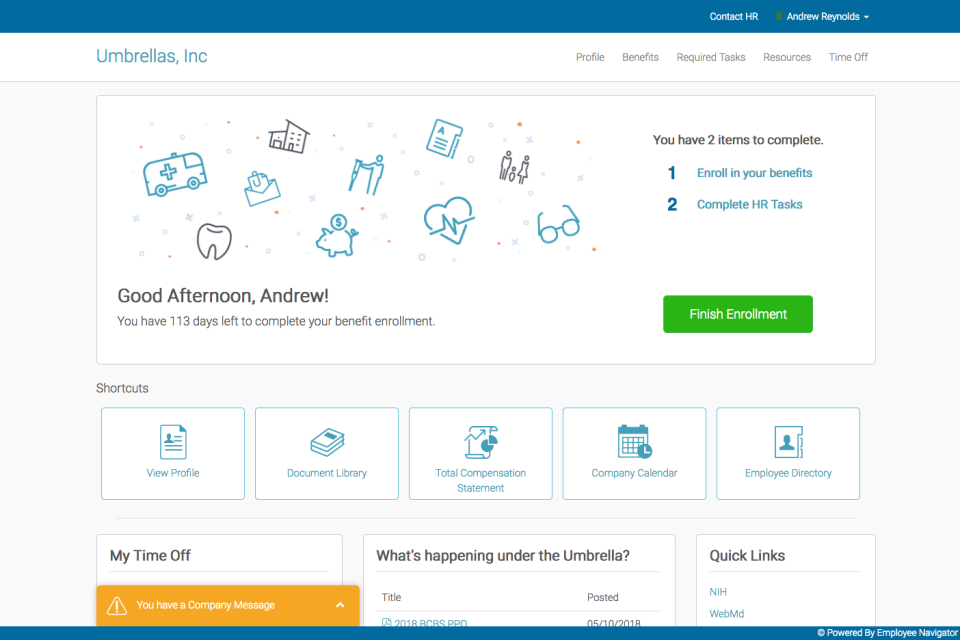
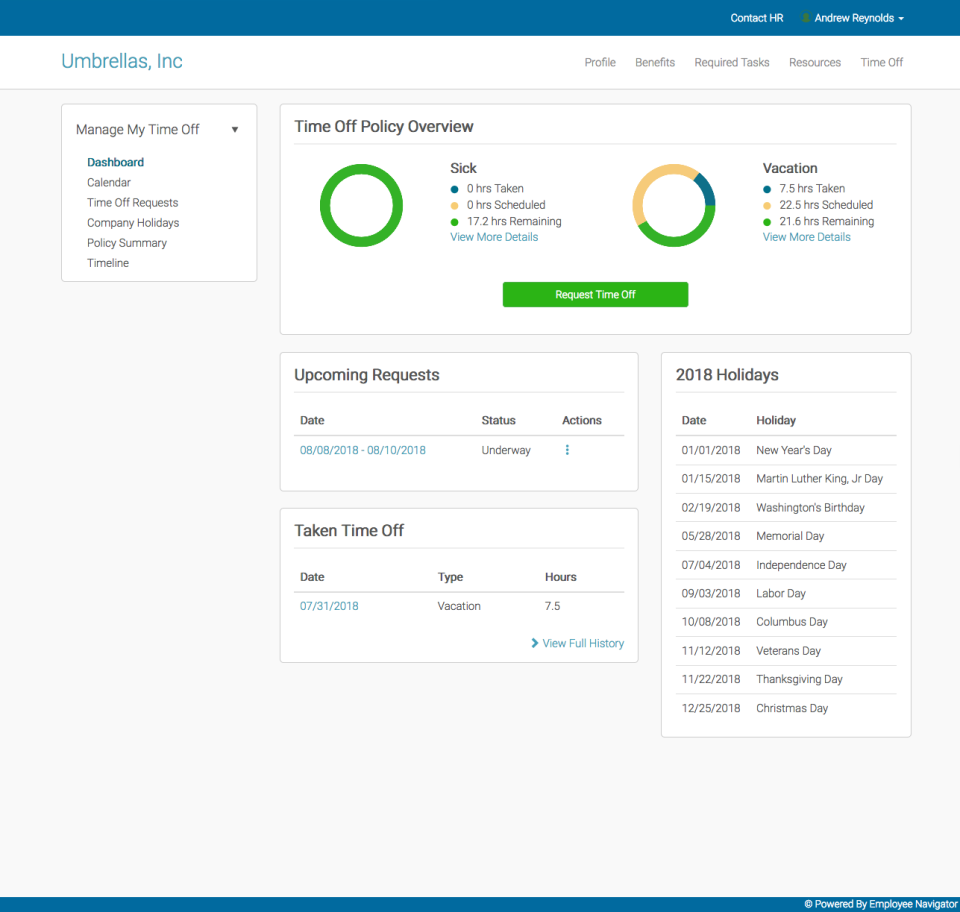
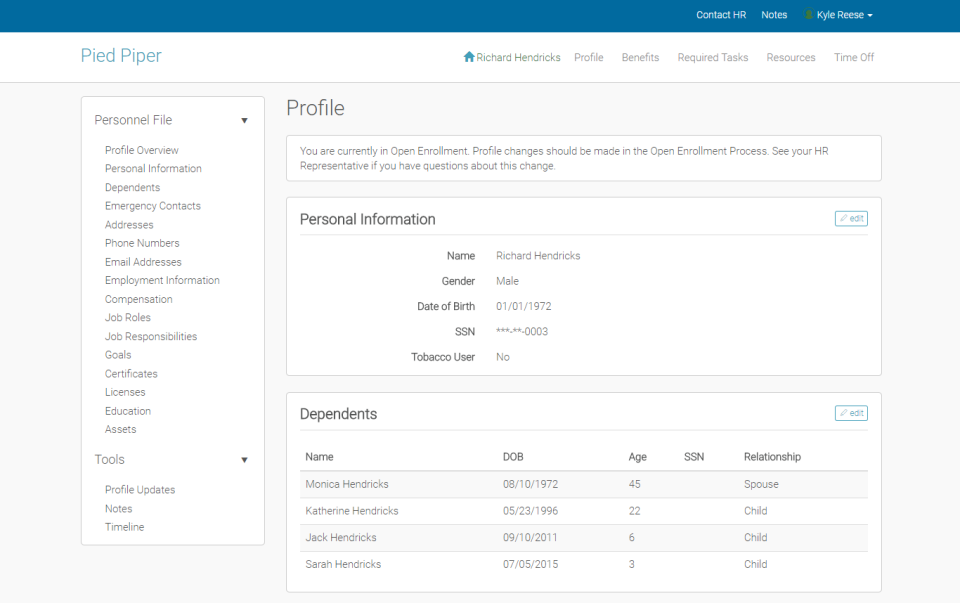
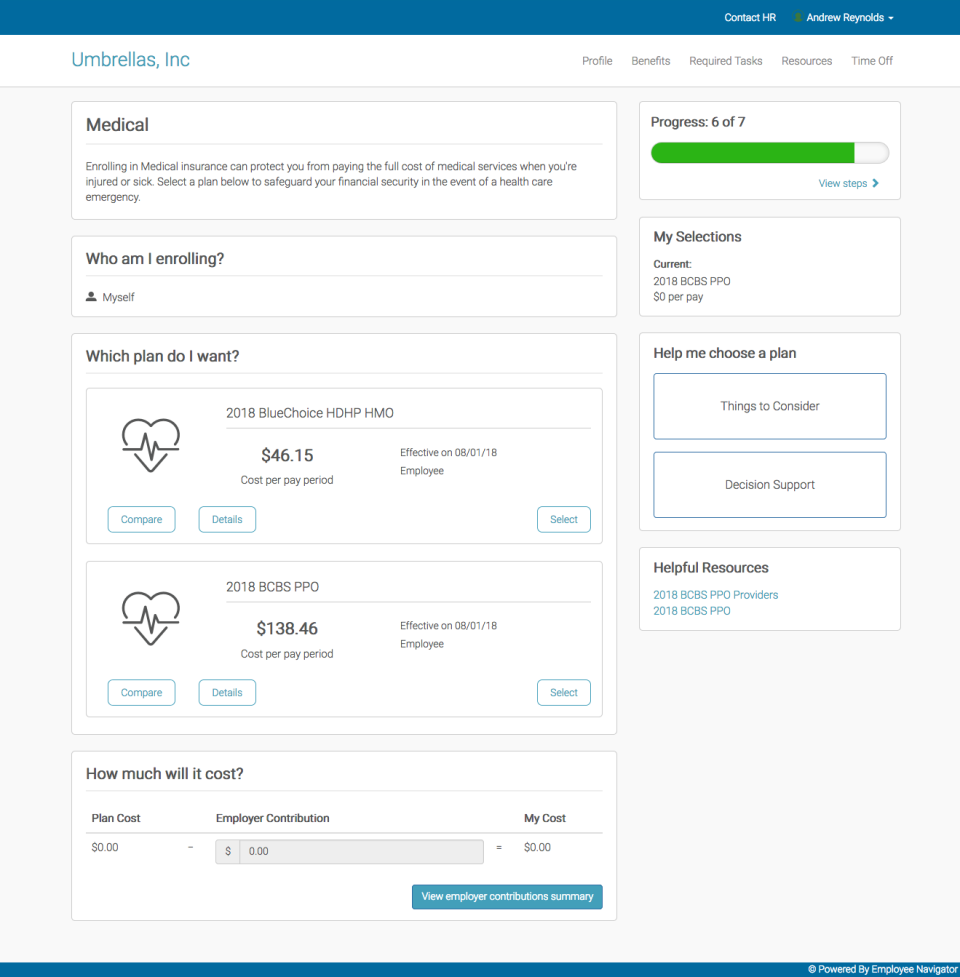
Description
Who Employee Navigator is Right For
For US employers working with insurance brokers that want a free benefits admin platform with enrollment, ACA, and HRIS. Strong fit when your broker uses Employee Navigator and you want self-service open enrollment.
Compare against BambooHR, HiBob, Personio, or Rippling when shortlisting modern HR platforms.
Pricing
Employee Navigator pricing details verified directly from the official Employee Navigator pricing page on 2026-06-11.
| Plan | Price | Notes |
|---|---|---|
| Employee Navigator (broker-led) | Contact Sales | free to employers via brokers; brokers pay per-employer-per-month subscription |
Pricing reflects what Employee Navigator publishes on its own pricing page today; tiers and add-ons update from time to time, so re-verify before signing a contract.
Integrations and Ecosystem
Employee Navigator integrates with the common HRIS, ATS, payroll, identity, and productivity tools enterprise buyers run. Check the vendor's integrations directory before committing.
Pros and Cons
Right for you if: you want a focused platform for the specific use case described in the summary, you value compliance and reporting, and you can commit to the implementation effort.
Probably wrong for you if: you only need a narrow point tool outside the platform's core focus, or your scale does not justify the per-user pricing.
What Real Buyers Say
Discussions on r/humanresources regularly feature Employee Navigator when buyers shortlist platforms in this category. Common positives: depth of functionality and trusted brand. Common critiques: implementation timeline and configurability ceiling on edge-case workflows.
On LinkedIn, HR practitioners frequently surface Employee Navigator alongside Workday and ADP Workforce Now in enterprise shortlists.
Employee Navigator Field Guide for Buyers
| Detail | Employee Navigator |
|---|---|
| Headquarters | Bethesda, Maryland, United States |
| Customer base | 180,000+ employers and brokers serving 17+ million employees |
| Pricing model | Per-user/per-employee subscription with module-based add-ons |
| Starting price (published) | Quote-based |
| Free trial / demo | Demo available; request via the Employee Navigator official website |
| Best for | For US employers working with insurance brokers that want a free benefits admin platform with enrollment, ACA, and HRIS. Strong fit when your broker uses Employee Navigator and you want self-service o |
Buyer Action Plan
Step 1: scope your must-have capabilities and integrations before any sales call.
Step 2: request a demo through the Employee Navigator website with a specific scenario, not generic HR.
Step 3: ask for written confirmation of minimums, contract length, and how add-ons stack on top of your base price.
Step 4: pilot with 10 to 20 real users for at least 30 days before signing a multi-year contract.
For broader context, compare Employee Navigator against other platforms in our HR software directory, onboarding, and payroll categories.
2026 Updates and What's New
Employee Navigator continues to evolve through 2026 with AI features, integration expansion, and product refinements. Buyers evaluating Employee Navigator in mid-2026 should review the Employee Navigator product roadmap and release notes for the most current capabilities, regional expansion, and pricing changes before signing. Recent industry trend: most enterprise HR platforms shipped AI assistants in 2025-2026 (Manager Copilot, employee chat, predictive analytics), and integrations with Microsoft 365, Slack, and Teams continued to deepen. Confirm the specific 2026 features that matter for your use case during the demo.
Security and Compliance
Employee Navigator runs on enterprise-grade infrastructure with the standard security controls buyers expect for a platform handling employee and financial data:
- SOC 2 Type II controls on the underlying platform
- Encryption in transit (TLS 1.2+) and at rest for stored data
- Role-based access control and granular permissions
- Two-factor authentication for account logins
- Audit logs for compliance reporting
- GDPR-aligned data handling for EU customers
- Single sign-on (SSO) via SAML or OAuth for enterprise plans
For specific compliance certifications (SOC 2, ISO 27001, HIPAA if relevant, GDPR, regional data residency), request the latest security and compliance documentation from Employee Navigator directly during evaluation. Compliance posture changes year to year as new attestations are added.
Customer Support
Employee Navigator supports customers through in-product help, documentation, and human support channels. Specifics depend on the plan tier:
- Entry/free tier or Starter: typically in-app chat, email support, knowledge base, and community forum
- Mid/Pro tier: priority response times, phone support during business hours, dedicated onboarding
- Enterprise tier: dedicated Customer Success Manager, named technical contact, faster SLAs, 24/7 escalation for critical issues
Check the Employee Navigator support documentation for current SLAs, hours of operation, and the escalation path before signing a multi-year agreement. Account-issue turnaround time is one of the most-flagged differentiators between vendors in r/humanresources shortlist threads.
Who Can Use Employee Navigator
Employee Navigator serves the customer profile described in the overview, but buyers should verify eligibility on a few axes before committing:
- Geography: which countries Employee Navigator supports operationally and which features (payroll, compliance, language) work in your region
- Company size: typical customer band (SMB / mid-market / enterprise) and whether your headcount fits the pricing model
- Entity type: support for sole props, LLCs, partnerships, S-corps, C-corps, and multi-entity structures if applicable
- Industry: any industry-specific compliance (Employee Navigator may have stronger fit in some verticals)
- Technology stack: existing HRIS, payroll, identity, and productivity systems Employee Navigator must integrate with
A 30-minute scoping call with Employee Navigator typically resolves these questions. Have a written list of must-have capabilities before the call.
Mobile App Experience
Employee Navigator ships mobile apps for iOS and Android (or mobile-responsive web access) so employees and managers can complete common tasks from a phone: clock-in, time-off requests, expense submission, document signing, schedule view, manager approvals, and self-service profile updates. The mobile experience is increasingly the primary daily-use surface for frontline and distributed teams, not a secondary channel. During evaluation, install the app, run through the most common 3-4 employee tasks, and check the App Store and Google Play ratings for current sentiment; the rating trend in the last 6 months is more predictive than the all-time score.
How to Get Started with Employee Navigator
Step 1: scope the modules and integrations you need before any sales call. Employee Navigator pricing typically scales by employee count and module mix, so a clear scope keeps the quote predictable.
Step 2: request a demo through the Employee Navigator website with a specific use case and realistic headcount. Ask for a reference customer in your industry and size band.
Step 3: confirm in writing the contract length, minimums, annual versus monthly billing, and how add-on modules stack on top of your base price. This is where surprise costs hide.
Step 4: run a 30-day pilot with 10 to 20 real employees or hires before signing the multi-year contract. Implementation timelines for full Employee Navigator rollout are typically 4 to 12 weeks depending on scope.
Top Alternatives to Employee Navigator
If Employee Navigator is not the right fit, the three most-commonly-shortlisted alternatives in 2026:
| Alternative | When to consider it |
|---|---|
| PlanSource | Direct alternative; compare on pricing, geography, and integration depth |
| Ease | Direct alternative; compare on pricing, geography, and integration depth |
| bswift | Direct alternative; compare on pricing, geography, and integration depth |
For broader shortlists, see the SaaSRat HR software, payroll, onboarding, and engagement category directories.
How to Cancel or Switch from Employee Navigator
Cancellation depends on your contract type. Most Employee Navigator customers run on annual contracts billed monthly or annually upfront. To cancel: notify your account manager in writing 30 to 60 days before the renewal date (check your contract for the exact notice period), export your data (employee records, time records, documents, reports), and disconnect downstream integrations. Mid-contract cancellation typically forfeits the remaining contract value unless the vendor has a specific service-level breach. Plan migrations carefully: payroll year-end timing, performance-review cycle, and benefits enrolment windows all affect the cleanest switch date.
Bottom Line on Employee Navigator
Employee Navigator is a credible 2026 choice for buyers who match its target profile (broker-led benefits administration). The platform earns its place on enterprise shortlists in its category. The questions that decide the buy are: does the geography and module mix fit your headcount and growth path, can you live with the customer-support tier you can afford, and does the contract structure align with how your business actually scales? If your scoping call with Employee Navigator answers all three with a clear yes, Employee Navigator is a strong commit; if any answer is ambiguous, run a 30-day pilot before signing the multi-year contract.
Verified on 2026-06-11 by the SaaSRat Editorial Team. Vendor facts cross-checked against the Employee Navigator website and current 2026 vendor disclosures. About our methodology.
Frequently Asked Questions
How much does Employee Navigator cost in 2026?
Is Employee Navigator free for brokers?
How many employers and brokers use Employee Navigator?
Does Employee Navigator handle ACA reporting?
Does Employee Navigator support international employees?
How does Employee Navigator compare to PlanSource?
Does Employee Navigator have a mobile app?
How long does Employee Navigator implementation take?
Is Employee Navigator SOC 2 compliant?
Who uses Employee Navigator?
Find Your Perfect Software
See how it can transform your workflow
- Personalized for your needs Tailored recommendations based on your unique requirements.
- Save time & resources Streamline your workflow and boost team productivity.
- Trusted by thousands Join 10,000+ businesses already growing with SaaSrat.
You're all set! 🎉
A specialist for will reach out within 1 business day with tailored recommendations for your needs.