
Easynote
by Easynote • Founded 2016
What is Easynote?
Get Best Quote for Easynote
Connect with SaaSrat experts to get the best quote for your business.
You're all set!
A specialist for Easynote will reach out within 1 business day.
Easynote Features
Task creation
Task assignment
Due dates
Priority levels
Subtasks
Recurring tasks
View All 44 Features
Easynote Pricing Plans
Free
- Listview
- Kanban - 3D Singleview
- Real Time Notifications
- Most Powerful Search Engine
- Integrations
- Collaboration with your team
Easynote Resources
Easynote Screenshots
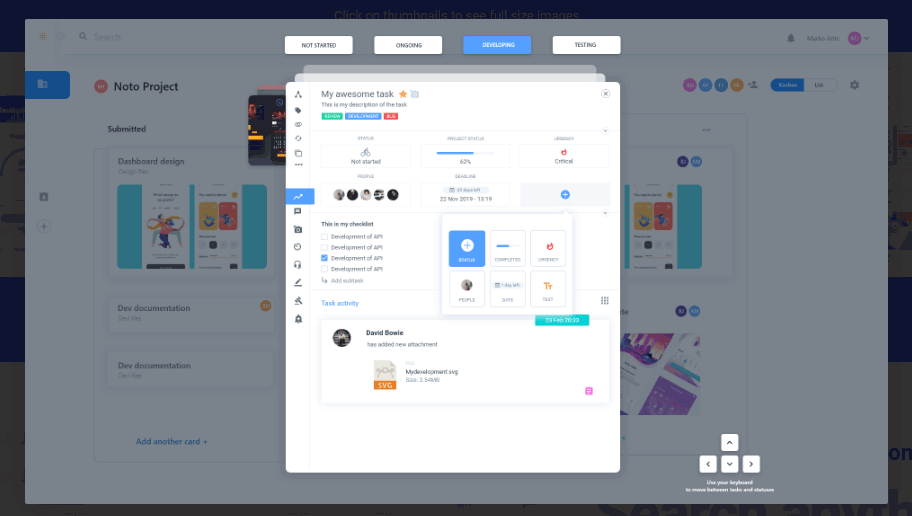
Description
Easynote at a Glance
| Category | AI 6-in-1 business suite + Project management + Scheduling + Meetings + Documents + Files |
|---|---|
| Best for | Small business and mid-market teams tired of stitching together separate best-of-breed tools for project management plus scheduling plus meetings plus documents |
| Deployment | Cloud SaaS via web browser at app.easynote.com plus mobile app |
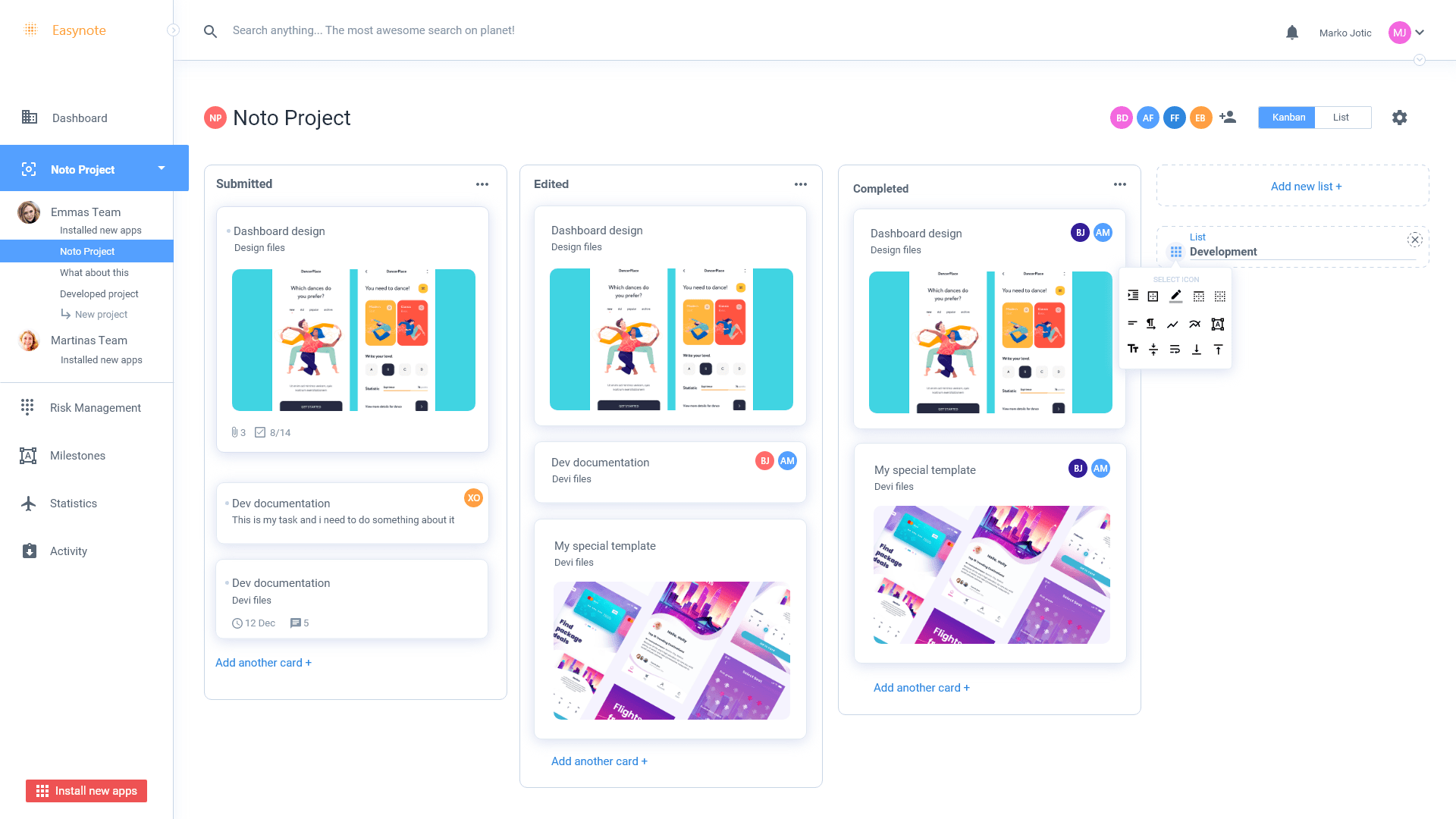
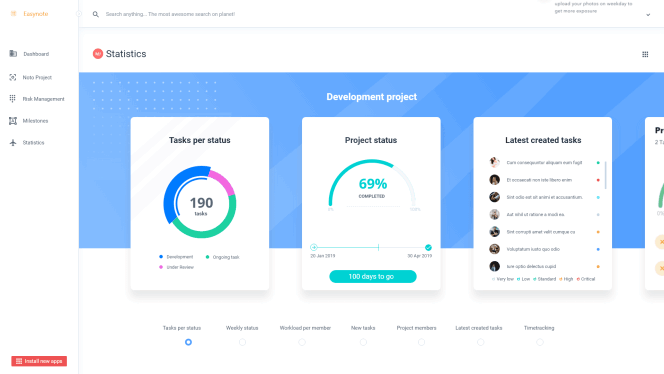
| Ultimate Dashboard | Unified overview across projects, tasks, files, documents, meetings |
| Project Management | Grid-based work collaboration comparable to ClickUp, Monday, Asana |
| Scheduling Automation | Calendly alternative for appointment and event scheduling |
| Meeting Management | Google Calendar and Outlook integration with meeting minute tracking |
| Document Management | Google Docs alternative for real-time collaborative writing |
| File Management | Centralized storage with Google Drive and Dropbox sync integration |
| HQ | Sweden (Easynote AB) |
Easynote Overview
Easynote is a Swedish AI-powered business productivity suite from Easynote AB that consolidates project management, scheduling automation, meeting management, document management, and file management on a single platform. The core problem it addresses is that most professionals use 6+ different tools to manage work and projects, losing approximately one hour daily to switching between applications; consolidating those tools onto one platform reduces the context-switching tax.
The Ultimate Dashboard is the unified overview layer providing visibility across projects, tasks, files, documents, and meetings without opening separate applications. The Project Management module delivers grid-based work collaboration in the same category as ClickUp, Monday, and Asana. Scheduling Automation runs appointment and event scheduling as a direct alternative to Calendly for calendar-based booking workflows. Meeting Management integrates with Google Calendar and Outlook with meeting minute tracking capabilities.
Document Management enables real-time collaborative writing as a Google Docs alternative for teams that prefer to keep documents inside the same platform as their project management and scheduling tools. File Management provides centralized storage with Google Drive and Dropbox sync integration. Easynote is based in Sweden and offers a 7-day free trial of Prime features via onboarding at app.easynote.com. The 6-in-1 positioning targets small business and mid-market teams tired of stitching together separate best-of-breed tools.
Capabilities and Named Features
Easynote is built as a unified productivity suite where project management, scheduling automation, meeting management, document management, and file management share one platform and one data model. The Ultimate Dashboard provides a single view across all five capability areas so users spot cross-tool dependencies (a project deadline that conflicts with a booked calendar slot, a document that supports a task, a file linked to a meeting) without opening separate applications. The AI layer supports task and project workflow automation while keeping human judgment on execution decisions.
Named feature list
- AI-powered 6-in-1 business suite consolidating project management plus scheduling plus meetings plus documents plus files
- Ultimate Dashboard providing unified overview across projects, tasks, files, documents, and meetings
- Grid-based project management collaboration comparable to ClickUp, Monday, and Asana
- Scheduling Automation as a Calendly alternative for appointment and event booking
- Meeting Management with Google Calendar and Outlook integration plus meeting minute tracking
- Document Management with real-time collaborative writing as a Google Docs alternative
- File Management with centralized storage and Google Drive plus Dropbox sync integration
- Task management with assignments, due dates, priorities, and status tracking
- Project templates for common workflow patterns
- Team collaboration with mentions, comments, and activity streams
- Kanban boards, list views, and calendar views for different project management preferences
- Time tracking capabilities for hours captured against tasks and projects
- Custom fields and workflow configuration for organization-specific needs
- AI-driven task suggestions and workflow automation
- Mobile app for iOS and Android with cross-device sync
- 7-day free trial of Prime features via onboarding at app.easynote.com
- Swedish company (Easynote AB) with European privacy posture aligned with GDPR expectations
- Direct alternative positioning to ClickUp, Monday, Asana (PM), Calendly (scheduling), and Google Docs (documents)
Pricing and Plans
Easynote publishes a 7-day free trial of Prime features via onboarding at app.easynote.com without publishing detailed monthly tier fees on the main marketing pages. Buyers should confirm current pricing directly through the signup and onboarding flow because the vendor promotes the free trial as the primary way to evaluate before committing.
The consolidated 6-in-1 suite positioning frames the pricing conversation around total cost of ownership across the multiple tools it replaces: if a team currently pays for ClickUp or Monday (project management) plus Calendly (scheduling) plus Google Workspace Docs (documents) plus a separate file storage subscription, Easynote consolidation typically delivers material savings versus the sum of individual tool subscriptions.
Buyers should ask about the exact per-user monthly pricing, minimum team size, feature difference between Prime and any higher tiers, mobile app inclusion, AI feature usage limits, integration allowances (Google Drive, Dropbox, Google Calendar, Outlook), and annual commitment discounts during the 7-day free trial evaluation. Multi-year commitments and enterprise volume discounts are typically negotiated per team contract.
| Tier | Price | What is included |
|---|---|---|
| Free trial | 7 days free | Full access to Prime features during evaluation period |
| Prime | Confirm during signup | Full 6-in-1 suite features including AI capabilities |
| Team tier | Confirm during signup | Team collaboration with multi-user workflows |
| Business tier | Confirm during signup | Advanced features for larger business teams |
| Enterprise | Custom quote | Enterprise deployment with SSO, custom features, dedicated support |
| Integrations | Included | Google Drive, Dropbox, Google Calendar, Outlook sync |
Pros
- 6-in-1 consolidated suite replaces separate project management plus scheduling plus meetings plus documents plus file storage subscriptions
- Ultimate Dashboard unified overview provides cross-tool visibility that single-purpose alternatives cannot deliver
- Direct alternative positioning to ClickUp, Monday, Asana, Calendly, and Google Docs simplifies vendor comparison
- AI-powered features for task and workflow automation reduce manual overhead
- Google Calendar, Outlook, Google Drive, and Dropbox integrations cover common productivity tool stacks
- Swedish company (Easynote AB) provides European privacy posture aligned with GDPR expectations
- 7-day free trial of Prime features enables no-risk evaluation before commitment
- Grid-based project management collaboration is familiar to users coming from ClickUp, Monday, or Asana
Cons and Trade-offs
- Pricing tiers are not published on the main marketing pages; buyers must go through signup to see current rates
- 6-in-1 suite scope means individual modules may be lighter than best-of-breed alternatives (Calendly for scheduling, Google Docs for documents, ClickUp for advanced project management)
- Reddit r/productivity threads note that consolidated suite switching cost is high; migration from established tools requires data export and workflow redesign
- Public case studies and named customer references are less prominent than mainstream project management competitors like ClickUp, Monday, and Asana
- AI feature usage limits and Prime tier feature boundaries require verification during evaluation
- Meeting Management integration depth varies by calendar provider; Google Calendar and Outlook coverage may differ
- File Management via Google Drive and Dropbox sync means teams still depend on external file storage subscriptions
- Advanced enterprise features (SSO, custom SAML, deep admin console, MDM deployment) may be lighter than dedicated enterprise productivity platforms
Easynote vs Alternatives
| Vendor | Best for | Suite scope | Free tier | Notable strength |
|---|---|---|---|---|
| Easynote | Teams wanting consolidated 6-in-1 productivity suite | Project management + scheduling + meetings + documents + files | 7-day Prime trial | Swedish 6-in-1 suite replacing multiple tools with AI features |
| ClickUp | Teams wanting single-app work platform | Project management plus docs plus goals plus dashboards | Free tier available | Broadest project management feature depth in the category |
| Monday.com | Teams wanting visual project management | Work management plus dashboards | Free tier for 2 users | Colorful visual project management with strong branding |
| Asana | Teams wanting reliable project management | Task and project management | Free tier available | Long-established project management with strong US enterprise presence |
| Notion | Teams wanting all-in-one workspace | Docs plus databases plus wikis plus project management | Free personal tier | All-in-one workspace with strong document management |
| Coda | Teams wanting flexible document-database hybrid | Docs plus databases plus automation | Free tier available | Document-database hybrid for flexible workflows |
Who Should Choose Easynote
Small business and mid-market teams currently stitching together separate best-of-breed tools (ClickUp or Monday plus Calendly plus Google Docs plus Google Drive) who want consolidated 6-in-1 suite economics.
European teams valuing a Swedish-based vendor (Easynote AB) with GDPR-aligned privacy posture over US-based productivity SaaS.
Teams whose current tool stack costs approach or exceed the Easynote consolidated subscription; the TCO math favors consolidation as tool-stack cost grows.
Small teams (5 to 50 users) that want project management plus meeting scheduling plus document collaboration under one login rather than four separate platform logins.
AI-forward productivity teams wanting AI task suggestions and workflow automation as core suite capabilities rather than premium add-ons.
Teams that value the Ultimate Dashboard cross-tool visibility for spotting dependencies between projects, meetings, documents, and files.
Named Alternatives to Easynote
- ClickUp. Broadest project management feature depth in the category
- Monday.com. Colorful visual project management with strong branding
- Asana. Long-established project management with US enterprise presence
- Notion. All-in-one workspace with strong document management
- Coda. Document-database hybrid for flexible workflows
- Wrike. Enterprise project management with strong workflow automation
- Airtable. Database-based project management and workflow platform
- Basecamp. Simple team collaboration with flat pricing
Implementation and Deployment
Individual signup and 7-day trial takes 5 to 15 minutes: create an account at app.easynote.com, select the 7-day Prime trial, and start using during the evaluation period.
Small team deployment (5 to 25 users) commonly runs 1 to 3 weeks including team member onboarding, project template configuration, and integration setup for Google Calendar, Outlook, Google Drive, and Dropbox.
Mid-market deployment (25 to 200 users) runs 3 to 8 weeks including multi-department workflow modeling, custom field configuration, and mobile app rollout.
Migration from existing tools (ClickUp, Monday, Asana, Calendly, Google Docs) is a manual data-export project; expect data cleansing effort during migration of projects, tasks, and documents.
Ultimate Dashboard configuration takes 1 to 2 hours to customize the cross-tool visibility view to organization workflow priorities.
AI feature activation and configuration takes 1 to 3 hours to align AI-driven task suggestions with organization workflow patterns.
What Real Buyers Say About Easynote
A Reddit r/productivity thread from mid-2025 titled 'Easynote 6-in-1 suite versus ClickUp plus Calendly stack' captured the recurring buyer trade-off: Easynote wins on consolidated 6-in-1 suite reducing tool-stack cost plus Swedish GDPR-aligned privacy posture; ClickUp plus Calendly stack wins on individual best-of-breed feature depth in project management and scheduling respectively. Additional context: r/productivity threads on suite alternatives, Easynote on LinkedIn, r/clickup threads on alternatives.
LinkedIn posts by small business operators highlight the Ultimate Dashboard as the differentiator that individual best-of-breed tools cannot match: cross-tool visibility surfaces dependencies (a project deadline conflicting with a booked calendar slot) that single-tool users have to reconcile manually.
SoftwareAdvice and Product Hunt reviews consistently place Easynote among the emerging consolidated productivity suite alternatives to ClickUp, Monday, Asana, Notion, and Coda with strongest positioning for teams valuing consolidation over best-of-breed depth.
Reddit r/productivity threads note that consolidated suite switching cost is high; migration from established tools like ClickUp, Monday, Google Docs, and Calendly requires data export and workflow redesign. Teams should validate suite feature depth against best-of-breed alternatives during the 7-day free trial before committing.
Vendor references: Easynote 6-in-1 business suite overview, Easynote signup and 7-day free trial onboarding, Easynote feature overview across the 6-in-1 suite.
The Bottom Line on Easynote
Easynote is the default short-list candidate for small business and mid-market teams tired of stitching together separate best-of-breed tools who want consolidated 6-in-1 business suite economics covering project management, scheduling automation, meeting management, document management, and file management on one platform. The Swedish GDPR-aligned privacy posture and Ultimate Dashboard cross-tool visibility are the strongest differentiators.
Teams currently paying for separate ClickUp or Monday plus Calendly plus Google Docs plus Google Drive subscriptions are the strongest segment fits because the consolidation math favors Easynote as tool-stack cost grows. European teams valuing a Swedish-based vendor over US-based SaaS also fit particularly well.
Watch the module depth carefully: 6-in-1 suite scope means individual modules may be lighter than best-of-breed alternatives (Calendly for scheduling, Google Docs for documents, ClickUp for advanced project management). Validate suite feature depth against best-of-breed alternatives during the 7-day free trial before committing to a consolidated migration.
Alternatives to shortlist alongside Easynote: ClickUp for broadest project management feature depth, Monday.com for colorful visual project management, Asana for long-established project management with US enterprise presence, Notion for all-in-one workspace with strong document management, Coda for document-database hybrid, Wrike for enterprise project management, Airtable for database-based workflow platform, and Basecamp for simple team collaboration with flat pricing.
Verified on 2026-08-04 against vendor website.
Frequently Asked Questions
How much does Easynote cost in 2026?
What are the 6 tools Easynote replaces?
Who is Easynote a fit for?
How does Easynote compare to ClickUp, Monday, and Notion?
What is the Ultimate Dashboard?
Which integrations does Easynote support?
How long does Easynote setup take?
What are the biggest complaints about Easynote?
Does Easynote include AI features?
Is Easynote a European alternative to US productivity SaaS?
Find Your Perfect Software
See how it can transform your workflow
- Personalized for your needs Tailored recommendations based on your unique requirements.
- Save time & resources Streamline your workflow and boost team productivity.
- Trusted by thousands Join 10,000+ businesses already growing with SaaSrat.
You're all set! 🎉
A specialist for will reach out within 1 business day with tailored recommendations for your needs.