
Swift To-Do List
by Dextronet
What is Swift To-Do List?
Get Best Quote for Swift To-Do List
Connect with SaaSrat experts to get the best quote for your business.
You're all set!
A specialist for Swift To-Do List will reach out within 1 business day.
Swift To-Do List Features
Windows desktop app (works offline
No internet required).
Perpetual license (no subscription lock-in).
Nested to-do lists for structured task hierarchy.
Rich text notes attached to tasks.
Recurring tasks with flexible scheduling.
View All 9 Features
Swift To-Do List Pricing Plans
Free Trial
- Full app trial before purchase. No feature restrictions during trial.
Perpetual License
- One-time purchase (not subscription). Lifetime license for Windows desktop app.
Volume Licensing
- Team and enterprise volume discounts. Contact Dextronet for a customized quote.
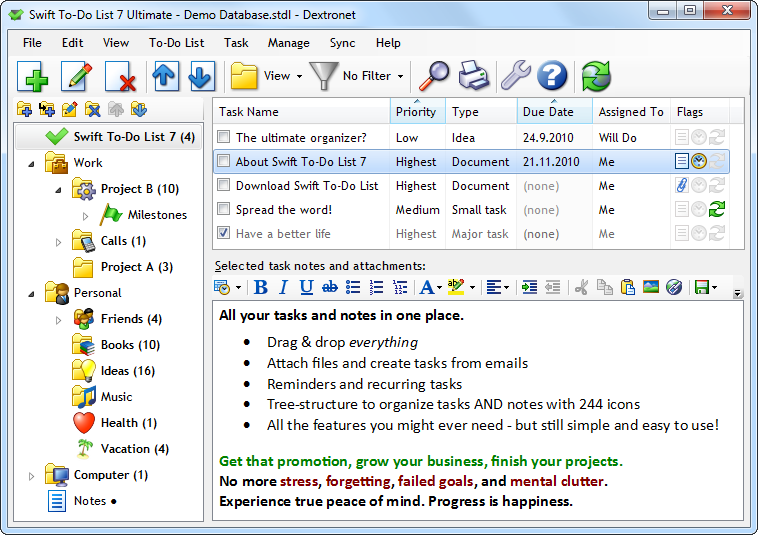
Swift To-Do List Screenshots
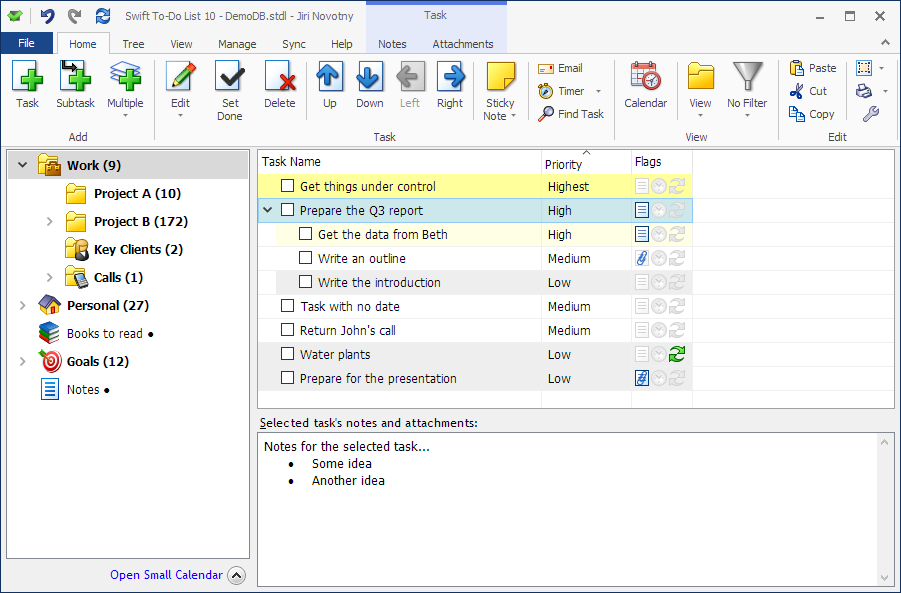
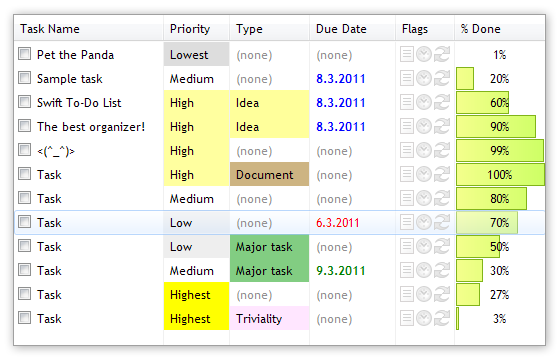
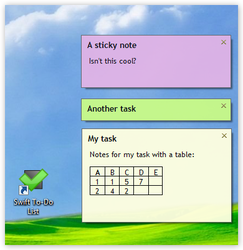
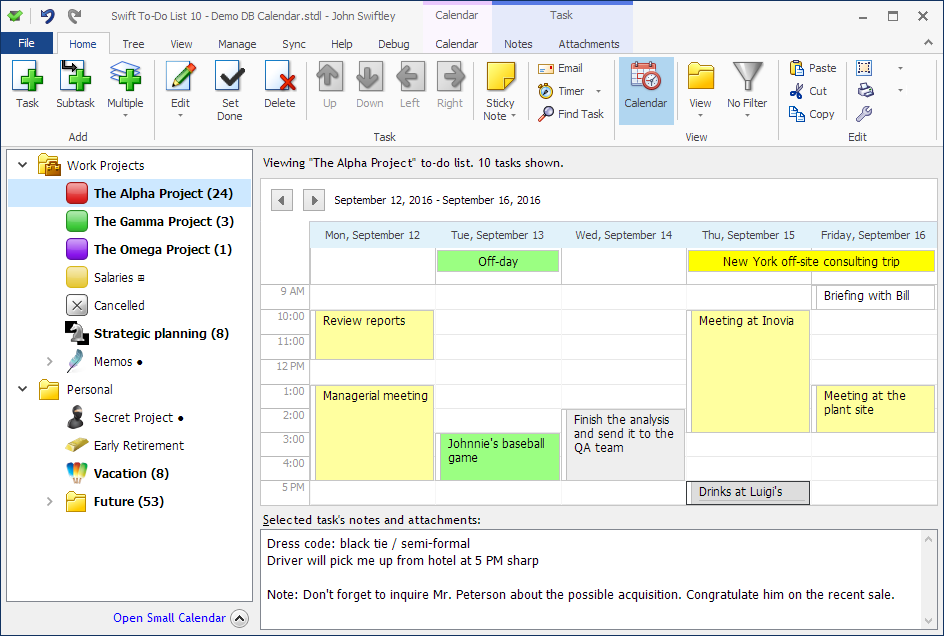
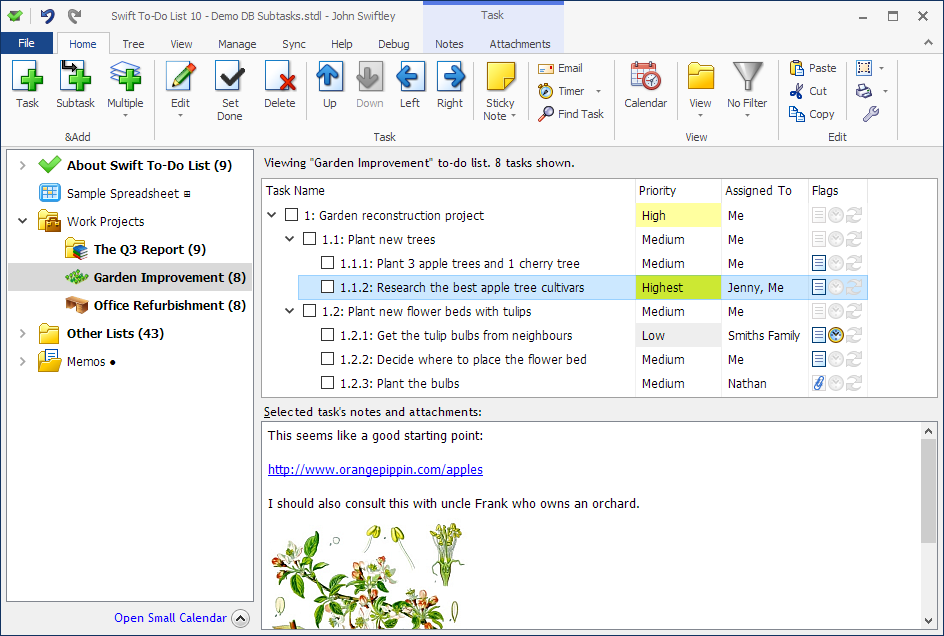
Description
What Is Swift To-Do List and How Does It Work?
Swift To-Do List is a Windows desktop task manager for users who want speed and structure. Individuals use it for nested to-do lists, rich text notes, recurring tasks, and alarms without requiring a browser or internet connection. It fits productivity workers who prefer local desktop apps over cloud tools.
Developed by Dextronet, Swift To-Do List is currently in its 11th major version. The app runs entirely offline as a Windows desktop application with a focus on speed, keyboard shortcuts, and structured task hierarchy.
Swift To-Do List at a Glance
| Best fit for | Windows productivity users who prefer local desktop task apps |
|---|---|
| Deployment | Windows desktop application (offline) |
| Pricing model | Perpetual license (one-time purchase) |
| Free trial | Free trial available |
| Support | Standard Dextronet support |
| Headquarters | Czech Republic (Dextronet) |
How Much Does Swift To-Do List Cost in 2026?
Swift To-Do List uses perpetual license pricing (one-time purchase, not subscription). Contact Dextronet for current per-license rates and any volume discounts at dextronet.com.
A free trial is available to test the app before purchase. Perpetual license model means no recurring fees.
| Plan | Price | Includes |
|---|---|---|
| Free Trial | $0 | Full app trial before purchase |
| Perpetual License | Contact Dextronet | One-time purchase, lifetime license |
| Volume Licensing | Contact Dextronet | Team and enterprise volume discounts |
Swift To-Do List Pros and Cons in 2026
Where Swift To-Do List Stands Out
- Windows desktop app (works offline, no internet required).
- Perpetual license (no subscription lock-in).
- Nested to-do lists for structured task hierarchy.
- Rich text notes attached to tasks.
- Recurring tasks with flexible scheduling.
- Alarms and reminders.
- Fast keyboard-friendly interface.
- Free trial available before purchase.
- Long-standing app currently in 11th version.
Where Swift To-Do List Falls Short
- Windows-only (no macOS, Linux, or mobile).
- Public license price not disclosed (contact-vendor).
- No cloud sync between devices.
- No team collaboration features.
- Learning curve for users migrating from Todoist, Any.do, or TickTick.
Who Should Use Swift To-Do List?
Swift To-Do List fits Windows productivity users who value local desktop performance, offline access, and perpetual licensing over cloud-based task apps. Solo knowledge workers, writers, developers, and professionals who spend the day in Windows fit best.
The right buyer wants a fast Windows-only task manager with rich text notes, recurring tasks, and no subscription. Skip Swift To-Do List if you need mobile sync (use Todoist, TickTick), team collaboration (use Asana, Trello), or macOS/Linux support.
Swift To-Do List Alternatives Worth Comparing
Todoist. Cloud-based task manager with mobile sync.
TickTick. Cross-platform task and habit manager.
Any.do. Simple cross-platform to-do list.
OmniFocus. Mac and iOS task management for GTD users.
What Real Buyers Report About Swift To-Do List
Buyer discussions on Reddit r/productivity and r/Windows communities describe Swift To-Do List as fitting Windows users who prefer local desktop apps over cloud subscriptions. Trade-offs mentioned include Windows-only limitation and no cloud sync.
Frequently Asked Questions About Swift To-Do List
How much does Swift To-Do List cost in 2026?
Swift To-Do List uses perpetual license pricing (one-time purchase, not subscription). Contact Dextronet for current per-license rates at dextronet.com.
Is Swift To-Do List available on macOS or mobile?
No. Swift To-Do List is Windows-only. For cross-platform task management with mobile sync, consider Todoist, TickTick, or Any.do.
Does Swift To-Do List sync between devices?
No. Swift To-Do List is a Windows desktop app that works offline. There is no cloud sync between multiple devices.
Is there a Swift To-Do List free trial?
Yes. A free trial is available to test the app before purchase.
What is Swift To-Do List current version?
Swift To-Do List is currently in its 11th major version, developed by Dextronet in the Czech Republic.
Where is Swift To-Do List developed?
Swift To-Do List is developed by Dextronet, based in the Czech Republic.
What Top-Ranking Swift To-Do List Reviews Cover
- Project Management category
- Time Tracking category
- Construction Project Management category
- Workflow Management category
- Productivity Management category
Related Swift To-Do List Comparisons and Categories on SaaSRat
- Task Management category
- Asana Task Management
- Chronos Workflow
- Tyasuite Project Management
- Visual Planning
- Proworkflow
- Copper Project Management
- Spitfire Project Management
Bottom Line: Is Swift To-Do List Right for You?
Swift To-Do List is a fit for Windows productivity users who value local desktop performance, offline access, and perpetual licensing over cloud task apps.
Highlights: Windows offline task manager, perpetual license, nested to-do lists, rich text notes, recurring tasks, alarms, and free trial.
Trade-offs: Windows-only, no cloud sync, no team collaboration, and contact-vendor pricing.
Consider Todoist for cross-platform with mobile sync, TickTick for cross-platform tasks + habits, or OmniFocus for Mac/iOS GTD users.
Verified on 2026-07-14 by the SaaSRat Editorial Team (Chirantan Patel, Senior SaaS Research Editor). Vendor facts cross-checked against the Swift To-Do List website and community discussions on Reddit and industry LinkedIn groups. About our methodology.
Frequently Asked Questions
Is there a free plan or free trial for Swift To-Do list?
How much does Swift To-Do list cost?
What does Swift To-Do list integrate with?
Who is Swift To-Do list best for?
What are the best alternatives to Swift To-Do list?
Is Swift To-Do list GDPR / SOC 2 compliant?
Does Swift To-Do list have a mobile app?
What do real users say about Swift To-Do list?
How does Swift To-Do list compare to its top competitor?
Does Swift To-Do list offer customer support?
Find Your Perfect Software
See how it can transform your workflow
- Personalized for your needs Tailored recommendations based on your unique requirements.
- Save time & resources Streamline your workflow and boost team productivity.
- Trusted by thousands Join 10,000+ businesses already growing with SaaSrat.
You're all set! 🎉
A specialist for will reach out within 1 business day with tailored recommendations for your needs.