

KanbanFlow
by CodeKick AB
What is KanbanFlow?
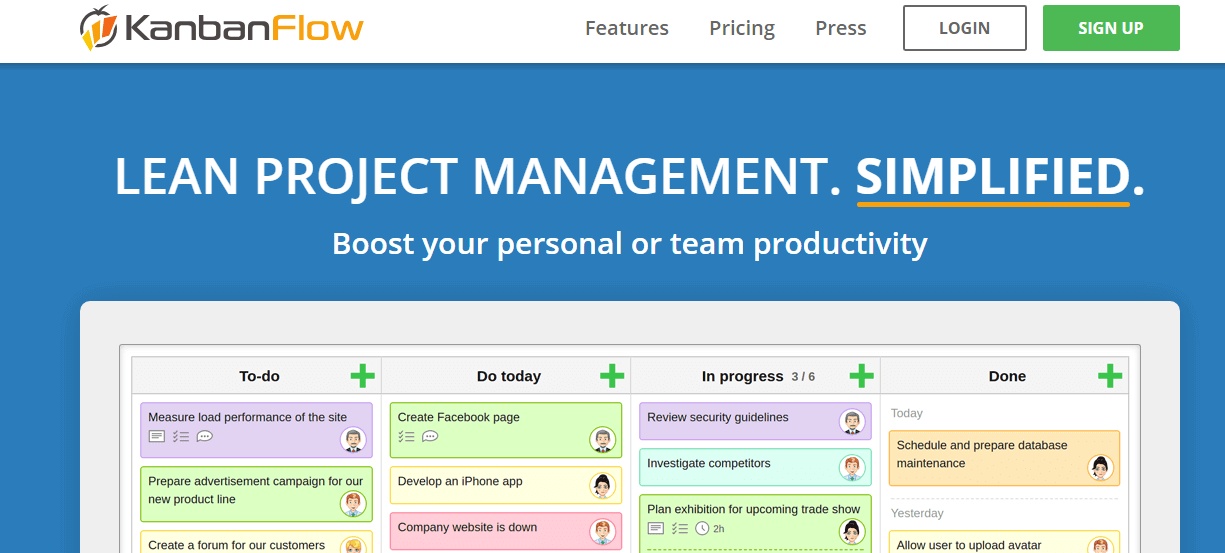
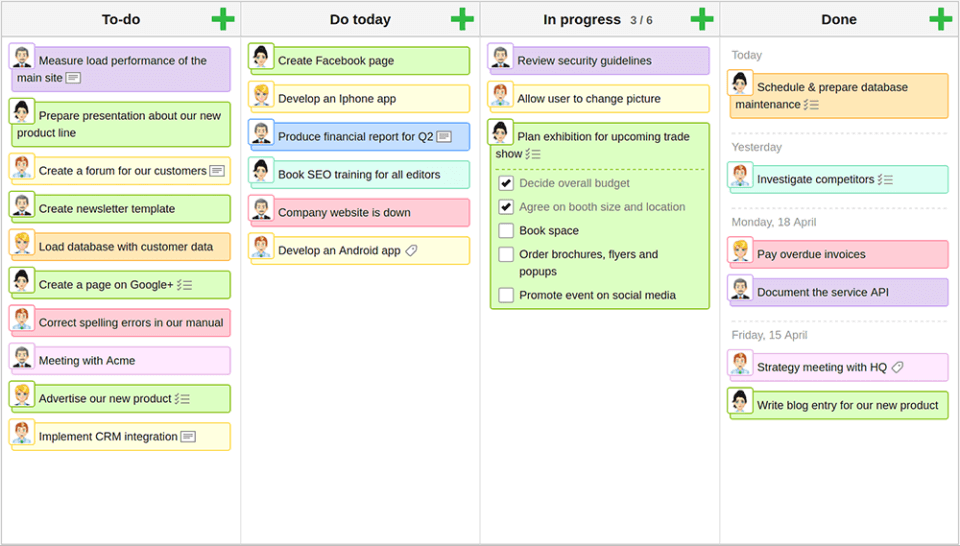
KanbanFlow is a task management tool with Kanban boards and integrated Pomodoro time tracking. Teams use it to visualize work in progress, limit multitasking, and measure how long tasks actually take versus estimates.
Get Best Quote for KanbanFlow
Connect with SaaSrat experts to get the best quote for your business.
What's driving this search?
Help us understand your situation
Purchasing New
No current solution
Replacing Existing
Looking to switch
Step 1 of 5
Organization Size?
Select the range that applies
Step 2 of 5
Implementation Timeframe
When do you expect to implement?
Step 3 of 5
What's your role?
Select your title
Step 4 of 5
You're all set!
A specialist for KanbanFlow will reach out within 1 business day.
KanbanFlow Features
Task boards
Swimlanes
Time tracking
Pomodoro timer
Subtasks
Recurring tasks
View All 26 Features
Task dependencies
File attachments
Comments
Labels
Due dates
Notifications
Analytics and reporting
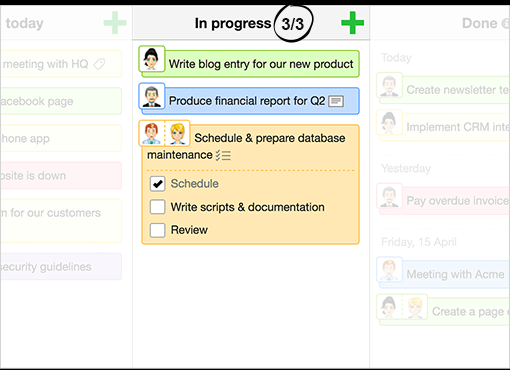
Wip limits
Customizable workflows
Integrations
Mobile access
User permissions
Search functionality
Api access
Collaboration
Gantt charts
Task scheduling
Task planning
Task tracking
Progress tracking
KanbanFlow Pricing Plans
Free
Free
- Unlimited boards
- Unlimited tasks
- WIP limits
- Subtasks
- Filter
- Recurring tasks
- Stopwatch timer
- Pomodoro timer
- Pomodoro statistics
- Print view
POPULAR
Premium
$5
/User/Month
- All Feature in Free
- Swimlanes
- File attachments
- Search
- Copy board
- Task numbering
- Relations
- Mass update
- Time spent report
- Excel & CSV export
- Cumulative flow
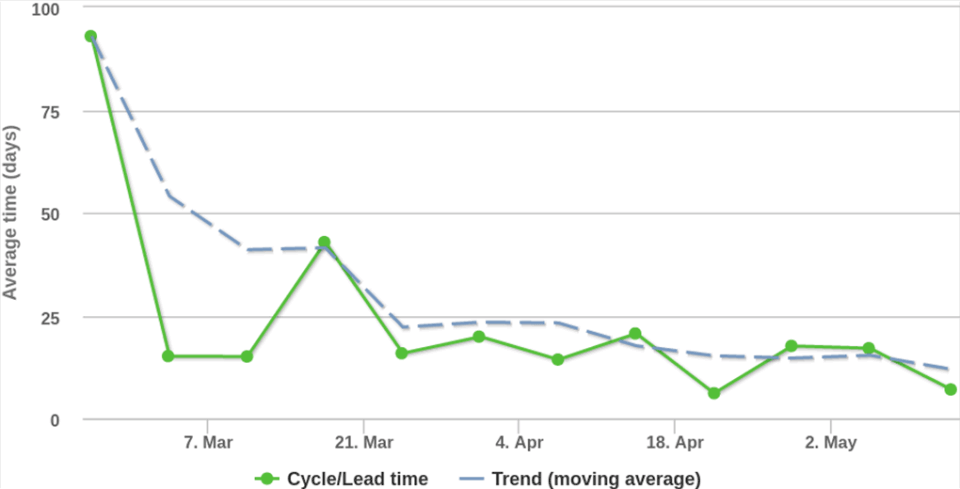
- Cycle & Lead time
- Burndown
- Throughput
- Calendar
- Dashboard
- Revision history
- Forecasting
- Time estimate report
KanbanFlow Resources
KanbanFlow Screenshots
Frequently Asked Questions
Is there a free plan or free trial for KanbanFlow?
Yes, KanbanFlow offers a free plan that includes core features like Kanban boards and Pomodoro timer. They also provide a Premium plan upgrade for advanced functionality.
How much does KanbanFlow cost?
KanbanFlow has a Free plan at no cost and a Premium plan for USD 5 per user per month.
What does KanbanFlow integrate with?
KanbanFlow integrates with popular tools like Slack, Zapier, Google Calendar, Dropbox, Evernote, GitHub, Microsoft Teams, and Google Drive to streamline workflows.
Who is KanbanFlow best for?
KanbanFlow is ideal for small teams, freelancers, developers, and marketing professionals who need simple Kanban boards with time tracking. It suits startups and individuals managing tasks visually across various industries.
What are the best alternatives to KanbanFlow?
Top alternatives include Trello for more customizable boards, Asana for advanced project management, Monday. com for workflow automation, Jira for software development teams, and ClickUp for all-in-one productivity.
Is KanbanFlow GDPR / SOC 2 compliant?
For specific compliance certifications, it's recommended to contact KanbanFlow directly or check their security documentation.
Does KanbanFlow have a mobile app?
Yes, KanbanFlow has mobile apps available for both iOS and Android, allowing you to manage tasks on the go.
What do real users say about KanbanFlow?
Users praise KanbanFlow for its intuitive Kanban boards, built-in Pomodoro timer, and generous free plan that handles basic needs well. Some mention limitations in advanced reporting on the free tier, but overall sentiment is positive for simplicity and value.
How does KanbanFlow compare to its top competitor?
Compared to Trello, KanbanFlow stands out with its integrated Pomodoro timer and time tracking, while Trello excels in visual customization and power-ups. Both are great for Kanban, but KanbanFlow adds productivity tools out of the box.
Does KanbanFlow offer customer support?
KanbanFlow offers customer support through email, a comprehensive knowledge base with guides and tutorials, and community forums for peer help.
Free Demo
Find Your Perfect Software
See how it can transform your workflow
- Personalized for your needs Tailored recommendations based on your unique requirements.
- Save time & resources Streamline your workflow and boost team productivity.
- Trusted by thousands Join 10,000+ businesses already growing with SaaSrat.
What's driving this search?
Help us understand your current situation
Purchasing New Software
No current solution in place
Replacing Existing Software
Looking to switch providers
Step 1 of 5
No spam. Just the best matches for you.
What is the size of your organization?
Select the range that best applies
Step 2 of 5
Implementation Timeframe
When do you expect to implement?
Step 3 of 5
What's your role?
Select the title that best describes you
Step 4 of 5
Almost there — let's connect you
Your details are kept private and never shared without consent
By signing up, you agree to our Terms & Privacy Policy
You're all set! 🎉
A specialist for will reach out within 1 business day with tailored recommendations for your needs.