

Timely
by Timely
What is Timely?
Get Best Quote for Timely
Connect with SaaSrat experts to get the best quote for your business.
You're all set!
A specialist for Timely will reach out within 1 business day.
Timely Features
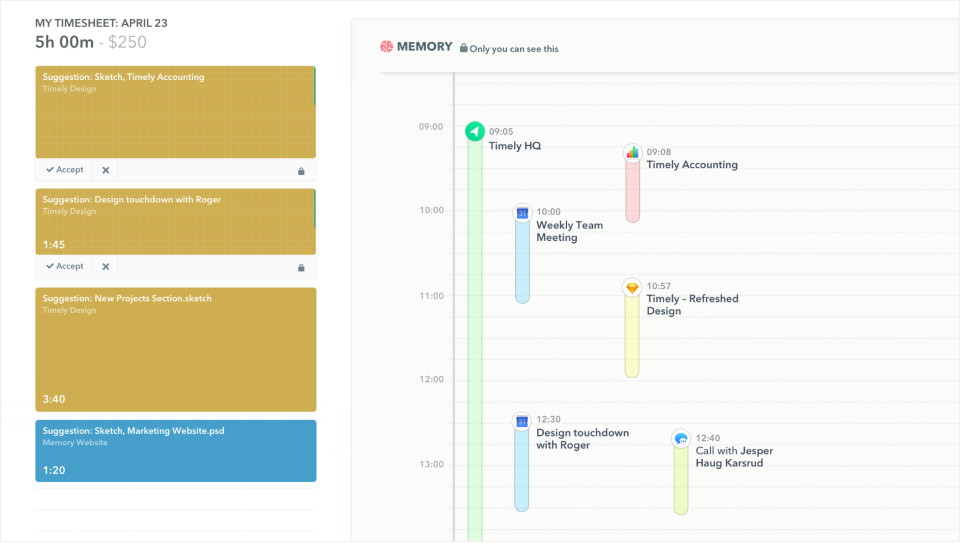
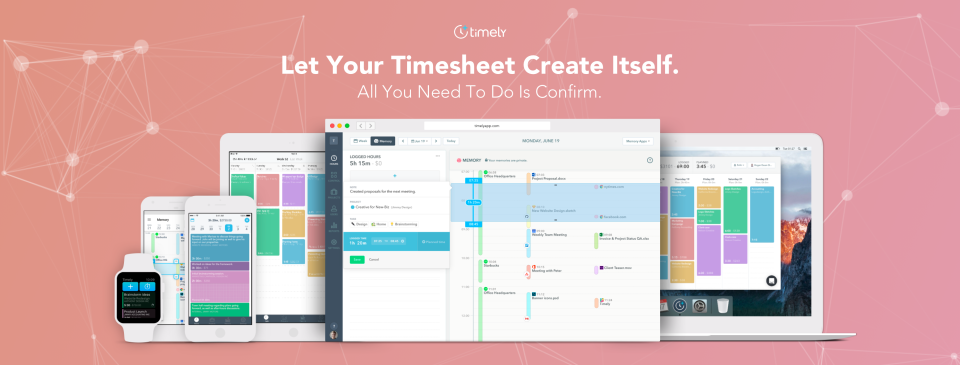
Automatic background time tracking
AI categorization of entries to projects
No keystroke logging or screenshots
Memory desktop app (Mac Windows Linux)
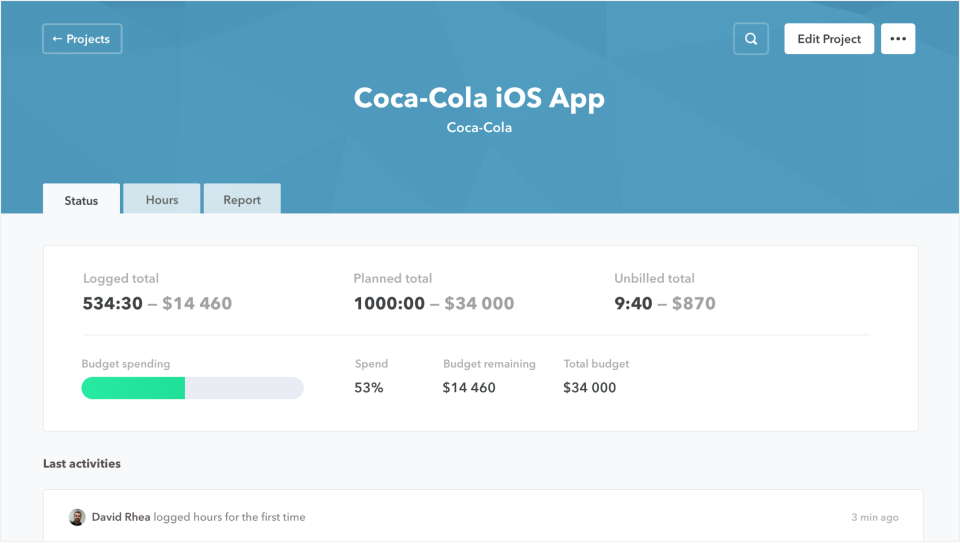
Project monitoring with budget alerts
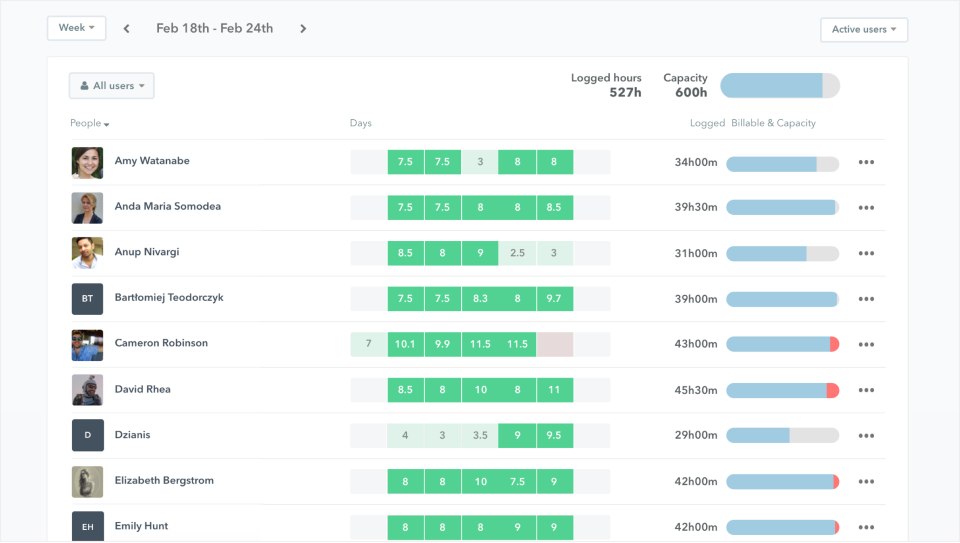
Capacity oversight and workload analytics
View All 12 Features
Timely Pricing Plans
Starter
- Up to 5 users and 20 projects
- Automatic time tracking with Memory app
- AI categorization of entries
- Project monitoring and billable hour reporting
- Annual billing $9 per user (20% off)
- Verified at timely.com/pricing on 2026-06-30
Premium
- Up to 50 users and unlimited projects
- Project management and accounting integrations
- Team oversight and budget administration
- Work scheduling
- Annual billing $16 per user (20% off)
- Verified at timely.com/pricing on 2026-06-30
Unlimited
- Unlimited projects and users
- Capacity oversight and analytics
- Overtime and undertime tracking
- Azure user administration and 50+ currencies
- Annual billing $22 per user (20% off)
- Verified at timely.com/pricing on 2026-06-30
Enterprise
- Tailored onboarding and setup
- Premium training and regular business reviews
- Dashboard support and early feature access
- Priority assistance
- Custom contract terms
- Verified at timely.com/enterprise on 2026-06-30
Timely Resources
Timely Screenshots
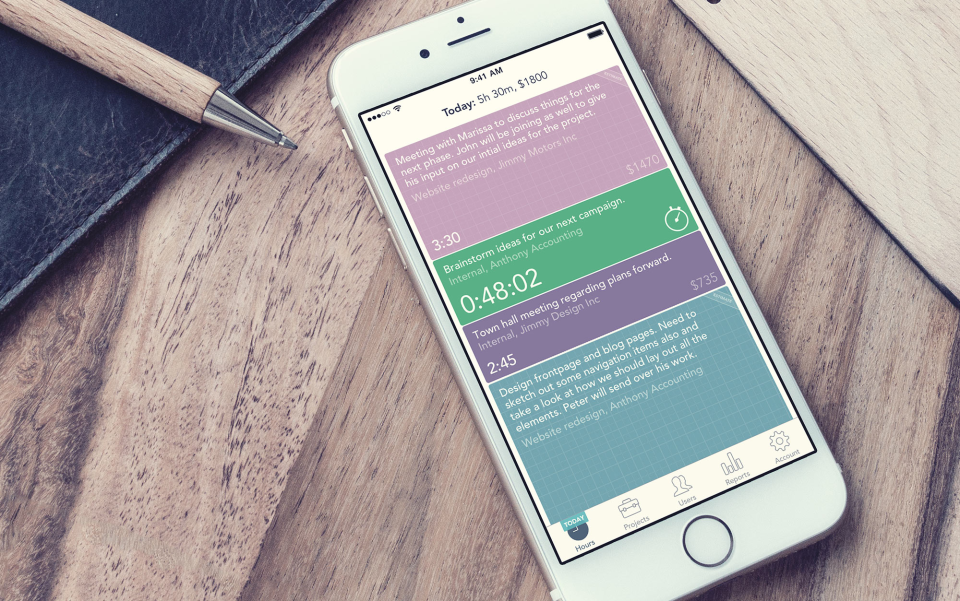
Description
Timely at a Glance
| Best fit for | Consultancies, agencies, SaaS teams, professional services firms wanting privacy-respecting time tracking |
|---|---|
| Industries | Consulting, marketing agencies, design firms, software development, accounting, legal services, freelance |
| Core platform | Automatic background tracking, AI time categorization, Project monitoring, Capacity oversight, Budget administration, Reporting |
| Pricing model | Per-user monthly (Starter $11, Premium $20, Unlimited $28; annual 20% discount) |
| Mobile apps | iOS and Android (Timely Mobile) |
| Compliance | SOC 2 Type II, ISO 27001, GDPR, CCPA |
| Named customers | BBC, Deloitte, Lush, Mozilla, Fortnum & Mason (shown on timely.com) |
| Parent company | Memory AS (independently held) |
| Headquarters | Oslo, Norway |
Timely Pros and Cons in 2026
Where Timely Stands Out
Automatic background tracking removes the daily timer hassle. Memory app captures every minute across web and desktop apps automatically; employees only review and approve, never start and stop manually.
Privacy-first design differentiates from surveillance-style competitors. No keystroke logging, no screenshots, no idle-time penalty. Only user-approved entries reach managers, which lifts adoption versus Hubstaff or Time Doctor.
AI categorizes and allocates entries automatically. Timely AI assigns activities to projects, tasks, and clients based on patterns, reducing the manual classification burden by an estimated 80% per Timely's published benchmarks.
Capacity and budget oversight in one product. Unlimited tier includes overtime/undertime tracking, capacity analytics, and budget administration without bolting on a separate resource-planning tool.
Where Timely Falls Short
Higher per-user pricing than basic time trackers. Starter at $11 and Unlimited at $28 per user per month sit above Toggl Track or Clockify, though the automatic tracking justifies it for billable-hour businesses.
Project management depth is light. Timely focuses on time capture; Gantt, kanban, and resource planning lighter than Paymo or monday.com.
Invoicing requires third-party integration. No native invoicing; integrates with QuickBooks, Xero, FreshBooks for billable-hour export.
Mobile UX functional but lighter than native-first competitors. Works for entry review and approval; desktop is the primary surface.
Who Should Use Timely?
Timely is the right pick for consultancies and agencies tracking billable hours without surveillance, SaaS engineering teams that need accurate project allocation data, professional services firms invoicing by time entries, and privacy-respecting orgs that resist keystroke and screenshot monitoring. In the time tracking category, Timely lands as the best fit for privacy-first automatic tracking.
It is the wrong fit for tight-budget solo freelancers (Toggl Track is cheaper), surveillance-required compliance use cases, and pure project-management buyers without time-tracking needs. Those buyers should compare Toggl Track, Paymo, or Hubstaff.
Timely Product Suite in 2026
Memory Automatic Tracking
Background desktop app captures every web and application activity in 5-minute granularity. Cross-device sync. Local-only storage until employee approves entries.
AI Categorization
AI learns from past entries to auto-assign new activity to projects, tasks, and clients. Confidence scores let employees review uncertain assignments.
Project Monitoring
Project hours, budgets, and billable rates tracked against entries in real time. Alerts on budget overruns and underutilization.
Capacity and Scheduling
Workload visualization, overtime/undertime tracking, and capacity planning across teams. Available on Unlimited tier.
Reporting and Exports
Pre-built reports for billable hours, project profitability, and client utilization. Custom reports and exports to CSV, PDF, and accounting integrations.
Integrations
Native QuickBooks, Xero, FreshBooks for invoicing; Asana, monday.com, Jira for project sync; Zapier for long-tail tools. REST API and webhooks for custom workflows.
How Much Does Timely Cost in 2026?
Three tiers, per-user monthly billing with 20% annual discount. Starter at $11 per user per month covers 20 projects, max 5 users, automatic tracking, AI categorization, project monitoring, and billable hour reporting. Premium at $20 per user per month adds unlimited projects, max 50 users, accounting integrations, team oversight, budget administration, and work scheduling. Unlimited at $28 per user per month adds unlimited users, capacity analytics, overtime tracking, Azure user admin, 50+ currency support, and premium support.
What Drives the Cost
- User count tier: Starter caps at 5 users; Premium at 50; Unlimited has no cap.
- Annual vs monthly billing: Annual saves up to 22%.
- Tasks add-on: $5+ per person for task assignment, scheduling, and progress tracking.
- Enterprise tier: Custom pricing with tailored onboarding and premium training.
How to Get a Useful Quote
Inventory billable-hour reps, current time-tracking vendor, and accounting integrations needed. Benchmark Timely's quote against Toggl Track, Paymo, and Harvest before signing annual.
Hidden Costs and Contract Gotchas to Watch For
- User caps on Starter and Premium tiers. Growing teams hit the cap and need Unlimited.
- Tasks add-on extra cost. Task assignment and progress tracking not included in base tiers.
- Annual contract for headline rates. Monthly billing surcharges 20-22%.
- No native invoicing. Plan to integrate with QuickBooks, Xero, or FreshBooks for billing.
- Capacity analytics Unlimited-only. Workload visualization not on lower tiers.
Timely Alternatives Worth Comparing
Toggl Track wins on time-tracking-only simplicity with strong reports. Lighter AI and project monitoring than Timely.
Harvest wins on invoicing-first focus. Lighter automatic tracking than Timely.
Paymo wins on three-in-one PM plus time tracking plus invoicing. Lighter AI categorization than Timely.
Hubstaff wins on screenshot and activity monitoring for distributed teams. Surveillance-style; opposite of Timely's privacy stance.
Clockify wins on free tier breadth for small teams. Lighter automatic tracking than Timely.
RescueTime wins on personal productivity insights. Lighter team and billable hour focus than Timely.
What Real Buyers Report About Timely
Reviewers on independent platforms (SoftwareAdvice, SelectHub) and consultancy/agency communities (Reddit r/agency, freelance forums) consistently call out three patterns. Privacy-first design is the lock-in factor; teams adopt Timely after rejecting Hubstaff or Time Doctor on cultural grounds. AI categorization removes 70-80% of manual time-entry classification burden, which improves data quality for invoicing. Memory app's automatic background tracking is repeatedly cited as best-in-category for accuracy.
The common critiques cluster around three points. Higher per-user pricing than basic trackers. Project management depth light for teams wanting Gantt or kanban. No native invoicing requires accounting integration. For consultancies, agencies, and SaaS teams that prioritize accuracy and privacy in time tracking, Timely consistently rates as the architectural default.
Bottom Line: Is Timely Right for You?
Timely is the right call for consultancies, agencies, and SaaS teams that want accurate billable-hour capture with privacy-respecting automatic tracking. The Memory app and AI categorization are durable moats versus manual-timer competitors.
For tight-budget solo freelancers, Toggl Track is cheaper. For three-in-one PM plus time plus invoicing, Paymo fits better. For surveillance-required compliance use cases, Hubstaff is the opposite-stance alternative.
Verified on 2026-06-30 by the SaaSRat Editorial Team. Vendor facts cross-checked against timely.com (pricing, features, security pages), independent review aggregators, consultancy community threads, and current 2025-2026 press cycles. About our methodology.
Frequently Asked Questions
What is Timely used for?
How much does Timely cost?
Does Timely use keystroke logging?
How does Timely's AI categorization work?
Does Timely have invoicing?
Is Timely better than Toggl?
What does Memory app do in Timely?
Is Timely GDPR compliant?
Does Timely integrate with project management tools?
What support does Timely offer?
Find Your Perfect Software
See how it can transform your workflow
- Personalized for your needs Tailored recommendations based on your unique requirements.
- Save time & resources Streamline your workflow and boost team productivity.
- Trusted by thousands Join 10,000+ businesses already growing with SaaSrat.
You're all set! 🎉
A specialist for will reach out within 1 business day with tailored recommendations for your needs.