

Hubstaff
by Hubstaff • Founded 2011
What is Hubstaff?
Get Best Quote for Hubstaff
Connect with SaaSrat experts to get the best quote for your business.
You're all set!
A specialist for Hubstaff will reach out within 1 business day.
Hubstaff Features
Time tracking
Activity levels
Screenshots
App and url tracking
Gps tracking
Online timesheets
View All 42 Features
Hubstaff Pricing Plans
Starter
- Time tracking
- Basic reports
- GPS time tracking
- Mobile and desktop apps
- Standard integrations
- Standard support
Grow
- Everything in Starter
- Productivity monitoring (screenshots, activity)
- Project tracking
- Custom workflows
- 30+ integrations
- Email and chat support
Team
- Everything in Grow
- Scheduling and attendance
- Advanced reporting
- Payroll integrations (PayPal, Payoneer, Bitwage)
- Custom branding
- Priority support
Enterprise
- Everything in Team
- Premium customer success
- Custom integrations
- Advanced security and compliance
- API access
- Dedicated implementation
Hubstaff Resources
Hubstaff Screenshots
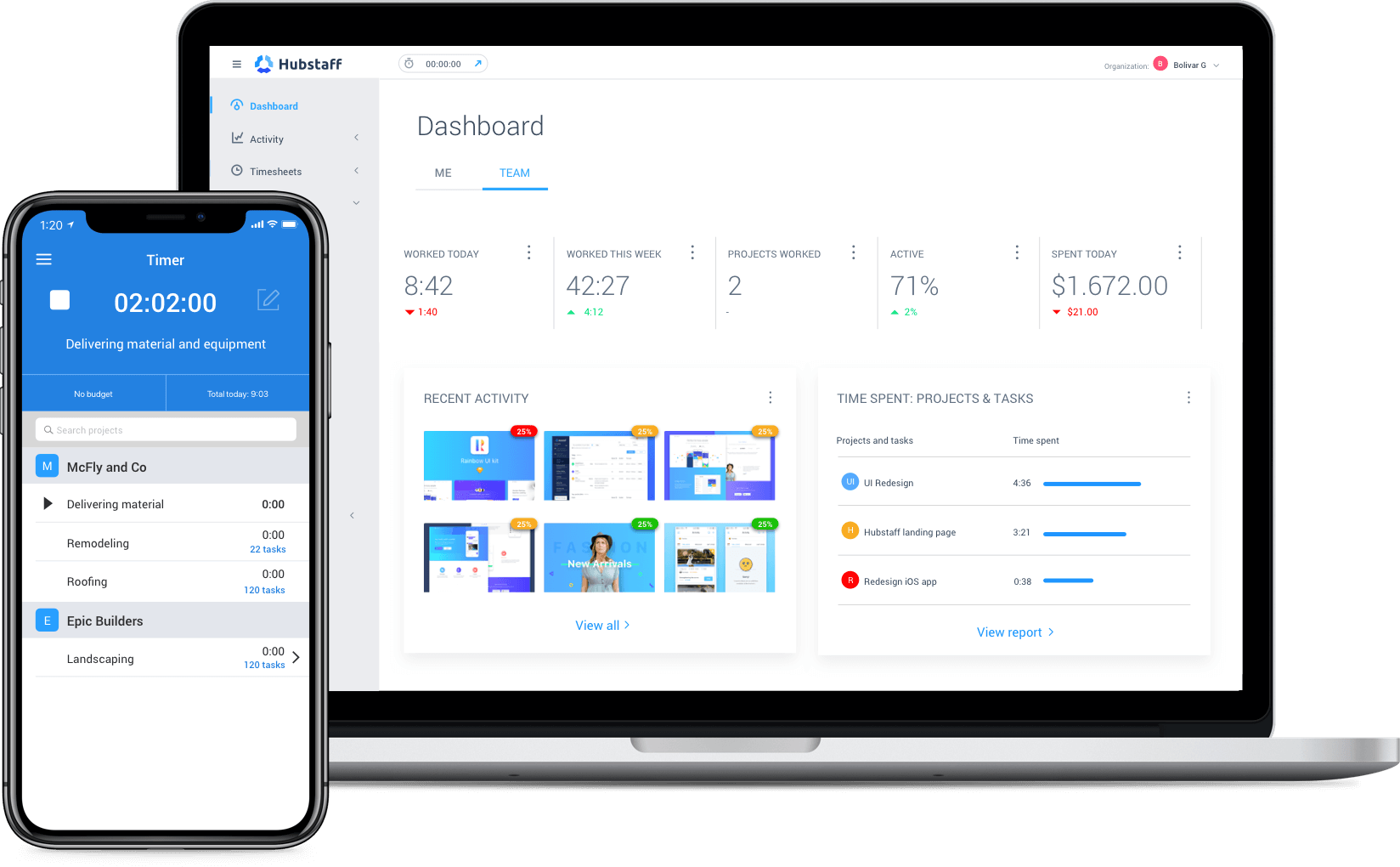
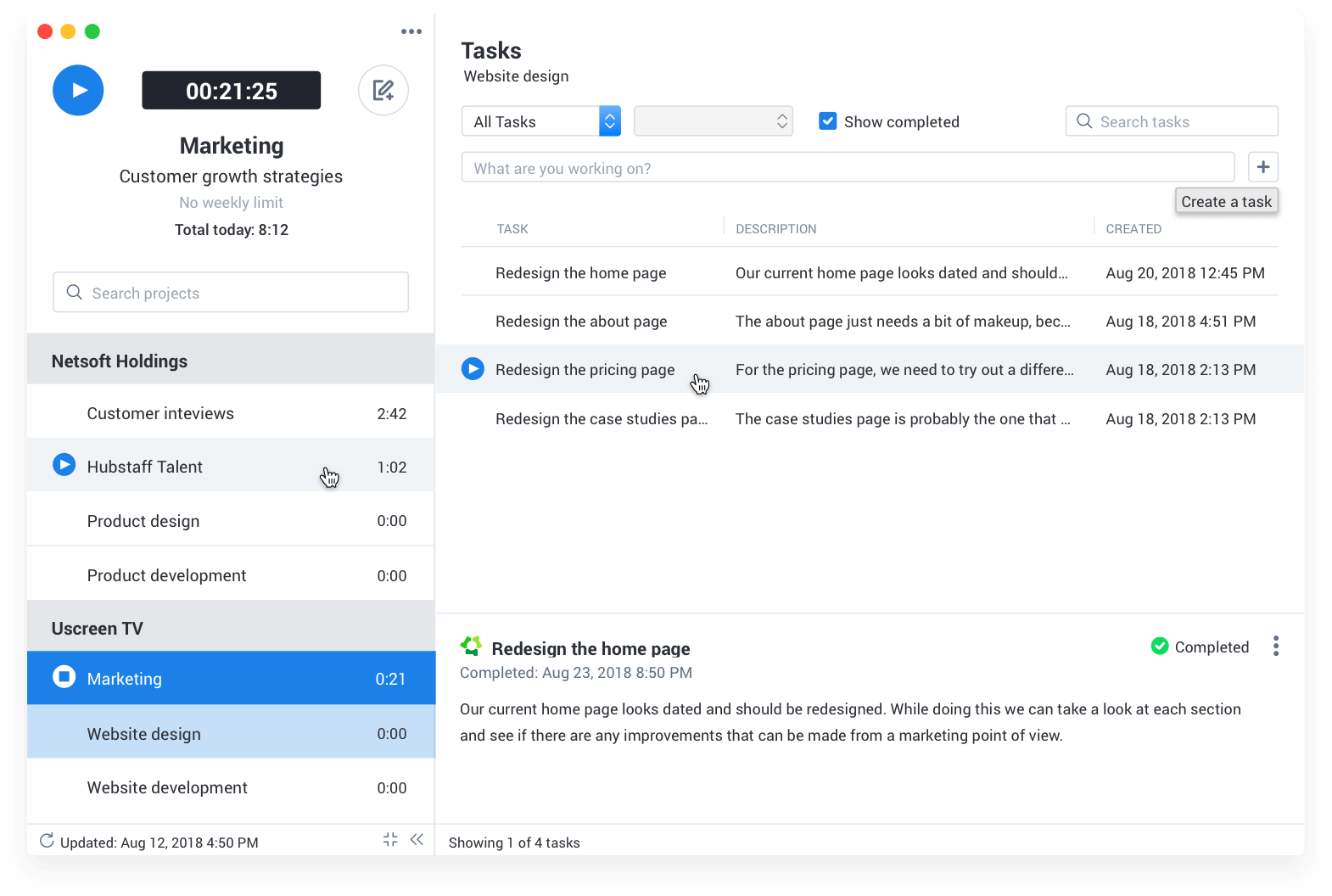
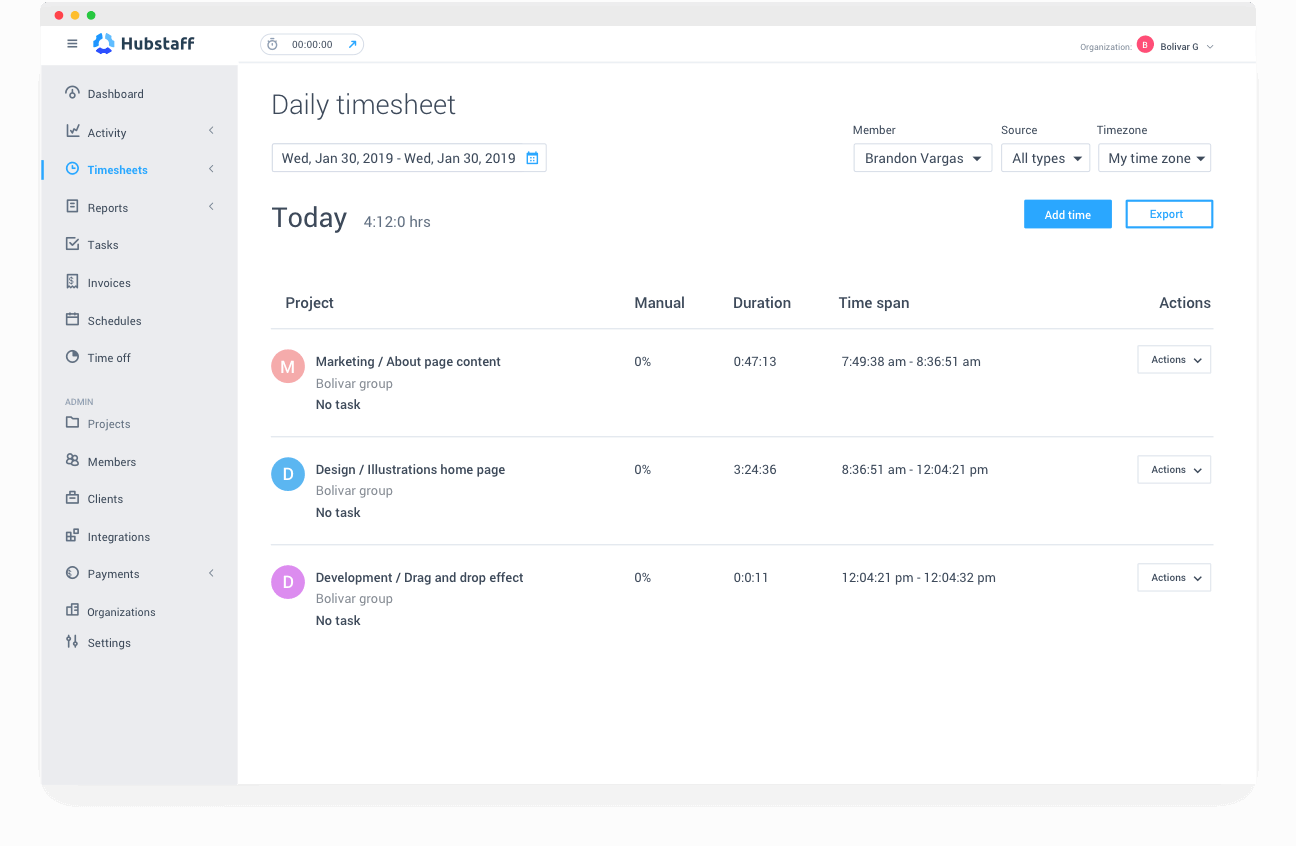
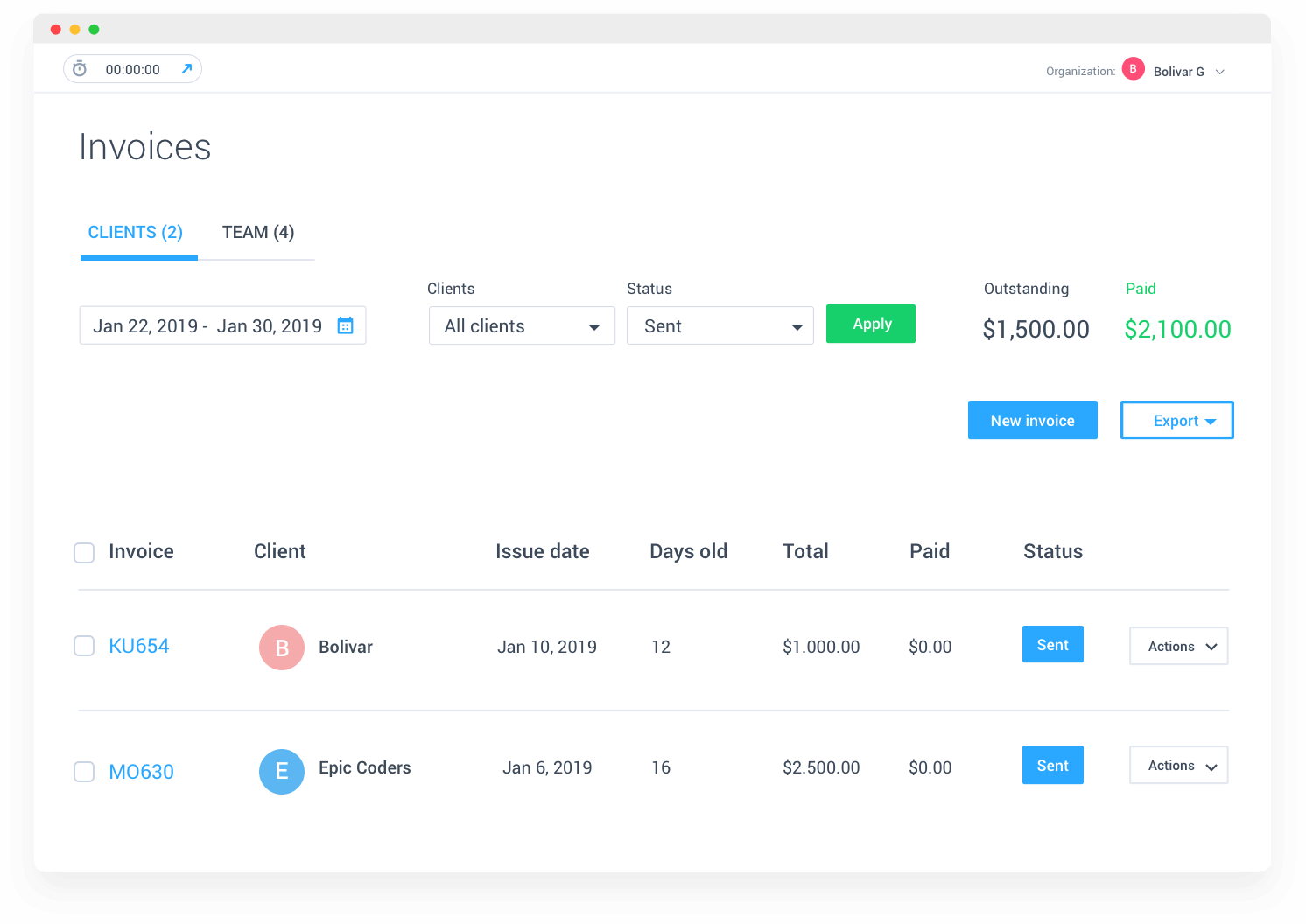
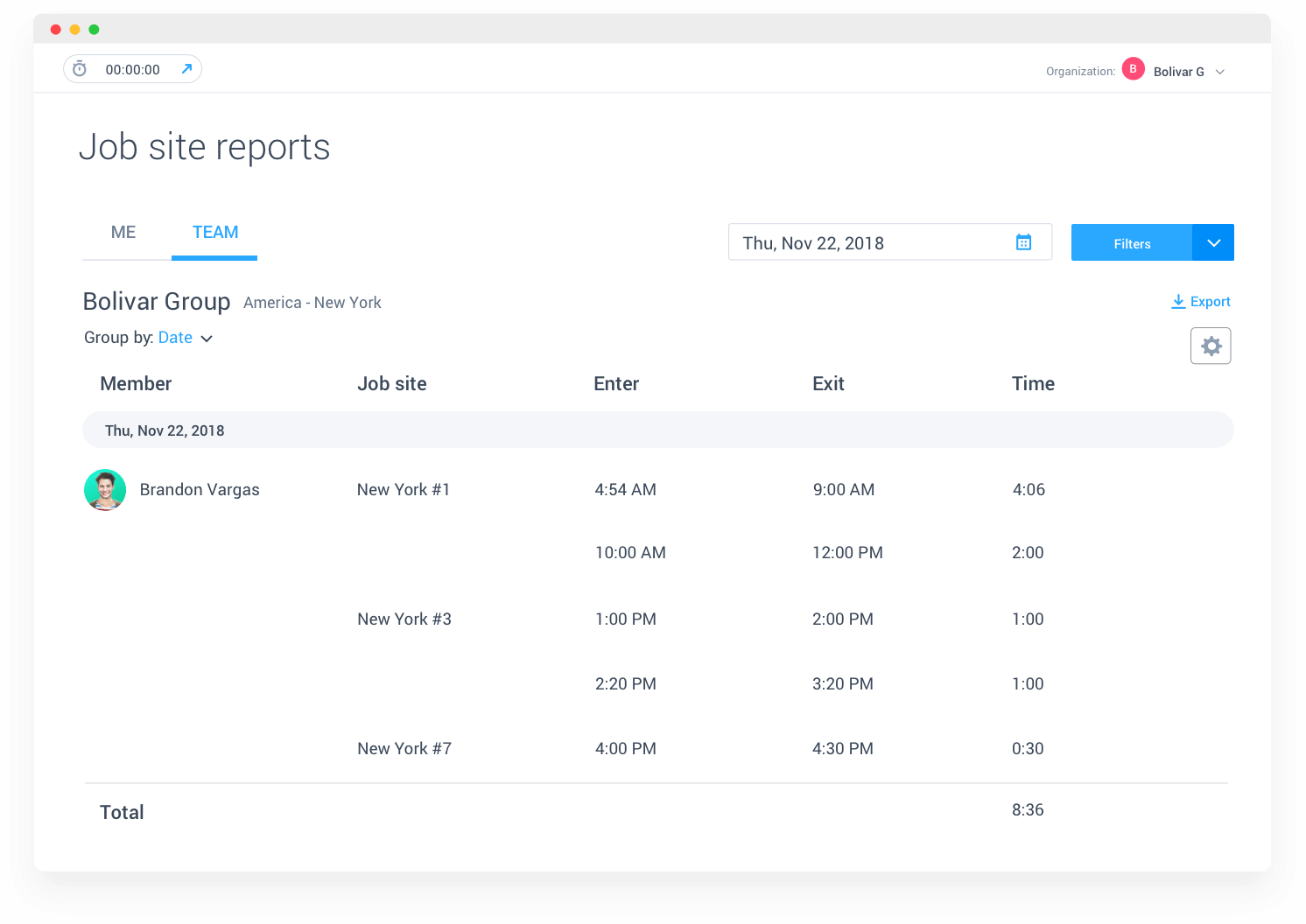
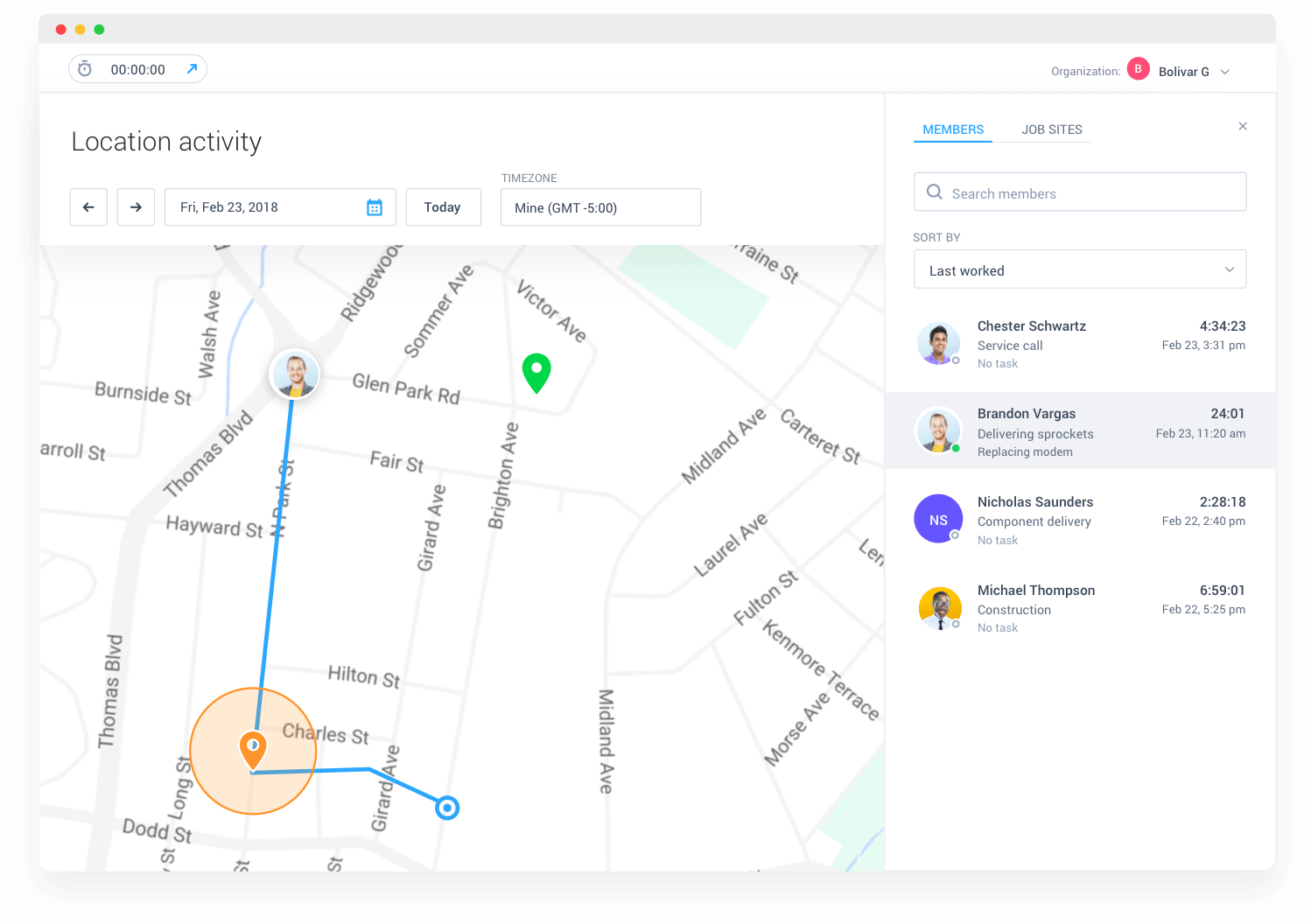
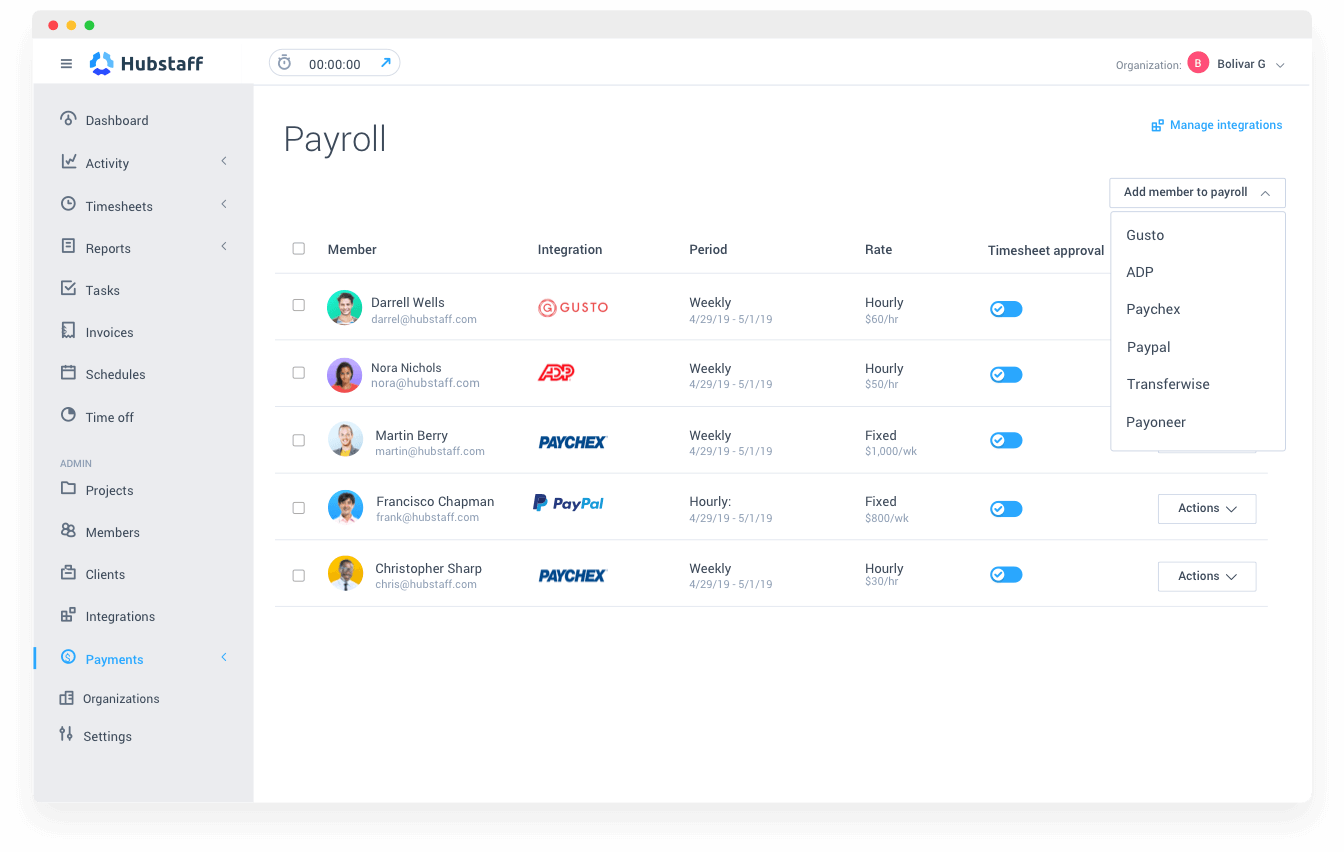
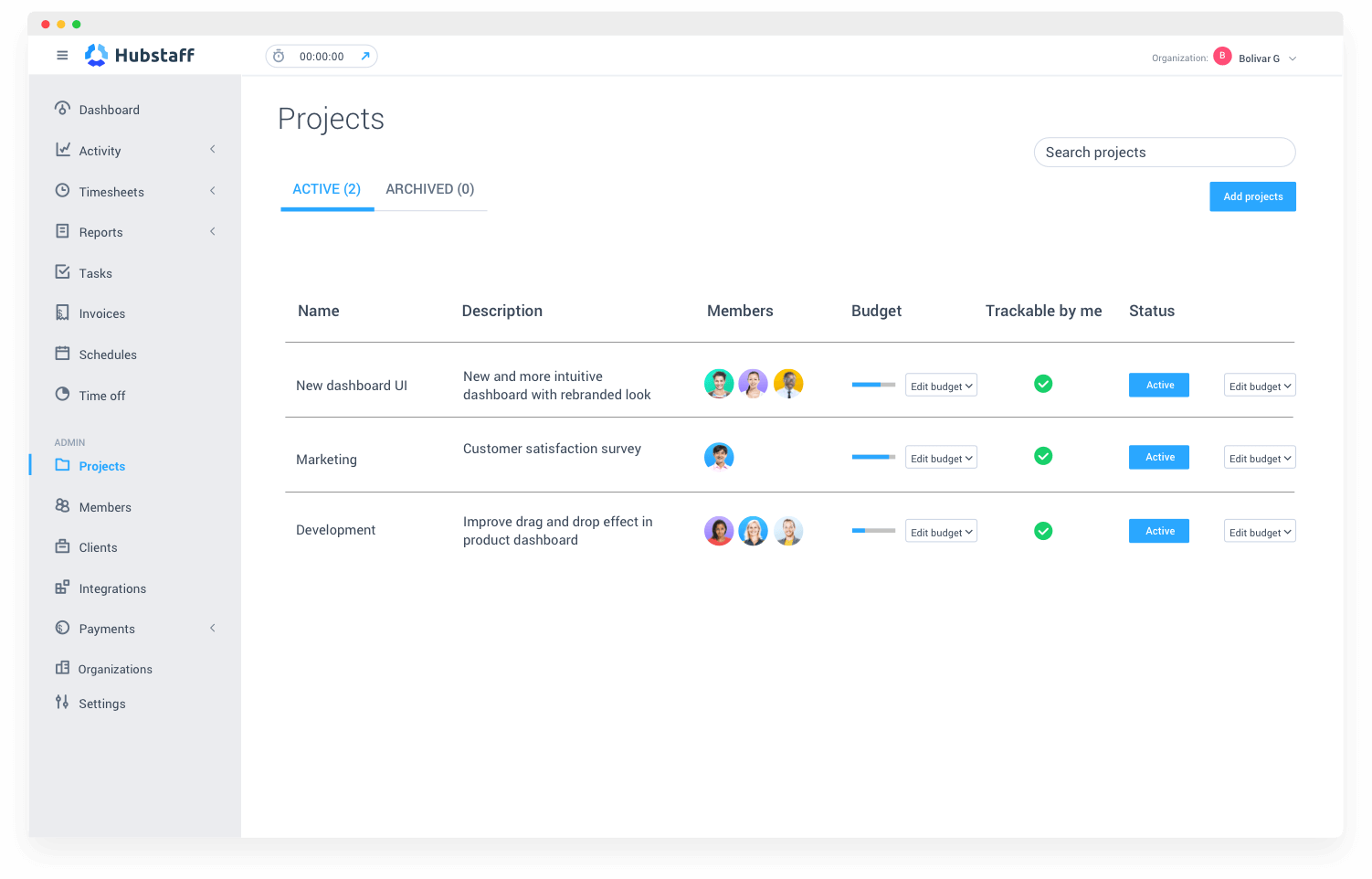
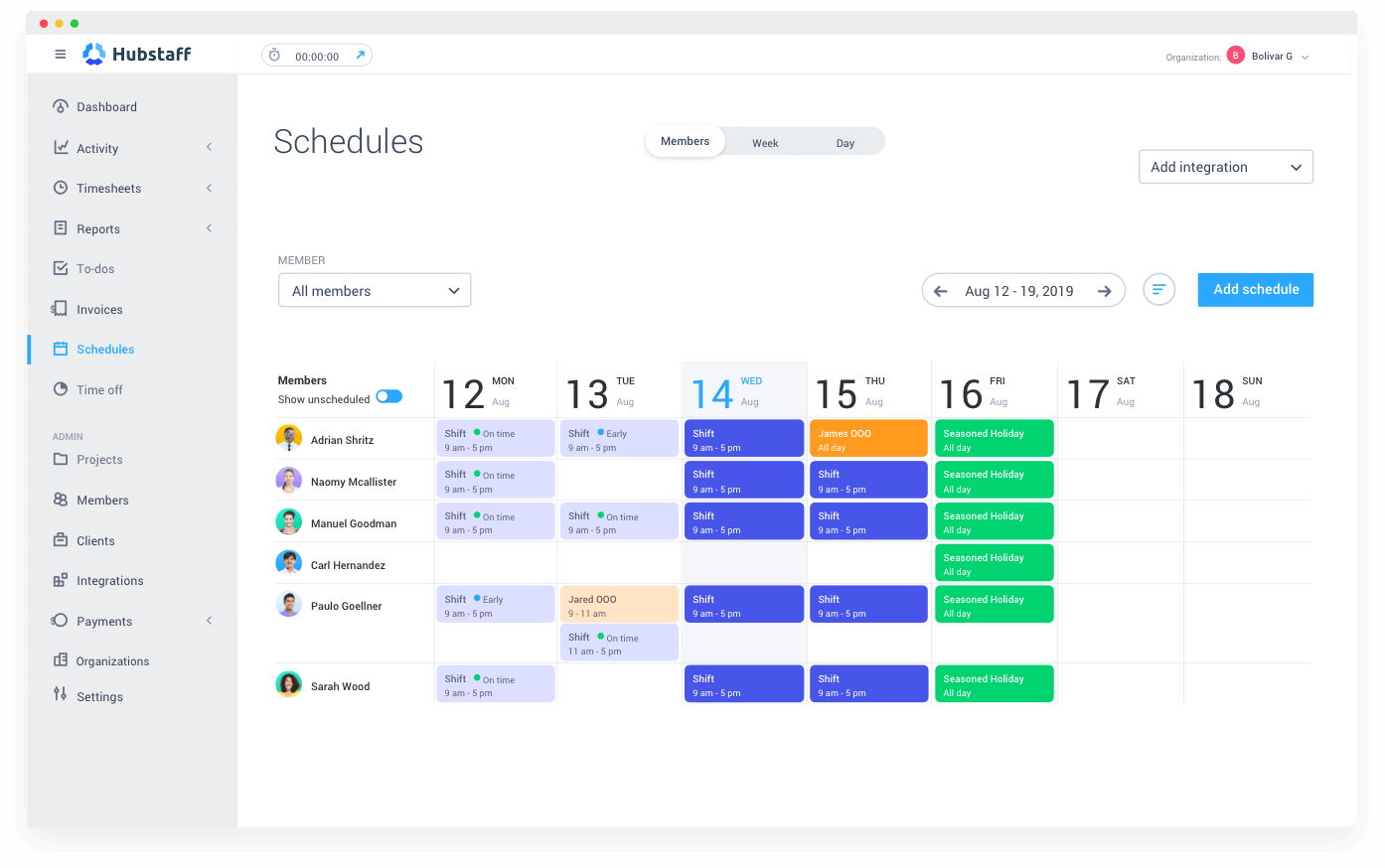
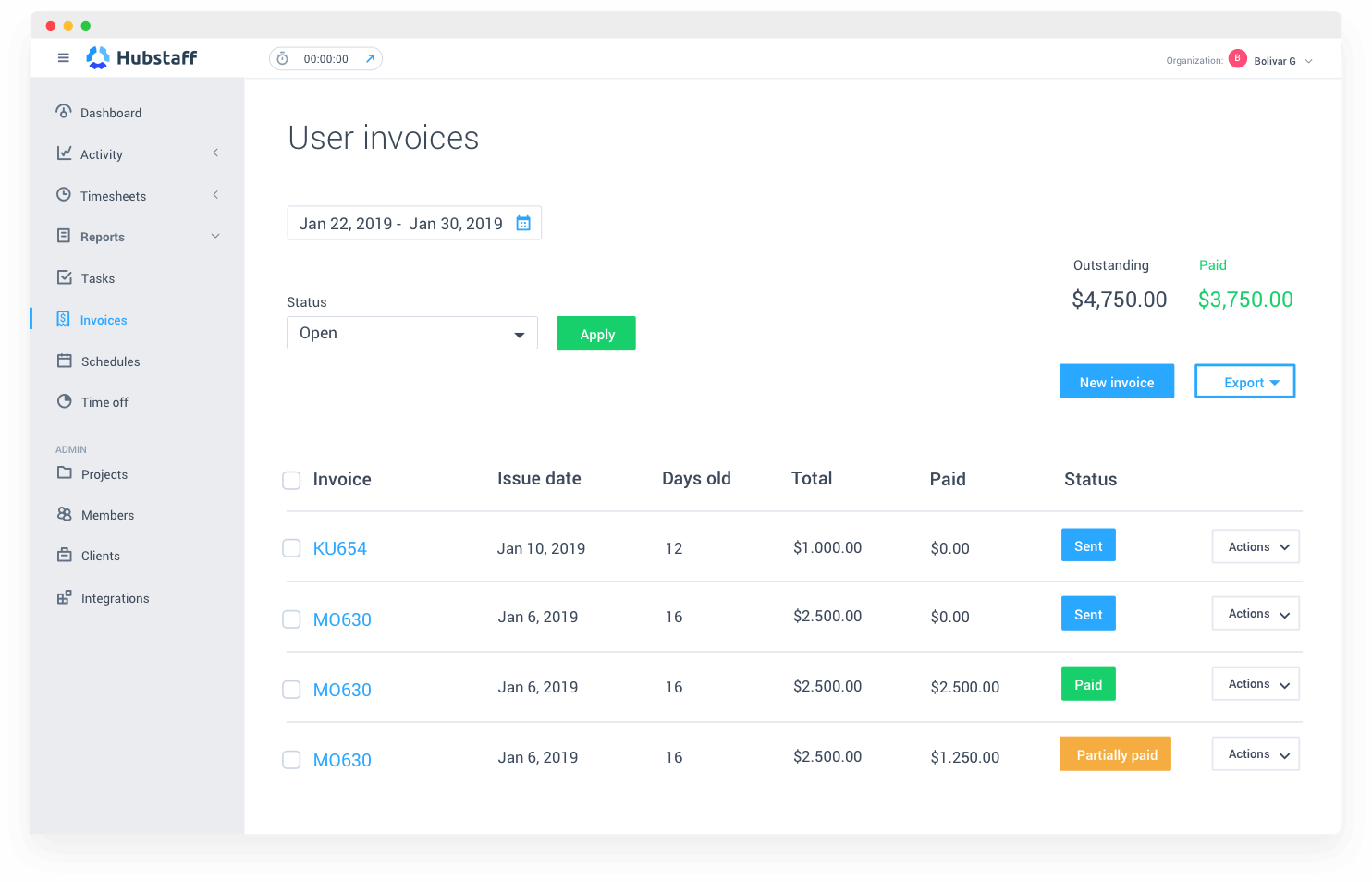
Description
Hubstaff at a Glance
| Best fit for | remote teams, agencies, and field service operations wanting time tracking with productivity insights and GPS |
|---|---|
| Industries | Professional services, agencies, BPO, technology, healthcare, construction, field services, transportation, customer service |
| Core platform | Cloud time tracking with productivity monitoring, GPS, and project management |
| Pricing model | Per-user-per-month or quote-based |
| Indicative pricing | Starter $4.99 user/mo, Grow $7.50 user/mo, Team $10 user/mo, Enterprise quote-based (vendor-published on hubstaff.com) |
| Mobile apps | iOS, Android, Windows, Mac, Linux, Chrome extension (cross-platform desktop and mobile) |
| Trust signals | SOC 2 Type II, GDPR aligned, used by 95,000+ businesses globally |
| Vendor headquarters | Indianapolis, IN, USA |
| Compliance | GDPR, CCPA, SOC 2, plus enterprise security controls |
| Geographic focus | Global with strong remote-first and field service customer presence |
Hubstaff Pros and Cons in 2026
Where Hubstaff Stands Out
- Transparent published pricing: $4.99 to $10 per user per month across three tiers (annual billing)
- GPS tracking for field teams: GPS time clock, geofencing, route tracking for field service and transportation operations
- Productivity monitoring: optional screenshots, activity tracking, app and URL monitoring
- Project management: native Hubstaff Tasks for agile project management plus integrations with major PM tools
- Cross-platform desktop apps: Windows, Mac, Linux, iOS, Android with offline tracking
Where Hubstaff Falls Short
- Activity monitoring may be perceived as surveillance by some employees
- Hubstaff Tasks is functional but lighter than dedicated PM tools (Asana, Monday)
- Customer support response varies by tier
- Reporting customization is functional but lighter than enterprise alternatives
Who Should Use Hubstaff?
Remote teams, agencies, and field service operations (5 to 500 employees) wanting time tracking with productivity insights and GPS for field teams. Particularly strong fit for professional services agencies, field services with route-based work, and remote-first organizations valuing productivity tracking with affordable transparent pricing. For BPO and agency segments, also consider Time Doctor. For workforce scheduling, see Deputy or Connecteam.
Hubstaff Product Suite in 2026
Hubstaff Modules
- Time Tracking: project-based time tracking, billable hours, manual entry, automatic time tracking
- Productivity Monitoring (optional): screenshots, activity monitoring, app and URL tracking
- GPS Tracking: GPS time clock, geofencing, route tracking, location verification (for field teams)
- Project Management (Hubstaff Tasks): agile project management with sprints, kanban boards
- Hubstaff Talent: free freelancer marketplace integration for remote talent sourcing
- Reporting: timesheets, productivity reports, team analytics, client billing reports
- Cross-Platform Apps: Windows, Mac, Linux, iOS, Android with offline tracking
- Payroll and Integrations: PayPal, Payoneer, Bitwage, plus 30+ integrations including Asana, Trello, Slack, Salesforce
Hubstaff Customer Support and Remote Work Community
Hubstaff customer support combines online resources, chat, email, and phone support varying by tier. The Hubstaff resource library publishes guidance on remote team productivity, GPS tracking best practices, and field service operations. Customer success teams provide expertise on remote and field team management.
How Much Does Hubstaff Cost in 2026?
Hubstaff publishes per-user-per-month pricing on hubstaff.com/pricing across three tiers plus an Enterprise quote-based tier.
Hubstaff 2026 Pricing Tiers
- Starter - $4.99 per user / month (time tracking, basic reports, GPS, mobile and desktop apps)
- Grow - $7.50 per user / month (adds productivity monitoring, project tracking, custom workflows, integrations)
- Team - $10 per user / month (adds advanced reporting, scheduling, attendance, payroll integrations)
- Enterprise - Contact Sales (premium support, custom integrations, advanced security and compliance)
Hidden Costs and Contract Gotchas to Watch For
- Per-user fees apply on volume; budget for headcount growth
- Grow tier required for advanced features (custom workflows, integrations)
- Enterprise tier required for premium support and custom integrations
- Annual billing offers discounts versus monthly
Hubstaff Implementation Path
Hubstaff implementation is largely self-service with desktop and mobile app installation. Most teams launch time tracking within 1 to 2 weeks. The cross-platform apps cover most remote work and field service scenarios. Migration tools available for buyers switching from Time Doctor, Toggl Track, or Clockify.
Hubstaff vs the Alternatives
Hubstaff versus Time Doctor: Both offer comparable productivity tracking. Hubstaff is stronger on field services with GPS tracking and route optimization. Time Doctor is stronger on BPO and agency segments. Hubstaff versus Toggl Track: Toggl Track is simpler time tracking without monitoring. Hubstaff has deeper productivity insights and GPS for field teams. Hubstaff versus Clockify: Clockify is free for unlimited users with basic features. Hubstaff is paid with deeper productivity tracking and GPS.
What Real Buyers Report About Hubstaff
Remote and field team operators consistently rate Hubstaff for the transparent published pricing, GPS tracking for field teams, and cross-platform desktop apps. Common positive themes include responsive customer support, useful Hubstaff resources for remote work productivity, and the depth of productivity tracking. Critical themes include monitoring features being perceived as surveillance, Hubstaff Tasks being lighter than dedicated PM tools, and customer support varying by tier. Buyers in agencies, professional services, field services, and remote-first teams tend to rate Hubstaff above competitors for the GPS tracking and value advantage.
Hubstaff in the Time Tracking and Field Services Landscape
Hubstaff competes with several time tracking and field service platforms. For comparison context, see Time Doctor for similar productivity tracking, plus Toggl Track and Clockify for simpler alternatives. For workforce scheduling, see Deputy, When I Work, Connecteam, and Homebase. For payroll integrations, see Gusto, ADP RUN, and Paychex Flex.
Hubstaff GPS Tracking and Field Service Operations
Hubstaff GPS tracking, geofencing, and route optimization support field service operations including HVAC, construction, transportation, home services, and property management. Field teams clock in via mobile with GPS verification, and managers track route progress through dashboards. The combination of time tracking and GPS makes Hubstaff distinctive versus desktop-only time tracking competitors that lack field service support.
Hubstaff Talent Marketplace and Remote Hiring
Hubstaff Talent is a free freelancer marketplace integrated with Hubstaff time tracking. The marketplace helps companies source remote talent that already uses Hubstaff for time tracking, simplifying onboarding workflows where new freelancers can begin tracking time from day one. Hubstaff Talent has thousands of registered freelancers across software development, design, marketing, customer service, and other remote-friendly roles.
Hubstaff Customer Support and Field Service Resources
Hubstaff customer support combines online resources, chat, email, and phone support varying by tier. The Hubstaff resource library publishes guidance on remote team productivity, GPS tracking best practices, and field service operations. Customer success teams provide expertise on remote and field team management. Most teams launch time tracking within 1 to 2 weeks using self-service installation.
Hubstaff Customer Stories and Field Service Adoption
Hubstaff customer stories include 95,000+ businesses globally across professional services agencies, technology companies, healthcare operations, construction, field services (HVAC, plumbing, electrical), transportation, and customer service organizations. The customer base validates the platform across remote and field service scenarios where time tracking, GPS verification, and route optimization matter. Industry-specific customer stories help field service operators benchmark expected outcomes for technician productivity, route efficiency, and client billing accuracy. Buyers should evaluate Hubstaff against their specific operational model (remote teams, field services, agencies, BPO) since GPS tracking adds particular value for field-based work.
Bottom Line: Is Hubstaff Right for You?
Hubstaff is the right choice for remote teams, agencies, and field service operations wanting time tracking with productivity insights and GPS tracking. The 95,000+ business customer base validates the platform across remote and field service scale. The transparent $4.99 to $10 per user pricing makes Hubstaff accessible for SMB and mid-market teams. The GPS tracking for field teams genuinely differentiates from desktop-only time tracking competitors. The tradeoffs are monitoring features perceived as surveillance, Hubstaff Tasks lighter than dedicated PM tools, and customer support varying by tier. For 5 to 500 employee remote and field teams, Hubstaff typically deserves shortlist consideration alongside Time Doctor.
Frequently Asked Questions
How much does Hubstaff cost in 2026?
What is the difference between Hubstaff tiers?
Does Hubstaff have GPS tracking?
How does Hubstaff compare to Time Doctor?
Does Hubstaff have a project management tool?
Does Hubstaff integrate with payroll?
Is Hubstaff SOC 2 compliant?
How long does Hubstaff implementation take?
Does Hubstaff work for field services?
What is Hubstaff Talent?
Find Your Perfect Software
See how it can transform your workflow
- Personalized for your needs Tailored recommendations based on your unique requirements.
- Save time & resources Streamline your workflow and boost team productivity.
- Trusted by thousands Join 10,000+ businesses already growing with SaaSrat.
You're all set! 🎉
A specialist for will reach out within 1 business day with tailored recommendations for your needs.