

ONLYOFFICE
by onlyoffice
What is ONLYOFFICE?
Get Best Quote for ONLYOFFICE
Connect with SaaSrat experts to get the best quote for your business.
You're all set!
A specialist for ONLYOFFICE will reach out within 1 business day.
ONLYOFFICE Features
Task management
Gantt chart
Time tracking
Milestones
Resource management
Document management
View All 28 Features
ONLYOFFICE Pricing Plans
Docs Enterprise Start
- Online editors for documents, spreadsheets, presentations, forms, PDFs
- Mobile web editors
- Ready-to-use connectors (Nextcloud, ownCloud, Confluence, SharePoint, Moodle, WordPress)
- Desktop and mobile apps
- Enhanced security features
- All minor updates and major upgrades
- Professional assistance from ONLYOFFICE team
Docs Enterprise Plus
- Start +
- Plus support level
- Scalability
- Disaster recovery support
- Multi-server deployment
- Training courses available
- Extended assistance
Docs Enterprise Premium
- Plus +
- Premium support level
- Priority response
- Custom integrations support
- Multi-region cluster support
- Air-gapped network deployment support
- Dedicated technical account manager
DocSpace Cloud
- Cloud-hosted room-based document collaboration
- Real-time co-editing
- External sharing with controlled access
- Project rooms, public rooms
- All ONLYOFFICE Docs features
- Mobile and desktop apps
ONLYOFFICE Resources
ONLYOFFICE Screenshots
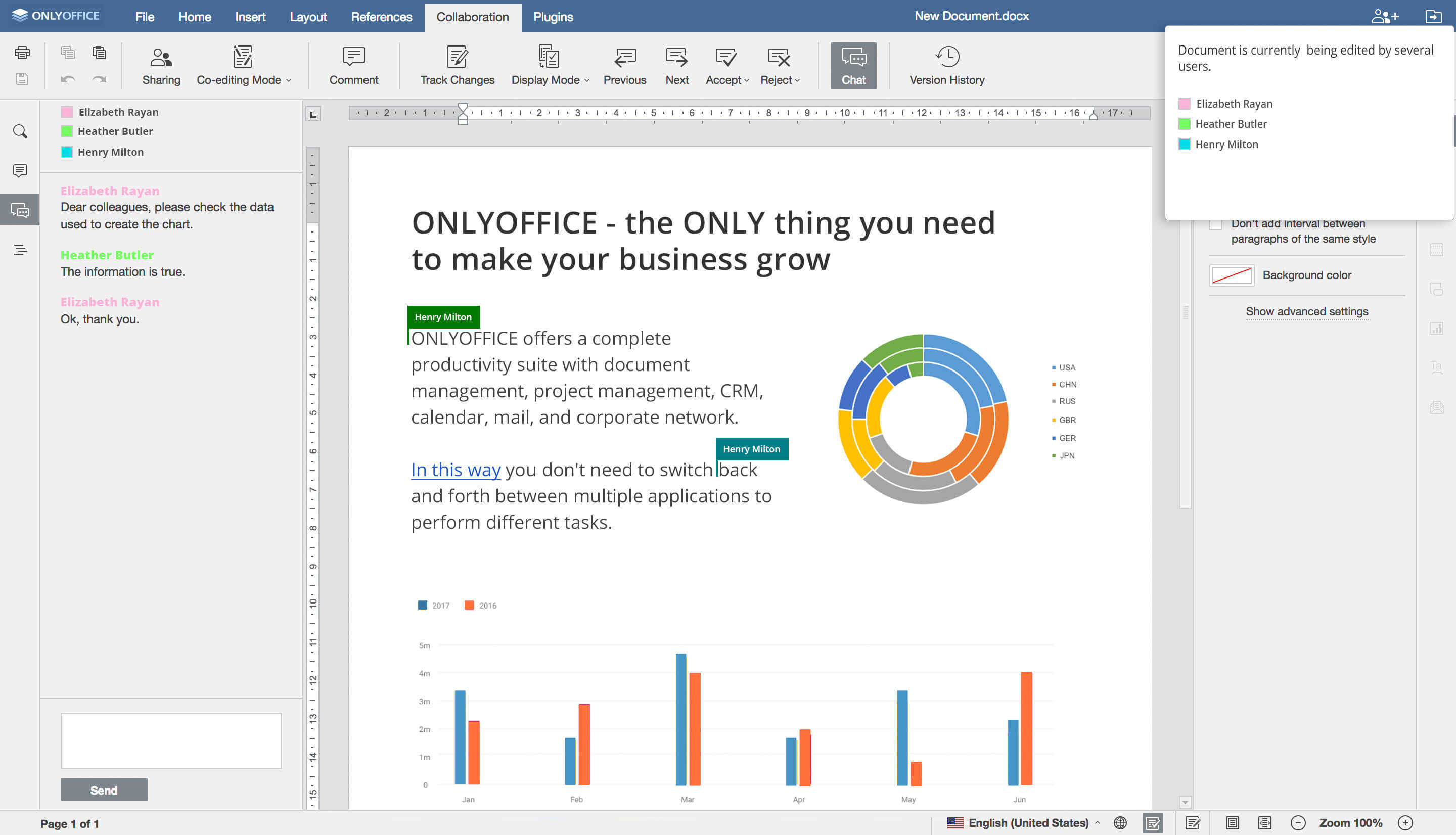
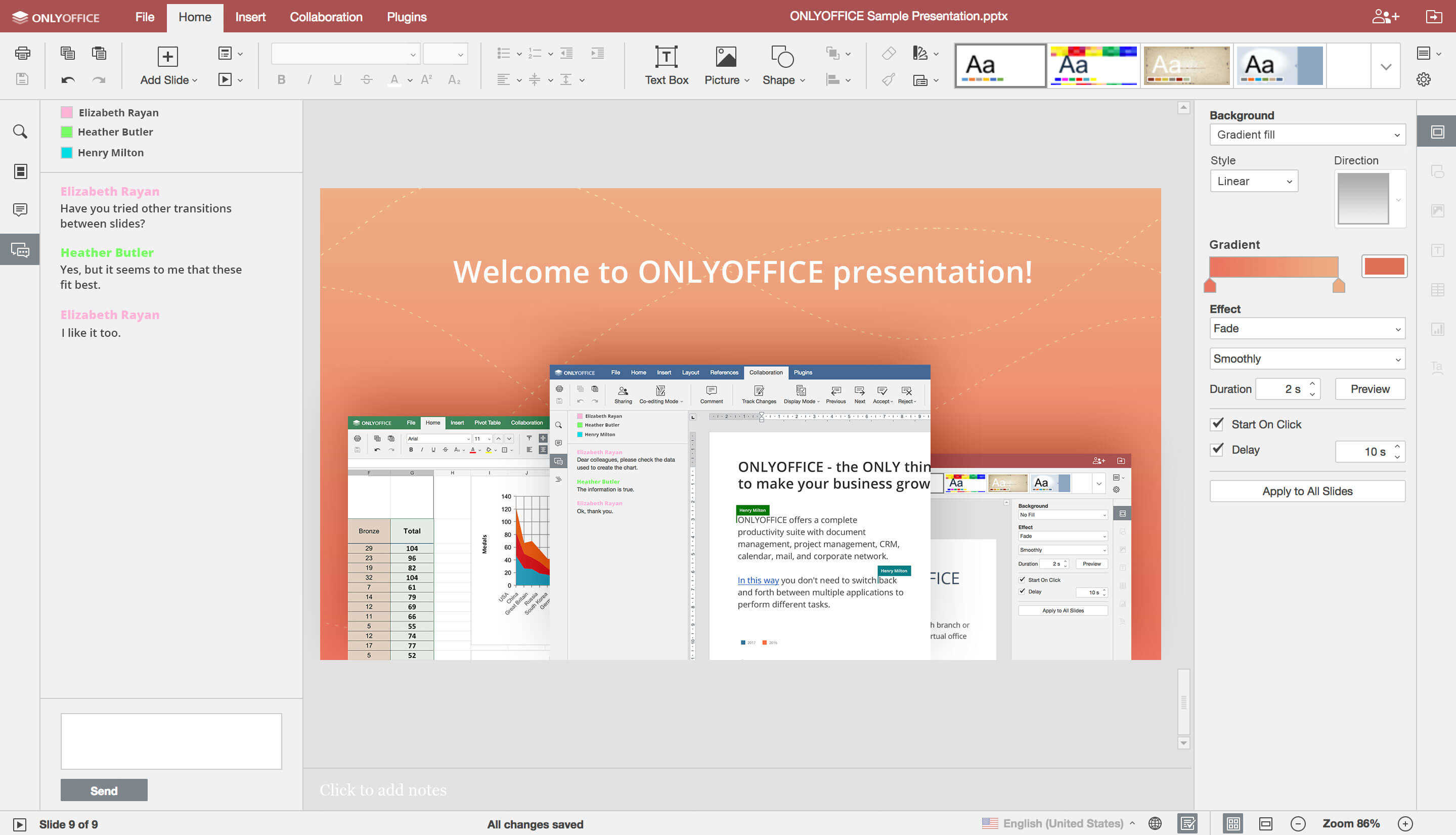
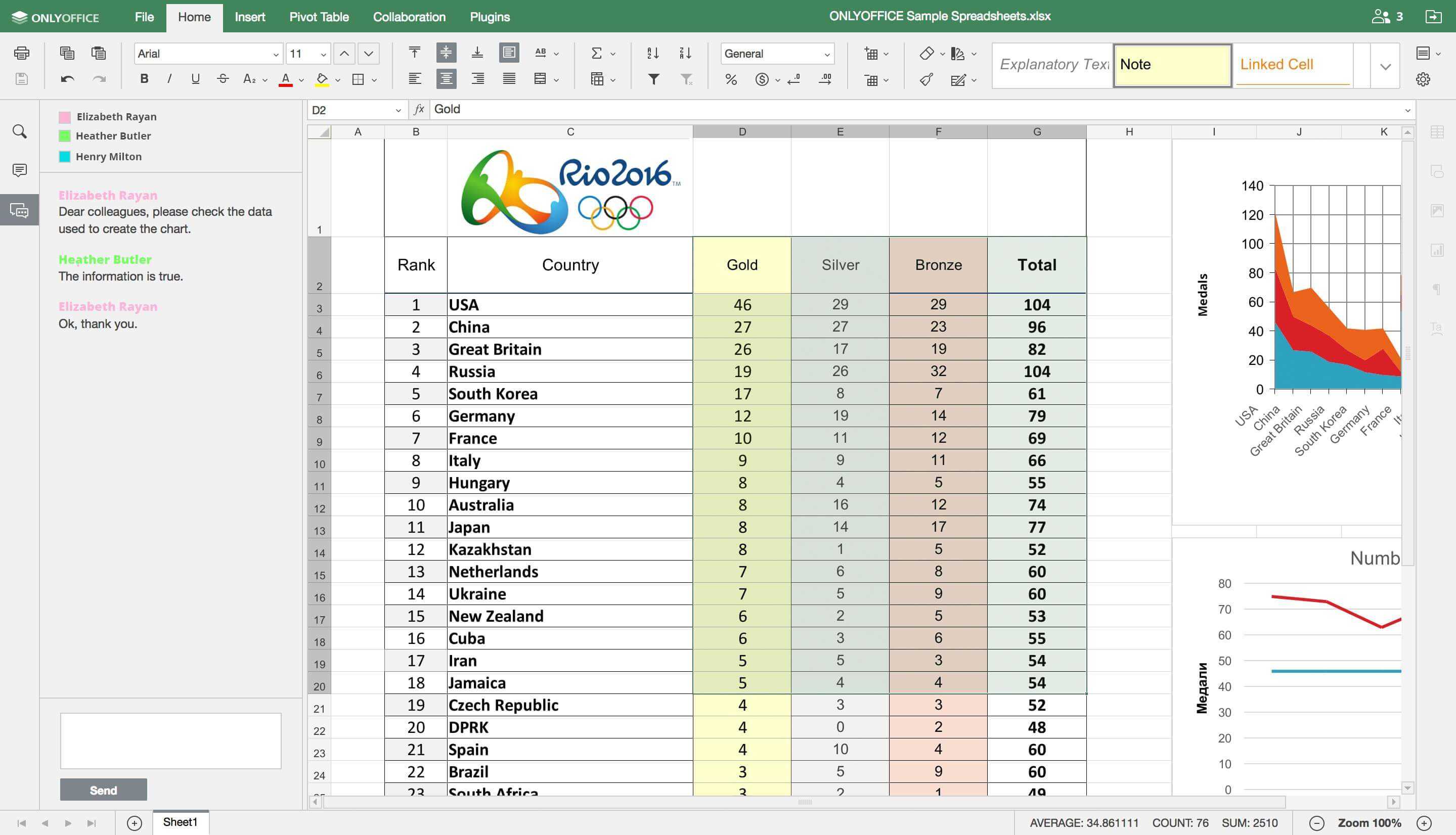
Description
ONLYOFFICE Field Guide
| Best fit for | Organizations (50-50,000+ employees) that want a self-hosted office suite (text documents, spreadsheets, presentations, forms, PDFs) with full Microsoft Office format fidelity rather than cloud-only Google Workspace or Microsoft 365 subscriptions. Particularly suited for regulated industries, public sector, healthcare, education, and organizations with data-sovereignty, compliance, or air-gapped network requirements |
|---|---|
| Industries | Public sector and government, healthcare networks, banking and financial services, education and academia, defense and intelligence, manufacturing operations, legal services, utilities and energy, regulated SaaS companies, organizations operating in jurisdictions with strict data residency requirements |
| Core capability | Self-hosted ONLYOFFICE Docs Enterprise server with online editors for documents, spreadsheets, presentations, forms, and PDFs in Microsoft Office formats (DOCX, XLSX, PPTX) with full format fidelity, mobile web editors, ready-to-use connectors for Nextcloud, ownCloud, Confluence, Liferay, SharePoint, Moodle, WordPress, and more, desktop and mobile apps, enhanced security with private deployment, all minor updates and major upgrades for the license period, professional assistance from the ONLYOFFICE team, plus ONLYOFFICE DocSpace for room-based document collaboration |
| Pricing | ONLYOFFICE Docs Enterprise (on-premises): From $1,500 for 50 connections, 1-year license, Plus support level. Pricing scales with connection count, license duration (1 year or Lifetime), support tier (Basic, Plus, Premium), support and updates (1 year or 3 years), and add-on services (training, multi-server deployment, disaster recovery). ONLYOFFICE DocSpace cloud has separate per-user subscription pricing. Verified at onlyoffice.com/docs-enterprise-prices on 2026-06-06. |
| Differentiator | The deepest Microsoft Office format fidelity in the open-source-friendly office suite category. ONLYOFFICE Docs renders and edits DOCX, XLSX, and PPTX files with formatting parity that LibreOffice and Google Workspace cannot match. Combined with the self-hosted deployment option, this makes ONLYOFFICE the answer for organizations that need Microsoft Office compatibility but cannot run their documents through Microsoft or Google cloud services. |
| Headquarters | Riga, Latvia. ONLYOFFICE is operated by Ascensio System SIA, a privately held company with headquarters in Riga and additional offices in Belgrade, Yerevan, Tashkent, and Shanghai. The product has been developed since 2009 and currently powers millions of users globally across the on-premises, cloud, and integration-partner ecosystems. |
| Customers | Used by government agencies, healthcare networks, banking institutions, universities, defense contractors, manufacturing operations, and regulated SaaS companies worldwide. Integration partners include Nextcloud, ownCloud, Confluence, Liferay, SharePoint, Moodle, WordPress, Strapi, Plone, Alfresco, and more. Strong adoption in European Union organizations driven by data sovereignty and GDPR compliance requirements. |
| Mobile | Native iOS, Android, macOS, Windows, and Linux desktop and mobile apps for documents, spreadsheets, and presentations with offline editing and sync to the ONLYOFFICE server. Mobile web editors for browser-based access from any device. |
Where ONLYOFFICE Wins
The deepest Microsoft Office format fidelity in the open-source-friendly office suite category. ONLYOFFICE Docs renders and edits DOCX, XLSX, and PPTX files with formatting that survives round-trips through Microsoft Office without layout breakage. LibreOffice, Google Workspace, and Apple iWork cannot match this fidelity for complex enterprise documents (tables, conditional formatting, embedded charts, complex layouts). Organizations that must exchange Office documents with external partners get the only open-source-friendly editor that maintains fidelity.
Self-hosted deployment for data sovereignty. ONLYOFFICE Docs Enterprise runs on the organization's own servers (Linux, Windows, multi-server cluster) with no document data passing through external cloud providers. Regulated industries (government, healthcare, banking, defense) and organizations in EU data-sovereignty jurisdictions get an office suite that meets compliance requirements without sacrificing Microsoft Office compatibility.
Ready-to-use integration with major collaboration platforms. Native connectors for Nextcloud, ownCloud, Confluence, Liferay, SharePoint, Moodle, WordPress, Strapi, Plone, Alfresco, and 30+ more. Organizations running open-source collaboration stacks get document editing built into the platform they already use rather than another standalone office suite.
Cross-platform native desktop and mobile apps. Native apps for macOS, Windows, Linux, iOS, and Android with offline editing and sync. Knowledge workers working from any platform get full editing functionality without browser-only limitations.
ONLYOFFICE DocSpace for room-based collaboration. Beyond Docs Enterprise, ONLYOFFICE ships DocSpace for room-based document collaboration with external clients, partners, and contractors. Organizations that need controlled external document sharing get a built-in capability that competitors require additional tools to provide.
Enhanced security features. Document encryption, password protection, watermarking, signature management, audit trails, role-based permissions, and SSO integration cover the security requirements of regulated industries. Air-gapped network deployment supported for organizations with high-security requirements.
One-time licensing model alongside subscription. Docs Enterprise can be licensed with Lifetime duration alongside 1-year and 3-year options. Organizations preferring CapEx over OpEx for their office suite stack get a licensing model that aligns with that procurement preference.
Where ONLYOFFICE Falls Short
Setup complexity for self-hosted deployment. Running ONLYOFFICE Docs Enterprise on-premises requires Linux or Windows server administration, document storage configuration, identity provider integration, and ongoing maintenance. Smaller organizations without dedicated IT staff find this overhead vs Google Workspace or Microsoft 365 SaaS unwelcome. Cloud deployment via DocSpace removes this complexity but at a different price point.
Real-time co-editing requires server capacity. Concurrent editing scales with connection count purchased and server resources allocated. Organizations under-provisioning the deployment hit concurrent-user limits that disrupt collaboration. Plan capacity carefully against actual peak concurrent editing.
AI features lighter than Google Workspace and Microsoft 365. ONLYOFFICE shipped AI features but the depth is lighter than Google Duet AI / Gemini or Microsoft Copilot. Organizations that prioritize AI-driven document drafting, summarization, and automation should compare the AI roadmap carefully.
Brand recognition lower in commercial procurement. Google Workspace and Microsoft 365 dominate commercial office suite procurement. ONLYOFFICE appears more often in public sector, regulated industries, EU procurement, and open-source-aligned organizations than in mainstream commercial RFPs.
Mobile editing experience less polished than native cloud suites. The mobile apps work for editing but the experience is more functional than the polish of Google Docs mobile or Microsoft Office mobile. Mobile-heavy workforces should evaluate based on actual mobile editing volume.
Who Should Use ONLYOFFICE?
ONLYOFFICE is the right call when an organization (50-50,000+ employees) wants a self-hosted office suite with full Microsoft Office format fidelity rather than cloud-only Google Workspace or Microsoft 365 subscriptions. Within the Project Management category at SaaSRat and the broader collaboration workspace, the strongest fits are public sector and government, healthcare networks, banking and financial services, education and academia, defense and intelligence, manufacturing operations, legal services, utilities and energy, regulated SaaS companies, and organizations operating in jurisdictions with strict data residency requirements.
ONLYOFFICE is the wrong call for SMB organizations wanting plug-and-play SaaS office without IT overhead (evaluate Google Workspace or Microsoft 365), for AI-first document drafting workflows (evaluate Microsoft 365 Copilot or Google Workspace with Gemini), for pure team chat and messaging (evaluate Slack or Microsoft Teams), for project management without office suite needs (evaluate Asana, Monday, or ClickUp), and for personal task management (evaluate Todoist).
ONLYOFFICE Alternatives
Microsoft 365 - cloud office suite with deepest Microsoft Office native experience and Copilot AI.
Google Workspace - cloud office suite with strongest real-time collaboration and Gemini AI.
LibreOffice - free open-source desktop office suite for individual and small-team use.
Collabora Online - LibreOffice-based online office suite for self-hosting.
Apple iWork (Pages, Numbers, Keynote) - Apple-platform free office suite with iCloud collaboration.
Zoho WorkDrive - integrated office suite for organizations on the Zoho ecosystem.
Nextcloud Office - the bundled office editor that often comes pre-integrated with ONLYOFFICE itself.
What Reddit and LinkedIn Reviewers Say
Discussions on r/sysadmin and r/selfhosted surface a recurring pattern. Organizations running Nextcloud or ownCloud self-hosted file storage adopt ONLYOFFICE for the document editing layer because of the Microsoft Office format fidelity. Buyers cite the DOCX, XLSX, and PPTX round-trip behavior as the differentiator vs LibreOffice. Trade-offs flagged: setup complexity and AI feature depth vs commercial cloud suites.
LinkedIn discussions among CTOs and IT directors in regulated industries highlight ONLYOFFICE's role in meeting data sovereignty requirements without sacrificing Microsoft Office compatibility. The self-hosted deployment with Lifetime licensing option is consistently named the differentiator for organizations with CapEx procurement preferences and air-gapped network requirements.
Final Take on ONLYOFFICE
ONLYOFFICE is the right call when an organization wants a self-hosted office suite with full Microsoft Office format fidelity rather than cloud-only Google Workspace or Microsoft 365 subscriptions. Public sector and government, healthcare networks, banking and financial services, education and academia, defense and intelligence, manufacturing operations, legal services, utilities and energy, regulated SaaS companies, and organizations operating in jurisdictions with strict data residency requirements get the natural fit. The deepest Microsoft Office format fidelity in the open-source-friendly category, self-hosted deployment for data sovereignty, ready-to-use integration with major collaboration platforms, cross-platform native desktop and mobile apps, DocSpace for room-based external collaboration, enhanced security features, and one-time Lifetime licensing model combination delivers value cloud-only office suites cannot match for regulated and sovereignty-sensitive organizations.
For commercial cloud office with deepest AI, Microsoft 365. For strongest real-time collaboration, Google Workspace. For free desktop office, LibreOffice. For LibreOffice-based self-hosted, Collabora Online. For Apple-platform, iWork. For Zoho-aligned organizations, Zoho WorkDrive. For Nextcloud-bundled, Nextcloud Office. ONLYOFFICE is the self-hosted Microsoft Office-compatible office suite pick for regulated industries and data-sovereignty-sensitive deployments.
Adjacent reading: Office suite buyers comparing ONLYOFFICE also evaluate task management tools for individual contributor focus and Notion for documentation-led workspace alongside office editing.
Implementation considerations: SMB self-hosted deployments under 50 users run 1-4 weeks including server setup, document storage configuration, identity provider integration, connector setup (Nextcloud, ownCloud, Confluence, etc.), and team training. Mid-market deployments (200-1,000 users) run 4-12 weeks including capacity planning, multi-server cluster setup, SSO integration, governance design, and partner-led implementation. Enterprise deployments (5,000+ users) routinely run 8-26 weeks including air-gapped network deployment, disaster recovery setup, multi-region cluster design, governance design, and full integration partner ecosystem rollout.
Buyer evaluation tips: Start with the free Community Edition for evaluation. Docs Enterprise from $1,500 (50 connections, 1 year, Plus support) is the entry point for small to mid-market deployments. Plan connection-count licensing carefully against peak concurrent editing rather than total employee count - concurrent editing is much lower than total user count for most organizations. Lifetime licensing aligns with CapEx procurement; annual licensing aligns with OpEx. Add training courses, multi-server deployment, and disaster recovery support based on internal IT maturity. DocSpace cloud has separate per-user pricing if the deployment shifts to cloud over time.
Verified on 2026-06-06 by the SaaSRat Editorial Team. Vendor facts cross-checked against onlyoffice.com, onlyoffice.com/docs-enterprise-prices, and current 2025-2026 vendor disclosures. About our methodology.
Frequently Asked Questions
How much does ONLYOFFICE cost in 2026?
ONLYOFFICE vs Microsoft 365 vs Google Workspace vs LibreOffice?
Does ONLYOFFICE open Microsoft Office files?
Can ONLYOFFICE run on my own servers?
Where is ONLYOFFICE based?
Does ONLYOFFICE integrate with Nextcloud or Confluence?
What is ONLYOFFICE DocSpace?
Does ONLYOFFICE have a Lifetime license?
Is ONLYOFFICE good for AI document drafting?
How long does an ONLYOFFICE implementation typically take?
Find Your Perfect Software
See how it can transform your workflow
- Personalized for your needs Tailored recommendations based on your unique requirements.
- Save time & resources Streamline your workflow and boost team productivity.
- Trusted by thousands Join 10,000+ businesses already growing with SaaSrat.
You're all set! 🎉
A specialist for will reach out within 1 business day with tailored recommendations for your needs.