

HR365
by hr365.us
What is HR365?
Get Best Quote for HR365
Connect with SaaSrat experts to get the best quote for your business.
You're all set!
A specialist for HR365 will reach out within 1 business day.
HR365 Features
HRMS integrated with Microsoft 365
Employee Onboarding 365
Employee Directory 365 (SharePoint)
Performance Management 365
Expense Tracker 365 (expense reimbursement)
Time off Manager 365
View All 10 Features
HR365 Pricing Plans
Get Started
- Get Started via hr365.us
- App selection scoping (HRMS + business apps + Gov 365)
- Microsoft 365 tenant integration validation
- Custom quote preparation
Individual HR365 App
- Choose individual app (Employee Onboarding 365 OR Employee Directory OR Performance Management OR Expense Tracker OR Time off OR Recruitment OR Timesheet OR Task Management)
- Native Microsoft 365 integration
- Standard support
HR365 Suite
- Bundle multiple HRMS + business apps
- Full HR + workplace platform on Microsoft 365
- Advanced AI Automation
- Cross-app integration
Gov 365 (Civic 365)
- 311 CRM for cities towns municipalities
- Citizen engagement platform
- Multi-channel service requests
- Microsoft 365 security and compliance
Enterprise
- Enterprise-scale deployment
- Multi-country operations
- Dedicated success manager
- Advanced integrations
HR365 Resources
HR365 Screenshots
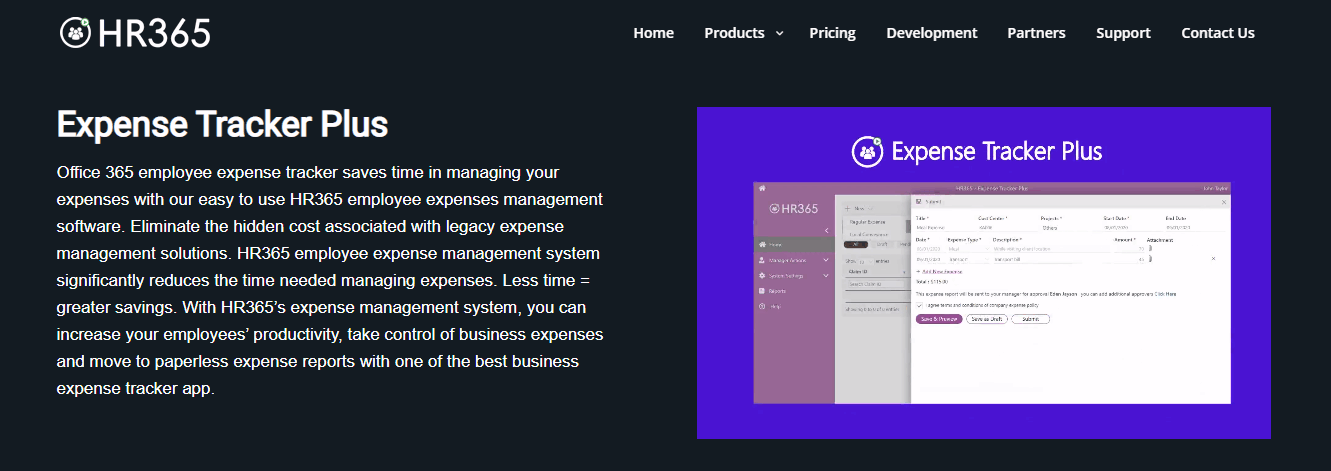
Description
What Is HR365 and How Does It Work?
HR365 is Business and HRMS Solutions Redefined With AI Automation. Harmonizing with Microsoft 365 and Showcasing a Mesmerizing UI. Named reach: Trusted by 12,100+ deployments from 172 countries. HRMS enhances HR processes with HR365 apps integrated into Microsoft 365 (enhanced security AI-driven insights streamlining HR tasks in familiar Microsoft environment for simplified secure and intelligent approach). Named apps: Employee Onboarding 365 (delightful start for new joiners without overwhelming HR team) Employee Directory 365 (SharePoint HR management system component) Performance Management 365 (boost productivity foster engagement) Expense Tracker 365 (expense reimbursement solution) Time off Manager 365 (SharePoint HR management system integration) Recruitment Management 365 (diverse tools for HR professionals) Timesheet App (daily project-specific and operational tasks weekly reports) Task Management 365 Gov 365 (Civic 365 311 CRM for city staff and residents). All apps built natively on Microsoft 365 platform.
The vendor positions on Harmonizing with Microsoft 365. AI Automation. Mesmerizing UI. Trusted by 12,100+ deployments from 172 countries real global reach. HR365 apps deliver enhanced security AI-driven insights and simplified HR tasks all within the familiar Microsoft environment.
Native Microsoft 365 architecture is the vendor differentiator. Rather than SaaS HR platforms requiring Microsoft integration HR365 apps are built natively on Microsoft 365 platform. Meaningful for Microsoft-committed organizations wanting HRMS that shares Microsoft 365 identity security governance and UI paradigms.
HR365 at a Glance
| Best fit for | Microsoft 365 committed organizations globally wanting HRMS + HR apps + expense + timesheet + task + civic 365 apps built natively on Microsoft 365 platform |
|---|---|
| Reference reach | Trusted by 12,100+ deployments from 172 countries |
| Architecture | Native Microsoft 365 apps (SharePoint + Power Platform) |
| HRMS apps | Employee Onboarding 365, Employee Directory 365, Performance Management 365, Time off Manager 365, Recruitment Management 365 |
| Business apps | Expense Tracker 365, Timesheet App, Task Management 365 |
| Government app | Gov 365 (Civic 365 311 CRM for city staff and residents) |
| AI capability | AI Automation across apps |
| Integration | Microsoft 365 (SharePoint + Power Platform) |
| Positioning | Business and HRMS Solutions Redefined With AI Automation |
| Headquarters | United States |
HR365 Key Features and Capabilities
12,100+ deployments from 172 countries reference base is the vendor differentiator. Real global reach validates the platform at scale.
Native Microsoft 365 architecture (SharePoint + Power Platform) is the technical differentiator. Rather than SaaS HR platforms requiring Microsoft integration HR365 apps run natively within Microsoft 365 tenant. Meaningful for Microsoft-committed organizations that get enhanced security AI-driven insights and simplified HR tasks all within the familiar Microsoft environment.
HRMS app portfolio covers full HR lifecycle: Employee Onboarding 365 (new joiner experience) Employee Directory 365 (SharePoint-based directory) Performance Management 365 (productivity + engagement) Time off Manager 365 (leave management) Recruitment Management 365 (recruiting workflow).
Business apps extend beyond HR: Expense Tracker 365 (expense reimbursement solution) Timesheet App (daily project-specific and operational tasks + weekly reports) Task Management 365 (functionality comparable to many task management platforms). Full workplace apps portfolio on Microsoft 365.
Gov 365 (Civic 365) is a specific vertical offering 311 CRM solution for citizen engagement. Enables residents to report non-emergency issues provide feedback and seek information. City staff get simplified workflows quick and effective responses. Cities towns and municipalities can use Microsoft 365 for multi-channel service requests.
- HRMS integrated with Microsoft 365
- Employee Onboarding 365
- Employee Directory 365 (SharePoint)
- Performance Management 365
- Expense Tracker 365 (expense reimbursement)
- Time off Manager 365
- Recruitment Management 365
- Timesheet App (project-specific + operational + weekly reports)
- Task Management 365
- Gov 365 / Civic 365 (311 CRM for cities)
- AI Automation across apps
- Native Microsoft 365 architecture
- 12,100+ deployments across 172 countries
How Much Does HR365 Cost in 2026?
HR365 publishes pricing on hr365.us/pricing but per-app tier pricing is not fully visible in scrape. Contact vendor via Book a Demo or Get Started for app-specific pricing.
Microsoft 365 HR apps buyers should compare HR365 against Microsoft 365 native HR features (Viva Insights + Viva Learning) BambooHR (established SMB HRIS) SAP SuccessFactors (enterprise HCM) Workday (enterprise HCM) and Beeline / Nintex Workflow (SharePoint workflow platforms). HR365 differentiators are native Microsoft 365 architecture 12,100+ deployment reference base across 172 countries and integrated app portfolio spanning HR + expense + timesheet + tasks + government.
| Plan | Price | Includes |
|---|---|---|
| Get Started | Contact Sales | App selection + Microsoft 365 tenant integration + custom quote |
| Individual HR365 App | Contact Sales | Single app + native Microsoft 365 integration + standard support |
| HR365 Suite | Contact Sales | Bundle multiple apps + full HR + workplace platform + AI Automation |
| Gov 365 (Civic 365) | Contact Sales | 311 CRM for cities + citizen engagement + multi-channel + Microsoft 365 security |
| Enterprise | Contact Sales | Enterprise-scale + multi-country + dedicated success + advanced integrations |
HR365 Pros and Cons in 2026
Where HR365 Stands Out
- 12,100+ deployments from 172 countries. Real global reach at scale. Rare reference base in Microsoft 365 HR apps category.
- Native Microsoft 365 architecture. SharePoint + Power Platform native rather than SaaS integration.
- Broad app portfolio. Employee Onboarding + Directory + Performance + Expense + Time off + Recruitment + Timesheet + Task + Civic 365 (government 311 CRM).
- AI Automation across apps. Modern AI capabilities layered on Microsoft 365 apps.
- Microsoft 365 security + governance inherit. Meaningful for Microsoft-committed organizations wanting HR apps that share Microsoft 365 identity and compliance.
- Government vertical (Gov 365 Civic 365). 311 CRM specifically for cities towns and municipalities.
Where HR365 Falls Short
- Detailed tier pricing not fully published. Per-app pricing requires Contact Sales.
- Requires Microsoft 365. Not usable outside Microsoft 365 tenant. Organisations on Google Workspace or other productivity suites cannot use.
- App portfolio complexity. 9+ named apps require careful scoping for buyer specific use case.
HR365 vs Top Competitors: Side-by-Side Comparison
Buyers evaluating HR365 typically shortlist 2 to 3 alternatives before signing.
| Feature | HR365 | BambooHR | SAP SuccessFactors |
|---|---|---|---|
| Architecture | Native Microsoft 365 | SaaS platform | Enterprise HCM |
| Microsoft 365 integration | Native (SharePoint + Power Platform) | Third-party | Third-party |
| Reference base | 12,100+ deployments in 172 countries | SMB HRIS standard | Enterprise HCM standard |
| App breadth | Employee Onboarding + Directory + Performance + Expense + Time off + Recruitment + Timesheet + Task + Civic 365 | SMB HRIS | Enterprise HCM |
| Government vertical | Yes (Gov 365 + Civic 365) | No | Government edition |
| Best fit | Microsoft 365 committed orgs wanting native HRMS + business + civic apps at scale | SMB HRIS standalone standard | Enterprise HCM standard |
Who Should Use HR365?
HR365 is the right pick for Microsoft 365 committed organizations globally wanting HRMS + HR apps + expense + timesheet + task + civic 365 apps built natively on Microsoft 365 platform. Native architecture (SharePoint + Power Platform) inherits Microsoft 365 security governance and identity meaningful for Microsoft-committed enterprises.
Global organizations across 172 countries benefit from 12,100+ deployment reference base scale. Organizations wanting AI Automation layered on Microsoft 365 benefit from AI-driven insights across apps. Cities towns and municipalities benefit specifically from Gov 365 / Civic 365 (311 CRM for citizen engagement with multi-channel service requests). Microsoft 365 tenants with existing SharePoint investments benefit from HR365 native SharePoint integration.
HR365 is not the right fit for buyers wanting SMB HRIS standalone standard (compare BambooHR). Enterprise HCM standard should compare SAP SuccessFactors or Workday. Organizations on Google Workspace or non-Microsoft productivity should evaluate other HR platforms. Buyers wanting only individual HR features should evaluate Microsoft 365 native features (Viva Insights + Viva Learning).
HR365 Alternatives Worth Comparing
Microsoft 365 native HR features (Viva). Native Microsoft HR features. Compare for Microsoft-native features without third-party apps.
BambooHR. Established SMB HRIS standard. Compare for SMB HRIS standalone standard.
SAP SuccessFactors. Enterprise HCM standard. Compare for enterprise HCM standard.
Workday. Enterprise HCM standard. Compare for enterprise HCM at scale.
Beeline / Nintex Workflow. SharePoint workflow platform. Compare for SharePoint workflow platform alternative.
HR365 Implementation and Onboarding
HR365 engagement begins with Book a Demo or Get Started via hr365.us. App selection scoping (HRMS apps + business apps + Gov 365) Microsoft 365 tenant integration validation and organizational size determine engagement.
Standard single-app deployment (e.g. Employee Onboarding 365 or Expense Tracker 365) reaches production within 2 to 6 weeks including Microsoft 365 tenant integration app configuration workflow setup AI Automation configuration and staff training. HR365 Suite deployments (multiple apps) extend to 6 to 16 weeks. Gov 365 / Civic 365 deployments for cities towns and municipalities extend to 8-20 weeks with multi-channel service request configuration and staff training.
What Real Buyers Report About HR365
HR365 vendor positioning: Business and HRMS Solutions Redefined With AI Automation Harmonizing with Microsoft 365 and Showcasing a Mesmerizing UI. Trusted by 12,100+ deployments from 172 countries. Enhance HR processes with HR365 apps integrated into Microsoft 365. Enjoy enhanced security and AI-driven insights streamlining HR tasks in the familiar Microsoft environment for a simplified secure and intelligent approach.
For independent perspective search Microsoft 365 admin communities and SharePoint developer forums on LinkedIn and Reddit r/sharepoint for HR365 discussions. HR365 is often discussed alongside BambooHR SAP SuccessFactors Workday and Microsoft 365 native features in HR platform category.
Frequently Asked Questions About HR365
What is HR365?
HR365 is Business and HRMS Solutions Redefined With AI Automation. Harmonizing with Microsoft 365 and Showcasing a Mesmerizing UI. Trusted by 12,100+ deployments from 172 countries.
How much does HR365 cost?
HR365 does not publish detailed public pricing. Contact vendor via Book a Demo or Get Started for app-specific pricing.
What HRMS apps does HR365 offer?
Employee Onboarding 365 Employee Directory 365 Performance Management 365 Time off Manager 365 Recruitment Management 365.
What business apps does HR365 offer?
Expense Tracker 365 Timesheet App Task Management 365.
What is Gov 365 / Civic 365?
311 CRM solution for cities towns and municipalities. Empowers residents to effortlessly report non-emergency issues provide feedback and seek information. Streamlines workflows for city staff ensuring quick and effective responses.
Does HR365 integrate with Microsoft 365?
Yes. HR365 apps are natively built on Microsoft 365 (SharePoint + Power Platform). Enjoy enhanced security and AI-driven insights streamlining HR tasks in the familiar Microsoft environment.
How many organisations use HR365?
12,100+ deployments from 172 countries.
Does HR365 have AI Automation?
Yes. Business and HRMS Solutions Redefined With AI Automation. AI-driven insights across apps.
Where is HR365 headquartered?
United States.
How do I evaluate HR365?
Book a Demo or Get Started via hr365.us.
What Top-Ranking HR365 Reviews Cover
Related HR365 Comparisons and Categories on SaaSRat
- Employeeexperts
- Mangoapps
- Employeeconnect
- Nitso Hrms
- Sentrifugo Hrms
- Chiefonboarding
- Beyond Intranet Employee Onboarding
- Microsoft Teams Phone
- Prime Hrms
- Pocket Hrms
- Honestly Employee Engagement
Bottom Line: Is HR365 Right for You?
HR365 is the right call for Microsoft 365 committed organizations globally wanting HRMS + HR apps + expense + timesheet + task + civic 365 apps built natively on Microsoft 365 platform. 12,100+ deployments from 172 countries reference base validates global scale. Native Microsoft 365 architecture (SharePoint + Power Platform) inherits Microsoft 365 security governance and identity. Broad app portfolio (Employee Onboarding + Directory + Performance + Expense + Time off + Recruitment + Timesheet + Task + Civic 365) covers full workplace + government use cases.
For Microsoft-native features without third-party apps compare Microsoft 365 Viva (Insights + Learning). For SMB HRIS standalone standard compare BambooHR. For enterprise HCM standard compare SAP SuccessFactors or Workday. For SharePoint workflow platform alternative compare Beeline or Nintex Workflow.
Book a Demo or Get Started via hr365.us. Budget 2-6 weeks for standard single-app deployment (Microsoft 365 tenant integration + app configuration + workflow setup + AI Automation + training) and 6-16 weeks for HR365 Suite deployments. Gov 365 / Civic 365 deployments extend to 8-20 weeks with multi-channel service request configuration for cities towns and municipalities.
Verified on 2026-07-24 by the SaaSRat Editorial Team (Chirantan Patel, Senior SaaS Research Editor). Content and pricing scraped from the HR365 vendor website. About our methodology.
Frequently Asked Questions
Is there a free plan or free trial for hr365?
How much does hr365 cost?
What does hr365 integrate with?
Who is hr365 best for?
What are the best alternatives to hr365?
Is hr365 GDPR / SOC 2 compliant?
Does hr365 have a mobile app?
What do real users say about hr365?
How does hr365 compare to its top competitor?
Does hr365 offer customer support?
Find Your Perfect Software
See how it can transform your workflow
- Personalized for your needs Tailored recommendations based on your unique requirements.
- Save time & resources Streamline your workflow and boost team productivity.
- Trusted by thousands Join 10,000+ businesses already growing with SaaSrat.
You're all set! 🎉
A specialist for will reach out within 1 business day with tailored recommendations for your needs.