

Microsoft SharePoint
by Microsoft Corporation
What is Microsoft SharePoint?
Get Best Quote for Microsoft SharePoint
Connect with SaaSrat experts to get the best quote for your business.
You're all set!
A specialist for Microsoft SharePoint will reach out within 1 business day.
Microsoft SharePoint Features
Ticket management
Automated workflows
Customizable dashboards
Knowledge base
Self service portal
Email integration
View All 30 Features
Microsoft SharePoint Pricing Plans
SharePoint Online Plan 1
- 1 TB of OneDrive storage per user
- Share files securely inside or outside your organization
- Sync local copies of files or folders for offline viewing and editing on Mac or PC
- Co-author in real time in familiar Microsoft Office apps
- Inform and connect your people with intranets and portals
- Tell your story with beautiful communication sites
- Use team sites to connect teams to content, expertise, and processes
- Move and manage files between OneDrive and SharePoint
SharePoint Online Plan 2
- Includes all SharePoint Online Plan 1 benefits and more
- Unlimited personal cloud storage
- Customize your enterprise search and results with enhanced features to surface resources across O365
- Find content in electronic format for litigation or audit scenarios
- Use advanced DLP capabilities to identify, monitor, and protect sensitive information
- Use In-Place Holds to programmatically preserve content from deletion or edit
Office 365 Enterprise E3
- Includes all SharePoint Online Plan 2 benefits and more
- Business-class email hosting with unlimited mailbox
- Custom email domain addresses (name@?yourcompany?.com)
- Desktop versions of Office applications: Outlook, Word, Excel, PowerPoint, OneNote, plus Access and Publisher for PC only
- Web versions of Outlook, Word, Excel, and PowerPoint
- One license covers 5 PCs or Macs, 5 phones, and 5 tablets per user
- Online video-conferencing meetings for up to 250 people
- Online video-conferencing meetings for up to 10,000 people with Skype Meeting Broadcast
Microsoft SharePoint Resources
Microsoft SharePoint Screenshots
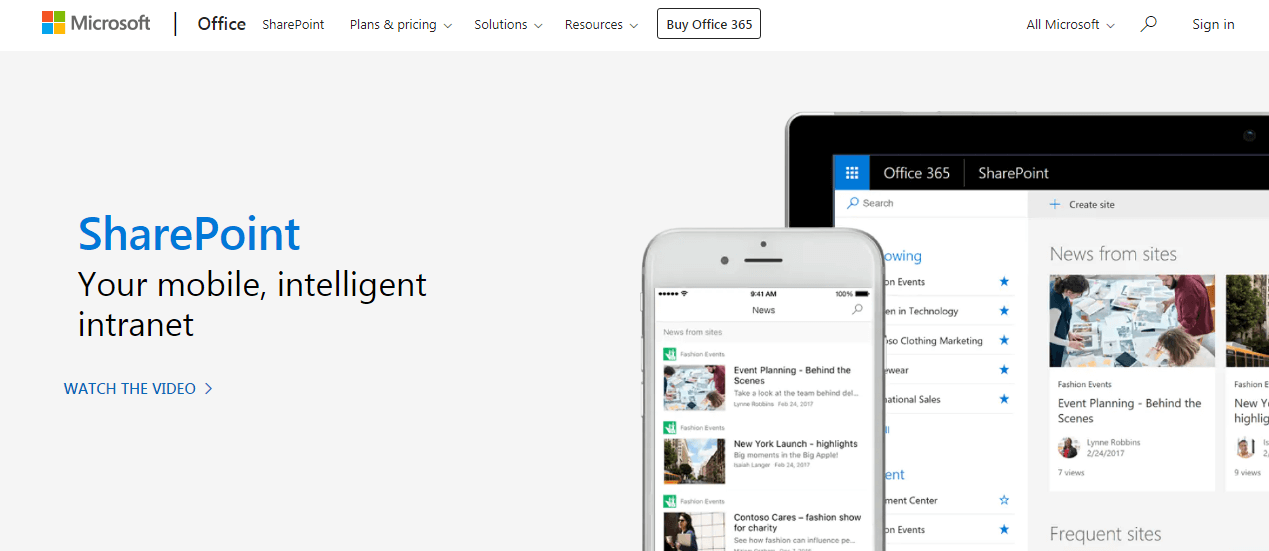
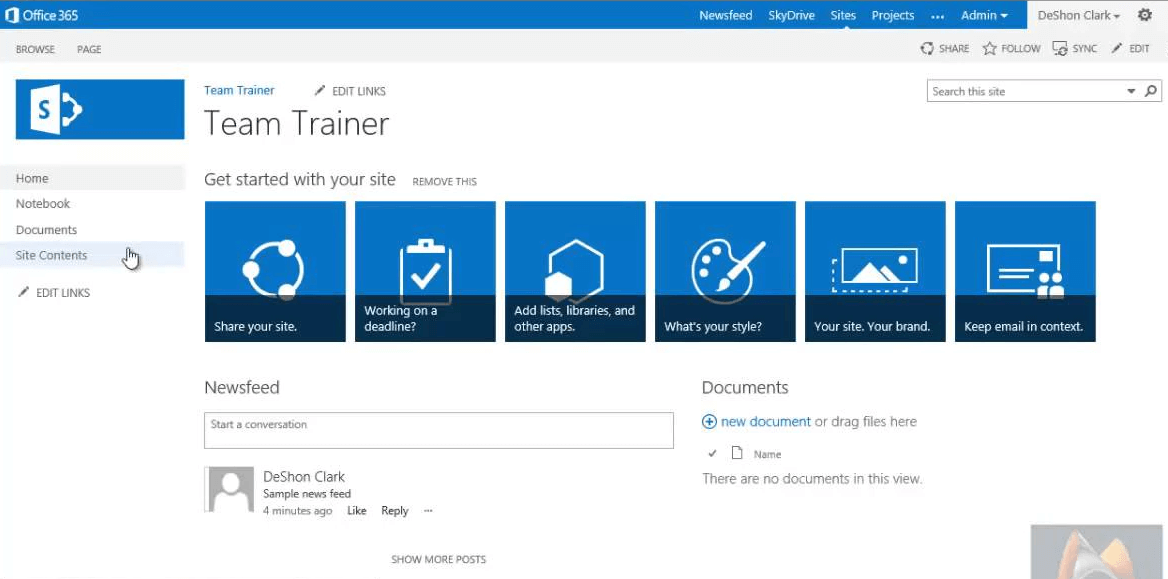
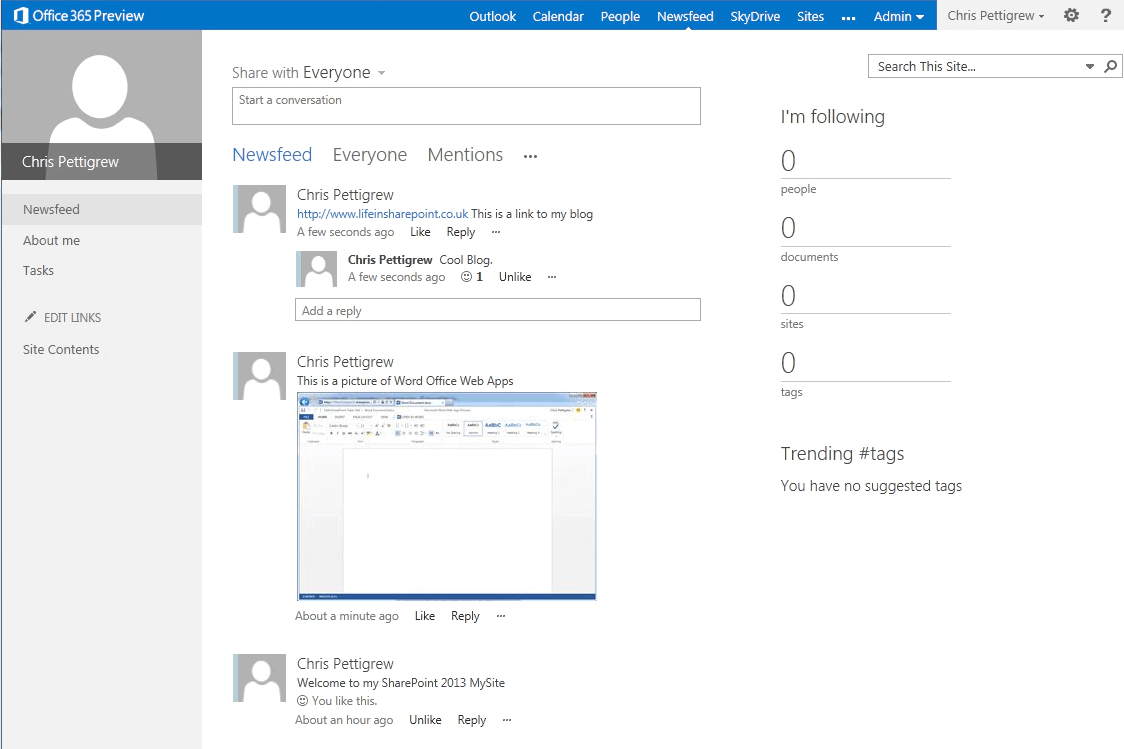
Description
Microsoft SharePoint at a Glance
| Parent | Microsoft Corporation |
|---|---|
| HQ | Redmond, WA, US |
| Category | Collaborative content management, secure file sharing, intranet software |
| Positioning | Knowledge platform for Copilot and agents |
| AI-powered search | Intelligent search and custom agents |
| Content management | Metadata enrichment for structured organization |
| Site building | Integrated Copilot capabilities for page creation |
| Templates | Drag-and-drop design tools |
| Real-time collaboration | Across teams |
| Admin Agent | Governance at scale |
| Microsoft 365 integration | Word, Excel, PowerPoint, Outlook, Teams, OneDrive, Copilot |
| Pricing (with Teams) | Business Basic 7 USD, Business Standard 23.50 USD, Business Premium 32 USD per user per month |
| Pricing (without Teams) | Business Basic 5.40 USD, Business Standard 20.30 USD, Business Premium 28.80 USD per user per month |
| Best fit | Microsoft 365 organizations wanting content management as knowledge foundation for Copilot and agents |
Microsoft SharePoint Overview
Microsoft SharePoint is a collaborative content management, secure file sharing, and intranet platform by Microsoft Corporation headquartered in Redmond, WA positioned as the knowledge platform for Copilot and agents across the Microsoft 365 ecosystem for enterprise, mid-market, and SMB content management scenarios.
The distinctive commercial angle is Microsoft 365 ecosystem depth combined with knowledge platform for Copilot positioning. Where alternative content management platforms (Box, Dropbox) operate as standalone content services, SharePoint integrates deeply with the broader Microsoft 365 productivity ecosystem (Word, Excel, PowerPoint, Outlook, Teams, OneDrive) and serves as the knowledge foundation for Microsoft Copilot AI answers, custom agents built with Copilot Studio, and enterprise search across organizational content.
The product covers AI-powered intelligent search and custom agents (SharePoint content feeds Copilot answers and custom agents), content management with metadata enrichment for structured content organization, integrated Copilot capabilities for page creation and site building letting users create SharePoint sites through natural language, templates with drag-and-drop design tools for site and page creation, real-time collaboration and communication features across teams, and Admin Agent for governance at scale automating SharePoint administration tasks. Integration spans Word, Excel, PowerPoint, Outlook, Teams, OneDrive, and Microsoft Copilot supporting enterprise-scale document management and knowledge sharing. Pricing tiers with Microsoft Teams: Business Basic at 7 USD per user per month, Business Standard with Copilot at 23.50 USD per user per month, and Business Premium with Copilot at 32 USD per user per month. Without Microsoft Teams pricing: Business Basic at 5.40 USD, Business Standard with Copilot at 20.30 USD, and Business Premium with Copilot at 28.80 USD per user per month.
Capabilities and Named Features
Microsoft SharePoint delivers a full collaborative content management workflow tightly integrated with the Microsoft 365 ecosystem and positioned as the knowledge platform for Copilot and agents. AI-powered intelligent search and custom agents use SharePoint content as knowledge foundation for Microsoft Copilot answers across the organization and for custom agents built with Copilot Studio. Content management with metadata enrichment structures organizational content with taxonomies, content types, and metadata that improves search relevance and enables content-aware workflows. Integrated Copilot capabilities for page creation and site building let users create SharePoint sites and pages through natural language prompts rather than manual page building. Templates with drag-and-drop design tools provide starting points for common site types (team sites, communication sites, project sites, department portals) with visual editing rather than code-based page development. Real-time collaboration and communication features across teams enable document co-authoring, comments, discussions, and news sharing within SharePoint sites. Admin Agent for governance at scale automates SharePoint administration tasks (permissions review, content lifecycle management, external sharing monitoring, retention policy enforcement) common in large enterprises with millions of documents across thousands of sites. Microsoft 365 integration is full across Word (document editing in SharePoint context), Excel (spreadsheet collaboration), PowerPoint (presentation sharing), Outlook (email-to-SharePoint workflows), Teams (SharePoint as backend content store for Teams file sharing), OneDrive (personal file sync with SharePoint document library integration), and Microsoft Copilot (SharePoint content grounding for Copilot AI answers). Pricing tiers accommodate different Teams adoption scenarios with Teams-bundled tiers (Business Basic 7 USD, Standard 23.50 USD, Premium 32 USD per user per month) and Teams-excluded tiers (Basic 5.40 USD, Standard 20.30 USD, Premium 28.80 USD per user per month) supporting organizations with or without Microsoft Teams commitment.
Named feature list
- Collaborative content management
- Secure file sharing
- Intranet and team sites
- AI-powered intelligent search
- Custom agents (Copilot Studio)
- Metadata enrichment
- Copilot page creation
- Copilot site building
- Drag-and-drop template design tools
- Real-time document co-authoring
- Comments and discussions
- News sharing within sites
- Admin Agent for governance
- Permissions review automation
- Content lifecycle management
Pricing and Plans
Microsoft SharePoint is included in Microsoft 365 Business plans with pricing tiers that accommodate different Teams adoption scenarios. With Microsoft Teams: Business Basic 7 USD per user per month, Business Standard with Copilot 23.50 USD per user per month, Business Premium with Copilot 32 USD per user per month. Without Microsoft Teams: Business Basic 5.40 USD per user per month, Business Standard with Copilot 20.30 USD per user per month, Business Premium with Copilot 28.80 USD per user per month. Enterprise plans (E3, E5) available with SharePoint included through Microsoft Enterprise Agreement.
| Tier | Price | What is included |
|---|---|---|
| Business Basic (with Teams) | 7 USD per user per month | Includes SharePoint, Teams, Exchange, OneDrive, web/mobile Office apps |
| Business Standard (with Teams, Copilot) | 23.50 USD per user per month | Adds desktop Office apps and Microsoft Copilot integration |
| Business Premium (with Teams, Copilot) | 32 USD per user per month | Adds advanced security, device management, and enterprise features |
| Business Basic (without Teams) | 5.40 USD per user per month | SharePoint, Exchange, OneDrive, web/mobile Office apps without Teams |
| Enterprise Plans | Contact Microsoft | E3, E5, and other enterprise plans through Microsoft Enterprise Agreement |
Pros
- Microsoft 365 ecosystem depth with Word, Excel, PowerPoint, Outlook, Teams, OneDrive, and Copilot integration
- Knowledge platform for Copilot positioning grounds Microsoft Copilot AI answers in SharePoint organizational content
- Copilot page creation and site building through natural language reduces manual page development
- Admin Agent automates SharePoint administration tasks at enterprise scale
- Transparent published pricing with Teams-bundled and Teams-excluded tier options accommodates diverse Microsoft 365 adoption scenarios
- Microsoft Corporation parent provides financial stability and long-term platform commitment
- Real-time document co-authoring within Word, Excel, and PowerPoint natively integrated with SharePoint content
Cons and Trade-offs
- Best fit exclusively for Microsoft 365 organizations; non-Microsoft ecosystem organizations face integration friction
- SharePoint feature depth may exceed needs for simple file storage buyers (Dropbox or OneDrive alone may suffice)
- Business Premium tier at 32 USD per user per month with Teams reaches enterprise pricing levels
- Copilot capabilities require Business Standard or Business Premium tier and may add cost complexity
- Enterprise SharePoint governance and administration complexity requires SharePoint expertise for large deployments
Microsoft SharePoint vs Alternatives
| Vendor | Best for | Microsoft ecosystem |
|---|---|---|
| Microsoft SharePoint | Microsoft 365 organizations wanting content management as Copilot knowledge foundation | Yes, native |
| Box | Enterprises wanting AI-native content management with data residency | Integration |
| Dropbox | SMB, mid-market, and enterprise cloud storage with productivity ecosystem | Integration |
| Google Drive (Workspace) | Google Workspace content storage and collaboration | Google ecosystem |
| Confluence (Atlassian) | Team collaboration wiki and internal documentation | Integration |
Who Should Choose Microsoft SharePoint
Microsoft SharePoint fits Microsoft 365 organizations wanting content management as the knowledge foundation for Microsoft Copilot and custom agents built with Copilot Studio. The strongest fit is enterprises and mid-market organizations already on Microsoft 365 wanting deep Word, Excel, PowerPoint, Outlook, Teams, OneDrive, and Copilot integration, organizations building Copilot Studio custom agents that require SharePoint content as knowledge grounding, and IT teams managing enterprise-scale content governance wanting Admin Agent for governance automation. Buyers wanting enterprise AI-native content management with data residency across regions may prefer Box. SMB, mid-market, and enterprise cloud storage with productivity ecosystem buyers may prefer Dropbox. Google Workspace content buyers may prefer Google Drive. Team collaboration wiki and internal documentation buyers may prefer Confluence (Atlassian).
Named Alternatives to Microsoft SharePoint
- Box. Enterprises wanting AI-native content management with data residency
- Dropbox. SMB, mid-market, and enterprise cloud storage with productivity ecosystem
- Google Drive (Workspace). Google Workspace content storage and collaboration
- Confluence (Atlassian). Team collaboration wiki and internal documentation
Implementation and Deployment
Microsoft SharePoint rollouts typically run 4-26 weeks for standard Microsoft 365 deployments and 26-52 weeks for large enterprise SharePoint deployments with custom sites, workflows, and governance. Standard phases: Microsoft 365 tier selection (Business Basic, Business Standard, Business Premium, or Enterprise E3/E5) with Teams-bundled or Teams-excluded pricing, user provisioning through Microsoft Entra ID (formerly Azure AD), SharePoint tenant configuration, site collection design (intranet home site, hub sites, communication sites, team sites), taxonomy and metadata schema design for content management, migration from legacy file shares or previous ECM systems, Copilot Studio custom agent development if applicable, Admin Agent configuration for governance automation, integration with existing Microsoft 365 workflows (Teams, OneDrive, Outlook), user training on SharePoint site creation and Copilot capabilities, pilot deployment with subset of departments, and full enterprise rollout across all sites and users.
What Real Buyers Say About Microsoft SharePoint
Enterprise IT and content management leaders on LinkedIn and Microsoft 365 publications describe Microsoft SharePoint as a distinctive Microsoft 365 knowledge platform alternative to Box, Dropbox, Google Drive, and Confluence. Buyers cite the Microsoft 365 ecosystem depth with Word, Excel, PowerPoint, Outlook, Teams, OneDrive, and Copilot integration, knowledge platform for Copilot positioning grounding Copilot AI answers in SharePoint content, Copilot page creation and site building through natural language, Admin Agent for governance at scale, and transparent published pricing with Teams-bundled and Teams-excluded tier options as decisive versus standalone content management alternatives. Common friction: best fit exclusively for Microsoft 365 organizations, SharePoint feature depth may exceed simple file storage needs, and Business Premium tier at 32 USD per user per month reaches enterprise pricing levels.
Vendor references: Microsoft SharePoint corporate page, Microsoft 365 Business plans comparison, Microsoft Corporation parent.
Related Category Guides on SaaSRat
Prospective Microsoft SharePoint evaluators may find related buyer guidance on SaaSRat useful. See our category coverage for document management, collaboration, intranet for adjacent software category evaluation.
Additional Context from Buyer Communities
Broader discussion of this category can be found in buyer communities and professional publications. Relevant threads include SharePoint community on Reddit and Copilot Studio on LinkedIn.
The Bottom Line on Microsoft SharePoint
Microsoft SharePoint is a collaborative content management, secure file sharing, and intranet platform by Microsoft headquartered in Redmond, WA positioned as the knowledge platform for Copilot and agents delivering AI-powered intelligent search and custom agents, content management with metadata enrichment, integrated Copilot capabilities for page creation and site building, templates with drag-and-drop design tools, real-time collaboration and communication features, and Admin Agent for governance at scale with integration across Microsoft 365 (Word, Excel, PowerPoint, Outlook, Teams, OneDrive, Copilot).
Choose Microsoft SharePoint if you are a Microsoft 365 organization wanting content management as the knowledge foundation for Microsoft Copilot and custom agents built with Copilot Studio, you are an enterprise with mature Microsoft 365 investment wanting deep Word, Excel, PowerPoint, Outlook, Teams, OneDrive integration, or you need Admin Agent for governance automation at enterprise scale.
Skip it if you want enterprise AI-native content management with data residency across regions (Box fits better), you want SMB or mid-market cloud storage with productivity ecosystem (Dropbox fits better), you are on Google Workspace (Google Drive fits better), or you want team collaboration wiki and internal documentation (Confluence fits better).
The competitors to shortlist alongside Microsoft SharePoint are Box, Dropbox, Google Drive (Google Workspace), and Confluence (Atlassian) for collaborative content management platforms.
Verified on 2026-08-04 against vendor website.
Frequently Asked Questions
What is Microsoft SharePoint?
Who owns SharePoint?
How much does SharePoint cost?
What is SharePoint the knowledge platform for Copilot?
Does SharePoint integrate with Copilot?
What is the Admin Agent?
Does SharePoint work without Microsoft Teams?
What is the difference between SharePoint and Box?
How long does SharePoint implementation take?
Where is Microsoft headquartered?
Find Your Perfect Software
See how it can transform your workflow
- Personalized for your needs Tailored recommendations based on your unique requirements.
- Save time & resources Streamline your workflow and boost team productivity.
- Trusted by thousands Join 10,000+ businesses already growing with SaaSrat.
You're all set! 🎉
A specialist for will reach out within 1 business day with tailored recommendations for your needs.