

Buddy Punch
by Buddy Punch LLC
What is Buddy Punch?
Get Best Quote for Buddy Punch
Connect with SaaSrat experts to get the best quote for your business.
You're all set!
A specialist for Buddy Punch will reach out within 1 business day.
Buddy Punch Features
Web time clock
Mobile time clock (iOS and Android)
Kiosk mode
PIN clock-in
Photo punch verification
IP-address punch restrictions
View All 31 Features
Buddy Punch Pricing Plans
Starter
- Annual billing (saves up to 18 percent)
- Core time tracking on web, mobile, kiosk, and PIN
- Photo and IP-address punch verification
- Basic GPS punch
- PTO and overtime calculations
- QuickBooks, Gusto, ADP, Paychex integrations
Pro
- Everything in Starter
- Scheduling add-on included
- Custom Reporting included
- Shift swapping and schedule notifications
- Employee availability tracking
Enterprise
- Everything in Pro
- Real-Time GPS and geofencing included
- Dedicated support
- Advanced compliance configuration
- Annual contract terms
Buddy Punch Resources
Buddy Punch Screenshots
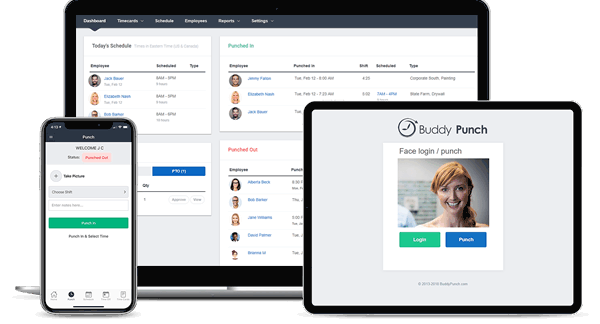
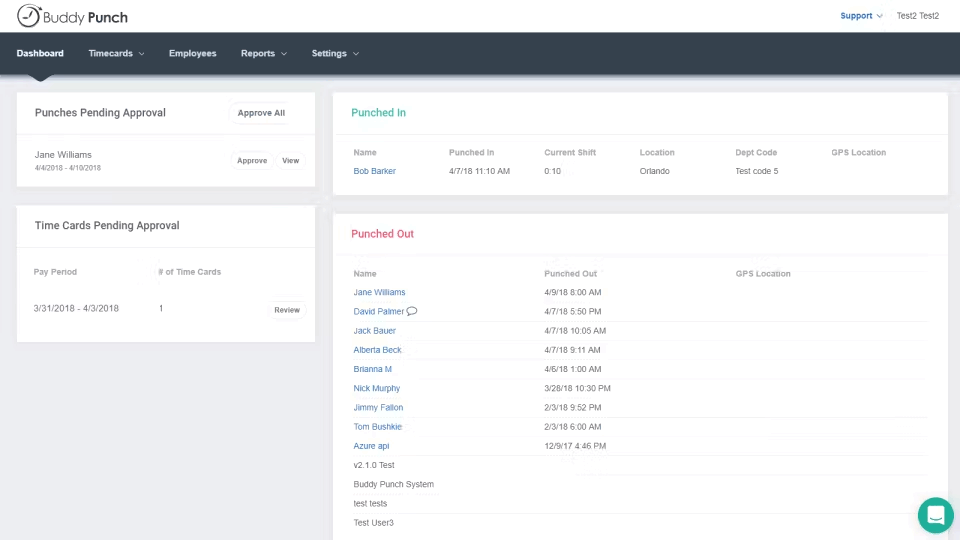
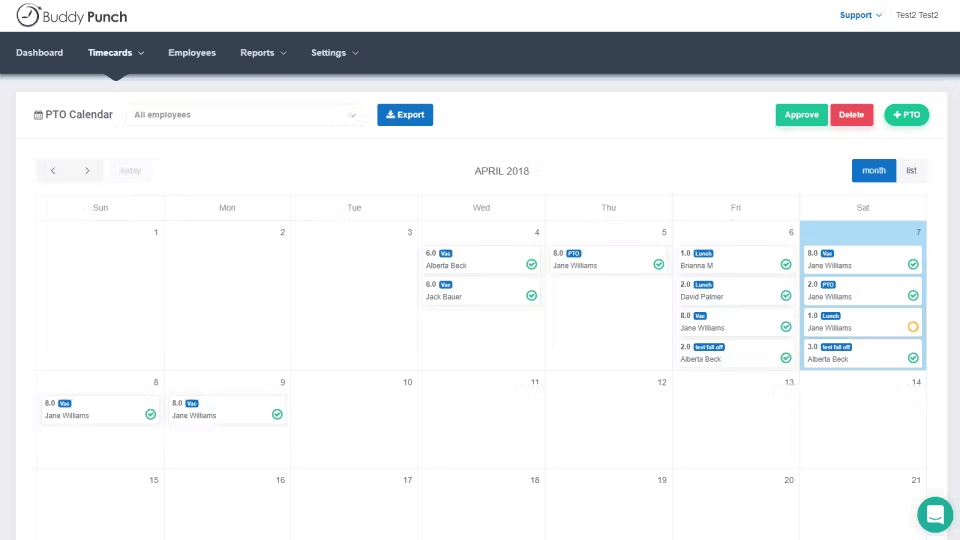
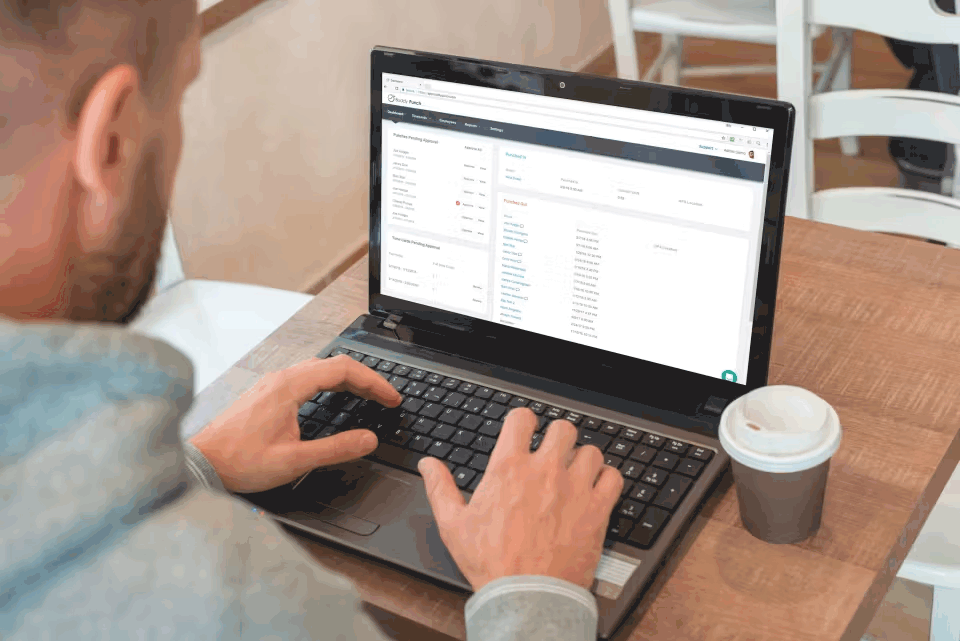
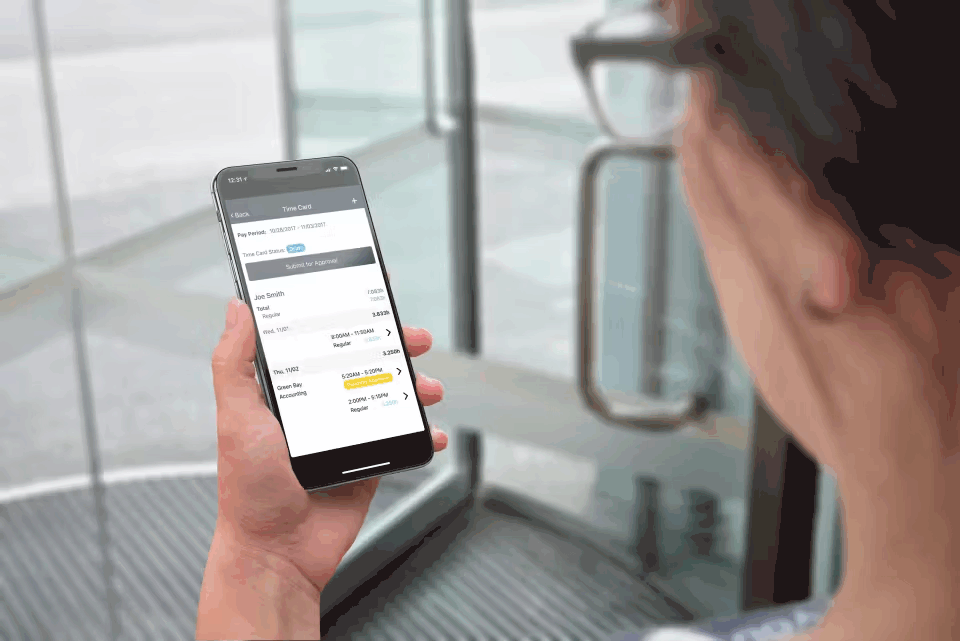
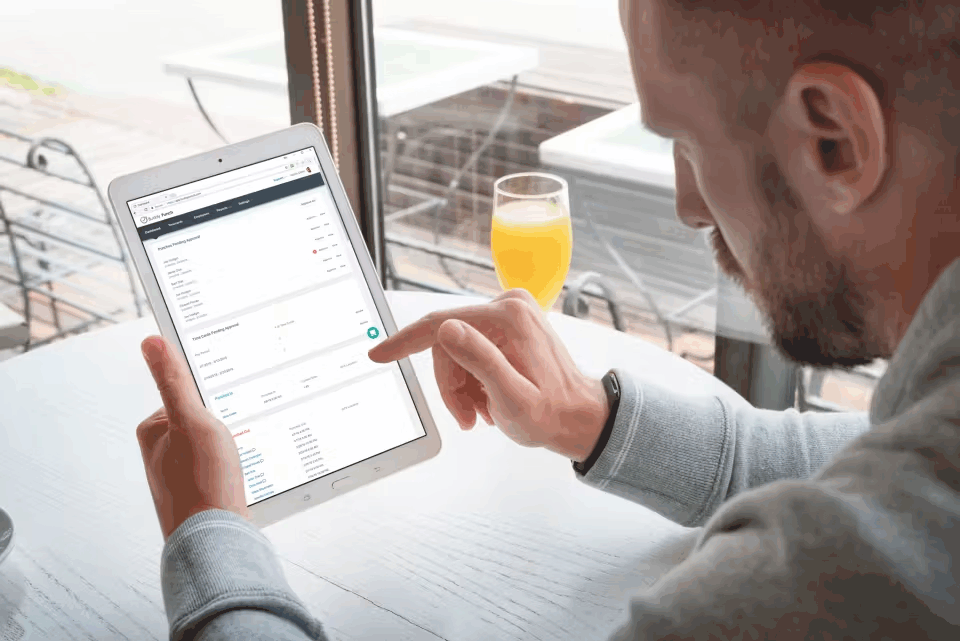
Description
Buddy Punch at a Glance
| Question | Quick answer |
|---|---|
| What it is | Time tracking, scheduling, and GPS attendance built for US-based small businesses, with optional payroll and custom-reporting add-ons. |
| Who it serves | 5 to 50 employee teams that bookkeep through QuickBooks, Gusto, ADP, or Paychex and want a simple punch-clock app without enterprise complexity. |
| Pricing posture | Honest, published per-user pricing with a 19 USD per month base fee on every plan. Three tiers (Starter, Pro, Enterprise) plus four optional add-ons. |
| Headquarters | Appleton, Wisconsin, USA. |
| Customer footprint | 10,000+ businesses, per the vendor's homepage. |
Buddy Punch is a time-clock-first attendance tool. The product strips the typical enterprise scheduling complexity down to a handful of clear modules: punch-in (web, mobile, kiosk, GPS), scheduling, payroll, custom reports, and GPS. Buyers pick a base plan, then bolt on the add-ons that match their actual workflow. The pricing page is published, the integrations are public, and the brand has a real QuickBooks bookkeeper following, which matters when your accountant is the person who actually picks the time tracker.
Pros and Cons of Buddy Punch
| Pros | Cons |
|---|---|
| Published per-user pricing on every tier with no sales gate | 19 USD per month base fee on every plan adds up at small headcount; a 5-user business pays 41 to 74 USD per month minimum |
| Solid QuickBooks Online, ADP, Paychex, and Gusto integrations | Scheduling depth is lighter than Deputy or When I Work for shift-heavy operations |
| Modular add-ons mean you pay for only what you use | International coverage is limited; primary market is US small businesses |
| Real GPS time stamping on the Real-Time GPS add-on or Enterprise tier | Per-user pricing scales fast above 25 employees; alternatives often win on economics at that size |
| 10,000+ small-business customer base provides real CPA and bookkeeper familiarity | Custom Reporting is a paid add-on (2 USD per user per month plus 39 USD base) rather than included on Pro |
Who Should Use Buddy Punch
Buddy Punch fits a specific small-business attendance buyer rather than a broad audience.
5 to 50 employee small businesses with simple time tracking needs. If your dominant requirement is reliable punch-in and out, payroll-ready timesheets, and clean QuickBooks export, Buddy Punch lands in the right complexity band. Larger headcounts usually outgrow the per-user economics and benefit from Deputy or When I Work.
QuickBooks-anchored bookkeepers and CPA-managed payroll. The QuickBooks Online integration is a genuine click-and-sync flow. If your bookkeeper runs payroll through QuickBooks or your CPA reviews timesheets monthly, the friction reduction is real.
Field teams needing optional GPS without buying a full monitoring suite. The Real-Time GPS add-on at 2 USD per user per month works for service businesses, cleaning crews, and small contractors. It is not Hubstaff-grade location tracking; it covers basic punch-from-location verification cleanly without monitoring features that create employee trust issues.
Not the right fit: Shift-heavy restaurants and retail above 25 employees (use Deputy), deskless field workforces above 50 employees (use Connecteam), project-billing agencies (use Clockify or Toggl Track), or businesses already running ADP Workforce Now for payroll where the native ADP time module is friction-free.
Buddy Punch Product Suite
The platform is organised around a core attendance product plus modular add-ons. Each add-on has its own per-user fee, which makes the total cost easier to model once you know exactly what you need.
Core attendance and time tracking
Web, mobile (iOS and Android), kiosk, and PIN-based clock-in. Photo and IP-address punch verification. Break tracking, overtime calculations, PTO and accruals, timesheet approvals, and payroll-ready exports. This is what every plan ships with.
Scheduling
Shift building, employee availability tracking, shift trading, and schedule notifications. Costs 1 USD per user per month as an add-on or comes free on Pro and Enterprise plans. Functional rather than feature-rich; if scheduling is the dominant pain, Deputy or When I Work usually wins on depth.
Real-Time GPS
Live employee location, geofencing, and route history during shifts. 2 USD per user per month as an add-on or free on the Enterprise tier. Useful for field-service businesses verifying that field crews are at the right site.
Payroll
Direct payroll processing built on top of the time data. 6 USD per user per month plus a 39 USD base fee. Most existing Buddy Punch customers continue to use external payroll (QuickBooks, Gusto, ADP, Paychex) rather than the add-on, but the option exists for buyers who want everything in one tool.
Custom Reporting and Data Retention
Custom Reporting (2 USD per user per month plus 39 USD base) lets you design report templates beyond the standard exports. Data Retention (same pricing) extends record retention beyond default windows. Both matter for compliance-driven buyers in healthcare, regulated finance, or government contracting.
How Much Does Buddy Punch Cost
| Plan | Annual price | Monthly price | Base fee | What is included |
|---|---|---|---|---|
| Starter | 4.49 USD per user per month | 5.49 USD per user per month | 19 USD per month | Core time tracking, web, mobile, kiosk, basic reports, integrations |
| Pro | 5.99 USD per user per month | 6.99 USD per user per month | 19 USD per month | Starter plus Scheduling and Custom Reporting included |
| Enterprise | 10.99 USD per user per month | 11.99 USD per user per month | 19 USD per month | Pro plus Real-Time GPS and dedicated support |
Optional add-ons stacked on any plan:
- Payroll: 6 USD per user per month plus 39 USD base fee per month.
- Scheduling: 1 USD per user per month (included on Pro and Enterprise).
- Real-Time GPS: 2 USD per user per month (included on Enterprise).
- Data Retention: 2 USD per user per month plus 39 USD base fee per month.
- Custom Reporting: 2 USD per user per month plus 39 USD base fee per month (included on Pro and Enterprise).
Annual billing saves up to 18 percent versus monthly. The 19 USD base fee applies to every plan; budget for it on small teams.
Implementation Plan: Rolling Out Buddy Punch
Buddy Punch is a self-serve onboarding tool for most small businesses. The typical rollout runs 1 to 4 weeks depending on payroll integration depth.
Week 1: Account setup, employee import, integration wiring. Sign up, configure your QuickBooks, Gusto, ADP, or Paychex integration, import employees, and define your overtime rules and PTO accruals. Buddy Punch publishes setup guides for each payroll integration.
Week 2: Punch-in testing and employee training. Roll the mobile and web punch-in tools to a small employee pilot, verify break and overtime calculations match your existing payroll output, and train managers on timesheet approval workflows.
Week 3 to 4: Full rollout and first payroll run. Move all employees to Buddy Punch, run a parallel payroll cycle against your prior system to confirm numbers tie out, then cut over fully. CPA or bookkeeper review on the first cycle catches edge cases like split shifts, holiday pay, and state-specific overtime quirks.
Run-state: Most ongoing maintenance is handled by managers approving weekly timesheets. Custom reporting and audit-trail review happens monthly. Annual updates needed when state overtime laws or payroll provider integration scopes change.
Hidden Costs and Contract Gotchas
The 19 USD per month base fee is the most common surprise. It applies to every plan and is not waived for small headcount. A 5-employee Starter deployment runs 41.45 USD per month minimum (19 USD base plus 5 users times 4.49 USD annual). A 10-employee Pro deployment runs 78.90 USD per month minimum.
Add-on stacking math. Pro and Enterprise include Scheduling and (on Enterprise) GPS, but other add-ons stack additively. A 25-employee Pro plan that needs Payroll, Data Retention, and a second 39 USD base fee adds up faster than the headline tier price suggests.
Annual contract savings. Annual billing saves ~18 percent, but you are committing the headcount for the year. Seasonal or rapidly-growing businesses should model annual against monthly carefully.
State overtime configuration. Buddy Punch handles federal FLSA overtime cleanly, but state-specific rules (California meal and rest breaks, predictive scheduling premium pay in Seattle, NYC, Chicago) require manual configuration. If your team operates across multiple states, plan extra setup time.
International coverage. Buddy Punch is built for US small businesses. UK, EU, and Canadian compliance is functional but not as deep as Deputy or Connecteam for those markets.
What Real Buyers Report
Common positive themes in Buddy Punch reviews include the honest published pricing (no sales gate to find the real cost), the clean QuickBooks Online integration that ships timesheets straight into payroll without manual export, and the reliability of the punch-in apps across web, mobile, kiosk, and PIN. Bookkeepers and CPAs running multiple small-business clients on QuickBooks routinely flag Buddy Punch as the path of least friction.
Critical themes include the 19 USD base fee that hurts very small teams, the comparatively light scheduling features for shift-heavy operations, and the add-on stack creep when a business needs Payroll plus Custom Reporting plus Data Retention. International customers also flag that the compliance engine is US-centric.
Buddy Punch Alternatives
| If you are evaluating | Closest alternatives | Why |
|---|---|---|
| Buddy Punch for shift-based scheduling | Deputy, When I Work | Deeper scheduling, demand forecasting, and US-state compliance for restaurants and retail above 25 employees |
| Buddy Punch for QuickBooks-integrated time tracking | QuickBooks Time (formerly TSheets), Clockify | QuickBooks Time is native to QuickBooks Online with the smoothest sync; Clockify is cheaper if scheduling does not matter |
| Buddy Punch for field-service GPS | Hubstaff, Connecteam | Stronger GPS depth and field-team coordination, especially above 25 field employees |
| Buddy Punch for project time billing | Toggl Track, Clockify | Project-first time tracking with stronger billing reports for agencies and consultants |
Bottom Line
Buddy Punch is a clean, honest small-business attendance tool with real QuickBooks plumbing and a fair pricing page. The sweet spot is 10 to 30 employee US-based teams that want one tool for time tracking, want their bookkeeper to be happy, and do not need enterprise scheduling depth or international compliance. Above that headcount, Deputy or When I Work usually wins on per-user economics and scheduling features. See the full attendance management software guide for how Buddy Punch slots against the rest of the shortlist.
Frequently Asked Questions
What is Buddy Punch and who is it for?
How much does Buddy Punch cost?
Does Buddy Punch integrate with QuickBooks?
Does Buddy Punch have GPS time tracking?
How does Buddy Punch compare to Deputy and When I Work?
Is there a free trial?
Does Buddy Punch work outside the United States?
What payroll providers does Buddy Punch integrate with?
Can I track break and PTO with Buddy Punch?
Is Buddy Punch a good fit for restaurants and retail?
Find Your Perfect Software
See how it can transform your workflow
- Personalized for your needs Tailored recommendations based on your unique requirements.
- Save time & resources Streamline your workflow and boost team productivity.
- Trusted by thousands Join 10,000+ businesses already growing with SaaSrat.
You're all set! 🎉
A specialist for will reach out within 1 business day with tailored recommendations for your needs.