
Clockify
by CAKE.com Inc
What is Clockify?
Get Best Quote for Clockify
Connect with SaaSrat experts to get the best quote for your business.
You're all set!
A specialist for Clockify will reach out within 1 business day.
Clockify Features
Time tracking
Timesheet
Dashboard
Reports
Projects
Tasks
View All 25 Features
Clockify Pricing Plans
clockify Quote-based
- See Core Capability section in profile body for full feature breakdown
- Contact vendor for tailored quote based on employee count, module mix, country deployment, and managed services scope
Clockify Resources
Clockify Screenshots
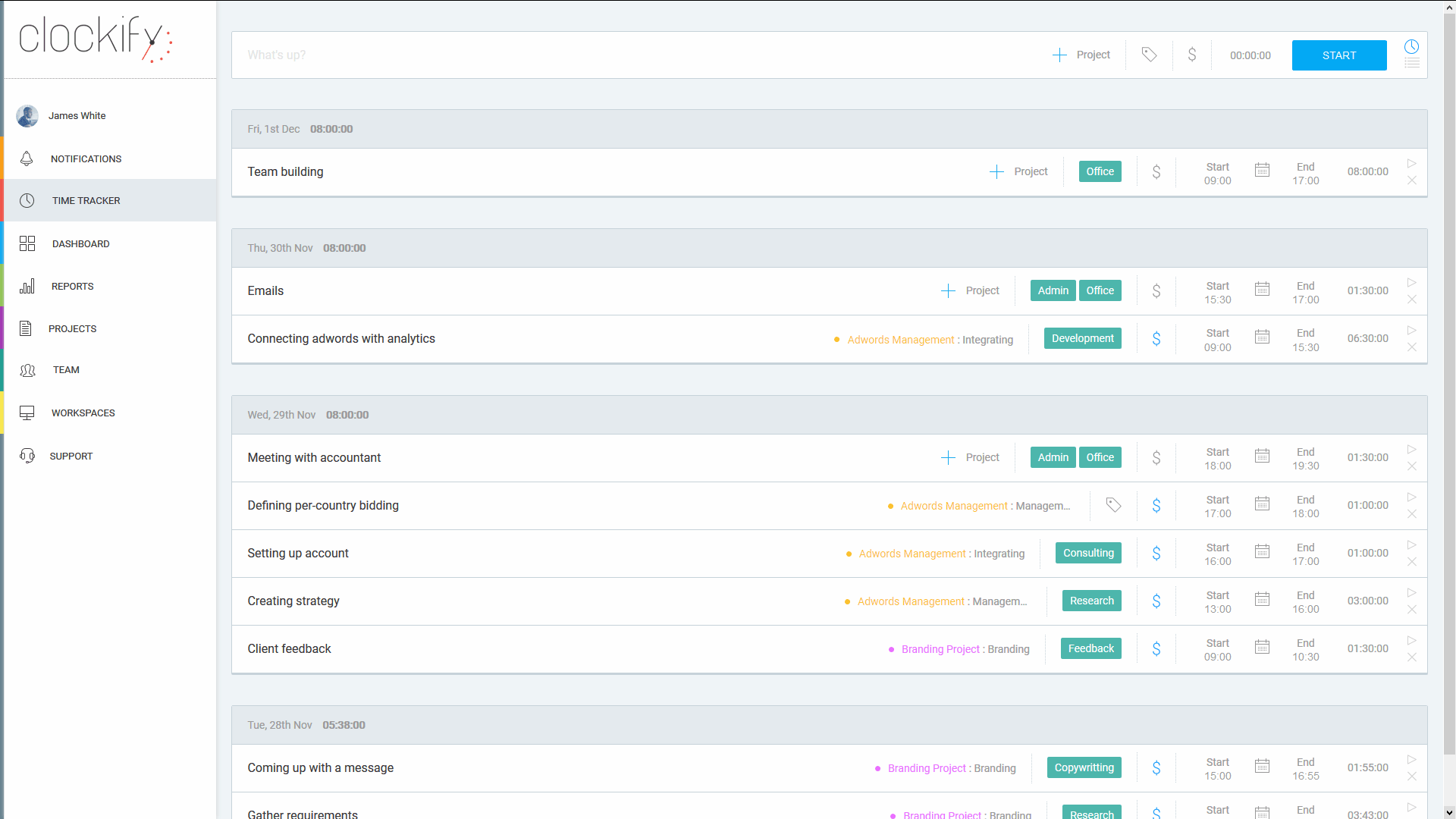
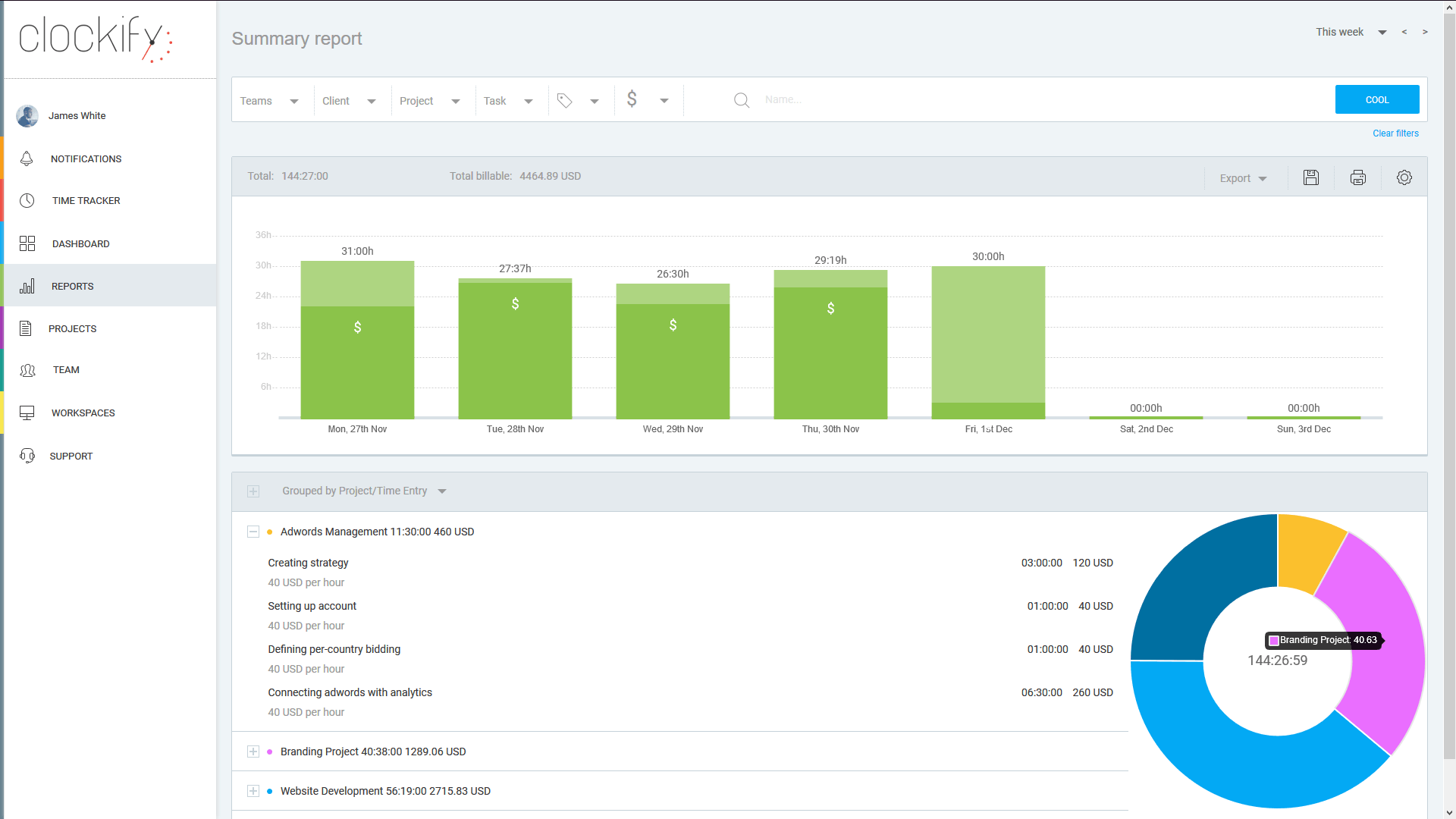
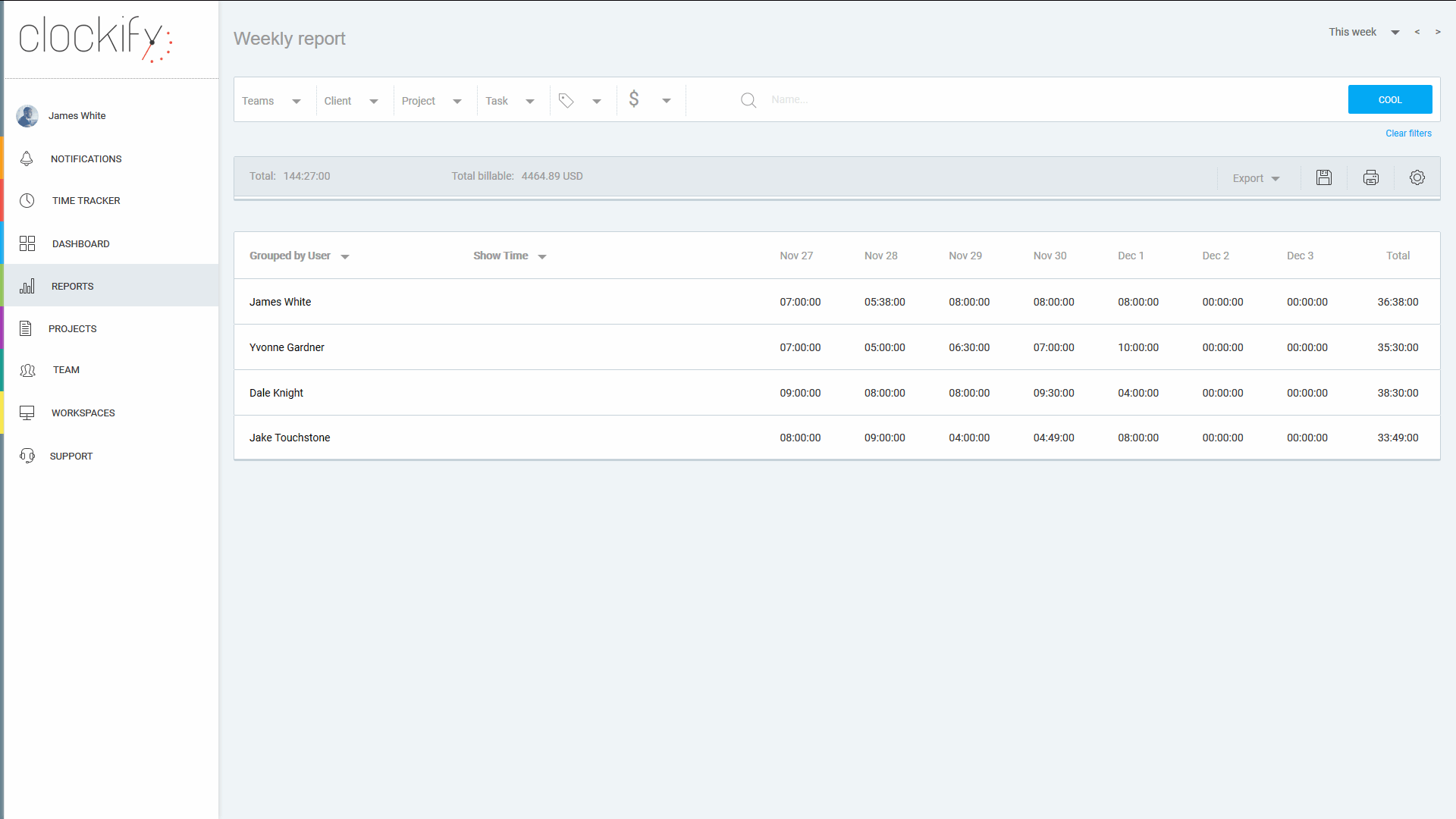
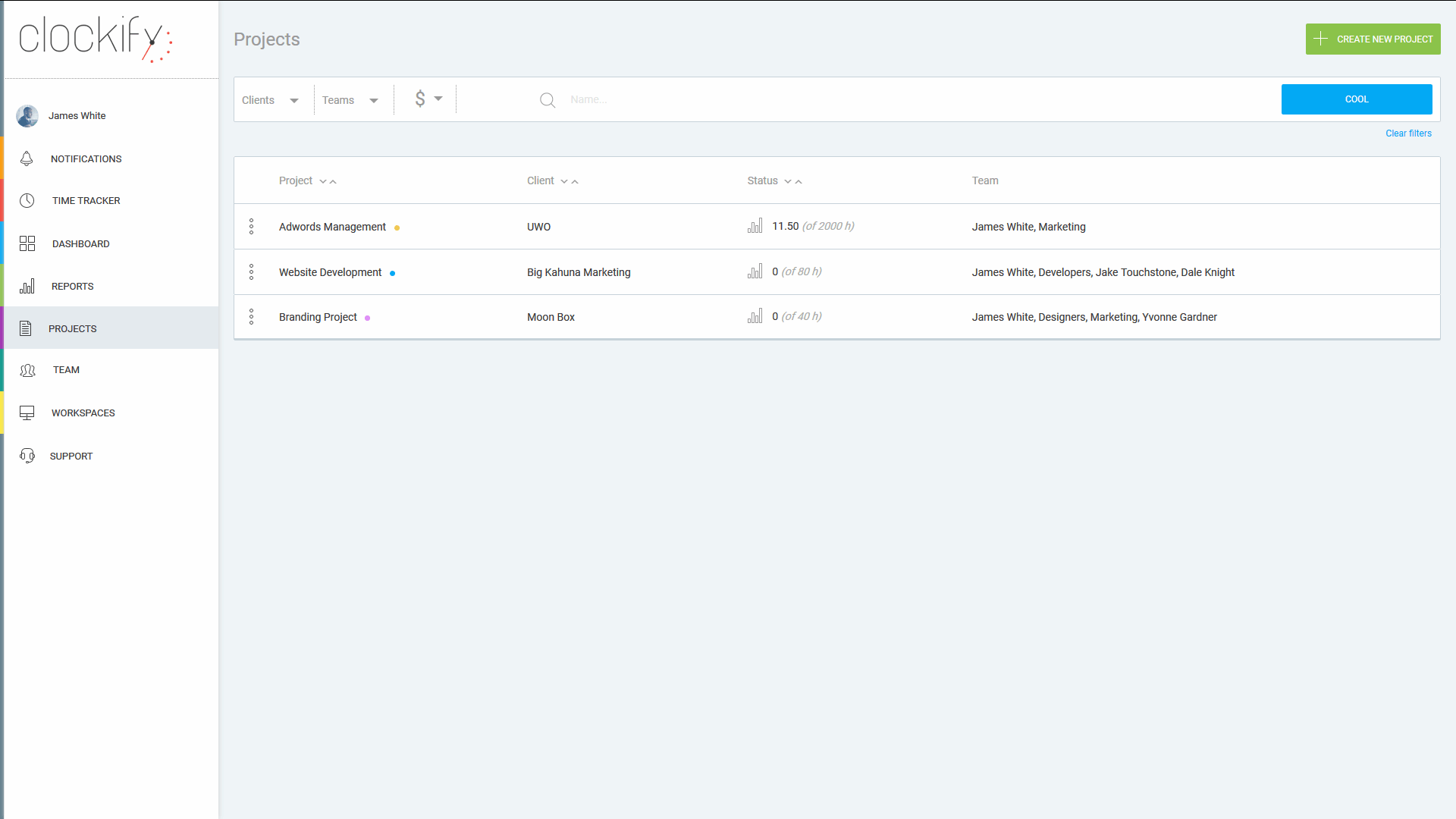
Description
Clockify Field Guide
| Best fit for | Teams of any size (solo to 10,000+ employees) globally needing time tracking with timer and timesheets, project and client time tracking, reports, billing, time off, scheduling, expenses, and GPS tracking with free-forever option for unlimited users |
|---|---|
| Industries | Teams globally across professional services and consulting, technology and SaaS, marketing and creative agencies, freelancers, law firms, accounting firms, manufacturing, healthcare, education, non-profit, government, and any team needing time tracking |
| Core capability | Time tracking software with timer (start/stop), manual timesheet entry, project and client tracking, billable rate tracking, reports and dashboards with PDF/CSV export, time off and PTO tracking, scheduling, expense tracking, GPS tracking, mobile apps for iOS and Android, desktop apps for Windows/Mac/Linux, browser extension, 80+ integrations (Asana, Trello, Jira, GitHub, QuickBooks, Xero, Slack) |
| Pricing | Clockify pricing: Free Forever (unlimited users, basic features), Basic $3.99 per user per month (administration features), Standard $5.49 per user per month (timesheeting and approvals), Pro $7.99 per user per month (productivity and profit), Enterprise $11.99 per user per month (control and security). Annual billing discount. Visit clockify.me/pricing for current rates. |
| Differentiator | Clockify is positioned as the leading free time tracking platform with unlimited users vs competitors that cap free tiers. Where Toggl, Harvest, and others charge from the start, Clockify positions on free-forever for unlimited users. |
| Headquarters | Clockify is part of Cake.com (formerly COING) headquartered globally with primary engineering in Belgrade, Serbia. The company serves teams globally with cloud-based time tracking and a free forever plan for unlimited users. |
| Customers | Used by millions of users globally across professional services, technology, marketing agencies, freelancers, law firms, accounting firms, manufacturing, healthcare, education, non-profit, government, and other teams needing time tracking. |
| Mobile | Native iOS and Android mobile apps plus desktop apps for Windows/Mac/Linux plus browser extension for time tracking from anywhere. |
Where Clockify Wins
Free forever unlimited users. Free plan supports unlimited users with basic time tracking. Best free tier in the time tracking category.
80+ integrations. Asana, Trello, Jira, GitHub, QuickBooks, Xero, Slack, and many more.
Cross-platform apps. iOS, Android, Windows, Mac, Linux, browser extension. Track time from anywhere.
Time off and PTO included. Time off tracking included alongside time tracking.
GPS tracking for field workers. Pro and Enterprise tiers include GPS tracking.
Affordable paid upgrades. Basic from $3.99 per user/month with administration features.
Where Clockify Falls Short
Not a full HRIS. Time tracking specialist. Pair with HRIS for employee records and broader HR.
Free tier limited features. Free supports unlimited users but advanced features (approvals, productivity, security) require paid upgrades.
Less brand recognition vs Toggl. Toggl has stronger brand among productivity-focused teams.
Who Should Use Clockify?
Clockify is the right call when a team of any size (solo to 10,000+ employees) globally needs free time tracking with unlimited users plus optional paid upgrades for project tracking, billing, reports, time off, GPS tracking, and 80+ business tool integrations across professional services, technology, agencies, freelancers, law firms, accounting firms, manufacturing, healthcare, education, and non-profit.
Clockify is the wrong call for full HRIS needs (pair with HRIS), for organizations needing only project management (evaluate Asana, ClickUp), and for personal task management.
Clockify Alternatives
Toggl Track - Time tracking with strong productivity focus.
Harvest - Time tracking plus invoicing for agencies.
Hubstaff - Time tracking with productivity monitoring.
Time Doctor - Time tracking with productivity tracking.
Calamari - Leave management plus time tracking.
actiPLANS - Leave management plus shift scheduling.
RescueTime - Personal time tracking and productivity.
What Reddit and LinkedIn Reviewers Say
Discussions on r/timetracking and r/productivity position Clockify as the leading free time tracking platform with unlimited users alongside Toggl Track and Harvest.
LinkedIn discussions among freelancers and agency owners highlight Clockify free unlimited users as the differentiator.
Final Take on Clockify
Clockify is the right call when a team of any size (solo to 10,000+ employees) globally needs free time tracking with unlimited users plus optional paid upgrades for project tracking, billing, reports, time off, GPS tracking, and 80+ business tool integrations across professional services, technology, agencies, freelancers, law firms, accounting firms, manufacturing, healthcare, education, and non-profit. The combination of capabilities delivers value alternatives cannot match for the right buyer profile.
Adjacent reading: Clockify buyers also evaluate Toggl Track and HR software tools for broader category context.
Implementation considerations: Solo and small teams adopt Clockify Free immediately. Larger teams (50-1,000 employees) deploy Basic-to-Pro tiers in 1-3 weeks including project setup, integration with project management tools, and reporting configuration.
Buyer evaluation tips: Start with Clockify Free Forever at clockify.me for unlimited users. Upgrade to Basic ($3.99/user/mo), Standard ($5.49/user/mo), Pro ($7.99/user/mo), or Enterprise ($11.99/user/mo) for advanced features. Run parallel evaluations against Toggl Track, Harvest, and Hubstaff.
Verified on 2026-06-09 by the SaaSRat Editorial Team. Vendor facts cross-checked against clockify.me and current 2026 vendor disclosures. About our methodology.
Frequently Asked Questions
How much does Clockify cost in 2026?
What is included in Clockify Free tier?
How does Clockify compare to Toggl Track?
Does Clockify monitor employees?
Does Clockify have desktop apps?
Is Clockify GDPR compliant?
How does Clockify integrate with PM tools?
Is Clockify good for freelancers?
What is the CAKE.com ecosystem?
Is Clockify SOC 2 compliant?
Find Your Perfect Software
See how it can transform your workflow
- Personalized for your needs Tailored recommendations based on your unique requirements.
- Save time & resources Streamline your workflow and boost team productivity.
- Trusted by thousands Join 10,000+ businesses already growing with SaaSrat.
You're all set! 🎉
A specialist for will reach out within 1 business day with tailored recommendations for your needs.