
What is QuickBooks Online?
Get Best Quote for QuickBooks Online
Connect with SaaSrat experts to get the best quote for your business.
You're all set!
A specialist for QuickBooks Online will reach out within 1 business day.
QuickBooks Online Features
Invoicing
Bank Reconciliation
Expense Tracking
Inventory Management
Project Profitability
Payroll Integration
View All 20 Features
QuickBooks Online Pricing Plans
Solopreneur
- 1 user only
- Income and expense tracking
- Invoices and estimates
- Receipt capture
- Mileage tracking
- Cash flow dashboard
- Tax deduction finder
Simple Start
- 1 user
- Everything in Solopreneur
- Sales and sales tax tracking
- 1099 contractor management
- Connect 1 sales channel
- Basic reporting
Essentials
- 3 users
- Everything in Simple Start
- Bill management and payments
- Time tracking
- Multi-currency support
- Recurring transactions
Plus
- 5 users
- Everything in Essentials
- Inventory tracking
- Project profitability
- Purchase orders
- Budgets
- Class and location tracking
Advanced
- 25 users
- Everything in Plus
- Custom user permissions
- Automated workflows
- Batch transactions
- Business analytics with Excel sync
- Dedicated account team
- Priority customer support
QuickBooks Online Resources
QuickBooks Online Screenshots
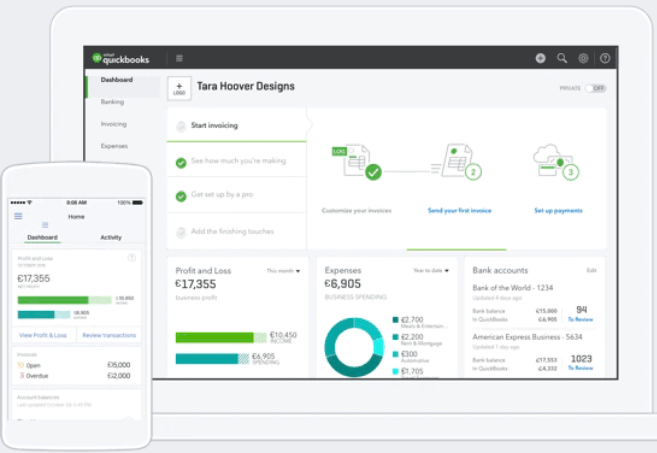
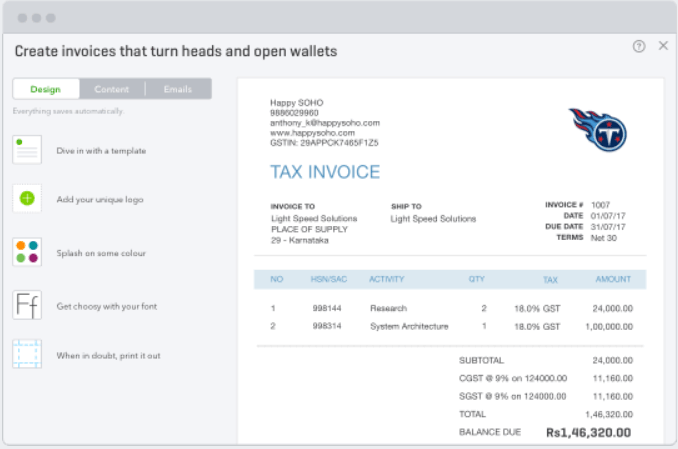
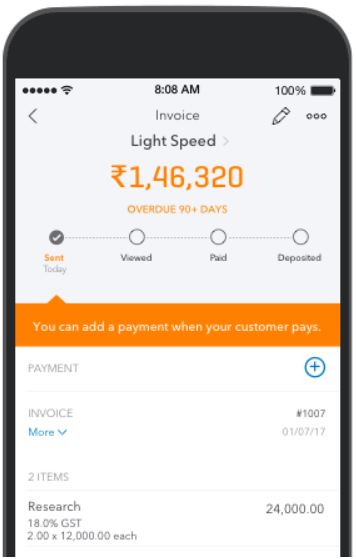
Description
QuickBooks Online at a Glance
| Best fit for | US small businesses with 1 to 25 employees that want an all-in-one accounting platform with invoicing, payroll, tax, and reporting from a single vendor |
|---|---|
| Industries | Professional services, retail, construction, restaurants, ecommerce, nonprofits, real estate, healthcare practices, and trades |
| Core platform | Invoicing, bank reconciliation, expense tracking, inventory (Plus and above), payroll (paid add-on), sales tax, project profitability, 60+ reports, 1099 management |
| Integrations | 750+ app connections including Shopify, PayPal, Stripe, Square, Bill.com, HubSpot, Salesforce, TSheets, Mailchimp, and most US payroll providers |
| Pricing model | Monthly per plan, no annual contract required; new users typically get 50% off for the first 3 months |
| Indicative pricing | Solopreneur $20/mo, Simple Start $38/mo, Essentials $75/mo, Plus $115/mo, Advanced $275/mo |
| Mobile apps | iOS and Android |
| Trust signals | 7M+ active subscribers globally; the most widely used small business accounting software in the US; most US CPAs and bookkeepers are QuickBooks certified |
| Vendor | Intuit Inc., Mountain View, California, United States |
| Compliance | SOC 2 Type II, 256-bit TLS encryption in transit, AES-256 at rest, two-factor authentication, GDPR compliant |
QuickBooks Online Pros and Cons in 2026
Where QuickBooks Online Stands Out
The deepest US accountant and bookkeeper network. Most US CPAs and bookkeepers are QuickBooks certified or experienced. If your accountant already works in QuickBooks, staying on the same platform cuts down on communication friction and migration costs. This network effect is the single strongest reason most US small businesses stay on QuickBooks over alternatives.
All-in-one US tax and payroll coverage. QuickBooks Payroll integrates directly with QuickBooks Online, handling payroll tax calculations, filings, and year-end W-2s from inside the same platform. Combined with sales tax tracking, 1099 management, and quarterly tax estimates, it covers the US tax obligations most small businesses face without needing third-party tools.
Best inventory and project tracking at this price tier. The Plus plan adds inventory tracking with cost-of-goods calculations, purchase orders, and project profitability reporting. Most competitors at this price require add-ons or upgrades to match this feature set.
750+ integrations including every major US platform. Every major US payment processor, ecommerce platform, and business tool connects to QuickBooks Online. Shopify, PayPal, Stripe, Square, Bill.com, HubSpot, and most industry-specific tools all have native integrations. The ecosystem depth is unmatched at this price tier.
Solopreneur plan at $20/month. The Solopreneur plan is purpose-built for self-employed individuals and single-member businesses that need income and expense separation, mileage tracking, and quarterly tax estimates without the full accounting stack. At $20/month, it is the most affordable entry point in the QuickBooks line.
Where QuickBooks Online Falls Short
Prices have increased sharply. QuickBooks Online raised prices 15 to 25% across plans in 2026. The Plus plan, once $85/month, now costs $115/month. For businesses that added payroll on top, total monthly spend can easily exceed $200 to $300. Budget for further price increases as Intuit has raised prices annually since 2023.
Customer support is a consistent complaint. QuickBooks Online scores 1.1 stars on Trustpilot from thousands of reviews. The most common issues are long hold times, offshore support quality, and difficulty resolving billing disputes. On G2 and Capterra, customer service scores are notably lower than ease-of-use scores across all plans.
Per-user limits on lower plans. Simple Start is limited to 1 user. Essentials covers 3. Plus covers 5. If you need more than 5 users without paying for Advanced at $275/month, QuickBooks Online has no middle ground. Xero offers unlimited users at every plan, which is a meaningful advantage for teams.
Payroll is not included. Payroll requires a separate subscription starting at $50/month plus $6 per employee for Core, or $85/month plus $6 per employee for Premium. A 5-person business on the Plus plan with Core Payroll pays $115 plus $50 plus $30 per month before any add-ons.
Interface has grown complex. Twenty years of feature additions have made the QuickBooks Online interface denser than newer competitors. First-time users and non-accountants often find the navigation less intuitive than Xero or FreshBooks at comparable price points.
Who Should Use QuickBooks Online?
QuickBooks Online is the right fit for US small businesses that want one platform for accounting, tax, and payroll with the broadest accountant network in the country. It works best when your CPA or bookkeeper already knows QuickBooks, when you process inventory, or when you need 1099 management and US sales tax across multiple states. Businesses in construction, restaurants, retail, and ecommerce that need project tracking and purchase orders get the most value from the Plus plan.
It is the wrong fit for businesses that need unlimited users without paying for Advanced, businesses where an accountant already works in Xero, or freelancers and service businesses that want simpler invoicing without the full accounting stack. Check our accounting software guide for alternatives at every price point. For businesses that need payroll as the core requirement, compare total costs in our payroll software guide before committing.
QuickBooks Online Product Features
Invoicing and Payments
Create branded invoices, schedule recurring billing, and accept payments by credit card, ACH, Apple Pay, and PayPal directly from the invoice. Clients pay with one click from email. Automatic payment reminders reduce collection follow-up. The system tracks which invoices have been viewed and when they were paid.
Bank Reconciliation
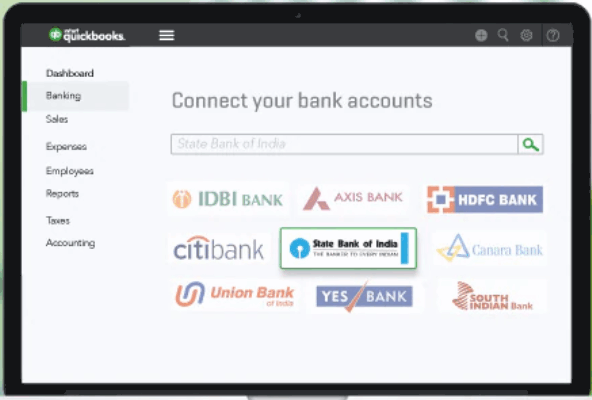
Connect your bank and credit card accounts and QuickBooks pulls in transactions daily. The reconciliation engine matches transactions against invoices and expenses and learns from your previous categorizations. The process of closing a month is faster than most alternatives once the rules are set up. Multi-bank reconciliation across multiple accounts is available on all paid plans.
Expense Tracking
Photograph receipts with the QuickBooks mobile app and the system extracts vendor, amount, and date automatically. Expenses can be assigned to clients for billable reimbursement. On the Plus plan and above, expenses can be tagged to specific projects for profitability tracking. The mileage tracker logs business trips automatically via GPS on the mobile app. For deeper expense management workflows, see our expense management software guide.
Inventory Tracking
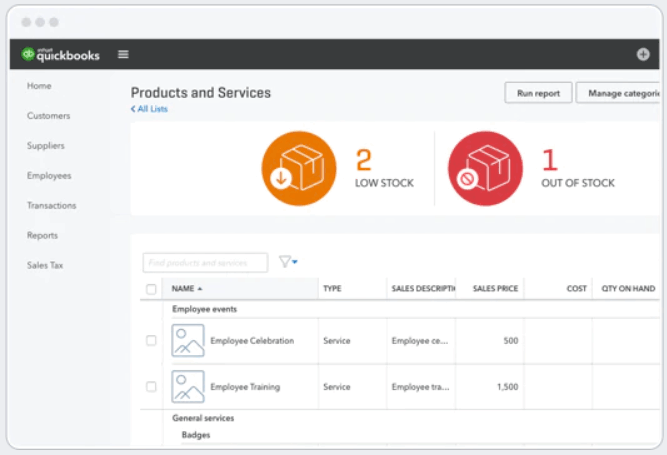
Available on Plus and Advanced plans. QuickBooks tracks product quantities, costs, and sales in real time, adjusting inventory value with each transaction. Purchase orders can be sent to vendors and matched against receipts. Inventory reports show what sells, what sits, and which products are most profitable. For businesses with warehouse-level or multi-location inventory needs, a dedicated inventory system connected to QuickBooks is more appropriate.
Project Profitability
The Plus plan adds project tracking that pulls labor, expenses, and invoices into a single project view. You can see at a glance whether a project is profitable, over budget, or has unbilled time. This is the feature that makes QuickBooks Plus the preferred choice for construction firms, agencies, and service businesses that manage projects with variable costs.
Tax and Compliance
QuickBooks calculates and tracks sales tax automatically based on customer location. It generates 1099 forms for contractors at year-end. Quarterly estimated tax projections help self-employed users avoid underpayment penalties. The platform integrates with TurboTax for individual returns. For businesses using QuickBooks Payroll, payroll tax filings are handled automatically including quarterly 941s and year-end W-2s.
Reporting
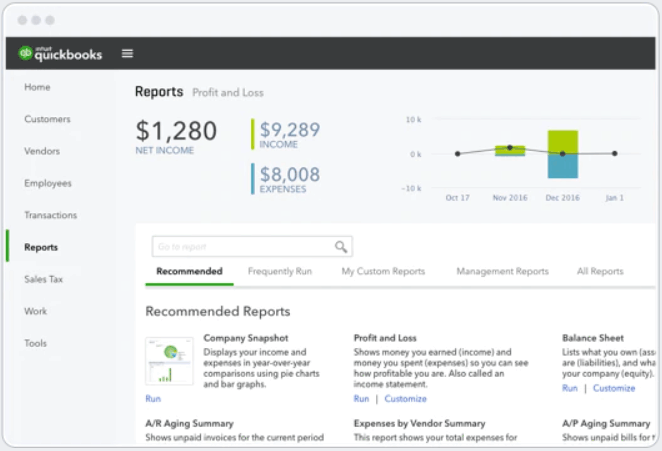
Over 60 pre-built report templates including profit and loss, balance sheet, cash flow, accounts receivable aging, accounts payable aging, and sales by customer. Custom report building is available on Advanced. Budget vs. actual reporting is available on Plus and above. Advanced adds business analytics with direct Excel sync for custom dashboards.
How Much Does QuickBooks Online Cost in 2026?
| Plan | Monthly Price | Users | Key Addition |
|---|---|---|---|
| Solopreneur | $20/month | 1 | Self-employed basics: mileage, tax estimates, income and expense separation |
| Simple Start | $38/month | 1 | Invoicing, sales tax, 1099 management, basic reporting |
| Essentials | $75/month | 3 | Bill management, time tracking, multi-currency |
| Plus | $115/month | 5 | Inventory, project profitability, purchase orders, budgets |
| Advanced | $275/month | 25 | Custom permissions, automated workflows, priority support, analytics |
New subscribers typically receive 50% off for the first 3 months. There is no permanent free plan, but a 30-day free trial is available. Prices increased 15 to 25% in 2026 and have risen annually since 2023.
Hidden Costs to Watch For
- Payroll is a separate subscription. QuickBooks Payroll Core starts at $50/month plus $6 per employee per month. Premium payroll is $85/month plus $8 per employee. For a 5-person business on Plus, adding payroll adds $80 to $115/month on top of the base plan cost.
- QuickBooks Live Bookkeeping. Assisted bookkeeping with a QuickBooks-certified expert starts at $50/month for cleanup and setup. Ongoing monthly bookkeeping packages start higher. This is not included in any plan pricing.
- QuickBooks Time. Time tracking for field service or job costing starts at $20/month plus $8 per user. The basic time tracking built into Essentials and Plus handles simple billable time but not GPS field tracking.
- Bill.com for AP automation. Businesses needing automated accounts payable workflows typically add Bill.com at $45 to $79/month on top of QuickBooks. The built-in bill pay in Essentials covers basics only. See our accounts payable software guide for standalone options.
- Price escalation. QuickBooks Online has raised prices every year since 2023. Budget for 10 to 20% increases annually when comparing multi-year total cost against fixed-rate alternatives.
QuickBooks Online vs the Alternatives
Xero is the primary alternative for small businesses that want unlimited users at a flat monthly rate. Xero costs $25 to $90/month with unlimited users on all plans, compared to QuickBooks which charges $275/month for 25 users on Advanced. Xero gives ground on the US accountant network and does not include US payroll natively.
FreshBooks is the alternative for freelancers and service businesses that bill clients by project or time. FreshBooks is simpler to learn and better at client-facing invoicing workflows, but lacks QuickBooks depth in inventory, reporting, and US tax compliance.
Zoho Books is the alternative for businesses already using Zoho CRM, Zoho Inventory, or other Zoho apps. Zoho Books has a free plan for very small businesses and a similar feature set at a lower price point, but a smaller US accountant network.
Wave is the free alternative for very small businesses or early-stage startups that need basic invoicing and expense tracking without a monthly subscription. Wave lacks the depth for inventory, payroll, or multi-user collaboration.
NetSuite is the upgrade path for businesses that outgrow QuickBooks Online, typically at 50 to 100+ employees with multi-entity structures or ERP-level workflow needs. See our ERP software guide for enterprise accounting platforms.
What Real Buyers Report About QuickBooks Online
Positive feedback centers on three things. The accountant compatibility point comes up in nearly every positive review: businesses that switch from another tool and then bring in a CPA find the collaboration smoother than any alternative because the accountant already knows the interface. Inventory and project tracking on the Plus plan consistently gets called out as the best combination under $120/month. The 750+ integrations mean most businesses find a direct connection for every tool they already use.
Negative feedback is concentrated in two areas. Customer support scores are the worst of any major accounting platform: Trustpilot shows 1.1 stars from thousands of verified reviews, with common complaints about hold times, overseas support agents who cannot resolve billing issues, and difficulty canceling. The second consistent complaint is pricing. Businesses that have been on QuickBooks for years report their monthly cost doubling over a 3-year period. Both issues are well-documented and consistent across G2, Capterra, Reddit, and independent review sites.
QuickBooks Integrations and App Ecosystem
QuickBooks Online connects with 750+ apps through the QuickBooks App Store. Payment processing integrations include Stripe, Square, PayPal, and QuickBooks Payments (native). Ecommerce integrations cover Shopify, WooCommerce, Amazon, and Etsy. CRM connections include HubSpot, Salesforce, and Zoho CRM. Payroll connects with Gusto, ADP, and QuickBooks Payroll. Accounts payable automation connects with Bill.com, which has a deep two-way integration. For billing management, Stripe and Square are the most common payment connections. For field service businesses, QuickBooks Time and ServiceTitan both integrate directly.
Security and Compliance
QuickBooks Online uses 256-bit TLS encryption in transit and AES-256 at rest. The platform is SOC 2 Type II certified and supports two-factor authentication via SMS and authenticator apps. Data centers are geographically redundant with continuous backup. The platform is GDPR compliant for EU-based users. US businesses with HIPAA requirements should verify compliance fit with Intuit before committing, as QuickBooks Online does not hold HIPAA certification.
Bottom Line: Is QuickBooks Online Right for You?
QuickBooks Online is the right call for US small businesses that want the widest accountant network, the deepest native US tax and payroll coverage, and a 750+ app ecosystem in one platform. If your CPA already works in QuickBooks, the decision is straightforward. If you need inventory tracking, project profitability, and purchase orders under $120/month, the Plus plan covers all of that without needing additional tools.
The case against QuickBooks Online is price. At $115 to $275/month on higher plans, with payroll and other add-ons on top, total monthly spend for a 10-person business can reach $300 to $500/month. If your business does not need US payroll, does not need inventory at scale, and would benefit from unlimited users, compare Xero and Zoho Books before committing. Always factor in expected price increases of 10 to 20% annually when calculating multi-year cost.
Frequently Asked Questions
How much does QuickBooks Online cost in 2026?
What is the difference between QuickBooks Online plans?
Does QuickBooks Online include payroll?
Is QuickBooks Online good for small businesses?
Can I try QuickBooks Online for free?
How does QuickBooks Online compare to Xero?
What integrations does QuickBooks Online support?
Why is QuickBooks customer support rated so poorly?
Does QuickBooks Online work on mobile?
What happens to my QuickBooks data if I cancel?
Find Your Perfect Software
See how it can transform your workflow
- Personalized for your needs Tailored recommendations based on your unique requirements.
- Save time & resources Streamline your workflow and boost team productivity.
- Trusted by thousands Join 10,000+ businesses already growing with SaaSrat.
You're all set! 🎉
A specialist for will reach out within 1 business day with tailored recommendations for your needs.