

Seavus Project Viewer
by Seavus
What is Seavus Project Viewer?
Get Best Quote for Seavus Project Viewer
Connect with SaaSrat experts to get the best quote for your business.
You're all set!
A specialist for Seavus Project Viewer will reach out within 1 business day.
Seavus Project Viewer Features
Opens .mpp files from MS Project 2003 through latest version.
Standalone perpetual license (no MS Project subscription needed).
Cloud edition for browser-based .mpp viewing.
View Gantt charts
Timelines
Resources
View All 11 Features
Seavus Project Viewer Pricing Plans
Standalone Desktop
- Windows perpetual license for offline .mpp file viewing and printing.
Cloud Edition
- Browser-based subscription for .mpp viewing from anywhere.
Volume Licensing
- Enterprise multi-seat pricing with discounts for large stakeholder rollouts.
Seavus Project Viewer Resources
Seavus Project Viewer Screenshots
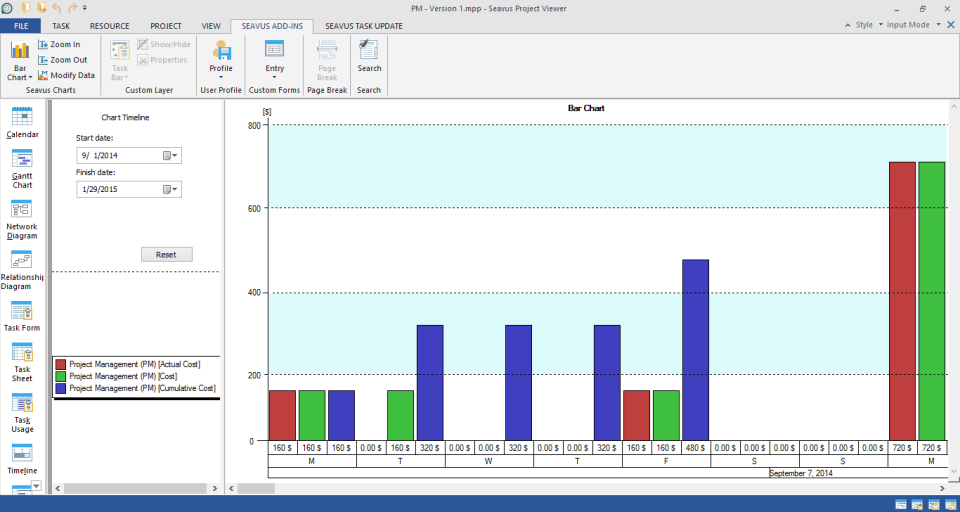
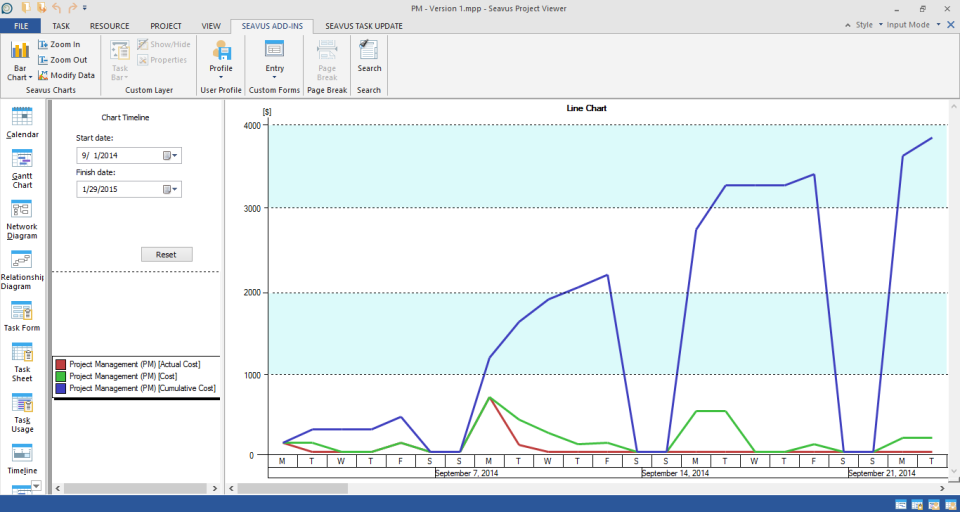
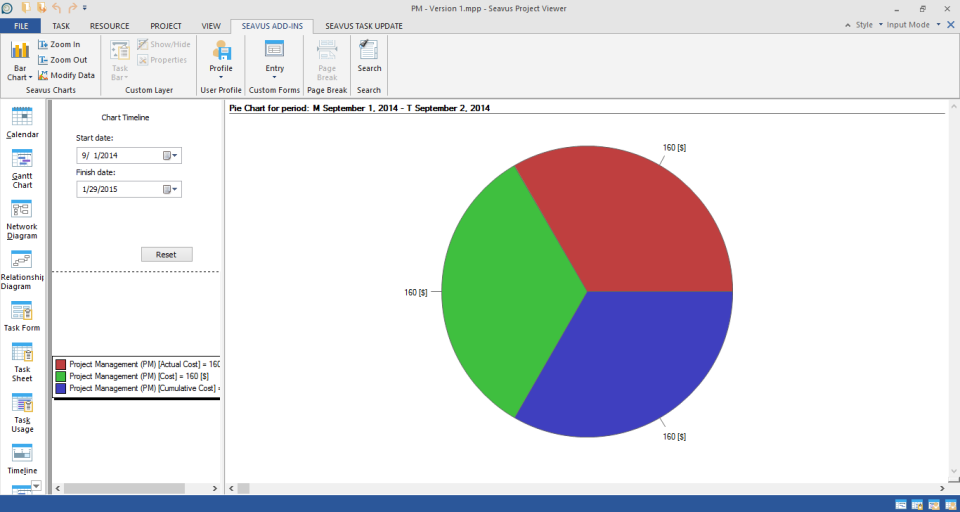
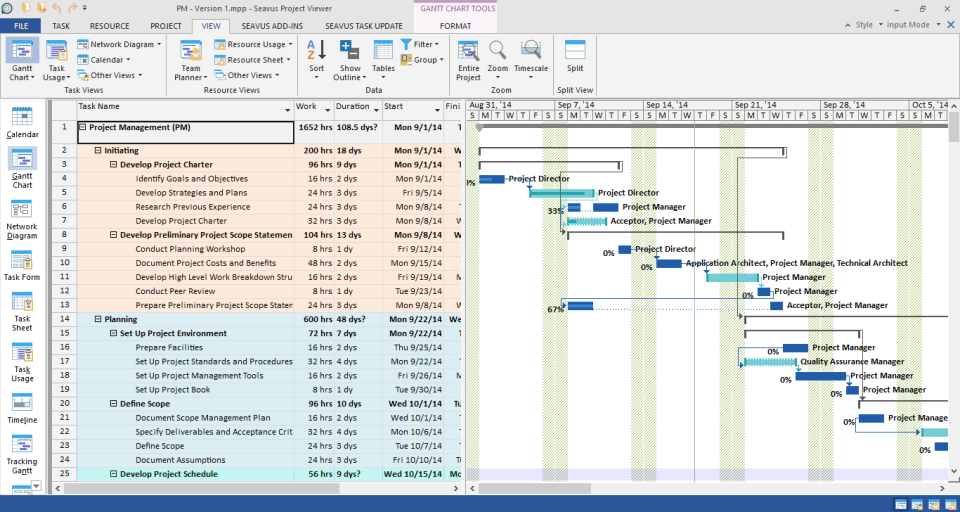
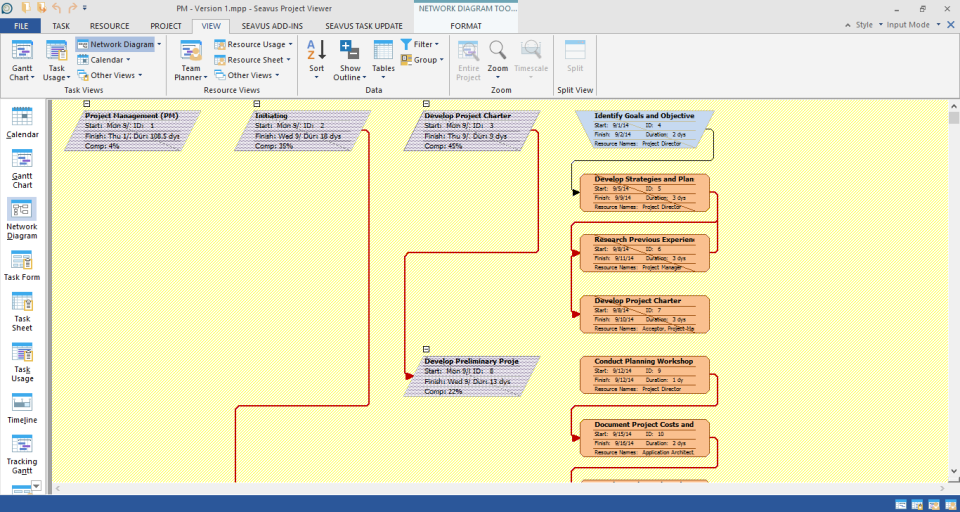
Description
What Is Seavus Project Viewer and How Does It Work?
Seavus Project Viewer lets teams open, read, and print Microsoft Project files without buying MS Project licenses. Stakeholders, contractors, and project consumers use it to review Gantt charts, timelines, resource allocations, and budgets from .mpp files at a fraction of MS Project cost.
Two editions are available: Standalone (desktop app) and Cloud (browser-based). Both open .mpp files from Microsoft Project 2003 through the latest version and support all core viewing and printing functions.
Seavus Project Viewer at a Glance
| Best fit for | stakeholders and contractors viewing MS Project files without full license |
|---|---|
| Deployment | Windows desktop app + Cloud browser edition |
| Pricing model | Perpetual license (desktop) or subscription (cloud) |
| Free trial | Free demo/trial available |
| Support | Standard Seavus support |
| Headquarters | Skopje, North Macedonia |
How Much Does Seavus Project Viewer Cost in 2026?
Seavus Project Viewer offers Standalone (perpetual desktop license) and Cloud (browser subscription) editions. Contact Seavus for current per-license or per-seat rates at projectviewercentral.com.
Volume licensing is available for enterprises rolling out .mpp read-only access to project stakeholders across large teams.
| Plan | Price | Includes |
|---|---|---|
| Standalone Desktop | Contact Seavus | Windows perpetual license, offline .mpp viewing |
| Cloud Edition | Contact Seavus | Browser-based subscription, view .mpp from anywhere |
| Volume Licensing | Contact Seavus | Enterprise multi-seat discounts |
Seavus Project Viewer Pros and Cons in 2026
Where Seavus Project Viewer Stands Out
- Opens .mpp files from MS Project 2003 through latest version.
- Standalone perpetual license (no MS Project subscription needed).
- Cloud edition for browser-based .mpp viewing.
- View Gantt charts, timelines, resources, and budgets.
- Print-ready reports.
- Volume licensing for enterprise stakeholder rollout.
- Long-standing MS Project viewer since early 2000s.
- Fraction of MS Project full license cost.
Where Seavus Project Viewer Falls Short
- Read-only (cannot edit MS Project files).
- Public per-license price not disclosed (contact-vendor).
- Standalone edition Windows-only.
- Cloud edition requires internet connection.
- Learning curve for non-project-management stakeholders.
Who Should Use Seavus Project Viewer?
Seavus Project Viewer fits stakeholders, contractors, board members, and non-PM staff who need to read Microsoft Project files without a full MS Project license. Construction firms, engineering consultancies, and IT project offices commonly deploy it to give team members .mpp read-only access.
The right buyer has MS Project as the primary planning tool but wants read-only access for downstream stakeholders. Skip Seavus Project Viewer if your team already uses cloud-first PM tools (Asana, Monday, Smartsheet) without MS Project.
Seavus Project Viewer Alternatives Worth Comparing
Microsoft Project. Full MS Project license for planning and viewing.
Smartsheet. Cloud-based project planning + .mpp import.
Steelray Project Viewer. Alternative MS Project viewer.
Project Plan 365. Cross-platform MS Project alternative.
What Real Buyers Report About Seavus Project Viewer
Buyer discussions on Reddit project-management communities describe Seavus Project Viewer as fitting teams that want cheap .mpp read-only access without full MS Project deployment. Trade-offs mentioned include read-only limitation and vendor-contact pricing.
Frequently Asked Questions About Seavus Project Viewer
How much does Seavus Project Viewer cost in 2026?
Seavus Project Viewer pricing depends on edition (Standalone desktop or Cloud) and license count. Contact Seavus for current per-license rates.
Can Seavus Project Viewer edit MS Project files?
No. Seavus Project Viewer is read-only. For editing .mpp files, you need Microsoft Project or an alternative planning tool.
Which MS Project versions does Seavus Project Viewer support?
Seavus opens .mpp files from Microsoft Project 2003 through the latest version.
Is there a Cloud edition of Seavus Project Viewer?
Yes. The Cloud edition provides browser-based .mpp viewing from anywhere, alongside the Windows Standalone desktop edition.
Where is Seavus headquartered?
Seavus is headquartered in Skopje, North Macedonia.
What Top-Ranking Seavus Project Viewer Reviews Cover
- Project Management category
- Construction Project Management category
- Workflow Management category
- Task Management category
- Scrumwise
Related Seavus Project Viewer Comparisons and Categories on SaaSRat
- Asana Task Management
- Agile Ticketing
- Chronos Workflow
- Agilenceinc
- Tyasuite Project Management
- Quickscrum
- Visual Planning
- Gitscrum
- Proworkflow
Bottom Line: Is Seavus Project Viewer Right for You?
Seavus Project Viewer is a fit for stakeholders and contractors who need read-only access to Microsoft Project (.mpp) files without buying full MS Project licenses.
Highlights: opens .mpp from MS Project 2003 through latest, Standalone desktop + Cloud editions, and enterprise volume licensing.
Trade-offs: read-only, contact-vendor pricing, and desktop edition Windows-only.
Consider full Microsoft Project for editing, Smartsheet for cloud planning + .mpp import, or Project Plan 365 for cross-platform MS Project alternative.
Verified on 2026-07-14 by the SaaSRat Editorial Team (Chirantan Patel, Senior SaaS Research Editor). Vendor facts cross-checked against the Seavus Project Viewer website and community discussions on Reddit and industry LinkedIn groups. About our methodology.
Frequently Asked Questions
Is there a free plan or free trial for Seavus Project Viewer?
How much does Seavus Project Viewer cost?
What does Seavus Project Viewer integrate with?
Who is Seavus Project Viewer best for?
What are the best alternatives to Seavus Project Viewer?
Is Seavus Project Viewer GDPR / SOC 2 compliant?
Does Seavus Project Viewer have a mobile app?
What do real users say about Seavus Project Viewer?
How does Seavus Project Viewer compare to its top competitor?
Does Seavus Project Viewer offer customer support?
Find Your Perfect Software
See how it can transform your workflow
- Personalized for your needs Tailored recommendations based on your unique requirements.
- Save time & resources Streamline your workflow and boost team productivity.
- Trusted by thousands Join 10,000+ businesses already growing with SaaSrat.
You're all set! 🎉
A specialist for will reach out within 1 business day with tailored recommendations for your needs.