

Upwave
by Upwave
What is Upwave?
Get Best Quote for Upwave
Connect with SaaSrat experts to get the best quote for your business.
You're all set!
A specialist for Upwave will reach out within 1 business day.
Upwave Features
Kanban boards WIP limits swim lanes
Gantt timeline dependencies milestones progress
Calendar view task and deadline
Portfolio dashboards multi-project roll-up
Custom fields task metadata
Team collaboration comments mentions file attachments activity feed
View All 11 Features
Upwave Pricing Plans
Free
- Small teams basic features
- Kanban boards
- Community support
- Verified at upwave.io/pricing on 2026-07-03
Business
- Billed annually
- All views Kanban Gantt calendar swimlanes
- Portfolio dashboards
- Custom fields
- Email support
- Verified at upwave.io/pricing on 2026-07-03
Enterprise
- Everything in Business
- SSO SAML authentication
- Advanced admin controls
- Dedicated Customer Success Manager
- Custom onboarding
- Verified at upwave.io on 2026-07-03
Custom Enterprise
- Multi-year contracts
- Data residency options
- Priority feature requests
- 24/7 SLA support
- Verified at upwave.io on 2026-07-03
Upwave Screenshots
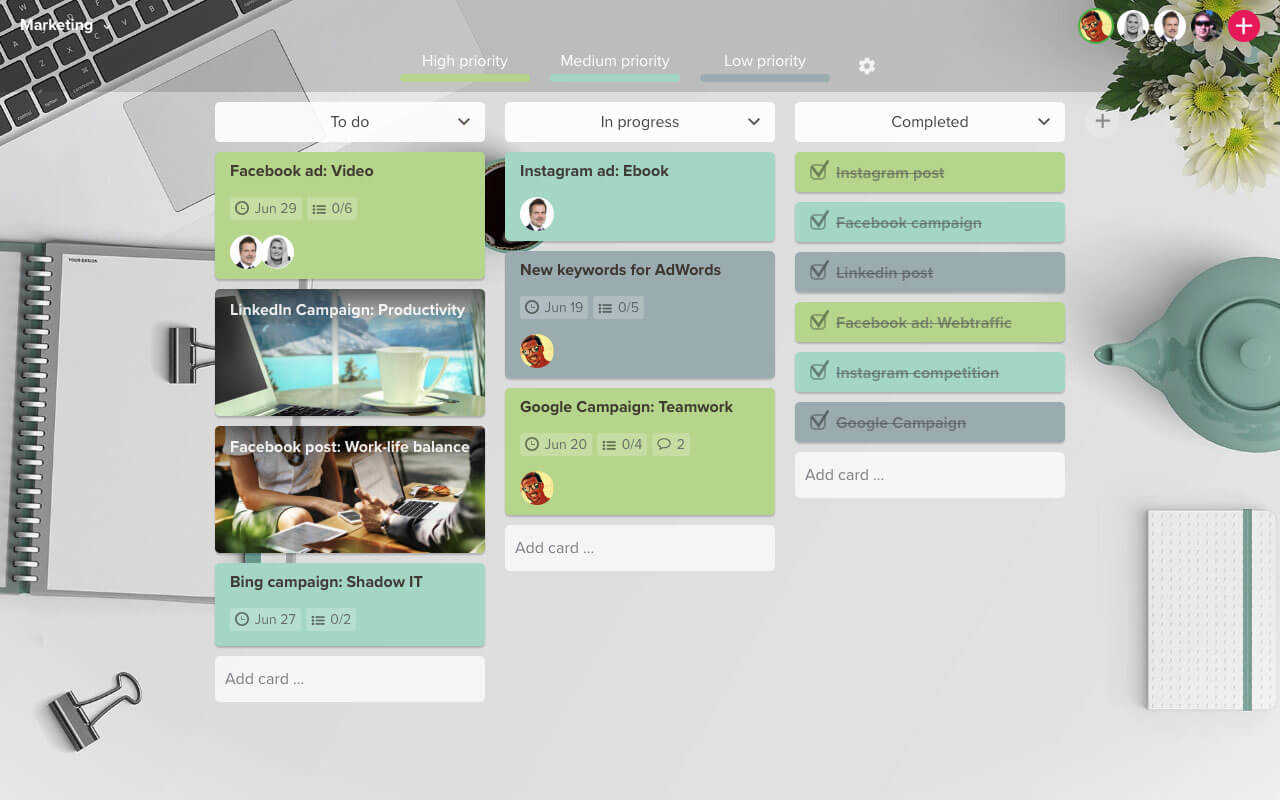
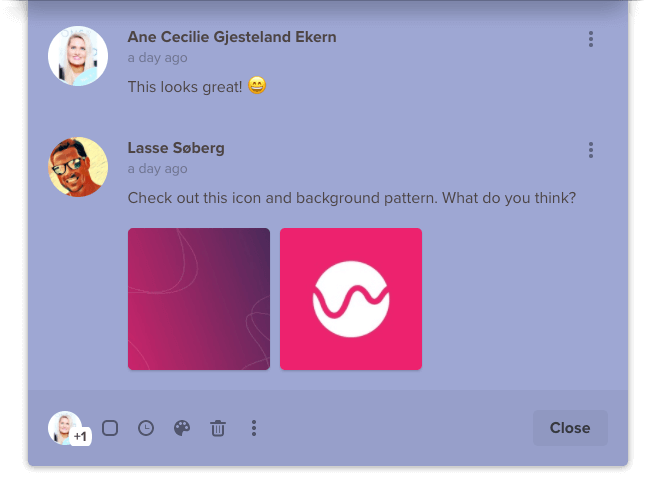
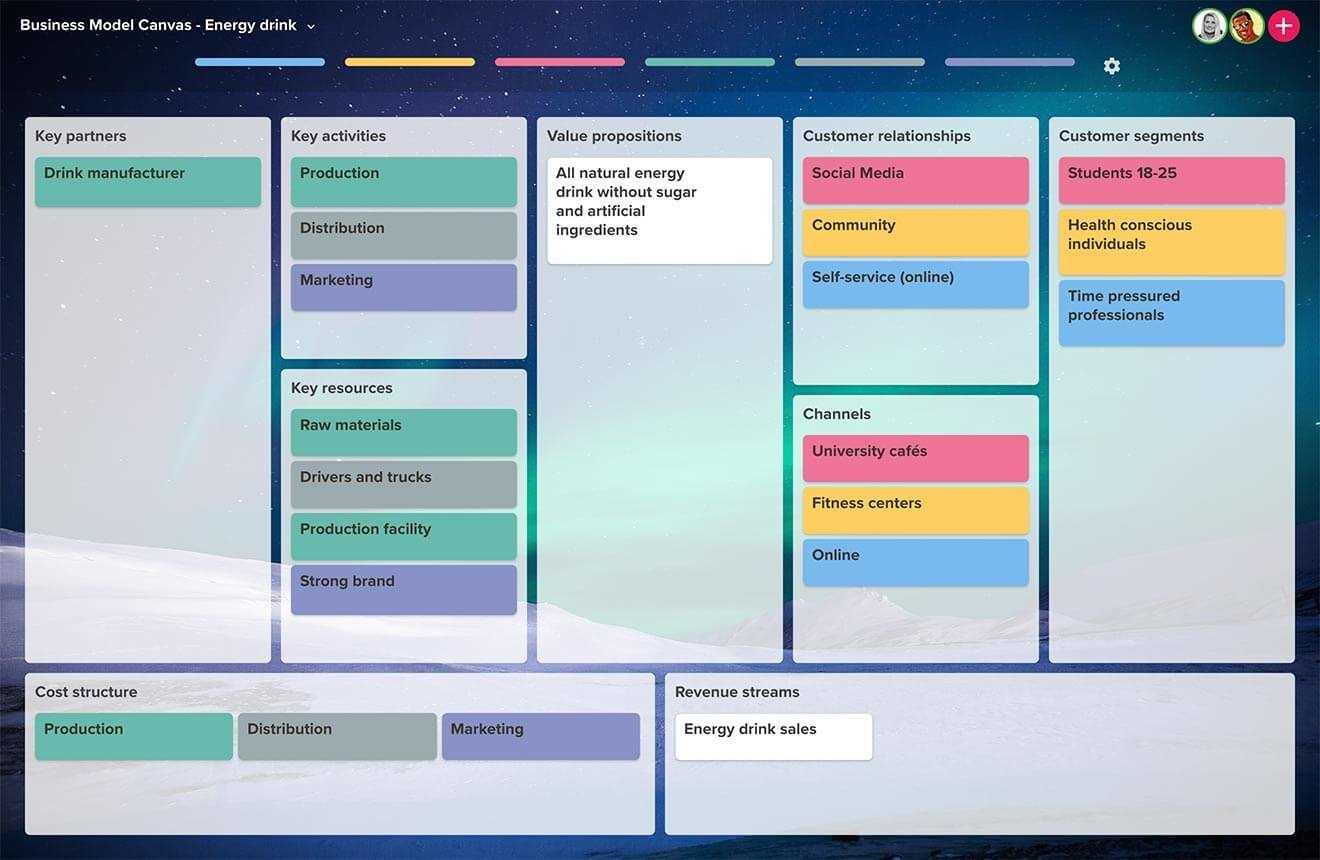
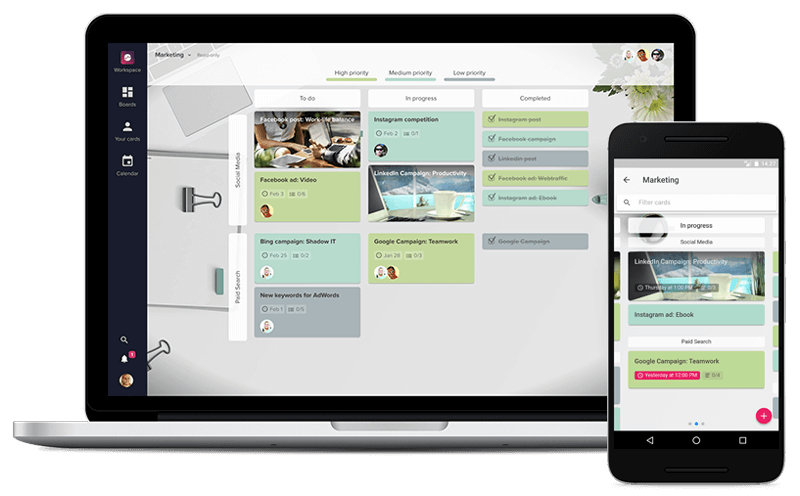
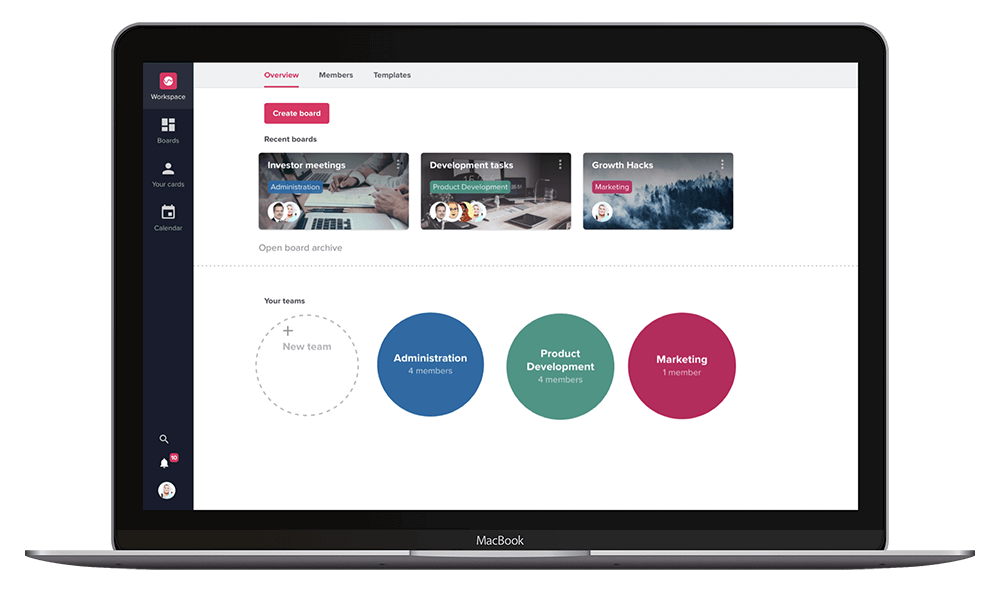
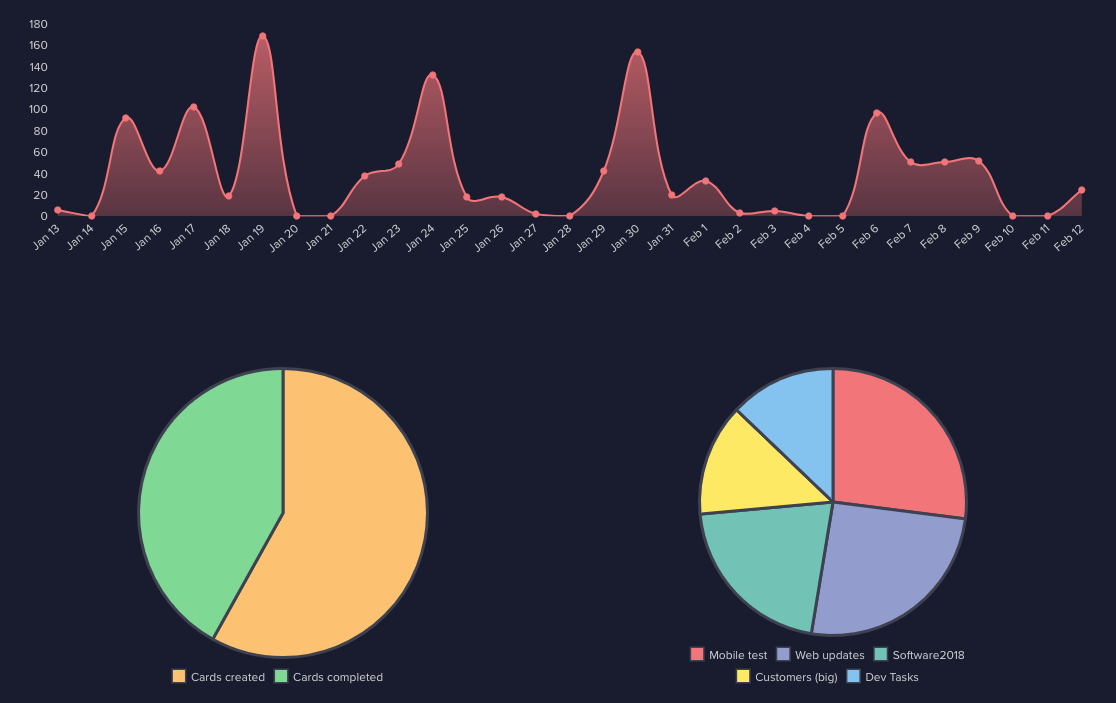
Description
Upwave at a Glance
| Best fit for | Project managers, marketing teams, product teams, agencies, mid-market organizations wanting visual work management |
|---|---|
| Industries | Technology, marketing agencies, media, financial services, professional services, education, retail |
| Core platform | Kanban boards, Gantt timeline, Calendar view, Swimlanes, Portfolio dashboards, Custom fields, Team collaboration, File attachments |
| Pricing model | Tiered per-user monthly Free/Business/Enterprise |
| Mobile apps | Mobile-responsive web; iOS and Android apps |
| Compliance | SOC 2 controls, GDPR-friendly with EU hosting |
| Named customers | Mid-market organizations across Nordic countries, Europe, and international markets |
| Parent company | Upwave |
| Headquarters | Oslo, Norway |
Upwave Pros and Cons in 2026
Where Upwave Stands Out
Visual work management with multiple views. Kanban, Gantt, calendar, and swimlanes on the same data.
Modern Nordic UX. Clean interface with Norwegian engineering standards.
Portfolio dashboards. Multi-project overview for managers running several projects.
GDPR-friendly EU hosting. Data residency in Europe for GDPR-conscious buyers.
Where Upwave Falls Short
Feature depth below tier-1 SaaS PM. Asana, Monday.com, and ClickUp have deeper enterprise workflows.
Ecosystem below tier-1 platforms. Integrations narrower than Asana or Monday.com marketplaces.
Brand recognition below category leaders. North American procurement teams often need vendor education.
Enterprise features tier-gated. SSO and advanced admin on higher tiers.
Who Should Use Upwave?
Upwave is the right pick for project managers, marketing teams, product teams, agencies, and mid-market organizations wanting visual work management. Nordic and European buyers benefit from EU data residency. In the project management category, Upwave is the Nordic visual PM choice.
It is the wrong fit for enterprise teams needing SaaS PM depth (Asana, Monday.com, ClickUp fit better), agile development teams (Taiga, Jira fit), and teams wanting free tier with breadth (Freedcamp). Buyers should also compare Trello, Asana, Monday.com, and ClickUp.
Upwave Product Suite in 2026
Kanban Boards
Visual Kanban boards with WIP limits and swim lanes. Fits teams preferring continuous flow work. Fits how buyer-side teams evaluate this capability during procurement and post-implementation adoption.
Gantt Timeline
Timeline planning with dependencies. Milestones and progress tracking. Fits how buyer-side teams evaluate this capability during procurement and post-implementation adoption.
Calendar View
Task and deadline calendar view. Integrates with team schedules. Fits how buyer-side teams evaluate this capability during procurement and post-implementation adoption.
Portfolio Dashboards
Multi-project overview for managers running several projects. Roll-up status and progress. Fits how buyer-side teams evaluate this capability during procurement and post-implementation adoption.
Custom Fields
Custom task fields for team-specific metadata beyond standard title/status. Fits how buyer-side teams evaluate this capability during procurement and post-implementation adoption.
Team Collaboration
Comments, mentions, file attachments, and activity feed. Team members collaborate inside tasks. Fits how buyer-side teams evaluate this capability during procurement and post-implementation adoption.
How Much Does Upwave Cost in 2026?
Free plan for small teams with basic features. Business tier from around $9 per user per month billed annually. Enterprise quote-based with SSO and advanced admin. Industry-typical visual PM tools run $5-25 per user per month depending on features.
What Drives the Cost
- Tier selection: Free/Business/Enterprise with progressively accessed features.
- User count: Per-user pricing on paid tiers.
- Annual billing: Annual saves versus monthly.
- Storage caps: Higher tiers include more file storage.
How to Get a Useful Quote
Self-serve trial at upwave.io. Business tier self-serve. Enterprise contacts sales for SSO and admin needs. Benchmark against Trello, Asana, Monday.com, ClickUp, and Freedcamp before signing.
Hidden Costs and Contract Gotchas to Watch For
- Feature parity varies by tier. Advanced features on Business+.
- SSO on Enterprise. Single sign-on requires top tier.
- Annual billing for discount. Monthly costs more.
- Ecosystem narrower. Confirm specific integrations for your stack.
- Data residency. EU hosting default; confirm if US or other regions needed.
Upwave Alternatives Worth Comparing
Trello wins on Kanban simplicity and accessible free tier. Different positioning. Buyer-side teams should shortlist this alternative during evaluation and compare on real customer references, not marketing copy.
Asana wins on tier-1 SaaS PM with strong integrations. Broader scope. Buyer-side teams should shortlist this alternative during evaluation and compare on real customer references, not marketing copy.
Monday.com wins on modern flexible work management with strong ecosystem. Broader scope. Buyer-side teams should shortlist this alternative during evaluation and compare on real customer references, not marketing copy.
ClickUp wins on all-in-one PM with aggressive feature velocity. Broader scope.
Freedcamp wins on generous free tier with broad PM features. Different positioning.
Miro wins on whiteboarding and brainstorming. Different scope.
Additional buyer-relevant reference points on SaaSRat include Trello, Asana, Monday.com, ClickUp, Miro, Freedcamp. Comparing these gives a clearer read on where each option lands on price, feature depth, and vendor maturity in 2026.
What Real Buyers Report About Upwave
Marketing team leads and project managers on Reddit r/projectmanagement and Nordic tech LinkedIn groups consistently call out three patterns. Multiple views (Kanban, Gantt, calendar, swimlanes) on the same data fit teams that think differently. Modern Nordic UX beats older visual PM tools. EU hosting fits GDPR-conscious European buyers. Buyer threads on Reddit r/SaaS and product-focused LinkedIn showcase pages repeat these signals through 2025-2026.
The common critiques cluster around three points. Feature depth below tier-1 SaaS PM for enterprise workflows. Ecosystem below tier-1 platforms limits deep customization. Brand recognition below category leaders in North America. For mid-market visual PM with Nordic engineering, Upwave consistently ranks as a solid European PM platform.
Bottom Line: Is Upwave Right for You?
Upwave is the right call for project managers, marketing teams, product teams, agencies, and mid-market organizations wanting visual work management with modern UX. Multiple views plus Nordic engineering plus EU data residency is a durable moat for European buyers.
For Kanban simplicity with free tier, Trello fits. For tier-1 SaaS PM, Asana is the alternative. For modern flexible work management, Monday.com is competitive.
Verified on 2026-07-03 by the SaaSRat Editorial Team. Vendor facts cross-checked against upwave.io (product pages, features, headquarters), Nordic tech and project management community threads on Reddit and LinkedIn, and current 2025-2026 press cycles. About our methodology.
Frequently Asked Questions
What is Upwave used for?
How much does Upwave cost?
Is Upwave free?
Is Upwave better than Trello?
Does Upwave have Gantt?
Where is Upwave headquartered?
Is Upwave GDPR compliant?
Does Upwave have mobile apps?
Does Upwave support portfolio management?
What support does Upwave offer?
Find Your Perfect Software
See how it can transform your workflow
- Personalized for your needs Tailored recommendations based on your unique requirements.
- Save time & resources Streamline your workflow and boost team productivity.
- Trusted by thousands Join 10,000+ businesses already growing with SaaSrat.
You're all set! 🎉
A specialist for will reach out within 1 business day with tailored recommendations for your needs.