

TeamSupport
by TeamSupport • Founded 2008
What is TeamSupport?
Get Best Quote for TeamSupport
Connect with SaaSrat experts to get the best quote for your business.
You're all set!
A specialist for TeamSupport will reach out within 1 business day.
TeamSupport Features
Ticket management
Customer management
Knowledge base
Self service portal
Reporting and analytics
Sla management
View All 162 Features
TeamSupport Pricing Plans
Enterprise
- Complete Customer & Contact Management
- Ticket Management
- Task Management
- SLA Management
- Product & Inventory Management
Support Desk
- Customer & Contact Management
- Ticket Automation & Workflows
- Ticket Management
- Customer Self-Service
- Collaboration
TeamSupport Resources
TeamSupport Screenshots
Description
TeamSupport at a Glance
| Best for | B2B SaaS support teams, B2B customer success functions, and account-based support organizations that need customer-level visibility rather than isolated ticket queues |
|---|---|
| Deployment | Cloud SaaS with mobile access; integrations across CRM, chat, and communication tools |
| Starting price | Contact Vendor (per-agent subscription; tiered plans; demo-driven sales cycle) |
| Key strengths | B2B account-based support workflow, customer and contact hierarchy, product tracking, CSM handoff, conversation-to-revenue positioning |
| Not ideal for | B2C support teams handling high-volume anonymous customer conversations, or SMB teams under 5 agents where lighter helpdesk tools cover the workflow |
TeamSupport Overview
TeamSupport is a customer support and customer success platform built specifically for B2B account-based teams rather than the consumer-support ticket model.
The core positioning is turning support conversations into revenue. Instead of measuring only tickets closed, TeamSupport surfaces which accounts have unresolved issues, which products those issues relate to, and where CSMs should intervene before churn risk grows.
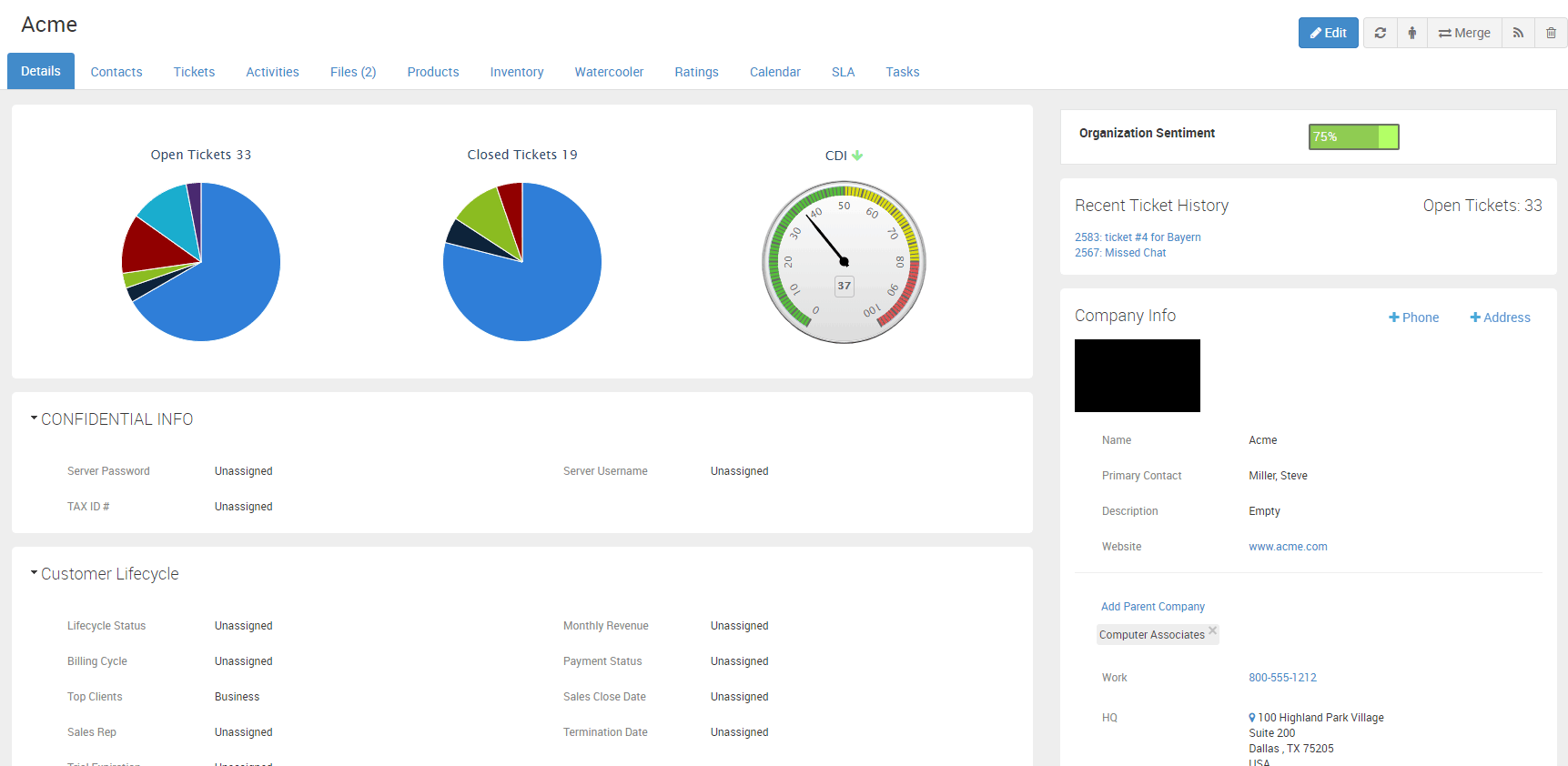
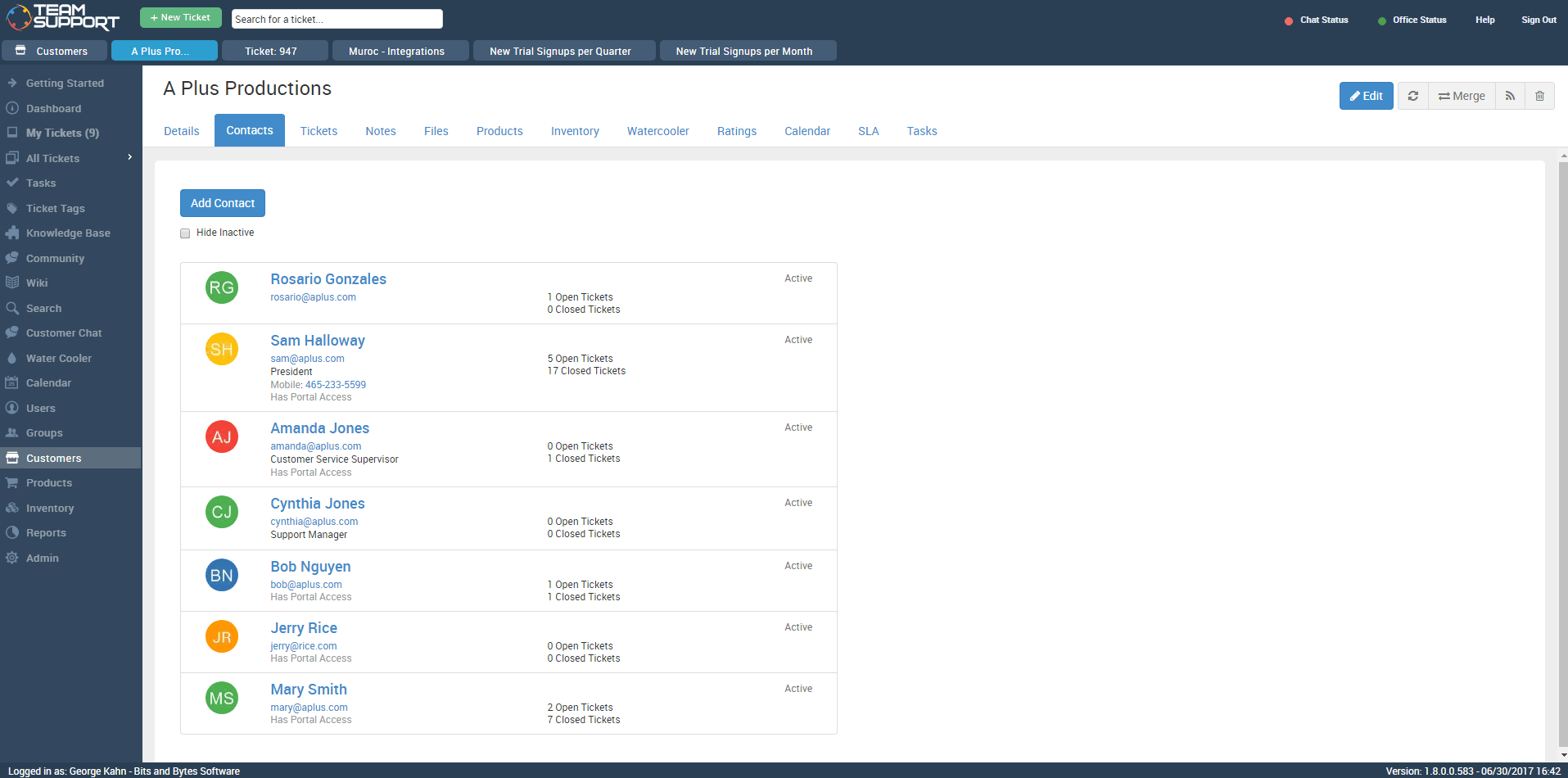
Account and contact management sits at the core: agents see the full customer picture (contacts, products, contracts, past tickets, health signals) when triaging a new conversation rather than just ticket subject and body.
Product tracking and escalation to Customer Success Managers give account-based teams the coordination layer that B2C-oriented ticket systems typically lack.
Capabilities and Named Features
The TeamSupport thesis is that B2B support is a fundamentally different job from B2C support and needs a fundamentally different tool.
B2C support tools optimize for ticket volume, first-response time, and CSAT on discrete anonymous conversations. B2B support has fewer conversations but each one connects to a named account, a specific product, a contract value, and a customer relationship that spans months or years.
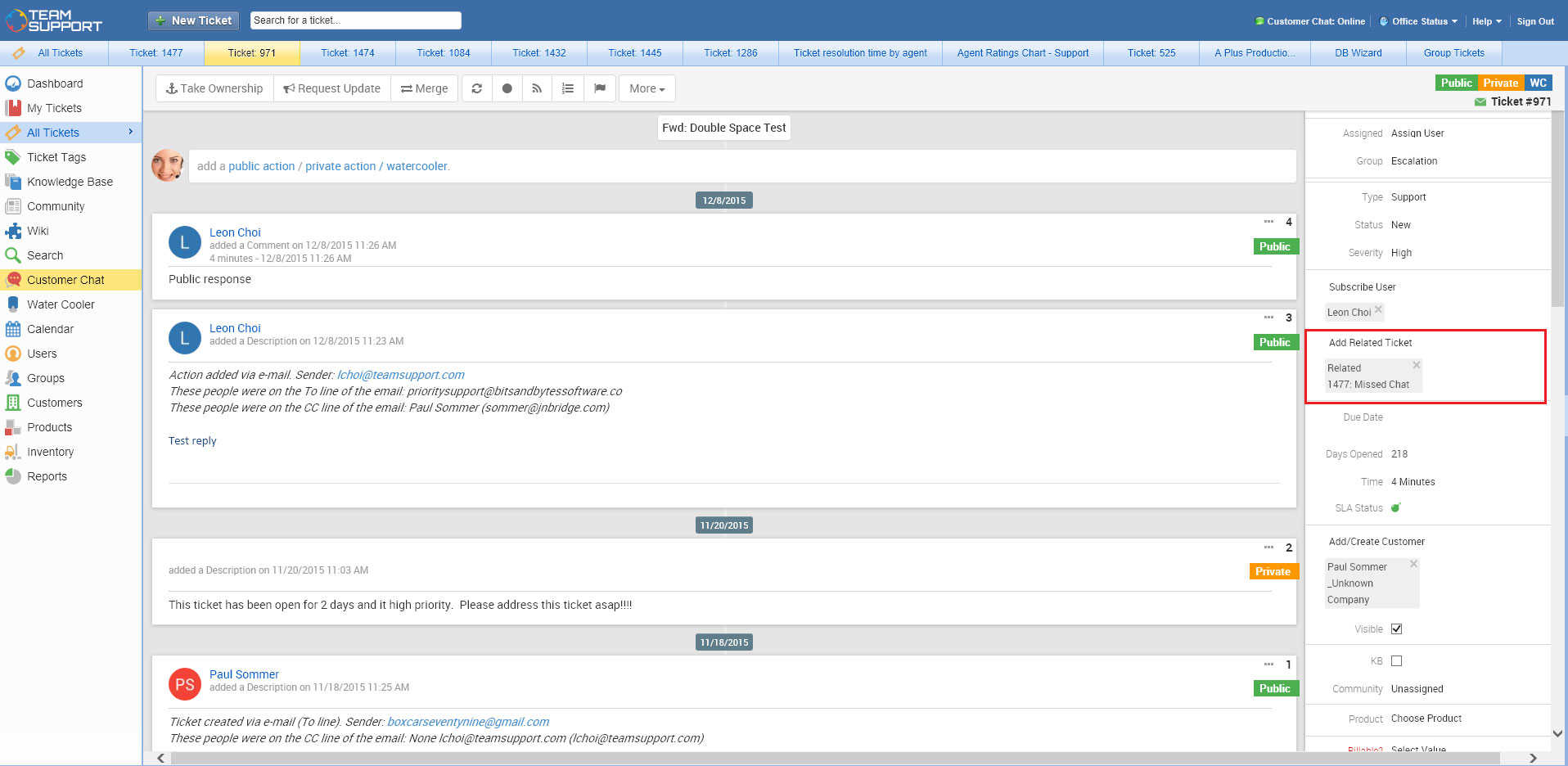
Account-based ticketing surfaces the full customer picture on every new conversation: current contracts, active product usage, past tickets, and CSM ownership. Agents triage with context rather than starting from ticket subject and body.
Escalation to Customer Success Managers is native to the workflow rather than a Slack message hoping someone reads it. Support agents flag accounts for CSM attention with structured context.
The conversations-into-revenue positioning turns support from a cost center into a signal source. Unresolved issues tied to renewal-window accounts get flagged for account-team intervention before contract-negotiation season.
Product tracking ties every ticket to specific products and features so product managers see feature-request and defect patterns emerging from real customer conversations rather than isolated feedback tools.
The Support and Success tiers reflect two adjacent workflows: pure ticketing for teams starting on B2B support, and unified support-plus-success for teams that want CSM and support agents working in the same account-level system of record.
Integrations with Salesforce, HubSpot, Slack, and Microsoft Teams keep TeamSupport account data in sync with the wider revenue and communication stack so account executives, CSMs, and support agents see the same customer picture from their preferred tool.
Named feature list
- Account and contact hierarchy with customer-level visibility
- Ticket management with account-level context on every conversation
- Product tracking tied to accounts and tickets
- Escalation to Customer Success Managers with structured context
- Customer health and satisfaction tracking
- Team collaboration on tickets with internal notes
- Knowledge base for customer self-service and agent reuse
- Integrations with CRM (Salesforce, HubSpot), Slack, Microsoft Teams
- Email-to-ticket with multi-channel intake (email, portal, chat)
- Reporting and dashboards for account-level and product-level trends
- API access for custom integrations
- Custom fields on tickets, contacts, and accounts
- SLA management with per-account service level agreements
- Ticket routing and assignment rules
- Mobile access for agents on the go
- Change and release note tracking
- Customer portal for account access to ticket history
- Product tracking for feature request and defect visibility
Pricing and Plans
TeamSupport does not publish public per-agent pricing on the vendor website.
Contracts are per-agent subscriptions with tiered plans. Pricing is quoted based on user count, tier, and integration scope; demo-driven sales cycle is standard.
Prospective buyers request a demo through the vendor website; enterprise procurement typically follows with a scoped evaluation before pricing conversations.
| Tier | Price | What is included |
|---|---|---|
| Support Tier | Contact Vendor | Core B2B support ticketing with account and contact management, product tracking, ticket collaboration, and knowledge base. Base tier for teams starting with B2B account-based support |
| Success Tier | Contact Vendor | Everything in Support plus customer success workflows: CSM handoff, customer health tracking, and account-level satisfaction. Suits teams unifying support plus CSM |
| Enterprise | Contact Vendor | Full platform with custom SLAs, advanced integrations, dedicated CSM, priority support, and multi-brand configuration |
| Integrations | Contact Vendor | CRM (Salesforce, HubSpot), Slack, Microsoft Teams, and other integrations included in base plans; custom integrations scoped separately |
Pros
- B2B account-based workflow is genuinely different from generic ticket systems and shows in every day-to-day interaction (context on every ticket, product visibility, CSM handoff).
- Conversation-to-revenue positioning gives support leaders a defensible ROI story rather than the "cost center" framing that B2C ticket systems accept by default.
- Product tracking tied to tickets surfaces feature-request and defect patterns that product managers use for roadmap decisions.
Cons and Trade-offs
- Quote-based pricing slows self-serve evaluation versus published-price competitors like Zendesk or Freshdesk.
- Volume ticketing UX is not the primary optimization; B2C support teams with high-volume anonymous conversations often find TeamSupport over-scoped.
- AI-first features and generative AI ticket automation are lighter than modern paid category leaders shipping AI copilots and autonomous agents.
TeamSupport vs Alternatives
| Capability | TeamSupport | Zendesk Suite | Freshdesk |
|---|---|---|---|
| Core focus | B2B account-based support | Enterprise multi-channel CX | SMB to mid-market multi-channel |
| Account-level visibility | Native | Add-on via Zendesk Explore | Freshworks CRM integration |
| Product tracking | Native | Not core | Not core |
| CSM handoff | Structured native workflow | Manual routing | Manual routing |
| Best fit | B2B SaaS support and success teams | Enterprise multi-channel CX | SMB and mid-market multi-channel |
Who Should Choose TeamSupport
B2B SaaS support teams, B2B customer success functions, and account-based support organizations that need customer-level visibility rather than isolated ticket queues.
Teams where support conversations tie to named accounts, specific products, and contract renewal cycles benefit directly from the account-based workflow.
Not appropriate for B2C support teams handling high-volume anonymous customer conversations (Zendesk or Freshdesk fit better) or SMB teams under 5 agents where lighter tools cover the workflow.
Named Alternatives to TeamSupport
- Zendesk Suite. Enterprise multi-channel CX platform. Chosen when the buyer needs email plus chat plus voice plus social with the largest ecosystem.
- Freshdesk. Multi-channel helpdesk with AI. A better fit when the buyer wants published per-seat pricing and multi-channel from Freshworks.
- Salesforce Service Cloud. Customer support inside Salesforce ecosystem. Preferred when the buyer runs Salesforce CRM and wants unified data.
- HubSpot Service Hub. Support inside HubSpot CRM. Chosen when the buyer runs HubSpot marketing and sales and wants integrated support.
- Intercom. Growth-stage customer messaging with strong AI. A better fit for B2C or product-led SaaS with high in-app messaging volume.
Implementation and Deployment
TeamSupport deployments typically run 4-8 weeks depending on integration scope and account-hierarchy complexity.
Standard sequence: account and contact model design (customer, sub-account, and contact hierarchy), product catalog setup, ticket workflow configuration, CRM integration (Salesforce or HubSpot), user training, and phased go-live starting with a single support team.
Enterprise deployments layer on custom SLAs, multi-brand configuration, and dedicated CSM cadence with quarterly business reviews.
What Real Buyers Say About TeamSupport
Operator discussions on Reddit r/CustomerSuccess discussions and LinkedIn B2B SaaS community surface the following themes.
B2B SaaS support leaders on r/CustomerSuccess and LinkedIn communities position TeamSupport as the account-focused alternative to generic ticket systems.
The product-tracking and CSM-handoff workflows are the most-cited value drivers over Zendesk or Freshdesk for B2B teams.
Common critique in r/SaaS: pricing opacity and AI-feature depth should be evaluated carefully against modern paid competitors shipping AI copilots and autonomous agents.
Vendor references: TeamSupport product overview, TeamSupport customer success stories, TeamSupport feature catalogue.
Related TeamSupport Comparisons and Categories on SaaSRat
Explore related products and categories on SaaSRat to compare TeamSupport against alternatives and see which vertical or feature comparison matches your buying criteria.
- Help Desk Software on SaaSRat
- Customer Service Software on SaaSRat
- Customer Success Software on SaaSRat
- Freshdesk: multi-channel helpdesk with AI
- Intercom: growth-stage messaging
- HubSpot Service Hub: CRM plus support
- Salesforce Service Cloud: enterprise support
- Zendesk Suite: multi-channel CX
The Bottom Line on TeamSupport
TeamSupport is a strong fit for B2B SaaS support teams, customer success functions, and account-based support organizations where every conversation connects to a named account, specific product, and contract cycle.
The account-based workflow and product tracking are genuine differentiators over B2C ticket systems retrofitted for B2B use.
The conversations-to-revenue positioning gives support leaders a defensible ROI story that ticket-focused competitors cannot match.
B2C support teams with high-volume anonymous conversations should look at Zendesk Suite, Freshdesk, or Intercom instead.
Teams already invested in Salesforce Service Cloud or HubSpot Service Hub should evaluate whether native ecosystem integration outweighs TeamSupport B2B specialization.
Verified on 2026-08-04 against vendor website.
Frequently Asked Questions
What is TeamSupport?
Who is TeamSupport best for?
How is TeamSupport different from Zendesk or Freshdesk?
How does TeamSupport pricing work?
Does TeamSupport integrate with Salesforce?
What is the difference between the Support and Success tiers?
Does TeamSupport handle product tracking?
Can customers access their own tickets in TeamSupport?
Where is TeamSupport headquartered?
Does TeamSupport offer a free trial?
Find Your Perfect Software
See how it can transform your workflow
- Personalized for your needs Tailored recommendations based on your unique requirements.
- Save time & resources Streamline your workflow and boost team productivity.
- Trusted by thousands Join 10,000+ businesses already growing with SaaSrat.
You're all set! 🎉
A specialist for will reach out within 1 business day with tailored recommendations for your needs.