

Sage Accounting
by Sage
What is Sage Accounting?
Sage Accounting is cloud-based accounting software for UK small businesses. It covers invoicing, bank reconciliation, VAT returns, Making Tax Digital compliance, and payroll in a single platform built around HMRC requirements.
Get Best Quote for Sage Accounting
Connect with SaaSrat experts to get the best quote for your business.
You're all set!
A specialist for Sage Accounting will reach out within 1 business day.
Sage Accounting Features
Invoicing
Bank Reconciliation
Expense Tracking
Cash Flow Forecasting
Financial Reporting
Quotes and Estimates
View All 15 Features
Sage Accounting Pricing Plans
Start
- 1 user
- Create and send invoices
- Track outstanding payments
- Automatic bank reconciliation
- Expense tracking
- Basic financial reports
- Accept online payments
- 30-day free trial
Standard
- 3 users
- Everything in Start, plus:
- Send quotes and estimates
- Manage purchase invoices
- Cash flow forecasting
- Advanced reporting
- 30-day free trial
Plus
- Unlimited users
- Everything in Standard, plus:
- Multi-currency invoicing
- Inventory management
- 30-day free trial
Sage Accounting Resources
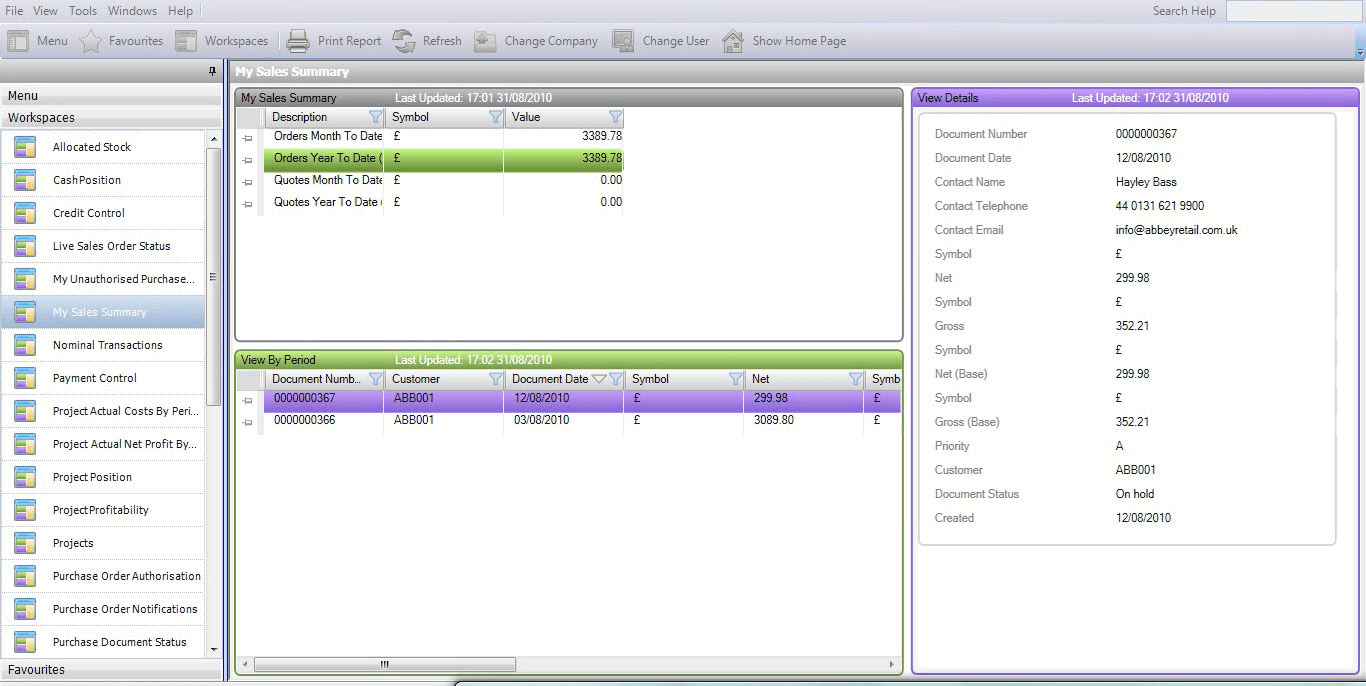
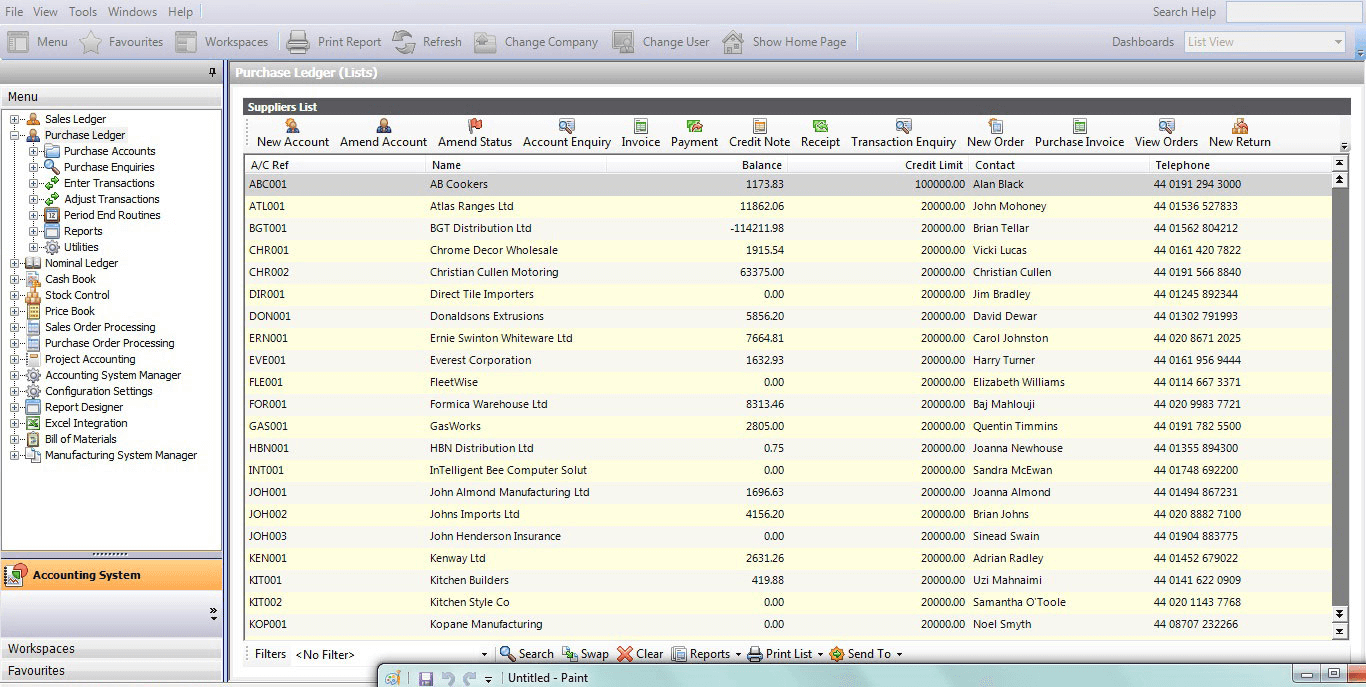
Sage Accounting Screenshots
Description
Sage Accounting at a Glance
| Best fit for | UK small businesses needing VAT compliance and Making Tax Digital (MTD) readiness; also used by small businesses in the US and other markets |
|---|---|
| Company size | 1 to 50 employees |
| Deployment | Cloud, SaaS |
| Starting price | Accounting Start from £15/month; Accounting from £30/month (UK pricing) |
| Free trial | 30 days, no credit card required |
| MTD VAT compliance | Yes, built in for UK VAT registered businesses |
| Double-entry accounting | Yes, on all plans |
| Inventory | Basic tracking on higher plans |
| Payroll | Via Sage Payroll integration (separate subscription) |
| Mobile app | Yes, iOS and Android |
Sage Accounting Pros and Cons in 2026
Where Sage Accounting Stands Out
Making Tax Digital (MTD) VAT compliance built in. For UK VAT-registered businesses, MTD requires digital VAT records and direct digital filing with HMRC. Sage Accounting handles this natively, with VAT return preparation and direct HMRC submission built into the product. This is the primary reason many UK small businesses choose Sage over alternatives.
Established brand with decades of accounting software history. Sage has been in the accounting software market since 1981. For business owners who want a known brand with long track record, Sage carries credibility that newer cloud-native tools do not. Support is available in the UK, US, and other key markets.
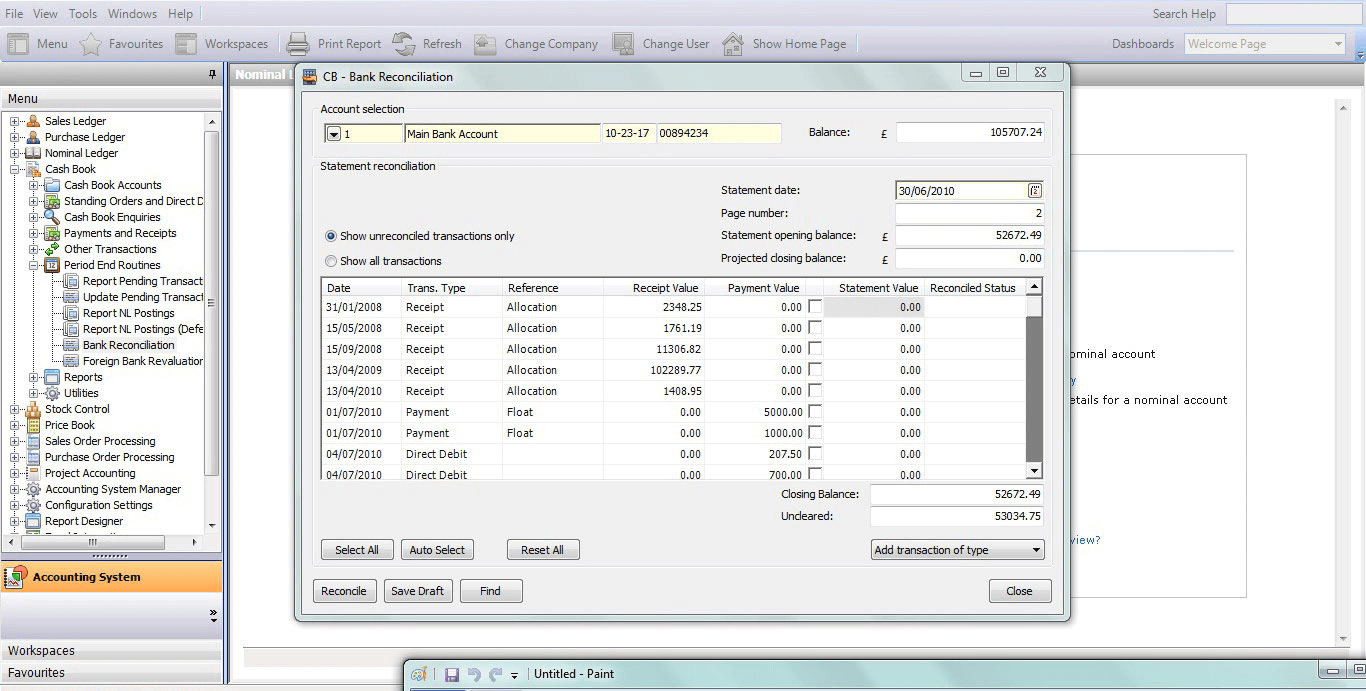
Bank feeds and automatic reconciliation. Sage Accounting connects to bank accounts and credit cards across major UK and US banks. Transactions import automatically and the system suggests matches based on previous entries. Bank reconciliation is straightforward for businesses that keep books current each week.
Cash flow forecasting on higher plans. The Sage Accounting plan (above Accounting Start) includes a cash flow forecast tool that shows projected inflows and outflows based on outstanding invoices and bills. For small business owners who manage cash tightly, this is a useful feature that many basic accounting tools do not include at this price level.
Simple setup for non-accountants. Sage Accounting is designed for business owners, not bookkeepers. The guided setup, categorized transactions, and plain-language reporting make it accessible to people without accounting backgrounds. The learning curve is lower than QuickBooks for straightforward use cases.
Where Sage Accounting Falls Short
Weaker brand presence in the US market. In the UK, Sage is a household name. In the US, QuickBooks and FreshBooks dominate small business accounting, and most US CPAs and bookkeepers have limited Sage experience. If your accountant does not know Sage, this creates a friction point during tax season and audits.
Integration library is smaller than QuickBooks or Xero. Sage Accounting integrates with key apps (Stripe, PayPal, AutoEntry), but the marketplace is significantly smaller than QuickBooks' 750+ app ecosystem or Xero's 1,000+ app connections. Businesses with specific integration needs should verify their required apps are supported before committing.
Inventory management is basic. Sage Accounting handles simple product tracking, but businesses with multi-location stock, serial number tracking, or complex purchase order workflows need a third-party inventory tool. QuickBooks and Zoho Books offer deeper inventory at comparable price points.
Payroll is a separate product. Sage Payroll is sold and priced separately from Sage Accounting. Businesses that need payroll alongside accounting face a higher combined cost than all-in-one tools.
Who Should Use Sage Accounting?
Sage Accounting is the right fit for UK-based small to mid-sized businesses that need Making Tax Digital compliance, VAT return submission, and UK payroll support in a single platform. It works best for UK businesses with 1 to 20 employees that need bank reconciliation, invoicing, and cash flow forecasting with HMRC-compliant tax handling built in. Retailers, trades businesses, professional services firms, and sole traders with a UK accountant are the most common Sage Accounting users.
It is the wrong fit for US-based businesses. Sage Accounting's compliance features are built around UK and EU tax requirements, not US tax law. US businesses should compare QuickBooks Online, Xero, and FreshBooks instead. It is also a less obvious fit for businesses with complex multi-entity structures or ERP-level workflow needs; Sage Intacct is the appropriate product for those cases. For UK businesses specifically, check the full comparison in our accounting software guide.
Sage Accounting Product Features
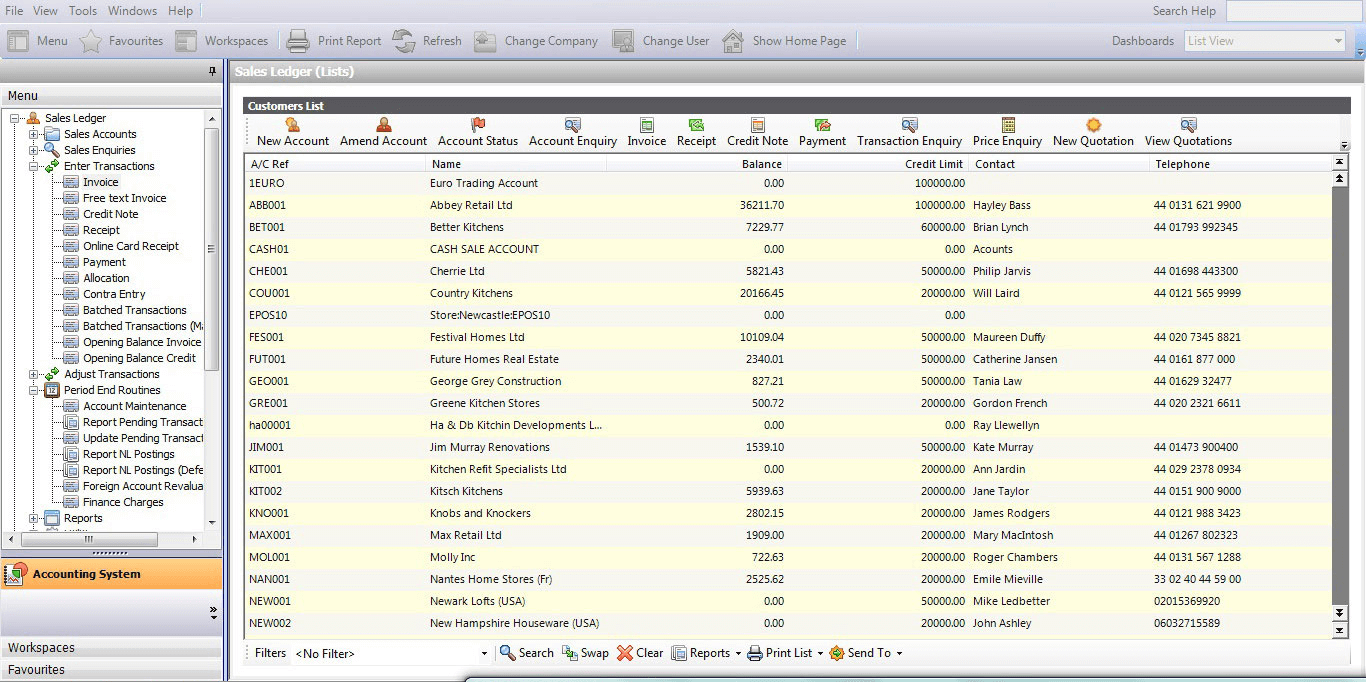
- Invoicing: Create and send professional invoices with automated payment reminders. Accept online payments via Stripe and PayPal. Recurring invoice support for subscription-based billing.
- VAT and tax management: Calculate and file VAT returns directly with HMRC (UK). Making Tax Digital compliant for all VAT-registered businesses. US and other country tax handling also supported.
- Bank feeds and reconciliation: Connect to major UK and US banks for automatic transaction import. Smart matching rules categorize recurring transactions. Bank statement reconciliation with clear match/no-match view.
- Expense tracking: Capture receipts via mobile app. Categorize business expenses and link to bank transactions for reconciliation. Employee expense claims on higher plans.
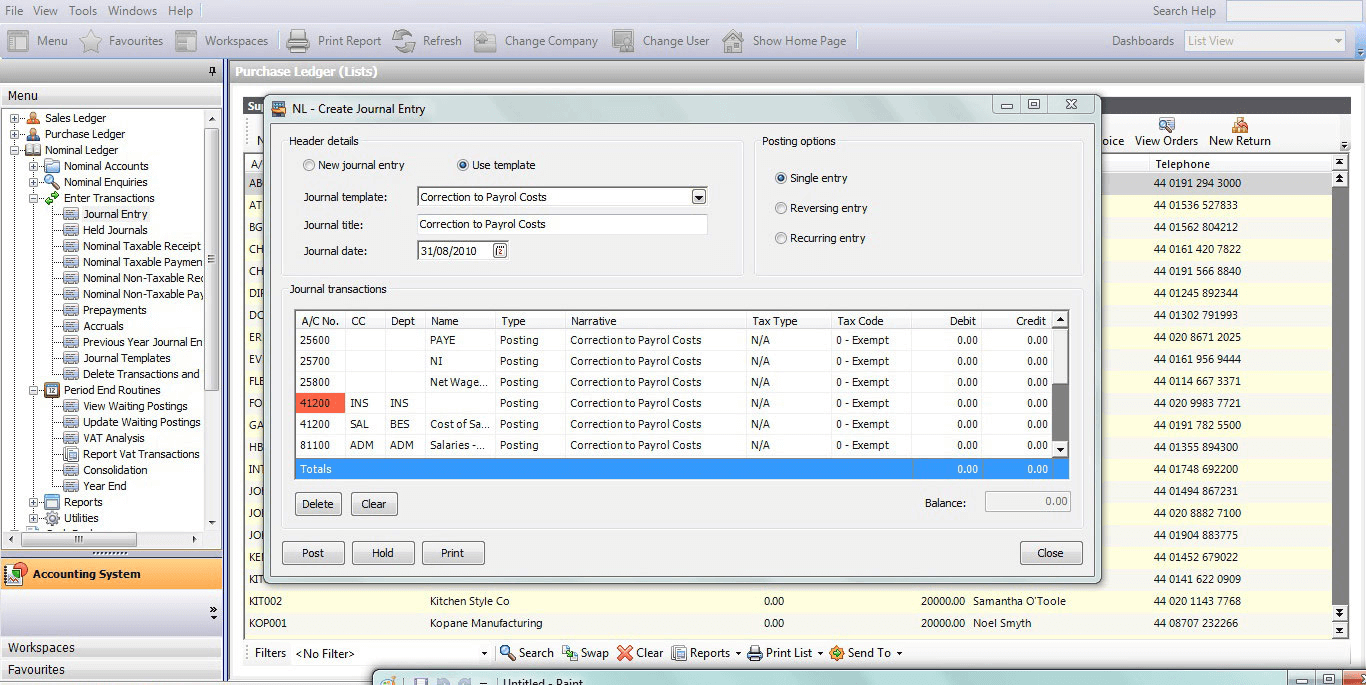
- Double-entry accounting: Full chart of accounts, journal entries, and debit/credit ledger. Accountant access and reporting suitable for year-end accounts preparation.
- Financial reports: Profit and loss, balance sheet, aged debtors and creditors, and VAT reports. Dashboard with cash position, outstanding invoices, and overdue bills summary.
- Cash flow forecasting: Projected cash position based on outstanding invoices, bills, and expected payments. Available on Accounting plan and above. Useful for planning large purchases or managing seasonal cash gaps.
- Purchase orders and bills: Create purchase orders, receive goods, and match to supplier bills for full purchase cycle management.
- Multi-currency: Invoice and record payments in foreign currencies with automatic exchange rate updates. Multi-currency available on higher-tier plans.
- Quotes and estimates: Send branded quotes to clients. Convert accepted quotes to invoices in one click without re-entering data.
- Inventory tracking: Basic product and service item tracking. Stock quantity monitoring on Accounting Plus plans for businesses selling physical products.
- Payroll integration: Connects to Sage Payroll for automatic payroll journal posting back to the accounts. Sage Payroll is a separate product sold independently.
How Much Does Sage Accounting Cost in 2026?
| Plan | UK Price | Key inclusions |
|---|---|---|
| Accounting Start | £15/month | Invoicing, expense tracking, bank reconciliation, VAT returns, basic reports |
| Accounting | £30/month | Adds cash flow forecasting, quotes, purchase invoices, advanced reports |
| Accounting Plus | £39/month | Adds inventory management, project tracking, and advanced analytics |
US and other market pricing varies. Contact Sage directly or visit sage.com for current pricing in your region. A 30-day free trial is available for all plans with no credit card required.
Hidden Costs to Watch For
- Sage Payroll: Payroll functionality is sold as a separate subscription alongside Sage Accounting. If you need payroll, budget for both products. Sage Payroll pricing depends on the number of employees.
- AutoEntry or document capture: Automated receipt and bill data extraction requires an AutoEntry subscription (a Sage product) or a third-party scanning tool. This is an add-on cost not included in the base accounting subscription.
- Additional users: Some plans limit the number of users. Adding bookkeepers or accountants beyond the included user count may incur additional fees depending on your plan and region.
- Accountant transition: If your current accountant does not work in Sage, you may face costs for finding a Sage-experienced advisor or training your existing accountant on the platform.
- Price increases: Sage has increased subscription prices in the UK market. Check current pricing directly on sage.com rather than relying on third-party sources for accurate figures.
Sage Accounting vs the Alternatives
| Product | Best for | Key difference from Sage Accounting |
|---|---|---|
| QuickBooks Online | US small businesses; strongest accountant support network | Larger US accountant network; more integrations; no MTD filing; Sage is stronger for UK VAT compliance |
| Xero | Service businesses and ecommerce needing unlimited users and multi-currency | Xero has unlimited users, stronger app marketplace, and cleaner interface; Sage has longer history and MTD compliance |
| Zoho Books | Businesses in the Zoho ecosystem or needing a free accounting tier | Zoho has a free plan and stronger global tax coverage; Sage is more established in the UK market |
| FreshBooks | Freelancers and service businesses focused on invoicing and time tracking | FreshBooks has better invoicing UX and client portal; Sage has stronger accounting depth and MTD compliance |
| Wave | Micro-businesses wanting free accounting with no revenue limit | Wave is free with no cap; Sage has more features, better support, and regulatory compliance tools |
What Real Buyers Report About Sage Accounting
UK-based small business owners who use Sage Accounting most commonly cite VAT return filing and bank feeds as the two features they would not want to give up. MTD VAT filing directly from the software saves the step of exporting data and uploading to HMRC's portal, which was the workflow under older software. For businesses that file VAT quarterly, this saves time each quarter and reduces filing errors.
US-based users report a more mixed experience. Some appreciate the clean interface and straightforward setup, but a common complaint is that their accountant is unfamiliar with Sage and requests data exports in QuickBooks-compatible formats. This creates friction at year-end and often results in businesses switching to QuickBooks when they grow beyond the simple invoicing and expense tracking phase.
Support quality reviews are generally positive for paid plan users, with phone support available in the UK and online support globally. The free trial is genuinely useful and gives enough time to test the bank feed connection and run through the invoicing workflow before committing.
Sage Accounting Integrations and App Ecosystem
Sage Accounting integrates with a focused set of key business apps. The marketplace is smaller than QuickBooks or Xero but covers the most common connections:
- Payments: Stripe and PayPal for online invoice payment collection. See our billing management guide for payment platforms that work with Sage.
- Document capture: AutoEntry (Sage product) and Dext for automated receipt and bill scanning and data extraction
- Payroll: Sage Payroll for employee payroll processing with journal posting back to accounts
- Banking: Direct bank feeds from Barclays, HSBC, Lloyds, NatWest, and other major UK banks, plus major US banks
- eCommerce: Shopify (via connector) and other platforms via Zapier. See our ecommerce software guide for platforms that integrate with Sage.
- Automation: Zapier for connecting Sage Accounting to apps without native integrations
- CRM: Salesforce and HubSpot via Zapier or third-party connectors
Security and Compliance
- ISO 27001 certified: Sage's cloud infrastructure is ISO 27001 certified for information security management
- SOC 2 compliance: Independent security and availability audit for cloud service operations
- TLS encryption in transit: All data transmitted between browser and Sage servers uses TLS 1.2 or higher
- AES-256 encryption at rest: Financial data stored on encrypted, geographically redundant servers
- GDPR compliant: Data processing agreements and residency controls for UK and EU customers
- Two-factor authentication: Available on all Sage Business Cloud accounts
- Role-based access: User permission levels control which features and financial data each team member can access
- HMRC recognised: Sage Accounting is HMRC-recognised software for Making Tax Digital VAT submissions in the UK
Bottom Line: Is Sage Accounting Right for You?
Sage Accounting is the clearest choice for UK small businesses that need MTD VAT compliance alongside everyday invoicing and bookkeeping. The bank feeds, VAT return filing, and cash flow forecasting cover most of what a small UK business needs, and the 30-day trial makes it easy to test before committing.
For US-based businesses, Sage Accounting is a functional option but not the default recommendation. QuickBooks has a larger US accountant network, more integrations, and stronger payroll options. Unless you specifically prefer Sage's interface or have prior experience with Sage products, QuickBooks or Xero are likely better starting points for a US small business.
The split between Sage Accounting and Sage Payroll (two separate subscriptions) is the main pricing consideration. If payroll is a core requirement, calculate the combined cost against all-in-one tools before deciding.
Frequently Asked Questions
Does Sage Accounting have a free plan?
What is the difference between Sage Accounting Start, Standard, and Plus?
Does Sage Accounting include payroll?
Is Sage Accounting suitable for US businesses?
How many users can I add to Sage Accounting?
Does Sage Accounting work with Shopify?
Does Sage Accounting have a mobile app?
Can I track inventory with Sage Accounting?
Does Sage Accounting connect with my bank automatically?
What does AutoEntry do in Sage Accounting?
Find Your Perfect Software
See how it can transform your workflow
- Personalized for your needs Tailored recommendations based on your unique requirements.
- Save time & resources Streamline your workflow and boost team productivity.
- Trusted by thousands Join 10,000+ businesses already growing with SaaSrat.
You're all set! 🎉
A specialist for will reach out within 1 business day with tailored recommendations for your needs.