
What is Xero?
Get Best Quote for Xero
Connect with SaaSrat experts to get the best quote for your business.
You're all set!
A specialist for Xero will reach out within 1 business day.
Xero Features
Invoicing
Bank Reconciliation
Expense Tracking
Inventory Management
Multi-Currency
Financial Reporting
View All 20 Features
Xero Pricing Plans
Early
- Send quotes and 20 invoices
- Enter 5 bills
- Reconcile bank transactions
- Capture bills and receipts with Hubdoc
- Short-term cash flow and business snapshot
Growing
- Everything in Early, plus:
- Unlimited invoices and quotes
- Unlimited bills
- Bulk reconcile transactions
- Connect unlimited bank accounts
Established
- Everything in Growing, plus:
- Multi-currency accounting
- Invoice and pay in multiple currencies
- Track and claim expenses
- Projects tracking and job costing
Xero Resources
Xero Screenshots
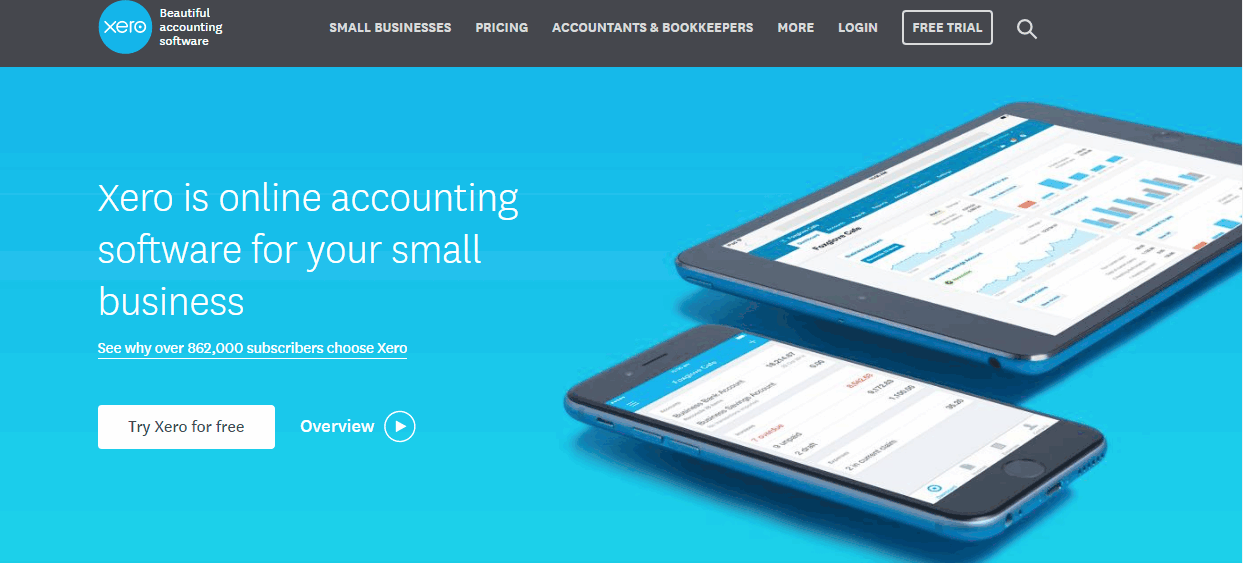
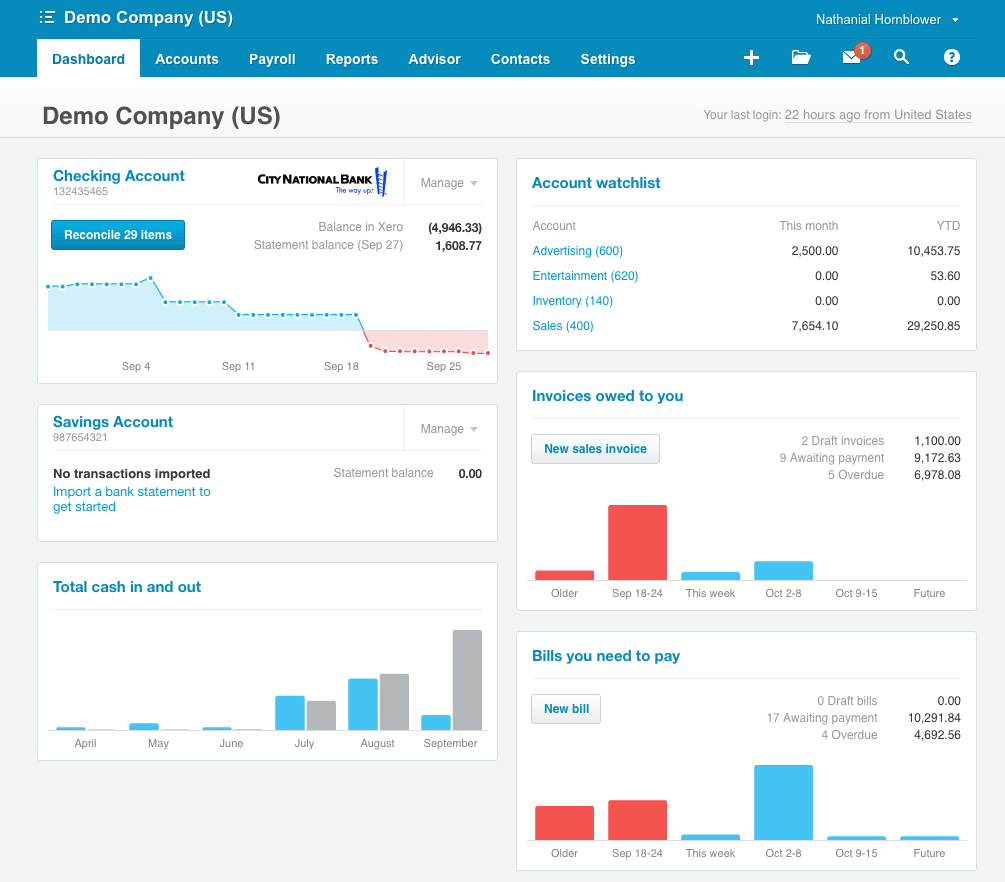
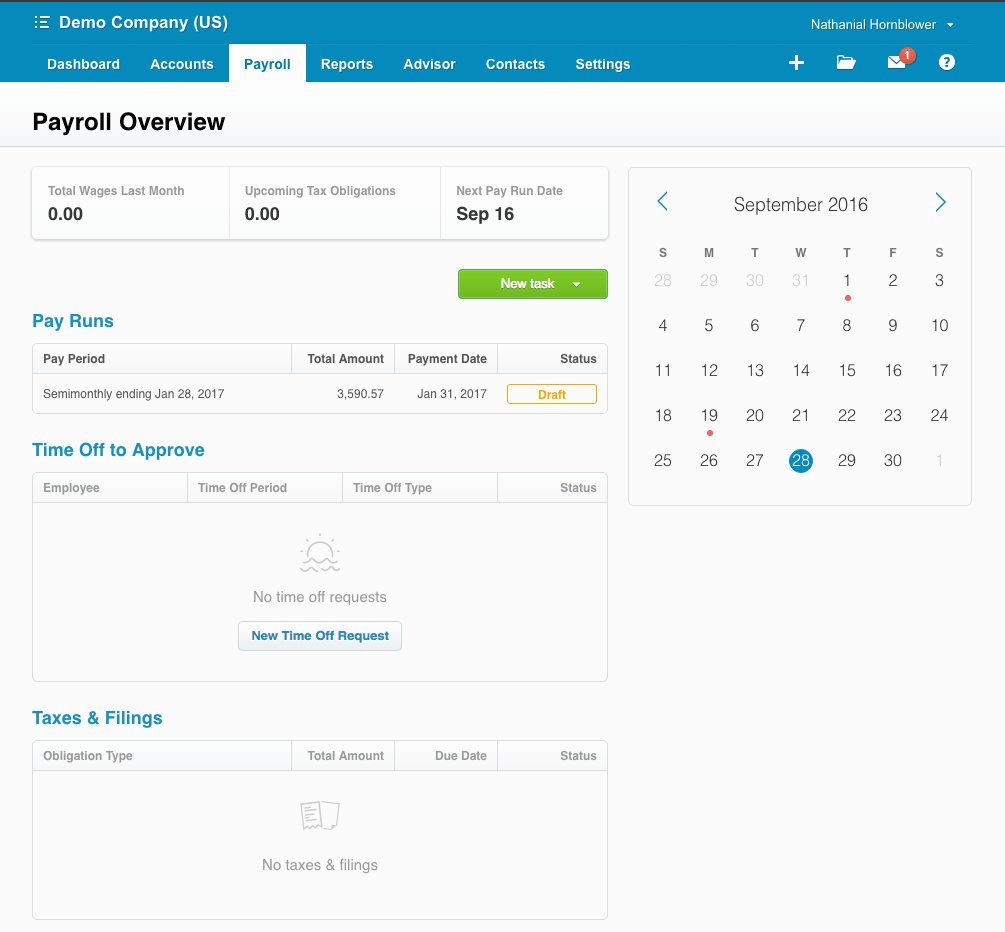
Description
Xero at a Glance
| Best fit for | Small and growing businesses with 1 to 50 employees needing cloud-first accounting with unlimited users, automated bank feeds, and multi-currency support |
|---|---|
| Industries | Professional services, ecommerce, retail, construction trades, creative agencies, freelancers, remote-first businesses, and international SMBs |
| Core platform | Invoicing, bank reconciliation, expense tracking, inventory, payroll integration (Gusto for US), financial reporting, multi-currency, Hubdoc receipt capture |
| Integrations | 1,000+ apps via Xero Marketplace: Stripe, PayPal, Shopify, Gusto, HubSpot, Salesforce, A2X (Amazon), Dext, Cin7, Fathom, Square, WooCommerce; REST API for custom connections |
| Pricing model | Flat monthly per-plan, no per-user fees - unlimited users on all plans |
| Indicative pricing | Early $25/month, Growing $55/month, Established $90/month - 30-day free trial, no credit card required |
| Mobile apps | iOS and Android |
| Trust signals | 4.3M+ subscribers globally; dominant in UK, Australia, and New Zealand; growing US market share among ecommerce and tech-forward SMBs |
| Vendor headquarters | Wellington, New Zealand (US operations: San Francisco, California) |
| Compliance | SOC 2 Type II certified, 256-bit TLS in transit, AES-256 at rest, two-factor authentication, continuous geographic backup - not HIPAA certified |
Xero Pros and Cons in 2026
Where Xero Stands Out
Unlimited users on every plan. Every Xero plan includes unlimited users at no extra cost. Your accountant, bookkeeper, and full team can access Xero without per-seat fees. Most competitors at this price tier charge per user, which inflates total cost as teams grow.
Clean interface that non-accountants can use. Xero is consistently rated the most approachable accounting interface at this price tier. Business owners without accounting backgrounds can reconcile transactions, send invoices, and read reports without training. This matters most for owner-operated businesses.
Strong multi-currency on the Established plan. Xero handles exchange rate gains and losses automatically, lets you invoice in client currencies, and pays suppliers in their currency. For small businesses with international clients or cross-border payments, this is one of the strongest features available at the $90/month price point.
Hubdoc included in all plans. Hubdoc scans bills and receipts, extracts key data, and feeds it directly into Xero. Competitors charge extra for equivalent bill capture tools. This alone saves hours of manual entry each month for businesses with high bill volume.
Leading accounting platform in UK, Australia, and New Zealand. If your business operates across these geographies, Xero is the standard. Local payroll is built in natively for UK, AU, and NZ users - no third-party integration needed.
Where Xero Falls Short
No phone support on standard plans. Xero main support channel is email and the Xero Central knowledge base. Phone support is reserved for Xero partners and accountants. This is the most consistent complaint across user reviews and a real consideration for businesses that need fast help during year-end or payroll issues.
US payroll is not built in. US businesses must connect Gusto separately, which is a paid subscription starting at $40/month plus $6 per employee. The combined Xero plus Gusto cost should be factored when comparing against all-in-one tools like QuickBooks Payroll or Gusto standalone.
Early plan limits are tight. The Early plan caps invoices at 20 per month and bills at 5 per month. Most active businesses exceed these limits within the first billing cycle and need to upgrade to Growing.
Inventory depth is basic. Built-in inventory handles simple product businesses. Warehousing, multi-location stock, serial number tracking, or manufacturing bill-of-materials workflows require a third-party add-on like Cin7 or DEAR Inventory.
Smaller US bookkeeper and CPA network. More US accountants and CPAs work in QuickBooks than Xero. If your existing accountant does not work in Xero, factor in either finding a Xero-certified advisor or paying for a transition period.
Who Should Use Xero?
Xero is the right accounting platform for small and growing businesses with 1 to 50 employees that need cloud-first accounting with a clean interface, unlimited users, and strong multi-currency without complexity. It performs strongest for service businesses billing regular clients, ecommerce sellers on Shopify, remote and distributed teams, and businesses with international clients or cross-border payments. If your bookkeeper or CPA is Xero-certified, that alone is a strong reason to use it over alternatives in the accounting software category.
Xero is the wrong fit if you need US payroll built in (factor Gusto separately), if you process inventory at warehouse or manufacturing scale, or if you have grown past 50 to 100 employees and need multi-entity consolidation or ERP-level reporting. Businesses at that stage should evaluate platforms in our ERP software guide.
Xero Product Features
Invoicing and Payments
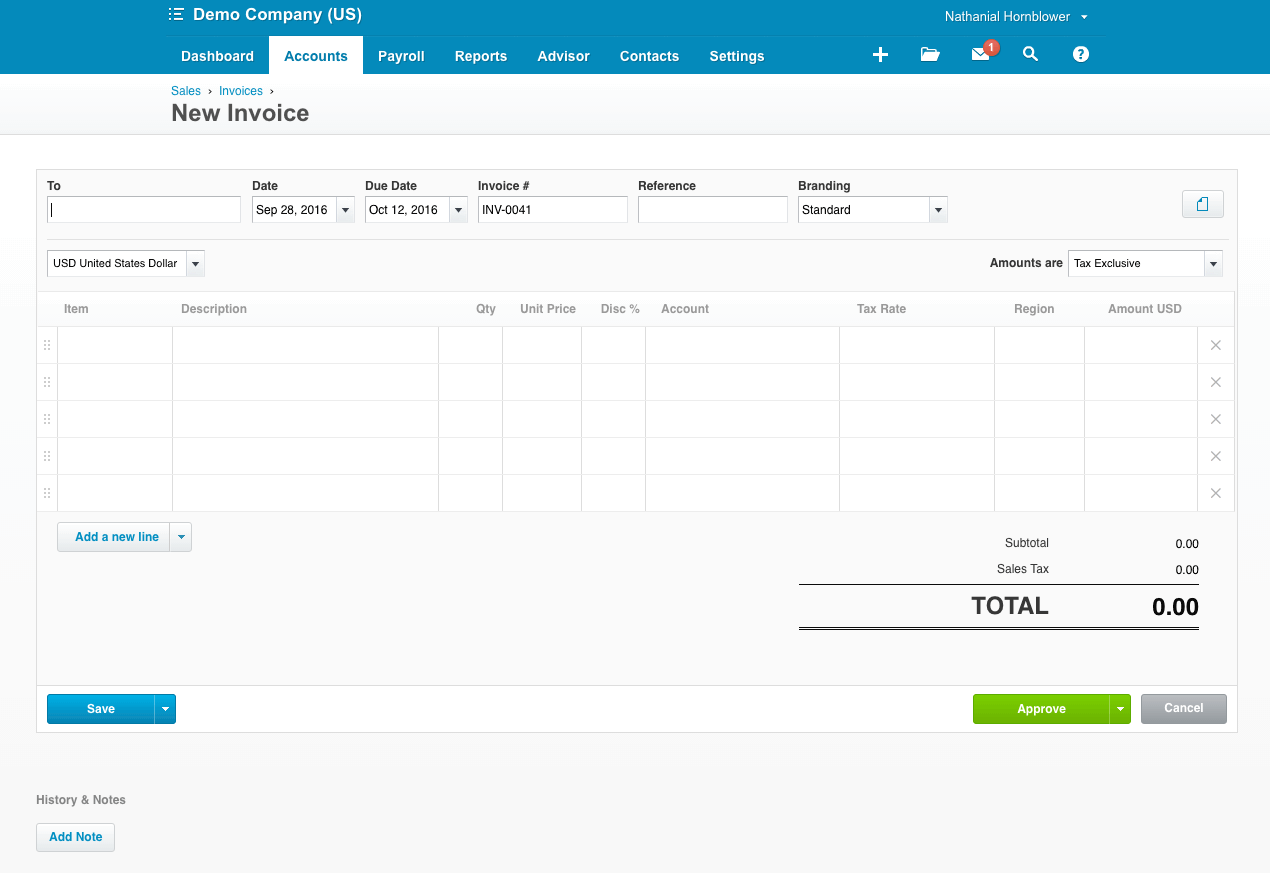
Create branded invoices, set automatic payment reminders, and accept payments through Stripe or PayPal directly from the invoice. Recurring invoices work well for service businesses billing regular clients each month. The Early plan caps you at 20 invoices per month - most active businesses need Growing or above from the start.
Bank Reconciliation
Bank feeds connect directly and import transactions automatically each day. The reconciliation engine learns from your previous entries and suggests categories over time, which cuts manual entry significantly once the system knows your spending patterns. Bulk reconciliation is only available on Growing and above, so the Early plan can feel slow for high-transaction businesses.
Expense Tracking
Employees photograph and submit receipts through the Xero mobile app. Hubdoc, included in all plans, scans bills and extracts the key data automatically. For businesses needing multi-level approval workflows or detailed per-diem management, a third-party add-on is needed. See our expense management software guide for tools that connect with Xero.
Inventory Tracking
All plans include basic inventory tracking. Xero tracks stock quantities and costs as you buy and sell, adjusting values automatically. This covers simple product businesses well. For multi-location warehousing, serial number tracking, or complex stock movements, a dedicated inventory tool connected to Xero is required.
Multi-Currency
Multi-currency is available from the Established plan at $90/month. Xero handles exchange rate gains and losses automatically, lets you invoice in your client currency, and pay suppliers in theirs. For businesses with international clients or cross-border payments, this is one of the strongest features available at this price point in the small business accounting market.
Payroll Integration
US businesses connect Xero with Gusto for payroll, which is a separate subscription. Payroll is built directly into Xero for UK, Australian, and NZ businesses with native tax filing and compliance. If payroll is a core requirement for a US business, factor in the combined Xero plus Gusto cost when comparing against other payroll software options.
Financial Reporting
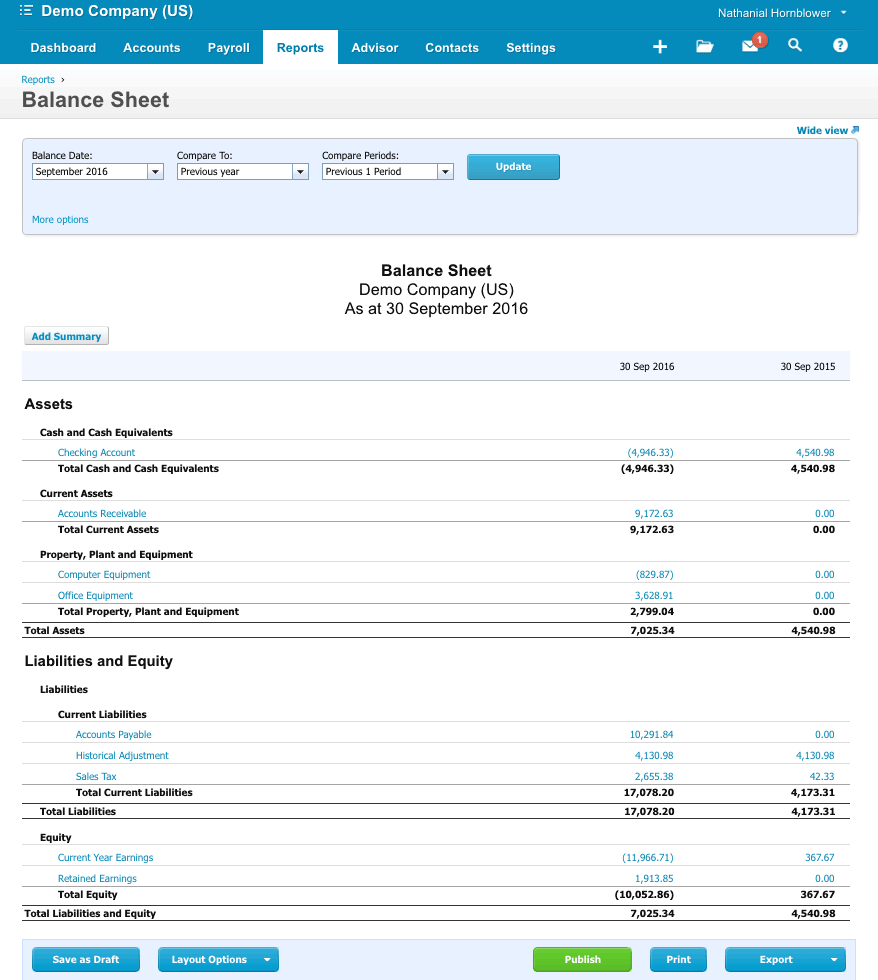
Xero covers the core reports most small businesses need: profit and loss, balance sheet, cash flow, aged receivables and payables, and GST/VAT returns. Standard reports are readable without an accounting background. Budget vs actual and custom report layouts are available on higher plans. For more advanced analysis, Xero connects with reporting tools like Fathom and Spotlight Reporting.
Integrations
Over 1,000 app connections through the Xero marketplace. Common integrations include Stripe, PayPal, Shopify, HubSpot, Salesforce, Gusto, A2X, and Dext. For ecommerce businesses, Shopify and A2X for Amazon reconciliation are widely used. For billing management, Stripe and Square are the most common connections. Most integrations require a third-party subscription alongside your Xero plan.
How Much Does Xero Cost in 2026?
| Plan | Price | Invoices | Bills | Multi-Currency |
|---|---|---|---|---|
| Early | $25/month | 20/month | 5/month | No |
| Growing | $55/month | Unlimited | Unlimited | No |
| Established | $90/month | Unlimited | Unlimited | Yes |
All plans include a 30-day free trial with no credit card required. All plans also include unlimited users - your accountant, bookkeeper, and team members access Xero at no extra cost. Xero periodically offers promotional discounts (up to 80% off for the first 3 months) - check the current offer on the Xero pricing page before committing.
Hidden Costs to Watch For
- US payroll: Gusto starts at $40/month plus $6 per employee. This adds $100 to $300/month for most small US businesses and should be included in any total cost comparison.
- Inventory add-ons: Cin7, DEAR Inventory, and similar tools add $50 to $200/month for businesses needing warehouse or manufacturing inventory management.
- Advanced reporting: Fathom and Spotlight Reporting add $39 to $99/month for businesses needing multi-entity consolidation or advanced financial dashboards.
- Xero Expenses module: The standalone Xero Expenses add-on is $5/month per active user for US businesses needing full expense claim workflows beyond Hubdoc receipt capture.
- Xero Projects: Job costing and time tracking via Xero Projects is $13/month for up to 5 users on Established plan, or included on some regional plans - verify current availability.
Xero vs the Alternatives
QuickBooks Online is the primary alternative for US businesses. QuickBooks has a deeper US accountant network, built-in payroll (paid add-on), and more advanced inventory. It charges per user on higher plans. Choose QuickBooks if your accountant prefers it or if you need built-in US payroll.
FreshBooks is the alternative for freelancers and service businesses that want simpler invoicing. FreshBooks charges per client and per user but has a cleaner client-facing experience for project-based billing.
Wave is the free alternative for very small businesses or early-stage startups. Wave covers basic invoicing and accounting at no cost but lacks Xero depth in reconciliation, multi-currency, and integrations.
Zoho Books is the alternative for businesses already in the Zoho ecosystem. Zoho Books integrates tightly with Zoho CRM, Zoho Inventory, and other Zoho apps. Pricing is comparable to Xero.
Sage Intacct is the alternative for mid-market businesses (50+ employees) needing multi-entity consolidation, department-level reporting, and deeper ERP integration. See our ERP software guide for platforms at that scale.
What Real Buyers Report About Xero
Buyer feedback consistently highlights three strengths. The interface quality is the most common positive - business owners and bookkeepers without deep accounting backgrounds find Xero faster to learn than QuickBooks. Bank reconciliation automation is cited as the biggest time saver once bank feeds are connected and the system has learned spending patterns. Multi-currency handling is flagged by international and ecommerce businesses as the standout feature at this price tier.
Complaints cluster around three areas. No phone support is the most frequent criticism and the one most likely to affect buyers who need fast help during year-end closings or system issues. The US payroll gap (requiring Gusto) adds cost and friction for US businesses that expected an all-in-one tool. Early plan invoice limits catch new users off guard - most upgrade within 60 to 90 days.
Xero Integrations and App Marketplace
Xero connects with over 1,000 apps through its marketplace. Key categories covered: payment processing (Stripe, PayPal, Square), ecommerce (Shopify, WooCommerce, A2X for Amazon), CRM (HubSpot, Salesforce), payroll (Gusto for US), expense management (Dext, Hubdoc native), inventory (Cin7, DEAR Inventory), and advanced reporting (Fathom, Spotlight Reporting). Most integrations are one-way or bidirectional syncs that handle data transfer automatically after initial setup. For businesses with custom integration needs, Xero offers a REST API with OAuth 2.0 authentication. See the billing management guide and accounts payable guide for compatible tools.
Security and Compliance
Xero uses 256-bit TLS encryption for data in transit and AES-256 encryption at rest. The platform supports two-factor authentication and is SOC 2 Type II certified. Data is backed up continuously with geographic redundancy. Xero is not HIPAA certified - US healthcare businesses with HIPAA requirements should verify compliance fit before committing.
Bottom Line: Is Xero Right for You?
Xero is the right call for small businesses with 1 to 50 employees that want cloud-first accounting with a clean interface, unlimited users, and strong multi-currency at a flat monthly price. The combination of automated bank feeds, Hubdoc receipt capture, and a 1,000+ app marketplace makes it a capable platform for service businesses, ecommerce sellers, and remote teams without needing accounting expertise to operate day-to-day.
It is not the right fit for US businesses that need built-in payroll (factor in Gusto separately), businesses with complex inventory or manufacturing workflows, or companies that have grown past 50 to 100 employees and need multi-entity consolidation. For those needs, evaluate options in the ERP software guide or speak to a Xero-certified accountant about whether the platform scales to your next stage.
Frequently Asked Questions
Does Xero have a free plan?
What is the difference between Xero Early, Growing, and Established plans?
Does Xero include payroll for US businesses?
How many users can I add to Xero?
Can I switch from QuickBooks to Xero?
Does Xero integrate with Shopify?
Is Xero suitable for product-based businesses with inventory?
What customer support does Xero offer?
Does Xero work on mobile?
Is Xero suitable for businesses with more than 50 employees?
Find Your Perfect Software
See how it can transform your workflow
- Personalized for your needs Tailored recommendations based on your unique requirements.
- Save time & resources Streamline your workflow and boost team productivity.
- Trusted by thousands Join 10,000+ businesses already growing with SaaSrat.
You're all set! 🎉
A specialist for will reach out within 1 business day with tailored recommendations for your needs.