Zoho Books

Zoho Books

Accounting Software

What is Zoho Books?

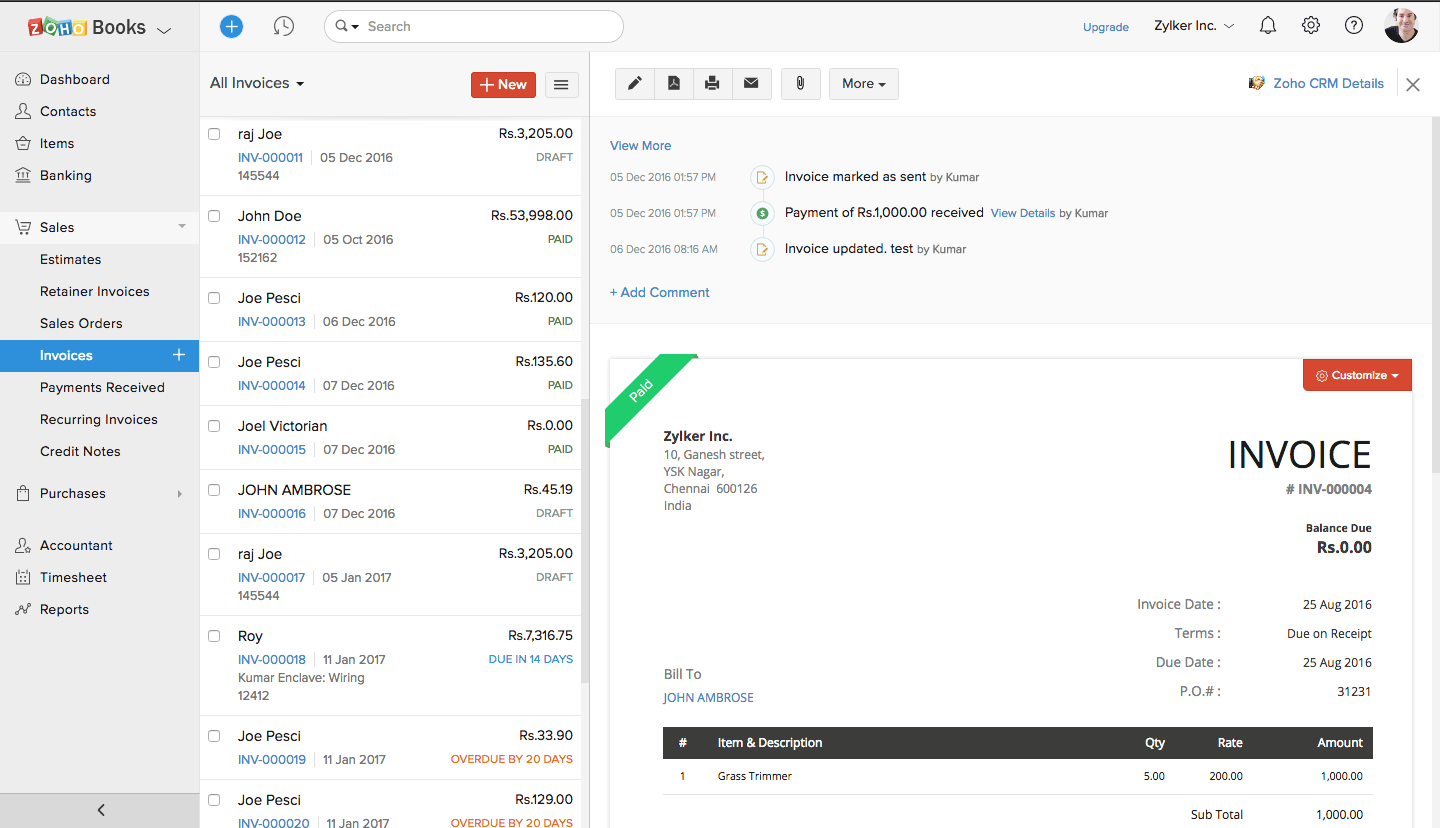
Zoho Books is a full-featured cloud accounting platform for small and mid-sized businesses. It covers invoicing, bank reconciliation, inventory, and tax compliance, and integrates directly with Zoho CRM and the wider Zoho app ecosystem.

Get Best Quote for Zoho Books

Connect with SaaSrat experts to get the best quote for your business.

What's driving this search?
Help us understand your situation
Purchasing New
No current solution
Replacing Existing
Looking to switch
Step 1 of 5
Organization Size?
Select the range that applies
Step 2 of 5
Implementation Timeframe
When do you expect to implement?
Step 3 of 5
What's your role?
Select your title
Step 4 of 5
Almost there!
Your details are kept private
SSL Encrypted · No spam

You're all set!

A specialist for Zoho Books will reach out within 1 business day.

Zoho Books Features

Invoicing

Bank Reconciliation

Expense Tracking

Multi-Currency

Inventory Management

Project Accounting

View All 20 Features
Time Tracking
Automated Workflows
Client Portal
Recurring Invoices
Payment Processing
Financial Reporting
Budgeting
Cash Flow Forecasting
Vendor Portal
Purchase Orders
Sales Orders
Bank Feeds
Mobile App
Shopify Integration

Zoho Books Pricing Plans

Standard

$15 /Per Month (billed annually)
  • 3 users
  • Up to 5,000 invoices per year
  • Automated payment reminders
  • Recurring invoices and expenses
  • Automatic bank feeds
  • 50+ financial reports
  • Project invoicing
  • Bulk updates
  • Email support
Get Pricing
POPULAR

Professional

$40 /Per Month (billed annually)
  • 5 users
  • Up to 10,000 invoices per year
  • Multi-currency support
  • Project time tracking
  • Retainer invoices
  • Price lists
  • Sales and purchase approvals
  • Landed costs
  • Email and voice support
Get Pricing

Premium

$60 /Per Month (billed annually)
  • 10 users
  • Up to 25,000 invoices per year
  • Vendor portal
  • Budgeting and cash flow forecasting
  • Custom domain
  • Custom buttons and validation rules
  • 200 workflow rules
  • Webhooks and custom functions
  • Email, voice, and chat support
Get Pricing

Elite

$120 /Per Month (billed annually)
  • 15 users
  • Up to 100,000 invoices per year
  • Advanced inventory control
  • Multi-warehouse management (up to 5 warehouses)
  • Serial number and batch tracking
  • Shopify integration (up to 2 stores)
  • Shipping label printing
  • Email, voice, and chat support
Get Pricing

Ultimate

$240 /Per Month (billed annually)
  • 15 users
  • Up to 100,000 invoices per year
  • Advanced analytics (50+ pre-built reports)
  • Custom dashboards
  • KPI tracking and trend analysis
  • Multi-source data analysis
  • Collaborative reports
  • Email, voice, and chat support
Get Pricing

Free

Free
  • 1 user + 1 accountant
  • Up to 1,000 invoices per year
  • Client portal
  • Online and offline payments
  • Bank reconciliation
  • Sales and purchase orders
  • Expense tracking
  • Basic reports
  • Email support
Get Pricing

View full pricing on Zoho Books website →

Zoho Books Resources

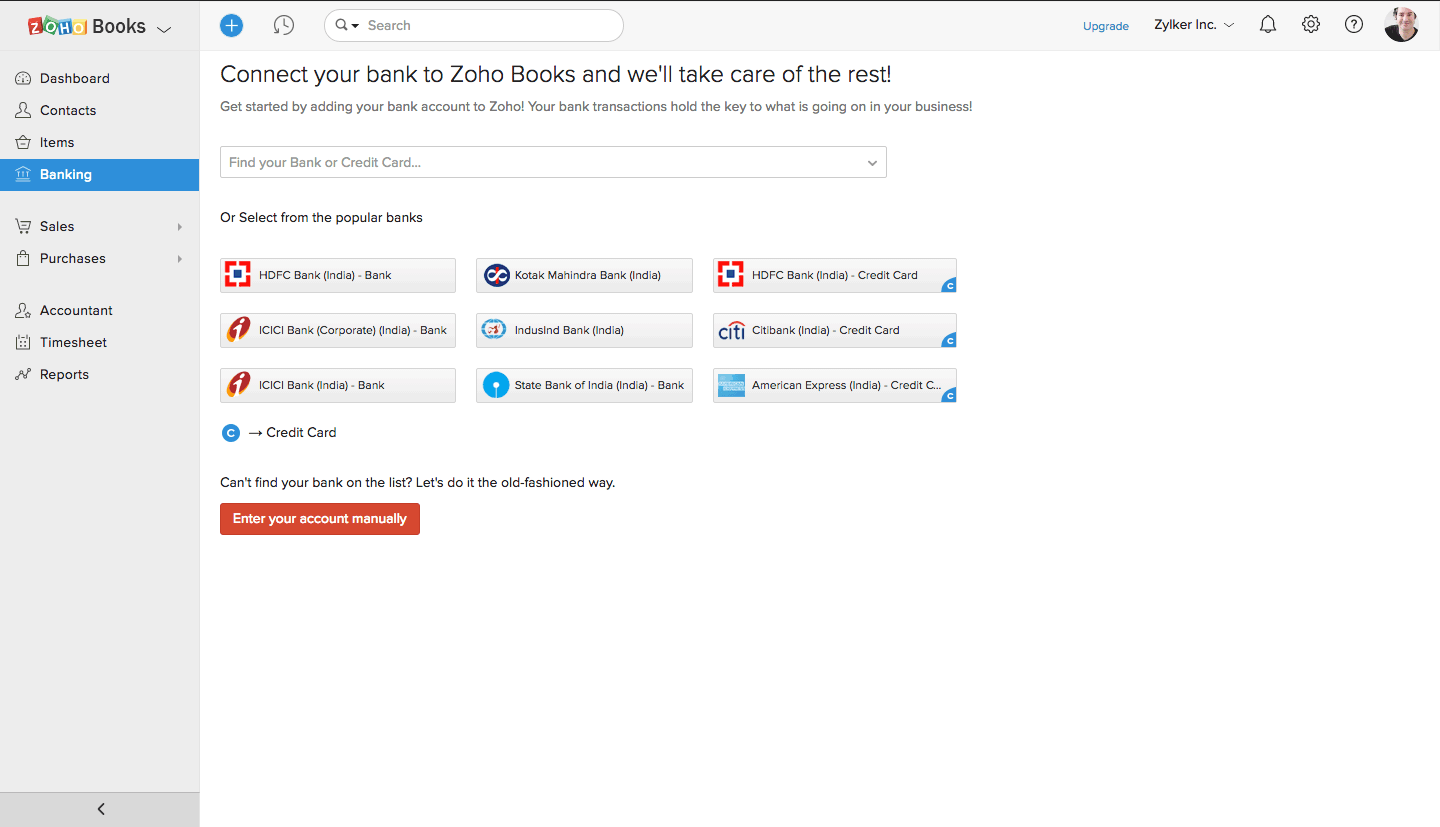
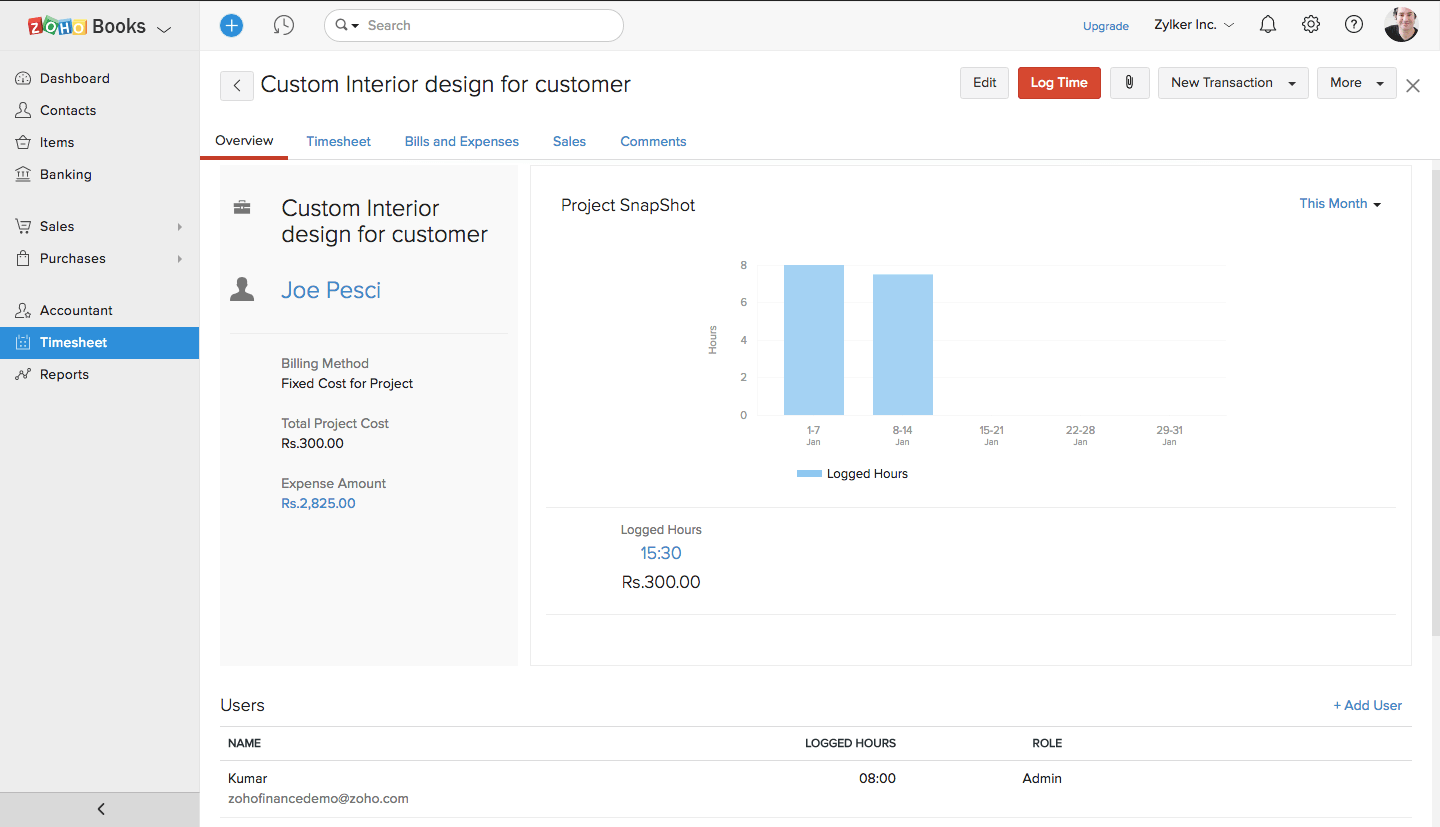
Zoho Books Screenshots
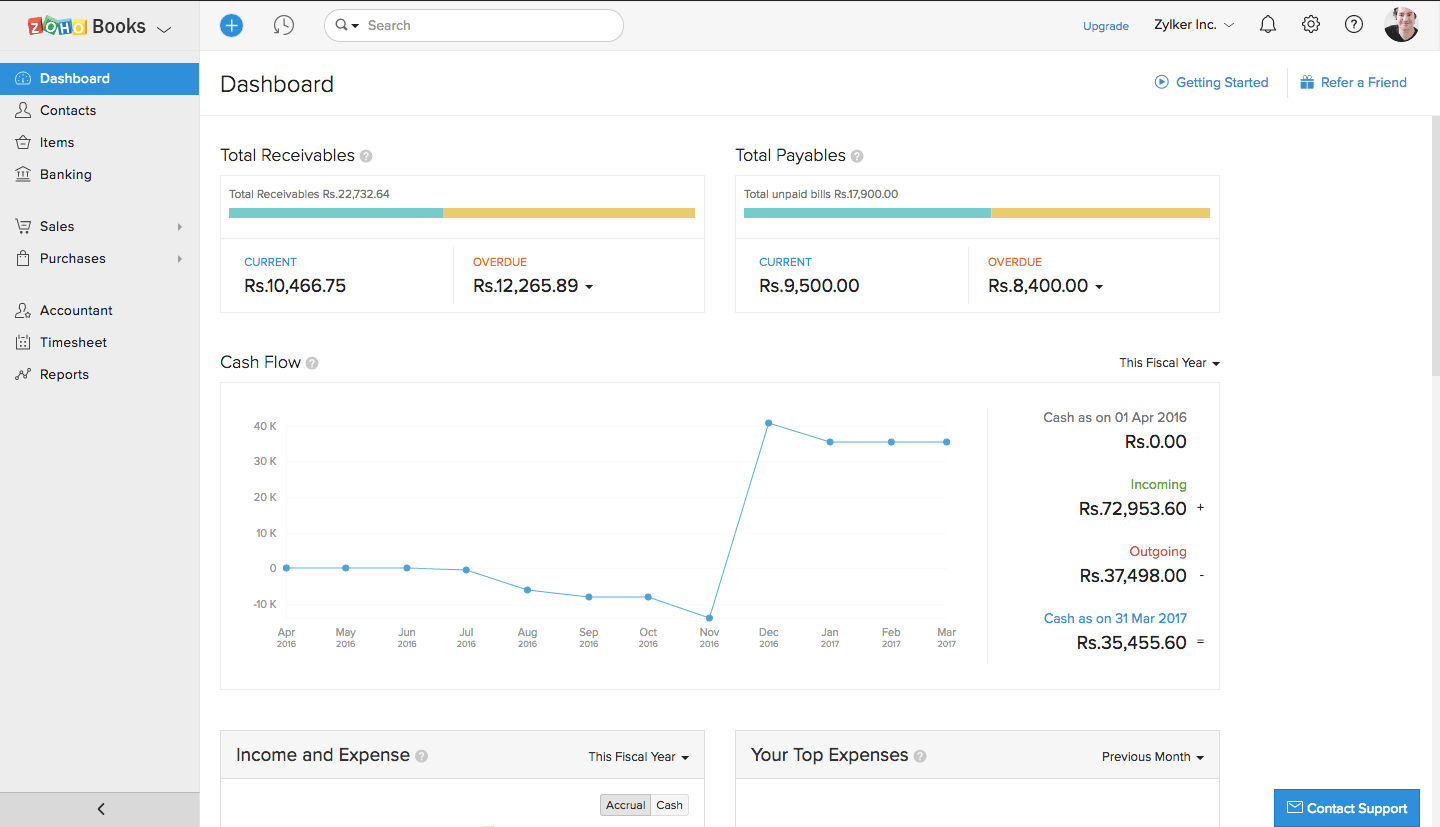
Description

Zoho Books at a Glance

Best fit forSmall to mid-size businesses already using Zoho CRM, Zoho Inventory, or other Zoho apps; international businesses needing VAT/GST compliance
Company size1 to 200 employees
DeploymentCloud, SaaS
Starting priceFree (organizations under $50K annual revenue); paid plans from $15/organization/month
Free planYes, for organizations with revenue under $50,000/year
Double-entry accountingYes, on all plans
InventoryYes, on Professional plan and above
Multi-currencyYes, on Professional plan and above
PayrollAvailable in select countries (US, India, others); via Zoho Payroll integration
Mobile appYes, iOS and Android

Zoho Books Pros and Cons in 2026

Where Zoho Books Stands Out

Free plan for small businesses under $50K revenue. Zoho Books is one of the few double-entry accounting platforms with a genuinely functional free tier. Businesses under $50,000 in annual revenue get invoicing, expense tracking, bank reconciliation, and basic reporting at no cost. This makes it the strongest free alternative to Wave for businesses that want full accounting without paying.

Deep Zoho ecosystem integration. If you already use Zoho CRM, Zoho Inventory, Zoho Projects, or other Zoho products, Zoho Books connects natively with no setup friction. Contacts, deals, and orders flow between apps without third-party connectors. For businesses building on the Zoho stack, the accounting sits inside the same data environment as sales, inventory, and operations.

Strong GST, VAT, and international tax support. Zoho Books was built with international tax compliance in mind. It handles GST for India and Australia, VAT for the UK and EU, and sales tax for the US with strong filing automation. For businesses operating across tax jurisdictions, this reduces manual tax calculation and filing work significantly.

Client portal included on all paid plans. Clients can log in to view invoices, make payments, and approve estimates. The portal is more capable than what most tools at this price point include, and it reduces payment collection friction for service businesses.

Competitive pricing across the plan range. From the free plan up through the Professional and Premium tiers, Zoho Books is priced lower than QuickBooks and Xero for comparable features. Businesses that need multi-currency, inventory, and project tracking often find Zoho Books is the most cost-effective option that covers all three.

Where Zoho Books Falls Short

User limits per plan. The free plan allows 1 user, Standard allows 3 users, Professional allows 5 users, and Premium allows 10 users. Adding more users requires upgrading. Businesses with larger finance teams pay significantly more per month, and the per-user cost can push total pricing above QuickBooks for larger teams.

US payroll requires a separate Zoho Payroll subscription. Unlike some competitors, payroll is not built into the base Zoho Books product in the US. Zoho Payroll is a separate app with its own pricing. Factor in the combined cost if payroll is a requirement.

Advanced reporting requires higher-tier plans. Standard plan reporting is basic. Businesses that need custom reports, advanced analytics, or budget-to-actual comparisons need Professional or higher, which is a significant price jump from Standard.

Less accountant familiarity in the US. Most US CPAs and bookkeepers know QuickBooks better than Zoho Books. If your accountant does not work in Zoho, factor in a learning curve or the cost of finding a Zoho-familiar advisor.

Who Should Use Zoho Books?

Zoho Books is the right fit for small to mid-sized businesses already using Zoho CRM, Zoho Inventory, or other Zoho apps, and for businesses that want a full accounting suite at a lower price than QuickBooks. It works especially well for businesses with multi-currency clients or overseas transactions, and for companies in India, the UK, or emerging markets where Zoho has strong local tax compliance. The free plan covers businesses with under $50,000 in annual revenue.

It is the wrong fit for US businesses that rely heavily on a local CPA or bookkeeper network, since Zoho Books has a smaller US accountant community than QuickBooks. It is also not ideal for businesses that need deep payroll integration within the same platform. For businesses already committed to QuickBooks, the switching cost often outweighs the savings. Compare options in our accounting software guide.

Zoho Books Product Features

  • Invoicing and estimates: Create branded invoices with recurring billing, automatic payment reminders, and late fee rules. Estimates convert to invoices with one click. Supports retainer billing and advance payments.
  • Expense tracking: Capture receipts via mobile app, connect bank accounts for automatic import, and categorize expenses against projects or clients for billing. Mileage tracking is included.
  • Bank reconciliation: Direct bank feeds from major banks globally. Automated transaction matching with rules based on vendor, amount, or description.
  • Double-entry accounting: Full chart of accounts, journal entries, debit/credit controls, and audit trail. Accountant access available on all plans.
  • Inventory management: Track stock quantities, costs, and reorder points. Inventory adjustments and purchase orders are included on Professional and above. See our accounting software guide for inventory-specific tools if your needs are more complex.
  • Project accounting: Track billable hours, expenses, and profitability by project. Time logs feed into invoices automatically. Available on Premium and above.
  • Multi-currency: Invoice and receive payment in any currency. Automatic exchange rate updates and realized/unrealized gain/loss reporting. Available on Professional and above.
  • Tax compliance: US sales tax automation, GST (India, Australia), VAT (UK, EU), and TDS (India). Automatic tax calculations on invoices and expenses with filing-ready reports.
  • Financial reports: Profit and loss, balance sheet, cash flow, aged payables and receivables, and custom report builder. Dashboard with KPIs and account summaries.
  • Client portal: Clients log in to view invoices, pay balances, review statements, and approve estimates. Available on all paid plans.
  • Vendor portal: Suppliers can submit bills and view payment status through a dedicated vendor portal. Available on higher-tier plans.
  • Automation: Workflow rules for payment reminders, transaction categorization, approval routing, and recurring entries. Reduces manual steps for high-volume transaction processing.

How Much Does Zoho Books Cost in 2026?

PlanPrice (annual billing)UsersKey features
Free$01Invoicing, expenses, bank reconciliation, basic reports. Requires org revenue under $50K/year
Standard$15/organization/month3Adds recurring invoices, bills, vendor credits, banking rules
Professional$40/organization/month5Adds inventory, multi-currency, sales orders, purchase orders, project billing
Premium$60/organization/month10Adds custom domain, vendor portal, budgeting, custom reports, advanced analytics
Elite$120/organization/month10Adds advanced inventory with multiple warehouses and serial number tracking
Ultimate$240/organization/month15Adds Zoho Analytics integration, advanced custom reports, and highest user count

Additional users beyond the plan limit are available at an extra cost per user per month. All paid plans include a 14-day free trial.

Hidden Costs to Watch For

  • Additional users: Each plan has a user cap. Adding team members beyond the limit requires upgrading to the next plan tier or paying per additional user. For teams with 6 or more people in the finance function, this can push costs above QuickBooks.
  • Zoho Payroll: Payroll is a separate Zoho product with its own monthly fee. If payroll is required, budget for both Zoho Books and Zoho Payroll subscriptions.
  • Zoho Analytics: Advanced reporting and business intelligence beyond the built-in reports requires the Zoho Analytics add-on or the Ultimate plan. This is an extra cost for businesses that need dashboard reporting beyond what is built in.
  • Add-on apps: Full Zoho ecosystem integration (Zoho CRM, Zoho Inventory, Zoho Projects) may require separate subscriptions for each Zoho product used alongside Books.
  • Free plan revenue limit: The free plan only works if your organization revenue stays under $50,000/year. Crossing that threshold requires moving to a paid plan immediately.

Zoho Books vs the Alternatives

ProductBest forKey difference from Zoho Books
QuickBooks OnlineUS small businesses needing the most accountant-familiar platformMore US accountant support; stronger payroll integration; higher price; no free plan
XeroService businesses needing unlimited users and multi-currencyUnlimited users at a flat rate; cleaner interface; Zoho Books has better tax compliance and a free tier
FreshBooksService businesses and freelancers focused on invoicing and time trackingFreshBooks is better for client billing and time tracking; Zoho Books has deeper accounting and inventory
WaveMicro-businesses wanting completely free accountingWave is free for all business sizes; Zoho Books free plan is limited to under $50K revenue
Sage AccountingUK-based businesses needing MTD VAT complianceSage is stronger for UK VAT and Making Tax Digital; Zoho Books has better global tax coverage and a free tier

What Real Buyers Report About Zoho Books

Users who come to Zoho Books from QuickBooks most commonly report that they were drawn by price and stayed because of the ecosystem integration. Businesses using Zoho CRM alongside Zoho Books cite the contact and invoice sync as a genuine time saver versus maintaining two separate systems.

The free plan gets strong praise from very small businesses and solo operators who want double-entry accounting without paying. The limitation is the revenue cap: businesses that cross $50,000 in annual revenue must move to paid plans, and the step up to Standard is manageable but requires a credit card and configuration review.

Criticism centers on the support experience. Response times for paid plan support are generally acceptable, but free plan users report difficulty getting timely help. US accountants not familiar with Zoho sometimes request data exports in formats that require extra steps from within the platform. The reporting depth on Standard is also a frequent complaint from accountants who need more than the basic reports included.

Zoho Books Integrations and App Ecosystem

Zoho Books connects natively to the full Zoho product suite and integrates with 50+ third-party apps. Key integrations:

  • Zoho suite: Zoho CRM (contact and invoice sync), Zoho Inventory (stock and order sync), Zoho Projects (project billing), Zoho Expense (expense management), Zoho Payroll (payroll sync)
  • Payments: Stripe, PayPal, Razorpay, Square, and other payment gateways for online invoice collection. See our billing management guide for payment platforms compatible with Zoho Books.
  • Banking: Direct bank feeds from major banks in the US, UK, Australia, India, and other supported regions
  • Ecommerce: Shopify (via Zoho Inventory or direct connector) for order and payment sync. See our ecommerce software guide for platforms that work with Zoho Books.
  • Tax: Avalara and TaxJar for automated US sales tax; built-in GST and VAT filing tools for international compliance
  • HR and payroll: Zoho People and Zoho Payroll for employee management and payroll processing
  • Automation: Zapier and Zoho Flow for custom workflow integrations with apps not natively supported

Security and Compliance

  • ISO 27001 certified: Zoho's data centers are ISO 27001 certified, covering information security management
  • SOC 2 Type II: Independent audit of security and availability controls
  • TLS encryption in transit: All data transmitted between browser and servers uses TLS 1.2 or higher
  • AES-256 encryption at rest: Data stored on encrypted servers with geographic redundancy
  • Two-factor authentication: Available for all Zoho accounts via authenticator app, SMS, or Zoho OneAuth
  • GDPR compliant: Data residency options and processing agreements available for EU customers
  • Role-based access: Granular permission controls for users, including read-only access for accountants and view-limited access for clients

Bottom Line: Is Zoho Books Right for You?

Zoho Books is the best value in small business accounting for businesses already in the Zoho ecosystem or for international businesses needing strong multi-jurisdiction tax support. The free plan for sub-$50K businesses is genuinely useful, not crippled. The Professional plan at $40/month covers invoicing, inventory, multi-currency, and project accounting in one subscription that costs less than most competitors.

The main reasons to look elsewhere: you need more than 10 users on a manageable budget, you need US payroll included (not as an add-on), or your accountant works exclusively in QuickBooks. For those cases, QuickBooks or Xero are the more practical starting points. For everyone else, Zoho Books is worth a serious look, especially given the free trial and the free tier for small operations.

Frequently Asked Questions

Does Zoho Books have a free plan?
Yes. Zoho Books has a permanent free plan that is available as long as you need it. The free plan includes 1 user plus 1 accountant, bank reconciliation, client portal, sales and purchase orders, and up to 1,000 invoices per year. For a solo operator or freelancer running a low-volume business, this is a complete accounting setup at no cost.
What is the difference between Zoho Books pricing plans?
The main differences are user seats, annual invoice limits, and feature depth. The Standard plan at $15/month gives you 3 users and 5,000 invoices per year with automated reminders and bank feeds. Professional at $40/month adds multi-currency, project time tracking, and retainer invoices for 5 users. Premium at $60/month adds a vendor portal, budgeting, and up to 200 workflow automation rules for 10 users. Elite at $120/month adds advanced inventory, multi-warehouse management, and Shopify integration. Ultimate at $240/month adds advanced analytics on top of everything in Elite.
Does Zoho Books include US payroll?
No. Zoho Books does not have built-in US payroll. The Zoho Payroll module is available for businesses in India, but US-based businesses need to use a third-party payroll service. Most users connect Zoho Books with Gusto, which integrates directly and syncs payroll runs back to your books. Factor in the combined cost of Zoho Books plus Gusto when comparing total pricing against platforms that bundle payroll.
How does Zoho Books compare to QuickBooks Online?
QuickBooks is the default accounting tool for US small businesses, mostly because the majority of US accountants and bookkeepers are trained in it. QuickBooks has more developed US bank connections, stronger payroll integration through QuickBooks Payroll, and a larger network of certified advisors in the US. Zoho Books is cheaper at comparable feature levels, has more native workflow automation, and is the better choice if you are already using Zoho CRM or other Zoho tools. The main switching cost is accountant familiarity: if your CPA does not work in Zoho, expect a transition period.
Does Zoho Books have inventory management?
Yes. Basic inventory tracking is included in all paid plans. Zoho Books tracks quantities, costs, and movements as you buy and sell items. The Elite plan at $120/month adds advanced inventory: multi-warehouse management with up to 5 locations, serial number tracking, batch tracking, and shipping label printing. If your inventory needs go beyond basic stock tracking, the Elite tier covers the main requirements without a separate inventory add-on.
What is the invoice limit on Zoho Books plans?
Each Zoho Books plan has an annual invoice cap. The Free plan allows 1,000 invoices per year. Standard allows 5,000. Professional allows 10,000. Premium allows 25,000. Elite and Ultimate both allow 100,000. If you hit your plan limit mid-year, you will need to upgrade to the next tier. Businesses with high transaction volumes should plan their tier selection around projected annual invoice counts, not just feature needs.
Does Zoho Books integrate with Shopify?
Yes, but only on the Elite plan at $120 per month. The Shopify integration syncs sales, refunds, payments, and product data between your Shopify store and Zoho Books. The Elite plan supports up to 2 Shopify stores. If Shopify integration is your primary reason for considering Zoho Books, factor in the Elite plan cost when comparing total price against other accounting tools with lower entry points for ecommerce sync.
Does Zoho Books support multi-currency transactions?
Yes, starting from the Professional plan at $40 per month. Multi-currency support includes automatic exchange rate updates, foreign currency invoicing and payment recording, and automatic calculation of realized and unrealized foreign exchange gains and losses. You can invoice clients in their local currency and pay suppliers in theirs. The Free and Standard plans do not include multi-currency.
Does Zoho Books have a mobile app?
Yes. Zoho Books has apps for both iOS and Android. The mobile apps cover the most common day-to-day tasks: sending invoices, capturing expense receipts with your camera, logging time, and checking account balances. Advanced features like detailed reporting, workflow configuration, and reconciliation are better handled from a desktop browser. User reviews consistently note the mobile experience as less complete than the web interface.
Is Zoho Books suitable for growing or medium-sized businesses?
Zoho Books works well for businesses with up to 50 employees and moderate transaction volume. The Premium and Elite plans add features that support more complex operations: vendor portals, advanced inventory, budgeting, and automation rules. For businesses that need multi-entity consolidation, departmental accounting, or ERP-level workflows, see our ERP software options at saasrat.com/categories/erp. Zoho does offer Zoho Finance Plus as a bundle for businesses that need the full suite, which is priced separately from standard Zoho Books plans.
Software

Find Your Perfect Software

Answer a few quick questions to get matched

What's driving this search?
Help us understand your current situation
Purchasing New Software
No current solution in place
Replacing Existing Software
Looking to switch providers
Step 1 of 5
What is the size of your organization?
Select the range that best applies
Step 2 of 5
Implementation Timeframe
When do you expect to implement?
Step 3 of 5
What's your role?
Select the title that best describes you
Step 4 of 5
Almost there — let's connect you
Your details are kept private and never shared without consent
SSL Encrypted · No spam · Unsubscribe anytime

You're all set!

A specialist for will reach out within 1 business day with tailored recommendations for your needs.

Visit Website