

What is FreshBooks?
FreshBooks is cloud-based accounting software built for freelancers, consultants, and small service businesses. It covers invoicing, time tracking, expense management, and client billing in one platform designed for non-accountants.
Get Best Quote for FreshBooks
Connect with SaaSrat experts to get the best quote for your business.
You're all set!
A specialist for FreshBooks will reach out within 1 business day.
FreshBooks Features
Invoicing
Time Tracking
Expense Tracking
Project Management
Bank Reconciliation
Double-Entry Accounting
View All 18 Features
FreshBooks Pricing Plans
Lite
- 5 billable clients
- Unlimited invoices and estimates
- Expense tracking
- Time tracking
- Accept credit cards and ACH
- Automated payment reminders
- Mileage tracking
- Tax-time reports
Plus
- 50 billable clients
- Everything in Lite
- Proposals with e-signature
- Client retainers
- Double-entry accounting
- Bank reconciliation
- Accountant access
- Receipt scanning
Premium
- Unlimited clients
- Everything in Plus
- Project profitability tracking
- Accounts payable
- Custom email templates
- Auto bill receipt capture
Select
- Unlimited clients
- Lower credit card transaction fees
- 2 team members included
- Advanced Payments included
- Dedicated phone support
- Customized onboarding
- Easy data migration
FreshBooks Resources
FreshBooks Screenshots
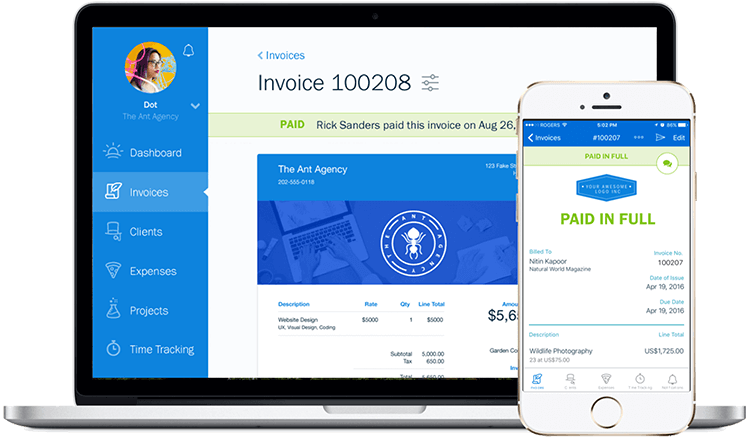
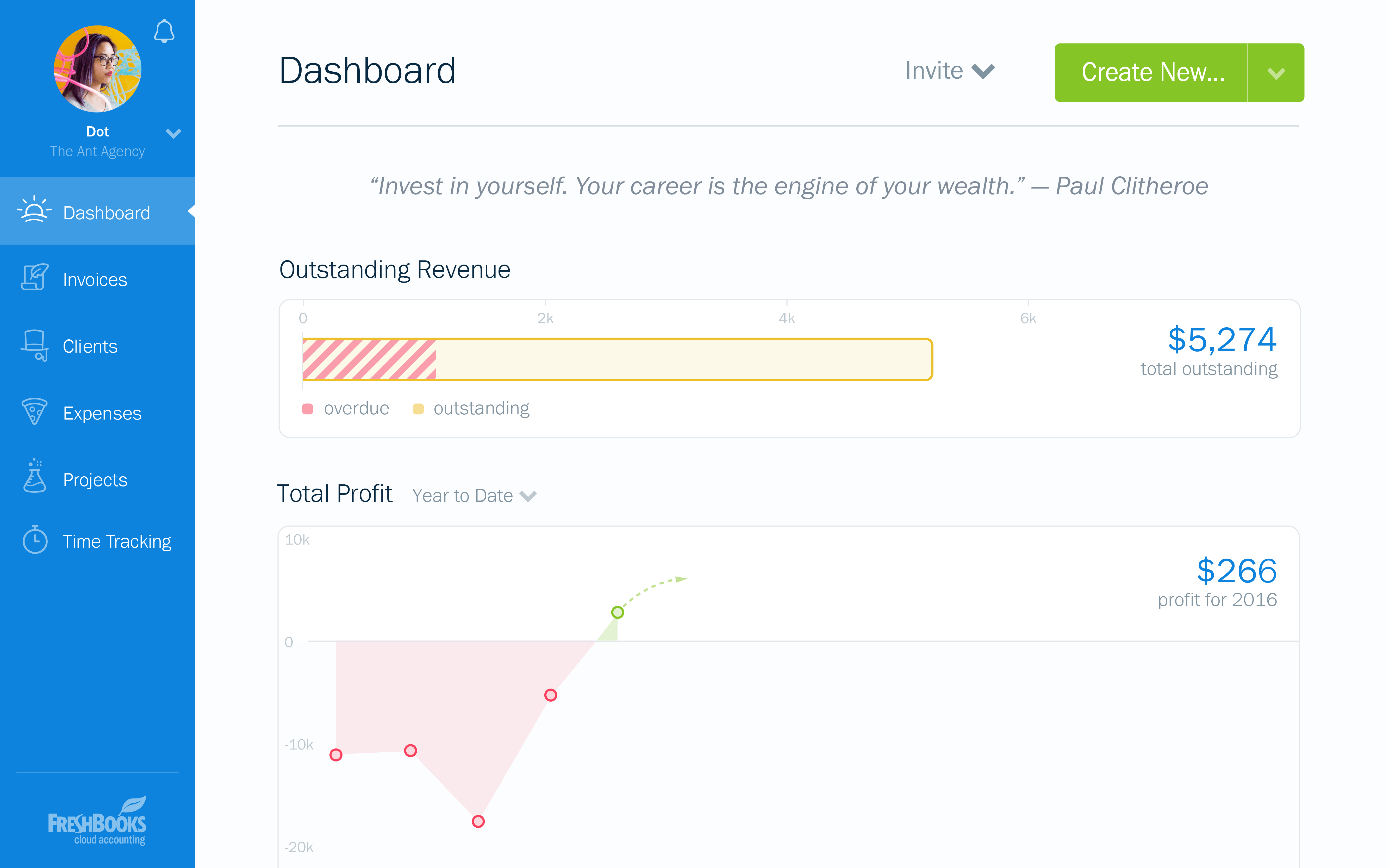
Description
FreshBooks at a Glance
| Best fit for | Freelancers, solopreneurs, and service businesses with 1 to 10 employees that bill clients by the hour or project |
|---|---|
| Company size | 1 to 10 employees; less suited above 25 |
| Deployment | Cloud, SaaS |
| Starting price | $19/month (Lite, up to 5 billable clients) |
| Free trial | 30 days, no credit card required |
| Invoicing | Yes, with automated payment reminders and late fees |
| Double-entry accounting | Yes (available on all plans) |
| Inventory | No |
| Payroll | Via Gusto integration (separate subscription) |
| Mobile app | Yes, iOS and Android |
FreshBooks Pros and Cons in 2026
Where FreshBooks Stands Out
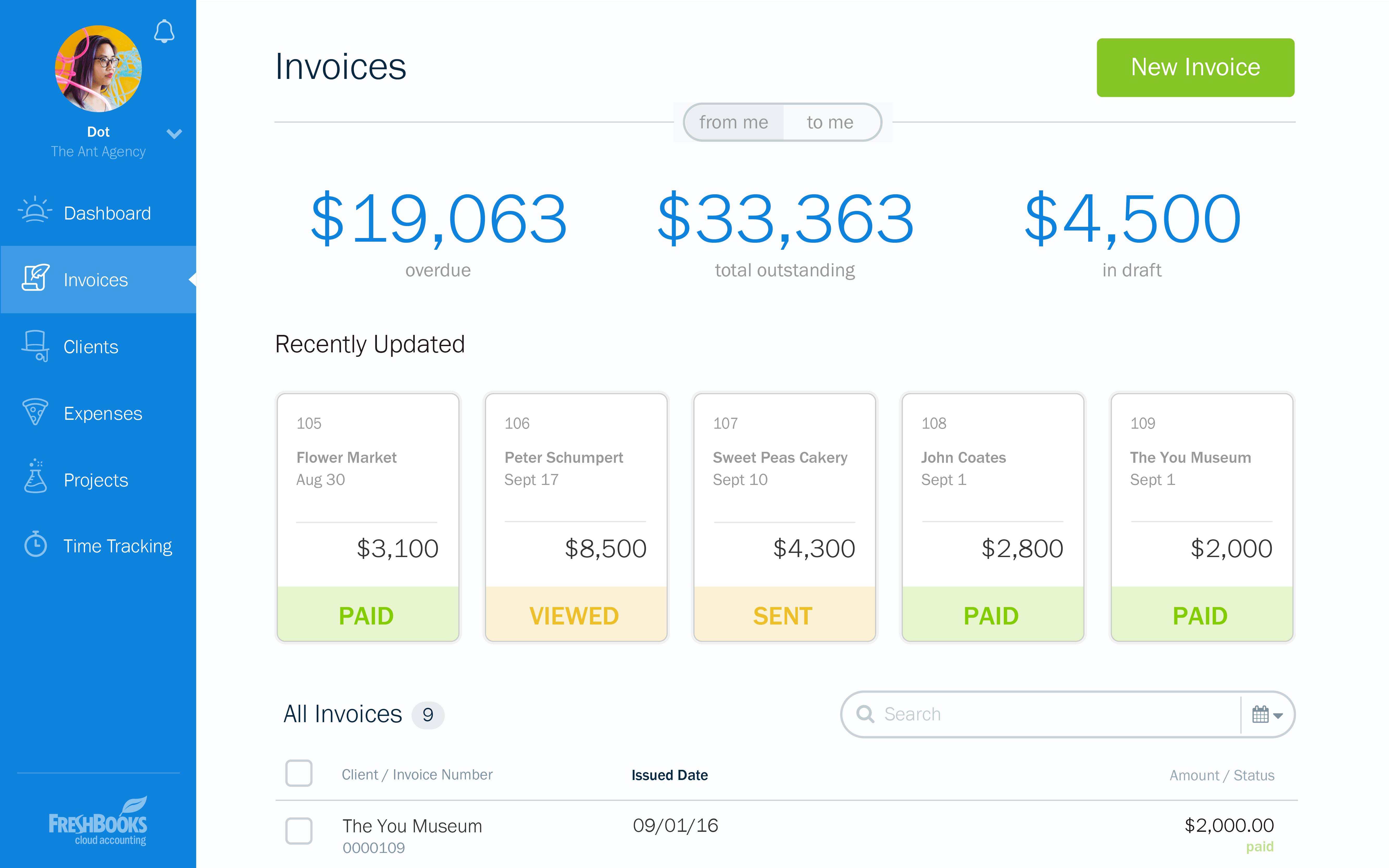
Invoicing built around service businesses. FreshBooks invoices are fast to create, easy to brand, and send automated payment reminders on a schedule you set. Clients can pay by credit card, ACH, or PayPal directly from the invoice. For service businesses billing five to fifty clients per month, this covers the entire billing workflow without a workaround.
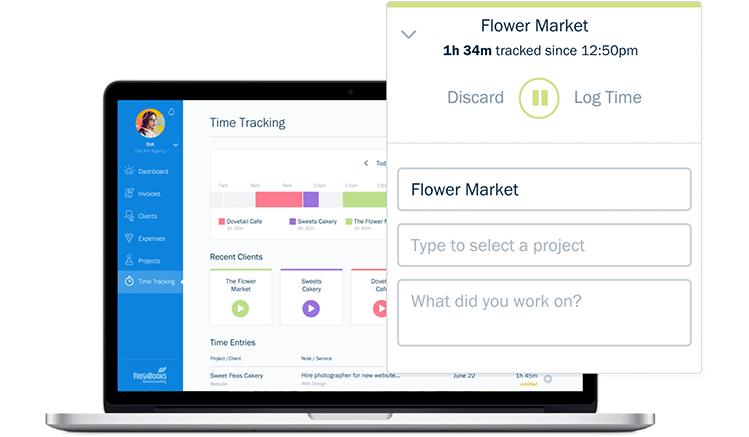
Time tracking that connects directly to billing. You can log hours from the web app, mobile app, or browser extension and pull those hours onto an invoice with one click. This is one of the cleaner implementations of time-to-invoice in the small business market. Agencies, consultants, and lawyers who bill by the hour save real time here.
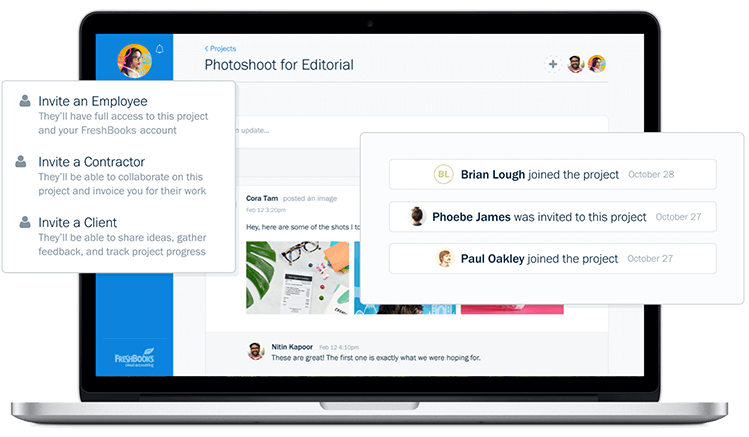
Client portal and collaboration. Clients get a portal where they can view invoices, pay outstanding balances, and see project status. You can also loop clients into projects, share files, and exchange messages within FreshBooks. This adds a layer of client communication that most accounting tools do not include.
Cleaner interface than most accounting tools at this price. FreshBooks is consistently rated among the easiest accounting tools to learn. Setup takes under an hour for a basic configuration. The dashboard is readable without accounting knowledge, which matters for business owners who are not comfortable with traditional accounting interfaces.
Strong mobile app. The FreshBooks mobile app covers invoicing, expense capture, time tracking, and payment acceptance. For businesses run on the go, the app handles the daily workflow without requiring desktop access.
Where FreshBooks Falls Short
Client caps on lower plans. The Lite plan limits you to 5 billable clients and the Plus plan to 50. If you invoice more clients than your plan allows, you must upgrade. For growing service businesses, this can push you to Premium ($60/month) faster than expected.
Not a full accounting replacement for product businesses. FreshBooks has no inventory management. Businesses that buy and sell physical goods need to track stock separately. If inventory is core to your operation, QuickBooks or Zoho Books are better starting points.
Reporting is limited on lower plans. Profit and loss, balance sheet, and tax summary reports are available, but the depth of financial reporting on Lite and Plus plans is thin compared to QuickBooks or Xero. Accountants used to more detailed reporting often request additional data exports.
No payroll built in. FreshBooks does not include payroll. US businesses connect to Gusto for payroll, which is a separate subscription. Factor in the combined cost if payroll is a requirement.
Additional team members cost extra. Each additional team member beyond the included seats costs $11/month. For businesses with bookkeepers, employees, or contractors who need access, this adds up.
Who Should Use FreshBooks?
FreshBooks is the right fit for freelancers, consultants, and small service businesses that invoice clients by project or time. It works best for businesses with 1 to 50 clients where invoicing, expense tracking, and time tracking are the primary needs and double-entry accounting depth is secondary. Graphic designers, marketing consultants, web developers, lawyers, and accountants who bill hourly are the most common FreshBooks users.
It is the wrong fit for businesses that need inventory management, multi-currency reporting, or accounting for more than a handful of employees. FreshBooks does not include payroll, and its reporting depth does not match QuickBooks or Xero for businesses approaching $1 million in revenue. For businesses that need a full accounting stack, compare QuickBooks and Zoho Books in our accounting software guide.
FreshBooks Product Features
- Invoicing: Custom branded invoices with automatic payment reminders, late fee automation, and recurring invoice schedules. Accept credit card, ACH, and PayPal payments directly from the invoice.
- Time tracking: Log billable hours from web, mobile, or Chrome extension. Convert tracked time to invoice line items in one click. Supports project-level and client-level time budgets.
- Expense tracking: Photograph receipts with the mobile app for automatic data extraction. Connect bank accounts and credit cards for automatic expense import and categorization.
- Double-entry accounting: Full chart of accounts, journal entries, bank reconciliation, and financial statement generation. Accountant access included on all plans.
- Project management: Create projects, assign team members, set budgets, track milestones, and monitor profitability at the project level. Available on Plus and higher plans.
- Client portal: Clients log in to view invoices, pay balances, approve estimates, and communicate on projects. Reduces back-and-forth email for payment follow-ups.
- Estimates and proposals: Create and send professional estimates. Clients can accept online, which converts the estimate to a project and an invoice automatically.
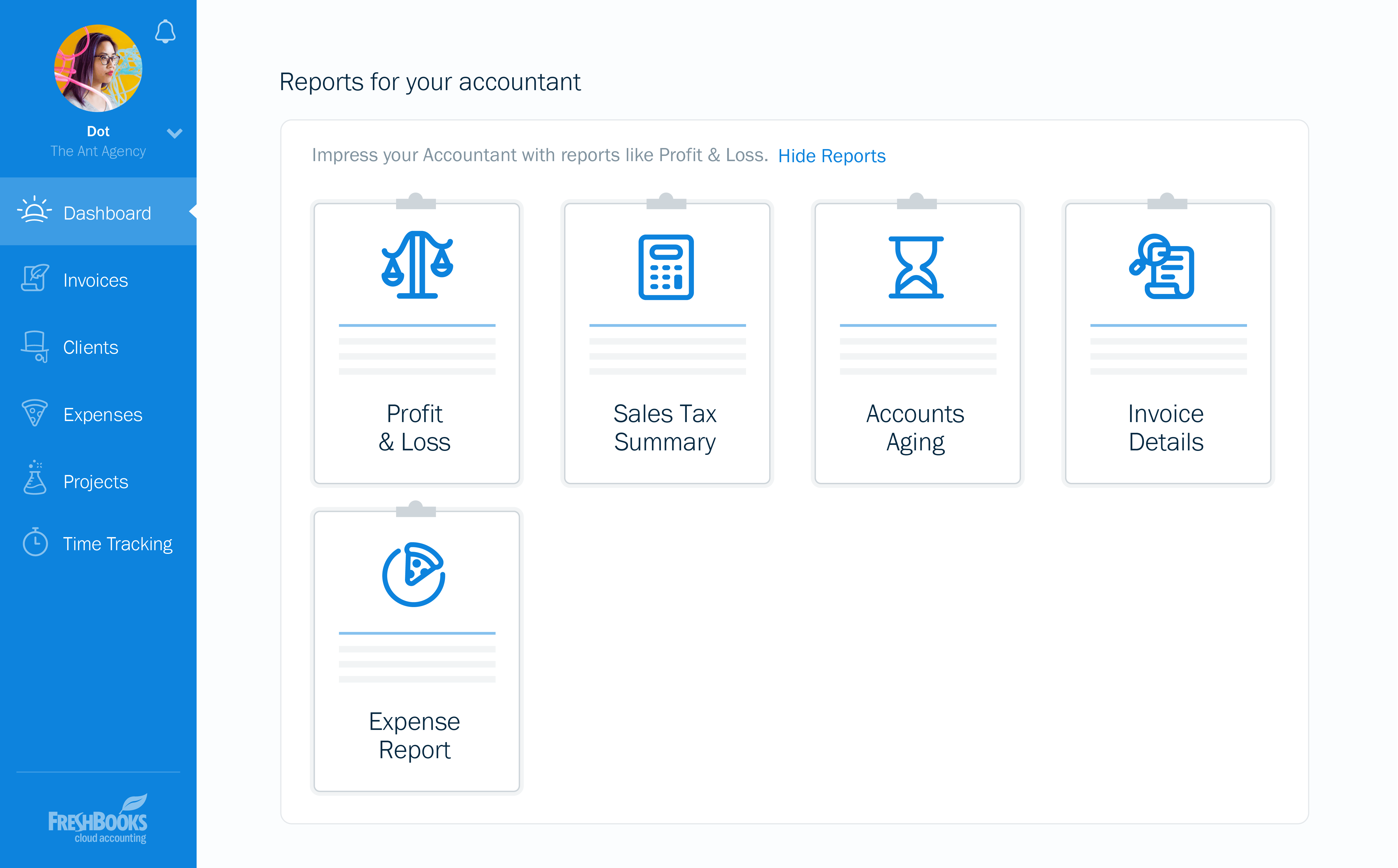
- Financial reports: Profit and loss, balance sheet, accounts aging, expense reports, and tax summaries. Advanced reports available on higher plans.
- Bank feeds: Connect checking, savings, and credit card accounts for automatic transaction import. Reconcile against your books from the dashboard.
- Multi-currency invoicing: Invoice clients in their local currency. FreshBooks handles currency conversion for your records. Available on Plus and higher.
- Mileage tracking: Log business miles from the mobile app. Available as an add-on or included depending on plan.
- Payments: Integrated payment processing via FreshBooks Payments (powered by Stripe). Flat rate of 2.9% + 30 cents per transaction for card payments.
How Much Does FreshBooks Cost in 2026?
| Plan | Price (monthly billing) | Billable clients | Key inclusions |
|---|---|---|---|
| Lite | $19/month | 5 | Invoicing, expense tracking, time tracking, basic reports |
| Plus | $33/month | 50 | Adds proposals, recurring invoices, late fees, double-entry accounting, advanced payments |
| Premium | $60/month | Unlimited | Adds project profitability, business health reports, email signatures, customizable email templates |
| Select | Custom pricing | Unlimited | Dedicated account manager, custom contract terms, lower transaction fees, priority support |
All plans include a 30-day free trial. Annual billing reduces prices by approximately 10 percent. Each additional team member costs $11/month on top of your plan.
Hidden Costs to Watch For
- Team member seats: Each user beyond the included seat costs $11/month. A business owner plus bookkeeper plus assistant is $22/month in seat fees on top of the base plan.
- Payment processing: FreshBooks Payments charges 2.9% + 30 cents per card transaction and 1% for ACH bank transfers (minimum $1). These fees apply to every payment collected through the platform.
- Payroll: FreshBooks does not include payroll. The Gusto integration requires a separate Gusto subscription starting at $40/month + $6/person/month.
- Plan upgrades from client limits: Hitting the billable client cap on Lite (5 clients) or Plus (50 clients) forces an upgrade. Many service businesses that start on Lite move to Plus within the first year.
- Advanced payments add-on: Checkout links and advanced payment features may require the Plus plan or higher, which is a step up from the entry plan.
FreshBooks vs the Alternatives
| Product | Best for | Key difference from FreshBooks |
|---|---|---|
| QuickBooks Online | Small businesses needing full accounting with inventory and payroll | More complete accounting for product businesses; less polished invoicing experience; charges per user |
| Xero | Service businesses and ecommerce needing multi-currency and unlimited users | Unlimited users at a flat rate; stronger reporting; FreshBooks has better invoicing and time tracking UX |
| Zoho Books | Businesses in the Zoho ecosystem needing a free or low-cost accounting option | Free plan available; deeper accounting features; FreshBooks is easier and better for client-facing billing |
| Wave | Freelancers and micro-businesses wanting free accounting | Wave is free for accounting and invoicing; FreshBooks has better time tracking, project management, and client portal |
| Bench | Small business owners who want bookkeeping done for them | Bench is a managed service, not DIY software; FreshBooks is self-managed with better invoicing tools |
What Real Buyers Report About FreshBooks
FreshBooks consistently scores high in user satisfaction surveys for ease of use and invoicing quality. The most common praise comes from consultants and agencies who switched from QuickBooks and found FreshBooks significantly easier to manage billing and client communication from. The client portal and automated payment reminder features get specific mention as time-savers.
The most common complaints center on the billable client limits on lower plans and the per-seat pricing for team members. Businesses that grow beyond 50 clients or need more than two people in the system find the cost climbs faster than expected. Some long-term users also report frustration with feature development pace compared to QuickBooks, particularly on the accounting and reporting side.
Accountants who work with FreshBooks clients note the books are generally cleaner than Wave and easier to export for tax prep than some alternatives, but that they sometimes need to request additional reports or exports that are not surfaced in the standard dashboard.
FreshBooks Integrations and App Ecosystem
FreshBooks integrates with over 100 apps through direct connections and Zapier. Key integrations:
- Payments: Stripe, PayPal, and FreshBooks Payments for online invoice collection. See our billing management guide for payment tools that work with FreshBooks.
- Payroll: Gusto for US payroll processing. Payroll runs sync back to FreshBooks for expense recording.
- CRM: HubSpot (via Zapier), Salesforce (via connector) for syncing contact and deal data to invoicing.
- Project management: Asana, Trello, Basecamp (via Zapier) for task and project status sync.
- Ecommerce: Shopify (via connector) for syncing orders and payments. See our ecommerce software guide for platforms that connect with FreshBooks.
- Banking: Direct bank feeds from major US, Canadian, UK, and Australian banks for automatic transaction import.
- Time tracking: Toggl, Harvest, and other time tools via Zapier for teams already using external time tracking systems.
- Tax: TaxJar for automated sales tax calculations on invoices.
Security and Compliance
- SOC 2 Type II certified: Independent audit of security, availability, processing integrity, and confidentiality controls
- 256-bit TLS encryption: All data in transit is encrypted using TLS 1.2 or higher
- AES-256 encryption at rest: Data stored on encrypted servers with geographic redundancy
- Two-factor authentication: Available for all accounts via authenticator app or SMS
- PCI DSS compliance: Payment processing via FreshBooks Payments and Stripe meets PCI DSS standards for card data security
- Automatic backups: Data backed up continuously with point-in-time restore capability
- Role-based access: Admin, manager, and employee permission levels control what each team member can view and edit
Bottom Line: Is FreshBooks Right for You?
FreshBooks is the strongest invoicing and billing tool in the small business accounting market. If your business revenue comes from client billing, whether hourly or project-based, the invoicing workflow, time tracking, and client portal are better than anything QuickBooks or Xero offer at this price point.
The gaps are real: no inventory, limited reporting depth, per-seat pricing, and client caps on entry plans. These make FreshBooks the wrong tool for product businesses or companies needing full accounting depth. But for consultants, agencies, lawyers, architects, and other service businesses billing fewer than 50 clients regularly, FreshBooks hits the right balance of ease, professionalism, and cost.
Start on the Plus plan if you need double-entry accounting and project tracking. Lite is genuinely too limited for active businesses. If you are comparing against QuickBooks, decide which matters more: invoicing quality or accounting depth. FreshBooks wins on invoicing; QuickBooks wins on accounting.
Frequently Asked Questions
What is the difference between FreshBooks Lite, Plus, Premium, and Select plans?
Does FreshBooks have a free plan?
Does FreshBooks include payroll?
Can I access double-entry accounting in FreshBooks?
How does FreshBooks compare to QuickBooks?
Does FreshBooks have a mobile app?
How much does it cost to add team members to FreshBooks?
Can I switch from QuickBooks or Wave to FreshBooks?
What happens to my data if I cancel FreshBooks?
Is FreshBooks suitable for product-based businesses?
Find Your Perfect Software
See how it can transform your workflow
- Personalized for your needs Tailored recommendations based on your unique requirements.
- Save time & resources Streamline your workflow and boost team productivity.
- Trusted by thousands Join 10,000+ businesses already growing with SaaSrat.
You're all set! 🎉
A specialist for will reach out within 1 business day with tailored recommendations for your needs.