

Wave
by Wave Accounting Inc. • Founded 2009
What is Wave?
Wave is free accounting software for freelancers, sole proprietors, and small businesses. Core invoicing, expense tracking, and reporting are free with no subscription. Payroll and payment processing are available as paid add-ons.
Get Best Quote for Wave
Connect with SaaSrat experts to get the best quote for your business.
You're all set!
A specialist for Wave will reach out within 1 business day.
Wave Features
Invoicing
Bank Reconciliation
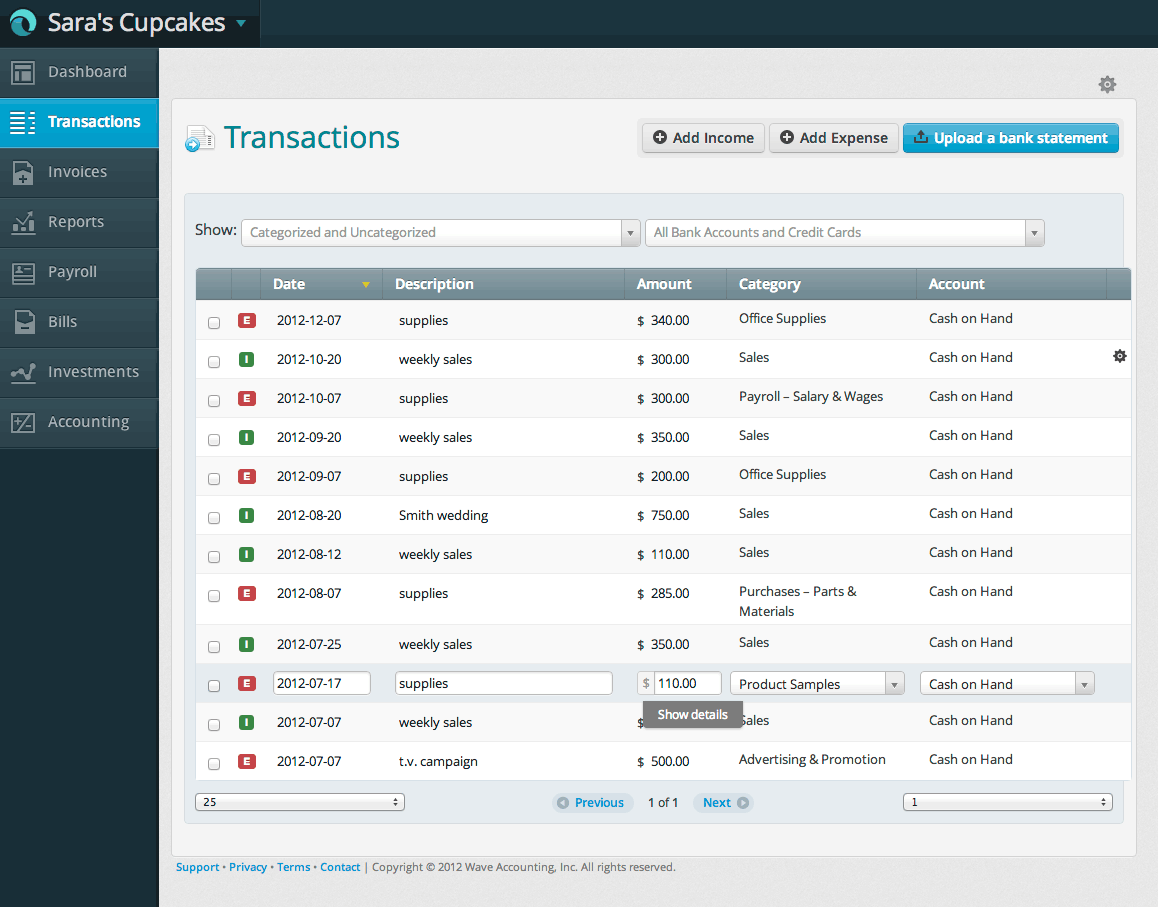
Expense Tracking
Receipt Scanning
Financial Reporting
Profit and Loss Statements
View All 16 Features
Wave Pricing Plans
Starter
- Unlimited invoicing
- Unlimited clients
- Bank reconciliation (9,000+ banks)
- Expense tracking
- Multi-currency
- Profit and loss, balance sheet, cash flow reports
- Double-entry accounting
- Accept payments (processing fees apply)
- Free forever
Pro
- Everything in Starter, plus:
- Auto-import bank transactions
- Auto-categorize transactions
- Unlimited receipt capture
- Discounted payment processing (2.9% + $0 first 10 transactions)
- Automated late payment reminders
- Custom invoice branding (logo, colors, templates)
- Live chat and email support
Wave Resources
Wave Screenshots
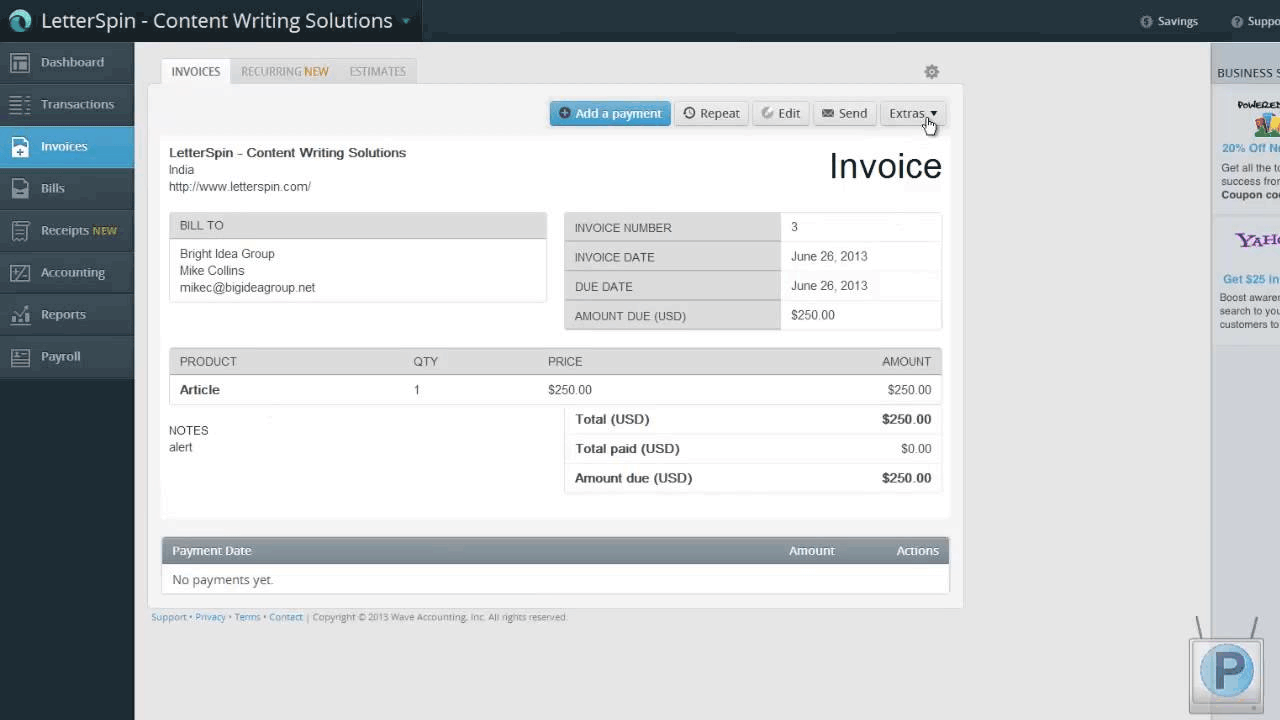
Description
Wave at a Glance
| Best fit for | Freelancers, solopreneurs, and very small businesses that want accounting and invoicing software at low or no cost |
|---|---|
| Company size | 1 to 9 employees; less suited above 10 |
| Deployment | Cloud, SaaS |
| Starter plan price | Free (basic invoicing, manual bookkeeping, reports) |
| Pro plan price | $19/month or $190/year (auto bank imports, auto-categorization, advanced invoicing) |
| Payroll | $20/month + $6/employee/month (US automated states); $35/month + $6/employee/month (other US states) |
| Payment processing | 2.9% + 60 cents per card transaction; 1% + 60 cents per bank payment |
| Inventory | No |
| Mobile app | Yes, iOS and Android |
Wave Pros and Cons in 2026
Where Wave Stands Out
Free accounting with no revenue cap. Wave's Starter plan is permanently free for all business sizes with no revenue limit. You get invoicing, expense tracking, manual bookkeeping, and standard financial reports (profit and loss, balance sheet, cash flow) at no monthly cost. There is no revenue cap unlike Zoho Books' free tier, and no feature countdown that expires after a trial period.
Pro plan at $19/month adds key automation. For businesses that want automatic bank transaction imports and auto-categorization without switching to a paid accounting platform, Wave Pro at $19/month is significantly less expensive than QuickBooks ($35/month+) or Xero ($29/month+). You get automation and advanced invoicing features at a fraction of the cost of major alternatives.
Professional invoicing on both tiers. Wave invoices are customizable with your logo and brand colors on both Starter and Pro plans. The Pro plan adds automated payment reminder scheduling and advanced mobile invoicing. For a tool at this price point, the invoice output is professional enough that clients rarely notice the difference from paid alternatives.
Full double-entry accounting included free. Wave uses double-entry accounting with a full chart of accounts, journal entries, and standard financial statements. The accounting structure is proper and exportable, not a simplified approximation. Your accountant or CPA can work with Wave's data at tax time without needing a platform conversion.
No long-term commitment. The Starter plan has no contract and no switching cost. The Pro plan is month-to-month with no annual commitment required, though annual billing saves roughly $38/year.
Where Wave Falls Short
Auto bank imports require the paid Pro plan. Automatic bank transaction imports and auto-categorization, which were free in earlier versions of Wave, now require the Pro plan at $19/month. The free Starter plan requires manual transaction entry or CSV upload from your bank. For businesses that want automated bookkeeping without paying, this is a meaningful change from Wave's original fully-free model.
No inventory management. Wave does not track stock quantities, product costs, or inventory value on any plan. Businesses that buy and sell physical goods need a separate inventory tool or a different accounting platform such as QuickBooks or Zoho Books.
No project or time tracking. Wave does not have built-in project billing, time tracking, or billable hour conversion on any plan. Service businesses that bill clients by the hour need FreshBooks or a tool with time-to-invoice functionality.
Customer support is limited on the Starter plan. Free Starter users rely on the Wave Help Center and community forums. Live support is reserved for Pro and Advisors subscribers. If you run into a setup issue or a reconciliation problem on the free plan, resolution depends on self-service documentation.
Reporting depth is basic. Wave covers standard financial reports but does not offer custom report building, budget-to-actual comparisons, or departmental reporting on any tier. Businesses that need reporting depth beyond P&L and balance sheet need to export data for further analysis.
Who Should Use Wave?
Wave is the right fit for freelancers, sole proprietors, and early-stage businesses that need basic invoicing and expense tracking without a monthly subscription. It works best when financial needs are simple: sending invoices, tracking income and expenses by category, and running a profit and loss report at year-end. Graphic designers, tutors, photographers, personal trainers, and other self-employed individuals with straightforward finances get the most from Wave.
It is the wrong fit for businesses with employees that need integrated payroll, businesses that need inventory management, or businesses with multiple users who need simultaneous access and permissions. As revenue grows and transactions become more complex, most Wave users eventually migrate to FreshBooks, QuickBooks, or Xero. For a full comparison of free and low-cost accounting tools, see our accounting software guide.
Wave Product Features
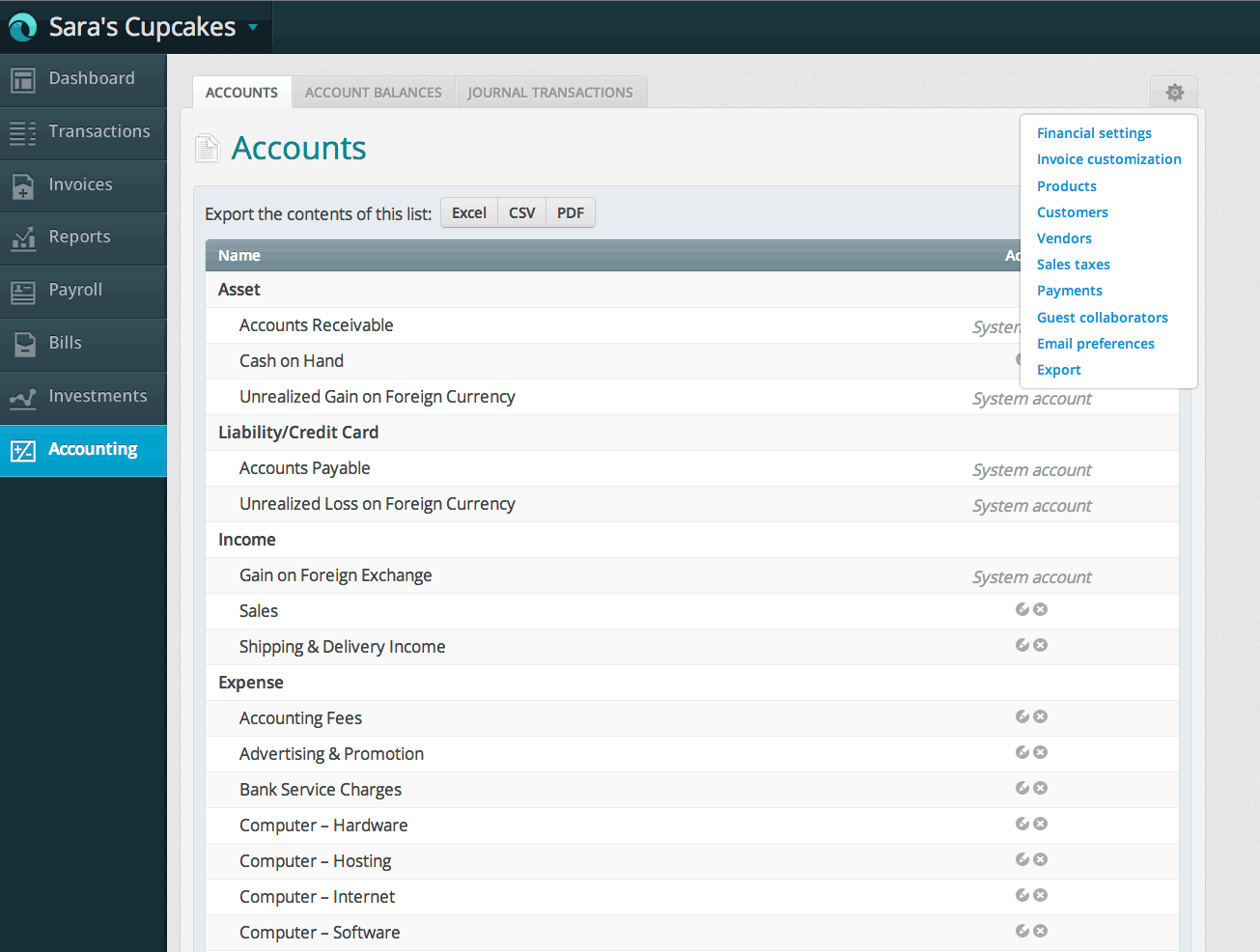
- Accounting (Starter, free): Full double-entry accounting with chart of accounts, journal entries, bank reconciliation via manual or CSV import, and standard financial statements. No cost, no time limit, no revenue cap.
- Invoicing (Starter, free): Branded invoices with custom logo and payment terms. Basic payment reminders. Accept online payments via Wave Payments. Recurring invoice setup available.
- Auto bank imports (Pro, $19/month): Direct bank feeds from connected accounts with automatic transaction import and smart categorization based on previous entries. This was previously free and is now behind the Pro tier.
- Advanced invoicing (Pro, $19/month): Automated payment reminder scheduling (3, 7, and 14 days after due date), deposit requests, and advanced mobile invoicing features.
- Receipt scanning (Pro, $19/month): Mobile app receipt capture with automatic data extraction. On the Starter plan, receipts are uploaded but not auto-processed.
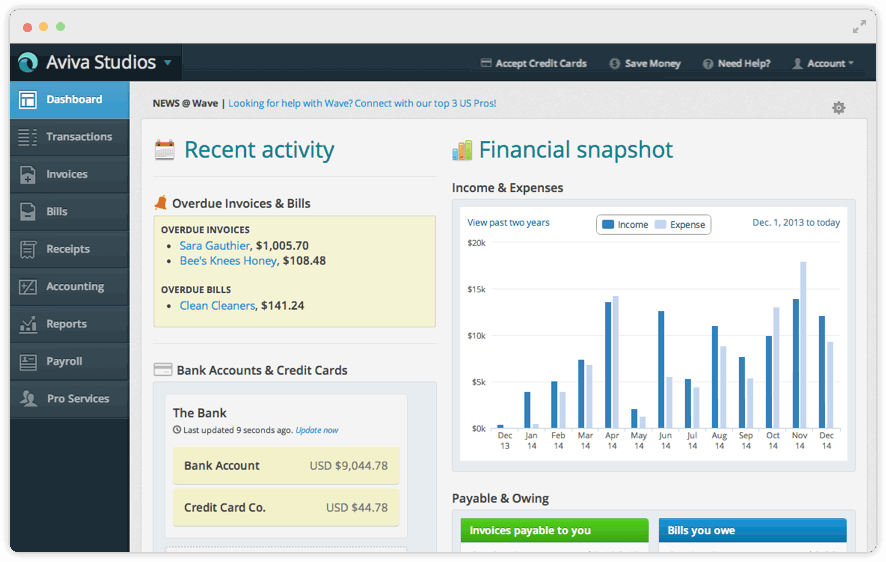
- Financial reports (both tiers): Profit and loss, balance sheet, cash flow statement, aged receivables and payables, account transactions, and trial balance on both Starter and Pro.
- Payment processing (both tiers, transaction fee): Accept credit card and bank payments directly on invoices. 2.9% + 60 cents per card; 1% + 60 cents per bank payment. Pro subscribers get the first 10 monthly transactions at 2.9% + $0.
- Payroll (separate subscription): US and Canada payroll with direct deposit and automatic tax calculations. Automated tax filing in select US states ($20/month base); manual filing in other states ($35/month base). Both tiers add $6/employee/month.
- Wave Advisors (separate service): Access to Wave-certified bookkeepers starting at $199/month for managed monthly bookkeeping. Separate from the software subscription.
- Multi-business (both tiers): Manage multiple businesses under one Wave login, each with separate books. Useful for freelancers or owners running multiple LLCs.
- Guest access (both tiers): Invite your accountant or bookkeeper with editor or read-only access at no extra cost.
How Much Does Wave Cost in 2026?
| Plan | Price | Key inclusions |
|---|---|---|
| Starter | Free | Invoicing, manual bookkeeping, bank reconciliation (manual/CSV), financial reports, guest access |
| Pro | $19/month or $190/year | Everything in Starter plus auto bank imports, auto-categorization, automated payment reminders, receipt scanning, advanced mobile invoicing |
| Wave Advisors | From $199/month | Pro features plus dedicated Wave-certified bookkeeper; price based on transaction volume |
Payroll and payment processing are separate pay-as-you-go services on top of the plan subscription. The Starter plan is permanently free with no trial expiration.
Free vs Pro: Which Do You Need?
Start with the free Starter plan if: you have a low transaction volume (under 30-40 per month), you are comfortable doing a weekly CSV import from your bank, and you do not need automated reminders on invoices.
Upgrade to Pro at $19/month if: you want transactions to import automatically without manual work, you need automated invoice reminder scheduling, or you send a high volume of invoices and want the advanced mobile app features.
Hidden Costs to Watch For
- Auto bank imports now require Pro. If you relied on Wave's previously free bank feed feature, you now need the $19/month Pro plan to keep that automation. The change from Wave's original fully-free model is material for users who chose Wave specifically for free automated bookkeeping.
- Payment processing fees at volume. The 2.9% + 60 cents card fee is competitive but meaningful at scale. A business collecting $15,000/month in card payments pays $435+ in fees. Consider whether ACH bank payments (1% + 60 cents) are viable for your clients.
- Payroll tax filing varies by state. Automated tax filing is only available in certain US states on the $20/month base plan. Other states require the $35/month base with manual tax remittance. Check which tier applies to your state.
- No phone support on Starter or Pro. Live support requires Wave Advisors. Resolving complex issues on the free or Pro plans requires self-service documentation.
Wave vs the Alternatives
| Product | Best for | Key difference from Wave |
|---|---|---|
| FreshBooks | Service businesses needing time tracking and a client portal | FreshBooks has better invoicing UX, time tracking, and project management; starts at $19/month vs Wave Starter free |
| Zoho Books | Small businesses needing inventory, multi-currency, or Zoho ecosystem | Zoho has more accounting depth and a free tier (under $50K revenue); Wave free tier has no revenue cap |
| QuickBooks Online | Small businesses needing payroll, inventory, and the largest accountant network | QuickBooks has more features and stronger US accountant support; starts at $35/month; Wave Pro is $19/month for basic automation |
| Xero | Businesses needing unlimited users, multi-currency, and a large app marketplace | Xero has unlimited users and stronger reporting; starts at $29/month vs Wave Pro at $19/month for basic needs |
| Bench | Business owners who want bookkeeping done for them (noting Bench's 2024 shutdown history) | Bench is a managed service starting at $189/month; Wave is self-managed software at $0-$19/month |
What Real Buyers Report About Wave
The most consistent praise for Wave is the zero-cost entry point and the quality of the invoicing output. Freelancers and micro-business owners who switch from spreadsheets to Wave report that professional-looking invoices and basic financial statements were available within an hour of setup. The Starter plan's free tier remains one of the strongest value propositions in small business software.
The move of automatic bank imports behind the Pro paywall has generated criticism from long-term users who chose Wave specifically for free automated bookkeeping. Reviews from 2024-2026 on G2 and Trustpilot frequently mention this change as a reason to consider alternatives. For new users who sign up knowing the Starter plan requires manual imports, this is less of a surprise.
Customer support response times on the free plan continue to be the most consistent complaint. Users who need help with a specific reconciliation issue or integration problem on the Starter plan report longer resolution times than on paid plans. For simple invoicing and basic bookkeeping, most questions are answered by the Wave Help Center without needing direct support.
Wave Integrations and App Ecosystem
Wave's integration list is focused rather than broad:
- Payments: Wave Payments (built-in, powered by Stripe) for card and bank payment acceptance directly on invoices
- Payroll: Wave Payroll (built-in) for US and Canada payroll processing
- Banking: Direct bank feeds on Pro plan from major North American, UK, and Australian banks via Plaid. Starter plan supports manual CSV import from any bank.
- Zapier: Connect Wave to 1,000+ apps for automation. Common connections include HubSpot, Shopify, Google Sheets, and Slack for invoice notifications
- eCommerce: Shopify (via Zapier) for order and payment sync. See our ecommerce software guide for platforms compatible with Wave.
Wave does not have a native app marketplace. Zapier is the primary bridge for integrations beyond built-in options.
Security and Compliance
- 256-bit TLS encryption in transit: All data transmitted between browser and Wave servers is encrypted
- AES-256 encryption at rest: Financial data stored on encrypted servers
- PCI DSS Level 1 compliant: Payment processing meets the highest PCI DSS standard for card data security
- Two-factor authentication: Available for all Wave accounts
- Data backups: Continuous backups with geographic redundancy
- Read-only accountant access: Invite accountants with controlled permissions without sharing login credentials
Bottom Line: Is Wave Right for You?
Wave remains one of the best starting points for freelancers and very small businesses that want proper accounting software without paying a monthly subscription. The Starter plan's free tier is genuine and the invoicing quality is competitive with tools that cost $20-$30/month.
The key change since 2024: automatic bank imports now require the Pro plan at $19/month. If you need automated bookkeeping, the comparison is $19/month (Wave Pro) vs $29/month (Xero Starter) vs $35/month (QuickBooks Simple Start). Wave Pro is still the least expensive option for basic automated accounting among the major platforms, but it is no longer free.
Wave is the wrong tool if you sell physical products (no inventory), bill clients by the hour (no time tracking), or need custom financial reporting. For those cases, FreshBooks or QuickBooks are better starting points. For everyone else who wants clean books and professional invoices at the lowest possible cost, Wave Starter for manual bookkeeping or Wave Pro at $19/month for automation remains a sound choice.
Frequently Asked Questions
Is Wave completely free?
What is the difference between Wave Starter and Wave Pro?
Does Wave have payroll?
Does Wave work for product-based businesses?
How does Wave compare to QuickBooks Online?
What banks does Wave connect with?
Does Wave have a mobile app?
Does Wave support multi-currency transactions?
What support does Wave offer on the free plan?
Is Wave suitable for a growing small business?
Find Your Perfect Software
See how it can transform your workflow
- Personalized for your needs Tailored recommendations based on your unique requirements.
- Save time & resources Streamline your workflow and boost team productivity.
- Trusted by thousands Join 10,000+ businesses already growing with SaaSrat.
You're all set! 🎉
A specialist for will reach out within 1 business day with tailored recommendations for your needs.