

OnPay
by OnPay, Inc
What is OnPay?
Get Best Quote for OnPay
Connect with SaaSrat experts to get the best quote for your business.
You're all set!
A specialist for OnPay will reach out within 1 business day.
OnPay Features
Automated tax filing
Direct deposit
Employee self service
Payroll reporting
Time tracking integration
Benefits management
View All 27 Features
OnPay Pricing Plans
onpay Quote-based
- See Core Capability section in profile body for full feature breakdown
- Contact vendor for tailored quote based on employee count, module mix, country deployment, and managed services scope
OnPay Resources
OnPay Screenshots
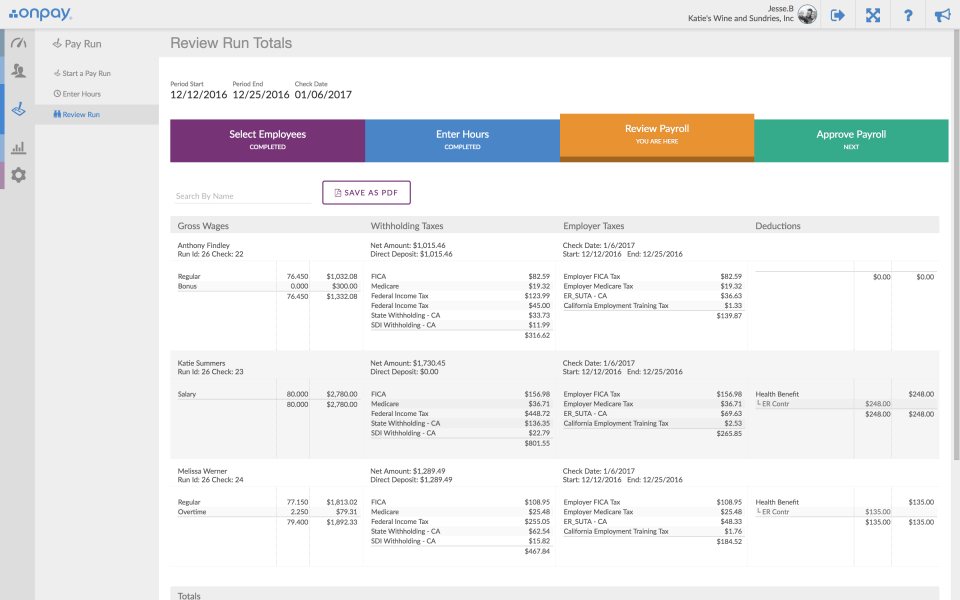
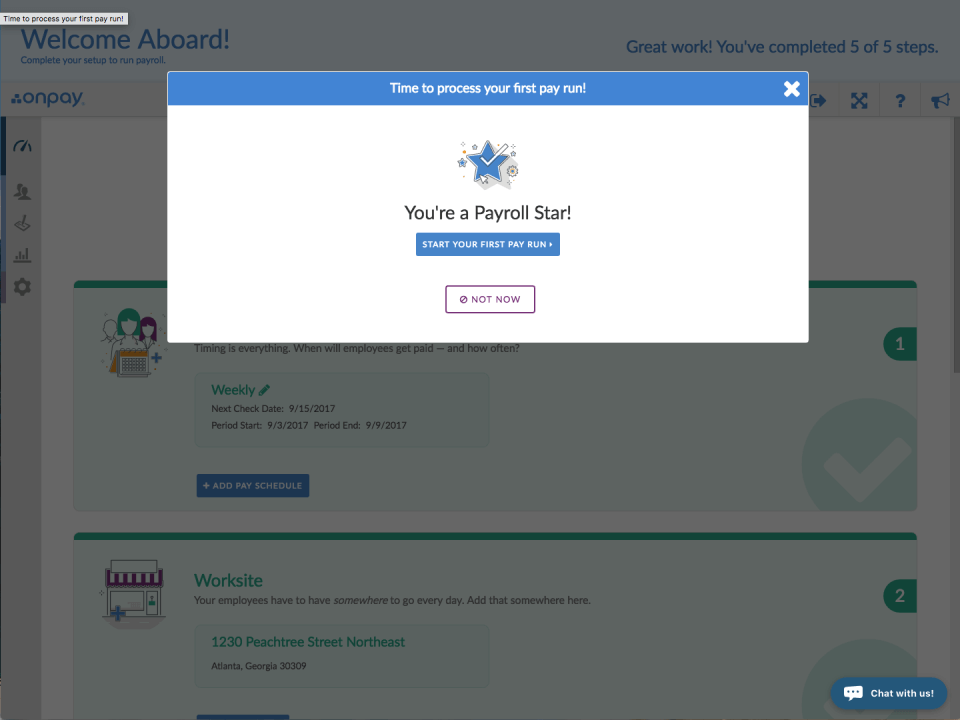
Description
OnPay Field Guide
| Best fit for | US small businesses (1-500 employees) needing full-service payroll with all tax filings, HR tools (employee records, onboarding, PTO tracking, document storage), benefits administration, multi-state payroll, contractor payments, and 401(k) integrations at predictable flat monthly pricing |
|---|---|
| Industries | US small businesses across professional services, retail, restaurants, healthcare, manufacturing, non-profit, education, agriculture, hospitality, construction, and other US small business sectors |
| Core capability | Full-service US payroll with federal/state/local tax filings (W-2, W-3, 1099, 1095 forms), HR tools (employee records, onboarding, PTO tracking, time off, document storage with e-signatures), benefits administration with broker integrations (health insurance, 401(k), HSA, FSA), multi-state payroll for distributed teams, contractor and 1099 payments, agricultural payroll, restaurant payroll with tip handling, mobile self-service for employees |
| Pricing | OnPay pricing: $46 per month base fee plus $6 per person per month (employees and contractors). Includes all tax filings, HR tools, benefits administration. No add-on fees. Visit onpay.com/pricing. |
| Differentiator | OnPay is positioned as transparent flat-monthly-pricing US payroll for small businesses. Where Gusto and Paychex Flex have multiple tiers, OnPay positions on one flat plan with all features included. |
| Headquarters | OnPay is headquartered in Atlanta, Georgia, USA serving US small businesses with cloud-based payroll and HR. |
| Customers | Used by US small businesses across professional services, retail, restaurants, healthcare, manufacturing, non-profit, education, agriculture, and hospitality. |
| Mobile | Mobile-responsive web with mobile apps for employee self-service, payslip access, and PTO requests. |
Where OnPay Wins
Flat transparent pricing. $46 base plus $6 per person per month. No add-on fees or tier upsells.
All tax filings included. Federal, state, and local payroll tax filings with no add-on charges.
Multi-state payroll. Native multi-state US payroll without additional fees.
Agricultural and restaurant payroll. Industry-specific payroll handling (farm labor, tip pooling).
Benefits administration with broker integrations. Health insurance, 401(k), HSA, FSA with broker network.
Includes HR tools. Employee records, onboarding, PTO tracking, document storage included at base price.
Where OnPay Falls Short
US-domestic only. Optimized for US small businesses.
SMB design center. Designed for 1-500 employees. Mid-market and enterprise evaluate Paylocity, Paychex, or ADP.
Limited talent management. HR tools focus on basics. Advanced talent management requires HRIS-plus.
Who Should Use OnPay?
OnPay is the right call when a US small business (1-500 employees) needs full-service payroll with all federal/state/local tax filings, HR tools, benefits administration with broker integrations, multi-state payroll, contractor payments, 401(k) integrations, and industry-specific payroll (agricultural, restaurant) at predictable flat monthly pricing.
OnPay is the wrong call for US mid-market and enterprise (evaluate Paylocity or Paychex Flex), for global multi-country, and for personal task management.
OnPay Alternatives
Gusto - SMB payroll and HR for US small businesses.
Paychex Flex - SMB-to-mid-market payroll plus HR services.
QuickBooks Payroll - SMB payroll integrated with QuickBooks.
Square Payroll - SMB payroll for Square ecosystem.
ADP - Enterprise payroll.
Justworks - Modern PEO platform.
Rippling - HR plus IT plus finance unified.
What Reddit and LinkedIn Reviewers Say
Discussions on r/smallbusiness position OnPay as transparent SMB payroll alongside Gusto, QuickBooks Payroll, and Square Payroll.
LinkedIn discussions among US small business owners highlight OnPay flat pricing and all-tax-filings-included as differentiators.
Final Take on OnPay
OnPay is the right call when a US small business (1-500 employees) needs full-service payroll with all federal/state/local tax filings, HR tools, benefits administration with broker integrations, multi-state payroll, contractor payments, 401(k) integrations, and industry-specific payroll (agricultural, restaurant) at predictable flat monthly pricing. The combination of capabilities delivers value alternatives cannot match for the right buyer profile.
Adjacent reading: OnPay buyers also evaluate Gusto and HR software tools for broader category context.
Implementation considerations: US small business (1-50 employees) deploys OnPay in 1-2 weeks via self-serve setup. Larger small business (50-500 employees) runs 2-4 weeks including data migration and benefits broker setup.
Buyer evaluation tips: Engage OnPay at onpay.com with employee count and benefits broker mix. Flat pricing ($46 base + $6/person/month) makes total cost easy to model. Run parallel evaluations against Gusto, QuickBooks Payroll, and Paychex Flex.
Verified on 2026-06-09 by the SaaSRat Editorial Team. Vendor facts cross-checked against onpay.com and current 2026 vendor disclosures. About our methodology.
Frequently Asked Questions
How much does OnPay cost in 2026?
What is included in OnPay payroll?
Does OnPay handle multi-state payroll?
How does OnPay compare to Gusto?
Does OnPay support specialty industries?
Is OnPay available outside the United States?
How long does OnPay implementation take?
Does OnPay include benefits administration?
Is OnPay SOC 2 compliant?
Does OnPay integrate with QuickBooks?
Find Your Perfect Software
See how it can transform your workflow
- Personalized for your needs Tailored recommendations based on your unique requirements.
- Save time & resources Streamline your workflow and boost team productivity.
- Trusted by thousands Join 10,000+ businesses already growing with SaaSrat.
You're all set! 🎉
A specialist for will reach out within 1 business day with tailored recommendations for your needs.