

GoToMyAccounts
by GoToMyAccounts
What is GoToMyAccounts?
Get Best Quote for GoToMyAccounts
Connect with SaaSrat experts to get the best quote for your business.
You're all set!
A specialist for GoToMyAccounts will reach out within 1 business day.
GoToMyAccounts Features
Branded customer self-service portal
Invoice presentment with auto-sync from QuickBooks
Card and ACH payment acceptance
Stored payment methods with PCI-aligned tokenization
AutoPay and recurring billing schedules
QuickBooks Online and QuickBooks Desktop bi-directional sync
View All 12 Features
GoToMyAccounts Pricing Plans
Base Subscription
- Vendor-verified $39.95/month
- Includes one staff user
- Customer portal branding and custom domain
- 14-day free trial with no card
- Month-to-month no annual contract
Additional Staff User
- Vendor-verified $39.95/month per extra staff user
- Each portal admin licensed individually
- Same feature access as base user
- Data and storage costs waived on plans with 4+ staff users
Portal Customer
- Vendor-verified $0.15/month per active portal customer
- Meters on customers actually using the portal
- Stored payment methods included
- Card and ACH acceptance
Usage Meters
- Vendor-verified $0.005 per QuickBooks customer synced + $0.002 per invoice synced
- Pay-per-record usage model
- No minimums or commitments
- Visibility on every invoice via admin reports
GoToMyAccounts Screenshots
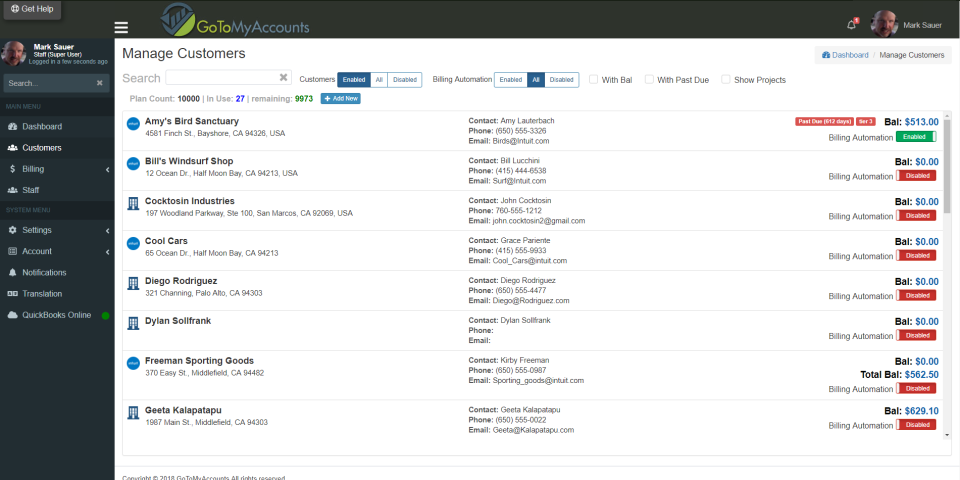
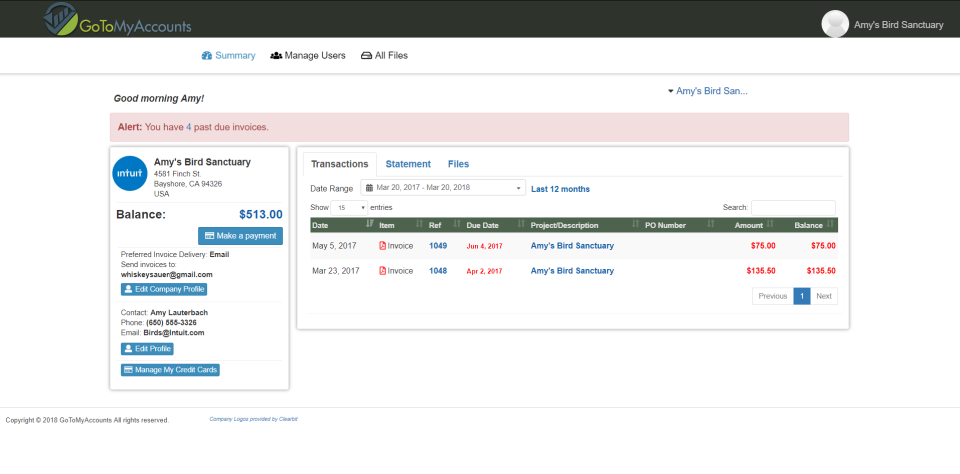
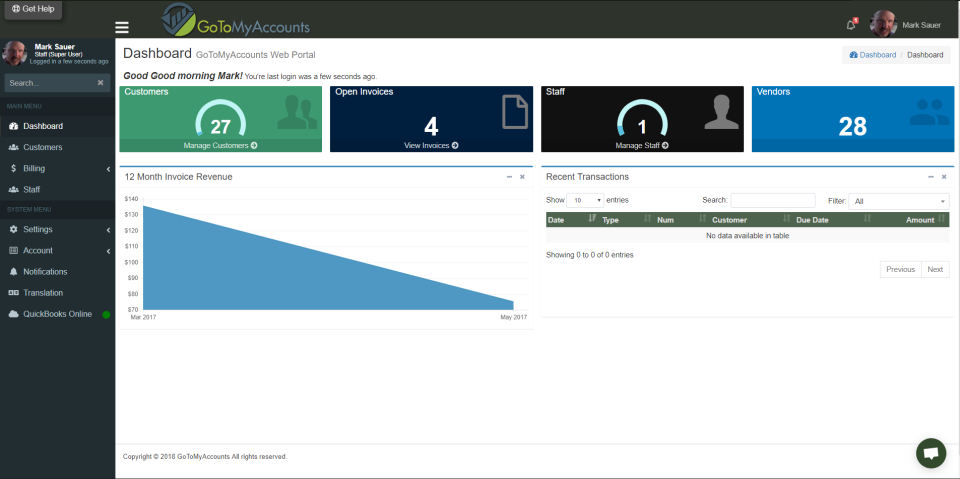
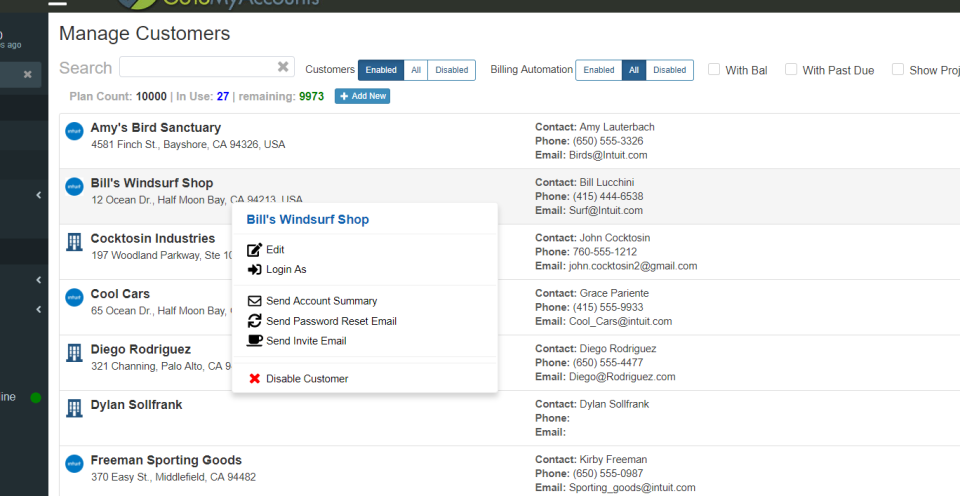
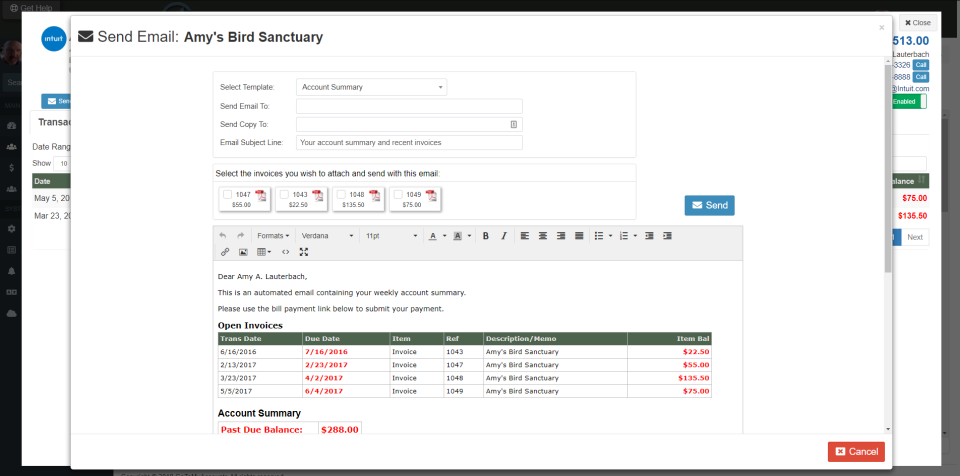
Description
Who GoToMyAccounts Is Right For
GoToMyAccounts fits B2B finance teams running QuickBooks Online or QuickBooks Desktop who need to give customers a branded self-service portal for viewing invoices and paying online. The buyer is usually a controller or AR manager at a 10 to 250 person services firm - managed-service providers, agencies, professional services, distribution, light manufacturing - that processes 50 to 5,000 invoices a month. It is overkill for solo consultants invoicing fewer than 20 customers (just send a Stripe checkout link), and underbuilt for mid-market firms that have outgrown QuickBooks (look at Invoiced, Bill.com, or NetSuite).
GoToMyAccounts 2026 Pricing
| Component | Price | Notes |
|---|---|---|
| Base subscription | $39.95/month | Includes one staff user |
| Additional staff user | $39.95/each | Per extra portal admin |
| Portal customer | $0.15/each | Per active customer in portal |
| QuickBooks customer | $0.005/record | Synced QB customer count |
| Invoices | $0.002/record | Synced QB invoice count |
| Data and storage | Waived | On plans with 4+ staff users |
The model is usage-based rather than seat-tiered. A typical 100-customer firm with one staff user and 500 invoices a month lands around $54-$60/month. There are no annual contracts or hidden fees per the vendor pricing page.
Fees and Limits to Watch For
- Payment processor fees apply on top of the platform charge - Authorize.Net, Stripe, or any gateway supported by QuickBooks Payments.
- Storage costs waived only on plans with 4+ staff users; smaller teams may see incremental storage fees if attaching many supporting documents.
- QuickBooks Desktop sync requires the QB Web Connector running on a host machine - adds a small operational dependency.
- Custom domain setup is included; SSL is auto-provisioned.
- 14-day free trial with no credit card.
Integrations
- QuickBooks Online via the Intuit App Marketplace (live bi-directional sync).
- QuickBooks Desktop via Web Connector (Pro, Premier, Enterprise, US and UK editions).
- Payment gateways - Authorize.Net, Stripe, QuickBooks Payments.
- Email - Gmail, Outlook, custom SMTP for portal notifications.
- API - REST endpoints for custom workflows.
Security and Compliance Posture
GoToMyAccounts operates with PCI DSS scope reduction through tokenization at the payment processor - card data never lands in the GTMA database. SSL is enforced on every portal subdomain. Role-based access controls separate staff admin, billing-only, and read-only roles. Two-factor authentication is included on staff logins. The vendor publishes a privacy policy aligned with GDPR for European-facing portals.
Customer Support and SLA
Support runs by email and ticket portal during US, Middle East, and Asia-Pacific business hours given the fully remote distributed team. The published response target is one business day on paid plans. There is no explicit uptime SLA on the standard subscription; the company publishes status indicators in the admin area.
Eligibility, Deployment Options, and Licensing
GoToMyAccounts is cloud SaaS only. There is no on-premise install - even QB Desktop integration runs via the Web Connector on the customer's host. Licensing is month-to-month with no annual contract. Switching plans takes effect immediately with proration on the next bill.
Mobile App and Customer Portal
The customer-facing portal is fully responsive - invoice view, payment, payment-method update all work on phone browsers. There is no dedicated iOS or Android app. Staff admin is web-only.
Pros and Cons
- Pros: deepest QuickBooks integration of any standalone customer portal, transparent usage-based pricing without seat tiers, no annual contract, easy white-label branding, 14-day no-card trial.
- Cons: QuickBooks-only ecosystem, no native mobile app, smaller integration footprint than enterprise A/R tools, support team is small relative to large vendors.
2026 Updates
The 2026 release added AI-assisted email reply suggestions on customer inquiries, deeper QuickBooks Online sync for credit memos and partial payments, improved bulk invoice send-out controls, and a refreshed customer portal UI with better mobile layout. The vendor also expanded multi-currency support for international QuickBooks editions.
What Real Buyers Say
QuickBooks-anchored B2B finance teams on the r/QuickBooks subreddit and the r/Accounting threads describe GoToMyAccounts as "the missing customer portal Intuit never built." The recurring praise is QB Desktop sync reliability; the recurring complaint is the usage-based meter making cost forecasting tricky for spiky-billing months.
GoToMyAccounts Alternatives
| Product | Best Fit | Starting Price |
|---|---|---|
| Bill.com | SMBs wanting AP + AR combined | $45/user/month |
| Invoiced | Mid-market firms outgrowing QuickBooks | Custom quote |
| Chargebee | Subscription-first SaaS billing | $249/month |
| Stripe Billing | Developer-led teams wanting API-first billing | 0.7% volume |
| QuickBooks Payments (native) | Smallest firms wanting Intuit-only stack | 2.9% + $0.25/txn |
Field Guide
| Headquarters | Dubai Digital Park, Dubai Silicon Oasis, UAE |
| Founded | 2010 |
| Team | Fully remote and globally distributed |
| QuickBooks editions | QBO and QB Desktop (Pro, Premier, Enterprise, US/UK) |
| Pricing model | Usage-based, no annual contract |
| Trial | 14-day free with no credit card |
How to Get Started With GoToMyAccounts
- Open the official GoToMyAccounts pricing page and start the 14-day trial.
- Connect your QuickBooks file: QBO via OAuth, QB Desktop via Web Connector on the host machine.
- Configure branding: logo, colors, custom domain, email-from address.
- Connect Authorize.Net, Stripe, or QuickBooks Payments under Payment Methods.
- Send the portal URL to a small pilot batch of customers and confirm the invoice-pay-statement flow before going wide.
How to Cancel or Pause
Cancel from the admin Account page at any time; access continues to end of paid month. There is no annual contract to unwind. Data export covers customers, invoices, payment records, and storage attachments as CSV plus PDF archives.
Eligibility Checklist
- You run QuickBooks Online or QuickBooks Desktop as your accounting source of truth.
- You invoice 50 to 5,000 B2B customers per month.
- You want customers to pay online with stored payment methods.
- You can accept usage-based billing (per-customer, per-invoice meters).
- You have a QB Web Connector host (QB Desktop only) or QBO admin access.
Pricing FAQ
- What does a typical month cost? A 100-customer firm with one staff user and 500 monthly invoices runs about $54-$60/month including base, customer, and invoice meters.
- Are there annual contracts? No. Month-to-month with proration.
- Do you take a cut of payments? No. Card-processor fees flow to Authorize.Net, Stripe, or QB Payments.
- Is there a free version? No, but the 14-day trial covers every feature.
Bottom Line
If you run QuickBooks Online or Desktop and want a branded customer payment portal without rebuilding your AR stack on Bill.com or Invoiced, GoToMyAccounts is the standalone option built specifically for this gap in 2026. Pricing is transparent and usage-based, the QB sync is mature, and there is no annual lock-in. The trade-off is the QuickBooks-only ecosystem and the lack of a native mobile app. For broader market context, see the related SaaSRat blog guide. Verified on 2026-06-23. Pricing verified from the official GoToMyAccounts pricing page.
Frequently Asked Questions
Is there a free plan or free trial for GoToMyAccounts?
How much does GoToMyAccounts cost?
What does GoToMyAccounts integrate with?
Who is GoToMyAccounts best for?
What are the best alternatives to GoToMyAccounts?
Is GoToMyAccounts GDPR / SOC 2 compliant?
Does GoToMyAccounts have a mobile app?
What do real users say about GoToMyAccounts?
How does GoToMyAccounts compare to its top competitor?
Does GoToMyAccounts offer customer support?
Find Your Perfect Software
See how it can transform your workflow
- Personalized for your needs Tailored recommendations based on your unique requirements.
- Save time & resources Streamline your workflow and boost team productivity.
- Trusted by thousands Join 10,000+ businesses already growing with SaaSrat.
You're all set! 🎉
A specialist for will reach out within 1 business day with tailored recommendations for your needs.