
Zoho Invoice
by Zoho Corporation Pvt. Ltd. • Founded 1996
What is Zoho Invoice?
Get Best Quote for Zoho Invoice
Connect with SaaSrat experts to get the best quote for your business.
You're all set!
A specialist for Zoho Invoice will reach out within 1 business day.
Zoho Invoice Features
Permanently free with no monthly subscription
Unlimited customers and invoices on the free plan
Professional invoice templates with custom branding
GST-compliant invoicing for Indian businesses
Email and WhatsApp invoice delivery
Payment acceptance via UPI cards and Net Banking
View All 15 Features
Zoho Invoice Pricing Plans
Free Forever Plan
- Permanently free with no monthly subscription
- Unlimited customers and invoices
- Professional templates email and WhatsApp delivery
- Payment acceptance via UPI cards Net Banking
- Time tracking expense recording
- Mobile apps included
- Verified on 2026-06-19
Upgrade Path: Zoho Billing
- For businesses growing beyond Zoho Invoice
- Zoho Billing is the advanced subscription billing product
- Custom pricing through Zoho sales
- Verified on 2026-06-19
Zoho One Suite Bundle
- Bundle Zoho Invoice with the full Zoho One business suite
- 40+ Zoho applications included
- Subscription per employee model
- Verified on 2026-06-19
Payment Processing Fees
- Card processing fees through Stripe Razorpay or other gateways
- Standard rates apply (typically 2.9% + transaction fee)
- Separate from Zoho Invoice subscription
- Verified on 2026-06-19
Zoho CRM Integration
- Native integration with Zoho CRM Books and Analytics included free
- Bidirectional sync of customer data invoices and revenue
- Verified on 2026-06-19
Zoho Invoice Resources
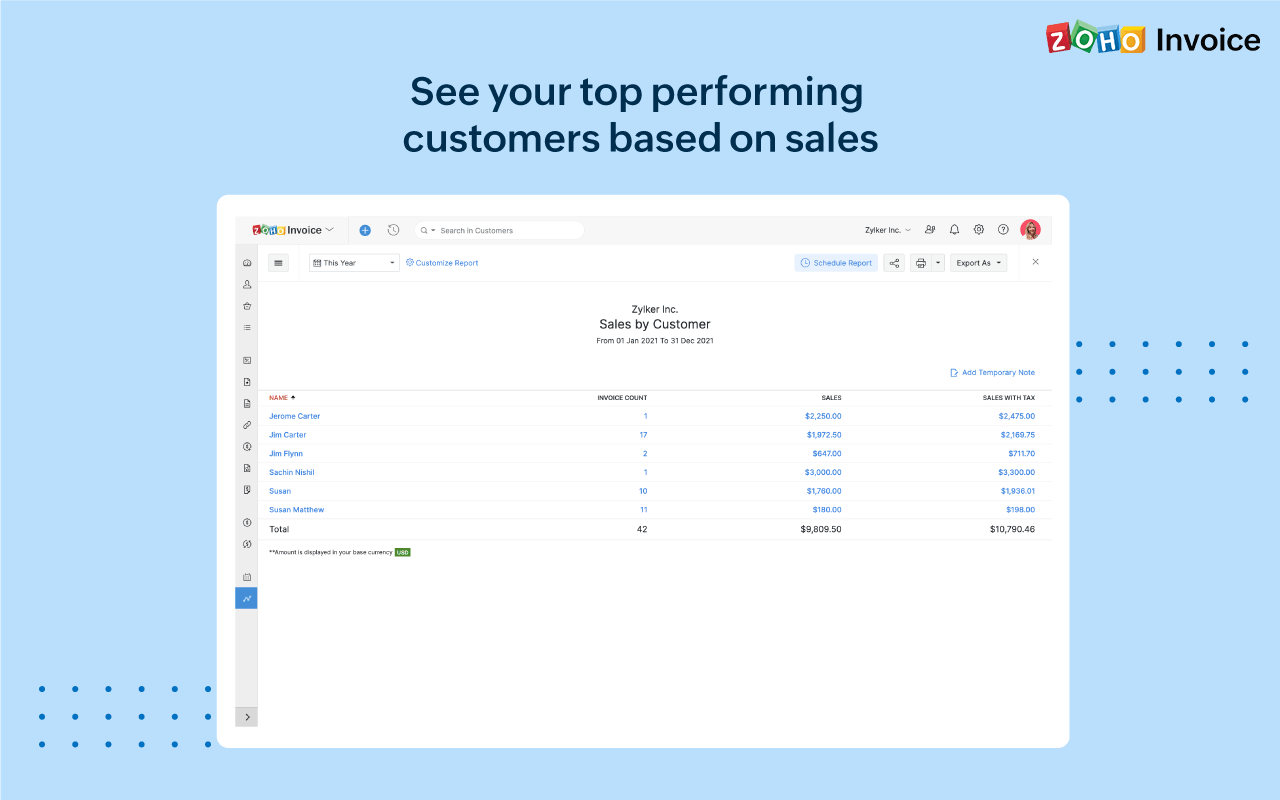
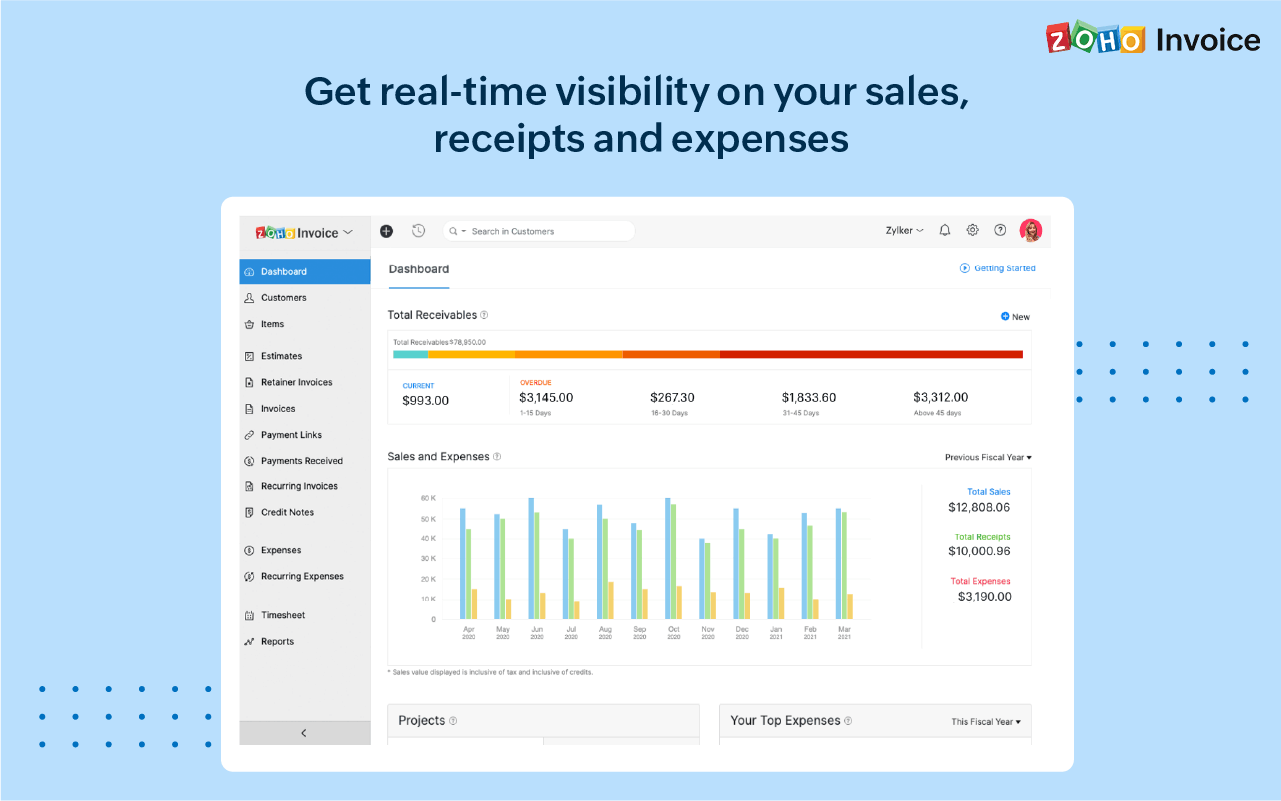
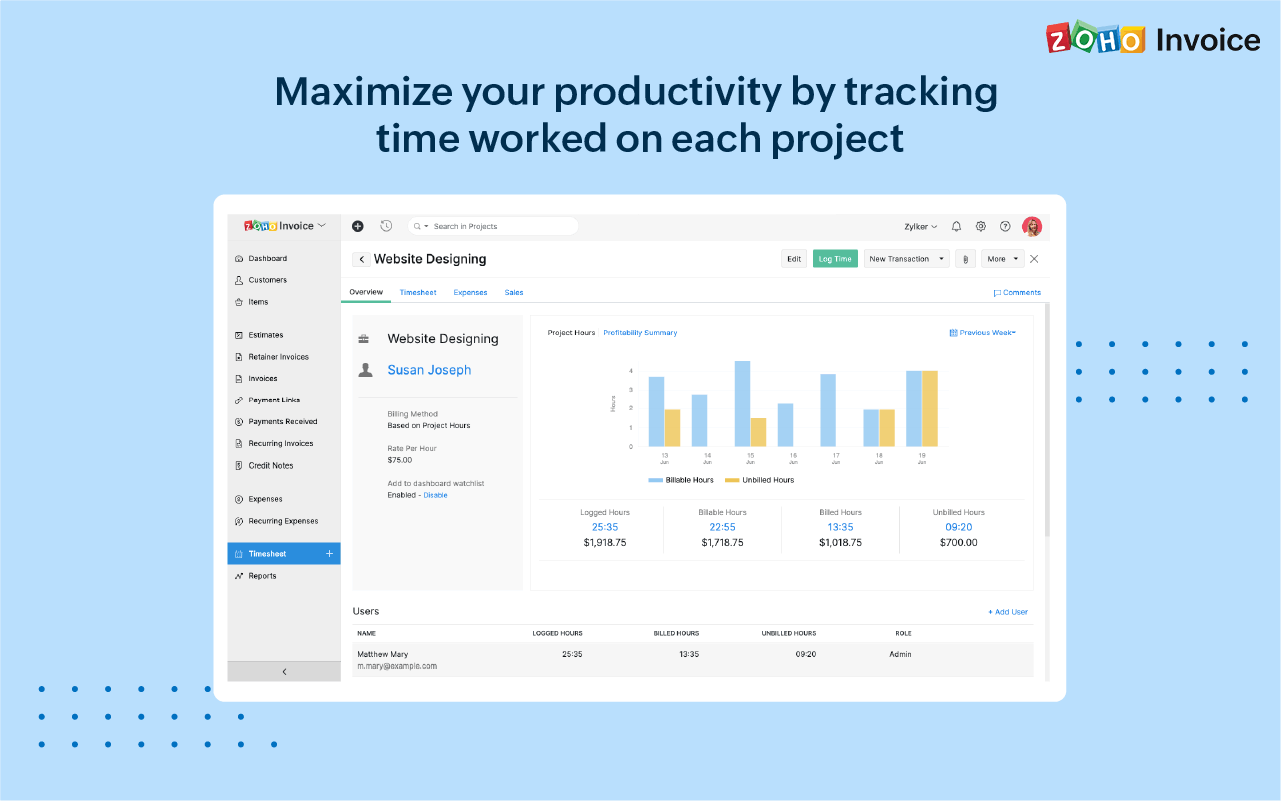
Zoho Invoice Screenshots
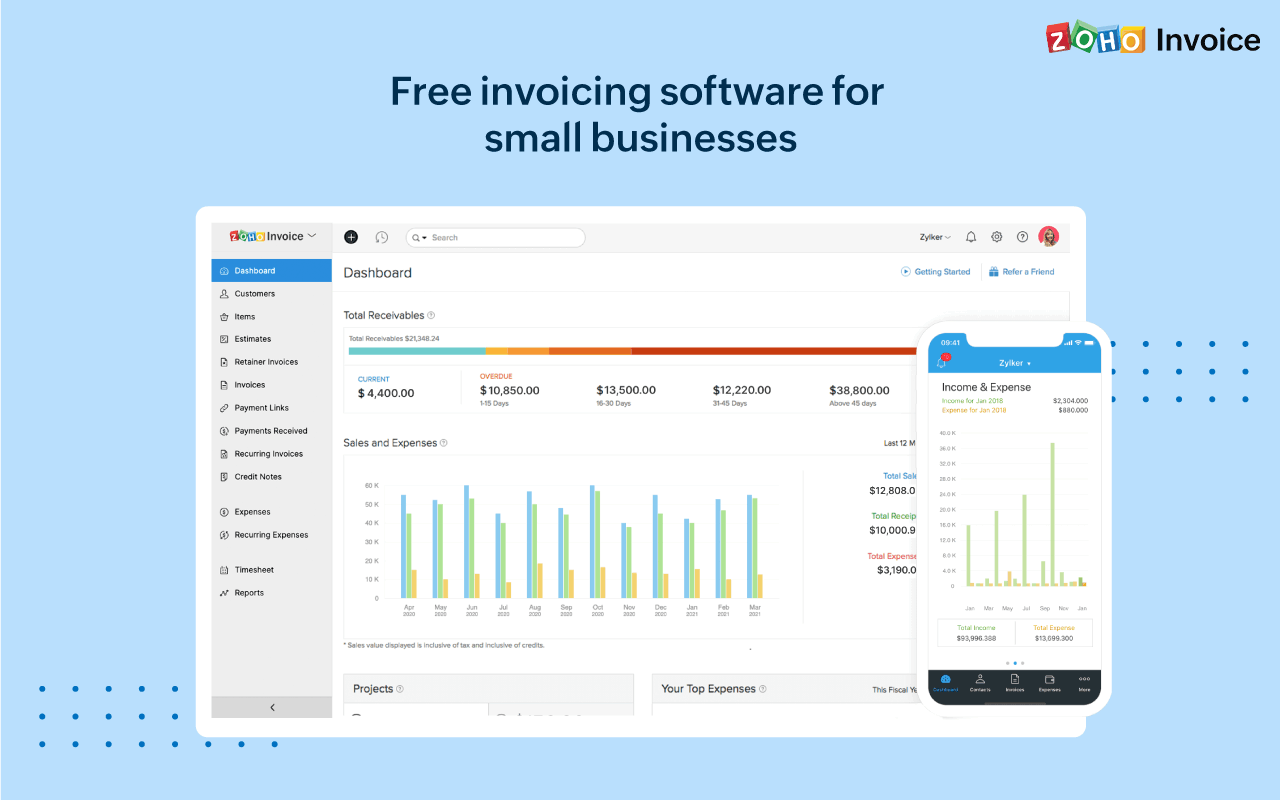
Description
Zoho Invoice launched in 2008 as part of the broader Zoho Corporation suite founded in 1996 in Chennai, India. In 2022 Zoho made Zoho Invoice permanently free with no monthly subscription, no user-count gates, and unlimited customers and invoices on the free plan. By 2026 Zoho Invoice serves millions of freelancers and small businesses globally, particularly in India where GST-compliant invoicing is a critical requirement.
Who Zoho Invoice is right for
This is a vertical product for freelancers and small businesses. The clearest fit in 2026 is solo service providers (designers, writers, developers, coaches, consultants), small consulting firms with 1 to 10 employees, Indian businesses needing GST-compliant invoicing, and any business already using or considering the Zoho suite. The free plan removes evaluation friction. Zoho Invoice is the wrong choice for businesses needing deep subscription billing (Zoho Billing fits), complex accounting (QuickBooks or Zoho Books fits), or non-Zoho ecosystem teams preferring Wave's lighter standalone product.
Zoho Invoice pricing in 2026
| Component | Pricing | What you get |
|---|---|---|
| Free Forever Plan | $0 | Unlimited customers and invoices, all core features, mobile apps |
| Zoho Billing (upgrade path) | Contact Sales | For subscription billing and recurring revenue businesses |
| Zoho One Suite | Contact Sales | 40+ Zoho applications bundled at per-employee rate |
| Payment Processing | ~2.9% + fee per txn | Through Stripe, Razorpay, or regional processors |
| Zoho CRM Integration | Included free | Bidirectional sync of customers and invoices |
Verified on 2026-06-19 against the official Zoho Invoice pricing page. The product is permanently free.
Hidden costs to know about
Two watch-outs. First, payment processing fees through Stripe, Razorpay, or regional processors apply at standard rates (typically 2.9 percent + transaction fee) and are separate from Zoho Invoice subscription. Second, businesses outgrowing Zoho Invoice (typically those needing subscription billing or recurring revenue management) need to budget for Zoho Billing or Zoho One subscription. The free invoice tool is real; the broader Zoho suite is the eventual revenue path.
Zoho Invoice vs alternatives at a glance
| Tool | Best for | Pricing | Why pick it |
|---|---|---|---|
| Zoho Invoice | Zoho ecosystem freelancers and SMBs | Free forever | Free with Zoho CRM Books Analytics integration |
| Wave Invoicing | Standalone free invoicing | Free / $19 Pro | Free invoice + accounting in one product |
| FreshBooks | SMBs needing more than invoicing | $17+/month | Broader cloud accounting + invoicing |
| QuickBooks Online | SMBs needing full accounting | $30+/month | Dominant US small business accounting |
| Invoice Ninja | Self-hosted free alternative | Free / $12 | Open source self-hosting option |
Integrations
Native Zoho suite (Zoho CRM, Zoho Books, Zoho Analytics, Zoho Inventory, Zoho Projects). Payment processing through Stripe, Razorpay, 2Checkout, PayPal, Square, and regional gateways. Email integration with Gmail and Outlook. Calendar sync with Google Calendar and Microsoft. Zapier and Make for the long tail. REST API for custom integrations.
Pros and cons
What works: Permanently free with no subscription is genuinely usable for freelancers. GST compliance for Indian businesses is best-in-category. Native Zoho ecosystem integration is the primary reason Zoho users pick Invoice over Wave. Cross-platform mobile apps (iOS, Android, Windows, Mac) work for any user. Customization is solid for a free product. The Zoho Corporation parent provides continuity at a scale most free tools cannot match.
Where it strains: Less suitable for businesses needing subscription billing (Zoho Billing fits). Limited compared to full accounting platforms like QuickBooks. Some advanced features may push users toward Zoho One bundle. Customer support tiered (free users get standard, paid Zoho customers get priority). Branding can feel India-centric for some non-Indian users.
What real buyers say
Operator reviews on SoftwareAdvice, SelectHub, and the r/freelance subreddit cluster around three wins: permanently free product with no gotchas is genuinely usable, GST compliance for Indian businesses eliminates the need for separate Indian invoicing tools, and Zoho CRM integration eliminates the customer-data duplication that standalone invoicing tools create. Common pushback is on the eventual upgrade pressure for subscription billing, limited accounting depth versus QuickBooks, and the India-centric branding for non-Indian businesses.
Field guide
| Field | Detail |
|---|---|
| Headquarters | Chennai, India (Zoho Corporation) |
| Parent company | Zoho Corporation (Pleasanton California for US) |
| Founded | 2008 |
| Free product | Permanently free since 2022 |
| Mobile | iOS, Android, Windows, Mac |
| GST compliance | Yes, GST-compliant for Indian businesses |
| API | REST API included on free plan |
| Upgrade path | Zoho Billing (subscription billing) or Zoho One bundle |
Buyer action plan
Sign up for the permanently free Zoho Invoice plan. Add real customers. Create one professional invoice and send via email or WhatsApp. Connect a payment processor (Stripe, Razorpay, or regional). Record one expense. Try the time tracking. If Zoho Invoice covers the workflow, no upgrade is needed. If you need subscription billing, plan for Zoho Billing upgrade. If you need broader Zoho suite access, consider Zoho One bundle.
2026 updates
Zoho Invoice continues to be permanently free with ongoing investment in mobile apps, GST compliance for Indian buyers, and Zoho suite integration. The Zoho Corporation parent has expanded the broader Zoho One bundle with AI features that flow into Zoho Invoice. WhatsApp Business invoice delivery has matured. Customer self-service portal capabilities have improved.
Security and compliance
Cloud platform with TLS in transit, encryption at rest, SOC 2 Type II, GDPR support, GST compliance for India, role-based access controls, two-factor authentication. EU data residency available. India data centers for Indian businesses. Zoho Corporation private-company governance provides continuity without public-company quarterly pressure.
Customer support
Email, in-app live chat, knowledge base, phone support, Zoho Academy training content. Free plan users receive standard support; paid Zoho customers (Zoho One, Zoho Billing) receive priority. The Zoho Community forum and r/freelance, r/smallbusiness subreddits provide active peer support discussions.
Who can use Zoho Invoice
Best fit: freelancers, consultants, solo service providers, small businesses 1 to 10 employees needing professional invoicing without monthly subscription. Reasonable fit: any business already using or considering the Zoho suite. Not a fit: businesses needing subscription billing (Zoho Billing fits), complex accounting (QuickBooks or Zoho Books), or non-Zoho ecosystem teams preferring standalone simpler tools (Wave fits).
Mobile app
Native iOS, Android, Windows, and Mac apps support invoice creation, payment tracking, expense recording, customer management, and time tracking from any device. The cross-platform mobile support is unusually broad versus invoicing competitors that focus only on iOS and Android.
How to get started with Zoho Invoice
Sign up at the official Zoho Invoice page. Add your business details and customize templates. Connect a payment processor. Add real customers. Create one professional invoice and send via email or WhatsApp. Test the mobile apps. Record one expense. If the workflow holds, no upgrade is needed. Plan for Zoho Billing or Zoho One bundle if your business grows beyond invoicing-only needs.
Top alternatives to Zoho Invoice
Wave Invoicing is the closest free standalone alternative without Zoho ecosystem ties. FreshBooks is the paid cloud invoicing alternative with broader features. QuickBooks Online is the dominant US small business accounting platform. Invoice Ninja is the open-source self-hosted alternative. PayPal Invoicing is the alternative for businesses primarily collecting through PayPal. Square Invoices is the alternative for Square POS customers.
How to cancel Zoho Invoice
The free plan has nothing to cancel; close your account from settings to delete data. Paid Zoho subscriptions (Zoho Billing, Zoho One) cancel at end of billing period through account settings. Data export available via CSV and REST API. No cancellation fee.
Bottom line
Zoho Invoice is the right pick for a freelancer or small business that wants permanently free professional invoicing with no monthly subscription. Indian businesses get best-in-category GST compliance. Zoho ecosystem users get native CRM, Books, and Analytics integration. For businesses needing subscription billing or broader accounting, alternatives or upgrades fit better. For most freelancers and small businesses looking for free invoicing in 2026, Zoho Invoice is the safe, productive default with no subscription pressure.
Verified on 2026-06-19. Pricing verified from the official Zoho Invoice pricing page.
Frequently Asked Questions
Is Zoho Invoice really free?
How much does Zoho Invoice cost in 2026?
Who is Zoho Invoice best for?
Does Zoho Invoice include GST compliance?
Does Zoho Invoice support payment collection?
How does Zoho Invoice compare to QuickBooks or Wave?
Does Zoho Invoice have a mobile app?
Does Zoho Invoice integrate with Zoho CRM?
What is Zoho Billing?
Does Zoho Invoice have an API?
Find Your Perfect Software
See how it can transform your workflow
- Personalized for your needs Tailored recommendations based on your unique requirements.
- Save time & resources Streamline your workflow and boost team productivity.
- Trusted by thousands Join 10,000+ businesses already growing with SaaSrat.
You're all set! 🎉
A specialist for will reach out within 1 business day with tailored recommendations for your needs.