

Getscreen.me
by Getscreen.me Software • Founded 2018
What is Getscreen.me?
Get Best Quote for Getscreen.me
Connect with SaaSrat experts to get the best quote for your business.
You're all set!
A specialist for Getscreen.me will reach out within 1 business day.
Getscreen.me Features
Remote desktop access
File transfer
Session recording
Multi monitor support
Clipboard synchronization
Unattended access
View All 30 Features
Getscreen.me Pricing Plans
Standard
- File transfer - 4 Gb
- Video recording 1 GB
- Wake-on-LAN
- Black screen
Advanced
- Unlimited File transfer
- Unlimited number of invitations
- Video recording 2 GB
- Wake-on-LAN
- HTTP API
Enterprise
- Unlimited File transfer
- Unlimited number of invitations
- Video recording 5 GB
- Wake-on-LAN
- Single Sign-On
- Group permissions
Getscreen.me Resources
Getscreen.me Screenshots
Description
Getscreen.me at a Glance
| Category | Browser-based remote desktop + Remote support + Remote work + Session recording |
|---|---|
| Best for | IT administrators, tech support providers, and remote work users needing browser-based remote access without client installation |
| Deployment | Cloud SaaS with browser or desktop application access |
| Owner | Point B Ltd (Limassol, Cyprus) |
| Connection method | Browser link URLs using WebRTC or WebSocket protocol |
| Cross-platform | Windows, macOS, Linux, Android, iOS remote endpoints |
| File manager | Dual-pane interface with drag-and-drop file transfer |
| Session recording | Recording capabilities for training and compliance |
| Android remote | Android remote access with gesture controls |
| HQ | Point B Ltd, Limassol, Cyprus |
Getscreen.me Overview
Getscreen.me is a Limassol, Cyprus-headquartered browser-based remote desktop platform enabling IT administration, technical support, and remote work through cross-platform connections without complex installations, passwords, or compatibility issues. The company is operated by Point B Ltd. The browser-first architecture differentiates from traditional remote desktop tools (TeamViewer, AnyDesk, RemotePC) that require client software installation on both endpoints.
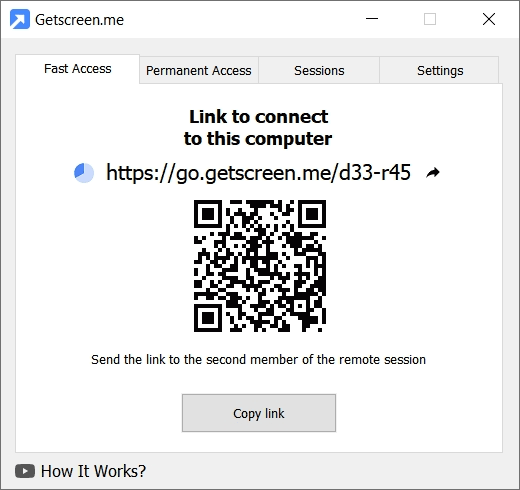
The core value proposition is browser-based remote access simplicity: connections happen through browser link URLs that the remote user opens in any modern browser, using WebRTC or WebSocket protocol for real-time connection without client software installation. This matches the workflow reality of tech support providers helping non-technical end users who cannot install client software easily. IT admins and support technicians access the platform through browser or desktop application with permanent remote access or one-time quick session options.
Additional features include file manager with dual-pane interface and drag-and-drop file transfer, session recording capabilities for training and compliance, Android remote access with gesture controls, and Terminal Mode for command-line interface access. Pricing includes a free version for basic use, Personal Lifetime one-time payment for individual professionals, and Business Plans with flexible pricing for team deployments. Named customers include ForexVPS (VPS hosting), Gorelo (ITSM platform), and Milvus (Brazilian tech support provider).
Capabilities and Named Features
Getscreen.me is built as a browser-based remote desktop platform where the connection happens through browser link URLs rather than requiring client software installation on both endpoints. This browser-first approach matches the workflow reality of tech support providers helping non-technical end users who cannot install client software easily: the technician sends a browser link, the end user opens the link in any modern browser, and the WebRTC or WebSocket connection establishes without additional software installation. Permanent remote access options complement the one-time quick session workflow for IT admins managing persistent remote endpoints.
Named feature list
- Browser-based remote desktop connections without complex installations
- Browser link URL sharing for connecting non-technical end users
- WebRTC protocol support for real-time browser-to-browser connection
- WebSocket protocol support for alternative connection scenarios
- Cross-platform support (Windows, macOS, Linux, Android, iOS remote endpoints)
- File Manager with dual-pane interface and drag-and-drop file transfer
- Session recording capabilities for training and compliance
- Android remote access with gesture controls for mobile device support
- Terminal Mode for command-line interface access
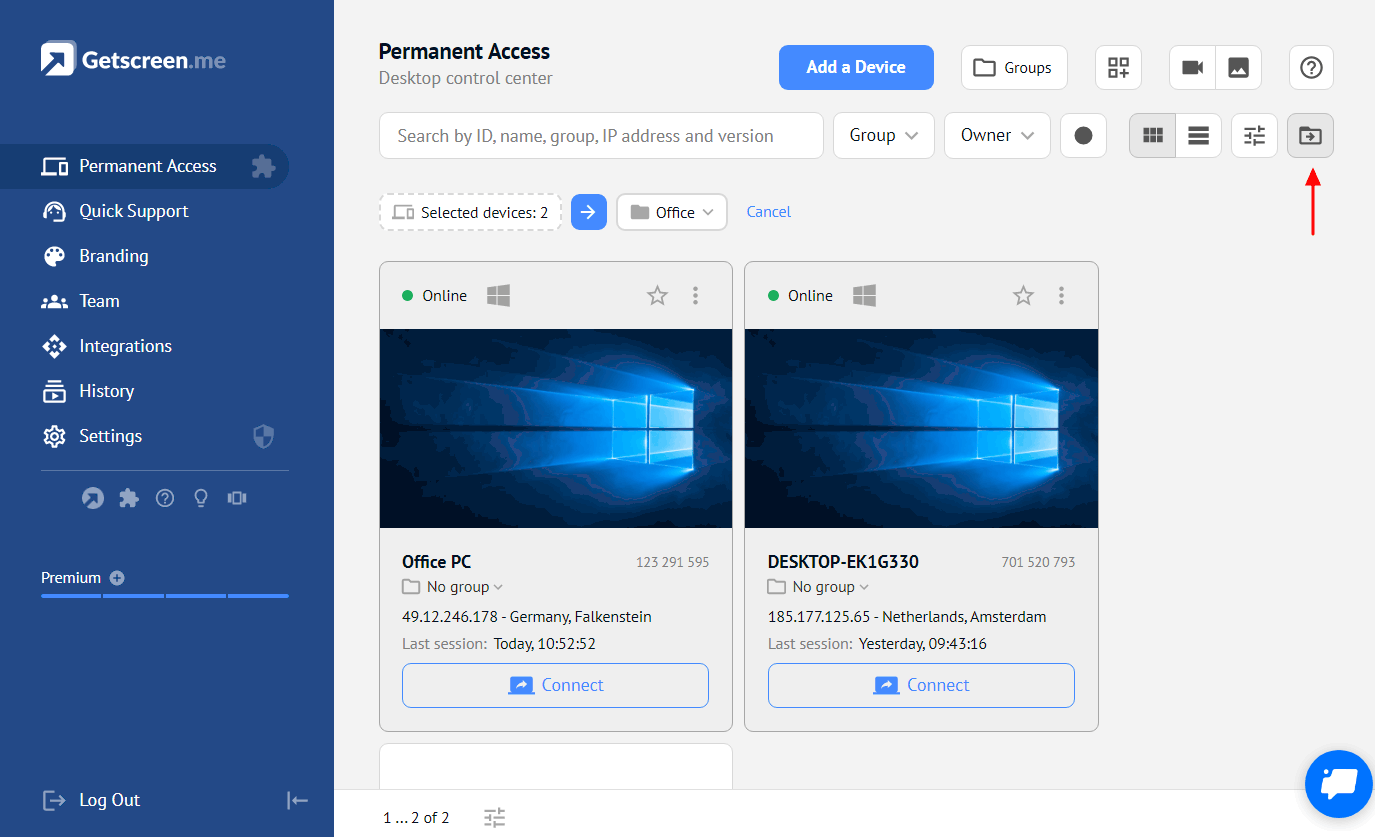
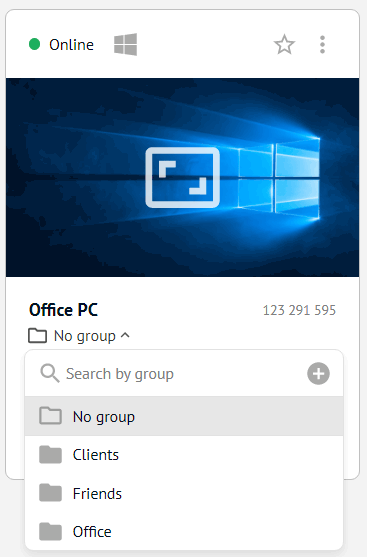
- Permanent remote access for persistent endpoint management
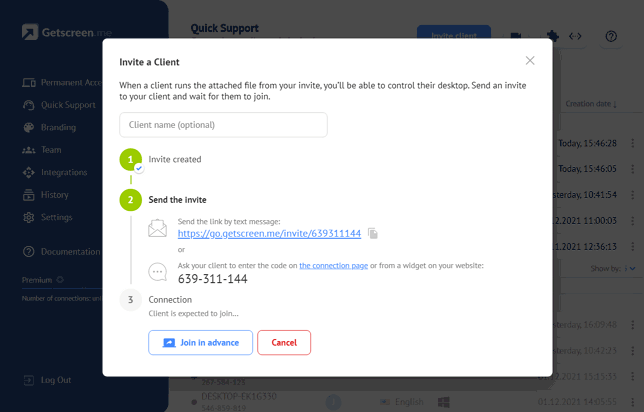
- One-time quick sessions for tech support customer interactions
- No compatibility issues across major operating systems
- No password requirements for browser-based sessions
- Free version available with basic functionality
- Personal Lifetime one-time payment option
- Business Plans with flexible pricing for team deployments
- 14-day free trial with access to all features
- No credit card required for free trial signup
Pricing and Plans
Getscreen.me publishes multiple pricing options: Free version with basic functionality for permanent free use, Personal Lifetime one-time payment for individual professionals wanting perpetual access without recurring subscription, and Business Plans with flexible pricing tied to team size and feature scope. The pricing calculator tool on the site helps buyers model expected cost based on team size and usage scenario.
The Personal Lifetime one-time payment option is unusual for the SaaS remote desktop category because most competitors (TeamViewer, AnyDesk, LogMeIn) force recurring subscription revenue. This lifetime pay-once model matches individual IT professionals and freelance tech support providers who prefer capital-expenditure treatment for professional tools. Business Plans scale with team size for organizations deploying remote desktop across multiple IT administrators or support technicians.
Buyers should ask about the exact monthly or annual Business Plan pricing at their expected team size, per-technician licensing structure, session volume limits if any, session recording storage limits, custom domain and branding options, and enterprise SSO or MDM integration fees during evaluation. The 14-day free trial with no credit card required lets buyers validate the platform on real IT admin and tech support workflows before committing to paid pricing.
| Tier | Price | What is included |
|---|---|---|
| Free version | $0 | Basic remote desktop functionality for permanent free use |
| Personal Lifetime | One-time payment | Perpetual access for individual professionals without recurring subscription |
| Business Plans | Flexible pricing | Team deployment with per-technician licensing |
| 14-day free trial | No card required | Full feature access during evaluation period |
| Pricing Calculator | Available on site | Model expected cost based on team size and usage |
| Enterprise | Custom quote | Larger team deployments with SSO and MDM integration |
Pros
- Browser-based remote access removes the client software installation barrier that traditional remote desktop tools face
- Browser link URL sharing matches the workflow reality of tech support providers helping non-technical end users
- WebRTC and WebSocket protocol support enables real-time browser connections across modern browsers
- Cross-platform coverage (Windows, macOS, Linux, Android, iOS) fits the operating system diversity of enterprise environments
- Personal Lifetime one-time payment option matches individual IT professionals and freelance tech support providers preferring capital-expenditure treatment
- Free version for permanent basic use is a durable option rather than a time-limited trial
- Session recording capabilities for training and compliance address enterprise IT and support quality assurance needs
- Android remote access with gesture controls handles the growing need for mobile device remote support
Cons and Trade-offs
- Browser-first architecture depends on modern browser compatibility; older browsers or restrictive corporate browser policies may limit connection reliability
- WebRTC protocol may be blocked by corporate firewalls or strict network policies in some enterprise environments
- Enterprise features (SSO, MDM deployment, advanced audit logs, admin console depth) may be lighter than dedicated enterprise remote support platforms
- Reddit r/sysadmin and r/msp threads note that traditional client-based remote desktop tools (TeamViewer, AnyDesk, ConnectWise) have deeper enterprise integration ecosystems
- Session recording storage limits and retention policies vary by tier; enterprise buyers with long retention requirements should verify tier limits
- Cyprus operational base may affect US and Asia-Pacific enterprise buyer preferences for local vendor relationships
- Advanced remote monitoring and management (RMM) features found in dedicated MSP platforms are outside the remote desktop positioning
- Migration from TeamViewer, AnyDesk, or other established remote desktop tools requires rebuilding endpoint access records and reconnecting persistent remote devices
Getscreen.me vs Alternatives
| Vendor | Best for | Connection method | Free tier | Notable strength |
|---|---|---|---|---|
| Getscreen.me | Browser-based remote desktop for IT admin and tech support | Browser link URL with WebRTC or WebSocket | Free version plus Personal Lifetime option | Browser-first architecture without client installation |
| TeamViewer | Enterprise remote desktop and support | Client software installation on both endpoints | Free personal use tier | Long-established remote desktop platform leader |
| AnyDesk | SMB and mid-market remote desktop | Client software installation with lightweight footprint | Free personal use tier | Fast connection speeds with lightweight client |
| Splashtop | SMB remote desktop and support | Client software installation | Limited free tier | Cost-competitive remote desktop for SMB |
| ConnectWise ScreenConnect | MSP remote support ecosystem | Client software with MSP focus | No free tier | MSP-integrated remote support platform |
| Chrome Remote Desktop | Basic Google-account-based remote access | Chrome browser and Chrome Remote Desktop extension | Free forever | Free Google-provided basic remote access |
Who Should Choose Getscreen.me
IT administrators managing Windows, macOS, and Linux endpoints across cross-platform enterprise environments needing browser-based remote access without client installation.
Tech support providers helping non-technical end users where sending a browser link URL is easier than walking users through client software installation.
MSPs and IT service providers wanting session recording capabilities for training, compliance, and quality assurance across technician-customer sessions.
Individual IT professionals and freelance tech support providers preferring Personal Lifetime one-time payment for capital-expenditure treatment over recurring subscriptions.
Remote workers needing occasional access to office workstations, home workstations, or client environments without deploying client software.
Small businesses matching the ForexVPS, Gorelo, or Milvus customer profile with tech support and IT admin remote desktop requirements.
Named Alternatives to Getscreen.me
- TeamViewer. Long-established remote desktop platform leader
- AnyDesk. Fast connection speeds with lightweight client
- Splashtop. Cost-competitive remote desktop for SMB
- ConnectWise ScreenConnect. MSP-integrated remote support platform
- Chrome Remote Desktop. Free Google-provided basic remote access
- RemotePC. SMB remote desktop with unlimited users
- Zoho Assist. Zoho ecosystem remote support
- BeyondTrust Remote Support. Enterprise remote support with security focus
Implementation and Deployment
Individual signup and initial remote session takes 5 to 15 minutes: create an account, share a browser link with the remote endpoint user, and start the WebRTC connection.
Small IT team deployment (2 to 10 IT administrators or support technicians) commonly runs 1 to 2 weeks including team member onboarding, permanent endpoint access configuration for persistent remote devices, and session recording policy setup.
Mid-market deployment (10 to 50 IT team members) commonly runs 2 to 6 weeks including custom domain configuration, session recording storage tier alignment, and workflow integration with ticketing systems.
Enterprise deployment (50+ IT team members) runs 4 to 12 weeks including SSO integration, MDM policy alignment, and full audit logging configuration.
Permanent endpoint access setup for persistent remote devices takes 5 to 10 minutes per device including endpoint software installation (if using desktop application) or browser access token setup (if using browser-only mode).
Migration from TeamViewer, AnyDesk, or other established remote desktop tools requires rebuilding endpoint access records for persistent remote devices; expect 1 to 4 weeks depending on active endpoint count.
What Real Buyers Say About Getscreen.me
A Reddit r/sysadmin thread from mid-2026 titled 'Getscreen.me vs TeamViewer vs AnyDesk for a small MSP' captured the recurring IT admin buyer trade-off: Getscreen.me wins on browser-based architecture removing client installation barrier plus Personal Lifetime one-time payment option; TeamViewer wins on long-established remote desktop platform leader position with deeper enterprise integration ecosystem; AnyDesk wins on fast connection speeds with lightweight client. Additional context: r/sysadmin threads on remote desktop platforms, Getscreen.me on LinkedIn, r/msp threads on remote support tools.
LinkedIn posts by IT service providers highlight the browser link URL sharing workflow as the reason tech support providers adopt Getscreen.me for customer-facing remote support: sending a browser link URL is meaningfully easier than walking non-technical end users through TeamViewer or AnyDesk client software installation over phone or chat support.
SoftwareAdvice and SelectHub reviews consistently rank Getscreen.me among the emerging browser-based remote desktop alternatives with strongest positioning for individual IT professionals, freelance tech support providers, and small IT teams wanting browser-first architecture without recurring subscription lock-in.
Reddit r/sysadmin and r/msp threads warn buyers that browser-first architecture depends on modern browser compatibility; older browsers or restrictive corporate browser policies may limit connection reliability, and WebRTC protocol may be blocked by corporate firewalls. Enterprise buyers should validate browser and network policy compatibility across representative endpoint scenarios during evaluation.
Vendor references: Getscreen.me product overview and features, Getscreen.me Free, Personal Lifetime, and Business Plans pricing, Getscreen.me named customer references.
The Bottom Line on Getscreen.me
Getscreen.me is the default short-list candidate for IT administrators, tech support providers, MSPs, and individual IT professionals needing browser-based remote desktop without client software installation on both endpoints. The browser link URL sharing workflow, WebRTC and WebSocket protocol support, session recording, Android remote access with gesture controls, and Terminal Mode are the strongest technical differentiators versus TeamViewer, AnyDesk, and Splashtop.
The Personal Lifetime one-time payment option matches individual IT professionals and freelance tech support providers preferring capital-expenditure treatment. Free version for permanent basic use plus 14-day free trial with no credit card required lower evaluation risk. Named customers include ForexVPS (VPS hosting), Gorelo (ITSM platform), and Milvus (Brazilian tech support provider).
Watch browser and network compatibility carefully: browser-first architecture depends on modern browser compatibility, and WebRTC protocol may be blocked by corporate firewalls or strict network policies in some enterprise environments. Enterprise buyers should validate browser and network policy compatibility across representative endpoint scenarios during evaluation.
Alternatives to shortlist alongside Getscreen.me: TeamViewer for long-established remote desktop platform leader position, AnyDesk for fast connection speeds with lightweight client, Splashtop for cost-competitive remote desktop for SMB, ConnectWise ScreenConnect for MSP-integrated remote support platform, Chrome Remote Desktop for free Google-provided basic remote access, RemotePC for SMB remote desktop with unlimited users, Zoho Assist for Zoho ecosystem remote support, and BeyondTrust Remote Support for enterprise remote support with security focus.
Verified on 2026-08-04 against vendor website.
Frequently Asked Questions
How much does Getscreen.me cost in 2026?
Is Getscreen.me really browser-based?
Who is Getscreen.me a fit for?
How does Getscreen.me compare to TeamViewer, AnyDesk, and Splashtop?
Does Getscreen.me support session recording?
Which platforms does Getscreen.me support?
How long does Getscreen.me setup take?
What are the biggest complaints about Getscreen.me?
Is there a lifetime license option?
Can Getscreen.me handle enterprise remote support operations?
Find Your Perfect Software
See how it can transform your workflow
- Personalized for your needs Tailored recommendations based on your unique requirements.
- Save time & resources Streamline your workflow and boost team productivity.
- Trusted by thousands Join 10,000+ businesses already growing with SaaSrat.
You're all set! 🎉
A specialist for will reach out within 1 business day with tailored recommendations for your needs.