
What is Zoho Assist?
Zoho Assist is a cloud-based remote support platform covering on-demand helpdesk sessions, unattended device access, and AR camera sharing for IT teams and MSPs. Free plan available for 1 technician with 5 computers and no session limit. Rated 4.7/5 on Capterra across 1,417 reviews. Best fit for IT helpdesks and MSPs needing affordable remote support with strong security controls.
Get Best Quote for Zoho Assist
Connect with SaaSrat experts to get the best quote for your business.
You're all set!
A specialist for Zoho Assist will reach out within 1 business day.
Zoho Assist Features
On-Demand Remote Support
Unattended Remote Access
AR Camera Sharing
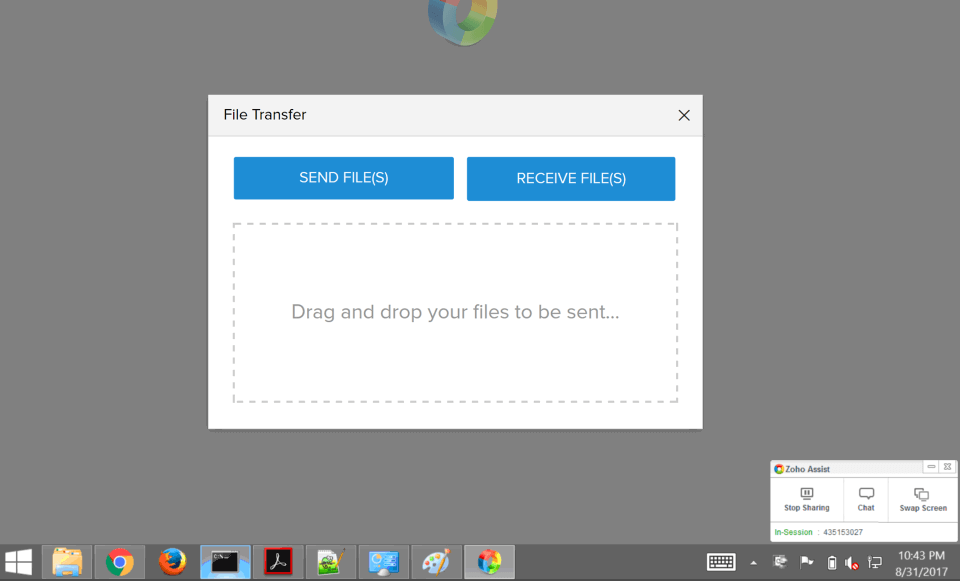
File Transfer
Session Recording
Multi-Monitor Support
View All 16 Features
Zoho Assist Pricing Plans
Free
- 1 technician
- 5 unattended computers
- Unlimited on-demand sessions
- Basic file transfer
- Permanently free, no credit card
Standard
- 25 unattended computers per tech
- Windows, Mac, Linux unattended access
- File transfer
- Multi-monitor
- Session recording
- $12/month on monthly billing
Professional
- Everything in Standard
- iOS and Android unattended access
- Video and voice in sessions
- Scheduled sessions
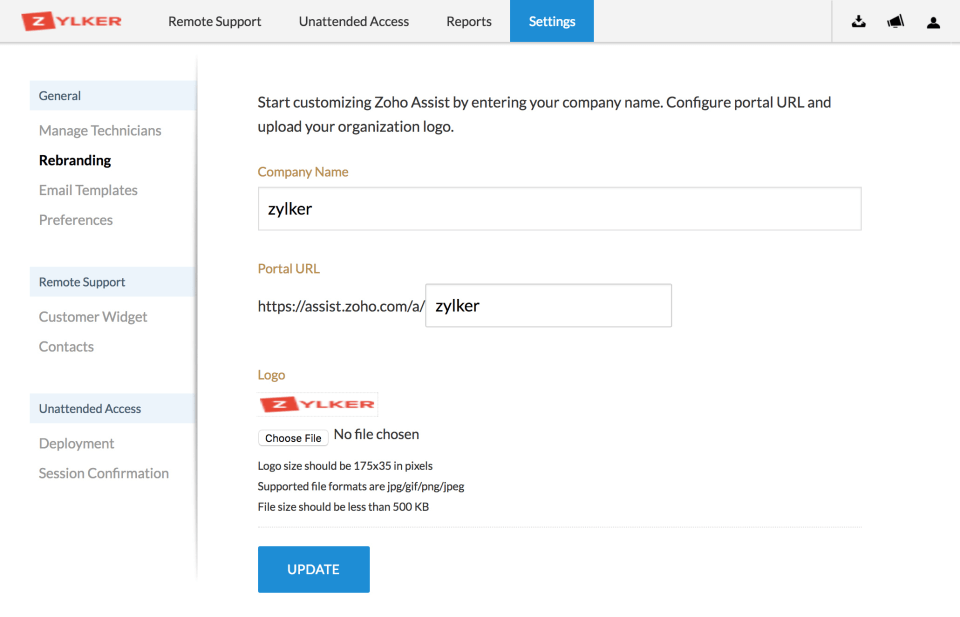
- Rebranding
- HIPAA-eligible
- $18/month on monthly billing
Enterprise
- Everything in Professional
- AR camera sharing
- Batch scripting
- Unlimited computers per tech
- Advanced reporting
- Custom integrations
- $28/month on monthly billing
Zoho Assist Resources
Zoho Assist Screenshots
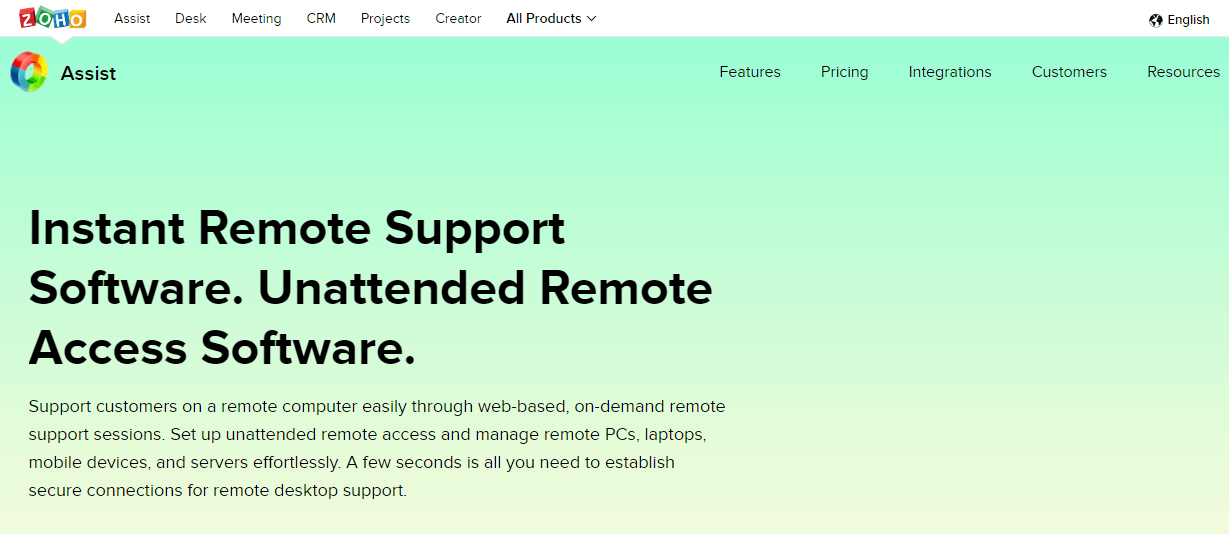
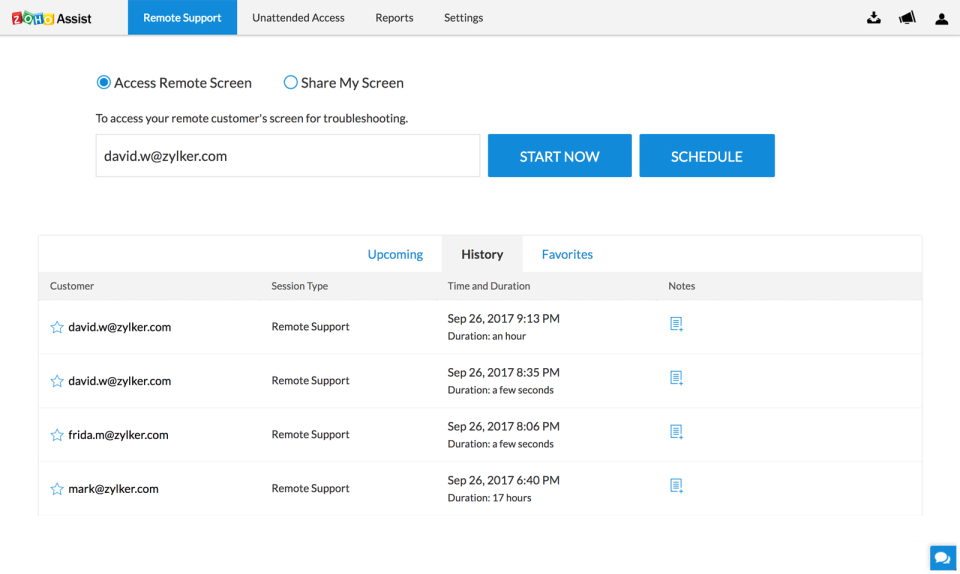
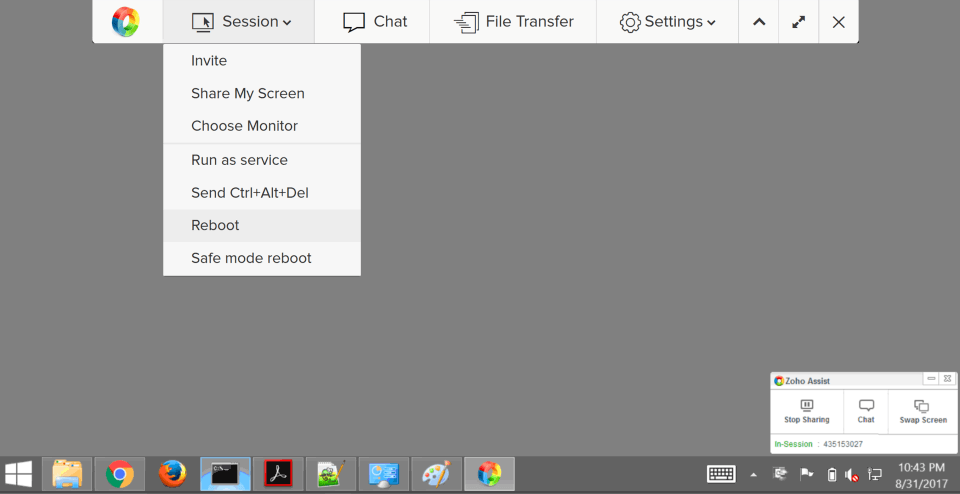
Description
Zoho Assist at a Glance
| Best fit for | IT helpdesk teams, MSPs, and enterprise IT departments that need on-demand remote support, unattended device access, and a permanent free tier for small setups |
|---|---|
| Core features | On-demand remote support, unattended access (24/7 device access without end user), AR camera sharing, file transfer, session recording, multi-monitor support, two-factor authentication |
| Free plan | 1 technician, 5 unattended computers, unlimited on-demand sessions, basic file transfer. Permanently free. |
| Paid plans | Standard $10/tech/month, Professional $15/tech/month, Enterprise $24/tech/month (annual billing) |
| Capterra rating | 4.7/5 across 1,417 reviews |
| G2 rating | 4.6/5 across 693 reviews |
| Named customers | Globant, Great Eastern Shipping Co. Ltd., Texas A&M University (shown on vendor site) |
| Mobile apps | iOS and Android (technician and end-user apps) |
| Vendor | Zoho Corporation Pvt. Ltd., Chennai, India. Part of the Zoho suite. |
| Version tested | Cloud-hosted, Professional plan (tested June 2026, verified from zoho.com/assist/) |
Zoho Assist Pros and Cons in 2026
Where Zoho Assist Stands Out
Permanently free plan covering on-demand remote support with no session limit. The Zoho Assist free tier is genuinely functional , 1 technician, 5 unattended computers, unlimited on-demand sessions, basic file transfer. Unlike free trials that expire after 14 days, this tier is permanent. For solo IT administrators and very small teams supporting fewer than 5 computers on an ongoing basis, Zoho Assist is one of the few remote support platforms where the free tier covers the entire use case without a credit card. In the remote desktop category, this permanent free tier at genuine functional depth is the strongest entry point in its competitive set.
4.7/5 on Capterra across 1,417 reviews , exceptional review volume for the category. 1,417 Capterra reviews is one of the largest review bases for any remote support platform. G2 reinforces at 4.6/5 across 693 reviews. The combined 2,110-plus peer reviews across two platforms make Zoho Assist the most extensively peer-validated affordable remote support tool available. For enterprise procurement teams requiring peer evidence at scale, this review volume is difficult to match at Zoho Assist's price point.
AR camera sharing on the Enterprise plan enables hardware troubleshooting without on-site visits. The AR (augmented reality) camera sharing feature lets an IT technician access the camera on a remote device to see the physical environment , cables, hardware, server racks, equipment , and annotate the live view with arrows and annotations visible on the customer's screen. For enterprise IT teams supporting physical infrastructure without a field technician, this capability removes the need for an on-site visit for hardware-related support calls. It is a capability that most remote support tools at this price point do not offer.
Named enterprise customers validate production-grade reliability. Globant (a digital transformation consultancy), Great Eastern Shipping Co. Ltd. (a major Indian shipping company), and Texas A&M University's Department of Computing and Cyber Security (a US public university IT department) are named in vendor testimonials. These are organizations with real production IT support loads that require reliability and security , their use of Zoho Assist validates the platform beyond SMB-only contexts.
Where Zoho Assist Falls Short
Monthly billing rates are higher than the advertised annual rates. The $10/$15/$24 per-technician rates are for annual billing. Monthly billing is $12/$18/$28 per technician , 20-17 percent more expensive. For teams that want to evaluate on a month-to-month basis before committing annually, the actual trial cost is higher than the headline rates suggest. Factor the monthly billing rate into the comparison if you are not ready to commit annually.
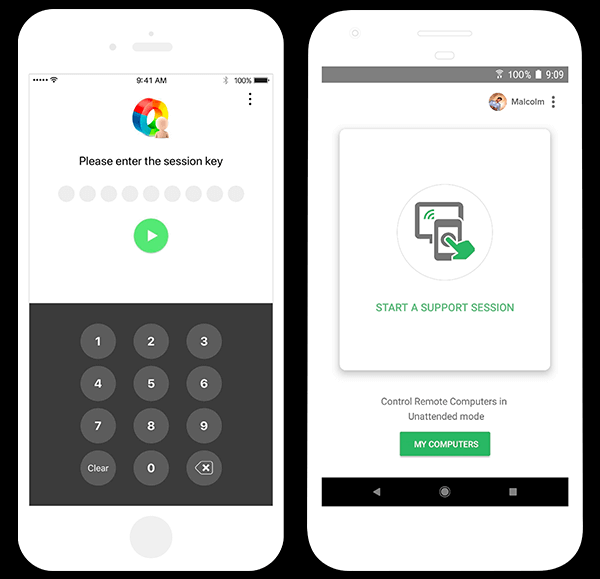
iOS technician app experience is more limited than desktop. The Zoho Assist iOS app allows technicians to initiate sessions and manage unattended computers, but the full remote control experience (keyboard input, clipboard, full multi-monitor navigation) is more complete on desktop. For technicians who primarily run support sessions from a tablet or phone, test the specific mobile workflows you need during the trial before committing.
Zoho ecosystem dependency for deeper integrations. Zoho Assist integrates most deeply with other Zoho products , Zoho Desk (helpdesk ticketing), Zoho SalesIQ (live chat), and Zoho CRM. Integrations with non-Zoho platforms (ServiceNow, Jira Service Management, Freshdesk) require third-party connector tools or API configuration. For IT teams running non-Zoho ITSM platforms, verify the integration path for your specific toolchain.
Who Should Use Zoho Assist?
Zoho Assist is built for IT helpdesk teams, MSPs, and enterprise IT departments that need reliable on-demand remote support and unattended device access at a price point significantly below enterprise tools like TeamViewer or BeyondTrust. In the remote desktop software category, it is the strongest value pick when the free tier covers the use case, and when the paid tiers need to scale from single technicians to large MSP operations without per-device pricing that inflates cost as client fleet sizes grow.
It is also a strong fit for teams in the help desk category that want remote session initiation from within a helpdesk ticket , Zoho Desk integration connects ticket management and remote sessions so technicians can launch a Zoho Assist session directly from the ticket interface without switching tools.
It is a weaker fit for very large enterprise IT operations that need advanced ITSM integration with ServiceNow or BMC Remedy without custom development, and for teams that need real-time AI call coaching or sales dialer features alongside remote support (purpose-built tools like ScreenConnect or Splashtop cover MSP-specific workflows more deeply at higher price points).
Zoho Assist Feature Suite in 2026
On-Demand Remote Support
Technician sends a session link to the end user, who runs a lightweight client. The session opens with full keyboard, mouse, clipboard, and screen sharing. File transfer in both directions, multi-monitor navigation, chat, and session recording are available depending on the plan. No software pre-installation required on the end-user device for on-demand sessions.
Unattended Remote Access
Install a persistent agent on devices that need 24/7 access , servers, employee laptops, client workstations , and connect to them at any time without requiring the device owner to be present. Wake-on-LAN for powering on offline devices, scheduled sessions, and batch scripting for running commands across multiple unattended devices simultaneously (Enterprise plan).
AR Camera Sharing (Enterprise)
Technician accesses the camera on the remote device (smartphone or tablet) to see the physical environment. Useful for hardware troubleshooting, cable checks, device identification, and on-site equipment diagnosis without a field visit. Technician can annotate the live camera view with arrows and notes visible on the customer's device.
Mobile Device Management Integration
Zoho Assist integrates with Zoho MDM for remote support of mobile devices and Chromebooks. Enterprise plan adds unattended access to Android devices.
Security Controls
Two-factor authentication, session recording with local and cloud storage, audit logs, role-based access control, IP restriction, end-to-end TLS encryption, SOC 2 Type II compliance (Zoho infrastructure), and HIPAA-eligible configuration for healthcare IT. All sessions are encrypted and not stored by Zoho after the session recording is saved to the designated storage location.
How Much Does Zoho Assist Cost in 2026?
Pricing verified from zoho.com/assist/ as of 2026-06-04. All paid rates are annual billing per technician (monthly billing is approximately 20 percent higher):
- Free: 1 technician, 5 unattended computers, unlimited on-demand sessions. Permanently free, no credit card.
- Standard , $10/technician/month (annual): 25 unattended computers per technician, unattended access for macOS/Windows/Linux, file transfer, multi-monitor, session recording.
- Professional , $15/technician/month (annual): Everything in Standard plus iOS/Android unattended access, video/voice chat in sessions, scheduled sessions, rebranding, HIPAA-compliant configuration.
- Enterprise , $24/technician/month (annual): Everything in Professional plus AR camera sharing, batch scripting, unlimited computers per technician, advanced reporting, custom integrations.
Monthly billing rates: Standard $12, Professional $18, Enterprise $28. Verify at zoho.com/assist/ before purchase.
What Real Buyers Report About Zoho Assist
Testing Zoho Assist on the Professional plan, an on-demand session from a macOS client to a Windows 11 desktop established in about 6 seconds after the end user ran the session client. File transfer of a 150 MB folder completed in about 90 seconds over a 100 Mbps connection. Multi-monitor switching between two displays on the remote machine was a single click in the session toolbar. The unattended access connection to a pre-configured test server established in about 3 seconds without any end-user involvement. The iOS technician app initiated a session and provided basic remote control, though the virtual keyboard interaction was slower than desktop.
On Capterra (4.7/5 across 1,417 reviews) and G2 (4.6/5 across 693 reviews), the consistent praise covers the free plan's genuine functionality, the session stability and connection quality, and the price advantage over TeamViewer for equivalent on-demand and unattended support workflows. The consistent critiques are the monthly billing premium over the annual rate, the iOS technician app limitations compared to desktop, and the Zoho-ecosystem preference in integration depth that creates friction for teams on ServiceNow or Freshdesk.
Bottom Line: Is Zoho Assist Right for You?
Zoho Assist is the right choice for IT teams and MSPs that need reliable on-demand and unattended remote support at a price point between free and enterprise. The permanently free tier is the right starting point for solo IT administrators and small teams. The Professional plan at $15/technician/month covers the majority of IT helpdesk and MSP use cases. The Enterprise plan at $24 adds AR camera sharing and batch scripting for larger operations. The 1,417-review Capterra base at 4.7/5 is the most extensively peer-validated evidence for affordable remote support in the remote desktop software category.
Verified on 2026-06-04 by the SaaSRat Editorial Team. Vendor facts cross-checked against the vendor's own website, G2 and Capterra public listings, and current 2025-2026 press cycles. About our methodology.
Frequently Asked Questions
How much does Zoho Assist cost?
Is Zoho Assist free forever?
Who are Zoho Assist's named customers?
What is AR camera sharing in Zoho Assist?
How does Zoho Assist compare to TeamViewer?
Does Zoho Assist have mobile apps?
Is Zoho Assist HIPAA-compliant?
What is the difference between on-demand and unattended access?
Does Zoho Assist integrate with other tools?
What Capterra rating does Zoho Assist have?
Find Your Perfect Software
See how it can transform your workflow
- Personalized for your needs Tailored recommendations based on your unique requirements.
- Save time & resources Streamline your workflow and boost team productivity.
- Trusted by thousands Join 10,000+ businesses already growing with SaaSrat.
You're all set! 🎉
A specialist for will reach out within 1 business day with tailored recommendations for your needs.