

Remotepc
by IDrive
What is Remotepc?
RemotePC is an affordable always-on remote access tool for individuals and IT teams who need per-computer pricing. Plans scale from 1 computer (Solo) to 100 computers (Enterprise) on annual billing. Includes file transfer, session recording, and remote printing on all paid plans. Best fit for small businesses managing a fixed computer fleet; not for on-demand IT helpdesk support.
Get Best Quote for Remotepc
Connect with SaaSrat experts to get the best quote for your business.
You're all set!
A specialist for Remotepc will reach out within 1 business day.
Remotepc Features
Unattended Remote Access
File Transfer
Session Recording
Remote Printing
Whiteboard
In-Session Chat
View All 15 Features
Remotepc Pricing Plans
Solo
- 1 computer
- Unattended remote access
- File transfer
- Remote printing
- Session recording
- Whiteboard and chat
- Web access (Viewer Lite)
- 7-day free trial
Pro
- 10 computers
- Unlimited users
- Everything in Solo
- Computer grouping
- RemotePC Meeting built-in
- One-time Access ID
Team
- 50 computers
- Unlimited users
- Everything in Pro
- Active Directory and SSO
- AD sync
- HelpDesk on-demand support module
Enterprise
- 100 computers
- Unlimited users
- Everything in Team
- Scheduled remote access
- Advanced computer grouping
- Deployment tools
- Role-based permissions
Remotepc Resources
Remotepc Screenshots
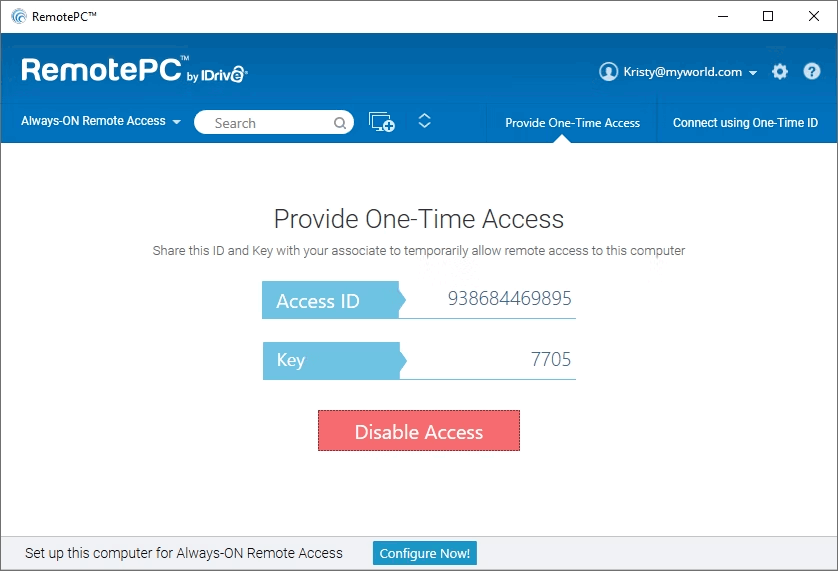
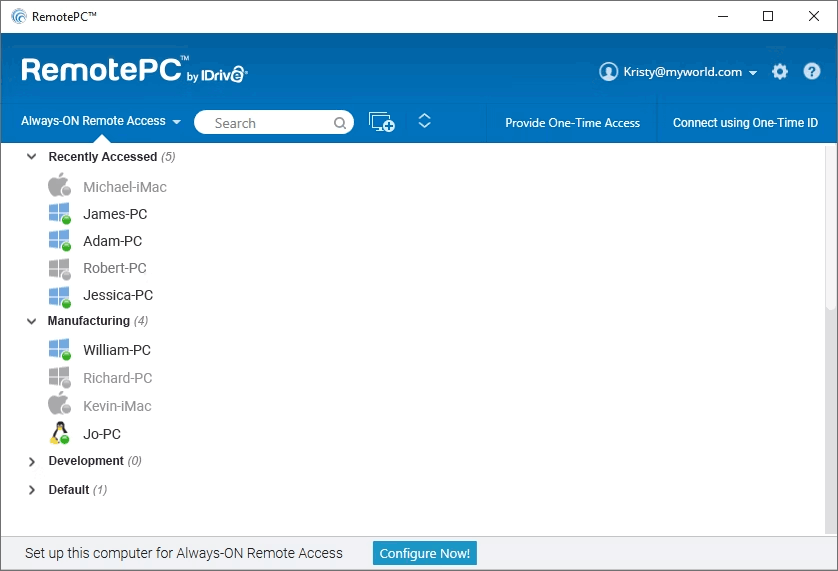
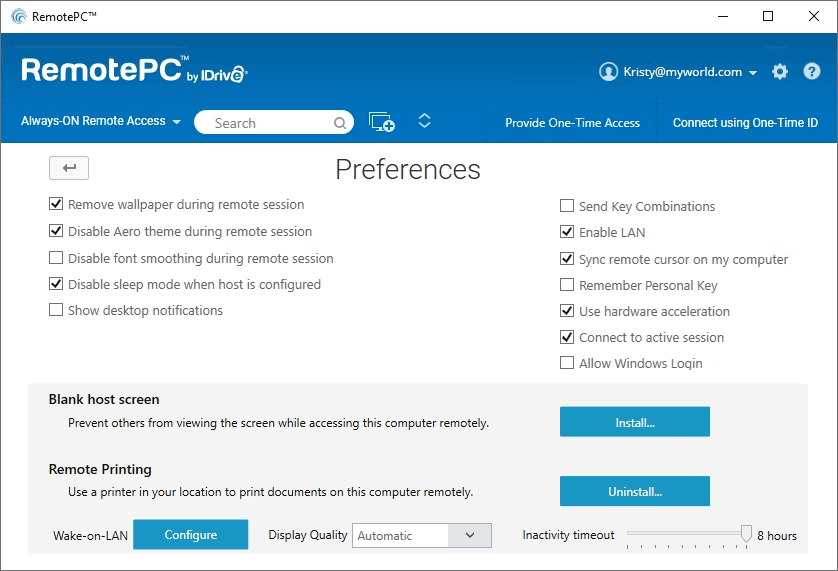
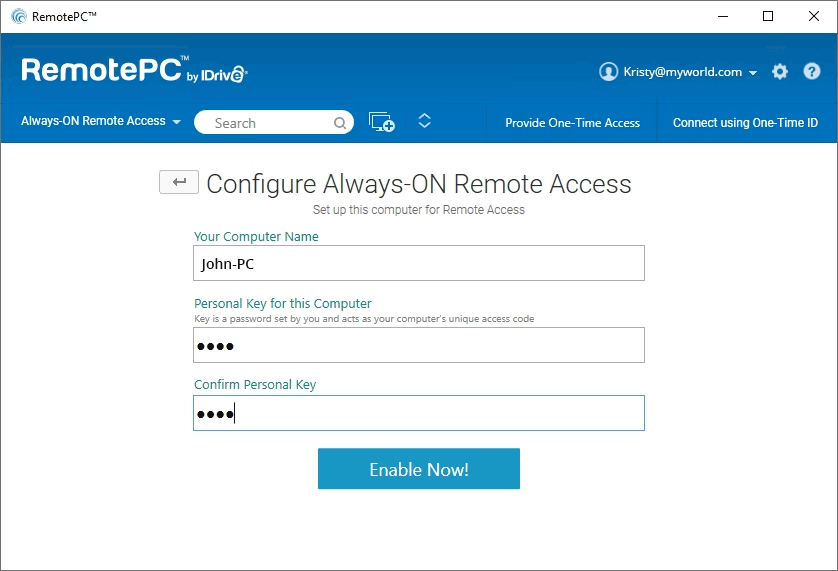
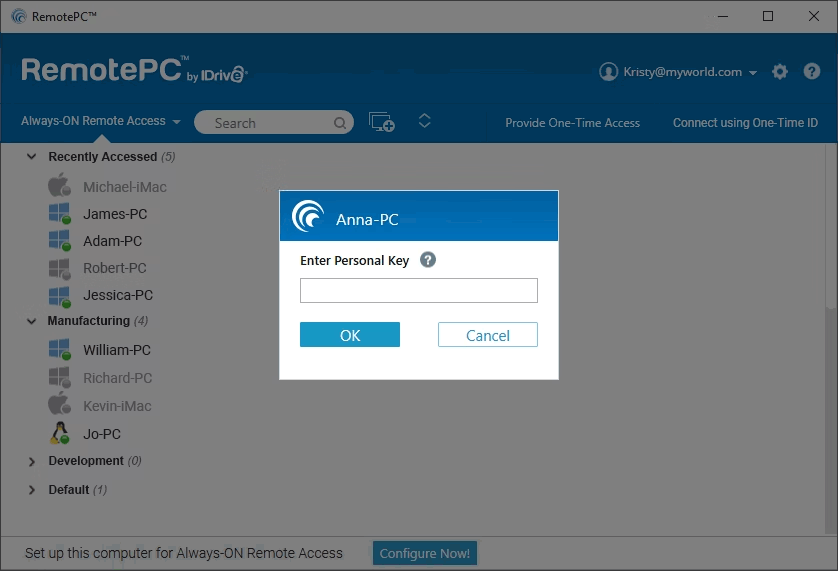
Description
RemotePC at a Glance
| Best fit for | Small businesses and IT teams managing a fixed fleet of computers who need always-on unattended access at the lowest per-computer cost in the category |
|---|---|
| Pricing model | Per computer per year (annual billing). Solo: ~$1.95/mo for 1 computer, Pro: $6.22/mo for 10, Team: $18.72/mo for 50, Enterprise: $37.47/mo for 100 |
| Vendor | IDrive Inc., Calabasas, California, USA |
| Deployment | Cloud SaaS , always-on unattended access with no on-premise option |
| Security | Military-grade TLS v1.2 and AES-256 encryption, two-factor authentication |
| Platforms (host) | Windows, Mac, Linux |
| Platforms (client) | Windows, Mac, iOS, Android, web browser (Viewer Lite) |
| Notable features | RemotePC Meeting (built-in video conferencing), One-time Access ID, computer grouping, Active Directory/SSO (Team and Enterprise) |
| Trial | 7-day free trial (no permanent free tier) |
| Version tested | Cloud-hosted, Pro plan (tested June 2026, verified from remotepc.com) |
RemotePC Pros and Cons in 2026
Where RemotePC Stands Out
The lowest per-computer pricing in the category. The Solo plan covers 1 computer for approximately $1.95 per month on annual billing. The Pro plan covers 10 computers for $6.22 per month , less than the cost of a single user seat on many competing platforms. For small businesses and IT teams that manage a fixed set of computers with predictable access patterns, this per-computer model is significantly cheaper than per-user tools like Splashtop or per-concurrent-session tools like ScreenConnect.
Session recording is included on all paid plans. Many remote access tools gate session recording behind their most expensive tier. RemotePC includes session recording from the Solo plan upward. For IT teams or compliance-sensitive environments that need recorded access logs, this removes the need to buy up to a higher tier just for recording capability.
4.5/5 on G2 across 633 reviews and 4.7/5 on Capterra across 583 reviews. The consistent praise across both platforms focuses on pricing value, reliability of unattended connections, and the simplicity of setup. Buyers who switch from LogMeIn or GoToMyPC cite 60 to 80 percent cost reduction for comparable functionality.
RemotePC Meeting is built-in video conferencing. Unlike most remote access tools that require a separate video meeting subscription for team communication, RemotePC includes a built-in video conferencing tool. This is a practical addition for small teams using remote access and video calls daily without wanting another subscription line for Zoom or Teams.
Where RemotePC Falls Short
No permanent free tier. RemotePC offers a 7-day free trial but no permanent free plan. Zoho Assist's free tier covers 1 technician and 5 computers indefinitely. Chrome Remote Desktop is completely free. For teams evaluating with no budget available, RemotePC requires a purchase commitment after the trial ends.
Not designed for on-demand IT helpdesk support. RemotePC is built for unattended always-on access to computers you manage, not for on-demand remote support of end users who initiate a session request. The HelpDesk add-on product addresses this, but it is a separate subscription. For MSPs and IT helpdesks running reactive support workflows, ScreenConnect or Zoho Assist are purpose-built alternatives.
Active Directory and SSO require Team plan or above. The Solo and Pro plans do not include Active Directory integration or Single Sign-On. For enterprise IT environments where AD-based authentication is standard, the minimum plan is Team ($18.72/month for 50 computers).
Mobile client has fewer features than desktop. The iOS and Android apps for RemotePC work for basic access and control but some features available on desktop , advanced keyboard shortcuts, file manager depth , are not fully parity with the Windows and Mac clients. Review the mobile feature set before committing if mobile access is a primary workflow.
Who Should Use RemotePC?
RemotePC is built for small businesses, IT managers, and system administrators who need always-on unattended access to a defined fleet of computers at the lowest per-computer cost in the remote desktop software category. It fits businesses with fixed computer inventories , 1 to 100 machines , where access is predictable and ongoing rather than on-demand reactive support.
It is also a practical choice for field service management teams that need to access office computers from remote job sites, and for IT administrators managing distributed endpoints across multiple locations who benefit from computer grouping and deployment tools on the Team and Enterprise plans.
It is the wrong fit for IT helpdesks running reactive on-demand support sessions for end users, for MSPs who need per-concurrent-session pricing with PSA integration (use ScreenConnect), and for users who need a permanent free tier (use Zoho Assist free or NoMachine free).
RemotePC Product Suite in 2026
RemotePC (Core Unattended Access)
Always-on unattended access to Windows, Mac, and Linux computers. All paid plans include file and folder transfer, remote printing, whiteboard and chat, session recording, multi-monitor viewing, screen lock, and One-time Access ID (for sharing temporary access without giving a permanent account). Access is possible via Windows or Mac desktop apps, iOS and Android mobile apps, or Viewer Lite (browser-based access without installation).
RemotePC HelpDesk
A separate product line for on-demand IT support sessions where the end user initiates a support request. Priced separately from the core RemotePC unattended access product. Available as an add-on for IT teams that need both always-on access to managed machines and reactive support capability for ad-hoc user requests.
RemotePC Meeting
Built-in video conferencing included with RemotePC subscriptions. Covers video calls, screen sharing during meetings, and team communication without a separate video conferencing subscription. Practical for small teams using RemotePC as their primary remote work tool.
How Much Does RemotePC Cost in 2026?
Pricing verified from remotepc.com/plans as of 2026-06-01. All rates are per month when billed annually:
- Solo (~$1.95/month): 1 computer, 1 user, unattended access, file transfer, remote printing, whiteboard, session recording, web access. Best for individuals accessing a single computer.
- Pro ($6.22/month): 10 computers, unlimited users, everything in Solo. Best for small teams with a handful of managed machines.
- Team ($18.72/month): 50 computers, unlimited users, everything in Pro plus Active Directory and SSO integration, AD sync, and HelpDesk on-demand remote support module.
- Enterprise ($37.47/month): 100 computers, unlimited users, everything in Team plus scheduled remote access, advanced computer grouping, deployment tools, and role-based permissions.
Monthly billing (without annual commitment) is available at higher per-month rates. The 7-day free trial covers the full Pro plan features.
Hidden Costs and Contract Gotchas to Watch For
- Computer count is the limiting factor, not user count. All plans include unlimited users from Pro upward. If your team has 15 people but only 10 computers to access, Pro is sufficient. But if you have 11 computers and 3 users, you need Team ($18.72/month) even though only 3 people ever connect.
- HelpDesk is a separate subscription. On-demand support for end-user initiated sessions is not part of the core RemotePC plans. The RemotePC HelpDesk product has separate pricing. If you need both unattended access and reactive helpdesk support, you pay for both products.
- Active Directory/SSO requires Team tier. If AD integration is a technical requirement for your environment, the minimum plan is Team ($18.72/month for 50 computers), not Solo or Pro.
- Annual billing locks in 12 months. The ~$1.95 and $6.22 rates are annual commitments. Evaluate the computer count you need for the full year before choosing a plan, as adding computers mid-year may require an upgrade to the next tier.
RemotePC Alternatives Worth Comparing
Splashtop Business Access is priced per user ($6-$13/month) rather than per computer. Better if your team has more users than computers, or if performance (240 FPS, 4:4:4 color) is a priority. RemotePC wins on per-computer cost when computer count is fixed and user count is flexible.
Zoho Assist has a permanent free tier for 1 technician and 5 computers , no equivalent in RemotePC. Zoho Assist also covers on-demand helpdesk sessions natively. RemotePC wins on per-computer pricing for larger fixed fleets.
ScreenConnect uses per-concurrent-session pricing suited for MSPs supporting client fleets with variable session volumes. RemotePC is simpler and cheaper for fixed-fleet internal IT access without MSP-grade helpdesk workflows.
NoMachine is free for personal use and has no computer count limit on the free tier. For individuals and very small teams with no budget, NoMachine's free Everybody tier outperforms RemotePC on cost. RemotePC wins on enterprise features (AD, SSO, deployment tools) and IDrive's cloud infrastructure reliability.
For IT departments managing ERP deployments through ERP software, RemotePC's computer grouping and deployment tools on Team and Enterprise simplify multi-site administration without requiring a full-scale RMM platform.
What Real Buyers Report About RemotePC
Testing RemotePC on the Pro plan from a Windows 11 laptop accessing a Mac Studio and a Linux Ubuntu server, both connections established within 4 seconds of opening the RemotePC app. File transfer of a 300 MB folder from Mac to Windows completed in about 90 seconds over a 100 Mbps connection. The web-based Viewer Lite (browser access without installation) connected to the Windows machine without requiring any software on the accessing device, useful for accessing from a managed work computer where software installation is restricted. Session recording started automatically without any prompt and saved to the account dashboard. The RemotePC Meeting feature launched from within the same app without switching to a different tool.
On G2 (4.5/5 across 633 reviews) and Capterra (4.7/5 across 583 reviews), buyers consistently praise the pricing value (many cite switching from LogMeIn or GoToMyPC at a fraction of the cost), the reliability of unattended connections, and the web viewer access for browser-based sessions. The common critiques are the absence of a permanent free tier, the mobile app feature gap versus desktop, and the lack of on-demand support session capabilities in the core product.
Bottom Line: Is RemotePC Right for You?
RemotePC is the right choice when you manage a fixed fleet of computers and want the lowest per-computer annual cost with session recording, file transfer, and remote printing included from the start. The Solo plan at roughly $1.95/month is essentially risk-free for a single computer, and the Pro plan at $6.22/month for 10 computers is competitive against any tool in the remote desktop software category at that price point.
For on-demand helpdesk support, free-tier needs, per-concurrent-session MSP pricing, or Mac/Linux-first performance, evaluate Zoho Assist, ScreenConnect, or Splashtop instead. For the fixed-fleet unattended access use case, RemotePC's pricing model is hard to beat.
Verified on 2026-06-01 by the SaaSRat Editorial Team. Vendor facts cross-checked against the vendor's own website (remotepc.com), G2 and Capterra public listings, and current 2025-2026 press cycles. About our methodology.
Frequently Asked Questions
How much does RemotePC cost in 2026?
Does RemotePC have a free plan?
How does RemotePC pricing work per computer vs per user?
What is RemotePC HelpDesk?
Does RemotePC support Active Directory and SSO?
Is RemotePC secure?
What is One-time Access ID in RemotePC?
Does RemotePC include RemotePC Meeting?
How does RemotePC compare to Splashtop?
Can I access computers from a browser without installing software?
Find Your Perfect Software
See how it can transform your workflow
- Personalized for your needs Tailored recommendations based on your unique requirements.
- Save time & resources Streamline your workflow and boost team productivity.
- Trusted by thousands Join 10,000+ businesses already growing with SaaSrat.
You're all set! 🎉
A specialist for will reach out within 1 business day with tailored recommendations for your needs.