

LiteManager
by LiteManager Team
What is LiteManager?
LiteManager is a remote administration tool with a free tier supporting up to 30 devices. IT teams use it for remote desktop control, inventory management, screen monitoring, file transfer, and task scheduling across Windows networks.
Get Best Quote for LiteManager
Connect with SaaSrat experts to get the best quote for your business.
What's driving this search?
Help us understand your situation
Purchasing New
No current solution
Replacing Existing
Looking to switch
Step 1 of 5
Organization Size?
Select the range that applies
Step 2 of 5
Implementation Timeframe
When do you expect to implement?
Step 3 of 5
What's your role?
Select your title
Step 4 of 5
You're all set!
A specialist for LiteManager will reach out within 1 business day.
LiteManager Features
Remote desktop control
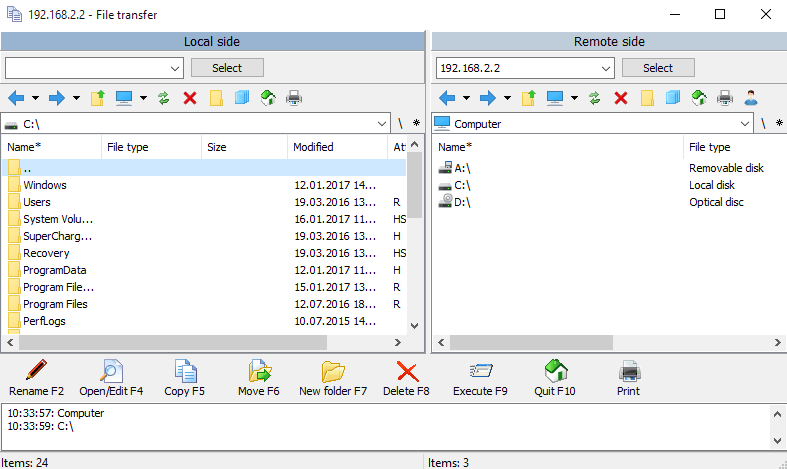
File transfer
Remote task manager
Screen recording
Text chat
Audio chat
View All 20 Features
Video chat
Device manager
Registry editor
Power management
Remote installation
Network map
Ip filter
Remote webcam
Clipboard transfer
Remote printing
Command line interface
Wake on lan
Remote shutdown
Multi monitor support
LiteManager Pricing Plans
LiteManager Standard
$10
/One Time
- All features available
- LifeTime license
- Updates and upgrades are free
LiteManager Resources
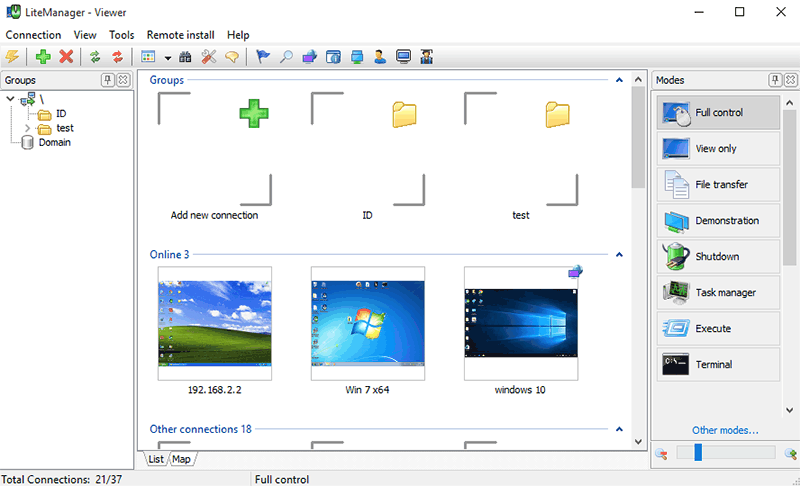
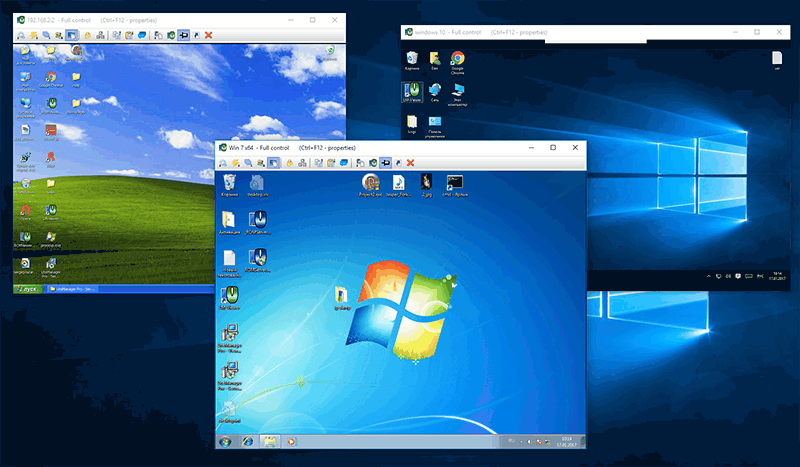
LiteManager Screenshots
Frequently Asked Questions
Is there a free plan or free trial for LiteManager?
LiteManager offers free remote administration for up to 30 devices. A free trial might also be available for exploring premium features.
How much does LiteManager cost?
LiteManager Standard costs USD 10 one-time. Paid plans start at USD 10, making it an affordable option for remote access needs.
What does LiteManager integrate with?
LiteManager integrates with tools like Slack, Zapier, Microsoft Teams, Active Directory, Google Workspace, and its own API for custom workflows.
Who is LiteManager best for?
LiteManager is ideal for small businesses, IT administrators, and remote support teams managing up to 30 devices. It suits freelancers, SMBs in tech support, and industries needing lightweight remote desktop access.
What are the best alternatives to LiteManager?
Top alternatives include TeamViewer for robust cross-platform support, AnyDesk for faster connections, Splashtop for enterprise security, and Chrome Remote Desktop for free browser-based access.
Is LiteManager GDPR / SOC 2 compliant?
For specific compliance certifications, it's recommended to contact LiteManager directly or check their security documentation.
Does LiteManager have a mobile app?
Yes, LiteManager has mobile apps available for iOS and Android.
What do real users say about LiteManager?
Users praise LiteManager for its low cost, simple setup, and reliable performance on low-bandwidth connections. Common feedback highlights strong value for small teams, though some note limitations in advanced reporting features.
How does LiteManager compare to its top competitor?
Compared to TeamViewer, LiteManager offers a lower one-time cost of USD 10 versus TeamViewer's subscription model, lighter resource usage, and free support for 30 devices. TeamViewer excels in multi-platform polish and unattended access, but LiteManager is more budget-friendly for basic needs.
Does LiteManager offer customer support?
LiteManager provides customer support through email, a knowledge base, forums, and live chat for paid users, ensuring help is available when needed.
Free Demo
Find Your Perfect Software
See how it can transform your workflow
- Personalized for your needs Tailored recommendations based on your unique requirements.
- Save time & resources Streamline your workflow and boost team productivity.
- Trusted by thousands Join 10,000+ businesses already growing with SaaSrat.
What's driving this search?
Help us understand your current situation
Purchasing New Software
No current solution in place
Replacing Existing Software
Looking to switch providers
Step 1 of 5
No spam. Just the best matches for you.
What is the size of your organization?
Select the range that best applies
Step 2 of 5
Implementation Timeframe
When do you expect to implement?
Step 3 of 5
What's your role?
Select the title that best describes you
Step 4 of 5
Almost there — let's connect you
Your details are kept private and never shared without consent
By signing up, you agree to our Terms & Privacy Policy
You're all set! 🎉
A specialist for will reach out within 1 business day with tailored recommendations for your needs.