
Chrome Remote Desktop
by Google Inc. • Founded 1998
What is Chrome Remote Desktop?
Chrome Remote Desktop is Google's free remote access tool for individuals who need basic, occasional access to their own computers or informal screen sharing. It works through a Chrome browser or mobile app with just a Google account. Best fit for personal use and light remote access; not suitable for IT teams needing file transfer, session recording, or professional helpdesk controls.
Get Best Quote for Chrome Remote Desktop
Connect with SaaSrat experts to get the best quote for your business.
You're all set!
A specialist for Chrome Remote Desktop will reach out within 1 business day.
Chrome Remote Desktop Features
Remote Desktop Access
Screen Sharing
Unattended Access
On-Demand Access Codes
PIN Authentication
End-to-End Encryption
View All 15 Features
Chrome Remote Desktop Pricing Plans
Free
- Unattended remote access
- On-demand screen sharing
- PIN authentication
- One-time access codes
- iOS and Android apps
- End-to-end encryption
- Google account required
Chrome Remote Desktop Resources
Chrome Remote Desktop Screenshots
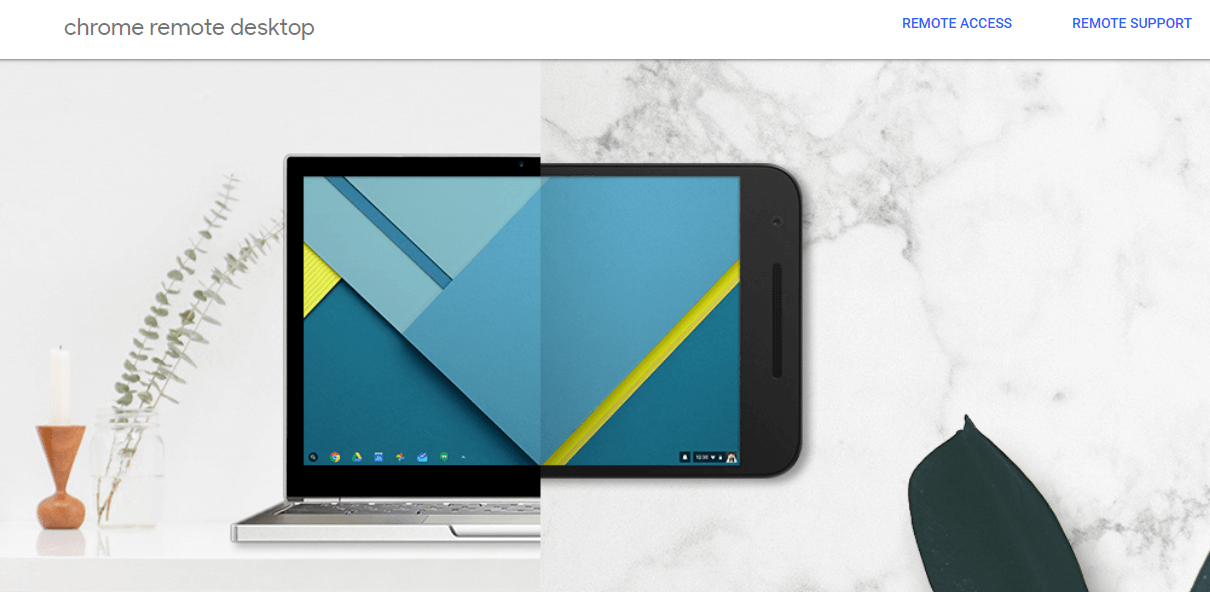
Description
Chrome Remote Desktop at a Glance
| Best fit for | Individuals who need occasional free remote access to personal computers or want to share their screen for informal help from a friend or family member |
|---|---|
| Pricing | Completely free , no subscription, no trial, no paid tiers |
| Who makes it | Google LLC, Mountain View, California, USA |
| Deployment | Chrome extension on the host computer; access via browser or iOS and Android app |
| Connection types | Unattended remote access (PIN-based setup) and on-demand screen sharing (one-time access code) |
| Security | Full end-to-end encryption using WebRTC; Google account authentication |
| Platforms (host) | Windows, Mac, Linux |
| Platforms (client) | Any browser on Windows, Mac, Linux, Chromebook; iOS and Android apps |
| Key limitations | No native file transfer, no session recording, no audit logs, no print redirection, limited multi-monitor, no professional IT controls |
| Version tested | Web app and Android app (tested June 2026, verified from remotedesktop.google.com) |
Chrome Remote Desktop Pros and Cons in 2026
Where Chrome Remote Desktop Stands Out
Genuinely free with no limitations on personal use. Unlike tools that offer a "free tier" with capped sessions or restricted features, Chrome Remote Desktop is completely free with no time limits, no session caps, and no nag screens. You need a Google account, the Chrome extension installed on the host machine, and either a Chrome browser or the mobile app on the client device. That is the entire setup cost: zero dollars.
Nothing to install on the client side beyond a browser. To access a remote machine, you do not need to install software on the device you are connecting from , just open Chrome and go to remotedesktop.google.com. This makes it practical for accessing your home computer from a work machine where you cannot install software, or for providing remote help to someone from any device on hand.
Cross-platform without additional configuration. Chrome Remote Desktop works between Windows, Mac, and Linux machines in any direction without requiring different setups for different operating system combinations. The access method is identical regardless of whether the host is Windows and the client is Mac, or vice versa.
One-time access codes for secure screen sharing. The screen sharing mode generates single-use access codes that expire automatically. This is a clean, low-risk way to let a trusted person remotely view or control your screen for troubleshooting without leaving any persistent access open after the session ends.
Where Chrome Remote Desktop Falls Short
No native file transfer. You cannot drag and drop files or use a file manager to transfer files between the local and remote machine during a session. This is the most frequently cited limitation in user reviews. Workarounds exist (Google Drive, email, shared cloud storage) but add friction to workflows that tools like Splashtop or AnyDesk handle natively.
No session recording, no audit logs, no professional IT controls. Chrome Remote Desktop has no way to record sessions, log access history, enforce role-based permissions, or generate audit trails. For personal use this is fine. For any business or IT context where access accountability matters, this is a hard disqualifier.
Multi-monitor support is limited. Switching between multiple monitors on the host machine is possible but not as smooth as dedicated remote desktop tools. The experience is functional for basic use but lacks the one-click monitor switching that tools like Splashtop and ScreenConnect provide in their session toolbars.
Not designed for professional IT support workflows. There is no way for an IT technician to manage multiple remote sessions, queue support requests, or integrate with a helpdesk ticketing system. Chrome Remote Desktop is a personal access tool, not an IT operations platform.
Who Should Use Chrome Remote Desktop?
Chrome Remote Desktop is the right tool when you need free, occasional remote access to your own computers with no subscription and no software installation on the client side. In the remote desktop software category, it is the default recommendation for personal users who do not need file transfer, session recording, or any professional IT controls.
It is also the right pick for individuals who want to help a non-technical family member or friend troubleshoot their computer remotely , the one-time access code model is straightforward enough for users who are not comfortable with software installation.
It is not the right fit for remote workers who need reliable daily access with file transfer and multi-monitor support (look at Splashtop Business Access or NoMachine), for IT helpdesks supporting multiple users (look at ScreenConnect or Zoho Assist), or for technical users who need low-latency performance on slow connections (look at NoMachine with its NX protocol).
How Chrome Remote Desktop Works
Setting Up Unattended Access
Install the Chrome Remote Desktop extension on the host machine (Windows, Mac, or Linux). Enable remote access in the Chrome Remote Desktop web app, set a PIN of at least six characters, and the machine is accessible from any browser or mobile app when it is online. The access is protected by both your Google account authentication and the PIN. The host machine must remain powered on and connected to the internet for access to work.
On-Demand Screen Sharing
To share your screen with someone for support, generate a one-time access code in the Chrome Remote Desktop web app. Share the code with the person who needs access. The code works once and expires automatically after a short window. Every 30 minutes during an active shared session, the host must confirm they want the session to continue. This prevents unauthorized long-running access.
Mobile Client
The iOS and Android apps provide full remote control of a host computer including keyboard and mouse input. The mobile keyboard adapts to the host operating system. On iPhone, some modifier keys (Command, Control, Option) lack dedicated buttons in the mobile interface, which is a limitation for users who need keyboard shortcuts during remote sessions.
How Much Does Chrome Remote Desktop Cost in 2026?
Chrome Remote Desktop is completely free. There are no paid plans, no enterprise tiers, no feature-locked upgrades, and no subscription fees. The only requirement is a Google account, which is also free. There is no indication from Google that a paid version is planned.
Limitations to Understand Before Using Chrome Remote Desktop
- No file transfer in the session. Moving files between local and remote computers requires a workaround (Google Drive, email, or a separate file sharing tool). This is the top complaint in user reviews and the reason most remote workers eventually move to a paid tool.
- Host machine must stay on. Chrome Remote Desktop does not support Wake-on-LAN. If the host computer is off or in deep sleep, you cannot connect. You must leave it running and connected to the internet at all times for reliable unattended access.
- Anti-virus and work networks can block it. Corporate network firewalls, security software, and IT-managed machines sometimes block Chrome Remote Desktop connections. This is particularly common when attempting to access a work computer that has security software configured to prevent outbound remote access tools.
- No chat function during sessions. There is no built-in text chat in Chrome Remote Desktop sessions. Communication during a remote session requires a separate channel (phone call, messaging app, email).
- Single desktop session on some Linux environments. Some Linux desktop environments require additional configuration to work with Chrome Remote Desktop. A separate virtual desktop session may open rather than sharing the existing desktop, which can be confusing for users who expect to see the same session the local user sees.
Chrome Remote Desktop Alternatives Worth Comparing
NoMachine is free for personal use like Chrome Remote Desktop, but adds file transfer, session recording, audio streaming, and significantly better performance on slow connections via the NX protocol. For technical users and anyone who finds Chrome Remote Desktop too limited, NoMachine is the natural next step without any cost increase.
Splashtop Business Access starts at $6/user/month and adds file transfer, session recording, multi-monitor, Wake-on-LAN, and high-performance streaming. The right upgrade when you need reliable daily remote work access beyond what a free tool offers.
Zoho Assist has a permanent free tier for personal use that includes some features Chrome Remote Desktop lacks, and paid helpdesk plans for IT teams who need to support multiple users.
AnyDesk offers a free personal tier with better performance than Chrome Remote Desktop and adds file transfer. The interface is more feature-rich than Chrome Remote Desktop while remaining free for non-commercial individual use.
For IT teams in the help desk category who need to support multiple users professionally, Chrome Remote Desktop is not appropriate. ScreenConnect or Zoho Assist are purpose-built for that use case.
What Real Buyers Report About Chrome Remote Desktop
Testing Chrome Remote Desktop from a MacBook Air M2 to a Windows 11 desktop, the connection established in about 5 seconds after entering the PIN. Mouse and keyboard input was responsive for standard office tasks like browsing, document editing, and email. Screen rendering was clean on a fast home network but noticeably degraded on a mobile hotspot at low signal, with pixelation during scrolling. The absence of file transfer was immediately apparent when attempting to move a file from the remote machine; there is no interface for it, and the session had to be paused to use a separate file sharing method.
On G2 (4.3/5 across 16 reviews) and Capterra (4.5/5 across 105 reviews), the consistent praise is for the zero-cost access and the simplicity of setup. The consistent complaints are the lack of file transfer, the no-Wake-on-LAN limitation, and the basic interface compared to paid alternatives. Most reviewers recommend it specifically for casual personal use and then mention switching to a paid tool when their remote access needs grew into daily work or required file transfer.
Bottom Line: Is Chrome Remote Desktop Right for You?
Chrome Remote Desktop is the right choice when cost is the primary constraint and your remote access needs are occasional, personal, and do not require file transfer. It is genuinely the best free remote desktop option for simple personal use and one-time screen sharing for informal support.
The moment you need any of these , file transfer, Wake-on-LAN, session recording, multi-monitor with clean switching, or professional IT controls , you will hit its ceiling immediately. At that point, the $6/month for Splashtop Business Access or the free-with-more-features NoMachine are the natural next step. Use Chrome Remote Desktop as the starting point for zero-cost access, and upgrade when your needs outgrow it.
Verified on 2026-06-01 by the SaaSRat Editorial Team. Vendor facts cross-checked against the vendor's own website (remotedesktop.google.com, support.google.com), G2 and Capterra public listings, and current 2025-2026 press cycles. About our methodology.
Frequently Asked Questions
Is Chrome Remote Desktop completely free?
What are the main limitations of Chrome Remote Desktop?
Does Chrome Remote Desktop support file transfer?
Can I use Chrome Remote Desktop without installing software?
Is Chrome Remote Desktop secure?
How does Chrome Remote Desktop compare to AnyDesk or Splashtop?
Does Chrome Remote Desktop work on Mac and Linux?
Does Chrome Remote Desktop have a mobile app?
Can Chrome Remote Desktop be used for IT support?
Why does Chrome Remote Desktop sometimes get blocked?
Find Your Perfect Software
See how it can transform your workflow
- Personalized for your needs Tailored recommendations based on your unique requirements.
- Save time & resources Streamline your workflow and boost team productivity.
- Trusted by thousands Join 10,000+ businesses already growing with SaaSrat.
You're all set! 🎉
A specialist for will reach out within 1 business day with tailored recommendations for your needs.