WHAT THIS ARTICLE PREVENTS
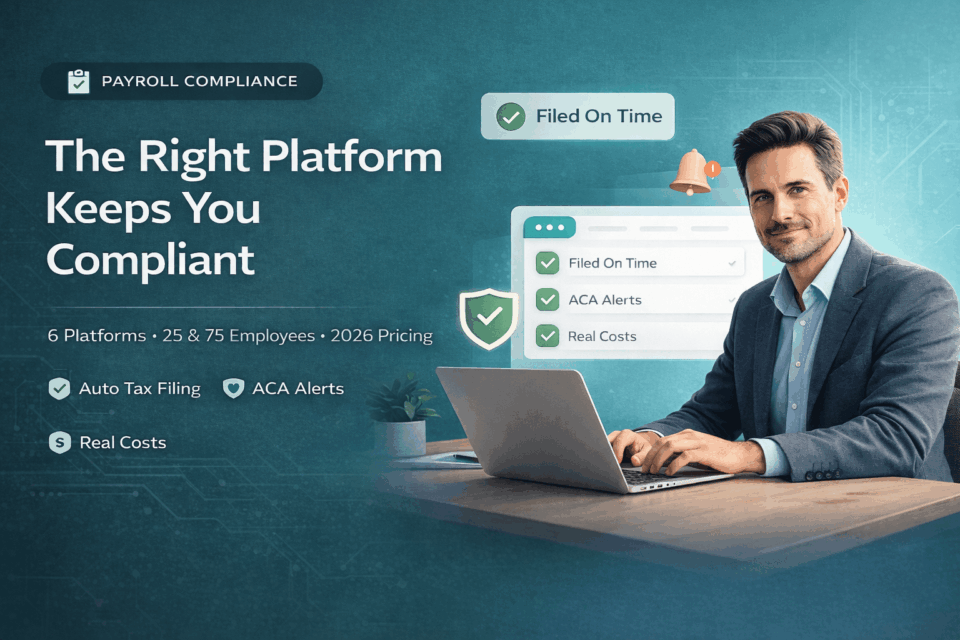
A late 941 deposit on a $50,000 payroll tax liability costs $7,500. An ACA penalty at 51 employees runs $2,970 per uninsured worker. A missed state registration triggers per-paycheck fines you won’t see until the letter arrives. Six platforms. Which ones file on time. Which ones don’t. That’s this article.
Payroll compliance software costs $199-$455/month for a 25-person company in 2026, depending on the platform and state count. The IRS doesn’t care which HR platform you’re on. It cares whether your 941 deposits landed on time, whether your W-2s were accurate, and whether you withheld the right amount in every state where your employees work.
Most companies reading this article are here because something already went wrong. A penalty notice. An audit letter. A new hire in California that nobody registered for. The platform you pick in the next 30 days determines whether that happens again.
Six platforms reviewed: Gusto, Rippling, OnPay, QuickBooks Payroll, ADP RUN, and Paycor. Scored on one thing: which ones keep you out of trouble.
Which Platforms File On Time (and What They Cost)
| Platform | Monthly Cost (25 emp) | Auto-Files Federal Taxes | Multi-State Included | Threshold Alerts | What It Misses |
|---|---|---|---|---|---|
| Gusto Plus | $455 | Yes: 941, SUI, W-2 | Yes | ACA reporting only | No ISO/NSO withholding. No union payroll. |
| Rippling | ~$400+ | Yes: 941, SUI, W-2 | Yes | ACA dashboard | Pricing is modular. $8/person is half the bill. |
| OnPay | $199 | Yes: 941, SUI, W-2 | All 50 states, no surcharge | ACA filing only | Thin HR features. No proactive threshold alerts. |
| QuickBooks Payroll | $213 | Yes | $12/extra state/mo | Limited | No local tax automation (NYC, Philadelphia, Pittsburgh). |
| ADP RUN | ~$179+ | Yes | Add-on | ACA module (extra cost) | Opaque pricing. 20-40% renewal increases. |
| Paycor | Quote only | Yes | Add-on | ACA + FMLA + COBRA | 6-12 week implementation. Not for emergencies. |
Prices verified April 2026 at each vendor’s site. Gusto Simple now $49/mo (March 2026 increase). ADP RUN is quote-based; $79 + $4/emp is the published Essential starting point. Paycor does not publish pricing.
What Each Platform Catches (and What It Misses)
Gusto: Files Everything on Time for Companies Under 50
941 deposits. State unemployment filings. W-2 generation. Year-end 1099s. Gusto automates the four filings that generate the most IRS penalty volume for small businesses. Set it up correctly and the penalty risk drops to near zero for federal and state tax obligations.
Gusto Plus at 25 employees: $455/month ($5,460/year). Multi-state included. ACA reporting included. Gusto Simple at 25 employees: $199/month ($2,388/year) but charges per additional state and $12 per contractor 1099 at year-end.
What it misses: No stock option (ISO/NSO) exercise withholding. No FMLA case management. No COBRA administration. If you cross 50 employees, Gusto won’t tell you before you cross. You find out when the ACA penalty letter arrives.
Rippling: The Platform That Sees the Threshold Coming
Rippling’s compliance dashboard tracks headcount against ACA thresholds. When you’re approaching 50 full-time equivalents, the system flags it. This is the single most valuable compliance feature for a growing company, and most platforms don’t have it.
HR module at $8/person. Payroll at $8/person. Platform fee at $35/month. At 25 employees, that’s roughly $400-$435/month ($4,800-$5,220/year). The pricing page shows $8. Your invoice shows $16+ per person. Know that before you demo.
What it misses: Nothing critical on the compliance side. The weakness is cost transparency, not compliance coverage. Budget 30-50% above the website price.
OnPay: Lowest Cost, All States, No Surprises
$49 base + $6/person. All 50 states included. W-2 and 1099 filing included. No year-end surcharge. At 25 employees: $199/month flat. $2,388/year. That’s the entire bill.
OnPay files ACA 1094-C and 1095-C forms. But it does not alert you when you’re approaching the 50-FTE threshold. It files the forms. It doesn’t warn you that you’re about to need them.
What it misses: Thin HR features. No performance management. No benefits administration beyond basic enrollment. If compliance is your only concern and your HR needs are simple, OnPay is the right answer at the right price.
QuickBooks Payroll: Fine If You’re Already There, Dangerous If You’re Multi-State
$50 base + $6.50/person. At 25 employees in one state: $213/month. Add a second state: $225/month. Add a third: $237/month. That $12/state/month adds up fast for remote teams.
The real problem isn’t the surcharge. It’s what Core doesn’t automate. Zero local tax calculation for cities like NYC, Philadelphia, or Pittsburgh. If your employee lives in New York City and you’re on QuickBooks Core, you’re calculating the MTA tax manually or not at all.
What it misses: Local tax jurisdictions. Multi-state registration (employer does it themselves). ACA threshold tracking. Core is a payroll tool. It’s not a compliance tool.
ADP RUN: Deep Compliance Library, Opaque Contract
ADP’s compliance library is the deepest here. Federal and state law updates push automatically. New hire reporting across all 50 states is included. The platform has more compliance infrastructure than any other option at this price tier.
The problem is the contract. ADP doesn’t publish pricing. Renewal increases of 20-40% are standard. Early termination fees run $500-$2,000. The compliance is real. The pricing is a trap.
What it misses: Nothing on the compliance side. Everything on the transparency side. Get the renewal cap in writing or don’t sign.
Paycor: Best Threshold Tracking, Worst Implementation Timeline
Paycor tracks ACA measurement periods, manages COBRA notices, and handles FMLA case management. For a company at 45-60 employees navigating all three thresholds simultaneously, Paycor has the most complete compliance toolkit.
Implementation takes 6-12 weeks. If you received a penalty notice last week and need compliance coverage this month, Paycor is not the answer. Gusto can be live in 48 hours. OnPay in a week. Paycor in a quarter.
The 12-Month Bill: What You Actually Pay at 25 and 75 Employees
The formula: (Base Fee x 12) + (Per-Employee Fee x Headcount x 12) + Multi-State Add-Ons + W-2/1099 Year-End Fees = your real annual cost.
| Platform | Monthly (25 emp) | Annual (25 emp) | Monthly (75 emp, 3 states) | Annual (75 emp) |
|---|---|---|---|---|
| OnPay | $199 | $2,388 | $499 | $5,988 |
| Gusto Simple | $199 | $2,388 + W-2 fees | $499 + $24/state | ~$6,276 |
| QuickBooks Core | $213 | $2,550 | $538 + $24/state | $6,744 |
| Gusto Plus | $455 | $5,460 | $1,205 | $14,460 |
| Rippling | ~$400 | ~$4,800 | ~$1,100 | ~$13,200 |
| ADP RUN | ~$179+ | $3,000-$4,500 (est) | Quote | $6,000-$10,000 (est) |
OnPay at $2,388/year is the cheapest platform with full 50-state coverage and zero year-end fees. Rippling at $4,800/year is the most expensive but the only one with proactive threshold alerts. The $2,400/year gap between them is the price of knowing when you’re about to hit 50 FTEs. For the full breakdown of payroll pricing at 10/25/50 employees, see our best payroll software comparison, and for the line-item fees vendors hide beyond their pricing pages, our HR software hidden costs analysis has the full breakdown.
At 10% annual price escalation (standard in contracts we review), a $200/month platform becomes $265/month in three years. That’s $780/year in increases you didn’t budget for. Get the renewal cap in writing.
Three Numbers That Change Everything: 20, 50, and 50
These aren’t features. They’re federal triggers. Cross one without the right platform and the penalty letter follows.
20 Employees: COBRA Kicks In
COBRA continuation coverage applies at 20+ employees in the prior calendar year. Grew from 16 to 22 employees in 2025? You have COBRA obligations starting January 2026. Miss a qualifying event notice? $110/day excise tax per qualified beneficiary.
ADP RUN and Paycor handle COBRA notices natively. Gusto and OnPay don’t. They integrate with third-party administrators, which means another vendor and another bill.
50 Full-Time Equivalents: The ACA Penalty
This is the big one. At 50 FTEs, you become an Applicable Large Employer. The IRS employer shared responsibility payment: $2,970 per uninsured full-time employee above 30 (IRS Code S4980H, 2026 rate).
At 48 employees: $0 ACA obligation. At 51 FTEs without minimum essential coverage: the penalties start. A company with 60 FTEs and no qualifying offer owes $2,970 x 30 = $89,100. That is not a typo.
Which platforms see it coming: Rippling’s compliance dashboard tracks FTE count against the threshold. Paycor manages ACA measurement periods. Gusto Plus files ACA forms but does not proactively alert you to the crossing. OnPay files the forms after you tell it to. Neither warns you before.
50 Employees Within 75 Miles: FMLA
FMLA applies to employers with 50+ employees within 75 miles of a worksite. Not total headcount. Worksite-specific. A 55-person remote company with people in 12 states might not be covered. A 55-person company with 50 in one metro area is.
Paycor has FMLA case management. Rippling tracks employee locations for worksite calculations. Gusto has no native FMLA management. Violations: up to $100/day per employee for willful non-compliance, plus back pay and benefits liability.
Multi-State: The Problem That Gets Worse With Every Hire
Your company is in Delaware. You just hired someone in California. That’s a new state income tax withholding obligation, a new unemployment insurance account, and California-specific employment laws your platform needs to handle. For the full registration and reciprocity breakdown, see our multistate payroll software analysis. If your team is distributed, our remote teams HR software guide covers this in depth.
Registration vs. Withholding: Two Different Problems
Every platform on this list calculates state withholding. Not every platform registers you as an employer in that state. Those are different things. Withholding is math. Registration is paperwork. Miss the registration and you’re running payroll illegally in that state.
Auto-registers for you: Gusto Plus and Rippling. Both handle state employer registration as part of the onboarding workflow when you add an employee in a new state.
Charges you per state: Paycor ($150/state). QuickBooks (requires plan upgrade for multi-state).
Gives you instructions: OnPay and QuickBooks Core. They tell you what to file. You do the filing.
Three States That Break Platforms
California. SDI at 1.1% on all wages (no cap). Expense reimbursement under Labor Code 2802. Pay transparency under SB 1162. Gusto, OnPay, ADP, and Rippling handle California SDI automatically.
New York City. Local income tax (MTA, 3.078%-3.876%) on top of state withholding. Gusto and ADP calculate it. Confirm with OnPay and QuickBooks before assuming NYC coverage.
Washington. Paid Family and Medical Leave at 0.92% of gross wages. No income tax, but PFML is mandatory. Gusto, OnPay, and Paychex Flex handle it automatically.
What Does Payroll Compliance Software Cost for a 25-Person US Company in 2026?
Between $2,388 and $4,800 per year. OnPay and Gusto Simple both land at $199/month ($2,388/year) for 25 employees. Rippling lands at approximately $400/month ($4,800/year) once HR and payroll modules are both billed.
The cost variable is multi-state filing. OnPay includes all states at no surcharge. QuickBooks charges $12/extra state/month. ADP and Paycor don’t publish pricing. Budget $3,000-$4,500/year for ADP at 25 employees and get the renewal cap in writing.
Year-end fees are where platforms diverge. OnPay includes W-2 filing. Gusto Simple charges $12 per form. A 25-person company with 8 contractors on Gusto Simple pays $96 extra at year-end. Over three years at 10% annual increases, a $200/month platform reaches $265/month.
Three Questions. Five Minutes. One Platform.
How many employees?
Under 40: Gusto Plus or OnPay. The compliance features of Rippling and Paycor aren’t worth the premium until you’re closer to the threshold triggers.
40-60: Rippling. You’re approaching ACA, FMLA, and COBRA simultaneously. The compliance dashboard earns its cost at this headcount.
Above 75: Paycor or ADP. Both have the depth for applicable large employer requirements.
How many states?
One or two: any platform works. Multi-state isn’t a deciding factor.
Three or more: eliminate QuickBooks Core immediately. Prioritize OnPay, Gusto Plus, or Rippling.
How fast do you need it?
This week: Gusto. Live in 48 hours.
This month: OnPay or Rippling. One to two weeks.
This quarter: Paycor or ADP. Six to twelve weeks, but deeper compliance tools when you get there.
Frequently Asked Questions: HR Payroll Compliance Software USA
What is the best HR software for payroll compliance in the USA?
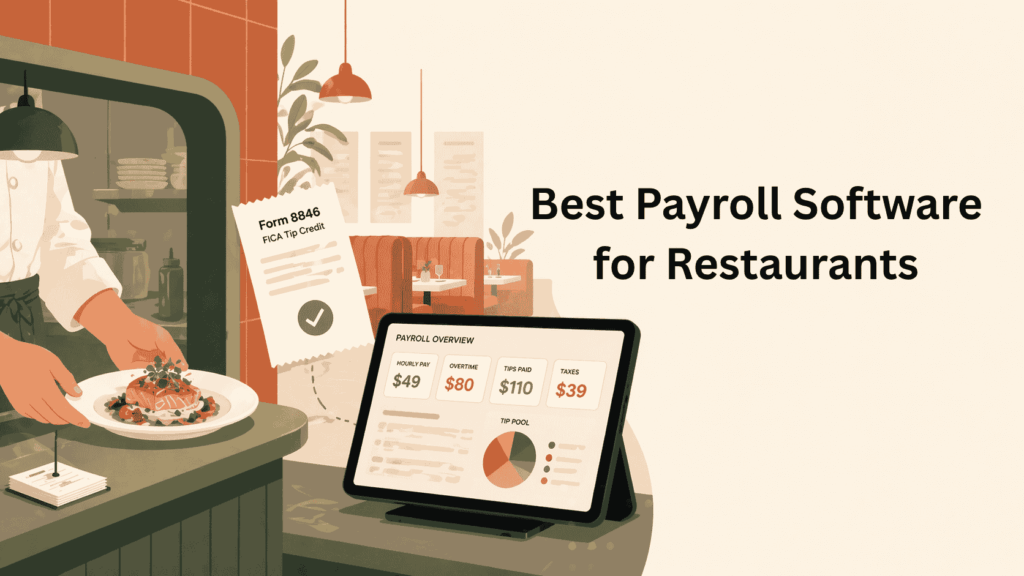
Under 50 employees: Gusto Plus. It automates 941 deposits, state SUI filings, and W-2 generation with multi-state included. Near 50 employees: Rippling. Its compliance dashboard tracks ACA thresholds before you cross them. Tightest budget: OnPay at $199/month for 25 employees, all states, zero year-end fees. For restaurants and hospitality operators, tip credit and FICA tip credit compliance are separate concerns that generic HR platforms miss, see our restaurant payroll software guide for the platforms that handle Form 8846 automatically.
How much does payroll compliance software cost for a small US business?
$2,388 to $4,800 per year at 25 employees. OnPay and Gusto Simple both run $199/month. Rippling runs $400/month once both modules are billed. ADP and Paycor are quote-only. Budget $3,000-$4,500/year on ADP.
Does payroll software handle multi-state tax compliance automatically?
Withholding calculation: yes, all platforms. State employer registration: only Gusto Plus and Rippling do it for you. OnPay gives instructions. QuickBooks charges $12/extra state. Running payroll in a state where you haven’t registered carries per-paycheck penalties.
Which payroll software alerts you before crossing the 50-employee ACA threshold?
Rippling’s compliance dashboard tracks FTE count against the ACA threshold. Paycor manages measurement periods with proactive alerts. Gusto Plus files ACA forms but won’t warn you before you cross. OnPay files after you tell it to.
What is the IRS penalty for late payroll tax deposits?
2-15% of unpaid payroll taxes depending on days late. A 16-day-late deposit on $50,000 costs $7,500. Gusto, OnPay, and ADP eliminate this by pulling and remitting deposits automatically. Spreadsheets do not.
What’s the difference between a PEO and payroll compliance software?
A PEO co-employs your workers and absorbs compliance liability. Cost: 2-12% of total payroll ($40,000-$240,000/year on a $2M payroll). Payroll software costs $2,400-$4,800/year but leaves compliance responsibility with you. PEOs transfer risk. Software gives you control at a fraction of the cost. For the full in-house vs outsourced economics at 25, 50, and 100 employees, see our payroll outsourcing cost breakdown.
The comparison table shows what each platform costs. The threshold section shows what each platform prevents. Those are the two numbers that matter: the invoice and the penalty. File your 941 on time this quarter. For the full HR software category with user reviews, visit SaaSrat.