
Timeclock 365
by Timeclock 365 • Founded 1991
What is Timeclock 365?
Get Best Quote for Timeclock 365
Connect with SaaSrat experts to get the best quote for your business.
You're all set!
A specialist for Timeclock 365 will reach out within 1 business day.
Timeclock 365 Features
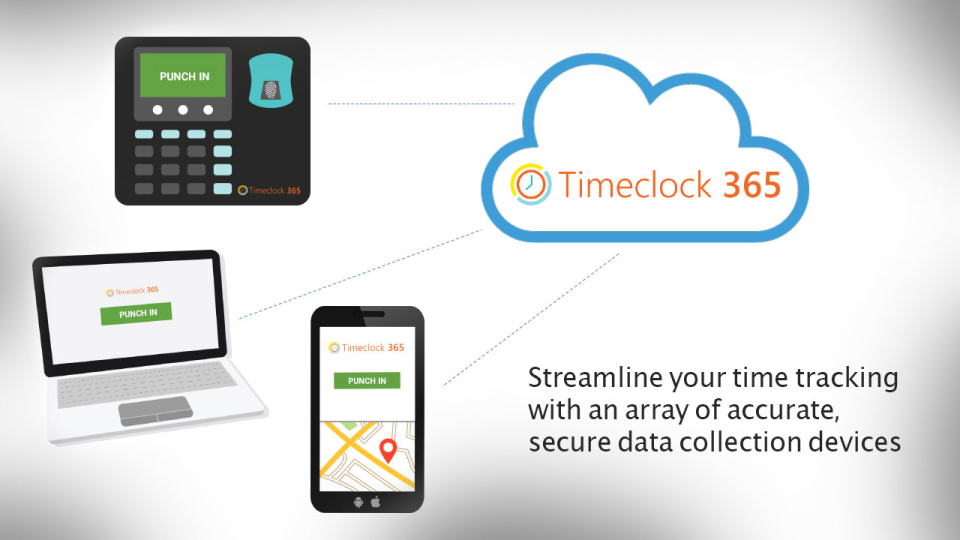
8 clock-in methods: web
App
Teams
Slack
Biometric
NFC
View All 17 Features
Timeclock 365 Pricing Plans
Demo & Personal
- Up to 10 users only
- All features available to try
- For personal/demo use only
- Community support
- Start Free
Attendance Pro
- Any team size
- 8 clock-in methods: web app Teams Slack biometric NFC GPS PIN
- Absence and leave management
- Automatic break deduction
- Overtime rules and payroll export
- Geo-fencing and anti-spoofing
- Automated attendance reports
- Chat and document support
Tasks + Attendance
- Everything in Attendance
- Time tracking per task and client
- Jira and Monday sync
- Budget overrun alerts
- Budget overrun forecasting
- Profitability reports per client
Field Teams (Attendance + Remote)
- Everything in Attendance
- Real-time GPS tracking
- Route and trip history
- Geo-fencing zones
- Location-based attendance alerts
- Remote mobile team management
Timeclock 365 Resources
Timeclock 365 Screenshots
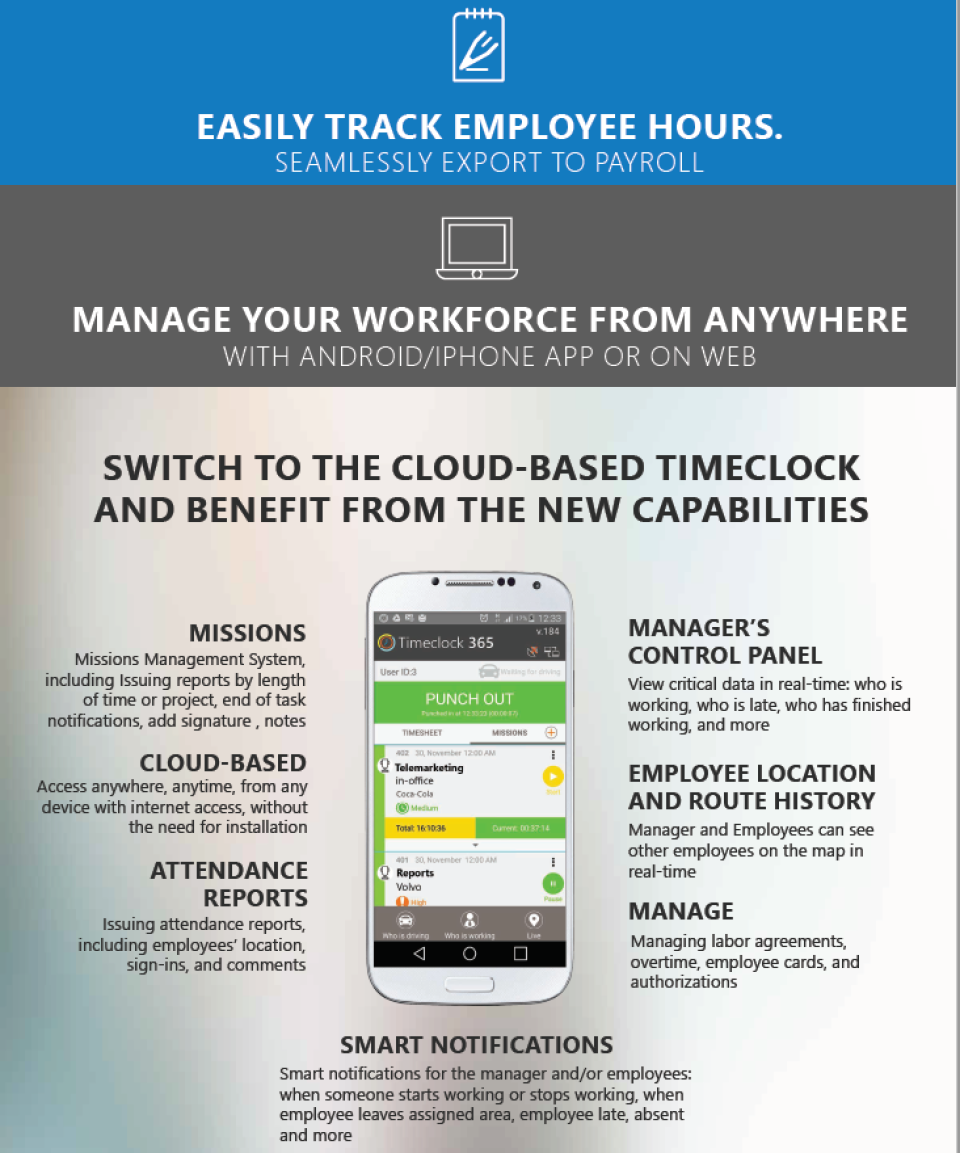
Description
What Is TimeClock 365 and How Does It Work?
TimeClock 365 is attendance and access control platform in one. Published tiers include Demo/Personal (up to 10 users) Attendance Pro Attendance + Task Management and Field Teams (Attendance + Remote). 14-day free trial no credit card required cancel anytime. ISO 27001 certified 12 languages 20+ countries broad user base. 8 clock-in methods including web app Teams Slack biometric NFC GPS PIN. Setup in 6 minutes.
The vendor positions on Simple Pricing Powerful Results. Choose the plan that fits your team add modules as you grow. Three product areas: Attendance Management Door Access Control and Hardware plus Add-ons. Integrations include Teams Slack Microsoft 365 Azure AD Jira Okta HiBob Monday.
Attendance Pro at $2.70/user/month is the entry paid tier. 8 clock-in methods (web app Teams Slack biometric NFC GPS PIN) absence and leave management automatic break deduction overtime rules and payroll export geo-fencing and anti-spoofing automated attendance reports chat and document support.
TimeClock 365 at a Glance
| Best fit for | Global SMBs and mid-market wanting time + attendance + access control with published per-user pricing |
|---|---|
| Demo tier | $0/user/month up to 10 users (personal/demo use) |
| Attendance Pro | $2.70/user/month any team size |
| Tasks + Attendance | $5.40/user/month any team size |
| Field Teams (Attendance + Remote) | $7.30/user/month any team size |
| Free trial | 14-day no credit card required |
| Setup | 6 minutes |
| Compliance | ISO 27001 certified (ISO/IEC 27001:2022) |
| Scale | 12 Languages, 20+ Countries, 60,000+ Users |
| Integrations | Teams, Slack, Microsoft 365, Azure AD, Jira, Okta, HiBob, Monday |
| Headquarters | Israel |
TimeClock 365 Key Features and Capabilities
Attendance Pro at $2.70/user/month is the entry paid tier. 8 clock-in methods (web app Teams Slack biometric NFC GPS PIN) absence and leave management automatic break deduction overtime rules and payroll export geo-fencing and anti-spoofing automated attendance reports chat and document support. Any team size.
Tasks + Attendance at $5.40/user/month adds time tracking per task and client Jira and Monday sync budget overrun alerts budget overrun forecasting profitability reports per client. Suits professional services and project-based businesses that need time-per-project tracking beyond simple attendance.
Field Teams (Attendance + Remote) at $7.30/user/month adds real-time GPS tracking route and trip history geo-fencing zones location-based attendance alerts remote mobile team management. Suits organizations with distributed field workforces (contractors delivery service technicians).
ISO 27001 certified (ISO/IEC 27001:2022) is unusual for SMB time tracking. Meaningful for enterprises with strict information security procurement requirements. 12 languages 20+ countries 60,000+ users signal genuine global scale.
Integrations with Teams Slack Microsoft 365 Azure AD Jira Okta HiBob Monday cover the modern SaaS stack. Native Azure AD + Okta SSO plus HiBob HRIS sync suits mid-market and enterprise buyers already on those platforms.
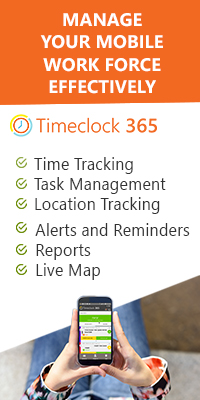
- 8 clock-in methods: web, app, Teams, Slack, biometric, NFC, GPS, PIN
- Absence and leave management
- Automatic break deduction
- Overtime rules and payroll export
- Geo-fencing and anti-spoofing
- Automated attendance reports
- Task time tracking per client (Tasks + Attendance tier)
- Jira and Monday sync (Tasks + Attendance tier)
- Real-time GPS tracking + route history (Field Teams tier)
- ISO 27001 certified
How Much Does TimeClock 365 Cost in 2026?
TimeClock 365 publishes tiered pricing on timeclock365.com/pricing with annual (save 20 percent) and monthly billing. Demo/Personal is $0/user/month up to 10 users. Attendance Pro is $2.70/user/month any team size. Tasks + Attendance is $5.40/user/month any team size. Field Teams (Attendance + Remote) is $7.30/user/month any team size. All USD-denominated.
Buyers should benchmark TimeClock 365 against Deputy ($4.50-$7.50/user/mo) Homebase (free + paid tiers) When I Work ($2.50/user) Buddy Punch ($2.99-$7.99/user) and Timely (project time tracking). TimeClock 365 differentiators are 8 clock-in methods (particularly biometric + NFC) ISO 27001 certification and integrated access control (door hardware).
| Plan | Price | Includes |
|---|---|---|
| Demo & Personal | $0/user/month | Up to 10 users + all features to try + community support (personal/demo only) |
| Attendance Pro | $2.70/user/month | 8 clock-in methods + absence/leave + overtime + payroll export + geo-fencing + reports + chat/doc support (any team size) |
| Tasks + Attendance | $5.40/user/month | Everything in Attendance + time tracking per task/client + Jira/Monday sync + budget forecasting + profitability reports |
| Field Teams (Attendance + Remote) | $7.30/user/month | Everything in Attendance + real-time GPS + route history + geo-fencing zones + remote mobile team mgmt |
TimeClock 365 Pros and Cons in 2026
Where TimeClock 365 Stands Out
- Real published per-user pricing across 4 tiers. $0 Demo (up to 10 users) $2.70 Attendance Pro $5.40 Tasks + Attendance $7.30 Field Teams. Transparent 4-tier structure with each tier addressing distinct use case.
- 8 clock-in methods including biometric and NFC. Unusually broad clock-in method coverage: web app Teams Slack biometric NFC GPS PIN. Biometric and NFC are premium capabilities most SMB competitors do not offer.
- ISO 27001 certified. Unusual for SMB time tracking category. Meaningful for enterprises with strict information security procurement requirements.
- Global scale + integrations. 12 languages 20+ countries 60,000+ users plus integrations with Teams Slack Microsoft 365 Azure AD Jira Okta HiBob Monday. Suits mid-market and enterprise buyers with existing SaaS stack.
Where TimeClock 365 Falls Short
- Demo tier limited to 10 users for personal/demo only. Not a permanent free tier for real business use. Small teams must upgrade to Attendance Pro at $2.70/user.
- Tasks + Attendance and Field Teams cost 2-3x base. $5.40 and $7.30/user/month is meaningfully higher than $2.70 base. Buyers wanting task time tracking or field GPS pay for the tier premium.
- Israel headquarters may raise questions. Global 20+ country presence but some buyers with strict vendor procurement requirements may need additional due diligence versus U.S. or EU-headquartered competitors.
TimeClock 365 vs Top Competitors: Side-by-Side Comparison
Buyers evaluating TimeClock 365 typically shortlist 2 to 3 alternatives before signing.
| Feature | TimeClock 365 | Deputy | Buddy Punch |
|---|---|---|---|
| Public per-user pricing | $0/$2.70/$5.40/$7.30 (4 tiers) | $4.50-$7.50/user | $2.99-$7.99/user |
| Clock-in methods | 8 (web + app + Teams + Slack + biometric + NFC + GPS + PIN) | GPS + facial + PIN | GPS + PIN + facial |
| ISO 27001 certified | Yes | SOC 2 | SOC 2 |
| Task time tracking | $5.40 tier | Not primary | Not primary |
| Field team GPS | $7.30 tier | Included | Included |
| Best fit | Global SMB/mid-market wanting biometric + task + field tiers | Enterprise workforce management | SMB GPS time clock |
Who Should Use TimeClock 365?
TimeClock 365 is the right pick for global SMBs and mid-market wanting time + attendance + access control with published per-user pricing across 4 tiers. 8 clock-in methods (particularly biometric + NFC) suit organizations wanting broader capture flexibility than SMB competitors offer. ISO 27001 certification meets enterprise information security procurement requirements.
Professional services and project-based businesses benefit from Tasks + Attendance tier ($5.40/user) with time tracking per task and client plus Jira and Monday sync. Field workforces (contractors delivery service technicians) get value from Field Teams tier ($7.30/user) with real-time GPS route history and geo-fencing.
TimeClock 365 is not the right fit for buyers wanting cheapest per-user pricing (compare Buddy Punch or When I Work). Enterprises needing full HRIS should compare BambooHR HiBob or Rippling. Buyers wanting scheduling-first workflow should compare Deputy or Homebase.
TimeClock 365 Alternatives Worth Comparing
Deputy. Enterprise workforce management with scheduling + time + payroll integration. Compare for larger workforce with advanced scheduling.
Buddy Punch. GPS time tracking with per-user pricing from $2.99/user/mo. Compare for cheapest per-user SMB GPS time clock.
When I Work. SMB scheduling + time tracking. Compare for scheduling-first workflow.
Homebase. Free tier SMB scheduling + time clock. Compare for free tier evaluation.
Timely. Project time tracking with automatic time detection. Compare for AI-driven time tracking.
TimeClock 365 Implementation and Onboarding
TimeClock 365 implementation begins with 14-day free trial no credit card required or Demo tier (up to 10 users personal/demo only). Setup in 6 minutes per vendor. Attendance Pro at $2.70/user/month is entry paid tier. Tasks + Attendance ($5.40) or Field Teams ($7.30) selected based on use case.
Standard mid-market deployment takes 1 to 4 weeks including clock-in method selection (from 8 available: web app Teams Slack biometric NFC GPS PIN) absence and leave rule configuration overtime setup payroll export integration and integration with existing SaaS stack (Azure AD SSO Okta HiBob HRIS sync Jira/Monday task management). Biometric or NFC deployment adds hardware provisioning.
What Real Buyers Report About TimeClock 365
TimeClock 365 vendor site emphasizes 12 Languages ISO 27001 20+ Countries 60,000+ Users Live Support Secure Servers. Real published pricing across 4 tiers ($0 Demo $2.70 Attendance Pro $5.40 Tasks + Attendance $7.30 Field Teams) provides positive-signal transparency. Integration list (Teams Slack Microsoft 365 Azure AD Jira Okta HiBob Monday) covers modern SaaS stack.
For independent buyer perspective search LinkedIn for global SMB and mid-market HR operations professionals discussing TimeClock 365 alongside Deputy Buddy Punch and Homebase. Israel-based vendor with global reach European DACH and North American buyer discussions common. peer-review sites and peer-review sites alternatives (peer-review sites) show TimeClock 365 with growing global adoption.
- TimeClock 365 home + Attendance and Access Control positioning
- TimeClock 365 pricing (Demo $0, Attendance Pro $2.70, Tasks $5.40, Field Teams $7.30)
Frequently Asked Questions About TimeClock 365
What is TimeClock 365?
TimeClock 365 is attendance and access control platform in one. Supports 8 clock-in methods (web app Teams Slack biometric NFC GPS PIN). ISO 27001 certified 12 languages 20+ countries 60,000+ users.
How much does TimeClock 365 cost?
Demo/Personal is $0/user/month up to 10 users. Attendance Pro is $2.70/user/month. Tasks + Attendance is $5.40/user/month. Field Teams (Attendance + Remote) is $7.30/user/month. Annual save 20 percent versus monthly.
What clock-in methods does TimeClock 365 support?
8 methods: web, app, Teams, Slack, biometric, NFC, GPS, PIN.
Is TimeClock 365 ISO 27001 certified?
Yes. ISO/IEC 27001:2022 certified.
How long is the free trial?
14-day free trial no credit card required cancel anytime. Full access to all features.
What integrations does TimeClock 365 support?
Teams Slack Microsoft 365 Azure AD Jira Okta HiBob Monday.
What is the Tasks + Attendance tier?
$5.40/user/month adds time tracking per task and client Jira and Monday sync budget overrun alerts budget overrun forecasting profitability reports per client.
What is the Field Teams tier?
$7.30/user/month adds real-time GPS tracking route and trip history geo-fencing zones location-based attendance alerts remote mobile team management.
Where is TimeClock 365 headquartered?
Israel.
How do I contact TimeClock 365?
Start Free Trial via timeclock365.com (14 days no credit card) or Book a Demo. Support: [email protected].
What Top-Ranking TimeClock 365 Reviews Cover
Related TimeClock 365 Comparisons and Categories on SaaSRat
- Timeclock Kiwi
- Goodtime
- Time Check
- Open Time Clock
- Web Time
- Rescue Time
- Cmw Document Tracking
- Quickbooks Time
- Time Champ
- Creativetime Ams
- Easytime
- Geointime
- Clockify
Bottom Line: Is TimeClock 365 Right for You?
TimeClock 365 is the right call for global SMBs and mid-market wanting time + attendance + access control with published per-user pricing across 4 tiers ($0 Demo $2.70 Attendance Pro $5.40 Tasks + Attendance $7.30 Field Teams). 8 clock-in methods (including biometric + NFC) plus ISO 27001 certification differentiate from SMB competitors.
For enterprise workforce management compare Deputy. For cheapest SMB GPS time clock compare Buddy Punch or When I Work. For free tier evaluation compare Homebase. For AI-driven project time tracking compare Timely.
Start 14-day free trial via timeclock365.com (no credit card required setup in 6 minutes). Attendance Pro at $2.70/user/month is entry paid tier. Upgrade to Tasks + Attendance ($5.40) for project time tracking with Jira/Monday sync or Field Teams ($7.30) for real-time GPS and field management. Budget 1 to 4 weeks for mid-market deployment.
Verified on 2026-07-24 by the SaaSRat Editorial Team (Chirantan Patel, Senior SaaS Research Editor). Content and pricing scraped from the TimeClock 365 vendor website. About our methodology.
Frequently Asked Questions
Is there a free plan or free trial for Timeclock 365?
How much does Timeclock 365 cost?
What does Timeclock 365 integrate with?
Who is Timeclock 365 best for?
What are the best alternatives to Timeclock 365?
Is Timeclock 365 GDPR / SOC 2 compliant?
Does Timeclock 365 have a mobile app?
What do real users say about Timeclock 365?
How does Timeclock 365 compare to its top competitor?
Does Timeclock 365 offer customer support?
Find Your Perfect Software
See how it can transform your workflow
- Personalized for your needs Tailored recommendations based on your unique requirements.
- Save time & resources Streamline your workflow and boost team productivity.
- Trusted by thousands Join 10,000+ businesses already growing with SaaSrat.
You're all set! 🎉
A specialist for will reach out within 1 business day with tailored recommendations for your needs.