

RescueTime
by RescueTime
What is RescueTime?
Get Best Quote for RescueTime
Connect with SaaSrat experts to get the best quote for your business.
You're all set!
A specialist for RescueTime will reach out within 1 business day.
RescueTime Features
Time tracking
Productivity reports
Goal setting
Distraction management
Website blocking
Offline time tracking
View All 34 Features
RescueTime Pricing Plans
RescueTime Lite
- Track time in websites and applications
- Set goals
- Get a weekly email report
- 3 month report history
RescueTime Premium
- Everything from the lite plan + these premium features:
- Track time away from the computer
- Get alerts when you achieve your daily goals
- Block distracting websites to stay focused
- Keep a log of your daily accomplishments
- More detailed reports and filters
- Faster data processing
- 14 day free trial
- Unlimited report history
RescueTime Resources
RescueTime Screenshots
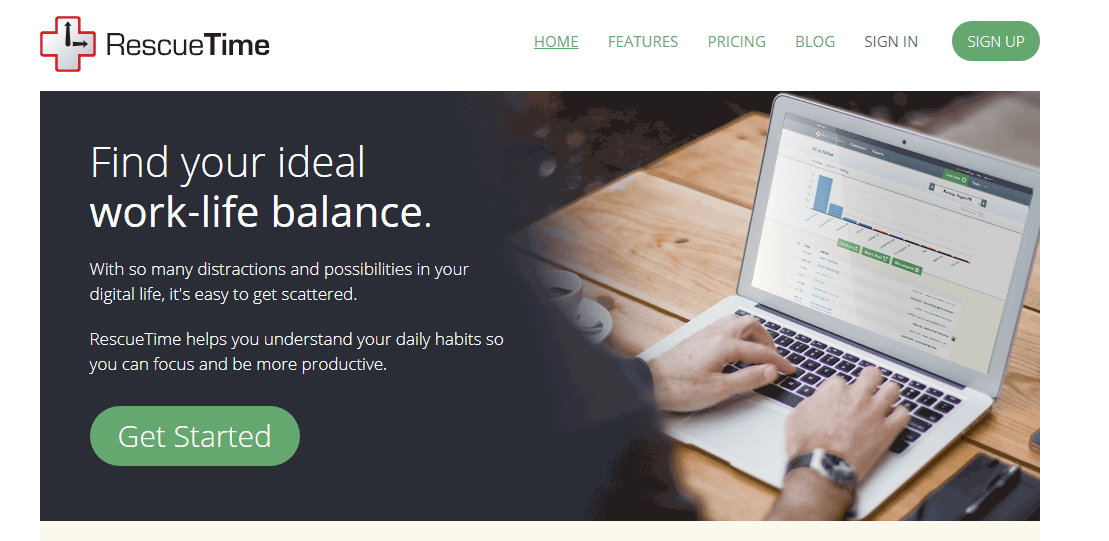
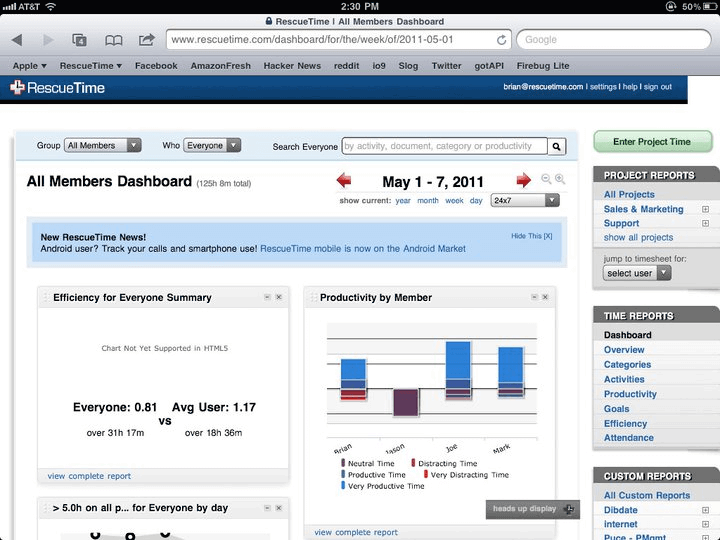
Description
RescueTime at a Glance
| Best for | Freelancers, remote workers, knowledge workers, and small professional teams that want automatic productivity tracking plus distraction blocking |
|---|---|
| Deployment | Cloud SaaS with Windows, macOS, Linux, iOS, and Android apps; browser extensions for Chrome and Firefox |
| Starting price | Contact Vendor (Solo Focus paid tier plus Team plans; free trial available) |
| Key strengths | Automatic time tracking across apps and websites, Focus Sessions with distraction blocking, integrated Timesheets for projects, PC Mag Editor Choice recognition |
| Not ideal for | Teams needing manual timer-based time tracking (Toggl, Harvest fit better) or enterprises needing full HR and payroll integration |
RescueTime Overview
RescueTime is a time tracking and productivity software suite delivering two tools in one app: RescueTime Focus and RescueTime Timesheets.
RescueTime Focus tracks websites and apps automatically, sets goals, creates alerts, and blocks distractions to take personal productivity to a new level.
RescueTime Timesheets automates project time tracking, generating timesheets and detailed reports for clients or managers without manual entry.
PC Mag positioned RescueTime as an Editor Choice with the description "a rare five-star product and one of the best productivity tools we have ever tested".
Capabilities and Named Features
The RescueTime thesis is that time tracking should be automatic rather than manual timer-driven, and that productivity requires distraction blocking alongside measurement.
RescueTime Focus is the personal productivity layer: automatic tracking of every website and application used, goal-setting for time on productive versus distracting activities, smart alerts when the user drifts from goals, and distraction blocking during Focus Sessions. The blocking is real; sites and apps that would otherwise pull attention get blocked at the OS level during focus periods.
RescueTime Timesheets is the team and client-billing layer: automatic project time tracking, timesheet generation, detailed reports for clients or managers, and export for invoicing workflows. Because tracking is automatic, users do not need to start and stop timers per task.
The two tools ship in one app and share the same tracking data, so users get personal productivity insight and client billing from a single automatic capture rather than running two separate tools.
PC Mag Editor Choice recognition provides an independent third-party validation that reinforces the "rare five-star product" positioning against timer-based competitors like Toggl and Harvest.
Cross-platform coverage matters for knowledge workers whose tools span desktop and mobile. Windows, macOS, Linux, iOS, Android, plus Chrome and Firefox browser extensions all feed the same central tracking record.
Category classification of apps and websites plus weekly summary emails with productivity trends turn raw usage data into actionable insight without requiring the user to build their own analytics workflow.
Named feature list
- Automatic time tracking across websites and apps
- RescueTime Focus with distraction blocking
- Focus Sessions to block distracting websites, apps, email, and chat
- Goal setting for time on productive versus distracting activities
- Smart alerts when goals are missed
- RescueTime Timesheets with automated project time tracking
- Timesheet generation for clients or managers
- Detailed project and client reports
- Windows, macOS, and Linux desktop apps
- iOS and Android mobile apps
- Chrome and Firefox browser extensions
- Team plans for shared productivity tracking
- Solo Focus plans for individual productivity
- Category classification of apps and websites
- Weekly summary emails with productivity trends
- Data export for further analysis
- Privacy controls for what gets tracked
- PC Mag Editor Choice recognition
Pricing and Plans
RescueTime uses a two-tier model: Solo Focus for individual users and Team plans for shared productivity tracking.
Timesheets can be bundled with Focus as an add-on or purchased separately for teams focused on project time tracking.
Free trial is available on the vendor website. Contact RescueTime for current per-user pricing on Solo Focus, Solo Focus plus Timesheets, and Team plans.
| Tier | Price | What is included |
|---|---|---|
| Free Trial | No cost | Free trial with full RescueTime Focus and Timesheets features. Try before paid subscription |
| Solo Focus | Contact Vendor | Individual productivity tracking with Focus Sessions, distraction blocking, goal setting, alerts, and automatic time tracking across apps and websites |
| Solo Focus plus Timesheets | Contact Vendor | Everything in Solo Focus plus automated project time tracking, timesheet generation, and client reports. Best deal for tracking projects that is automatic, accurate, and simple |
| Team | Contact Vendor | Team plans for shared productivity tracking with manager dashboards, team-level reports, and multi-user administration |
Pros
- Automatic time tracking with no manual timer input is a real productivity differentiator versus timer-based competitors like Toggl and Harvest.
- Focus Sessions with active distraction blocking (websites, apps, email, chat) is unusual in the time tracking category; most competitors only track, not block.
- PC Mag Editor Choice recognition as "a rare five-star product" provides real third-party validation.
Cons and Trade-offs
- Automatic-only tracking is a philosophical trade-off; teams that prefer manual timer control (start/stop per task) may prefer Toggl or Harvest.
- Quote-based pricing on Team plans slows self-serve evaluation for organizations wanting to compare team-tier costs.
- Full HR, payroll, or enterprise workforce management integration is lighter than dedicated time-and-attendance platforms.
RescueTime vs Alternatives
| Capability | RescueTime | Toggl Track | Harvest |
|---|---|---|---|
| Tracking style | Automatic app and website tracking | Manual timer with automatic tracking option | Manual timer with reminders |
| Distraction blocking | Focus Sessions block sites, apps, email, chat | No native blocking | No native blocking |
| Client project reports | Yes via Timesheets | Yes | Yes with strong invoicing |
| Team plans | Yes | Yes | Yes |
| Best fit | Freelancers and knowledge workers needing focus | Freelancers and agencies with manual timers | Agencies needing time-to-invoice workflow |
Who Should Choose RescueTime
Freelancers, remote workers, and knowledge workers who want automatic productivity tracking plus distraction blocking rather than manual timer entry.
Small professional teams and consultancies billing clients by project time who benefit from automatic Timesheets alongside personal productivity insight.
Not appropriate for teams needing manual timer-based time tracking as the primary workflow (Toggl or Harvest fit better) or enterprises needing full HR and payroll integration.
Named Alternatives to RescueTime
- Toggl Track. Manual timer-based time tracking with automatic capture option. Chosen when the buyer prefers manual start/stop per task.
- Harvest. Time-to-invoice workflow for agencies and consultancies. A better fit for agencies billing clients directly from time entries.
- Clockify. Free unlimited-user time tracking. Preferred when the buyer wants a free team-tier without user caps.
- ManicTime. Automatic app and document tracking with cloud or on-premises deployment. Chosen when the buyer wants on-premises time tracking.
- Freedom. Distraction blocking without time tracking. A better fit when the buyer only wants site and app blocking without productivity measurement.
Implementation and Deployment
RescueTime setup is essentially instant. Download the desktop app for Windows, macOS, or Linux; install the browser extension; sign in on iOS or Android mobile apps to complete the cross-device tracking network.
Automatic tracking starts immediately with no configuration required; users refine category classifications and productivity ratings over the first week as the platform learns the specific tools and workflows in use.
Team deployments add manager dashboards, team-level reporting, and multi-user administration; onboarding typically runs 1-2 weeks for small teams, with the team lead configuring shared goals and productivity benchmarks before wider rollout.
Timesheets activation adds project and client configuration on top of the base tracking layer; users assign captured time blocks to projects and clients through the auto-tagging interface after the first week of baseline data.
What Real Buyers Say About RescueTime
Operator discussions on Reddit r/productivity discussions and Reddit r/remotework community surface the following themes.
Freelancer and remote-work communities on Indie Hackers and r/productivity position RescueTime as one of the top three automatic time tracking tools alongside Toggl Track and Clockify.
PC Mag Editor Choice recognition and the "rare five-star product" quote are frequently cited in comparison content across productivity blogs and buyer-guide roundups.
Common critique from knowledge workers: automatic-only tracking is a philosophical choice; some users prefer the granularity of manual timers even when it means more input work.
Focus Sessions with active distraction blocking is the most-cited differentiator over timer-only tools; users who struggle with attention consistently report the blocking as more impactful than the tracking.
Timesheets adoption is common among consultants and small agencies billing clients by tracked time; the automatic-capture-plus-project-tagging workflow reduces the friction of manual timesheet entry.
Vendor references: RescueTime product overview, RescueTime Focus product page, RescueTime Timesheets product page.
Related RescueTime Comparisons and Categories on SaaSRat
Explore related products and categories on SaaSRat to compare RescueTime against alternatives and see which vertical or feature comparison matches your buying criteria.
- Time Tracking Software on SaaSRat
- Employee Monitoring on SaaSRat
- Toggl Track: manual timer time tracking
- Clockify: free unlimited-user time tracking
- ManicTime: automatic app tracking
The Bottom Line on RescueTime
RescueTime is a strong choice for freelancers, remote workers, and knowledge workers who want automatic productivity tracking plus distraction blocking rather than manual timer entry.
The Focus Sessions distraction blocking is genuinely differentiated from timer-based competitors like Toggl and Harvest.
PC Mag Editor Choice recognition provides independent third-party validation.
Agencies needing time-to-invoice workflow with heavy client billing should compare Harvest.
Users who prefer manual timer control per task may prefer Toggl Track or Clockify instead.
Verified on 2026-08-04 against vendor website.
Frequently Asked Questions
What is RescueTime?
Who is RescueTime best for?
How does RescueTime pricing work?
What is RescueTime Focus?
What is RescueTime Timesheets?
Does RescueTime work on Mac and Linux?
Can RescueTime block distracting websites?
Is RescueTime a Toggl or Harvest alternative?
Where is RescueTime headquartered?
Does RescueTime offer a free trial?
Find Your Perfect Software
See how it can transform your workflow
- Personalized for your needs Tailored recommendations based on your unique requirements.
- Save time & resources Streamline your workflow and boost team productivity.
- Trusted by thousands Join 10,000+ businesses already growing with SaaSrat.
You're all set! 🎉
A specialist for will reach out within 1 business day with tailored recommendations for your needs.