
Drag
by DragApp
What is Drag?
Get Best Quote for Drag
Connect with SaaSrat experts to get the best quote for your business.
You're all set!
A specialist for Drag will reach out within 1 business day.
Drag Features
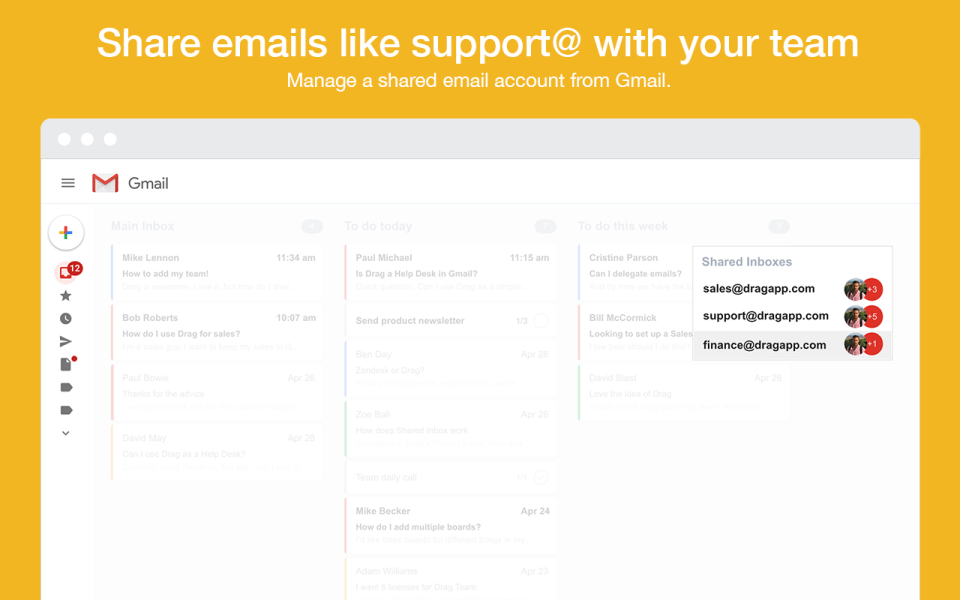
Shared inboxes
Email delegation
Task management
Kanban boards
Email notes
Internal chat
View All 40 Features
Drag Pricing Plans
Solo Plan
- Agile Methodologies
- Customizable Templates
- Idea Management
- Kanban Board
- Milestone Tracking
Drag Resources
Drag Screenshots
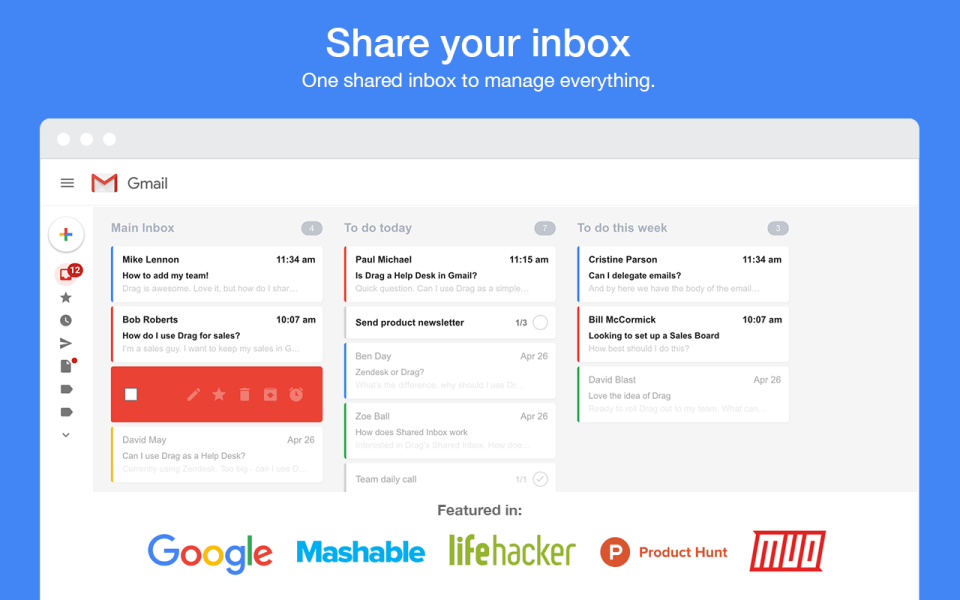
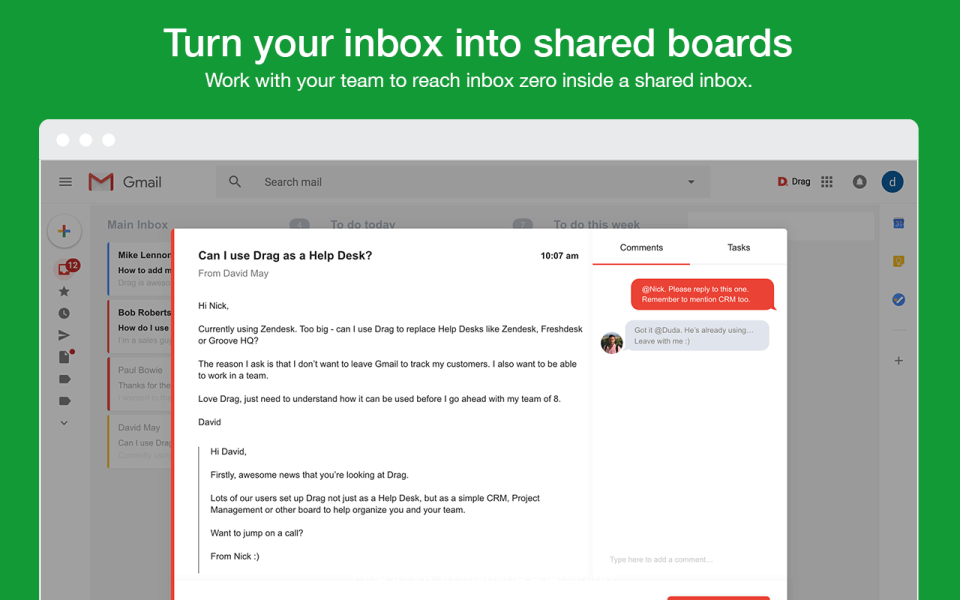
Description
Drag at a Glance
| Best for | Teams that live in Gmail needing shared inbox capabilities plus AI classification and autonomous agents for customer support, sales, product feedback, and order management workflows |
|---|---|
| Deployment | Gmail-native platform with Chrome Extension, Desktop App, and iOS App; MCP, REST API, and Drag Agent for AI clients |
| Starting price | Contact Vendor (published plan tiers available; team-based pricing) |
| Key strengths | AI platform with autonomous agents, connected intelligence layer, five built-in AI features, Gmail-native shared inbox, MCP integration, multi-app access (Chrome, Desktop, iOS) |
| Not ideal for | Teams not using Gmail where the value proposition depends on Gmail adoption, or organizations needing enterprise contact center features beyond Gmail-based team collaboration |
Drag Overview
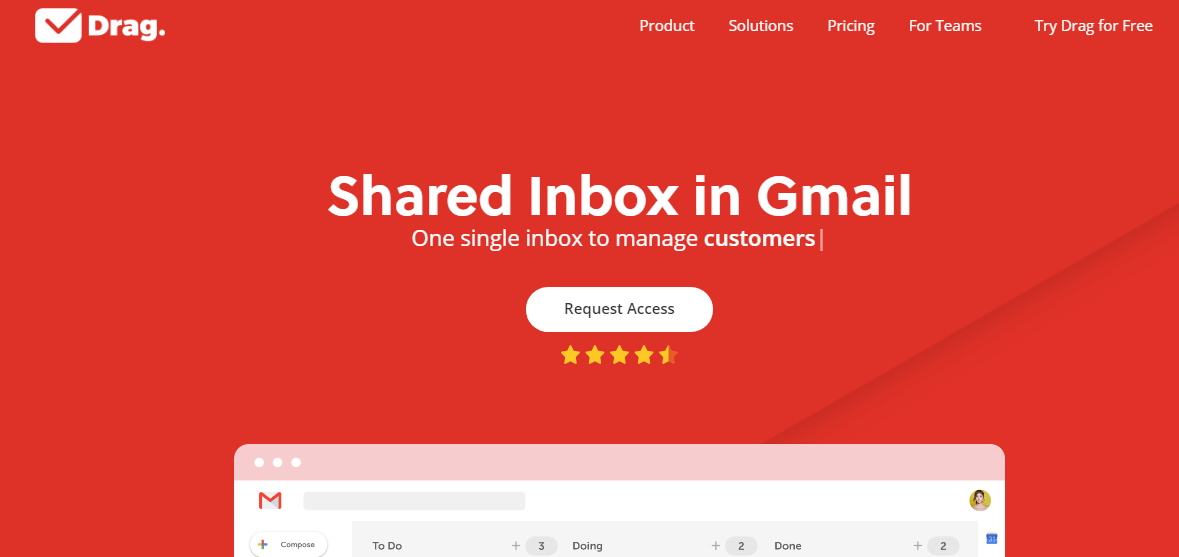
Drag is an AI platform that combines autonomous agents, a connected intelligence layer, and five built-in AI features , all running inside your shared inbox rather than as separate tools that fragment context.
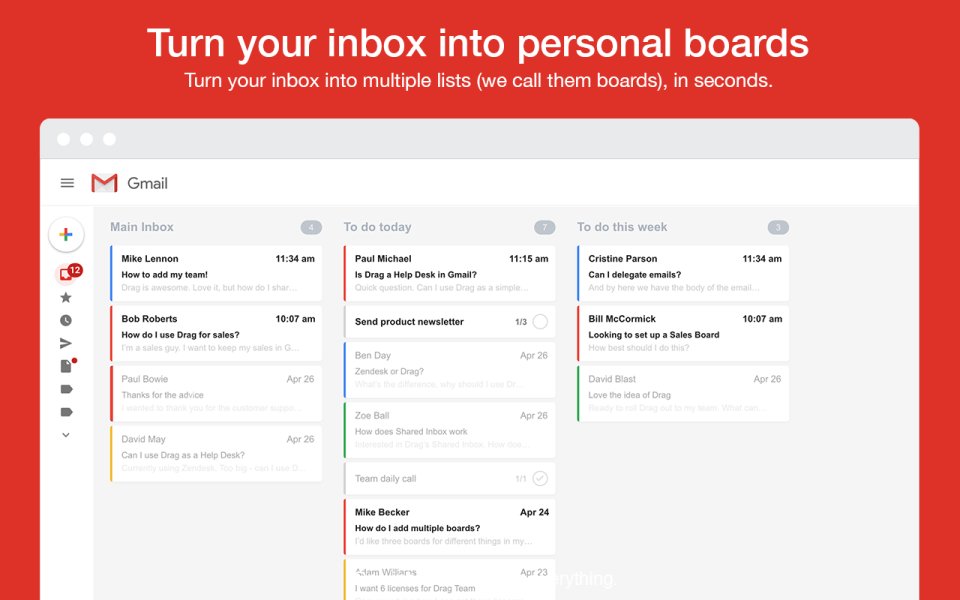
The core value is turning Gmail into a team inbox. Rather than requiring teams to leave Gmail for separate customer support, sales pipeline, or product feedback tools, Drag layers team collaboration and AI capabilities on top of Gmail directly.
Team workspaces organize by use case: Customer Support, Sales Pipeline, Product Feedback, Order Management, and General. Each workspace handles a specific business function within the same Gmail-based platform.
Drag AI classifies incoming messages automatically , categorizing conversations by type, urgency, and routing target , so team members do not have to manually triage every incoming email.
Integration options are broad: Chrome Extension, Desktop App, iOS App give team members access across devices; MCP, REST API, and Drag Agent let AI clients and other systems interact with the shared inbox programmatically.
Capabilities and Named Features
The Drag thesis is that most teams already live in Gmail for daily email work, and forcing them into a separate customer support, sales pipeline, or product feedback tool creates context loss and tool-switching friction.
Gmail-native means Drag is not a separate app that integrates with Gmail , it runs inside Gmail directly via the Chrome Extension. Team members stay in their existing email workflow while gaining shared inbox, AI, and team collaboration features.
The AI platform positioning captures the strategic direction. Rather than being just a shared inbox with occasional AI features, Drag positions AI as the core: autonomous agents that handle interactions, a connected intelligence layer that maintains context, and five built-in AI features that layer on top.
Autonomous agents inside the shared inbox handle specific interactions that historically required human triage. When AI agents can respond to inquiries with the right context, human team members focus on judgment calls.
The connected intelligence layer maintains context across conversations. When a customer emails multiple times or when a conversation touches multiple team members, the intelligence layer preserves context that manual coordination loses.
MCP (Model Context Protocol), REST API, and Drag Agent give AI clients and external systems programmatic access to the shared inbox. This positions Drag at the frontier of AI-native inbox integration.
Multi-app access (Chrome Extension, Desktop App, iOS App) reflects how team members actually work: browser for extended sessions, desktop for focused work, and iOS for mobile response.
Named feature list
- AI platform with autonomous agents
- Connected intelligence layer
- Five built-in AI features
- Gmail-native shared inbox
- Team inbox for Customer Support
- Sales Pipeline workspace
- Product Feedback workspace
- Order Management workspace
- General team workspace
- AI classification of conversations
- Chrome Extension
- Desktop App
- iOS App
- MCP (Model Context Protocol)
- REST API
- Drag Agent
- Templates
- Automations
- Contacts management
- AI Knowledge base
Pricing and Plans
Drag publishes plan tiers on the vendor pricing page with team-based pricing.
Paid plans scale by user count and feature bundle for growing teams adopting shared inbox and AI capabilities inside Gmail.
Enterprise pricing is available for larger teams needing custom integrations and dedicated support.
| Tier | Price | What is included |
|---|---|---|
| Standard | Vendor Published | Paid plan for small teams with core Gmail-native shared inbox and basic AI features |
| Growth | Vendor Published | Higher tier adding autonomous agents, connected intelligence layer, and expanded AI features |
| Business | Vendor Published | Full AI platform with all five built-in AI features, MCP integration, and multi-team workspace collaboration |
| Enterprise | Contact Vendor | Enterprise plan for larger teams with custom integrations, priority support, and dedicated account management |
Pros
- Gmail-native architecture means teams get shared inbox and AI capabilities without leaving Gmail, avoiding the context loss and tool-switching friction that separate customer support or sales pipeline tools create.
- AI platform positioning with autonomous agents and connected intelligence layer places Drag at the frontier of AI-native inbox integration rather than treating AI as a bolted-on feature.
- Multi-app access (Chrome Extension, Desktop App, iOS App) plus MCP plus REST API plus Drag Agent provide broad integration coverage across how team members and AI clients actually interact with the inbox.
Cons and Trade-offs
- Not designed for teams not using Gmail; the core value proposition depends on Gmail adoption.
- Organizations needing enterprise contact center features beyond Gmail-based team collaboration should evaluate Zendesk, Freshdesk, or dedicated CCaaS platforms.
- Autonomous agent effectiveness depends on ongoing configuration; teams should scope which interaction types agents handle well before relying on them for high-value customer interactions.
Drag vs Alternatives
| Capability | Drag | Front | Missive |
|---|---|---|---|
| Core focus | Gmail-native AI platform with autonomous agents | Modern shared inbox for teams | Team inbox with strong collaboration |
| Gmail-native | Native inside Gmail | Front integrates with Gmail | Missive integrates with Gmail |
| AI platform with autonomous agents | Native | Front AI features | Missive AI features |
| MCP integration | Native | Front integrations | Missive integrations |
| Best fit | Gmail-heavy teams wanting AI platform | Modern teams wanting shared inbox | Teams wanting collaboration-focused inbox |
Who Should Choose Drag
Teams that live in Gmail needing shared inbox capabilities plus AI classification and autonomous agents for customer support, sales, product feedback, and order management workflows.
Growth-stage teams that want AI-native inbox capabilities inside their existing Gmail workflow rather than migrating to separate customer support or sales pipeline tools.
Not appropriate for teams not using Gmail, or organizations needing enterprise contact center features beyond Gmail-based team collaboration.
Named Alternatives to Drag
- Front. Modern shared inbox for teams with strong multichannel support. Chosen when the buyer wants Front ecosystem depth beyond Gmail-native.
- Missive. Team inbox platform with strong collaboration focus. A better fit for teams wanting Missive-style shared inbox with strong chat integration.
- Heymarket. Agentic shared inboxes for business messaging. Preferred when the buyer wants multichannel messaging including SMS and messaging apps.
- Help Scout. Human-friendly customer service platform. Chosen for teams wanting simpler helpdesk without Gmail-native positioning.
- Zendesk. Enterprise customer service platform. A better fit for enterprise customer service at scale outside Gmail workflow.
Implementation and Deployment
Drag deployments are designed to be fast for Gmail-heavy teams. Install the Chrome Extension, invite team members, and start using shared inboxes without a formal implementation project.
Standard setup runs 1-3 weeks for teams doing a full rollout: Chrome Extension installation, workspace configuration (Customer Support, Sales Pipeline, Product Feedback, Order Management, General), AI classification rule setup, autonomous agent configuration for common interaction types, team member onboarding, and pilot with live email volume.
Larger deployments add MCP integration for AI clients, REST API integration with existing business systems, and Drag Agent configuration for external automation.
Enterprise deployments layer on custom integrations, expanded compliance controls, and dedicated account management.
What Real Buyers Say About Drag
Operator discussions on Reddit r/gmail power-user discussions and LinkedIn Customer Service community surface the following themes.
Customer support and sales team leaders on LinkedIn Gmail power-user communities discuss Drag as a distinctive option when they want shared inbox and AI capabilities inside Gmail rather than migrating to separate tools.
The Gmail-native architecture is frequently cited as decisive against Zendesk, Freshdesk, and other customer support platforms that require teams to leave their existing email workflow.
Operator discussions in growth-stage team communities highlight the AI platform positioning with autonomous agents and connected intelligence layer as forward-looking versus platforms treating AI as bolted-on features.
Common critique from non-Gmail teams: Drag is Gmail-focused; teams using Outlook or other email platforms should evaluate different shared inbox platforms.
The MCP integration is repeatedly praised as signaling platform-level AI client integration; AI clients can interact with the shared inbox through MCP rather than requiring separate integrations.
Multi-app access (Chrome Extension, Desktop App, iOS App) is frequently discussed as matching how team members actually work: browser for extended sessions, desktop for focused work, and iOS for mobile response.
Vendor references: Drag AI platform overview, Drag features catalog, Drag pricing plans.
Related Drag Comparisons and Categories on SaaSRat
Explore related products and categories on SaaSRat to compare Drag against alternatives.
- Help Desk Software on SaaSRat
- Shared Inbox on SaaSRat
- Team Collaboration on SaaSRat
- Front: modern shared inbox
- Missive: team inbox platform
- Heymarket: agentic shared inboxes
- HelpScout: human-friendly service
- Zendesk: enterprise customer service
The Bottom Line on Drag
Drag is a strong fit for teams that live in Gmail needing shared inbox capabilities plus AI classification and autonomous agents for customer support, sales, product feedback, and order management workflows.
Gmail-native architecture means teams get shared inbox and AI capabilities without leaving Gmail, avoiding the context loss that separate tools create.
AI platform positioning with autonomous agents and connected intelligence layer places Drag at the frontier of AI-native inbox integration.
Teams not using Gmail should evaluate different shared inbox platforms.
Organizations needing enterprise contact center features should evaluate Zendesk, Freshdesk, or dedicated CCaaS platforms.
Verified on 2026-08-04 against vendor website.
Frequently Asked Questions
What is Drag?
Who is Drag best for?
How does Drag pricing work?
Does Drag work inside Gmail?
What is the Drag AI platform?
What workspaces does Drag support?
Does Drag support MCP?
How does Drag compare to Front?
Where is Drag headquartered?
What apps does Drag support?
Find Your Perfect Software
See how it can transform your workflow
- Personalized for your needs Tailored recommendations based on your unique requirements.
- Save time & resources Streamline your workflow and boost team productivity.
- Trusted by thousands Join 10,000+ businesses already growing with SaaSrat.
You're all set! 🎉
A specialist for will reach out within 1 business day with tailored recommendations for your needs.