

Wagepoint
by Wagepoint
What is Wagepoint?
Get Best Quote for Wagepoint
Connect with SaaSrat experts to get the best quote for your business.
You're all set!
A specialist for Wagepoint will reach out within 1 business day.
Wagepoint Features
Canadian payroll
CRA remittances (automatic)
T4 year-end form generation
T4A year-end form generation
Record of Employment (ROE) submission
Direct deposit
View All 25 Features
Wagepoint Pricing Plans
Solo
- One payroll run per month
- One pay group
- Direct deposit
- Tax calculations
- T4s and T4As included
- Records of Employment (ROE) submission
- Reporting dashboard
Unlimited
- Unlimited payroll runs per month
- Unlimited pay groups
- Direct deposit
- Tax calculations
- T4s and T4As included
- Records of Employment (ROE) submission
- Full reporting dashboard
Wagepoint Screenshots

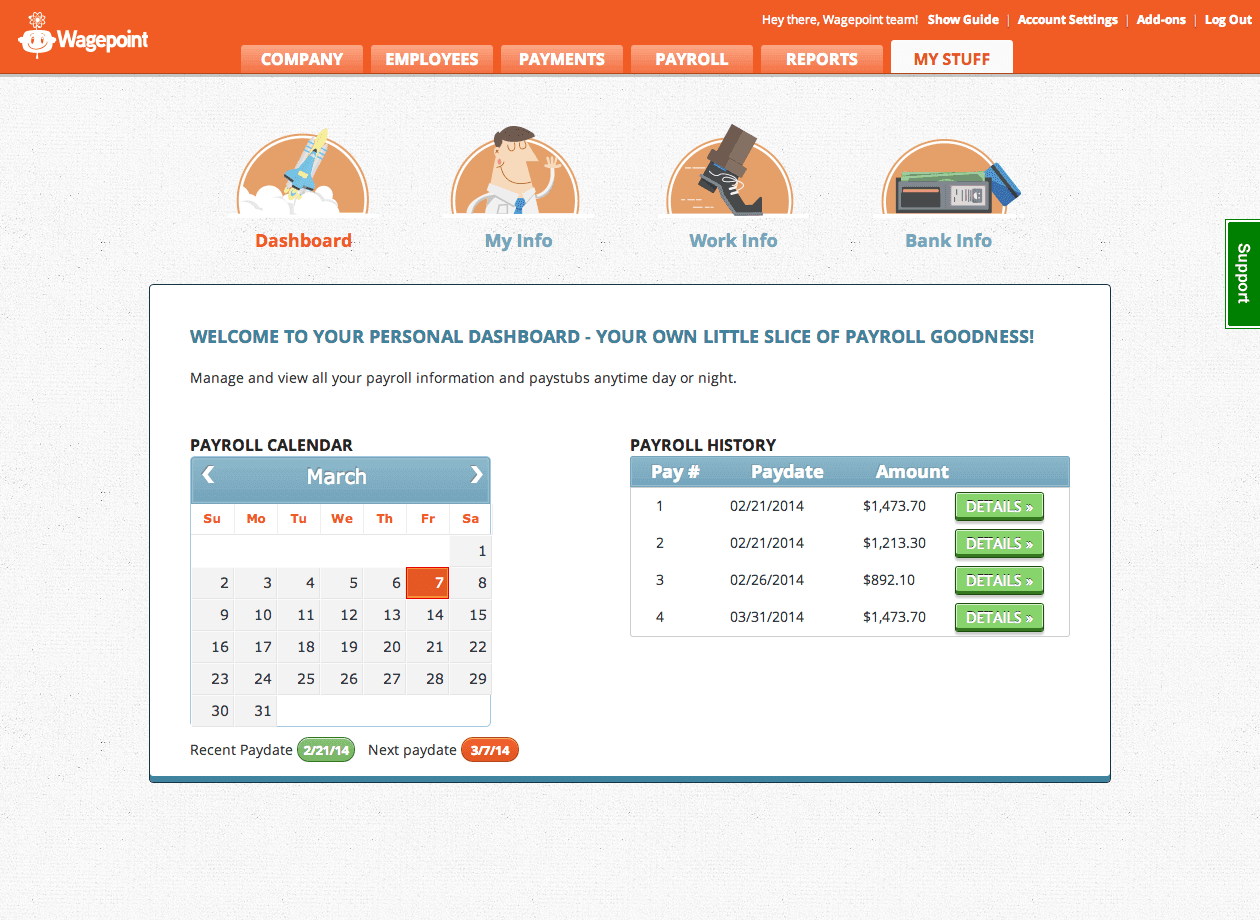
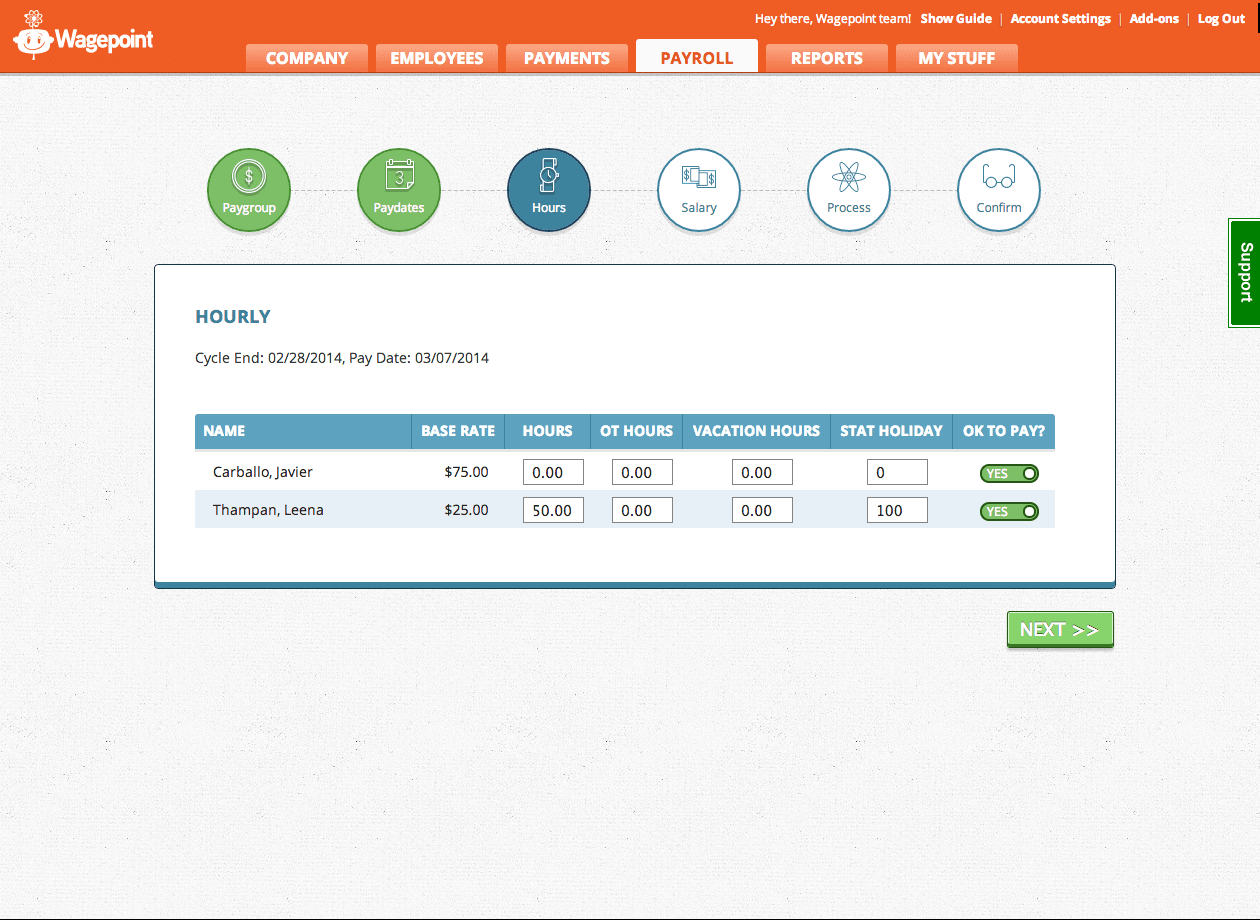
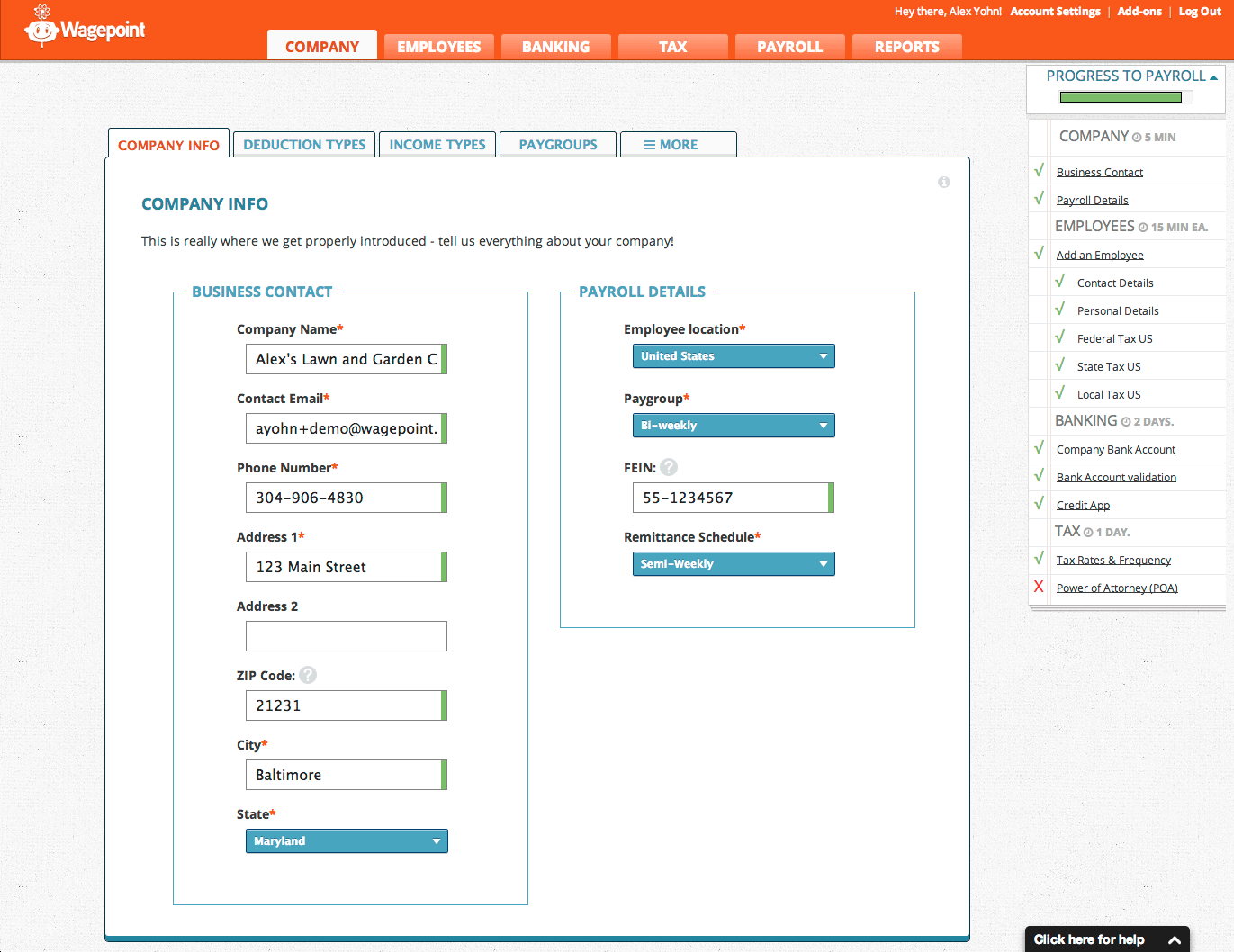
Description
Wagepoint at a Glance
| Question | Quick answer |
|---|---|
| What it is | Canadian payroll software for small businesses, accountants, and bookkeepers, built around automated CRA remittances, T4/T4A year-end, ROE submission, and province-specific tax handling. |
| Who it serves | Canadian small businesses with 1 to roughly 50 employees, plus the bookkeeping and accounting firms that run payroll on their behalf. |
| Customer footprint | 30,000+ Canadian small businesses and 1,800+ accountants and bookkeepers (vendor verbatim). |
| Pricing posture | Honest published CAD pricing with two flat plans: Solo CAD 20 per month plus CAD 4 per employee, Unlimited CAD 40 per month plus CAD 6 per employee. |
| Critical regional warning | Wagepoint is Canada only. The vendor pricing FAQ states explicitly that the company "only serves small businesses in Canada." US, UK, and international buyers should look elsewhere. |
Wagepoint is a focused, Canada-only payroll product launched in 2012 and headquartered in Calgary, Alberta, with remote-first operations. The tagline "Payroll, the easy way" reflects the product positioning: a deliberately narrow scope (Canadian SMB payroll, nothing else), automated CRA remittances, year-end T4 and T4A handling, ROE submission, and province-by-province tax calculation. New CEO Ben Richmond was appointed in late 2025, and the vendor counts 30,000+ Canadian small businesses plus 1,800+ accountants and bookkeepers as customers. Named references on the vendor site include Baker Tilly, Purpose CPA, Cambridge Skin Wellness, Think, Stonegate Electrical, Everyside, Collective Finance, and Seguin Financial.
Pros and Cons of Wagepoint
| Pros | Cons |
|---|---|
| Honest published CAD pricing on both Solo and Unlimited plans | Canada only; vendor pricing FAQ states this explicitly |
| Automated CRA remittances and year-end T4, T4A, plus ROE submission included on both tiers | No published security or compliance certifications visible on vendor; the /security-privacy page returns 404 |
| 30,000+ Canadian small businesses on the platform with strong accountant and bookkeeper distribution | No mobile apps published by the vendor (iOS or Android) |
| Direct integrations with QuickBooks Online, FreshBooks, and Xero for accounting reconciliation | No HRIS, benefits administration, or time-tracking modules in the product |
| Province-specific tax handling baked in across Canadian provinces and territories | Unlimited pay runs cost more (CAD 40 plus CAD 6 per employee); Solo is capped at 1 pay run per month, 1 pay group |
Who Should Use Wagepoint
Wagepoint serves a clearly defined buyer profile: Canadian small businesses that want straightforward payroll without HRIS or benefits-administration sprawl.
Canadian small businesses (1 to 25 employees) running monthly or biweekly payroll. The Solo plan at CAD 20 per month plus CAD 4 per employee fits owner-operated shops with predictable headcount and a single pay group. A 5-employee Canadian small business runs CAD 40 per month all-in on Solo, well below most multi-feature HRIS platforms.
Canadian businesses needing unlimited pay runs or multiple pay groups. Unlimited at CAD 40 per month plus CAD 6 per employee is the right tier for hourly workforces, shift-based businesses, or anyone running off-cycle payments frequently. Multiple pay groups (salaried plus hourly, or multi-entity) need this tier.
Canadian bookkeepers and accountants managing client payroll. The 1,800+ accountant and bookkeeper customer base is a strong indicator: firms like Baker Tilly, Purpose CPA, Collective Finance, and Seguin Financial run client payroll on Wagepoint. The accountant portal and QuickBooks Online plus Xero plus FreshBooks integrations keep general-ledger reconciliation clean.
Canadian businesses ready to drop the spreadsheet plus manual remittance workflow. Buyers moving off Excel plus manual CRA cheques to a real payroll product get the highest delta of value from Wagepoint. Automated remittances and T4 year-end save substantial hours every January.
Not the right fit: US-based businesses (try Gusto, OnPay, QuickBooks Payroll, or Patriot Software), UK businesses (look at Sage Payroll), Indian SMBs (try Zoho Payroll or Pocket HRMS), buyers needing HRIS and benefits bundled (Rippling or Justworks), and Canadian businesses that want HR functionality alongside payroll (Wagepoint is payroll-pure rather than HR-bundled).
Wagepoint Product Suite
Wagepoint is intentionally focused. The product is payroll-only with deep Canadian compliance, not a sprawling HRIS suite.
Wagepoint Solo
The entry plan at CAD 20 per month plus CAD 4 per employee. Includes one payroll run per month, one pay group, direct deposit, automatic CRA remittances, year-end T4 and T4A generation, and ROE submission. Suitable for owner-operators and stable-headcount Canadian small businesses on a fixed monthly cadence.
Wagepoint Unlimited
The flagship plan at CAD 40 per month plus CAD 6 per employee. Unlimited pay runs, unlimited pay groups, full reporting, plus everything in Solo. This is the tier for hourly workforces, multi-entity businesses, and any small business running off-cycle payments more than once a month.
Year-end and statutory handling
Both plans include T4 and T4A slip generation and Record of Employment (ROE) submission. The vendor automates CRA remittance schedules based on the employer's assigned frequency (quarterly, monthly, threshold 1, threshold 2, or threshold 3). Province-specific tax handling covers federal, provincial, EI, CPP, EHT (Ontario), QPIP and QPP (Quebec), and other province-specific deductions.
Accountant and bookkeeper portal
Multi-client management for the 1,800+ accountants and bookkeepers on the platform. Single login covers multiple client books with role-based access. This is the workhorse interface that drives the firm-led distribution model.
How Much Does Wagepoint Cost
| Plan | Price (CAD) | Scope |
|---|---|---|
| Solo | CAD 20 per month + CAD 4 per employee | 1 payroll run per month, 1 pay group, direct deposit, automated CRA remittances, T4/T4A year-end, ROE submission |
| Unlimited | CAD 40 per month + CAD 6 per employee | Unlimited pay runs, unlimited pay groups, full reporting, direct deposit, T4/T4A year-end, ROE submission |
Worked examples: a 5-employee Canadian small business running one monthly payroll lands at CAD 40 per month on Solo (CAD 20 base plus 5 times CAD 4). The same headcount on Unlimited is CAD 70 per month (CAD 40 base plus 5 times CAD 6). A 15-employee business on Unlimited is CAD 130 per month. There is no annual prepay discount published; vendor pricing is month-to-month, in CAD, billed against the Canadian business.
Implementation Plan: Rolling Out Wagepoint
Wagepoint onboarding runs 1 to 3 weeks for most Canadian small businesses, depending on whether year-to-date data needs migrating mid-tax-year.
Week 1: Account setup and CRA registration. Sign up, configure your CRA business number, PD7A remittance frequency, RP account, provincial registrations (WSIB Ontario, CNESST Quebec, WCB Alberta, etc.), and pay schedule. Connect your business bank account for direct deposit funding.
Week 2: Employee data and historical YTD entry. Add employees with SIN, TD1 federal and provincial credit claim amounts, bank details for direct deposit, and year-to-date earnings if cutting over mid-year. Reconcile YTD CPP, EI, and federal plus provincial tax against prior payroll provider's records before running a live pay cycle.
Week 3: First live payroll and CRA remittance verification. Run the first live payroll on Wagepoint, confirm direct deposits land in employee accounts, verify that the CRA remittance is queued for the correct schedule, and watch for first-month remittance posting in the CRA My Business Account portal.
Run-state: Approve payroll on cadence (weekly, biweekly, semi-monthly, or monthly), let CRA remittances fire automatically, generate ROEs when employees leave, and run T4 and T4A year-end through the platform every January.
Hidden Costs and Contract Gotchas
Canada-only restriction. The vendor pricing FAQ states explicitly that Wagepoint only serves small businesses in Canada. Canadian businesses with US subsidiaries cannot run US payroll on Wagepoint. Buyers with cross-border headcount need a separate US payroll product on top.
No published security or compliance certifications. The vendor /security-privacy page returns 404 as of vendor verification. SOC 2, ISO 27001, or PIPEDA-specific certification claims are not visible on the vendor website. Procurement teams with formal security review checklists should request the vendor's data-handling documentation directly before signing.
No HRIS, benefits, or time-tracking modules. Wagepoint is payroll-pure. Buyers wanting HR records, PTO tracking, performance reviews, or benefits administration need a separate HRIS product alongside. This is by design and keeps the product price low, but it means scope-creep buyers may outgrow the platform.
Solo plan cap. Solo allows one payroll run per month and one pay group. Off-cycle payments (bonuses, corrections, terminations mid-month) push you to Unlimited. Buyers who think they only need Solo but actually run occasional off-cycle cheques should price-model both tiers before committing.
No published mobile apps. Wagepoint does not publish iOS or Android apps for either employees or administrators. Payroll approval and employee self-service run through the browser. Buyers who prioritise app-based access for distributed workforces should test the mobile web experience during the trial.
What Real Buyers Report
Common positive themes in Canadian buyer feedback include the simplicity of CRA remittance automation (a real time-saver versus the manual cheque-plus-PD7A workflow), the cleanliness of T4 and T4A year-end output, the responsiveness of Canadian-based support during business hours, and the strength of the accountant and bookkeeper portal for multi-client firms. Several public reviews note that switching from a US-built product (where Canadian tax handling was an afterthought) to Wagepoint resolved persistent province-specific calculation issues.
Critical themes include the lack of HR or benefits bundled into the product (forcing buyers to layer a separate HRIS for anything beyond pure pay processing), absence of mobile apps, no visible security certifications on the vendor site, and the Solo plan's one-run-per-month cap pushing more buyers than expected to Unlimited. The Canada-only restriction is a hard constraint, not a soft one.
Wagepoint Alternatives
| If you are evaluating | Closest alternatives | Why |
|---|---|---|
| Wagepoint for US small-business payroll | Gusto, OnPay, Patriot Software | US-based equivalents with full federal, state, and local tax filing; Wagepoint does not cover US payroll at all |
| Wagepoint for cheapest credible payroll on either side of the border | Patriot Software, Wave Payroll, Square Payroll | Patriot at USD 37 per month full-service and Wave at USD 40 per month plus USD 6 per employee are the value picks south of the border |
| Wagepoint for QuickBooks-anchored bookkeeping | QuickBooks Payroll | Native QuickBooks Online integration with US and Canadian SKUs; tighter QBO general-ledger fit if QBO is the system of record |
| Wagepoint for HRIS plus payroll bundle | Rippling, Justworks | Bundled HRIS, IT provisioning, and PEO-grade benefits for buyers who want one system rather than payroll-pure plus a separate HR tool |
Bottom Line
Wagepoint is a credible, focused choice for Canadian small businesses that want a payroll-pure product with honest CAD pricing, automated CRA remittances, T4 and T4A year-end, and ROE submission. The Canada-only restriction is the dominant filter: US, UK, and international buyers should not even shortlist this product. Inside Canada, Solo at CAD 20 per month plus CAD 4 per employee covers stable-headcount small businesses cleanly, while Unlimited at CAD 40 per month plus CAD 6 per employee handles hourly, multi-pay-group, and off-cycle workflows. Buyers wanting HRIS, benefits, or time tracking bundled in will need to layer a separate product on top. Compare against the full payroll software shortlist and the broader HR software and billing software categories before committing.
Frequently Asked Questions
What is Wagepoint and who is it for?
Is Wagepoint available in the United States?
How much does Wagepoint cost?
Does Wagepoint handle CRA remittances automatically?
Who are Wagepoint customers?
What integrations does Wagepoint support?
Does Wagepoint have a mobile app?
How does Wagepoint compare to QuickBooks Payroll?
What certifications does Wagepoint hold?
What changed with the 2025 Wagepoint CEO transition?
Find Your Perfect Software
See how it can transform your workflow
- Personalized for your needs Tailored recommendations based on your unique requirements.
- Save time & resources Streamline your workflow and boost team productivity.
- Trusted by thousands Join 10,000+ businesses already growing with SaaSrat.
You're all set! 🎉
A specialist for will reach out within 1 business day with tailored recommendations for your needs.