

Sage Payroll
by Sage US
What is Sage Payroll?
Get Best Quote for Sage Payroll
Connect with SaaSrat experts to get the best quote for your business.
You're all set!
A specialist for Sage Payroll will reach out within 1 business day.
Sage Payroll Features
UK PAYE payroll
Cloud SaaS deployment
HMRC RTI submission
FPS submission
EPS submission
Year-end P60
View All 29 Features
Sage Payroll Pricing Plans
Payroll Essentials
- 5 employees included in base
- £2 per additional employee per month
- Basic HR: employee records, holidays and leave
- Basic HR reports
- Electronic documents and employee self-service for payslips
- HMRC RTI submission
Payroll Standard
- Everything in Essentials
- £4 per additional employee per month
- Advanced HR analytics
- Custom policies and workflows
- Expense management and timesheets
- Shift scheduling
Payroll Premium
- Everything in Standard
- £6 per additional employee per month
- Full feature set
- Up to 150 employees on this tier
- HMRC RTI submission
- Sage HR integration
Sage Payroll Resources
Sage Payroll Screenshots
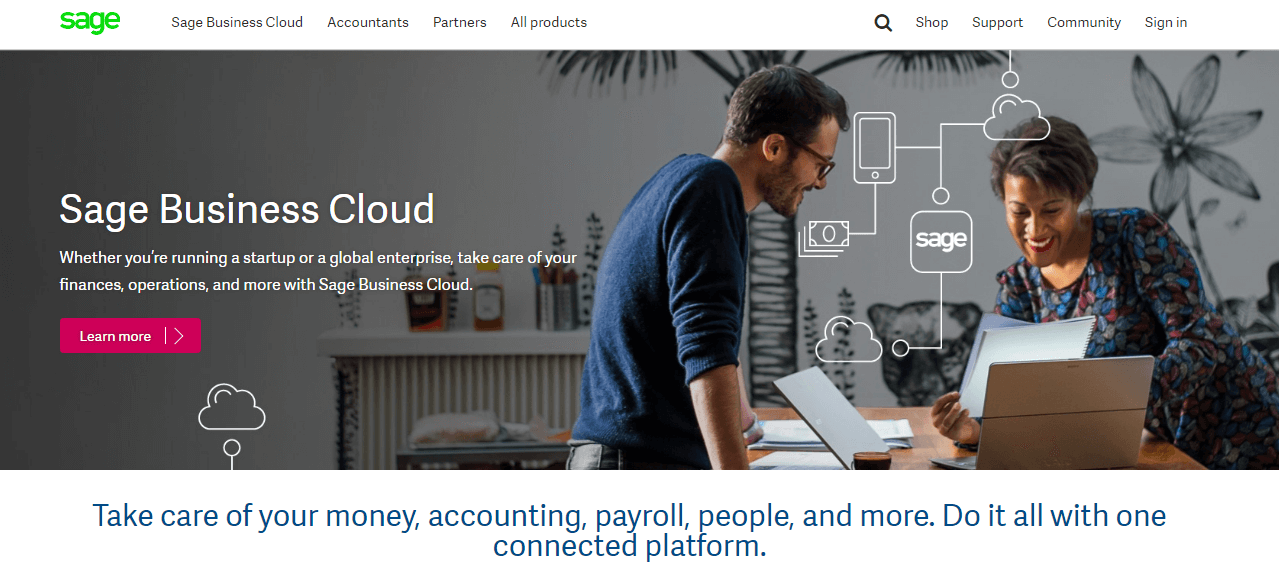
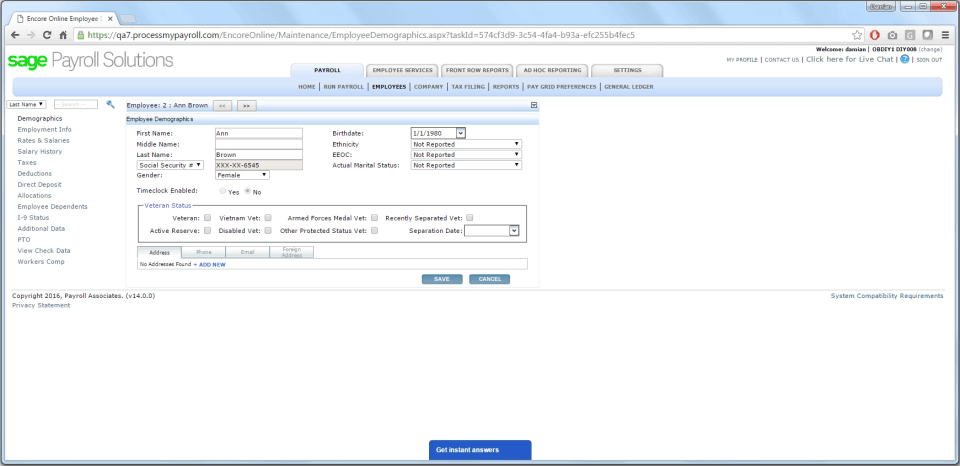
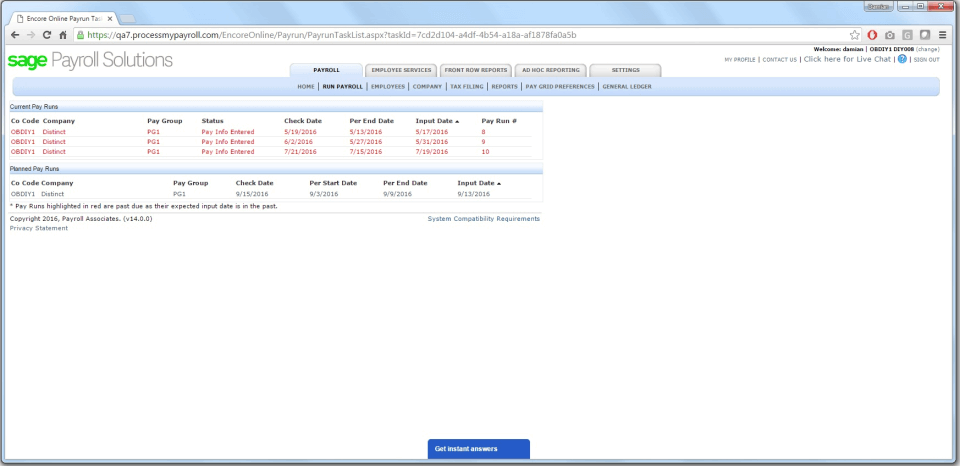
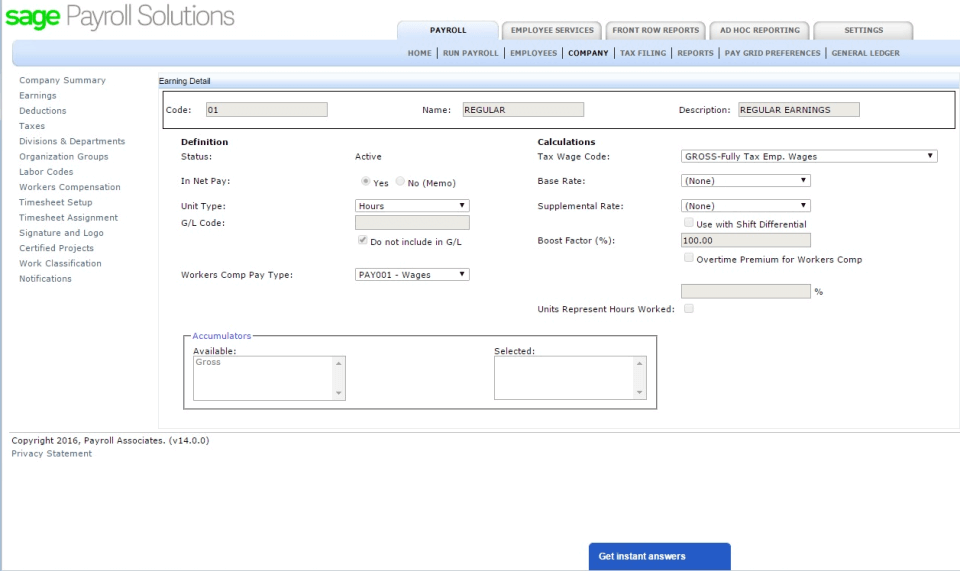
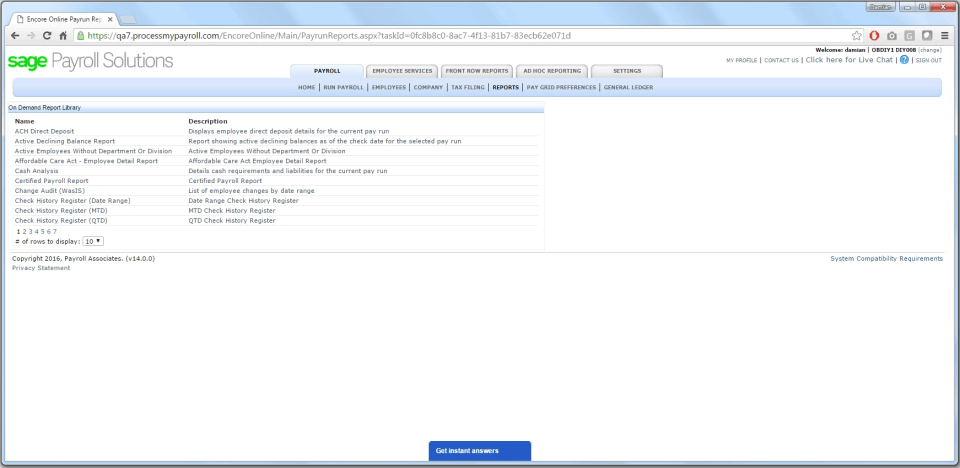
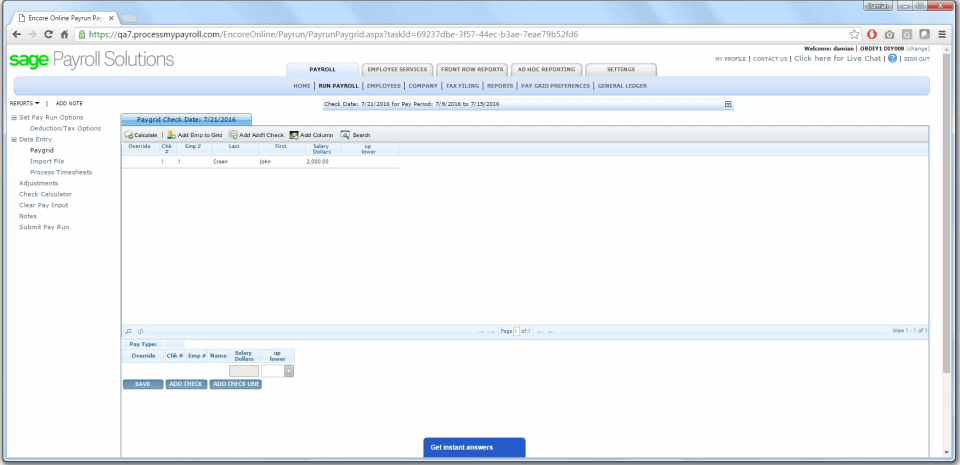
Description
Sage Payroll at a Glance
| Question | Quick answer |
|---|---|
| What it is | Sage Business Cloud Payroll, the UK cloud SaaS payroll product from The Sage Group plc, HMRC Recognised with RTI submission baked in. |
| Which SKU this is | Sage Business Cloud Payroll (UK, browser based). Not Sage 50 Payroll (UK desktop/hybrid), Sage HRMS Payroll (US), or Sage MicrOpay (Australia). |
| Who it serves | UK small and mid-sized employers from 1 to 150 employees that need HMRC-compliant payroll with bundled basic HR. |
| Pricing posture | Published GBP rates from £10 per month on Essentials to £30 per month on Premium, plus a per-employee surcharge beyond 5 staff. Prices exclude VAT. |
| Headline differentiator | One of the few UK payroll products from a FTSE 100 vendor with a 1981 trading history, native Sage Business Cloud Accounting integration, and a tiered HR bundle inside the Standard and Premium plans. |
Sage Payroll on Business Cloud is the UK SMB answer from The Sage Group plc, a Newcastle upon Tyne vendor trading on the LSE since the 1980s. The product is HMRC Recognised, supports RTI submission via FPS and EPS, and pairs cleanly with Sage Business Cloud Accounting and Sage HR. It sits in a UK-specific bracket of the global payroll software market alongside BrightPay; US-anchored vendors such as Gusto, OnPay, and Paychex Flex do not serve UK PAYE.
Pros and Cons of Sage Payroll
| Pros | Cons |
|---|---|
| HMRC Recognised and RTI submission native; FPS and EPS workflows are first-class | Sage sells multiple payroll SKUs and the buying flow can be confusing on the vendor website |
| Published GBP pricing on the public website, rare for FTSE 100 software vendors | No customer logos publicly displayed on the UK Payroll page; case-study evidence is thin |
| Bundled basic HR on Essentials and deeper HR analytics, expenses, timesheets, and shift scheduling on Standard | Customer count is reported at the Sage Group level (6+ million globally across all products), not Payroll-specific |
| Native Sage Business Cloud Accounting integration for SMBs already running Sage books | No dedicated mobile app confirmed for Sage Business Cloud Payroll (browser-only on the cloud SKU) |
| Premium tier covers up to 150 employees on the same platform | Per-employee surcharge (£2 to £6) layers on top of the base; large teams pay materially more than the £10 to £30 headline |
Who Should Use Sage Payroll
Sage Payroll fits a specific UK buyer profile rather than every employer in the British SMB market.
UK small businesses already on Sage Business Cloud Accounting. Books-on-Sage buyers get the cleanest integration here. Journal posting, employer NI accruals, and payroll-to-ledger reconciliation flow inside one vendor.
Employers with 5 to 50 staff who want HR bundled. Standard at £20 per month plus £4 per employee adds HR analytics, expense management, timesheets, and shift scheduling. For a 20-person UK business the bundle is cheaper than buying a standalone HR tool from the broader HR software market and bolting payroll on separately.
Growing UK SMBs that may cross 100 employees. Premium scales to 150 staff on one platform without forcing a migration to Sage 50 Payroll or an enterprise SKU. Premium's ceiling buys headroom.
Bookkeepers and UK accountants running multi-client payroll. Sage's accountant partner programme is one of the deepest in the UK, and bookkeepers comfortable with Sage 50 Accounts find the cloud Payroll product familiar.
Not the right fit: Buyers outside the UK (US, Canada, India, AU each need a different Sage SKU or a different vendor entirely: Wagepoint for Canada, Zoho Payroll or Pocket HRMS for India, ADP Run or QuickBooks Payroll for US). Desktop-installed buyers should look at Sage 50 Payroll. Buyers above 150 staff should evaluate Sage Intacct or enterprise HRIS.
Sage Payroll Product Suite
The cloud product line is tiered with HR depth layered onto each step. Payroll itself is consistent across all three plans; the difference is the HR scope bundled in.
Payroll Essentials
Base payroll for up to 5 employees at £10 per month, plus £2 per employee beyond. RTI submission, payslips, basic HR records, and statutory holidays are included. Suitable for sole directors and microbusinesses needing PAYE compliance without HR depth.
Payroll Standard
Essentials plus advanced HR analytics, expense management, timesheets, and shift scheduling at £20 per month base plus £4 per employee. The right tier for most UK SMBs in the 10 to 50 employee range where some HR workflow is worth bundling but a dedicated HRIS is overkill.
Payroll Premium
Standard plus the full feature set, scaling to 150 employees at £30 per month base plus £6 per employee. Buyers expecting to cross 50 staff inside the contract year often start here to avoid mid-contract migration friction.
Sage HR and Sage Accounting integrations
Sage HR is a separately priced module for deeper performance, time-off, and shift workflows. Sage Business Cloud Accounting handles the ledger side. Both are native integrations and the usual companion purchases.
How Much Does Sage Payroll Cost
| Plan | Base price (GBP, excl. VAT) | Per-employee beyond 5 | What it includes |
|---|---|---|---|
| Payroll Essentials | £10 per month | £2 per employee per month | Up to 5 employees in base, RTI submission, payslips, basic HR records and holidays |
| Payroll Standard | £20 per month | £4 per employee per month | Essentials plus advanced HR analytics, expenses, timesheets, shift scheduling |
| Payroll Premium | £30 per month | £6 per employee per month | Standard plus full feature set, scales to 150 employees |
A 20-employee UK SMB on Payroll Standard runs £20 base plus 15 additional employees at £4 each, or £80 per month before VAT. Premium for the same headcount is £30 plus £90 in per-employee fees, totalling £120 per month. Modelling year-one cost on the per-employee curve matters more than the headline base.
Implementation Plan: Rolling Out Sage Payroll
Sage Payroll is self-serve cloud onboarding for most UK SMBs. Buyers with PAYE references, employee data, and last year's RTI submissions to hand complete cutover in 2 to 4 weeks.
Week 1: Account setup and HMRC linkage. Create the company record, enter PAYE reference, Accounts Office reference, and tax office details. Configure the pay calendar and the bank account used for BACS credits. Bookkeepers familiar with Sage Accounting adapt within hours.
Week 2: Employee data and statutory setup. Import employee records (NI numbers, tax codes, year-to-date pay if mid-year), pension scheme details for auto-enrolment, and statutory leave balances. Verify NI category letters and tax codes against P9 notices from HMRC.
Week 3: Parallel pay-run pilot. Run the first pay cycle in parallel with the legacy process. Reconcile gross-to-net, employer NI, pension contributions, and student loan deductions. Submit a test FPS and confirm HMRC acceptance before live cutover.
Week 4: Live cutover and RTI submission. Run live payroll, generate payslips, submit FPS and EPS to HMRC for the period, and post the journal to Sage Accounting. Year-end (April) routines include the final FPS and P60 generation.
Run-state: Process payroll per the pay calendar, approve before pay date, and let the platform submit RTI to HMRC automatically. Monthly accountant review through the Sage accountant portal is included at no extra cost.
Hidden Costs and Contract Gotchas
VAT applies on top of headline pricing. Sage publishes prices excluding VAT. Non-VAT-registered buyers pay the gross figure. Budget 20% on top of the headline rates.
Per-employee surcharge after 5 staff. The base price covers up to 5 employees only. A 30-employee deployment on Standard at £4 per employee adds £100 per month on top of the £20 base. Buyers should run the full headcount maths against BrightPay's annual licence model before signing.
SKU confusion at the buying stage. Sage sells Business Cloud Payroll (UK SaaS), Sage 50 Payroll (UK desktop), Sage HRMS Payroll (US), and Sage MicrOpay (AU). Verify the URL path (/en-gb/sage-business-cloud/payroll/) before signing.
HR scope is bundled, not standalone. The HR features inside Standard and Premium are payroll-adjacent (records, holidays, expenses, timesheets, shift scheduling). Performance, learning, and applicant tracking need a separate tool.
No mobile app confirmed for the cloud SKU. Sage Business Cloud Payroll is browser-based. Managers approving payroll on the go work through the web app on phone browsers.
What Real Buyers Report
Common positive themes focus on the HMRC compliance posture (RTI submission lands without manual rework most cycles), the depth of the Sage accountant partner network in the UK, and the value of bundled HR on the Standard plan for SMBs that would otherwise buy a separate tool from the attendance management or HR markets. The Premium plan scaling to 150 employees is repeatedly cited as a reason buyers picked Sage over BrightPay.
Critical themes include the per-employee surcharge eroding the headline price above 20 staff, the SKU confusion at the buying stage, the lack of named customer case studies on the public Payroll page, and the browser-only access on the cloud SKU. UK reviewers comparing Sage to BrightPay frequently flag BrightPay's annual licence as cheaper at the 20+ employee threshold; run both quotes.
Sage Payroll Alternatives
| If you are evaluating | Closest alternatives | Why |
|---|---|---|
| Sage for UK PAYE compliance | BrightPay | BrightPay is HMRC Recognised, popular with UK bureaus, and uses an annual licence model that often beats Sage's per-employee maths above 20 staff |
| Sage for SMBs outside the UK | Wagepoint, Zoho Payroll, QuickBooks Payroll | Wagepoint covers Canada-only payroll; Zoho Payroll covers India; QuickBooks Payroll handles US federal, state, and local filings. Sage Business Cloud Payroll does not serve any of these markets on the same SKU |
| Sage for accounting-anchored payroll | QuickBooks Payroll | For SMBs already on QuickBooks Online instead of Sage Accounting, QuickBooks Payroll is the equivalent native integration choice |
| Sage for larger UK employers (150+ staff) | Rippling, enterprise Sage Intacct or alternative HRIS | Rippling supports UK PAYE inside a global HRIS plus IT bundle; Sage Intacct serves the enterprise back office above the Business Cloud Payroll ceiling |
Bottom Line
Sage Business Cloud Payroll is a credible UK SMB option from a FTSE 100 vendor with a 40+ year trading history. Buyers already on Sage Business Cloud Accounting get the cleanest integration on the UK market, and the tiered HR bundle on Standard and Premium reduces the need for a separate HR tool below 150 employees. The trade-offs are SKU confusion at the buying stage, the per-employee surcharge on top of the headline base, the lack of named customer case studies on the public Payroll page, and no dedicated mobile app on the cloud SKU. UK SMBs outside the Sage ecosystem should price BrightPay in parallel. For buyers outside the UK, the starting points are Wagepoint (Canada), Zoho Payroll (India), or QuickBooks Payroll (US). See the broader payroll software guide, or the billing software guide if the wider finance-ops stack is also in scope.
Frequently Asked Questions
What is Sage Payroll and who is it for?
Which Sage Payroll variant is this?
How much does Sage Payroll cost?
Is Sage Payroll HMRC recognised?
Does Sage Payroll integrate with Sage Accounting?
How does Sage Payroll compare to BrightPay?
Does Sage Payroll have a mobile app?
What customers use Sage Payroll?
Is Sage Payroll available outside the UK?
Does Sage Payroll offer a free trial?
Find Your Perfect Software
See how it can transform your workflow
- Personalized for your needs Tailored recommendations based on your unique requirements.
- Save time & resources Streamline your workflow and boost team productivity.
- Trusted by thousands Join 10,000+ businesses already growing with SaaSrat.
You're all set! 🎉
A specialist for will reach out within 1 business day with tailored recommendations for your needs.