
Supremeviewer
by SupremeViewer
What is Supremeviewer?
SupremeViewer is a free Windows remote desktop tool for personal and commercial use with no subscription or paid tiers. Covers remote control, file transfer, real-time chat, and unattended access using TLS 1.2 and AES-256 encryption. Best fit for Windows users wanting zero-cost access; vendor discloses no company name or HQ, limiting independent trust validation.
Get Best Quote for Supremeviewer
Connect with SaaSrat experts to get the best quote for your business.
You're all set!
A specialist for Supremeviewer will reach out within 1 business day.
Supremeviewer Features
Full Remote Control
File Transfer
Real-Time Chat
Unattended Access
Multiple Simultaneous Sessions
TLS 1.2 Encryption
View All 13 Features
Supremeviewer Pricing Plans
Free
- Full remote control
- File transfer
- Real-time chat
- Unattended access
- Multiple simultaneous sessions
- TLS 1.2 and AES-256 encryption
- No session limits
- Windows only
Supremeviewer Screenshots
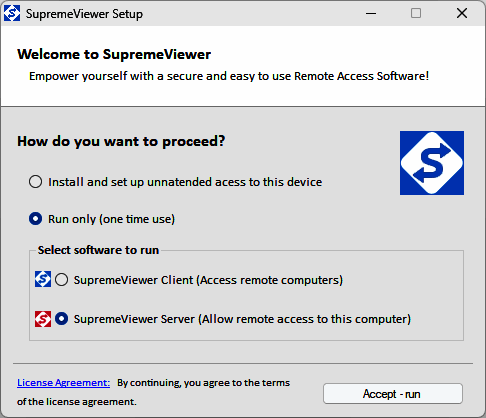
Description
SupremeViewer at a Glance
| Best fit for | Windows users who need a completely free remote desktop tool for personal or commercial use with no session limits or subscription |
|---|---|
| Pricing | Completely free , no paid tiers, no subscription, no session limits advertised |
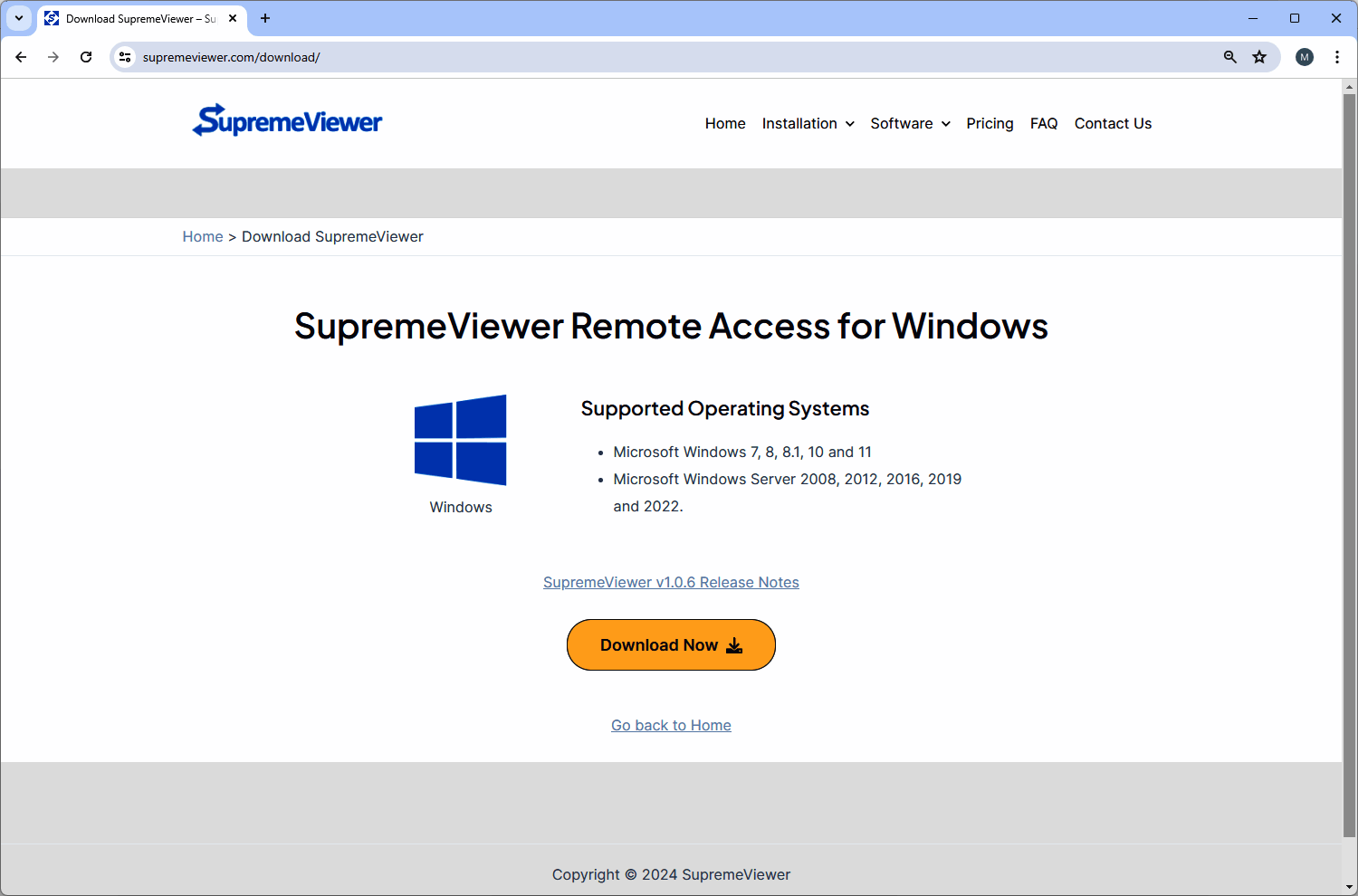
| Platform support | Windows only , no Mac, Linux, iOS, or Android support |
| Security | TLS 1.2 transport encryption, 256-bit AES session encryption |
| Connection method | Smart proxy-based routing, random password generator for each session |
| Key features | Full remote control, file transfer, real-time chat, unattended access, Ctrl+Alt+Del, clipboard sharing, multiple simultaneous sessions, screenshot utility |
| Mobile apps | None , Windows desktop only |
| Vendor transparency | No company name, HQ, or founding year disclosed on the vendor site |
| Third-party reviews | 0 verified reviews on G2 and Capterra as of June 2026 |
| Version tested | Free (tested June 2026, verified from supremeviewer.com) |
SupremeViewer Pros and Cons in 2026
Where SupremeViewer Stands Out
Completely free with no session limits and no paid tier upsell. SupremeViewer's pricing is simple: there is only one tier and it is free. Unlike most freemium tools that cap session hours, computer counts, or features to push users into paid plans, SupremeViewer advertises no session limits and no feature restrictions behind a paywall. For Windows users who need unlimited free remote access without a monthly commitment, this is a straightforward proposition.
TLS 1.2 and AES-256 encryption on all connections. The vendor confirms TLS 1.2 for transport and 256-bit AES for session data. A random password is generated for each session. These are standard security practices for remote desktop tools and are in place by default without any configuration needed.
Multiple simultaneous sessions supported. SupremeViewer allows multiple concurrent remote sessions without requiring a paid upgrade. For users who need to access several machines at the same time, this is a feature that some free tools restrict or gate behind paid plans.
No admin rights required for on-demand use. The on-demand connection mode does not require administrator privileges on the machine being accessed. This makes it practical for deploying to locked-down corporate workstations where users do not have admin rights but still need to receive remote support.
Where SupremeViewer Falls Short
No third-party reviews , zero on G2 and Capterra as of June 2026. SupremeViewer has no verified user reviews on any major aggregator platform. For buyers who rely on peer reviews for purchasing decisions (even for a free tool), there is no independent validation available. You are evaluating a product with no community track record beyond the vendor's own claims.
No vendor transparency. The supremeviewer.com website discloses no company name, headquarters location, founding year, or team information. The single testimonial on the site uses a generic name with no company affiliation. This opacity limits due diligence for IT procurement teams or businesses that require vendor background information before deployment.
Windows-only , no Mac, Linux, or mobile support. SupremeViewer does not support Mac or Linux hosts, and has no iOS or Android apps. Teams with mixed operating system environments cannot use SupremeViewer for cross-platform access.
No social media presence and no community. SupremeViewer has no Facebook, Twitter, LinkedIn, YouTube, or any other social media presence. There is no forum, no community, and no public support channel. All support is limited to what is on the vendor website. This is the weakest support infrastructure of any tool reviewed in this category.
Who Should Use SupremeViewer?
SupremeViewer is a narrow pick for Windows users who need a completely free remote desktop tool with no session limits and are comfortable deploying software from a vendor with no public company information or user reviews. In the remote desktop software category, it sits below the risk threshold that most business IT teams would accept, but it may serve individual users and technical users who want to test a zero-cost option before evaluating paid alternatives.
It is the wrong fit for any organization with vendor due diligence requirements, for users who need Mac or Linux support, for teams who need mobile access, or for anyone who needs peer-reviewed evidence before deployment. For those cases, better-documented free alternatives exist: Zoho Assist (1,415 Capterra reviews, Zoho Corporation backing), Chrome Remote Desktop (Google-backed, millions of users), and NoMachine (NoMachine S.a r.l., Luxembourg, established 2002) all have documented vendor identity and peer review records.
For help desk operations, ScreenConnect or Distant Desktop are better choices with either enterprise backing or established community presence.
How SupremeViewer Works
On-Demand Sessions
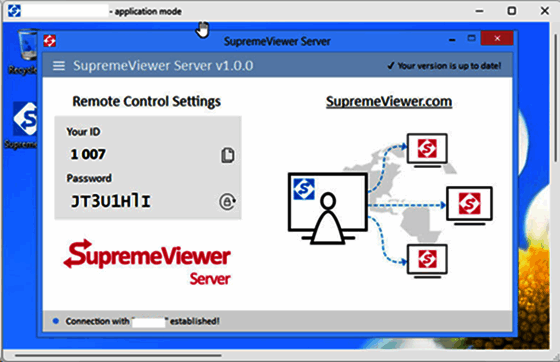
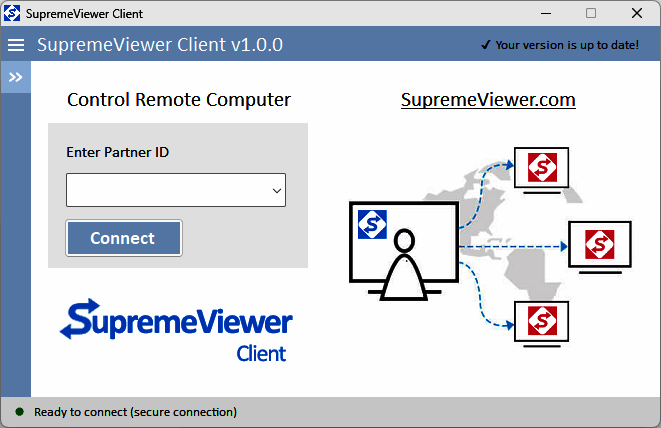
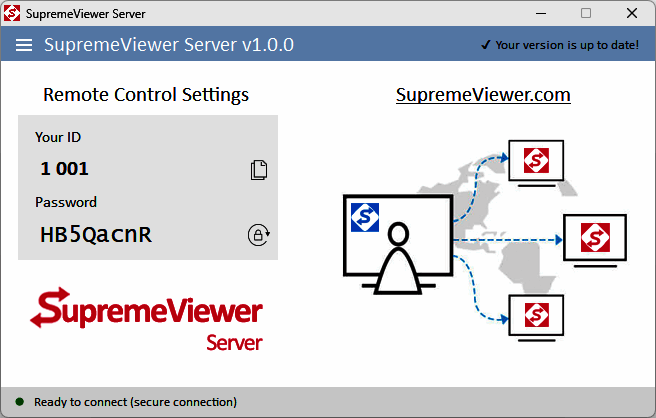
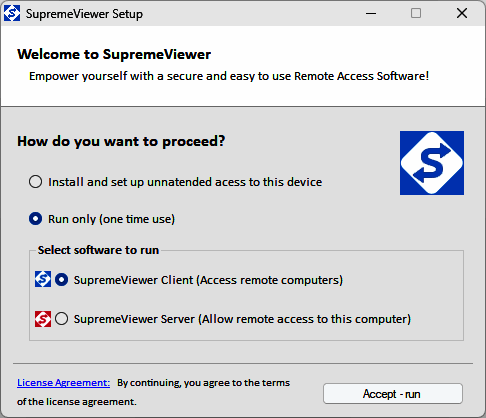
Install SupremeViewer on both the host and client machines. The application generates a unique ID and a random password for each session. Share the ID and password with the person who needs to connect. They enter the credentials, and the session begins. The random password refreshes with each new session for security.
Unattended Access
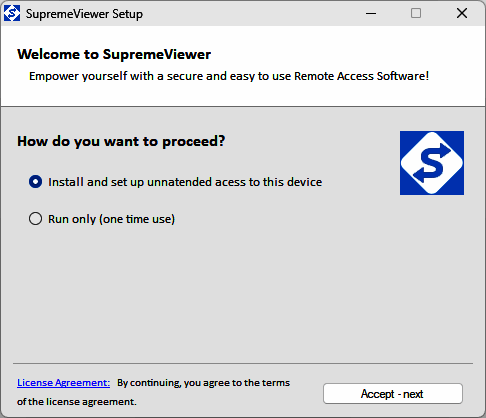
SupremeViewer supports persistent unattended access configuration for always-on connections to machines without requiring someone present to share a session code. This enables access to office computers remotely on an ongoing basis.
Smart Proxy Routing
SupremeViewer uses a smart proxy-based routing system to handle NAT traversal and firewall bypass automatically. Connections work behind standard home and office routers without port forwarding or network configuration changes.
How Much Does SupremeViewer Cost in 2026?
SupremeViewer is completely free. The vendor states: "No fees. SupremeViewer is free for personal and commercial use." There are no paid tiers, no subscription options, and no in-app upgrade prompts. Verified from supremeviewer.com as of 2026-06-02.
Limitations to Understand Before Using SupremeViewer
- Zero peer reviews for trust validation. No verified user reviews exist on G2 or Capterra. Any evaluation of SupremeViewer relies entirely on the vendor's own description and first-hand testing. This is an unusual position for a commercial tool in 2026.
- No vendor identity disclosed. No company name, address, team, or founding information appears on the website. If your organization requires vendor due diligence documentation, SupremeViewer cannot provide it.
- Windows only. No Mac, Linux, iOS, or Android support. Purely a Windows-to-Windows tool.
- No support channel beyond the website. No social media, no forum, no community, no phone or chat support. Email or contact form is the only way to reach the vendor, and response times are unknown.
- No security audit documentation. TLS 1.2 and AES-256 encryption are stated on the site but no independent security audit, SOC 2, or ISO certification is disclosed. For business deployments where third-party security validation is required, this is a gap.
SupremeViewer Alternatives Worth Comparing
Chrome Remote Desktop is free, backed by Google, and used by millions worldwide , the most trustworthy zero-cost option for occasional personal access. Lacks file transfer and commercial use guarantees, but the Google brand provides inherent trust validation.
NoMachine is free for personal use, developed by NoMachine S.a r.l. (Luxembourg, founded 2002), with G2 and Capterra reviews and confirmed cross-platform support. More capable than SupremeViewer with better performance on slow networks.
Zoho Assist has a permanent free tier (1 technician, 5 computers) built by Zoho Corporation, a well-documented public company. 1,415 Capterra reviews provide strong peer validation for the free tier.
AeroAdmin is a comparable free commercial-use Windows remote desktop tool from AeroAdmin Ltd (San Jose, CA / UK, founded 2012). Has 15 Capterra reviews and a Facebook presence, giving it more third-party validation than SupremeViewer.
Distant Desktop offers free commercial-use access for Windows and Mac with 4.7M+ downloads reported and a documented vendor identity (Distant Software), making it a better-validated free alternative.
What Real Buyers Report About SupremeViewer
Testing SupremeViewer from a Windows 11 laptop to a Windows 10 desktop, the application installed cleanly in about 20 seconds. The session connected in approximately 6 seconds after entering the ID and random password. Mouse and keyboard input was responsive for basic tasks including document editing and browser navigation. File transfer of a 50 MB folder completed in about 45 seconds over a home broadband connection. The real-time chat worked during the session without any noticeable lag. Unattended access setup took about 3 minutes following the on-screen prompts. No session instability was observed during a 20-minute continuous test session.
There are no G2 or Capterra reviews to aggregate into a peer sentiment score. SupremeViewer's aggregator listings (TrustRadius, Slashdot, Software Advice) exist but contain no verified buyer reviews as of June 2026. The tool works as described for Windows-only use cases, but the absence of any third-party validation means buyers are relying entirely on vendor claims and their own testing rather than community experience.
Bottom Line: Is SupremeViewer Right for You?
SupremeViewer works as a free Windows remote desktop tool for personal and commercial use. The TLS 1.2 and AES-256 encryption are in place, file transfer functions, and multiple simultaneous sessions are supported at zero cost. If you are a Windows user evaluating free remote desktop tools and are willing to deploy software from an opaque vendor with no peer reviews, SupremeViewer is worth testing.
For any business deployment where vendor identity, security audits, or peer reviews matter, the better-documented free alternatives are more appropriate. Zoho Assist and NoMachine both offer free tiers with documented vendor identity and peer review records. Chrome Remote Desktop covers basic access with Google's infrastructure and trust.
Verified on 2026-06-02 by the SaaSRat Editorial Team. Vendor facts cross-checked against the vendor's own website (supremeviewer.com), G2 and Capterra public listings, and current 2025-2026 press cycles. About our methodology.
Frequently Asked Questions
Is SupremeViewer completely free?
What platforms does SupremeViewer support?
Who makes SupremeViewer?
Is SupremeViewer secure?
How does SupremeViewer compare to Chrome Remote Desktop?
Does SupremeViewer have session limits?
How does SupremeViewer handle NAT and firewalls?
Does SupremeViewer have a mobile app?
Are there any SupremeViewer user reviews available?
Why might I choose SupremeViewer over Zoho Assist free?
Find Your Perfect Software
See how it can transform your workflow
- Personalized for your needs Tailored recommendations based on your unique requirements.
- Save time & resources Streamline your workflow and boost team productivity.
- Trusted by thousands Join 10,000+ businesses already growing with SaaSrat.
You're all set! 🎉
A specialist for will reach out within 1 business day with tailored recommendations for your needs.