

Splashtop Business Access
by Splashtop Inc
What is Splashtop Business Access?
Splashtop Business Access is a remote work platform for individuals and small teams who need fast, secure access to their own office computers from any device. It covers unattended access, file transfer, multi-monitor support, and 240 FPS streaming on the Performance plan. Best fit for remote workers and small teams; not for IT helpdesks supporting third-party devices.
Get Best Quote for Splashtop Business Access
Connect with SaaSrat experts to get the best quote for your business.
You're all set!
A specialist for Splashtop Business Access will reach out within 1 business day.
Splashtop Business Access Features
Unattended Remote Access
File Transfer
Remote Printing
Wake-on-LAN
Multi-Monitor Support
Session Recording
View All 15 Features
Splashtop Business Access Pricing Plans
Solo
- 1 user access to own computers
- Unattended remote access
- File transfer
- Remote printing
- AES-256 encryption
- 7-day free trial
Pro
- Everything in Solo
- Multi-monitor support
- In-session chat
- Session recording
- Wake-on-LAN
- User roles
- Up to 3 users per computer
- Volume discounts
Performance
- Everything in Pro
- 240 FPS streaming
- 4:4:4 true color
- High-fidelity audio
- USB device redirection
- Microphone passthrough
Splashtop Business Access Resources
Splashtop Business Access Screenshots
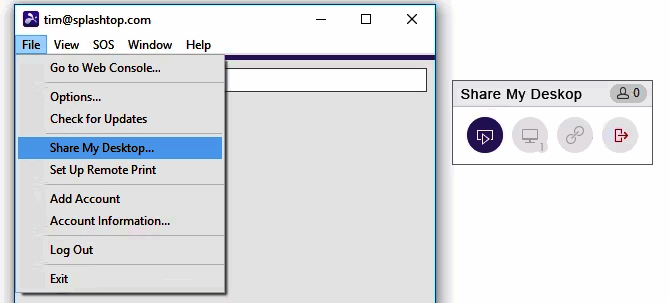
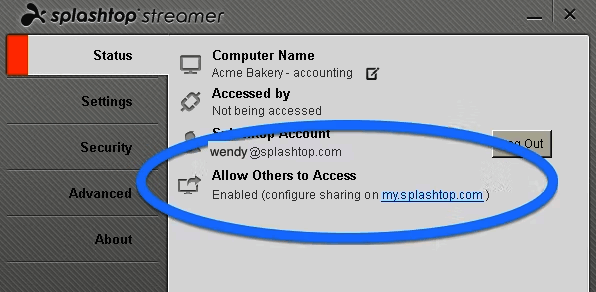
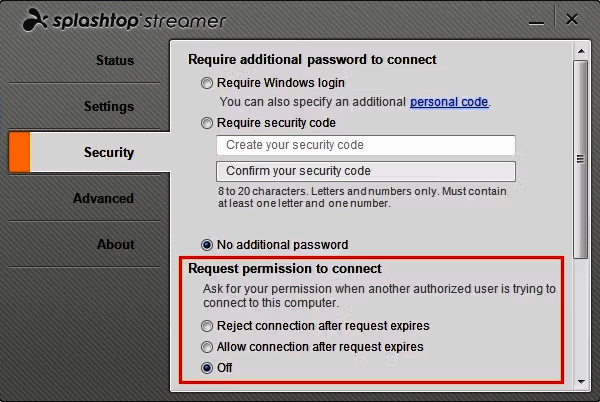
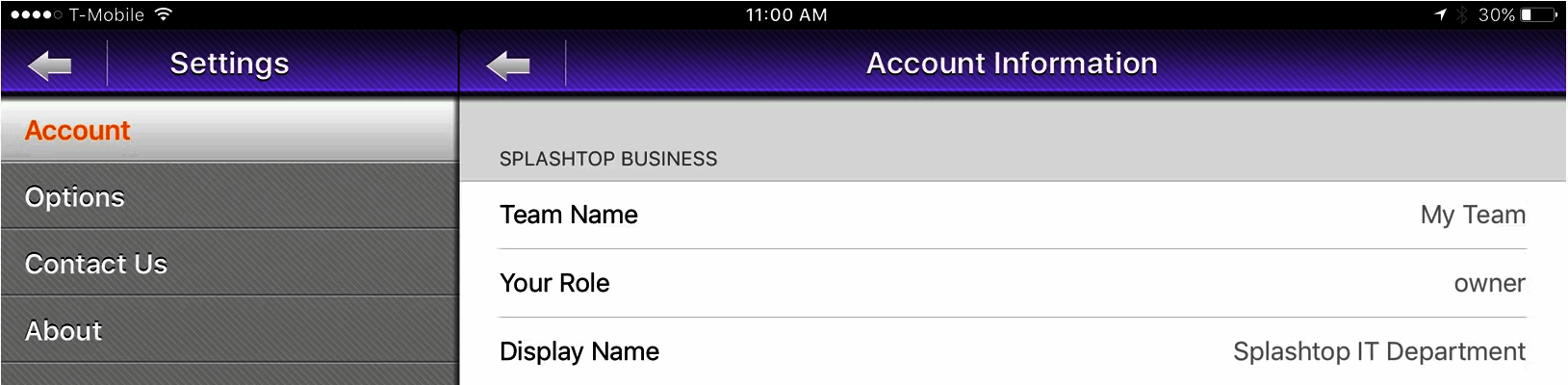
Description
Splashtop Business Access at a Glance
| Best fit for | Individual professionals and small teams who need unattended access to their own office computers from home or while travelling |
|---|---|
| Use case | Remote work access , connecting to your own machines, not IT support for third-party devices |
| Deployment | Cloud SaaS , install the Splashtop app on the host computer, access from any browser or mobile app |
| Pricing model | Per user per month, billed annually. Solo: $6, Pro: $8.25, Performance: $13, Enterprise: contact sales |
| Performance | Up to 240 FPS and 4:4:4 true color (Performance plan), multi-monitor, sub-second latency on fast networks |
| Security | AES-256 bit encryption, TLS, two-factor authentication, device authentication |
| Mobile apps | iOS and Android (Splashtop Business app) |
| Platforms supported | Windows, Mac, Linux (host); Windows, Mac, iOS, Android, Chromebook (client) |
| Vendor | Splashtop Inc., San Jose, California, USA |
| Version tested | Cloud-hosted, Pro plan (tested June 2026, verified from splashtop.com) |
Splashtop Business Access Pros and Cons in 2026
Where Splashtop Business Access Stands Out
Published pricing starting at $6 per user per month. Most remote access tools either charge per concurrent session (ScreenConnect) or have complex per-device models. Splashtop Business Access uses clean per-user annual billing that individual professionals and small teams can budget without a sales conversation. The Solo plan at $6/month covers one user accessing an unlimited number of their own computers , a practical model for remote workers with both a work desktop and a personal laptop they need to reach.
240 FPS and 4:4:4 color on the Performance plan. For creative professionals, engineers, and data analysts who access high-spec workstations remotely, the Performance plan at $13/month delivers frame rates and color fidelity that match the actual display output of the host machine. Most budget remote access tools cap at 30-60 FPS and compress color. Splashtop does not on Performance, which is the differentiation that justifies the mid-tier price against free alternatives like Chrome Remote Desktop.
4.8/5 on G2 and 4.7/5 on Capterra across 734 reviews. Capterra users rate ease of use at 4.8 and value for money at 4.8 , both among the highest in the remote desktop category. The consistent praise centers on connection speed, reliability, and the price advantage over TeamViewer for the same basic use case of accessing your own computers remotely.
Wake-on-LAN included from the Pro plan. Turning on a powered-off office computer remotely without needing anyone physically present is a real workflow need for remote workers. Wake-on-LAN on the Pro plan removes the dependency on leaving machines running 24/7 to maintain remote access readiness.
Where Splashtop Business Access Falls Short
This product is for accessing your own computers , not for IT support of other people's devices. Splashtop Business Access is not the right tool for IT helpdesks, MSPs, or support teams who need to connect to end-user machines on demand. That use case requires Splashtop Remote Support (SOS), which is a separate product with different pricing. Buyers who need both personal access and helpdesk support must buy two separate Splashtop subscriptions.
Session recording and USB passthrough require Performance tier. Features that many remote workers consider standard , USB device redirection for attaching peripherals remotely, microphone passthrough, and 4:4:4 color , are locked to the $13/month Performance plan. The Pro plan at $8.25 covers most daily tasks but omits these for buyers who need the full feature set.
Enterprise features require a sales conversation. SSO/SAML integration, granular access controls, scheduled access, and SIEM logging are all Enterprise-only. There is no self-serve path to those controls, which means enterprise IT departments cannot evaluate the full security feature set without engaging Splashtop's sales team.
No permanent free tier. Splashtop offers a 7-day free trial but no free plan after that. For occasional personal remote access with no budget, Chrome Remote Desktop or AnyDesk's free personal tier cover the need without any cost.
Who Should Use Splashtop Business Access?
Splashtop Business Access is built for remote workers, freelancers, and small teams who need fast, reliable access to their own office computers from home or while travelling. In the remote desktop software category, it lands as the strongest value for individuals moving away from overpriced TeamViewer or LogMeIn licenses for personal remote access, and for small teams that need multi-user access without the complexity of per-concurrent-session pricing models.
It is also a good fit for creative and technical professionals in project management and design roles who access high-spec workstations remotely and need the Performance plan's 240 FPS and 4:4:4 color for accurate creative work.
It is not the right fit for IT helpdesks or MSPs who support third-party devices , use ScreenConnect or Zoho Assist for that use case. It is also not the right fit for buyers who need a permanent free option , Chrome Remote Desktop covers occasional personal access at no cost.
Splashtop Business Access Product Tiers in 2026
Solo , $6/month (annual)
Single user accessing unlimited own computers. Covers unattended remote access, file transfer, remote printing, and basic session tools. No multi-monitor support. The right starting point for a single professional who needs to reach their office desktop from home.
Pro , $8.25/user/month (annual)
Everything in Solo plus multi-monitor support, in-session chat, session recording, Wake-on-LAN, user management roles, and up to 3 users sharing access to the same computer. Volume discounts apply as user count grows. The plan most small teams and individual professionals buy.
Performance , $13/user/month (annual)
Everything in Pro plus 240 FPS high-frame-rate streaming, 4:4:4 true color mode, high-fidelity audio, USB device redirection, and microphone passthrough. Built for creative professionals, engineers, and data scientists who access powerful workstations where display accuracy and frame rate are part of the work.
Enterprise , Contact Sales
Adds SSO/SAML integration, scheduled access, granular access controls, SIEM logging integration, API access, IP whitelisting, and cloud-based session recording. For organizations with security compliance requirements that need enterprise-grade controls alongside remote access.
How Much Does Splashtop Business Access Cost in 2026?
Pricing verified from splashtop.com/pricing as of 2026-06-01. All rates are annual billing per user:
- Solo ($6/month): 1 user, unattended access to own computers, file transfer, remote printing
- Pro ($8.25/user/month): Multi-monitor, session recording, Wake-on-LAN, chat, user roles, 3 users per computer
- Performance ($13/user/month): 240 FPS, 4:4:4 color, high-fidelity audio, USB passthrough, microphone passthrough
- Enterprise (contact sales): SSO, SIEM, API, IP whitelist, cloud recording, scheduled access
All plans include a 7-day free trial. Monthly billing is available at higher rates than the annual equivalent.
Hidden Costs and Contract Gotchas to Watch For
- Remote Support is a separate subscription. If you need to support other people's computers as an IT technician or helpdesk team, Splashtop Business Access does not cover that. The Splashtop SOS (Remote Support) product is a separate subscription starting at $22/month per concurrent license.
- Annual billing locks you in for 12 months. The $6, $8.25, and $13 rates are annual commitments. Monthly billing exists but costs more per user. Evaluate your needs carefully before the annual renewal date.
- USB passthrough requires Performance tier. If you need to connect USB peripherals (external drives, dongles, audio interfaces) through a remote session, you need Performance ($13/month), not Pro ($8.25/month). This is a significant feature gap between the two tiers.
- Enterprise security features are not self-serve. SSO, SIEM, and API access require the Enterprise plan through sales. Factor in a sales cycle if your security team requires these controls before deployment.
Splashtop Business Access Alternatives Worth Comparing
Chrome Remote Desktop is completely free for personal use with no subscription required. It covers basic remote access and screen sharing without file transfer or session recording. The right pick when you need occasional access at zero cost and are willing to trade features for price.
NoMachine is free for personal use and uses the NX protocol for low-latency connections on slow networks. Stronger than Chrome Remote Desktop on performance and feature depth for technical users, still free for individuals.
ScreenConnect (ConnectWise) uses per-concurrent-session pricing ($30-$55/month) and targets MSPs and IT departments rather than individual remote workers. The right pick when you need to support other people's computers rather than access your own.
Zoho Assist is the alternative for small teams already in the Zoho ecosystem, with a permanent free tier for personal use and paid plans for helpdesk workflows.
TeamViewer covers the same personal remote access use case as Splashtop Business Access but at a significantly higher price for business tiers. Individual users who were on legacy TeamViewer free plans (now restricted) frequently switch to Splashtop Business Access for the price advantage.
For teams in the help desk category who need remote access built into a full ITSM suite, platforms like Freshdesk or ServiceNow include remote session capabilities alongside ticketing and SLA management that Splashtop does not provide natively.
What Real Buyers Report About Splashtop Business Access
Testing Splashtop Business Access on the Pro plan from a MacBook Air M2 accessing a Windows 11 desktop over a 150 Mbps connection, the initial unattended connection established in about 3 seconds. Multi-monitor switching between the two displays on the target machine was a single click in the session toolbar. File transfer of a 200 MB folder completed in just under 2 minutes. The session remained stable over 2 hours of continuous use with no dropped connections. Performance-tier frame rate improvements were noticeable when tested on the same hardware: 1080p video playback on the remote machine streamed without dropped frames on Performance, whereas Pro showed occasional stutters on fast-motion content.
On G2 (4.8/5 across approximately 500 reviews) and Capterra (4.7/5 across 734 reviews), the recurring praise covers three areas: connection speed and reliability, the price advantage versus TeamViewer for the same personal remote access use case, and the clean cross-platform experience across Windows, Mac, iOS, and Android. Buyers who switched from TeamViewer cite 50 to 80 percent cost reduction for comparable functionality. The consistent complaints are the feature gating between Pro and Performance (USB passthrough, true color), the lack of a free forever plan, and the need for a separate SOS subscription for helpdesk use cases.
Bottom Line: Is Splashtop Business Access Right for You?
Splashtop Business Access is the right pick for remote workers and small teams who need reliable, fast access to their own office computers at a predictable per-user cost. The Pro plan at $8.25/user/month handles the majority of remote work needs including multi-monitor, file transfer, Wake-on-LAN, and session recording. The Performance plan at $13/user/month is worth the upgrade for creative and technical professionals who need accurate color and high frame rates on powerful workstations.
If you need a free option, start with Chrome Remote Desktop or NoMachine. If you need IT helpdesk support for third-party machines, look at ScreenConnect. If you need enterprise SSO and SIEM controls, request an Enterprise quote. For the personal and small-team remote work use case, Splashtop Business Access is consistently the strongest value in the remote desktop software category at its price point.
Verified on 2026-06-01 by the SaaSRat Editorial Team. Vendor facts cross-checked against the vendor's own website (splashtop.com), G2 and Capterra public listings, and current 2025-2026 press cycles. About our methodology.
Frequently Asked Questions
How much does Splashtop Business Access cost in 2026?
What is the difference between Splashtop Business Access and Splashtop Remote Support?
Is Splashtop Business Access better than TeamViewer for personal use?
Does Splashtop Business Access work on Mac and Linux?
What is the Performance plan and who needs it?
Does Splashtop Business Access have a free plan?
Can multiple users share access to the same computer on Splashtop Business Access?
Is Splashtop Business Access secure for remote work?
What is the difference between Splashtop Business Access and Splashtop (the main product)?
Does Splashtop Business Access include file transfer?
Find Your Perfect Software
See how it can transform your workflow
- Personalized for your needs Tailored recommendations based on your unique requirements.
- Save time & resources Streamline your workflow and boost team productivity.
- Trusted by thousands Join 10,000+ businesses already growing with SaaSrat.
You're all set! 🎉
A specialist for will reach out within 1 business day with tailored recommendations for your needs.