
Slack
by Slack
What is Slack?
Get Best Quote for Slack
Connect with SaaSrat experts to get the best quote for your business.
You're all set!
A specialist for Slack will reach out within 1 business day.
Slack Features
Channels (public private multi-channel guest)
Huddles (voice video screen share)
Canvas embedded docs
Lists for structured data
Workflow Builder no-code automation
Slack AI native (summarize draft answer)
View All 13 Features
Slack Pricing Plans
Free
- Up to 10 integrations and 1 workspace
- 90-day message history
- 1:1 huddles only
- Basic search and file sharing
- Pre-built workflow templates
- Verified at slack.com/pricing on 2026-06-30
Pro
- Unlimited message history and integrations
- Group huddles up to 50 participants
- Slack Connect for external collaboration
- Custom retention policies
- Annual billing $7.25/monthly $8.75
- Verified at slack.com/pricing on 2026-06-30
Business+
- Everything in Pro plus SAML SSO
- SCIM provisioning and audit logs
- 99.99% uptime SLA
- HIPAA with signed BAA
- Data export for all messages
- Verified at slack.com/pricing on 2026-06-30
Enterprise Grid
- Unlimited workspaces with central admin
- FedRAMP Moderate environment
- Data residency in US, EU, APAC
- Customer-managed encryption keys
- Dedicated Customer Success Manager
- Verified at slack.com/enterprise on 2026-06-30
Slack Resources
Slack Screenshots
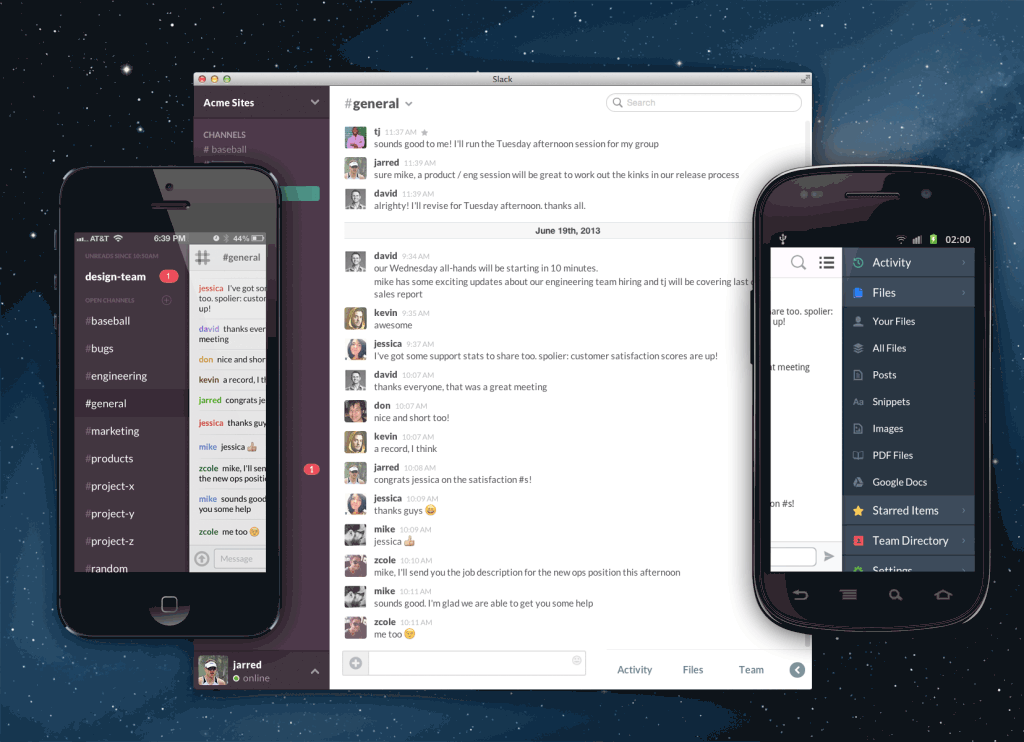
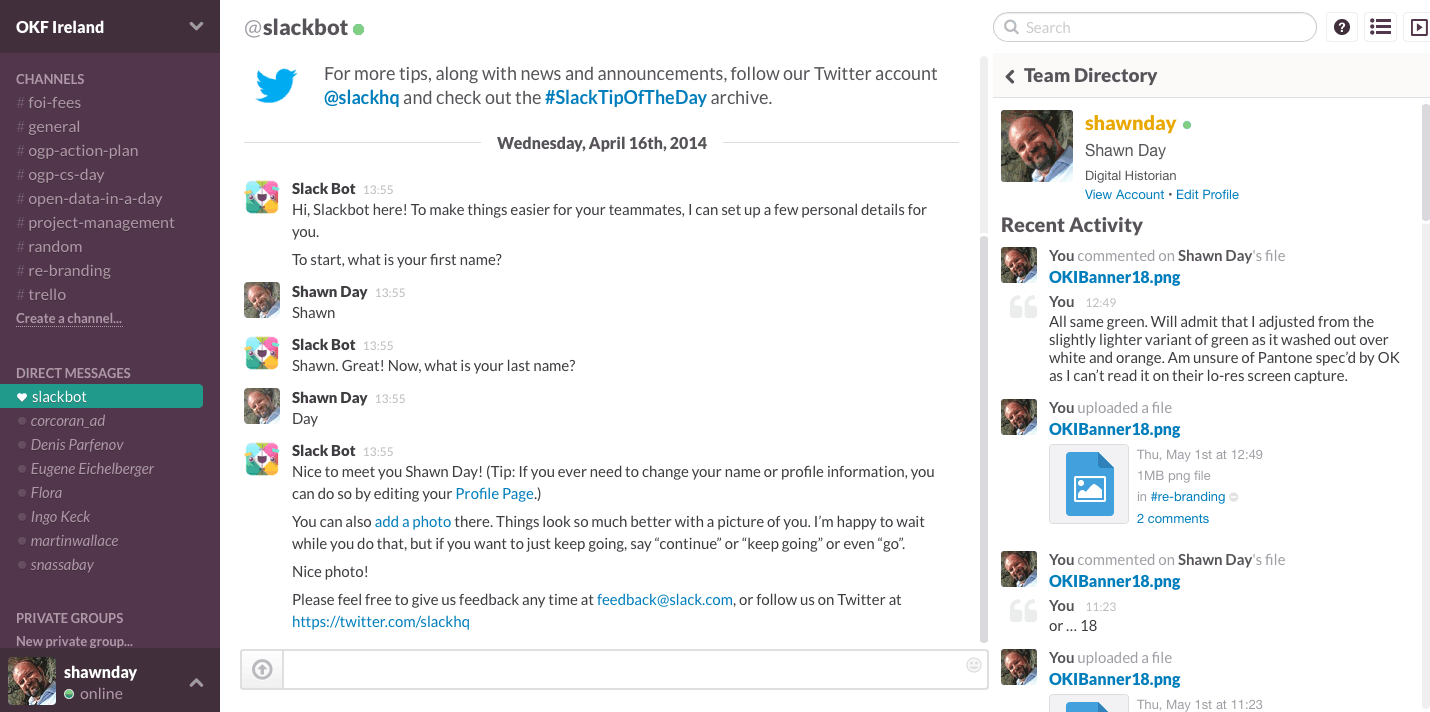
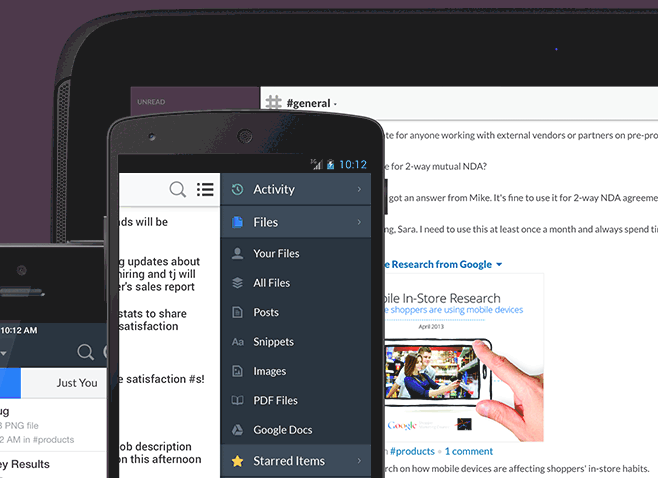
Description
Slack at a Glance
| Best fit for | Engineering teams, sales orgs, modern operations, agencies, distributed companies, Salesforce-integrated workflows |
|---|---|
| Industries | Software/SaaS, financial services, media, retail, professional services, technology, education, healthcare |
| Core platform | Channels, Huddles (voice/video), Canvas (docs), Lists, Workflow Builder, Slack AI, Slack Connect, 1,700+ integrations |
| Pricing model | Per-user monthly (Free, Pro $7.25, Business+ $12.50, Enterprise Grid quote; annual discount) |
| Mobile apps | iOS and Android (full feature parity) |
| Compliance | SOC 2 Type II, ISO 27001, ISO 27018, ISO 27017, FedRAMP Moderate, HIPAA on Business+ with BAA |
| Named customers | Airbnb, IBM, Target, Salesforce, OpenAI, ChatGPT-via-Slack integrations (shown on slack.com) |
| Parent company | Salesforce (acquired Slack in 2021) |
| Headquarters | San Francisco, California |
Slack Pros and Cons in 2026
Where Slack Stands Out
Channels-first communication scales better than email or threaded comments. Topic-based channels with searchable history give teams an asynchronous backbone that email and Microsoft Teams chat-first approaches struggle to match.
1,700+ app integrations are the deepest in workplace messaging. Native integrations with Salesforce, Jira, GitHub, Notion, Figma, Zoom, and Google Drive surface relevant context inline in channels.
Slack AI plus Claude and Agentforce. Native Slack AI summarizes channels, drafts replies, and answers questions. Claude integration brings Anthropic's models into the workspace, and Agentforce automates Salesforce workflows from Slack.
Slack Connect enables external collaboration. Customer, partner, and vendor channels shared across orgs without inviting external users into your workspace, which is unique versus alternatives.
Where Slack Falls Short
Per-user pricing scales aggressively at large headcount. Pro at $7.25 and Business+ at $12.50 per user per month stack quickly above 200 users; Enterprise Grid pricing requires negotiation.
Free tier lost message history caps in 2022. Now caps at 90 days; older policy of 10K message history is gone. Teams hit retention limits faster than before.
Microsoft Teams wins for Microsoft 365 shops with bundled licensing. Free Teams inclusion with M365 makes Slack a budget conversation in Microsoft-shop procurement.
Notification overload requires active configuration. Default settings can overwhelm new users; team-wide notification governance is an admin responsibility.
Who Should Use Slack?
Slack is the right pick for engineering teams using GitHub/Jira/Linear, sales orgs deeply integrated with Salesforce, modern operations needing async-first comms, agencies collaborating with clients via Slack Connect, and distributed companies replacing email for internal comms. In the collaboration and team communication categories, Slack lands as the best fit for channels-first work communication.
It is the wrong fit for Microsoft 365 shops with bundled Teams, very small teams under 10 (free Teams or Discord work), and offline-first or unionized workforces that resist always-on chat. Those buyers should compare Intercom (different category), Microsoft Teams, or Discord.
Slack Product Suite in 2026
Channels and Direct Messages
Topic-based channels (public, private, multi-channel guest). DMs and group DMs. Threaded replies, reactions, mentions, and pinned messages. Searchable history.
Huddles
Lightweight voice/video calls in channels. Screen sharing, Stage mode for presentations, draw-on-screen annotations. Up to 50 participants.
Canvas and Lists
Canvas is the embedded doc surface for project briefs, meeting notes, and reference materials. Lists handle structured data (tasks, issues, decisions) in channels.
Workflow Builder
No-code automation for inbound requests, approvals, status updates, and outbound webhooks. Pre-built templates cover common patterns.
Slack AI
Native AI summarizes channels and threads, drafts replies, answers questions across the workspace. Claude integration and Agentforce add Anthropic models and Salesforce automation.
Slack Connect
External collaboration via shared channels with partners, vendors, and customers across their own Slack workspaces. Available on Pro and above.
How Much Does Slack Cost in 2026?
Four tiers, annual billing offers ~17% discount over monthly. Free at $0 covers up to 10 integrations, 90-day message history, and 1:1 huddles. Pro at $7.25 per user per month (annual; $8.75 monthly) adds unlimited message history, unlimited integrations, group huddles, and Slack Connect. Business+ at $12.50 per user per month (annual; $15 monthly) adds SAML SSO, SCIM provisioning, HIPAA on signed BAA, and 99.99% uptime SLA. Enterprise Grid is quote-based with unlimited workspaces, FedRAMP Moderate, data residency, and dedicated CSM.
What Drives the Cost
- User count tier: Per-user pricing scales linearly; remove inactive users quarterly.
- Compliance tier: SSO, HIPAA, audit logs require Business+ or Enterprise Grid.
- Slack AI: Available as add-on with separate per-user pricing.
- Slack Connect external collaborators: Free for partner orgs on Pro+; admin governance scales at Enterprise.
How to Get a Useful Quote
Inventory user count, compliance needs (SAML, HIPAA, FedRAMP), and external collaboration use cases. Benchmark Slack against Microsoft Teams (M365 bundling), Discord (free with limits), and Mattermost (open-source self-host) before signing. Multi-year Enterprise Grid commitments unlock material discounts.
Hidden Costs and Contract Gotchas to Watch For
- Slack AI is a separate add-on. Per-user AI pricing adds to base subscription cost.
- Free tier 90-day history caps surprise teams. Older 10K message policy is gone; budget for Pro from the start.
- Per-user cost compounds with multiple workspaces. Enterprise Grid manages multi-workspace; individual workspaces multiply seats.
- HIPAA requires Business+ with signed BAA. Healthcare workloads cannot ship on Pro.
- FedRAMP requires Enterprise Grid. Government workloads use separate environment.
Slack Alternatives Worth Comparing
Microsoft Teams wins for Microsoft 365 shops with bundled licensing. Tighter Office integration; chat-first vs Slack channels-first design.
Discord wins for community and creator-economy use cases. Free with limits; less enterprise governance than Slack.
Mattermost wins on open-source self-hosted alternative for regulated industries and government. Lighter integration ecosystem than Slack.
Google Chat wins for Google Workspace shops with bundled licensing. Lighter integration ecosystem than Slack.
Twist wins on async-first design with thread-based comms. Smaller community and integration ecosystem.
Rocket.Chat wins on self-hosted open-source alternative. Lighter UX polish than Slack.
What Real Buyers Report About Slack
Reviewers on independent platforms (SoftwareAdvice, SelectHub) and dev/ops communities (Reddit r/sysadmin, Hacker News, Indie Hackers) consistently call out three patterns. Channels-first communication is the lock-in factor for engineering and sales teams; once configured, switching cost grows over time. Slack Connect external collaboration removes the friction of inviting partners and vendors into workspaces. Slack AI plus Claude plus Agentforce integration positions Slack at the center of AI-augmented workflows in Salesforce-integrated orgs.
The common critiques cluster around three points. Per-user pricing compounds at large headcount. Free tier 90-day history disappoints teams expecting older policy. Microsoft Teams bundled-with-M365 economics force budget conversations in Microsoft shops. For engineering, sales, and modern operations teams, Slack consistently rates as the architectural default for team communication.
Bottom Line: Is Slack Right for You?
Slack is the right call for engineering, sales, and modern operations teams that want channels-first communication with deep integration into the modern SaaS stack. The 1,700+ app ecosystem and Slack Connect external collaboration are durable moats versus Microsoft Teams or Discord.
For Microsoft 365 shops with bundled Teams licensing, the economics favor Teams. For self-hosted regulated industries, Mattermost is the alternative. For Google Workspace shops, Google Chat is the bundled option. For very small teams under 10, free Teams or Discord may serve at zero cost.
Verified on 2026-06-30 by the SaaSRat Editorial Team. Vendor facts cross-checked against slack.com (pricing, security, AI pages), independent review aggregators, dev community threads, and current 2025-2026 press cycles. About our methodology.
Frequently Asked Questions
What is Slack used for?
How much does Slack cost?
Is Slack free?
What is Slack Connect?
Is Slack better than Microsoft Teams?
Is Slack HIPAA compliant?
Does Slack have AI?
What is Slack Canvas?
How does Slack handle GDPR?
What support does Slack offer?
Find Your Perfect Software
See how it can transform your workflow
- Personalized for your needs Tailored recommendations based on your unique requirements.
- Save time & resources Streamline your workflow and boost team productivity.
- Trusted by thousands Join 10,000+ businesses already growing with SaaSrat.
You're all set! 🎉
A specialist for will reach out within 1 business day with tailored recommendations for your needs.