
Plaky
by CAKE.com Inc
What is Plaky?
Get Best Quote for Plaky
Connect with SaaSrat experts to get the best quote for your business.
You're all set!
A specialist for Plaky will reach out within 1 business day.
Plaky Features
Task management
Project planning
Time tracking
Collaboration tools
Resource management
Gantt charts
View All 30 Features
Plaky Pricing Plans
PRO plan
- Private boards and workspaces
- Bulk actions
- 12 fields per board
- Viewer role
- 25MB storage per file
- 6 months activity log
- Board and task templates
Enterprise
- Board permissions
- Unlimited fields per board
- 100MB storage per file
- Unlimited activity log
- Flexible user profile scheme
- Custom subdomain
- Custom SSO
Free plan
- Unlimited workspaces, boards, items and views
- Summary row
- 6 fields per board
- Member and admin user roles
- 10MB storage per file
- 7 days activity log
- Google & Apple SSO
Plaky Resources
Plaky Screenshots
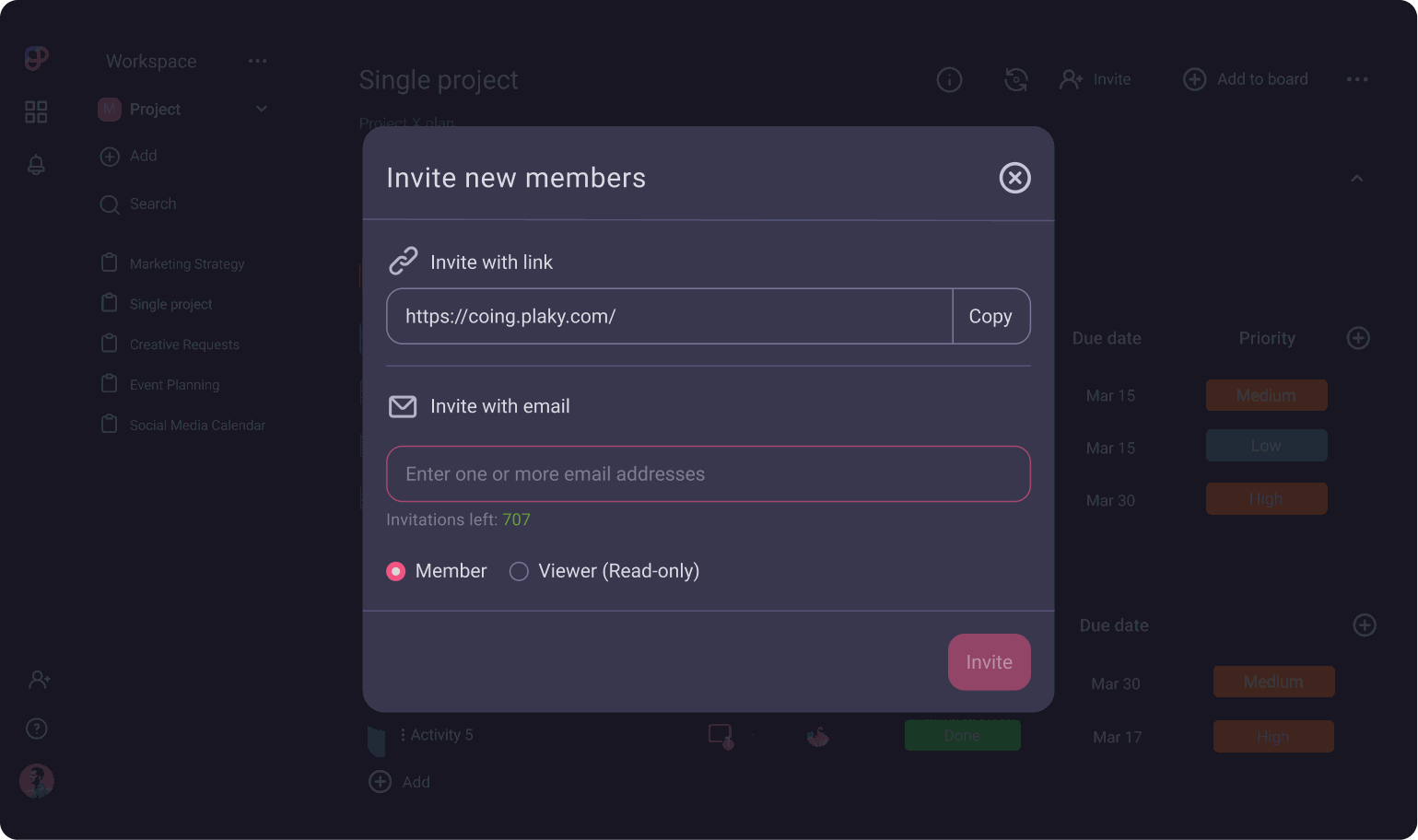
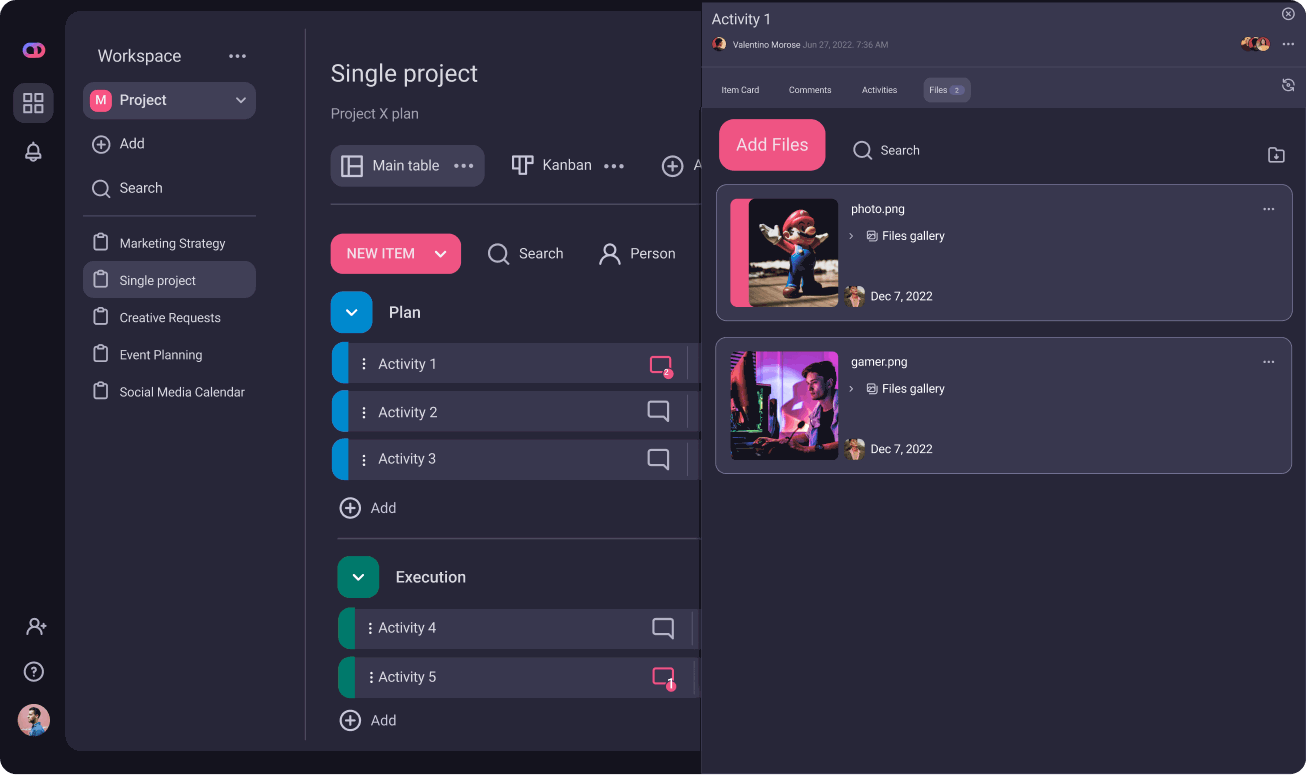
Description
Plaky at a Glance
| Company | CAKE.com (parent of Plaky, Clockify, Pumble) |
|---|---|
| Headquarters | Palo Alto, California, United States |
| Category | Project management, task management, work management, team collaboration |
| Best for | Small businesses and nonprofits wanting Monday/Asana capability without per-user pricing |
| Scale | 221,729+ users managing tasks with Plaky |
| Free tier | Unlimited users and projects on FREE plan |
Plaky Overview
Plaky is a project management tool from CAKE.com, the company behind Clockify. The differentiator is a genuinely free tier: unlimited users and projects, unlimited spaces, boards, items, and views on the FREE plan, versus most competitors that gate user count on their free plans.
The platform ships task management (boards, items, custom fields, comments), progress tracking (board views, sort and filter, activity, notifications), and productivity features (automations, summary, templates). 221,729+ users manage tasks with Plaky per the vendor.
Plaky Capabilities and Named Features
The FREE plan is the anchor value. Unlimited number of users, unlimited spaces, boards, items, and views. Includes chart view, member and admin user roles, summary row, my tasks view, and 10 MB storage per file. That is more than most competitor free tiers offer.
PRO plan at USD 3.99 per seat open ups growing-business features. Every active or invited user occupies a seat. PRO removes tier limits (unlimited custom fields per board, longer activity log, more storage).
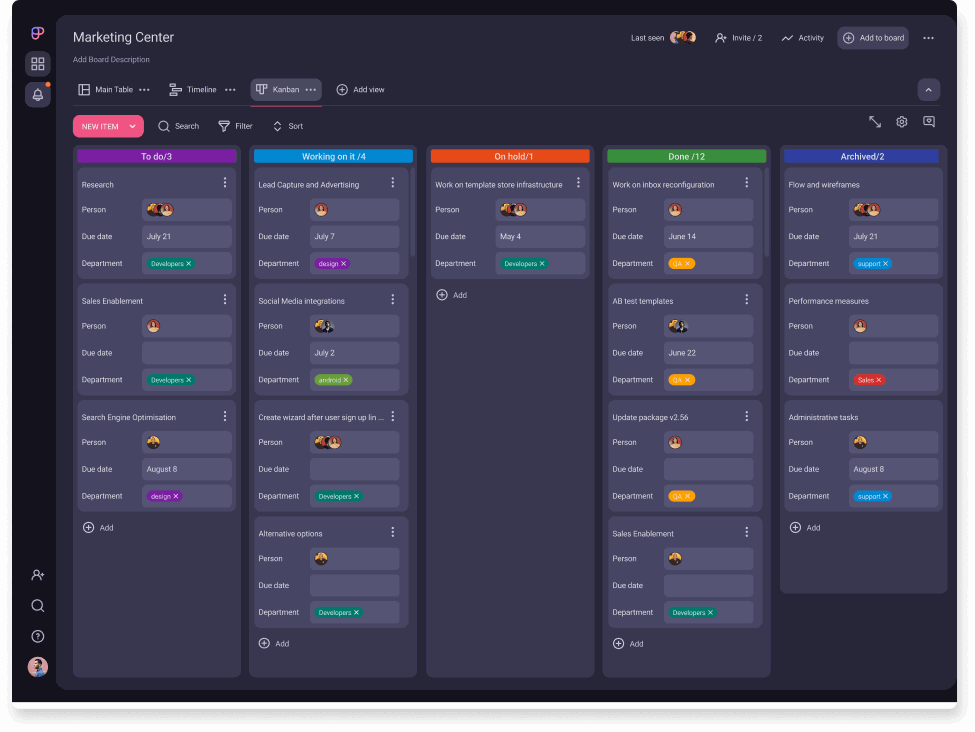
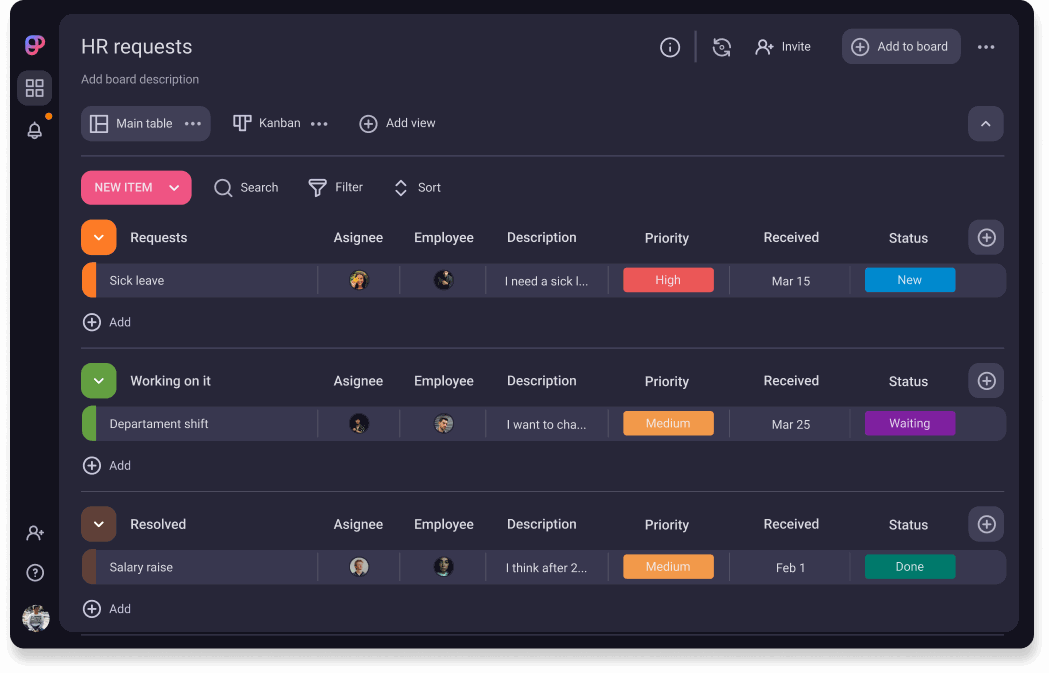
Task management includes boards, items, custom fields, and comments. Progress tracking covers board views (sort, filter, activity, notifications). Productivity features layer automations, summary rows, and templates across common workflows (event planning, single project, construction schedule, content calendar, scrum board, resource planning, real estate management, work log, product roadmap).
The vendor publishes direct comparisons versus Monday, Asana, and ClickUp on the vendor site. Named customer testimonial from Jesse Tutt (Founder and CEO of Guru) describes Plaky as one of the best things about the workflow.
Named feature list
- Boards, items, custom fields, comments
- Chart view plus board views
- Sort and filter
- Activity log
- Notifications
- Automations
- Summary row
- Templates (event planning, scrum board, content calendar, resource planning, more)
- Member and admin user roles
- My tasks view
- Pumble chat integration (CAKE.com stack)
- Comparisons published vs Monday, Asana, ClickUp
- Vertical solutions for small business, nonprofit
- Team solutions for marketing, IT, sales, HR
- Unlimited users on FREE plan
- Unlimited spaces, boards, items, views on FREE
- 10 MB storage per file on FREE
- 7-day activity log on FREE
- 6 fields per board on FREE
- 30-minute built onboarding session on upgrade
Plaky Pricing
Plaky publishes tier pricing on the vendor pricing page with a FREE plan for unlimited users and a PRO plan per seat. Upgrading open ups a FREE 30-minute built onboarding session. Additional tiers add more features for growing businesses.
The main dials that move a buyer between FREE and PRO are custom fields per board (6 on FREE, unlimited on PRO), activity log length (7 days on FREE, longer on PRO), file storage (10 MB on FREE, higher on PRO), and My tasks view controls.
| Tier | Price | What is included |
|---|---|---|
| FREE | USD 0 (unlimited users) | For small businesses. Unlimited users, unlimited spaces, boards, items, and views. 6 fields per board, 7-day activity log, chart view, member and admin user roles, summary row, 10 MB storage per file, My tasks view. |
| PRO | USD 3.99/seat/mo | For growing businesses. Every active or invited user occupies a seat. Includes unlimited custom fields per board, longer activity log, higher file storage, and additional advanced features. |
| Free 30-min Onboarding | Included with upgrade | FREE 30-minute built onboarding session on upgrade to PRO or higher. |
Plaky Pros
- Genuinely free tier with unlimited users is a real differentiator versus Monday (max 2 users free) and Asana (15-user free cap).
- 221,729+ users per the vendor supports a real reference base at scale.
- CAKE.com parent brand also runs Clockify and Pumble: buyers who use those tools get a coherent stack.
- Published comparisons versus Monday, Asana, and ClickUp make competitive fit easy to evaluate.
- PRO plan at USD 3.99 per seat is significantly cheaper than Monday or Asana starting tiers.
- Templates across event planning, scrum, content calendar, resource planning, real estate, product roadmap fit common use cases.
Plaky Cons and Trade-offs
- FREE plan is limited to 6 custom fields per board, 7-day activity log, 10 MB storage per file.
- PRO tier at USD 3.99 per seat counts every active or invited user, so team growth adds cost fast.
- Feature depth is lighter than Monday, Asana, or ClickUp at the enterprise tier: buyers with complex enterprise needs may outgrow Plaky.
- Category is very competitive: buyers should validate specific feature parity against Monday, Asana, ClickUp on their exact use cases.
- The CAKE.com parent brand is less globally recognized than Monday.com or Atlassian in enterprise procurement.
Plaky vs Alternatives
| Capability | Plaky | Monday.com | Asana |
|---|---|---|---|
| Core focus | Centralized project management with unlimited free users | Work OS with strong customization | Work management with strong collaboration |
| Free tier user cap | Unlimited users on FREE plan | Max 2 users on Free plan | 15 users on Basic Free plan |
| Public starting paid price | USD 3.99 per seat PRO | USD 9 per seat Basic | USD 10.99 per seat Starter |
| Templates | Event planning, scrum, content calendar, resource planning, real estate, roadmap | Extensive template gallery | Extensive template gallery |
| Best for | Small businesses and nonprofits wanting free unlimited users | Mid-market and enterprise wanting customization | Teams wanting collaboration-first work management |
| Integration ecosystem | Pumble chat (CAKE.com stack) | 200+ integrations | Wide integration marketplace |
Who Should Choose Plaky
Plaky is a fit for a small business, nonprofit, or growing team wanting project management capability without paying per-user tier prices. Teams already using Clockify or Pumble from CAKE.com get natural stack coherence.
It is less of a fit for large enterprises with complex work management needs (Monday.com or Asana at enterprise tiers fit better), and for buyers deeply invested in Atlassian Jira or the Microsoft ecosystem. Very small solo users may find Trello or Todoist sufficient.
Named Alternatives to Plaky
- Monday.com. Work OS with strong customization. Chosen when the buyer wants a full Work OS with 200+ integrations.
- Asana. Work management with strong collaboration. A better fit when the buyer wants collaboration-first workflows.
- ClickUp. Everything app for productivity. Preferred when the buyer wants a very broad feature set in one platform.
- Trello. Kanban-first task management. Chosen when the buyer wants a simple visual board tool.
- Notion. Docs plus databases plus project management. A better fit when the buyer wants unstructured knowledge plus project workflows.
Plaky Implementation and Deployment
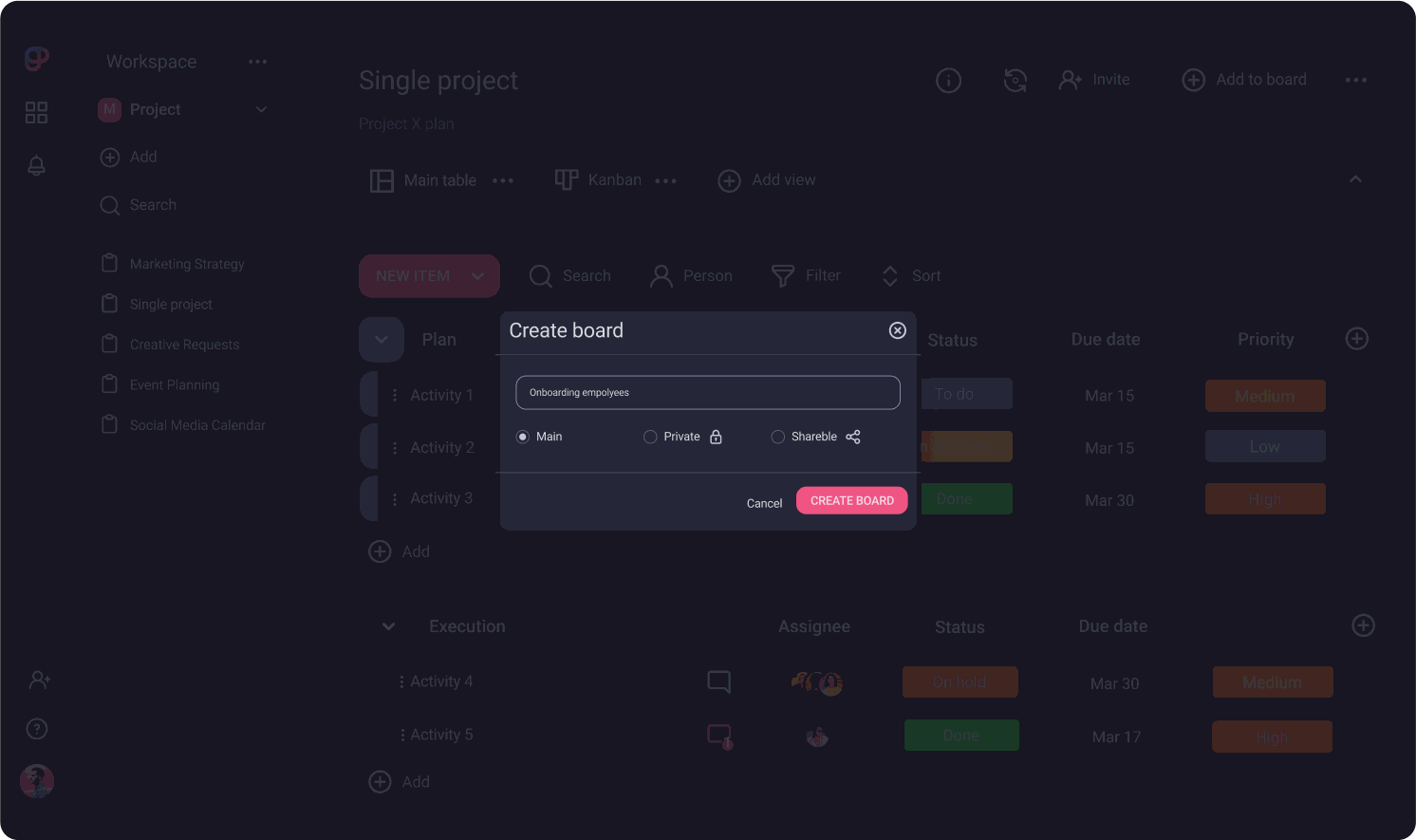
Onboarding is self-serve on the FREE plan: sign up, create the first board, invite team members, and start tracking. Unlimited users means the whole team gets access without gating.
PRO upgrades include a FREE 30-minute built onboarding session to help configure custom fields, automations, and templates for the specific team workflow. Common templates cover event planning, scrum, content calendar, resource planning, real estate, and product roadmap.
Ongoing operations focus on the daily task management workflow: create items, assign owners, set due dates, and use board views (chart, sort, filter) to track progress. Automations reduce manual steps once teams find the recurring patterns.
What Real Buyers Say About Plaky
The vendor publishes a named customer testimonial from Jesse Tutt (Founder and CEO of Guru) describing Plaky as one of the best things about the workflow with status, due dates, labels, and additional commentary posted clearly. See the vendor Plaky home page for the current customer stories.
Public commentary on project management buyer forums positions Plaky as one of the strongest free-tier options for small businesses and nonprofits with the unlimited-users free plan as the main differentiator against Monday and Asana.
The trade-off most reviewers name is that FREE plan limits (6 fields per board, 7-day activity log, 10 MB per file) push growing teams to PRO faster than expected. Buyers should model expected board complexity and file storage before choosing FREE long-term.
Sources
- vendor website, Plaky Pricing page listing FREE unlimited users plus PRO USD 3.99 per seat
- vendor website, Plaky home page describing centralized project management plus 221,729+ users
Frequently Asked Questions about Plaky
What is Plaky?
A centralized project management tool from CAKE.com used by 221,729+ users. Task management (boards, items, custom fields), progress tracking (board views, sort, filter, activity, notifications), and productivity features (automations, summary, templates).
Is Plaky really free?
Yes. The FREE plan has unlimited users, unlimited spaces, boards, items, and views. 6 fields per board, 7-day activity log, chart view, member and admin user roles, 10 MB storage per file.
How does PRO differ from FREE?
PRO at USD 3.99 per seat open ups unlimited custom fields per board, longer activity log, higher file storage, and additional advanced features. Every active or invited user occupies a seat.
Who owns Plaky?
Plaky is a product from CAKE.com, the parent company behind Clockify and Pumble.
How does Plaky compare to Monday.com or Asana?
Plaky differentiates on unlimited users on the FREE plan (Monday caps at 2 users, Asana at 15). PRO at USD 3.99 per seat is significantly cheaper than Monday or Asana starting tiers.
What templates does Plaky offer?
Event planning, single project, construction schedule, content calendar, scrum board, resource planning, real estate management, work log, product roadmap, and more.
Does Plaky include a free onboarding?
Yes. Upgrading open ups a FREE 30-minute built onboarding session to help configure the workflow.
Where is Plaky (CAKE.com) headquartered?
CAKE.com is headquartered in Palo Alto, California, United States.
The Bottom Line on Plaky
Plaky is a fit for a small business, nonprofit, or growing team wanting project management capability without paying per-user tier prices. The unlimited-users FREE plan is a real differentiator versus Monday and Asana, and PRO at USD 3.99 per seat is the low-cost upgrade path.
The tradeoffs are FREE-plan limits (6 fields per board, 7-day activity log, 10 MB per file) and lighter enterprise-tier feature depth versus Monday or Asana. Large enterprises with complex work management needs may outgrow Plaky.
A useful evaluation is to start on FREE with the full team, build one real project board with automations, and use a template that matches the team workflow. That surfaces both the workflow fit and any FREE-tier limits before upgrading to PRO.
Verified on 2026-08-01 against vendor website.
Frequently Asked Questions
What is Plaky?
Is Plaky really free?
How does PRO differ from FREE?
Who owns Plaky?
How does Plaky compare to Monday.com or Asana?
What templates does Plaky offer?
Does Plaky include a free onboarding?
Where is Plaky (CAKE.com) headquartered?
Find Your Perfect Software
See how it can transform your workflow
- Personalized for your needs Tailored recommendations based on your unique requirements.
- Save time & resources Streamline your workflow and boost team productivity.
- Trusted by thousands Join 10,000+ businesses already growing with SaaSrat.
You're all set! 🎉
A specialist for will reach out within 1 business day with tailored recommendations for your needs.