

Orangescrum
by Orangescrum • Founded 2011
What is Orangescrum?
Get Best Quote for Orangescrum
Connect with SaaSrat experts to get the best quote for your business.
You're all set!
A specialist for Orangescrum will reach out within 1 business day.
Orangescrum Features
Flat-rate pricing with unlimited users on all paid tiers
Kanban board with drag-and-drop tasks
Gantt chart with dependencies and milestones
Agile sprint board with backlog velocity and burndown
Time tracking and timesheets
Project templates and recurring tasks
View All 15 Features
Orangescrum Pricing Plans
Free Forever
- 1 user, 1 project, 500 MB storage, Kanban board. For solo evaluation and very small personal use.
Basic Unlimited
- Unlimited users, 10 projects, 50 GB storage. Unlimited tasks, Kanban board, Gantt chart, milestones, checklists, project templates, calendar, @mentions, reminders, role and permissions. Flat-rate.
Pro Unlimited
- Unlimited users, unlimited projects, 100 GB storage. Everything in Basic plus agile sprint board, backlog, velocity and burndown charts, custom workflow, custom fields, automation, timer and timesheet, workload management, project budget, bug management, GitHub/GitLab integration.
Premium Unlimited
- Unlimited users, unlimited projects, 500 GB storage. Everything in Pro plus program management, critical path analysis, resource allocation, budget and cost reporting, epic and feature boards, advanced dashboards, APIs, audit trail.
Enterprise
- Unlimited users, unlimited projects, 1 TB storage. Everything in Premium plus SSO, LDAP, 2FA, Power BI and Tableau integration, resource forecasting, test case management, ticket and attendance management, dedicated support.
Orangescrum Screenshots
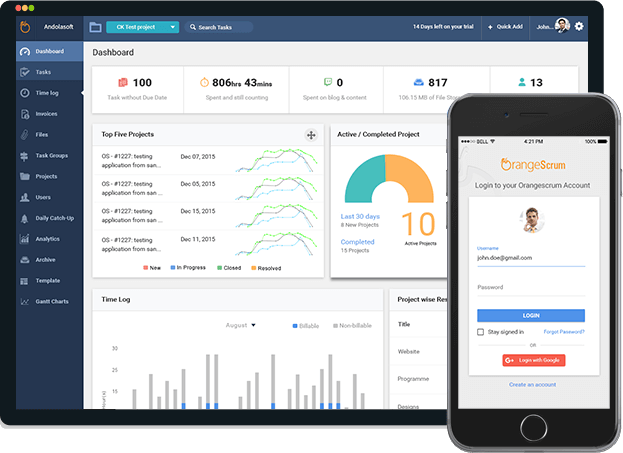
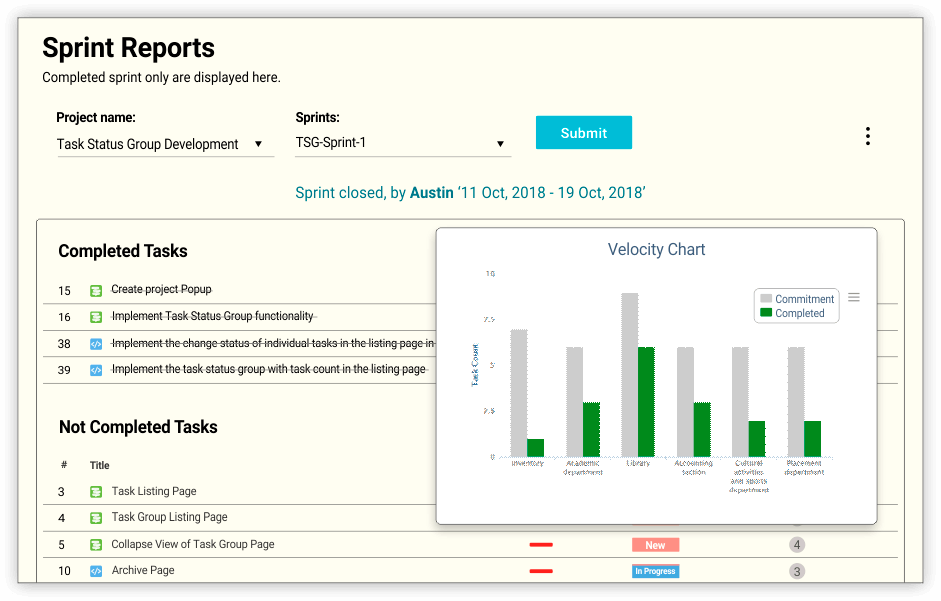
Description
What is OrangeScrum?
OrangeScrum is a project management platform from Andolasoft, an Indian software company founded in 2012. The strongest pricing differentiator is the flat-rate-with-unlimited-users model: a $29/month team and a $29/month 50-person team pay the same.
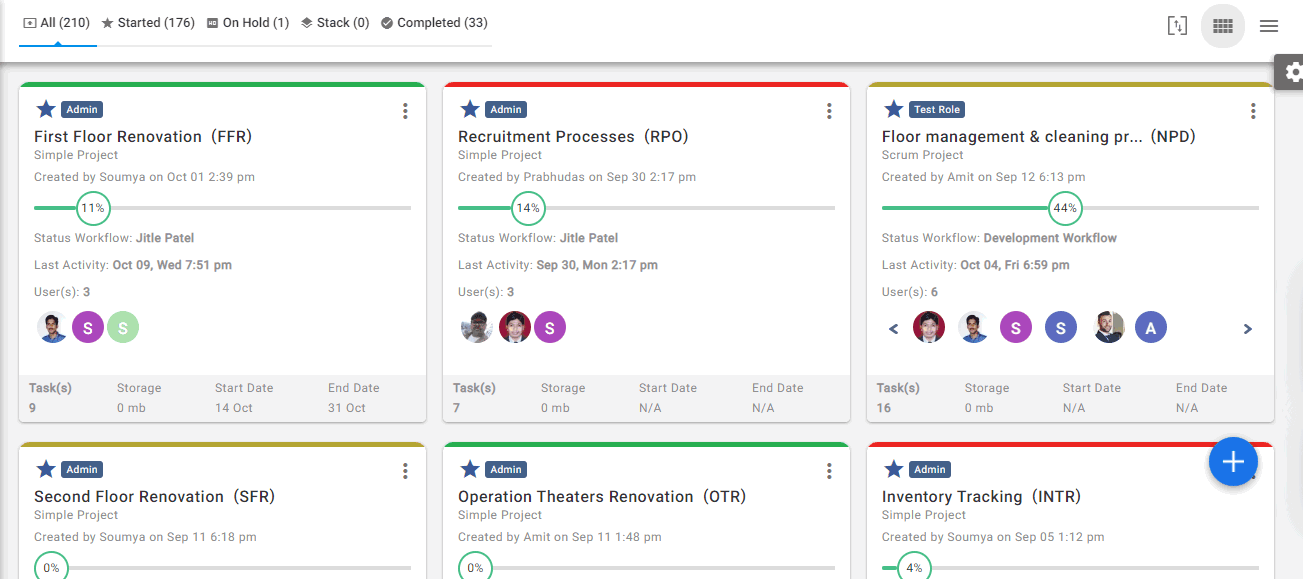
The product covers Kanban boards, Gantt scheduling, agile sprint management, time tracking, resource workload, and budget reporting. Small agencies, software development teams, and growing businesses pick it specifically because adding freelancers, contractors, and clients to projects does not escalate the bill.
Who OrangeScrum is built for
OrangeScrum fits small-to-mid teams (5 to 100 users) where adding more users to a per-seat tool would create real cost pressure. Software development teams running agile sprints, marketing agencies coordinating campaign work, design studios managing client projects, and growing businesses scaling beyond the basics are typical customers.
The Pro Unlimited tier ($69/month) covers most growing teams that need agile sprint boards, custom workflows, time tracking, and bug management. Premium Unlimited ($349/month) is for organizations needing program management, critical path analysis, and advanced dashboards. Enterprise adds SSO, LDAP, and dedicated support.
It is less of a fit for solo users (Trello or Asana free tier is simpler), for very large enterprises with thousands of projects needing portfolio governance (Smartsheet or Planview fit better), or for teams that need the polish of Asana or Monday.
OrangeScrum pricing plans
| Plan | Price (monthly) | Projects | Storage |
|---|---|---|---|
| Free Forever | $0 | 1 project, 1 user | 500 MB |
| Basic Unlimited | $29/mo | 10 projects, unlimited users | 50 GB |
| Pro Unlimited | $69/mo | Unlimited, unlimited users | 100 GB |
| Premium Unlimited | $349/mo | Unlimited, unlimited users | 500 GB |
| Enterprise | Quote-based | Unlimited, unlimited users | 1 TB |
Annual billing saves 10% across paid tiers. "No per-seat pricing. Ever." is the OrangeScrum positioning. A 5-person team and a 50-person team on Pro Unlimited both pay $69/month.
Free is genuinely useful for solo evaluation: full Kanban board, 1 project, 1 user, 500 MB storage. Basic Unlimited opens unlimited users with 10 project cap. Pro Unlimited removes the project cap and adds agile sprint board, custom workflow, time tracking, bug management, and GitHub/GitLab integration. Premium adds program management, critical path, resource forecasting, and advanced dashboards. Enterprise adds enterprise governance (SSO, LDAP, 2FA), Power BI/Tableau, test case management, and dedicated support.
OrangeScrum core capabilities
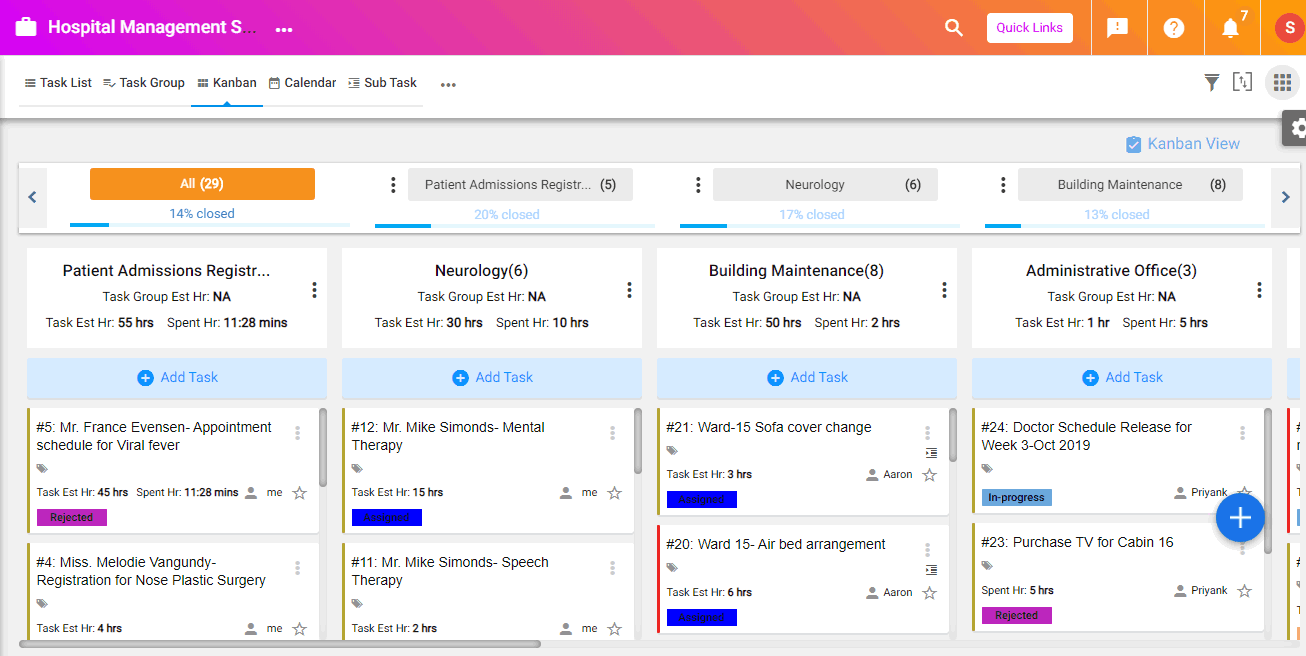
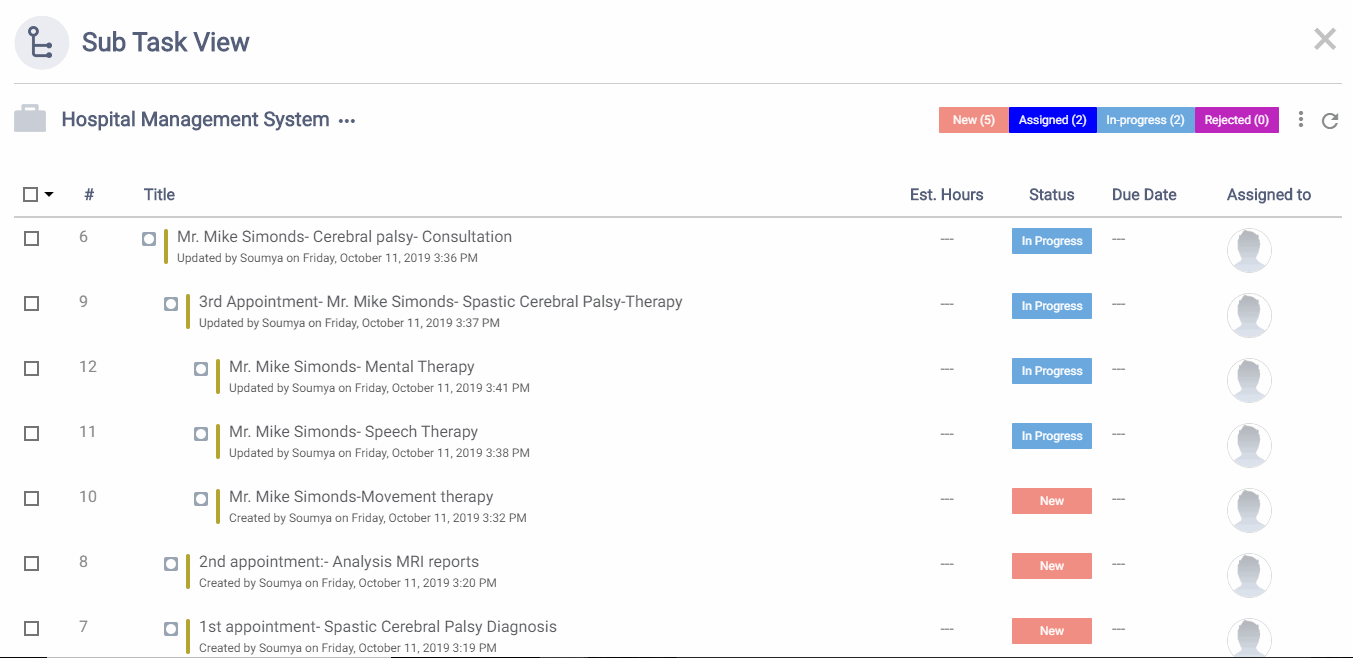
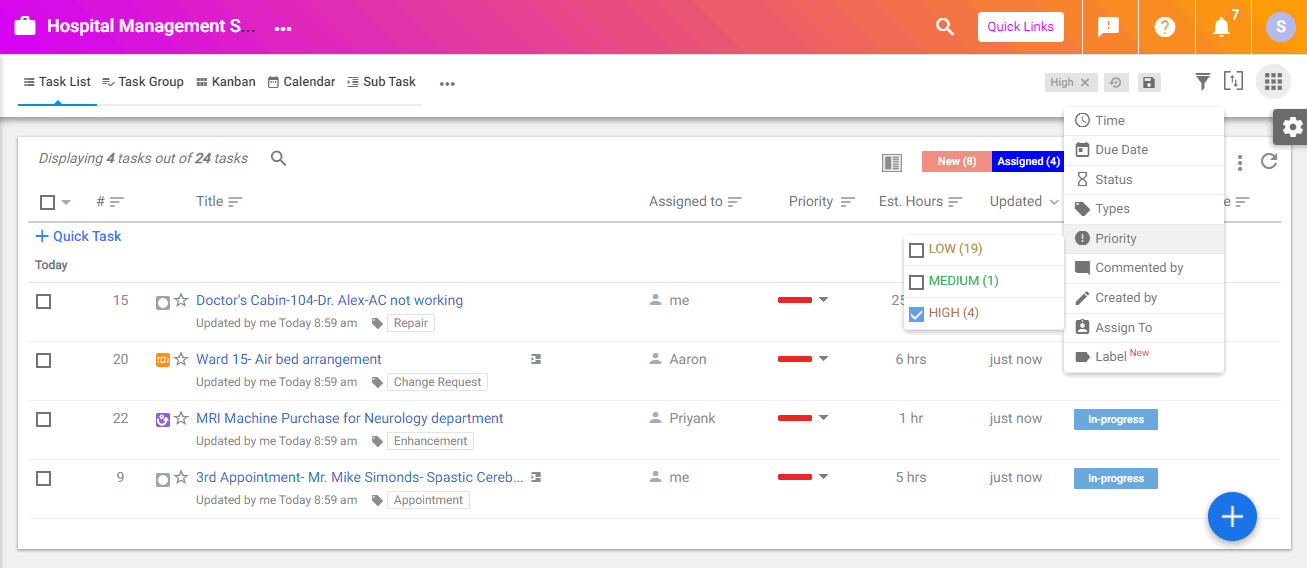
Tasks are the spine. Each task has assignees, due dates, custom fields, subtasks, attachments, and discussion. Kanban board view renders tasks as cards in stages (To Do, In Progress, Done, or custom statuses). Gantt chart view renders the same tasks as horizontal bars with dependencies and milestones.
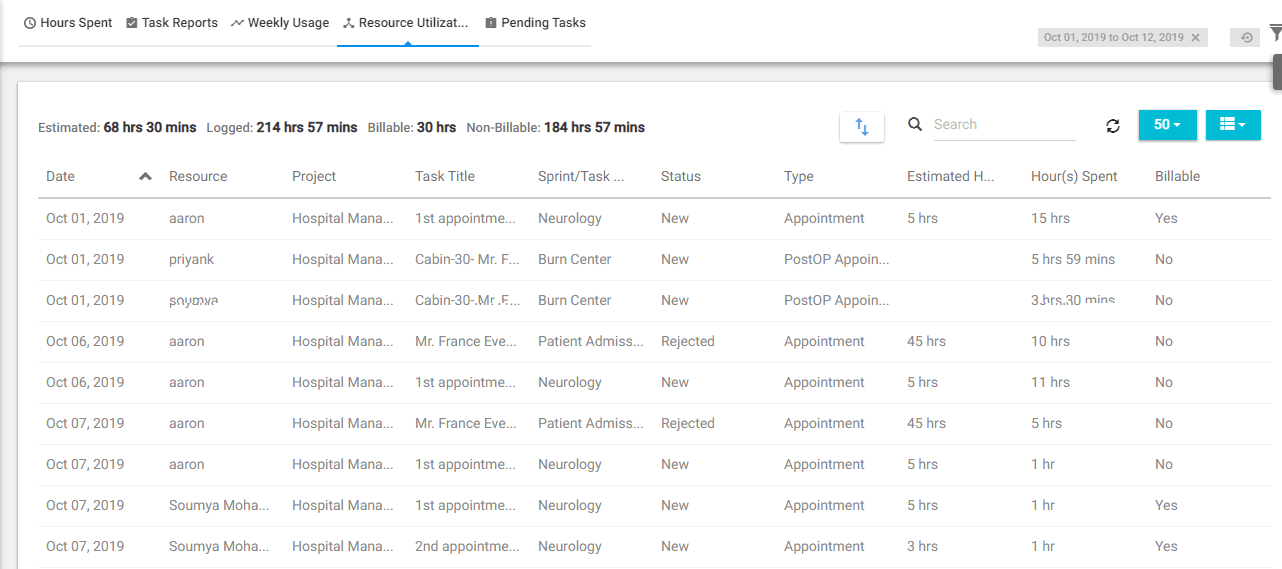
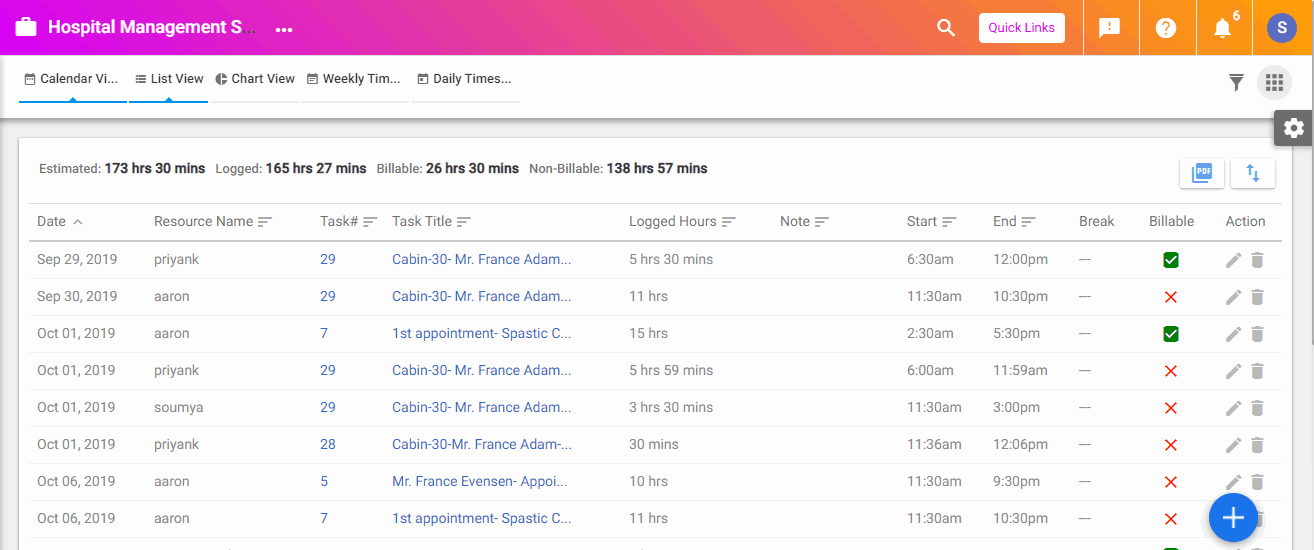
Time tracking (Pro and up) logs hours via timer, manual entry, or task-level quick-log. Timesheets aggregate weekly for manager approval. Logged time feeds project budget reporting.
Agile sprint management
Pro Unlimited adds agile-specific features: sprint board, backlog management, velocity tracking, and burndown charts. Software development teams running Scrum or hybrid agile workflows use these to manage sprints in addition to or instead of Jira.
The agile features are functional and adequate for teams that find Jira too complex or too expensive. Pure engineering teams running formal Scrum at scale may still prefer Jira; OrangeScrum agile is suitable for hybrid teams and smaller development groups.
Custom workflows and bug management
Custom workflows (Pro and up) define stage transitions per project type or task type. Bug management uses a separate workflow with status fields (New, Confirmed, In Progress, Fixed, Verified, Closed) and severity classification. GitHub and GitLab integration links commits and pull requests to specific bugs and tasks.
Resource workload management
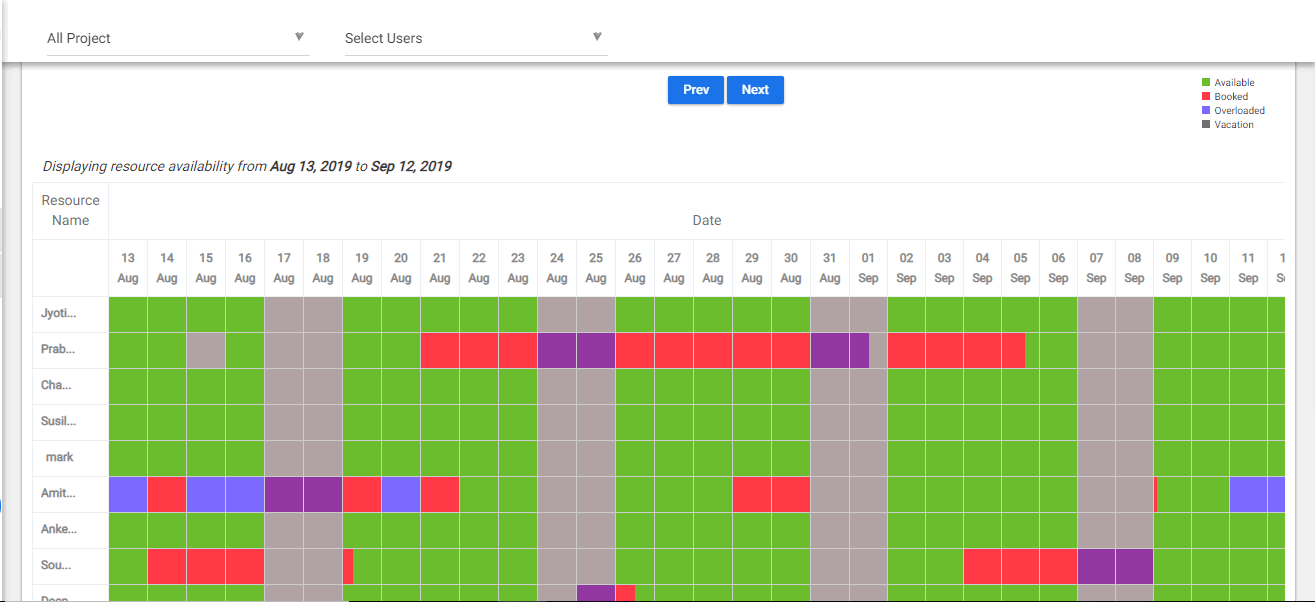
Resource workload (Pro and up) shows each team member's assigned work by week or month. Over-allocated team members flag for rebalancing. Resource forecasting (Premium) projects future capacity needs based on current sprint velocity and committed work.
Program management and critical path
Premium adds program management for organizations running multiple related projects (a quarterly product release across 5 engineering teams, a marketing campaign across 3 channels). Critical path analysis identifies tasks driving the overall program deadline. Epic and feature boards group related work above the task level.
Advanced dashboards and reporting
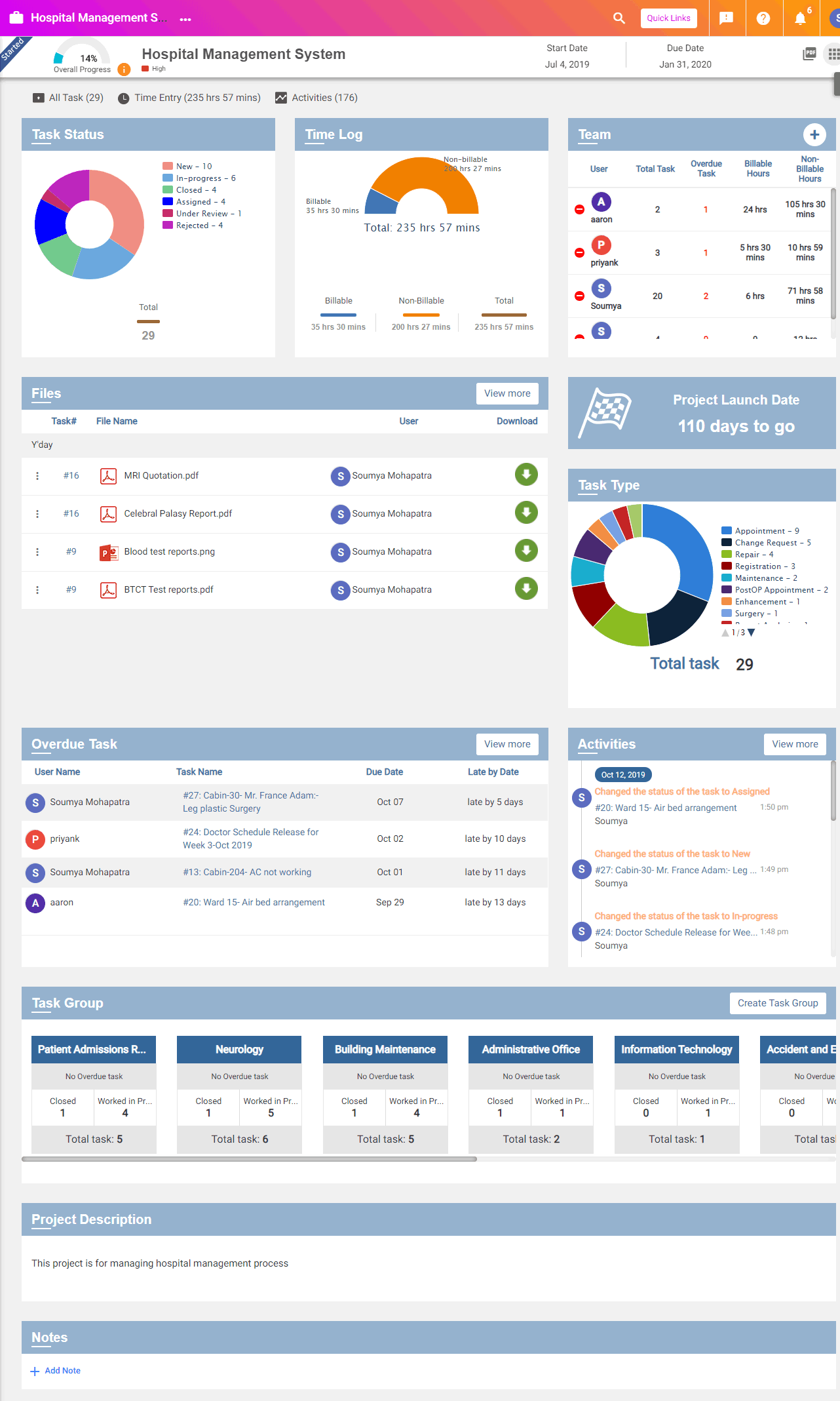
Premium and Enterprise add advanced dashboards with cross-project rollups. Custom dashboards combine charts, tables, and filtered task lists. Power BI and Tableau integration on Enterprise pushes OrangeScrum data into BI tools for executive-level reporting.
Integrations
Native integrations include GitHub, GitLab, BitBucket, Slack, Microsoft Teams, Google Workspace (Drive, Calendar), Microsoft 365 (Outlook, OneDrive), Zapier (1,000+ apps via no-code automations), and a REST API on Enterprise. The integration directory is mid-range; smaller than Asana or Monday but covers the development team essentials.
Cloud and self-hosted options
OrangeScrum Cloud is the SaaS deployment hosted by Andolasoft. OrangeScrum self-hosted edition runs on customer infrastructure for organizations with data residency or air-gapped requirements. Self-hosted is sold as an annual subscription with the same flat-rate-with-unlimited-users model.
Mobile and offline
iOS and Android apps cover task management, time tracking, and discussion. Mobile experience is functional for updates and quick task creation; the web app is the primary work surface. Offline support is limited.
Security and compliance
Cloud deployments use AWS infrastructure with encryption at rest and in transit, SOC 2 Type II controls, and standard SaaS access management. Enterprise tier adds SSO with SAML, LDAP integration, 2FA enforcement, and audit logs. Public compliance posture is adequate for SMB and mid-market; regulated industries may prefer the self-hosted edition for data residency.
OrangeScrum vs Asana
Asana is the global work management leader with broader integration, stronger UI polish, and per-user pricing. OrangeScrum is the budget-tight flat-rate alternative. Pick Asana for cross-functional work management at scale with strong reporting. Pick OrangeScrum for budget-tight teams with many users.
OrangeScrum vs Monday.com
Monday is the visually configurable Work OS with broad use case flexibility. OrangeScrum is more opinionated about PM structure with flat-rate pricing. Monday's per-user pricing escalates faster at scale. Pick Monday for configuration depth and visual customization. Pick OrangeScrum for predictable cost at growing team size.
OrangeScrum vs ClickUp
ClickUp packs more features (docs, whiteboards, goals) at a lower per-user cost. OrangeScrum is simpler with flat-rate economics. Pick ClickUp for all-in-one breadth at low per-user cost. Pick OrangeScrum if predictable flat-rate matters more than feature breadth.
OrangeScrum vs Jira
Jira is the engineering-focused agile project management leader. OrangeScrum is the general-purpose alternative with agile features available. Engineering teams running formal Scrum at scale stay with Jira. Hybrid teams (mixed engineering, product, marketing, support) often prefer OrangeScrum for cross-functional fit.
OrangeScrum vs Trello
Trello is Kanban-first with simpler workflows. OrangeScrum is broader PM with Kanban plus Gantt, agile, time tracking, and budgets. Pick Trello for lightest-weight Kanban. Pick OrangeScrum for fuller PM at flat-rate.
Buyer pitfalls to avoid
Three patterns hurt OrangeScrum rollouts. First, picking Basic when project cap will hit: 10 projects fills fast for growing teams. Pro Unlimited removes the cap. Second, expecting Asana-level UI polish: OrangeScrum is functional but less visually refined; some teams find it dated.
Third, ignoring the self-hosted edition when data residency matters: regulated industries that need on-premise deployment can use the self-hosted edition rather than forcing cloud where it does not fit.
Implementation and time to value
Small teams: 1-2 weeks. Mid-size rollouts (50-100 users): 3-4 weeks including custom workflow setup, integration configuration, and team training. Enterprise rollouts add SSO, LDAP, and dedicated support setup: 6-8 weeks. OrangeScrum provides customer success on paid plans.
Customer support
Free gets community support and documentation. Paid plans include email support during business hours. Enterprise adds dedicated support with priority SLAs. The OrangeScrum Help Center covers most setup tasks. Community is smaller than Asana or Monday but the support team is responsive.
The Bottom Line on OrangeScrum
OrangeScrum is the right call for small-to-mid teams (5-100 users) that want full project management features at flat-rate pricing rather than escalating per-seat costs as the team grows.
Standout strengths: flat-rate unlimited users on every paid tier ("No per-seat pricing. Ever."), full feature set including Kanban, Gantt, agile sprint, time tracking, budget reporting, GitHub/GitLab integration, self-hosted edition available for data residency.
Pricing is predictable: Free covers solo evaluation. Basic Unlimited $29/mo covers 10 projects. Pro Unlimited $69/mo removes the project cap and adds agile, time tracking, and bug management. Premium Unlimited $349/mo adds program management and critical path. Enterprise is quote-based with enterprise governance. Annual saves 10%.
Trade-offs to weigh: UI is functional but less visually polished than Asana or Monday. Integration count is smaller. Reporting is solid but not as deep as enterprise BI tools. Brand presence outside India is growing but smaller than global PM leaders. Pro is required for time tracking, which is a $40/mo step-up from Basic.
Alternatives worth comparing: Asana for cross-functional work management at scale, Monday for visually configurable Work OS, ClickUp for all-in-one breadth at low per-user cost, Jira for engineering-focused agile, Trello for lightest-weight Kanban, Copper Project for similar flat-rate agency PM positioning. Pricing and capabilities verified on orangescrum.com/pricing on 2026-06-27.
Frequently Asked Questions
Is there a free plan or free trial for Orangescrum?
How much does Orangescrum cost?
What does Orangescrum integrate with?
Who is Orangescrum best for?
What are the best alternatives to Orangescrum?
Is Orangescrum GDPR / SOC 2 compliant?
Does Orangescrum have a mobile app?
What do real users say about Orangescrum?
How does Orangescrum compare to its top competitor?
Does Orangescrum offer customer support?
Find Your Perfect Software
See how it can transform your workflow
- Personalized for your needs Tailored recommendations based on your unique requirements.
- Save time & resources Streamline your workflow and boost team productivity.
- Trusted by thousands Join 10,000+ businesses already growing with SaaSrat.
You're all set! 🎉
A specialist for will reach out within 1 business day with tailored recommendations for your needs.