
LogicalDOC
by LogicalDOC Srl • Founded 2006
What is LogicalDOC?
Get Best Quote for LogicalDOC
Connect with SaaSrat experts to get the best quote for your business.
You're all set!
A specialist for LogicalDOC will reach out within 1 business day.
LogicalDOC Features
Document indexing
Full text search
Version control
Access control
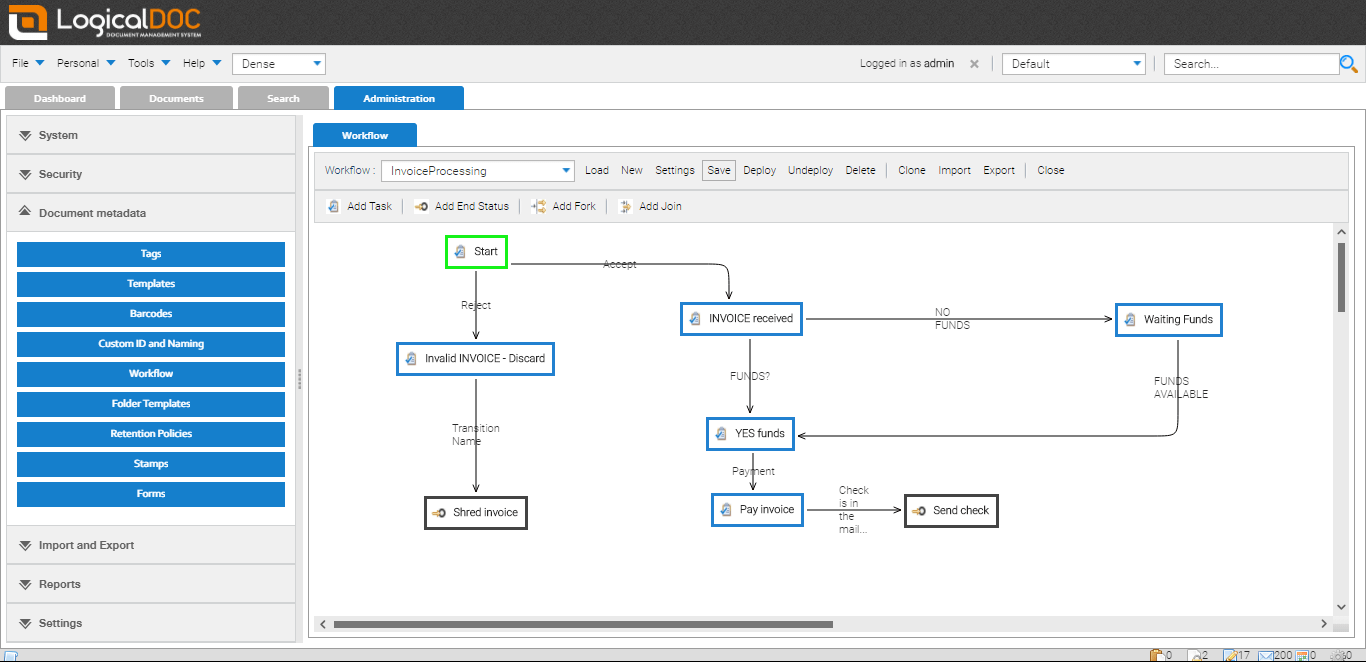
Workflow management
Document scanning
View All 53 Features
LogicalDOC Resources
LogicalDOC Screenshots
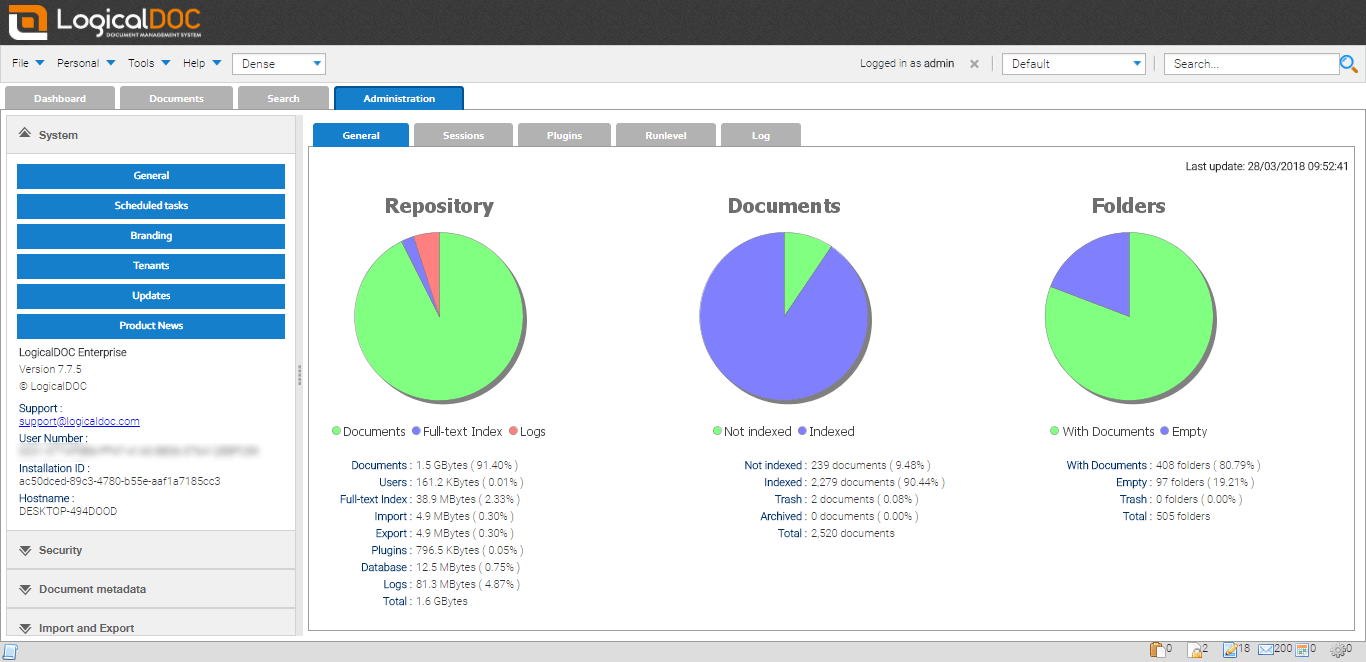
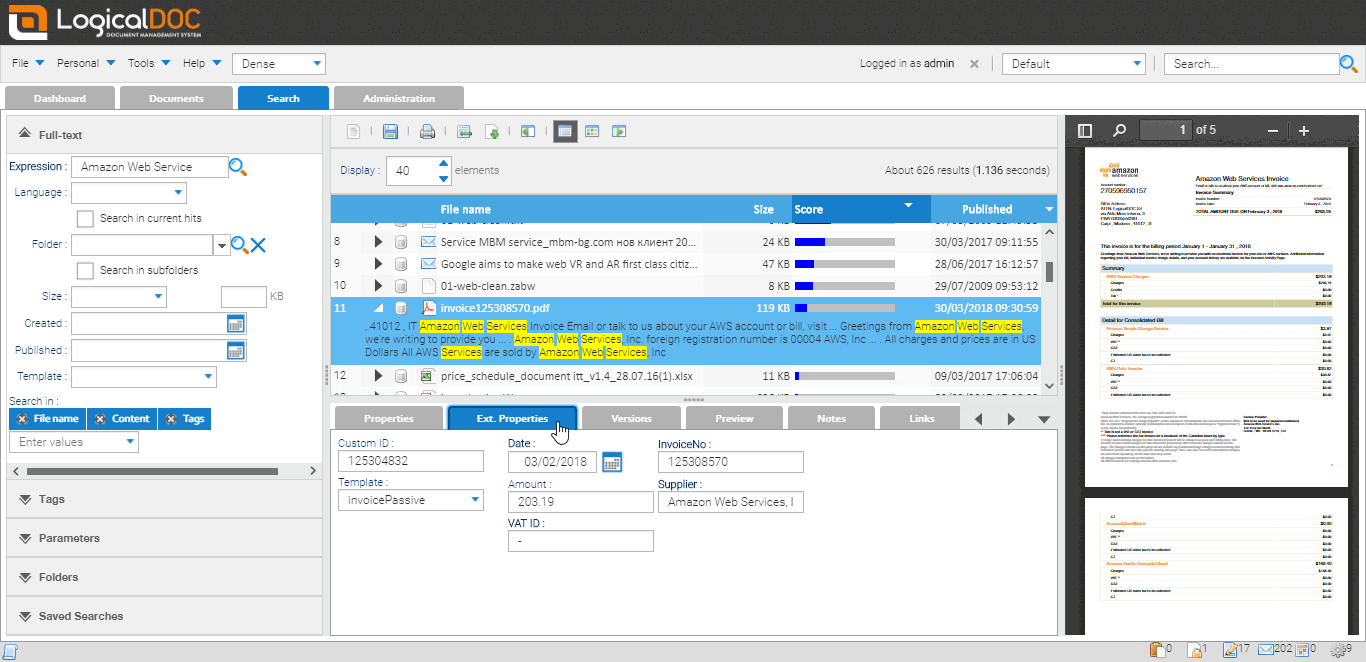
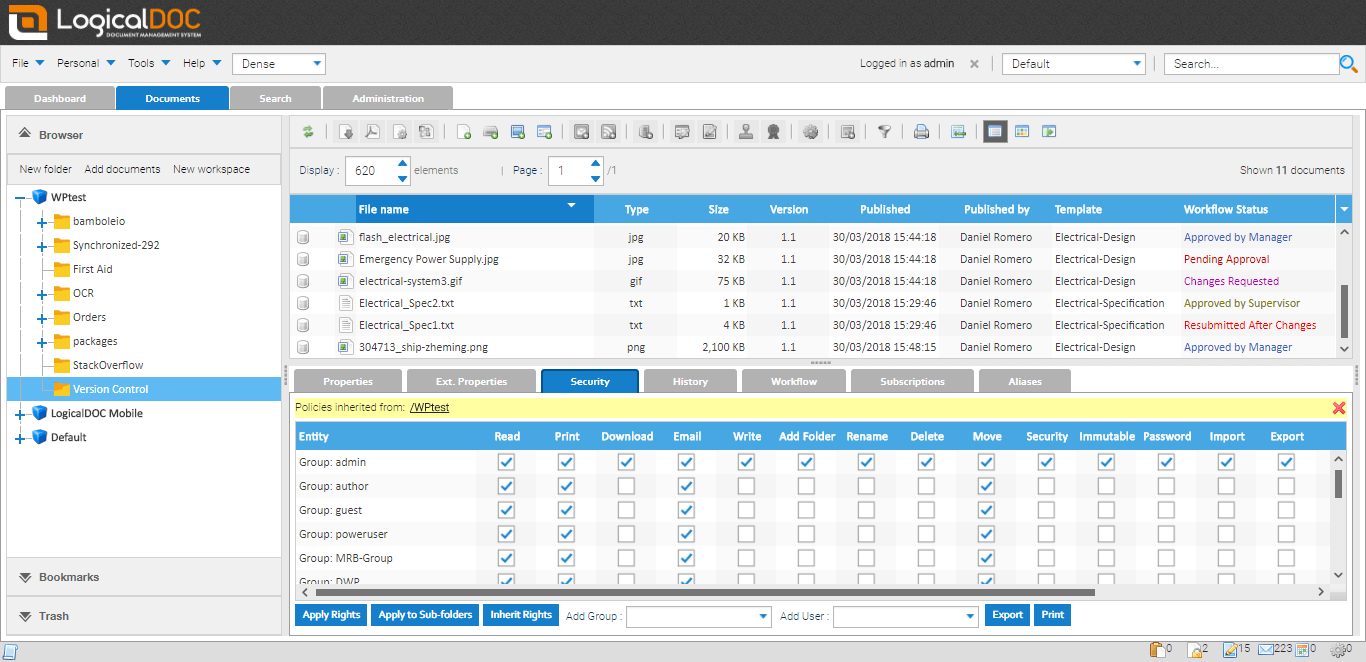
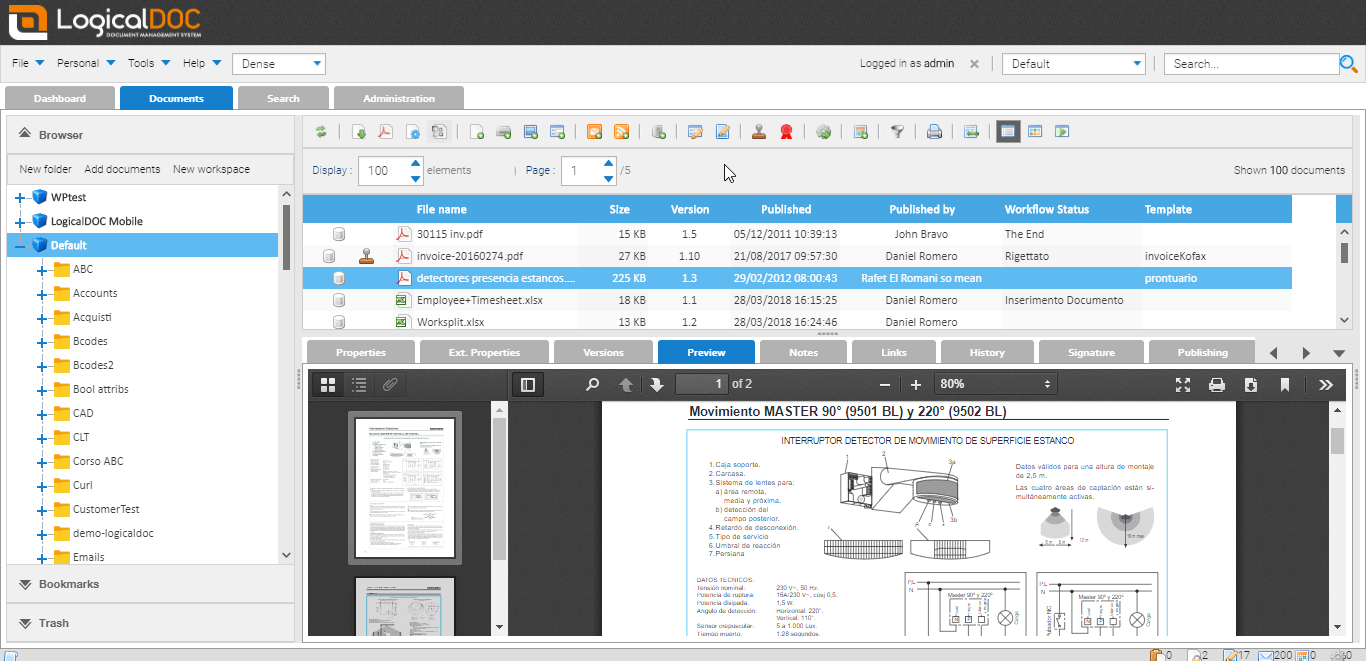
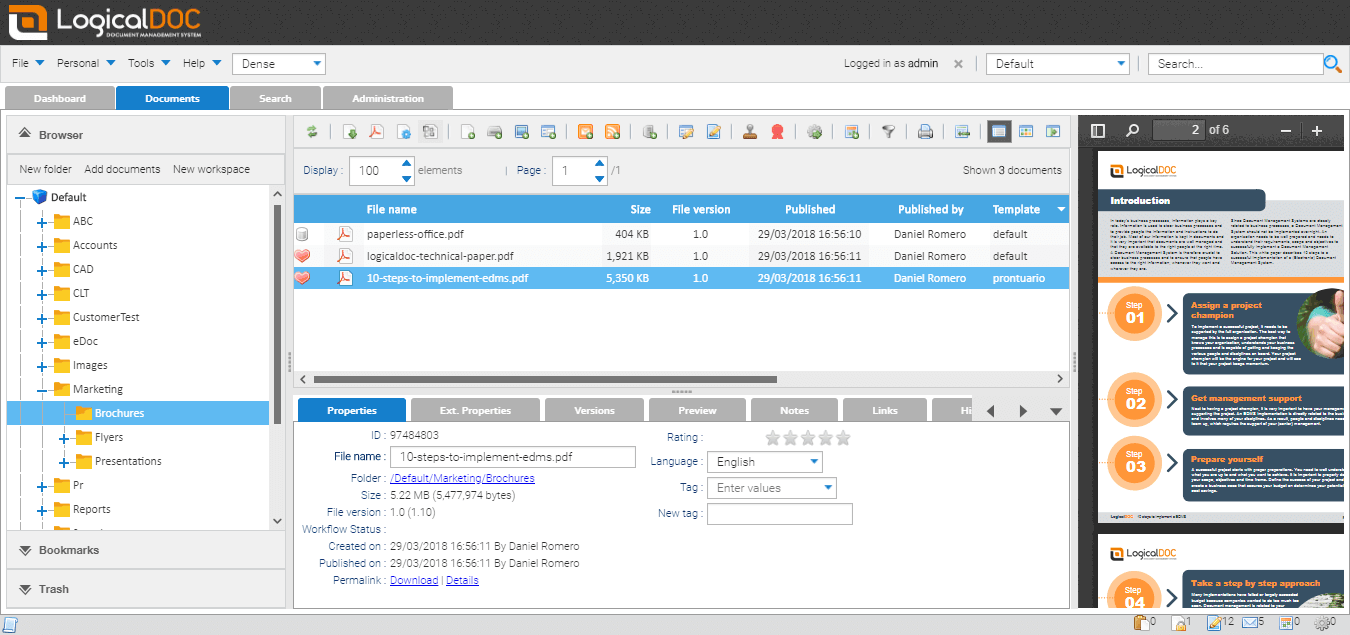
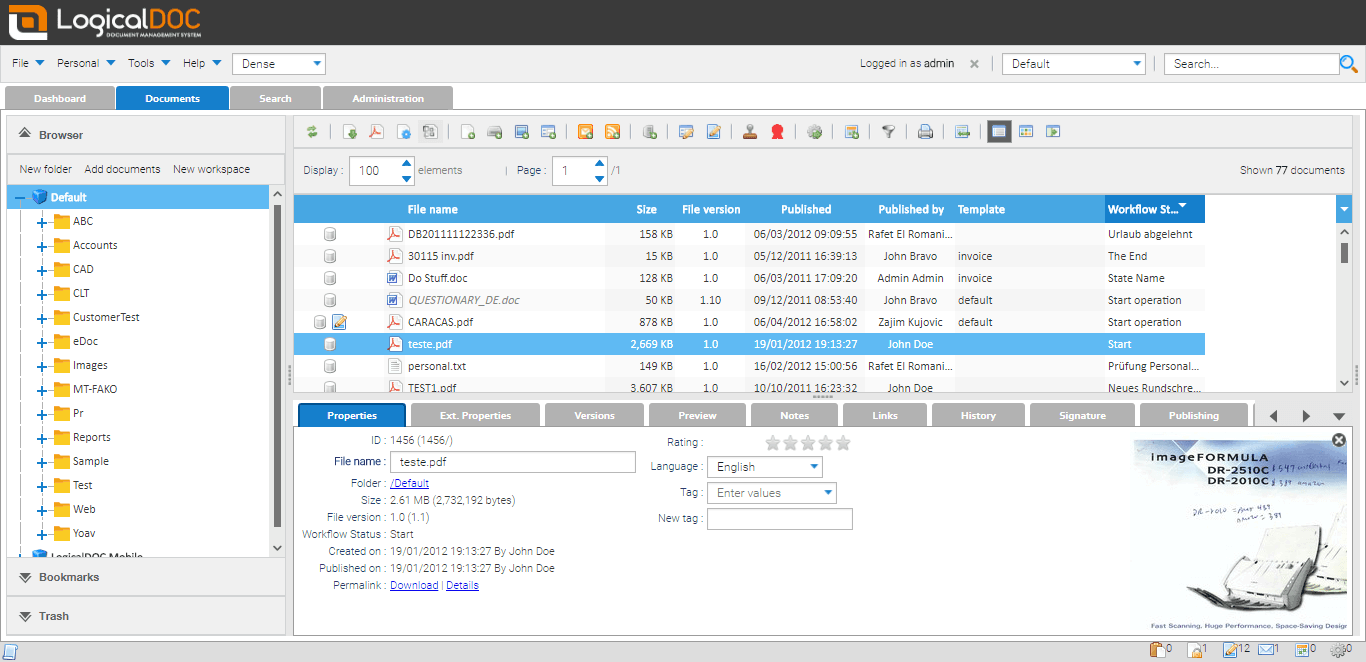
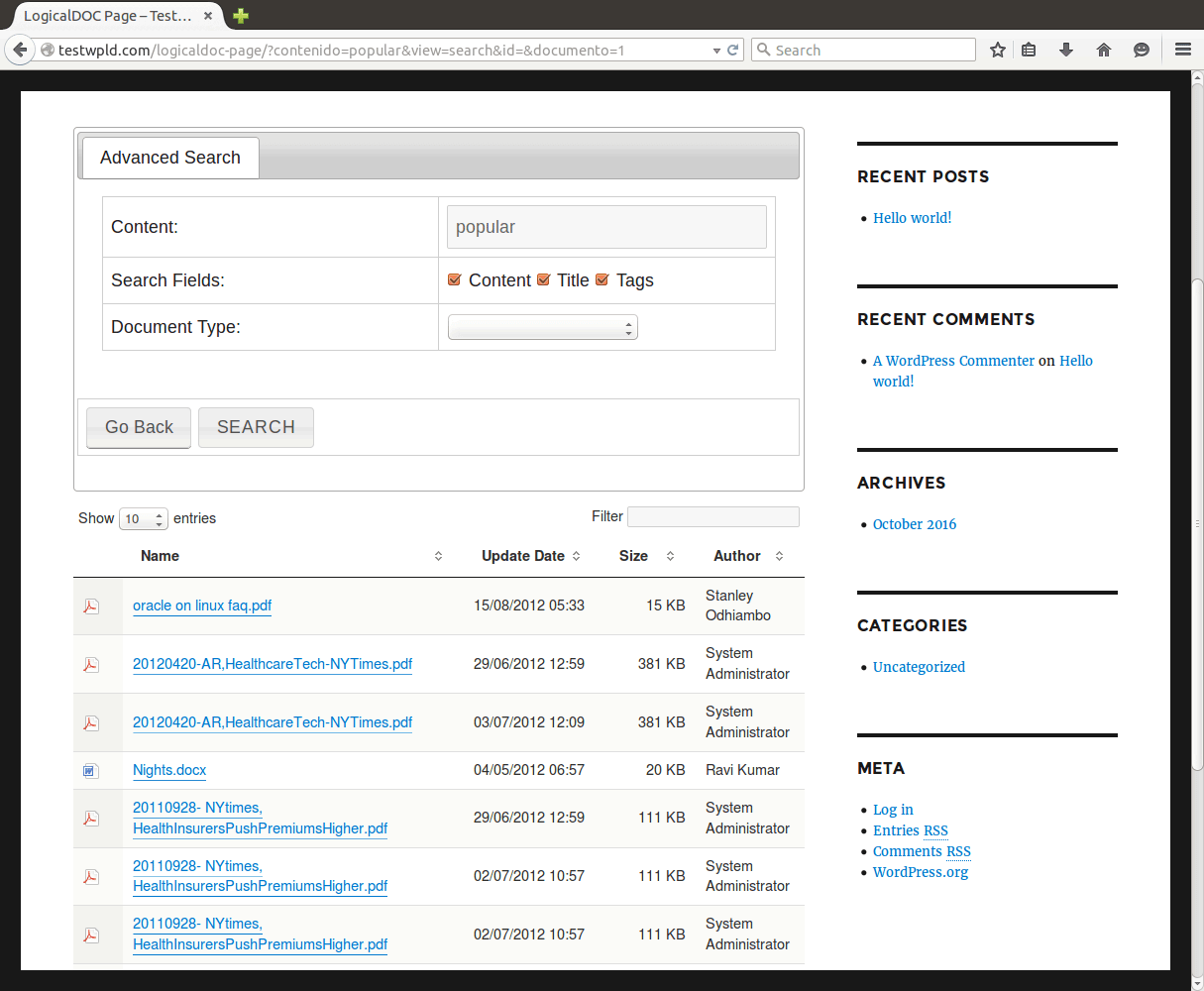
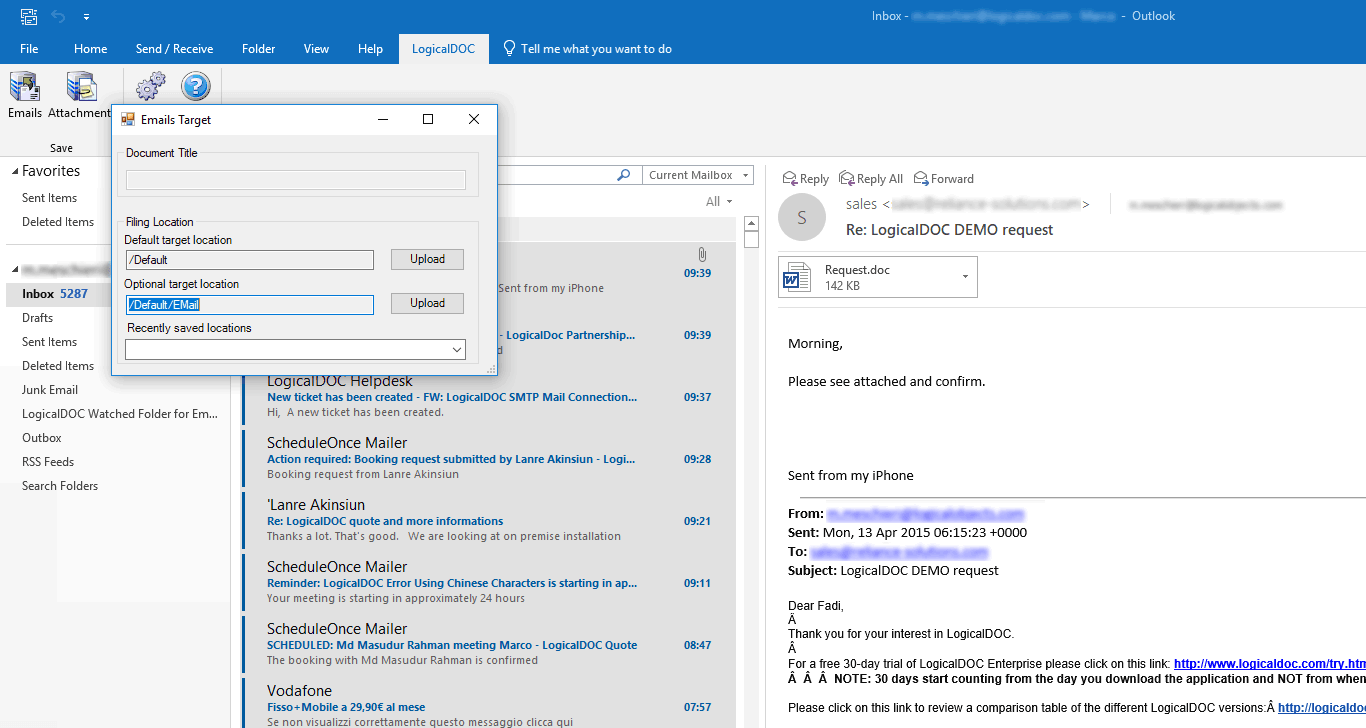
Description
LogicalDOC at a Glance
| Best for | European mid-market and enterprise document teams needing DMS, records retention, and compliance workflows without vendor lock-in |
|---|---|
| Deployment | Cloud SaaS, on-premise, or hybrid installation; Community (open-source), Business, and Enterprise editions |
| Starting price | Community edition free (open-source); Business and Enterprise via Request Quote |
| Key strengths | Open-source Community edition, multilingual UI, records-retention automation, EU-native hosting, cloud plus on-premise deployment |
| Not ideal for | Solo operators or teams under 10 users where consumer file-sync tools (Google Drive, Dropbox) cover the workflow |
LogicalDOC Overview
LogicalDOC is a European document management system that turns document sprawl into structured, searchable, and compliance-ready workflows.
Content teams file documents against configurable taxonomies; search retrieval time drops from hours to seconds because metadata and full-text indexing sit at the core.
Community, Business, and Enterprise editions cover open-source through regulated-industry deployments, and the platform ships with cloud, on-premise, and hybrid installation options.
Multilingual UI in English, German, Spanish, French, Italian, and Portuguese plus records-retention automation position LogicalDOC for European enterprises and cross-border teams.
Capabilities and Named Features
The differentiator versus consumer file-sync tools is that LogicalDOC treats documents as structured records with metadata, taxonomy, and retention schedules rather than files in folders.
Full-text search across content, tags, and metadata cuts information retrieval from hours to seconds, which is the core productivity claim on the vendor site.
Collaboration features let multiple users work on a document with check-in and check-out, version history, and audit trails so nothing overwrites blindly.
Records-retention scheduling automates the "keep for X years, then dispose" compliance workflow that regulated industries (healthcare, finance, legal, government) must enforce.
The Community edition is genuinely open-source under the LGPL license, which lets buyers evaluate the platform end-to-end before entering a Business or Enterprise contract.
Named feature list
- Full-text search across document content, metadata, and tags with configurable relevance tuning
- Configurable metadata schemas and document taxonomies per business unit or workflow
- Version history with check-in and check-out to prevent overwrite collisions
- Records-retention schedules with automated retention and disposition workflows
- Multi-language UI in English, German, Spanish, French, Italian, and Portuguese
- Cloud SaaS, on-premise, or hybrid deployment on the same code base
- Community (open-source LGPL), Business, and Enterprise editions with feature gating between tiers
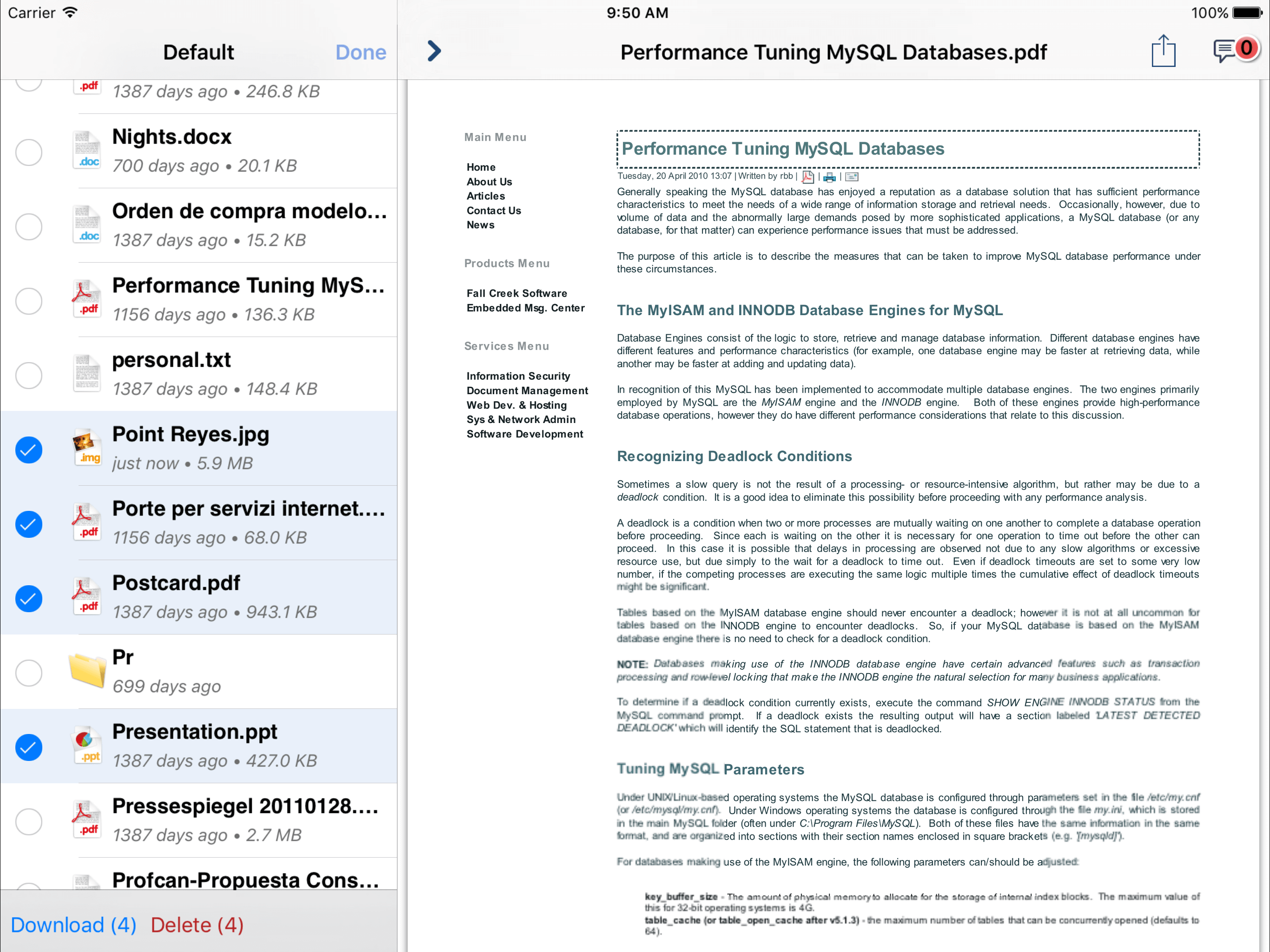
- Web interface plus native mobile apps for iOS and Android
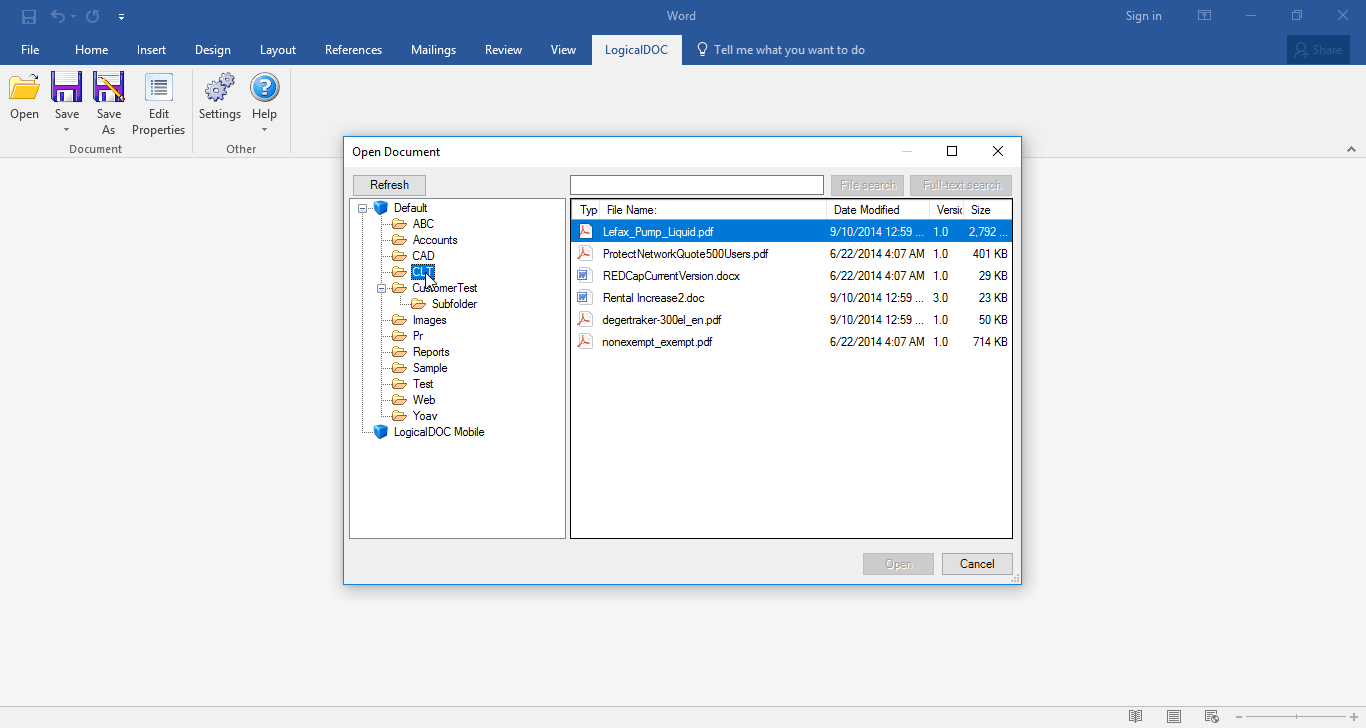
- Microsoft Office integration for edit-in-place workflows on Word, Excel, and PowerPoint
- Digital signature integration with major eSignature providers
- Optical character recognition (OCR) for scanned paper documents
- Barcode recognition for physical-to-digital document intake
- Workflow engine for review, approval, and routing chains
- REST API access for third-party integration
- SAML SSO on Enterprise plans for enterprise access management
- Active Directory and LDAP integration for user provisioning
- Audit logs for every document action and user activity
- Encryption at rest and in transit
- European data residency options for GDPR compliance
- Bulk import and export for migration workflows
Pricing and Plans
LogicalDOC uses a tier-and-quote model. Community edition is genuinely free and open-source under LGPL license.
Business and Enterprise editions are quote-based and scoped to user count, storage volume, and deployment model (cloud, on-premise, or hybrid).
Free trial of Business edition is available on request through the vendor Book Demo flow.
| Tier | Price | What is included |
|---|---|---|
| Community (Open-Source) | Free | LGPL open-source edition. Core DMS features, self-hosted, community support. Suits organizations that want to evaluate before commercial procurement or run a fully self-managed DMS |
| Business | Contact Vendor | Cloud SaaS or on-premise deployment. Includes full metadata schemas, workflow engine, Microsoft Office integration, OCR, mobile apps, and email support. Sized to user count and storage volume |
| Enterprise | Contact Vendor | Everything in Business plus SAML SSO, Active Directory and LDAP integration, advanced audit logs, records-retention automation, priority support, dedicated CSM, and EU data residency options |
| Cloud Managed | Contact Vendor | Fully-managed LogicalDOC hosted in EU data centers. Suits regulated industries needing GDPR compliance without self-managing infrastructure |
Pros
- Community edition is genuinely open-source (LGPL) which lets buyers evaluate the platform end-to-end before commercial procurement.
- Multilingual UI in six European languages is unusual in DMS category dominated by English-first US vendors.
- Deployment flexibility across cloud, on-premise, and hybrid on the same code base gives regulated industries a real path to data residency.
Cons and Trade-offs
- Quote-based commercial pricing slows self-serve comparison versus published-price DMS competitors.
- US brand recognition is lower than SharePoint or M-Files; enterprise buyers with strict vendor-scale requirements may hesitate.
- Integration marketplace is smaller than Microsoft SharePoint ecosystem; niche integrations may require custom API work.
LogicalDOC vs Alternatives
| Capability | LogicalDOC | Microsoft SharePoint | M-Files |
|---|---|---|---|
| Core focus | European DMS with open-source Community edition | Microsoft 365 document collaboration | Metadata-first DMS with strong compliance |
| Open-source option | Community edition (LGPL) | Not open-source | Not open-source |
| Deployment | Cloud, on-premise, or hybrid | Cloud (M365) or on-premise (SharePoint Server) | Cloud, on-premise, or hybrid |
| Multi-language UI | 6 European languages native | Multilingual via M365 | English-heavy with limited translations |
| Best fit | European mid-market wanting deployment flexibility | Microsoft-heavy organizations on M365 | Metadata-driven compliance workflows |
Who Should Choose LogicalDOC
European mid-market and enterprise document teams needing DMS depth, records retention, and compliance workflows without vendor lock-in.
Regulated industries (healthcare, finance, legal, government) that need EU data residency and structured records-retention automation get direct value.
Not appropriate for solo operators, teams under 10 users, or Microsoft-heavy organizations already running SharePoint where switching costs outweigh feature gains.
Named Alternatives to LogicalDOC
- Microsoft SharePoint. Microsoft 365 document collaboration. Chosen when the buyer already runs the Microsoft ecosystem and wants tight integration with Word, Excel, Teams.
- M-Files. Metadata-first DMS with strong compliance focus. A better fit when the buyer wants dynamic filing without folder hierarchy.
- OpenKM. Open-source DMS alternative to LogicalDOC Community. Preferred when the buyer wants Java-based open-source DMS with different UI.
- DocuWare. Cloud DMS with strong AP automation focus. Chosen when the buyer wants DMS plus invoice automation from one vendor.
- Alfresco. Enterprise open-source content services platform. A better fit for organizations that need process automation plus content services at large scale.
Implementation and Deployment
Community edition deploys in hours; download, install on a Linux or Windows server, and configure taxonomies.
Business edition deployments run 2-6 weeks depending on user count, storage volume, and integration scope. Standard sequence: taxonomy design, metadata schema configuration, workflow setup, integration with Active Directory or LDAP, and user training.
Enterprise deployments add SSO, records-retention configuration, audit-log tuning, and multilingual UI rollout across offices.
What Real Buyers Say About LogicalDOC
Operator discussions on Reddit r/sysadmin DMS discussions and LinkedIn Information Management community surface the following themes.
European mid-market IT and compliance teams on LinkedIn communities and r/sysadmin discussions highlight LogicalDOC as a European alternative to SharePoint or M-Files when data residency and open-source evaluation matter.
Named LogicalDOC customers include organizations across banking, government, healthcare, and manufacturing per the vendor customer page.
Common critique in r/sysadmin: commercial edition pricing is quote-only, which slows evaluation compared with published per-user competitors.
Vendor references: LogicalDOC product overview, LogicalDOC Community open-source edition, LogicalDOC customer case studies.
Related LogicalDOC Comparisons and Categories on SaaSRat
Explore related products and categories on SaaSRat to compare LogicalDOC against alternatives and see which vertical or feature comparison matches your buying criteria.
- Document Management Systems on SaaSRat
- Enterprise Content Management on SaaSRat
- Doccept: DMS for regulated industries
- Microsoft SharePoint: M365 document collaboration
- DocuWare: DMS with AP automation
The Bottom Line on LogicalDOC
LogicalDOC is a strong fit for European mid-market and enterprise document teams wanting a DMS with real deployment flexibility (cloud, on-premise, or hybrid) and an open-source Community edition that lets buyers evaluate before committing budget.
The multilingual UI and records-retention automation are the standout differentiators for regulated industries and cross-border European operations.
Microsoft-heavy organizations already running SharePoint should weigh switching costs against feature gains carefully.
Solo operators and teams under 10 users are better served by consumer file-sync tools (Google Drive, Dropbox) or lightweight DMS competitors.
US enterprise buyers should expect the quote-based commercial pricing cycle to be slower than published-price alternatives like DocuWare Cloud.
Verified on 2026-08-04 against vendor website.
Frequently Asked Questions
What is LogicalDOC?
Who is LogicalDOC best for?
How does LogicalDOC pricing work?
Is LogicalDOC really open-source?
What languages does LogicalDOC support?
Does LogicalDOC support records-retention schedules?
Can LogicalDOC be deployed on-premise?
What integrations does LogicalDOC support?
Where is LogicalDOC headquartered?
Does LogicalDOC offer a free trial?
Find Your Perfect Software
See how it can transform your workflow
- Personalized for your needs Tailored recommendations based on your unique requirements.
- Save time & resources Streamline your workflow and boost team productivity.
- Trusted by thousands Join 10,000+ businesses already growing with SaaSrat.
You're all set! 🎉
A specialist for will reach out within 1 business day with tailored recommendations for your needs.