
FileHold
by FileHold Systems Inc • Founded 2005
What is FileHold?
Get Best Quote for FileHold
Connect with SaaSrat experts to get the best quote for your business.
You're all set!
A specialist for FileHold will reach out within 1 business day.
FileHold Features
Document scanning
Version control
Metadata management
Document indexing
Search functionality
Access control
View All 63 Features
FileHold Pricing Plans
FileHold Express for 5 users
- Version Control
- Check in Out
- User rights
- Forms processing
- Document scanning
FileHold Enterprise for 20+ users
- Document workflow
- Version Control
- User management
- Document scanning
- Check in / out
FileHold Resources
FileHold Screenshots
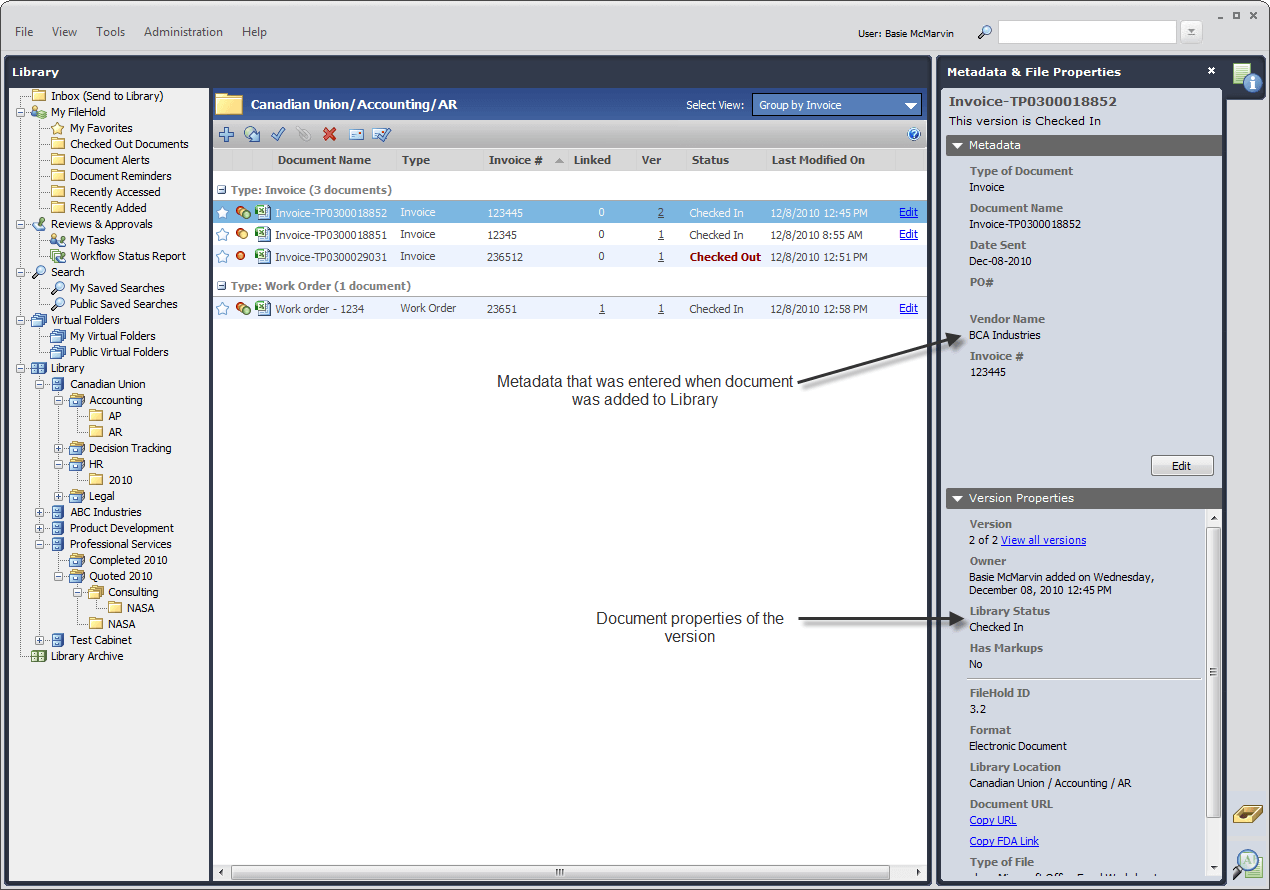
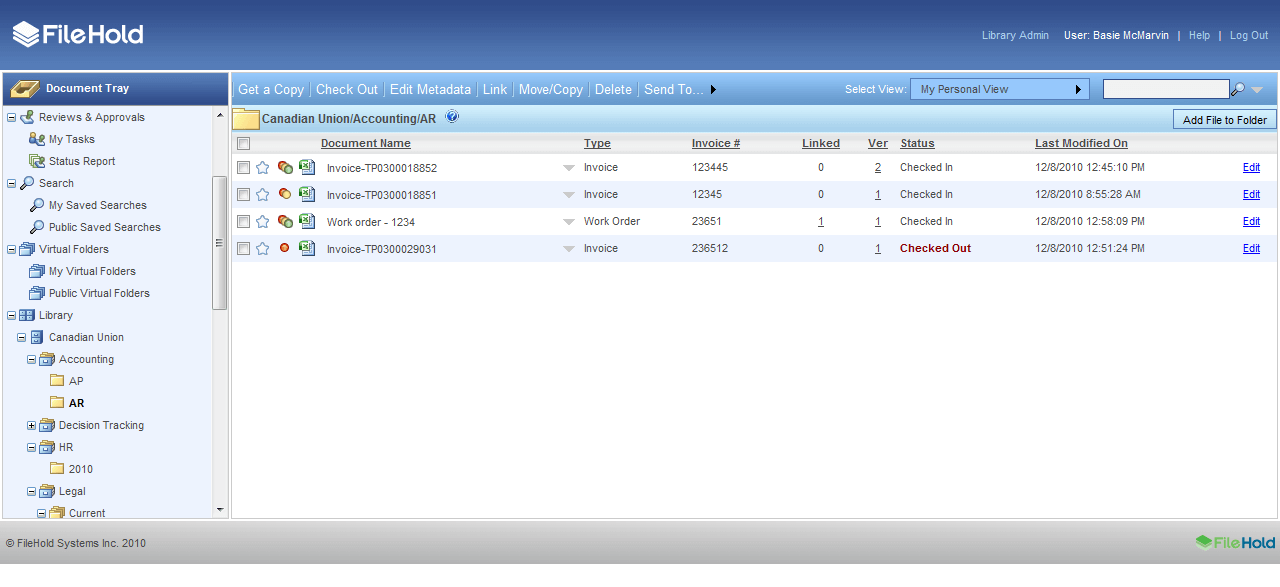
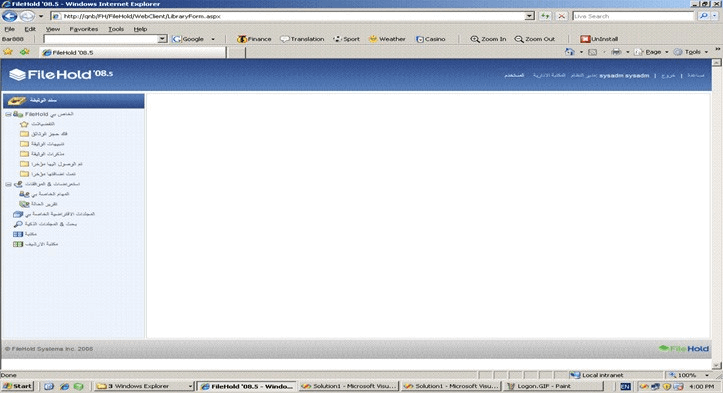
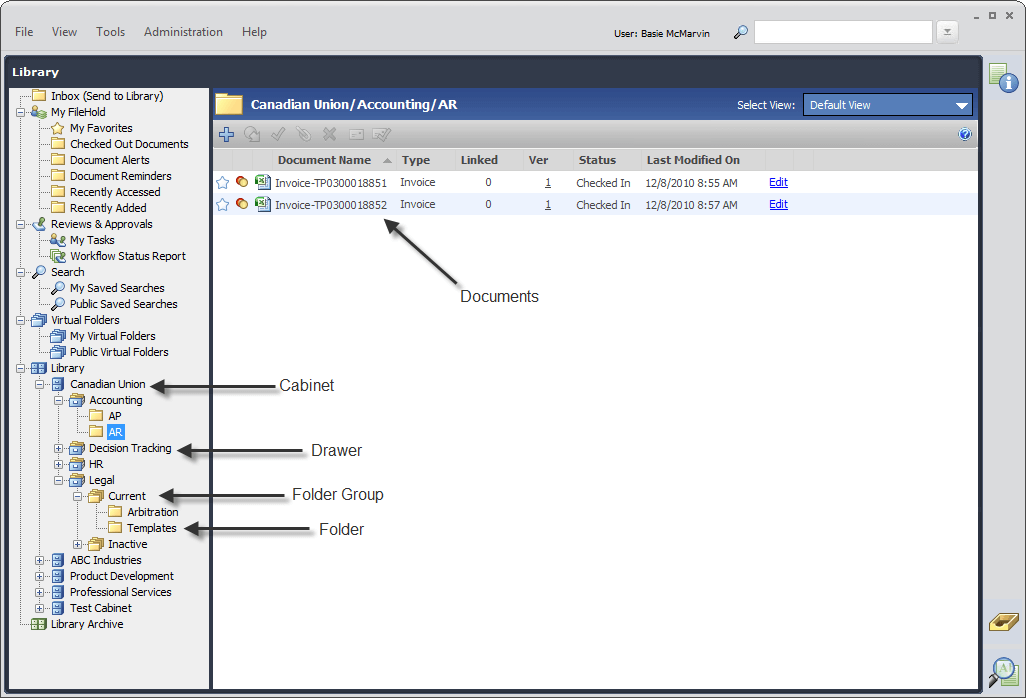
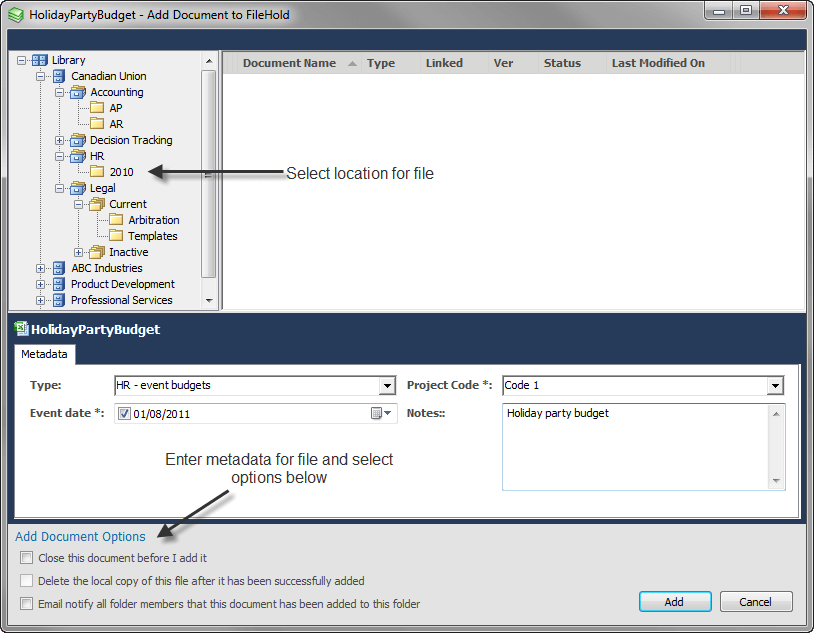
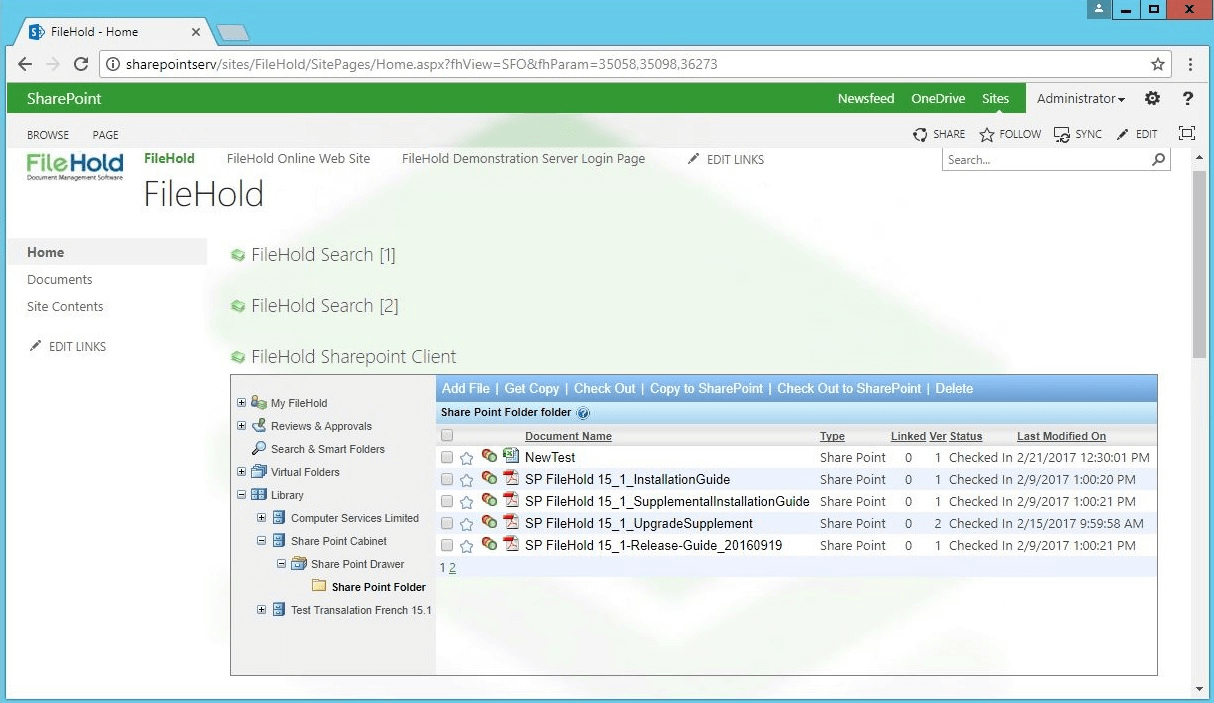
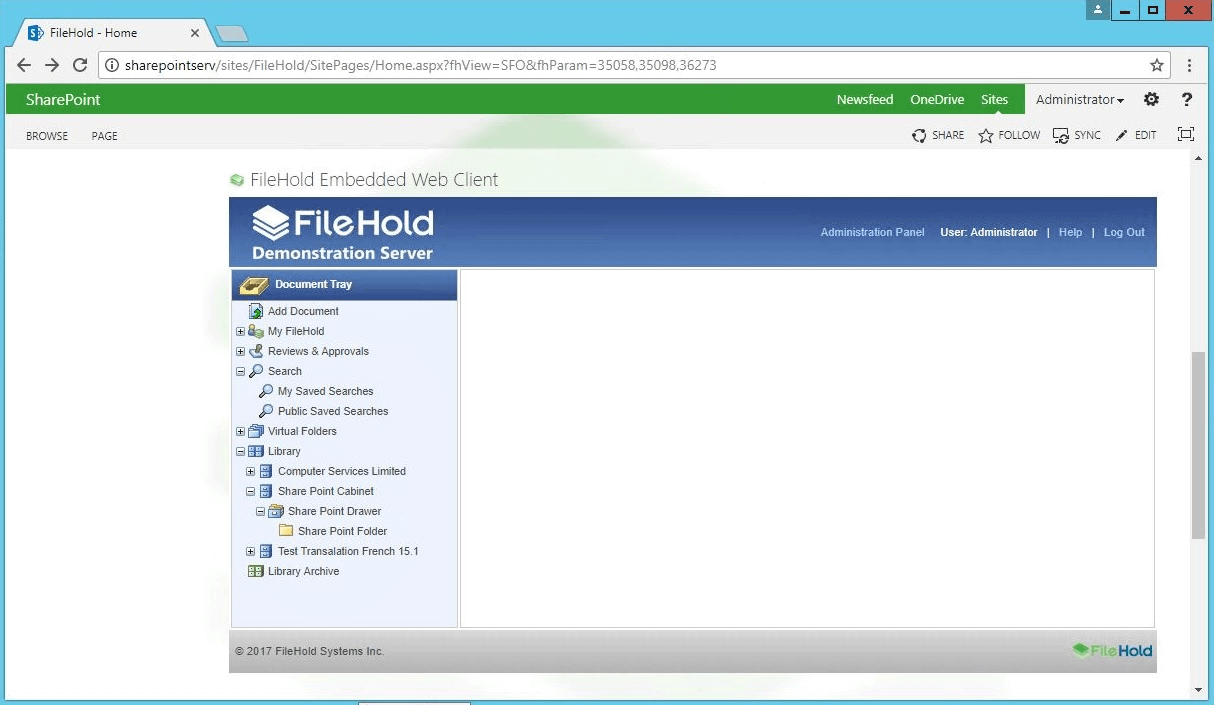
Description
FileHold at a Glance
| Best for | Mid-market organizations wanting document management with cloud, on-premises, or hybrid deployment flexibility and end-user adoption focus |
|---|---|
| Deployment | Cloud, on-premises, or hybrid deployment; browser-based user experience |
| Starting price | Contact Vendor (Schedule a demo through the vendor website; pricing scoped by user count and deployment model) |
| Key strengths | Cloud plus on-premises plus hybrid deployment choice, end-user adoption focus, audit-ready compliance, instant document search, straightforward three-step onboarding |
| Not ideal for | Very small teams with fewer than 5 users where free cloud storage tools cover the workflow, or organizations needing enterprise ECM platform depth (OpenText, IBM FileNet, M-Files) |
FileHold Overview
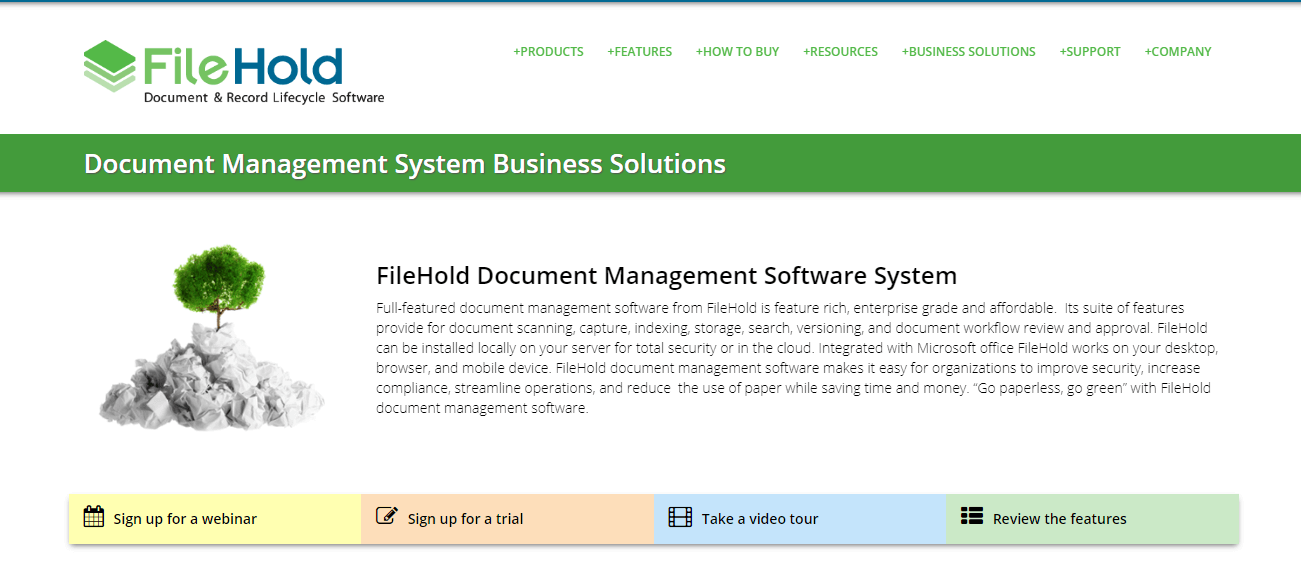
FileHold is a document management platform serving organizations that want full control over their documents without the complexity of enterprise DMS platforms.
The core positioning centers on choice: cloud, on-premises, or hybrid deployment. Most modern DMS competitors force customers into cloud-only deployment; FileHold treats deployment model as a customer decision.
The vendor problem statement is explicit , "Document Management Shouldn't Be This Hard" , targeting organizations frustrated with searching endlessly for the right file, struggling to stay compliant, using confusing tools no one wants to use, or being locked into cloud-only or on-prem-only systems.
The three-step onboarding (Schedule a demo, Choose your setup, Organize and Automate) reduces the DMS procurement anxiety that historically slows document management projects.
Capabilities and Named Features
The FileHold thesis is that document management adoption fails not because of missing features but because of deployment inflexibility and user experience complexity. Fixing those two problems drives adoption.
Deployment flexibility is the primary differentiator. Cloud deployment fits organizations wanting SaaS convenience; on-premises fits organizations with data residency or compliance requirements; hybrid fits organizations that want a mix. Most competitors force cloud-only.
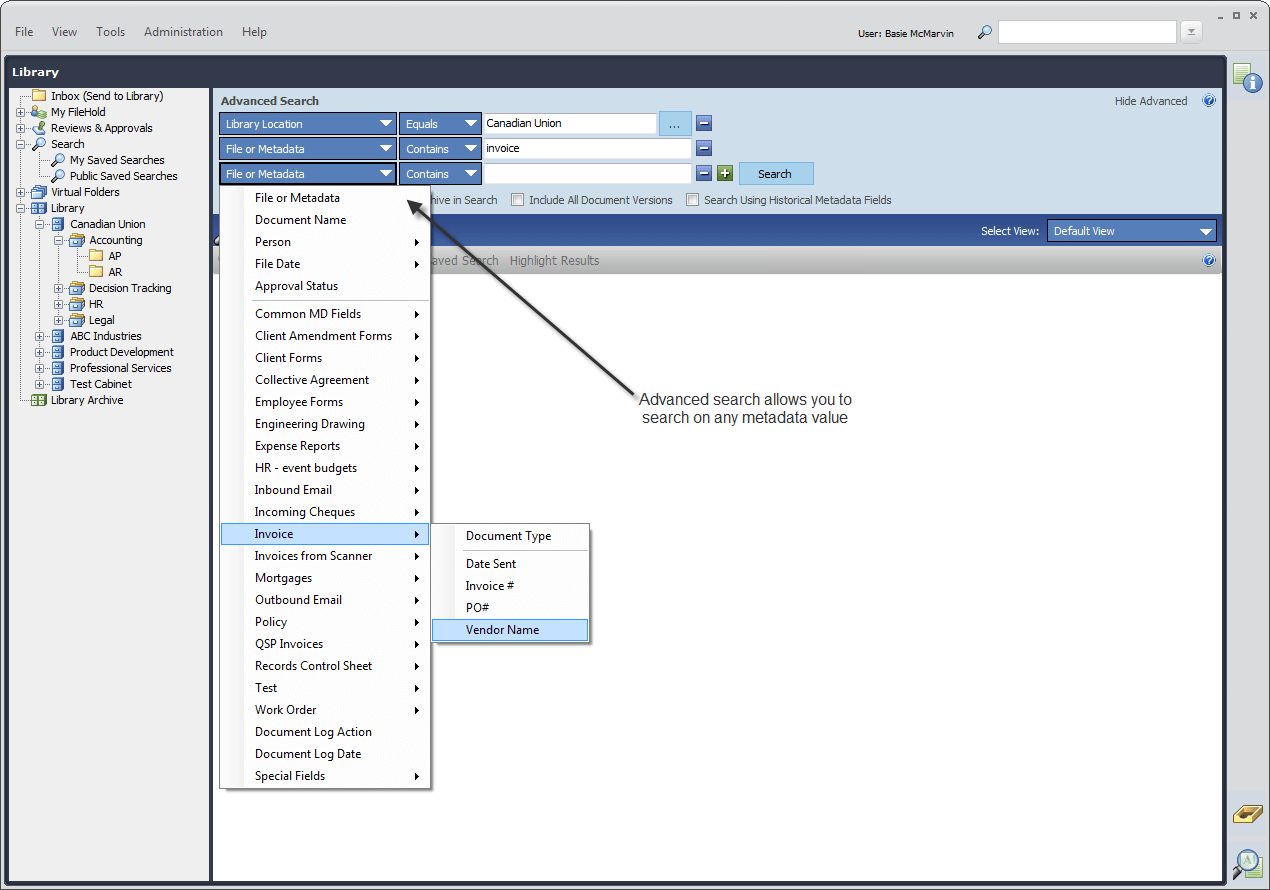
End-user adoption focus means the interface is designed for non-technical staff to find documents instantly rather than requiring training on complex enterprise DMS workflows.
Audit-ready compliance addresses the pain point that regulated organizations hit repeatedly: auditors ask for specific documents on short notice, and legacy file-share deployments cannot deliver.
Instant document search replaces the endless-hunt problem that consumes disproportionate staff time in organizations without proper DMS.
The three-step onboarding (demo, setup choice, organize and automate) reduces procurement anxiety. Organizations know what the deployment sequence looks like before committing.
FileHold offers product tiers (FileHold Express for smaller teams, FileHold Enterprise for larger organizations) so the platform scales with organizational maturity.
Named feature list
- Cloud deployment
- On-premises deployment
- Hybrid deployment
- Instant document search
- Audit-ready compliance
- Ease of use for end users
- Three-step onboarding
- FileHold Express tier
- FileHold Enterprise tier
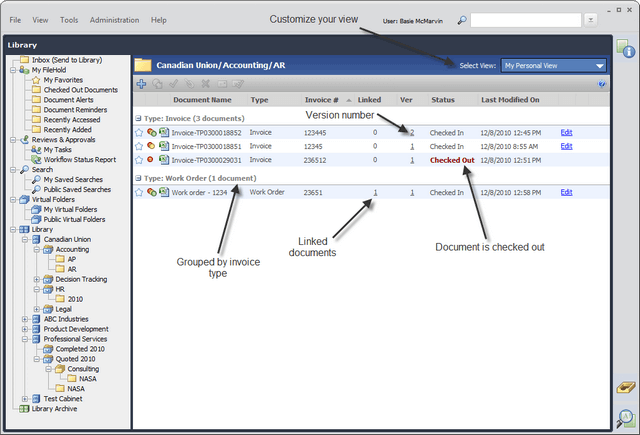
- Document version control
- Access permissions and security
- Workflow automation
- Records management
- Retention policies
- Full-text search
- Metadata management
- Integration with Microsoft Office
- Email integration
- Reporting and analytics
- Compliance controls (GDPR, HIPAA, SOX applicable)
Pricing and Plans
FileHold does not publish public per-user pricing on the vendor website.
Prospective buyers Schedule a demo through the vendor website; pricing is scoped based on user count, deployment model (cloud, on-premises, or hybrid), and feature tier (FileHold Express versus FileHold Enterprise).
The three-step onboarding sequence (demo, choose setup, organize and automate) walks organizations through the deployment decision before pricing conversations.
| Tier | Price | What is included |
|---|---|---|
| FileHold Express | Contact Vendor | Base tier for smaller organizations with core document management capabilities |
| FileHold Enterprise | Contact Vendor | Enterprise tier with advanced workflow, records management, compliance, and integration depth |
| Cloud Deployment | Contact Vendor | Cloud SaaS deployment for organizations wanting managed hosting without infrastructure overhead |
| On-Premises Deployment | Contact Vendor | Self-hosted deployment for organizations with data residency, compliance, or existing infrastructure requirements |
| Hybrid Deployment | Contact Vendor | Hybrid deployment combining cloud and on-premises for organizations wanting flexibility across document categories |
Pros
- Cloud plus on-premises plus hybrid deployment choice is genuinely differentiated against cloud-only competitors; organizations with data residency or compliance requirements do not get forced into cloud-only.
- End-user adoption focus addresses the biggest DMS project failure mode: the platform gets deployed but staff refuse to use it because the interface is confusing.
- Audit-ready compliance and instant document search directly target the two pain points that drive DMS purchase decisions in regulated organizations.
Cons and Trade-offs
- Not designed for very small teams where free cloud storage tools (Google Drive, Dropbox, OneDrive) cover the workflow at zero cost.
- Enterprise ECM platform depth (OpenText, IBM FileNet, M-Files) is deeper than FileHold at Fortune 500 scale with complex enterprise content workflow.
- Quote-based pricing slows self-serve evaluation versus published-price cloud DMS competitors.
FileHold vs Alternatives
| Capability | FileHold | M-Files | SharePoint |
|---|---|---|---|
| Core focus | Cloud plus on-premises plus hybrid DMS | Metadata-driven ECM | Microsoft ecosystem collaboration and DMS |
| Deployment flexibility | Cloud, on-premises, or hybrid | Cloud and on-premises | Cloud and on-premises via SharePoint Server |
| End-user adoption focus | Native design priority | Metadata-driven approach | Familiar Microsoft UX |
| Audit-ready compliance | Native | Native with metadata | SharePoint compliance features |
| Best fit | Mid-market wanting deployment flexibility | Enterprise metadata-driven ECM | Microsoft-heavy organizations |
Who Should Choose FileHold
Mid-market organizations wanting document management with cloud, on-premises, or hybrid deployment flexibility and end-user adoption focus.
Regulated industries (healthcare, financial services, legal, government) needing audit-ready compliance and deployment model choice.
Not appropriate for very small teams where free cloud storage tools cover the workflow, or organizations needing enterprise ECM platform depth at Fortune 500 scale.
Named Alternatives to FileHold
- M-Files. Metadata-driven ECM with strong enterprise features. Chosen when the buyer wants metadata-driven document classification and organization.
- SharePoint. Microsoft ecosystem collaboration and DMS. A better fit for Microsoft-heavy organizations wanting SharePoint plus Teams integration.
- DocuWare. Cloud and on-premises DMS with workflow automation. Preferred for organizations wanting workflow-heavy DMS.
- LogicalDOC. Open-source and commercial DMS options. Chosen for organizations wanting open-source foundation with commercial support.
- OpenKM. Open-source document management platform. A better fit for organizations wanting open-source DMS with self-hosting.
Implementation and Deployment
FileHold deployments typically run 4-12 weeks depending on user count, deployment model (cloud, on-premises, or hybrid), and integration scope with existing business systems.
Standard sequence: discovery call, deployment model choice (Step 2 of the three-step onboarding), infrastructure setup for on-premises or hybrid deployments, user role and permission configuration, document category and metadata design, workflow configuration for common document flows (invoice approval, contract management, HR records), user training focused on the adoption-driving interface elements, and phased go-live.
Regulated industries add compliance framework configuration (retention policies, audit trails, access controls) matching HIPAA, SOX, GDPR, or industry-specific requirements.
Hybrid deployments phase in cloud versus on-premises document categories based on data residency and compliance requirements per document type.
What Real Buyers Say About FileHold
Operator discussions on Reddit r/sysadmin DMS discussions and LinkedIn Records Management community surface the following themes.
IT and records management leaders on LinkedIn document management communities discuss FileHold as a strong candidate when they want deployment flexibility that cloud-only competitors cannot provide.
Regulated industry buyers (healthcare, financial services, legal, government) frequently cite the on-premises and hybrid deployment options as decisive against cloud-only DMS platforms that create data residency friction.
Operator discussions in DMS communities highlight the end-user adoption focus as the specific feature that differentiates FileHold from enterprise ECM platforms where staff refuse to adopt because the interface is too complex.
Common critique from very small operators: FileHold is over-scoped for teams under 5 users where free cloud storage tools cover the workflow at zero cost.
Records management leaders in government and healthcare specifically highlight the audit-ready compliance and instant document search as directly addressing the auditor-on-short-notice failure mode of legacy file-share deployments.
The three-step onboarding sequence is repeatedly cited as reducing procurement anxiety; organizations know what the deployment sequence looks like before committing.
Vendor references: FileHold document management platform overview, FileHold Express and FileHold Enterprise product tiers, FileHold onboarding and buying process.
Related FileHold Comparisons and Categories on SaaSRat
Explore related products and categories on SaaSRat to compare FileHold against alternatives.
- Document Management on SaaSRat
- Enterprise Content Management on SaaSRat
- DocuWare: DMS with workflow automation
- LogicalDOC: open-source and commercial DMS
- OpenKM: open-source document management
The Bottom Line on FileHold
FileHold is a strong fit for mid-market organizations wanting document management with cloud, on-premises, or hybrid deployment flexibility rather than being forced into cloud-only.
End-user adoption focus, audit-ready compliance, and instant document search address the specific pain points that drive DMS purchase decisions in regulated organizations.
The Vancouver, Canada origin means organizations get North American vendor support and Canadian data residency options.
Very small teams should evaluate free cloud storage tools first before investing in FileHold.
Fortune 500 organizations needing enterprise ECM platform depth should evaluate OpenText, IBM FileNet, or M-Files instead.
Verified on 2026-08-04 against vendor website.
Frequently Asked Questions
What is FileHold?
Who is FileHold best for?
How does FileHold pricing work?
Can FileHold be deployed on-premises?
What is FileHold Express?
What is FileHold Enterprise?
Does FileHold work for regulated industries?
How does FileHold compare to M-Files?
Where is FileHold headquartered?
What is the FileHold three-step onboarding?
Find Your Perfect Software
See how it can transform your workflow
- Personalized for your needs Tailored recommendations based on your unique requirements.
- Save time & resources Streamline your workflow and boost team productivity.
- Trusted by thousands Join 10,000+ businesses already growing with SaaSrat.
You're all set! 🎉
A specialist for will reach out within 1 business day with tailored recommendations for your needs.