

eBacon
by eBacon • Founded 2003
What is eBacon?
Get Best Quote for eBacon
Connect with SaaSrat experts to get the best quote for your business.
You're all set!
A specialist for eBacon will reach out within 1 business day.
eBacon Features
US construction payroll
Certified payroll reporting
Davis-Bacon Act compliance
Prevailing wage tracking
Apprentice ratio tracking
WH-347 federal certified payroll form
View All 26 Features
eBacon Pricing Plans
Construction Payroll
- Certified payroll plus prevailing wage compliance
- WH-347 federal form generation
- State-specific certified payroll forms
- Uploads to LCP Tracker, eComply, Prism, EMARS, Elation, WA LNI
- Fringe benefits trust administration with weekly distributions
- GPS time tracking with geo-fencing
- QuickBooks Desktop and Sage 100 integration
- No commitment, no pressure starter conversation
eBacon Resources
eBacon Screenshots
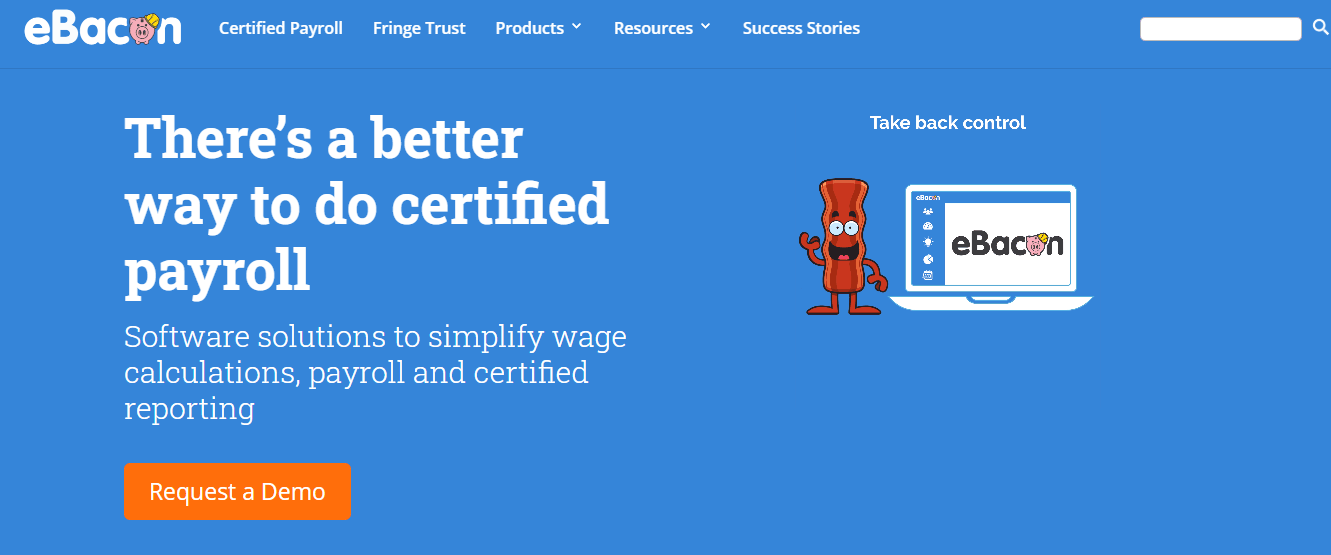
Description
eBacon at a Glance
| Question | Quick answer |
|---|---|
| What it is | A construction-vertical payroll and certified payroll compliance platform built specifically for US contractors working on Davis-Bacon Act and prevailing-wage projects. |
| Who it serves | US construction contractors, subcontractors, and specialty trades running federally-funded or state-funded public-works projects with certified payroll, fringe-benefit, and apprenticeship-ratio reporting obligations. |
| Customer footprint | Vendor reports clients save an average of 67,000 USD per year in administrative costs. Named customers include BCP Mech, Precision Concrete Cutting, Tree Pros, Tomcat Unlimited, Kimbrell Electric, Sierra West Finish, and Scorpion Backhoe. |
| Pricing posture | Contact Sales. No public tiers. Vendor positions onboarding around a 30-minute demo with no commitment. |
| Headline differentiator | Direct uploads to LCP Tracker, eComply, Prism, EMARS, Elation, and WA LNI. Generates WH-347 plus state-specific certified payroll forms with prevailing wage and fringe-benefit calculations baked in. |
eBacon is a Phoenix-based vendor founded in 2003 by Jack Biltis and Ron Bleich, focused exclusively on construction certified payroll. It is not a general-purpose payroll tool; it is built for contractors whose payroll cycle must produce WH-347 forms, prevailing-wage calculations, apprentice-ratio compliance, and weekly uploads to the labor-compliance portals general contractors demand on public-works jobs.
Pros and Cons of eBacon
| Pros | Cons |
|---|---|
| Native certified payroll and WH-347 generation with prevailing-wage tables and fringe calculations built in | No public pricing; buyers cannot benchmark against Gusto or Paychex Flex without sales |
| Direct uploads to LCP Tracker, eComply, Prism, EMARS, Elation, and WA LNI | No SOC 2 or ISO 27001 publicly listed; federal-data buyers need to request a security questionnaire |
| 22-year vendor (founded 2003) with named customers BCP Mech, Precision Concrete Cutting, and Kimbrell Electric | Construction-only; service, retail, healthcare, and tech employers gain nothing from the vertical depth |
| Integration with QuickBooks Desktop and Sage 100 (the construction accounting stacks) | Limited public review-site presence; due diligence requires reference calls more than aggregator browsing |
| Fringe-benefits trust handling with weekly distributions for contractors managing fringe pools | US-only. Canadian contractors should look at Wagepoint or Sage Payroll |
Who Should Use eBacon
eBacon serves a narrow buyer: the US construction contractor whose payroll function is inseparable from labor-compliance reporting. Generic payroll tools force these contractors into spreadsheets, manual WH-347 typing, and weekly portal uploads by hand. eBacon collapses that work into the payroll cycle itself.
Federally-funded prime contractors and subcontractors on Davis-Bacon jobs. Any contractor on a federally-funded project above 2,000 USD in scope falls under Davis-Bacon. Weekly WH-347 filing with prevailing-wage classifications, fringe breakdowns, and apprentice-ratio compliance is non-negotiable. Customers such as BCP Mech and Kimbrell Electric run exactly this profile.
State public-works contractors with state-specific certified payroll obligations. California DIR, Washington LNI, New York DOL, and similar regimes each have their own forms and upload portals. eBacon's portal list (LCP Tracker, eComply, Prism, EMARS, Elation, WA LNI) covers the dominant systems on state-funded projects.
Specialty trades juggling apprentice-ratio compliance. Electrical, plumbing, mechanical, and concrete contractors need to track journey-worker-to-apprentice ratios job by job. Mistakes here trigger DOL audits and back-wage assessments. eBacon's apprentice-ratio tracking is baked into the payroll cycle so ratios are tested before submission, not after a finding.
Multi-state contractors switching wage decisions weekly. A single contractor may run three jobs across two states in one pay period, each with its own wage decision and reporting form. eBacon's job-costing layer assigns workers to wage decisions automatically and propagates the right prevailing rate and fringe split into the certified payroll output.
Not the right fit: Non-construction US businesses (use Gusto, OnPay, or Patriot Software), construction firms with zero prevailing-wage work (generic payroll is cheaper), Canadian contractors (see Wagepoint or BrightPay), and large enterprise contractors above 1,000 employees that already run an ERP-anchored payroll suite.
eBacon Product Suite
The product is organised around the construction payroll cycle rather than a generic HR-payroll-time tripod. Each module ties back to certified-payroll output as the end product.
Certified Payroll and WH-347 Generation
The core engine produces federal WH-347, state-specific certified payroll forms, and the prevailing-wage and fringe-benefit breakdowns labor-compliance reviewers require. Wage decisions load against jobs, so workers pull the right prevailing rate for the project they worked on.
Job Costing and Wage Decision Mapping
Each project carries one or more wage decisions (federal Davis-Bacon or state prevailing wage). The job-costing layer ties every clocked hour to a job, classification, and wage decision. Multi-state contractors get clean reporting without spreadsheet rework.
Mobile Time Tracking with GPS and Geo-Fencing
Field workers clock in and out on mobile with GPS verification and geo-fenced job-site boundaries. The data populates certified payroll forms and doubles as the audit trail when a general contractor or DOL reviewer asks who was on which job.
Portal Uploads to LCP Tracker, eComply, Prism, EMARS, Elation, WA LNI
Once certified payroll is generated, eBacon pushes records directly to the labor-compliance portal the general contractor or agency requires. This eliminates the weekly CSV export and re-typing into a third-party system.
Fringe Benefits Trust
For contractors paying fringes into a trust rather than as cash on the paycheck, eBacon handles the trust accounting with weekly distributions. This simplifies cash-flow tracking for apprentice training funds, health and welfare contributions, or pension contributions.
How Much Does eBacon Cost
| Plan | Price | Notes |
|---|---|---|
| Construction Payroll (full platform) | Contact Sales | Vendor does not publish tiers. Pricing varies by employee count, number of jobs, number of states, and which portal uploads are required. |
| Demo and onboarding | 30-minute demo, no commitment | Vendor's stated posture is "smarter payroll in 30 minutes." Contractors can scope the product before signing. |
| Implementation | Contact Sales | Typical construction-payroll implementations include wage-decision setup, job-cost coding alignment, and portal-credential configuration. |
| Free trial | Not publicly offered | Evaluation is sales-led rather than self-serve. |
The credible benchmark for construction certified payroll vendors is 8 to 20 USD per employee per month for the payroll engine plus add-on fees for portal uploads and fringe-trust administration. Smaller contractors (under 25 field workers) land near the upper end because the fixed cost amortises over fewer heads. Treat the 67,000 USD per year admin-savings claim as a marketing reference, not a guaranteed outcome.
Implementation Plan: Rolling Out eBacon
Construction payroll cutovers are usually scheduled around a project boundary or a quarter-end rather than mid-cycle. Plan a 4-to-8-week rollout depending on company size and the number of jobs running.
Weeks 1 to 2: Wage decision and job-cost setup. Load active Davis-Bacon decisions and state prevailing-wage tables for your jurisdictions. Map job-cost codes to the eBacon structure. Reconcile worker classifications (journey-worker, apprentice, foreman, operator) against active wage decisions.
Weeks 3 to 4: Employee onboarding and time-tracking pilot. Invite field workers to the mobile app, configure geo-fenced job sites, and run parallel time tracking alongside your existing system for two weeks. Verify GPS clock-ins, multi-job days, and overtime calculations.
Weeks 5 to 6: Parallel certified payroll cycle. Run a full pay cycle in parallel: existing payroll plus eBacon. Compare WH-347 output line by line. Verify fringe-benefit calculations match current reporting. Resolve any wage-decision or classification mismatches.
Weeks 7 to 8: Live cutover and portal pilot. Cut over to eBacon for the live cycle. Confirm uploads to LCP Tracker, eComply, or whichever system the prime contractor requires. Have the general contractor's compliance officer confirm submission acceptance before discontinuing the parallel run.
Run-state: Weekly payroll, certified payroll auto-posts to required portals, fringe-trust distributions on schedule. Quarterly audit of wage-decision updates.
Hidden Costs and Contract Gotchas
No SOC 2 or ISO 27001 publicly listed. Contractors working with federal agencies that require vendor security attestations should request eBacon's security documentation during procurement. The BBB accreditation and 2022 "Best Company For Women" award are not security certifications and do not satisfy CMMC, FedRAMP, or DoD vendor reviews.
Portal upload coverage is not universal. The supported portal list covers dominant systems but not every state or municipal portal. Confirm during sales that your specific portals are supported; otherwise weekly uploads revert to manual.
Wage-decision updates require monitoring. Federal Davis-Bacon decisions and state prevailing-wage tables update periodically. Confirm whether eBacon pushes updates automatically or whether the payroll admin verifies the active decision before each cycle.
QuickBooks integration is Desktop, not Online. Construction firms on QuickBooks Online may face an integration gap. Sage 100 is supported. Verify the accounting-stack fit before signing.
67K admin savings claim is a vendor reference. Vendor materials state clients save an average of 67,000 USD per year. This is a marketing data point, not a contractual guarantee. Model your own savings against current WH-347 and portal-upload labor hours.
What Real Buyers Report
Positive themes from construction-industry references include the depth of prevailing-wage and apprentice-ratio handling (firms like BCP Mech and Tree Pros run exactly this workflow), the value of direct portal uploads to LCP Tracker and eComply (removing 4 to 8 hours per week of manual upload labor), the responsive support team noted in case studies, and the 22-year track record under the same ownership.
Critical themes include the lack of published pricing (making early comparison against QuickBooks Payroll or Paychex Flex harder), the absence of public SOC 2 attestation, the narrow vertical focus, and the limited public review-site presence. Ask for two or three reference calls during evaluation rather than relying on aggregator review counts.
eBacon Alternatives
| If you are evaluating | Closest alternatives | Why |
|---|---|---|
| eBacon for construction certified payroll | Foundation Software Payroll, Points North Certified Payroll Reporting, LCP Tracker direct | Foundation is the legacy construction-ERP option with built-in certified payroll; Points North focuses on the reporting and upload layer; LCP Tracker direct is the portal itself if the contractor prefers manual entry |
| eBacon for general construction payroll without heavy Davis-Bacon load | QuickBooks Payroll, Paychex Flex, ADP Run | Generic payroll engines with construction add-ons; cheaper at small headcounts and broadly known across the accounting community, but weaker on prevailing wage and portal automation |
| eBacon for mid-market construction with full ERP needs | Sage 300 Construction, Viewpoint Spectrum, Sage Payroll | Full construction ERP with project management, accounting, and payroll in one stack; higher cost and longer implementation, but consolidated vendor footprint |
| eBacon for HRIS plus payroll bundle | Rippling, Justworks | Modern HRIS with payroll, benefits, and IT provisioning; better for contractors whose growth case requires broad HR functionality alongside payroll, at the cost of weaker certified-payroll depth |
Bottom Line
eBacon is a deep-vertical pick for US construction contractors whose weekly payroll cycle produces certified payroll output for labor-compliance portals. The portal coverage (LCP Tracker, eComply, Prism, EMARS, Elation, WA LNI), prevailing-wage and apprentice-ratio handling, QuickBooks Desktop and Sage 100 integrations, and 22-year operating history make it credible for the contractor who lives and breathes Davis-Bacon work. Trade-offs are unpublished pricing, no public SOC 2, and a narrow vertical scope. For non-construction US businesses, see Gusto, OnPay, or Patriot Software; for the broader market, see the payroll software directory or the attendance management guide if field-time tracking is a parallel need.
Frequently Asked Questions
What is eBacon and who is it for?
How much does eBacon cost?
What is certified payroll and why does it matter?
Which compliance portals does eBacon support?
Who are eBacon customers?
What integrations does eBacon support?
How does eBacon compare to Gusto or ADP Run?
Does eBacon have SOC 2 or ISO certifications?
Does eBacon handle union payroll?
Does eBacon have a mobile app?
Find Your Perfect Software
See how it can transform your workflow
- Personalized for your needs Tailored recommendations based on your unique requirements.
- Save time & resources Streamline your workflow and boost team productivity.
- Trusted by thousands Join 10,000+ businesses already growing with SaaSrat.
You're all set! 🎉
A specialist for will reach out within 1 business day with tailored recommendations for your needs.